⚠ 這是歷史版本頁面 — 查看 CorelDRAW Technical Suite 最新版本 →

CorelDRAW Technical Suite 2024
v 2024
Windows
未分類
8.4/10 (33)
- 目前版本2024
- 更新日期2024-08-29
- 檔案大小1.3 MB
- 檔案名稱CorelDRAWTechnicalSuiteInstaller.exe
- 作業系統Windows 10 (32-bit) / Windows 10 (64-bit) / Windows 11
- 支援語系English
- 授權型式未分類
- 開發商 Corel Corporation
- 軟體分類Windows 軟體 / 影像設計
##
編輯短評
CorelDRAW Technical Suite 是一套專為技術插圖與製圖設計的整合型軟體,主要解決工程圖、產品說明書、技術文件等需要高度精確與標準合規的繪圖需求。它涵蓋從專案建立、繪製到文件發佈的完整流程,並提供專業的插圖與設計工具,以及出色的檔案格式相容性,能應付多種工業標準。這套軟體由 Corel 長期維護,更新步調不算頻繁,但仍有持續支援;在同類工具中屬於特定領域的專業選擇,使用者評價普遍不錯,不過評分樣本數不多,熱度並非頂尖。
這套軟體適合需要製作精密技術圖面、產品分解圖、或技術手冊的工程師、產品設計師與技術文件撰寫者。當你需要的不是一般平面設計,而是符合規範、可清楚傳達結構與組裝方式的圖像時,它會比以點陣圖編輯為主的 Photoshop 更對味,因為向量繪圖在縮放與修改上更具彈性。不過要注意的是,它僅提供英文介面,且目前僅支援 Windows 平台,授權方式也未明確分類,若你習慣中文環境或使用 Mac,可能需要額外評估或尋找替代方案。
##
翻譯排程處理中,以下暫以英文原文呈現
軟體介紹
CorelDRAW Technical Suite is your key to creating detailed technical illustrations with absolute precision and control—from project creation and authoring to the publishing of technical documentation.
The ultimate hub for designing detailed technical illustrations, documentation, marketing, and more! Try it today!
Technical illustration and drafting software for effective communication at all levels!
Edit and enhance photos for your documentation with powerful photo editors, Corel PHOTO-PAINT®, and AfterShot™ 3 HDR, or add screenshots captured with Corel® CAPTURE™.
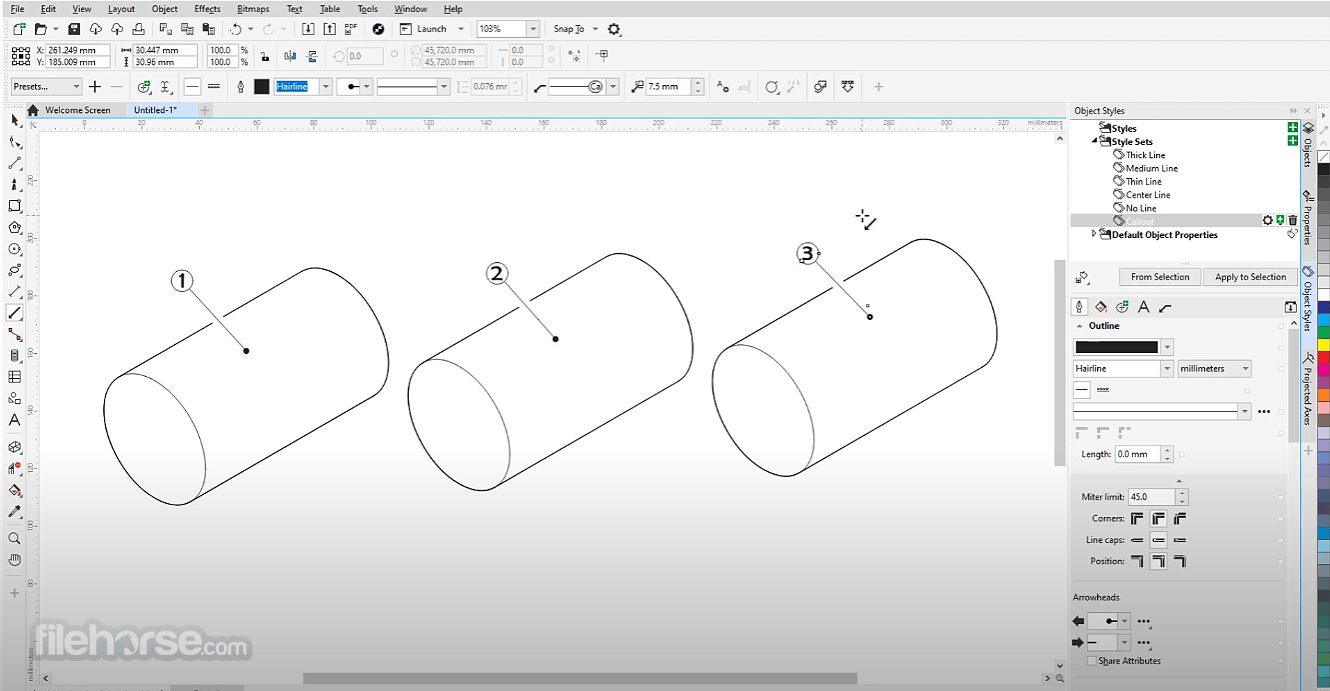
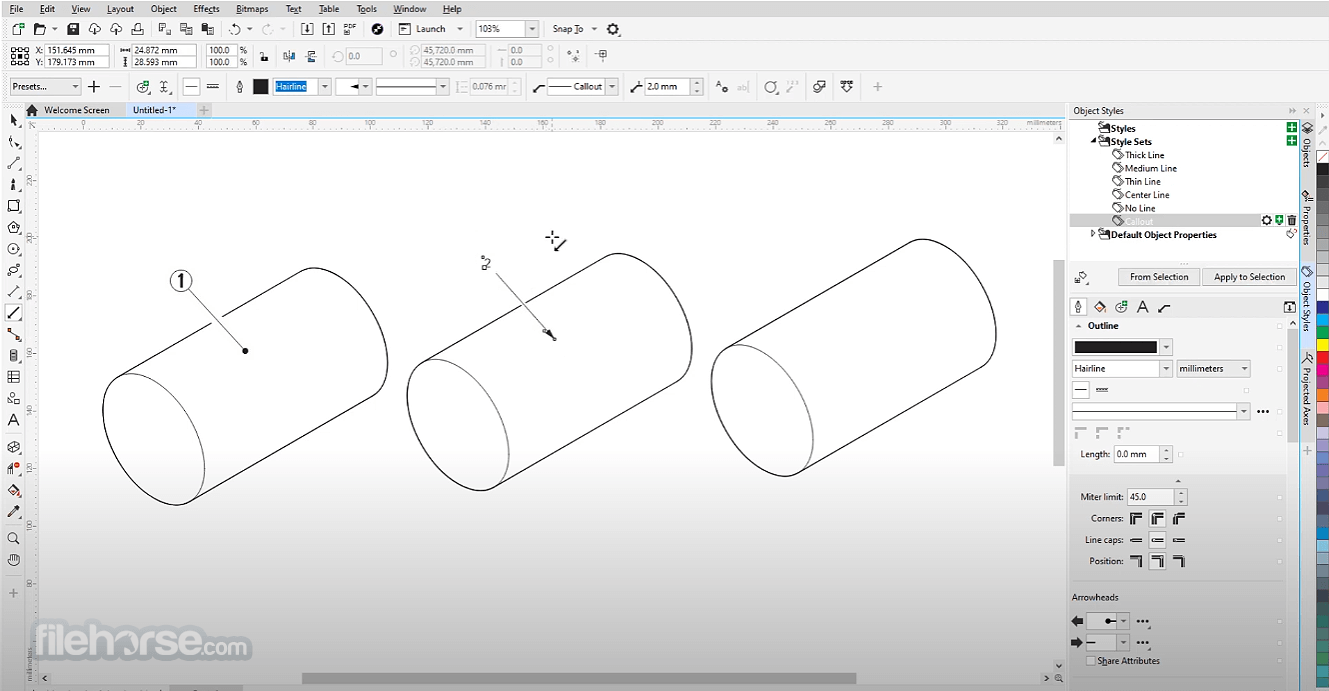
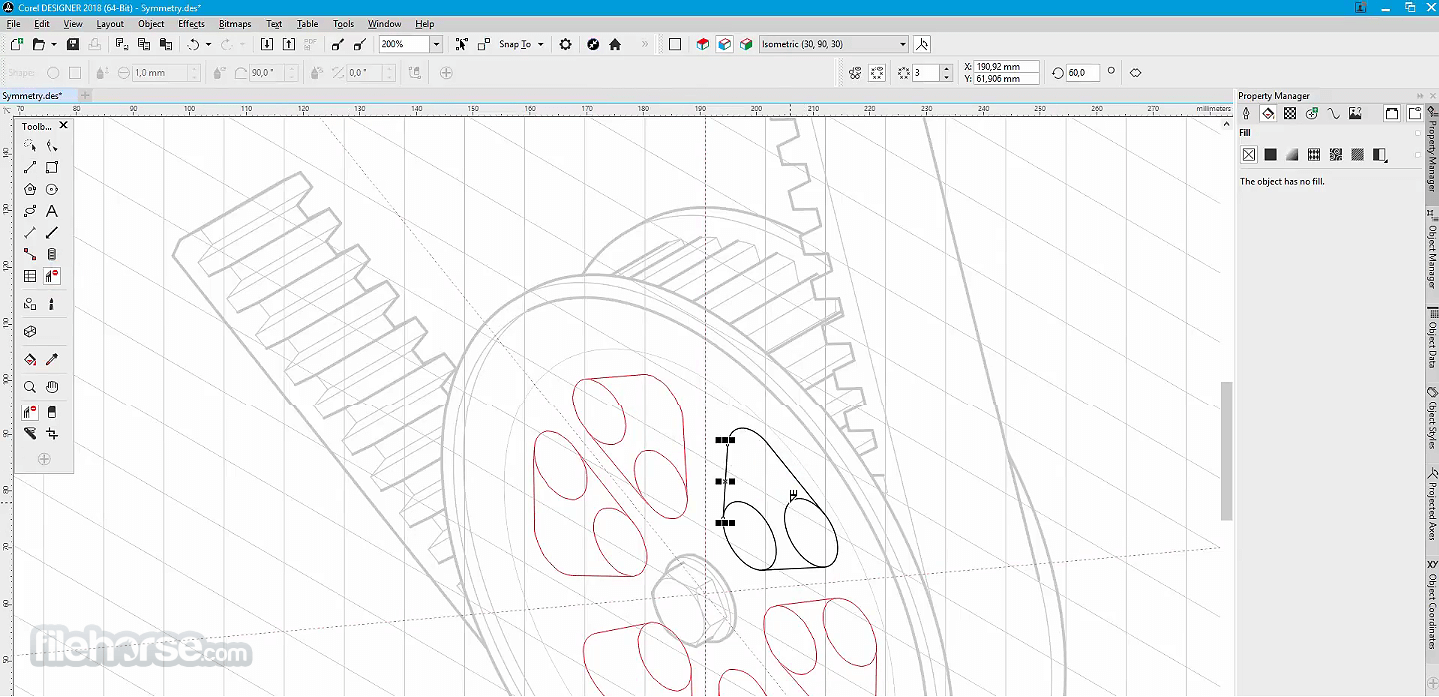
Accelerate your workflow with powerful, dedicated illustration and design tools that ensure accuracy for axonometric drawing, detailed callouts, advanced dimensioning, and more.
CorelDRAW Technical Suite 2026 is packed with features and functionality that enable technical illustrators, writers, and graphics users to produce just about anything!
Reuse 3D models with the integrated XVL Studio Corel Edition, and the optional XVL Studio 3D CAD Corel Edition add-on for advanced 3D CAD assembly formats.
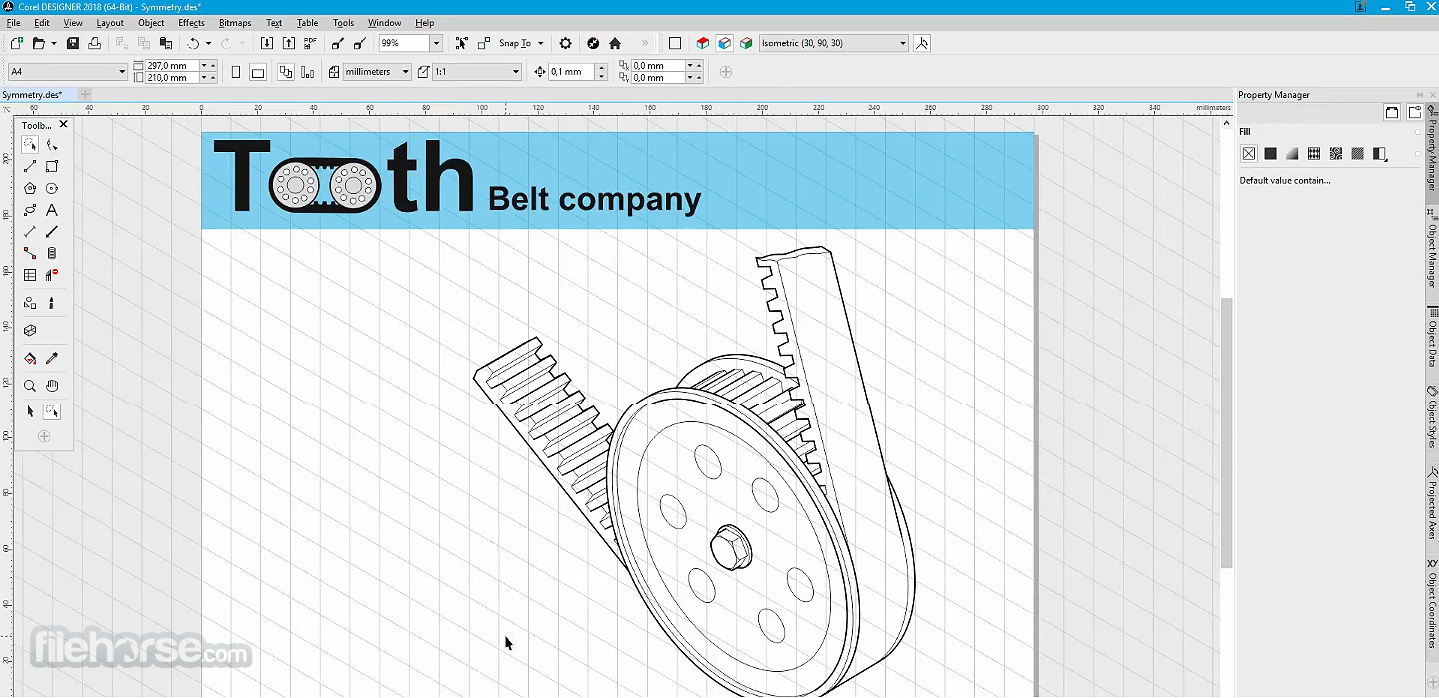
With 3D visualization efficiencies, you can insert 3D models as linked or embedded objects into Corel DESIGNER files for instant access, sharing, and reference.
Enjoy support for the latest file formats widely used in technical publications, including CGM, WebCGM, SVG, and PDF. Import from, and export to, more than 100 file formats, including EPS, DWG, TIFF, PNG, and JPEG, ensuring that you can easily exchange files with colleagues and clients worldwide and produce a range of outputs.
It offers technical communication professionals and technical graphics users everything they need to create expert technical illustration and design projects in an all-in-one suite:
Be boundless
Whether you’re creating complex user manuals or detailed illustrations, you will find a comprehensive suite of professional applications to meet all of your visual communication needs.
Be precise
CorelDRAW Technical Suite offers a range of precise illustration and design tools to create detailed technical documentation with exact specifications.
Be productive
Enjoy a seamless workflow from opening 2D and 3D source files, photos, documents, and data, to producing and publishing technical communications.
Main Features
Precision Illustration Tools
Advanced callouts, dimensioning tools, and CAD-like features ensure precision and accuracy for technical illustrations.
Enhanced Diagramming Capabilities
Tools for creating flowcharts, network diagrams, and other schematics, complete with customizable templates.
3D CAD Import and Export
Seamlessly import 3D CAD files and transform them into vector-based illustrations for easy integration into projects.
Intuitive Photo Editing
Corel PHOTO-PAINT™ provides advanced photo editing tools for creating visually compelling graphics.
Collaboration Tools
Integration with cloud-based storage and collaboration platforms allows real-time feedback and project sharing.
Wide File Format Support
Supports over 100 file formats, including DWG, DXF, SVG, and PDF, ensuring compatibility with various industry standards.
Performance Optimization
Optimized for speed and reliability, the suite is designed to handle large files and complex projects seamlessly.
What’s New - CorelDRAW Technical Suite 2026
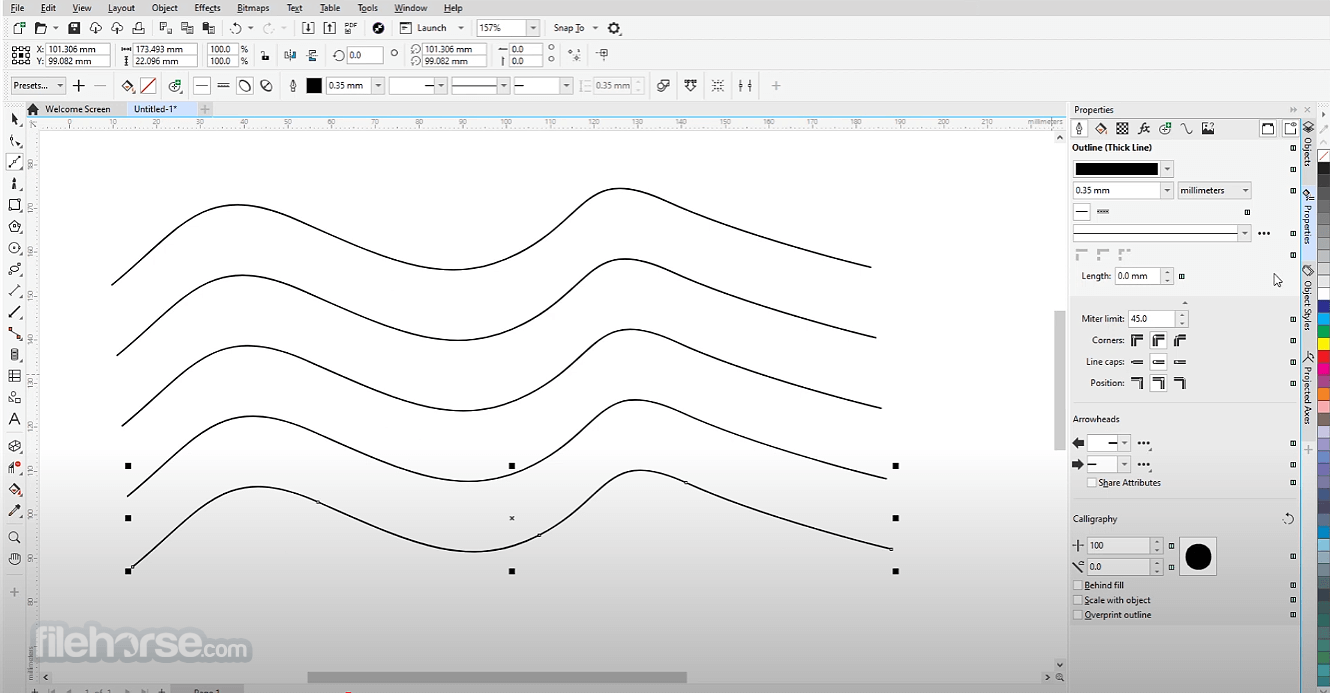
The user interface of CorelDRAW Technical Suite is clean, intuitive, and highly customizable. With an array of dockers, toolbars, and context-sensitive menus, users can tailor their workspace to suit specific tasks.
The suite also includes multi-display support, ensuring a seamless workflow across multiple monitors. Its dark and light mode options enhance usability for extended work sessions.
Installation and Setup
Getting Started:
Launch the software and select a workspace layout that aligns with your project type (e.g., illustration, layout, or technical drawing).
Importing Files:
Use the File menu to import CAD or image files. The suite’s compatibility ensures smooth handling of multiple formats.
Creating Illustrations:
Use tools like callouts, dimension lines, and projection drawings to create precise illustrations. The snapping feature ensures alignment accuracy.
Editing and Refining:
Switch to Corel PHOTO-PAINT for advanced photo editing and texture creation.
Exporting Projects:
Export your work in the desired format, optimizing for print or digital platforms.
FAQs
What industries benefit most from CorelDRAW Technical Suite?
Industries like manufacturing, engineering, architecture, and graphic design benefit from its precision tools and CAD compatibility.
What is CorelDRAW Technical Suite used for?
CorelDRAW Technical Suite is a comprehensive software solution designed for creating detailed technical illustrations and drafting. It serves as an essential tool for crafting precise technical designs, documentation, marketing materials, and more.
Can CorelDRAW Technical Suite handle 3D models?
Yes, it supports 3D CAD import/export, enabling the transformation of 3D models into 2D vector illustrations.
Does the suite offer collaboration features?
Yes, cloud integration and project-sharing tools make it easy to collaborate in real-time.
Is CorelDRAW Technical Suite beginner-friendly?
While designed for professionals, its intuitive interface and tutorials make it accessible for beginners.
What’s the difference between CorelDRAW Graphics Suite and Technical Suite?
The Technical Suite includes all features of the Graphics Suite plus additional tools for technical illustration and documentation.
Alternatives
Adobe Illustrator - Best for creative graphic design, but lacks technical illustration capabilities.
SketchUp - Ideal for 3D modeling but less suited for detailed 2D illustrations.
Inkscape - A free, open-source alternative for vector graphics, but it lacks advanced technical tools.
Pricing
Subscription: $499 per year
Perpetual License: $1199 (one-time payment)
Discounts for educational and enterprise users may apply. The subscription includes updates and cloud-based features.
System Requirements
CorelDRAW Technical Suite is a powerful tool tailored for professionals who require precision, efficiency, and versatility in their technical illustration and documentation projects.
While its price may deter casual users, its robust feature set and industry-specific tools justify the investment for professionals. With excellent performance and user-focused design, it remains a top contender in the technical design software market.
Note: 30-day trial version.
Download CorelDRAW Technical Suite Latest Version Why is this app published on FileHorse? (More info)
The ultimate hub for designing detailed technical illustrations, documentation, marketing, and more! Try it today!
Technical illustration and drafting software for effective communication at all levels!
- An integrated suite of professional applications
- Dedicated illustration and design tools
- Unmatched file format compatibility
- Advanced standards compliance
Edit and enhance photos for your documentation with powerful photo editors, Corel PHOTO-PAINT®, and AfterShot™ 3 HDR, or add screenshots captured with Corel® CAPTURE™.
Accelerate your workflow with powerful, dedicated illustration and design tools that ensure accuracy for axonometric drawing, detailed callouts, advanced dimensioning, and more.
CorelDRAW Technical Suite 2026 is packed with features and functionality that enable technical illustrators, writers, and graphics users to produce just about anything!
Reuse 3D models with the integrated XVL Studio Corel Edition, and the optional XVL Studio 3D CAD Corel Edition add-on for advanced 3D CAD assembly formats.
With 3D visualization efficiencies, you can insert 3D models as linked or embedded objects into Corel DESIGNER files for instant access, sharing, and reference.
Enjoy support for the latest file formats widely used in technical publications, including CGM, WebCGM, SVG, and PDF. Import from, and export to, more than 100 file formats, including EPS, DWG, TIFF, PNG, and JPEG, ensuring that you can easily exchange files with colleagues and clients worldwide and produce a range of outputs.
It offers technical communication professionals and technical graphics users everything they need to create expert technical illustration and design projects in an all-in-one suite:
- Corel DESIGNER—Precise technical illustration.
- CorelDRAW—Vector illustration and page layout.
- CorelDRAW Web—Browser-based vector illustration and graphic design.
- Corel PHOTO-PAINT—Professional image editing.
- XVL Studio Corel Edition—3D visualization and authoring.
- Corel Font Manager—A font exploration and management tool.
- CAPTURE—Screen capture tool.
- AfterShot 3 HDR—RAW photo editor.
Be boundless
Whether you’re creating complex user manuals or detailed illustrations, you will find a comprehensive suite of professional applications to meet all of your visual communication needs.
Be precise
CorelDRAW Technical Suite offers a range of precise illustration and design tools to create detailed technical documentation with exact specifications.
Be productive
Enjoy a seamless workflow from opening 2D and 3D source files, photos, documents, and data, to producing and publishing technical communications.
Main Features
Precision Illustration Tools
Advanced callouts, dimensioning tools, and CAD-like features ensure precision and accuracy for technical illustrations.
Enhanced Diagramming Capabilities
Tools for creating flowcharts, network diagrams, and other schematics, complete with customizable templates.
3D CAD Import and Export
Seamlessly import 3D CAD files and transform them into vector-based illustrations for easy integration into projects.
Intuitive Photo Editing
Corel PHOTO-PAINT™ provides advanced photo editing tools for creating visually compelling graphics.
Collaboration Tools
Integration with cloud-based storage and collaboration platforms allows real-time feedback and project sharing.
Wide File Format Support
Supports over 100 file formats, including DWG, DXF, SVG, and PDF, ensuring compatibility with various industry standards.
Performance Optimization
Optimized for speed and reliability, the suite is designed to handle large files and complex projects seamlessly.
What’s New - CorelDRAW Technical Suite 2026
- AI Generate: Create new visual elements using AI-powered generation tools directly within the design workflow.
- AI Background Remover: Automatically remove backgrounds from images with AI to speed up editing and asset preparation.
- 3D CAD Workflow Enhancements: Convert repurposed 3D engineering data into precise technical illustrations more easily.
- Interactive SVG Support: Link drawing callouts to table rows so related information highlights on hover.
- Web-Ready SVG Export: Export optimized SVG graphics designed for interactive web and documentation use.
- Axonometric Drawing Tools: Create isometric and parallel-projection technical illustrations by drawing on projected planes.
- 3-Point Thread Creation Tool: Precisely align thread graphics to bolts by snapping to the center and edges automatically.
- Advanced Dimension Tools: Improved dimensioning capabilities for accurate measurements in technical illustrations.
- 3D PDF Publishing: Export interactive 3D models together with technical documentation into a single PDF file.
- GPU Accelerated Vector Previews: Faster rendering and smoother performance when editing complex vector illustrations.
The user interface of CorelDRAW Technical Suite is clean, intuitive, and highly customizable. With an array of dockers, toolbars, and context-sensitive menus, users can tailor their workspace to suit specific tasks.
The suite also includes multi-display support, ensuring a seamless workflow across multiple monitors. Its dark and light mode options enhance usability for extended work sessions.
Installation and Setup
- Download the installer from Corel’s official website or FileHorse.
- Follow the guided setup wizard to install the suite.
- Activate your software using a license key or subscription credentials.
- Configure your workspace preferences during the initial setup for a personalized experience.
- Enable auto-updates to ensure you have access to the latest features and security patches.
Getting Started:
Launch the software and select a workspace layout that aligns with your project type (e.g., illustration, layout, or technical drawing).
Importing Files:
Use the File menu to import CAD or image files. The suite’s compatibility ensures smooth handling of multiple formats.
Creating Illustrations:
Use tools like callouts, dimension lines, and projection drawings to create precise illustrations. The snapping feature ensures alignment accuracy.
Editing and Refining:
Switch to Corel PHOTO-PAINT for advanced photo editing and texture creation.
Exporting Projects:
Export your work in the desired format, optimizing for print or digital platforms.
FAQs
What industries benefit most from CorelDRAW Technical Suite?
Industries like manufacturing, engineering, architecture, and graphic design benefit from its precision tools and CAD compatibility.
What is CorelDRAW Technical Suite used for?
CorelDRAW Technical Suite is a comprehensive software solution designed for creating detailed technical illustrations and drafting. It serves as an essential tool for crafting precise technical designs, documentation, marketing materials, and more.
Can CorelDRAW Technical Suite handle 3D models?
Yes, it supports 3D CAD import/export, enabling the transformation of 3D models into 2D vector illustrations.
Does the suite offer collaboration features?
Yes, cloud integration and project-sharing tools make it easy to collaborate in real-time.
Is CorelDRAW Technical Suite beginner-friendly?
While designed for professionals, its intuitive interface and tutorials make it accessible for beginners.
What’s the difference between CorelDRAW Graphics Suite and Technical Suite?
The Technical Suite includes all features of the Graphics Suite plus additional tools for technical illustration and documentation.
Alternatives
Adobe Illustrator - Best for creative graphic design, but lacks technical illustration capabilities.
SketchUp - Ideal for 3D modeling but less suited for detailed 2D illustrations.
Inkscape - A free, open-source alternative for vector graphics, but it lacks advanced technical tools.
Pricing
Subscription: $499 per year
Perpetual License: $1199 (one-time payment)
Discounts for educational and enterprise users may apply. The subscription includes updates and cloud-based features.
System Requirements
- OS: Windows 11 or Windows 10 (64-bit, latest updates)
- Processor: Intel Core i3 / i5 / i7 / i9 or AMD Ryzen 3 / 5 / 7 / 9 / Threadripper / EPYC
- Memory: 8 GB RAM
- Graphics: OpenCL 1.2 compatible GPU with 3 GB or more VRAM
- Display: 1280 × 720 resolution at 100% (96 dpi)
- Storage: 9 GB available disk space (application and installation files)
- Input: Mouse, tablet, or multi-touch screen
- Internet: Required for installation, authentication, and access to some online features and content
- Advanced tools for technical illustrations
- 3D CAD support
- Intuitive interface
- Broad file compatibility
- Steeper learning curve for beginners
- Higher price compared to general design software
CorelDRAW Technical Suite is a powerful tool tailored for professionals who require precision, efficiency, and versatility in their technical illustration and documentation projects.
While its price may deter casual users, its robust feature set and industry-specific tools justify the investment for professionals. With excellent performance and user-focused design, it remains a top contender in the technical design software market.
Note: 30-day trial version.
Download CorelDRAW Technical Suite Latest Version Why is this app published on FileHorse? (More info)
##
影片介紹
##
畫面截圖
- 2026-03-16 CorelDRAW Technical Suite 2026
- 2025-03-11 CorelDRAW Technical Suite 2025 1.3 MB
- 2024-08-29 CorelDRAW Technical Suite 2024 1.3 MB
- 2022-12-17 CorelDRAW Technical Suite 2022 1.3 MB
- 2021-06-16 CorelDRAW Technical Suite 2021 1.5 MB
- 2020-06-11 CorelDRAW Technical Suite 2020 1.6 MB
- 2019-06-12 CorelDRAW Technical Suite 2019 2 MB