
- 目前版本9.56.87
- 更新日期2026-02-20
- 檔案大小317.12 MB
- 檔案名稱CricutDesignSpace-Install-v9.56.87.exe
- 作業系統Windows 10 / Windows 11
- 支援語系English
- 授權型式免費軟體
- 開發商 Cricut, Inc.
- 軟體分類Windows 軟體 / 影像設計
##
編輯短評
Cricut Design Space 是 Cricut 官方推出的設計軟體,專門搭配自家品牌的切割機使用。它解決的核心問題是:讓使用者不必具備專業繪圖技能,就能在電腦上排版設計貼紙、卡片、居家裝飾或服飾圖案,再直接傳送到機器裁切。最有辨識度的特色就是與 Cricut 硬體的深度整合,從設計到輸出幾乎無縫銜接。這套軟體目前仍持續更新,但頻率不算高;在影像設計同類工具中屬於小眾選擇,評分人數不多,評價普遍還算正面。
這套軟體適合已經擁有或打算購買 Cricut 切割機的使用者,尤其是喜歡手作、卡片製作或小型文創商品的人。與 Adobe Photoshop 這類通用設計工具相比,Cricut Design Space 的圖層與路徑功能相對陽春,但換來的是更低的學習門檻,以及直接控制機器運作的便利性。需要注意的是,它僅提供英文介面,且免費授權綁定自家硬體生態;若你沒有 Cricut 機器,這套軟體能發揮的用途會非常有限。
##
軟體介紹
Cricut Design Space 是由 Cricut 所開發的多功能設計軟體,該公司以創新的切割機與配件聞名。
這款應用程式專為與 Cricut 系列切割機無縫搭配而設計,讓使用者能創作令人驚豔且個人化的作品,包括自訂貼紙、卡片、居家裝飾、服飾等更多項目。
無論你是業餘愛好者還是專業手作達人,它都提供了一個易於使用的平台,讓你的創意盡情發揮,並將想法化為現實。
透過適用於 Windows 11/10 的 Cricut Design Space,你可以輕鬆設定新的 Cricut 產品、瀏覽專案、開始設計等。在你的「下載」資料夾中,雙擊名為 Cricut Design Space Install.exe 的檔案。
請放心 – Cricut Design Space 桌面版的操作方式完全符合你的預期,連熟悉的介面也一模一樣。你不再需要透過網頁瀏覽器,而是直接從電腦的工具列或工作列開啟它。有了全新的離線功能,你隨時隨地都能設計,即使沒有網路連線也沒問題。此外,今年稍後還會有更多令人期待的新功能推出。
安裝新的桌面應用程式後,你不再需要前往網站來啟動 Design Space。就像開啟 Windows 電腦上的其他軟體一樣,直接打開即可。
注意事項
應用程式會記住你的登入狀態。除非你在上次使用時登出,否則每次啟動時不需重新登入。應用程式不會自動儲存。請在設計過程中以及結束應用程式前,頻繁儲存你的專案。
哪些機器與 Design Space 相容?
Design Space 相容於 Cricut Joy 系列機器、Cricut Explore 系列機器,以及 Cricut Maker 系列機器。
主要功能
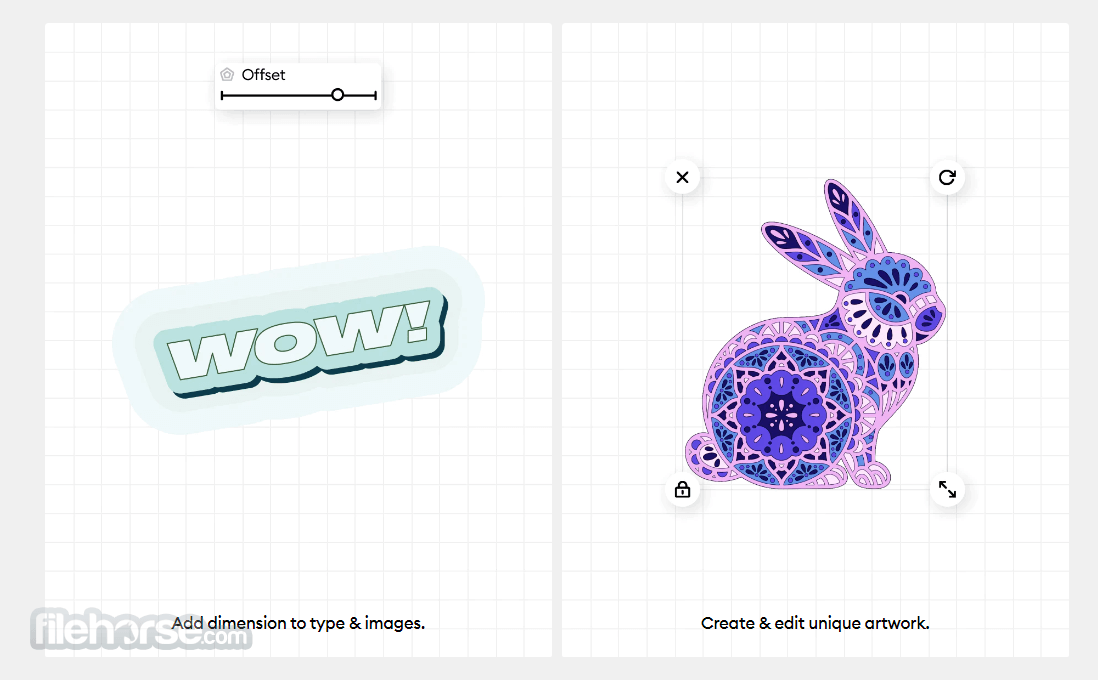
直覺式設計工具:軟體提供易於使用的介面,內含多種設計工具,讓使用者能從零開始建立自訂設計,或修改現有範本。
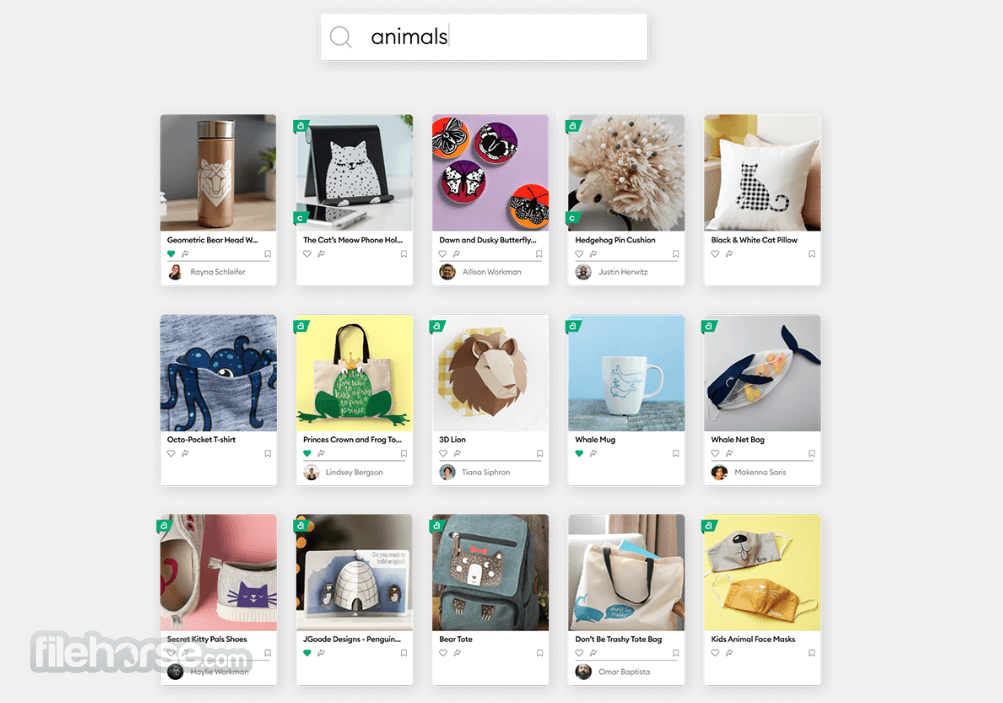
存取 Cricut 素材庫:使用者可存取 Cricut 豐富的字型、圖片與專案庫。此素材庫會持續更新,提供不斷擴充的手作靈感資源。
匯入與匯出功能:你可以匯入各種檔案格式的圖片與設計,自由運用自己偏好的圖形與藝術作品。此外,你也可以匯出完成的專案,供 Cricut 機器使用。
畫布預覽:即時畫布預覽功能讓你在切割前先查看設計效果,方便進行調整與微調。
無線切割:支援與相容的 Cricut 機器進行無線切割,免除線材束縛,讓手作過程更加便利。
社群與協作:透過 Cricut 社群與其他手作愛好者交流、分享專案,並協作設計,激發創意與靈感。
這款應用程式專為與 Cricut 系列切割機無縫搭配而設計,讓使用者能創作令人驚豔且個人化的作品,包括自訂貼紙、卡片、居家裝飾、服飾等更多項目。
無論你是業餘愛好者還是專業手作達人,它都提供了一個易於使用的平台,讓你的創意盡情發揮,並將想法化為現實。
透過適用於 Windows 11/10 的 Cricut Design Space,你可以輕鬆設定新的 Cricut 產品、瀏覽專案、開始設計等。在你的「下載」資料夾中,雙擊名為 Cricut Design Space Install.exe 的檔案。
請放心 – Cricut Design Space 桌面版的操作方式完全符合你的預期,連熟悉的介面也一模一樣。你不再需要透過網頁瀏覽器,而是直接從電腦的工具列或工作列開啟它。有了全新的離線功能,你隨時隨地都能設計,即使沒有網路連線也沒問題。此外,今年稍後還會有更多令人期待的新功能推出。
安裝新的桌面應用程式後,你不再需要前往網站來啟動 Design Space。就像開啟 Windows 電腦上的其他軟體一樣,直接打開即可。
注意事項
應用程式會記住你的登入狀態。除非你在上次使用時登出,否則每次啟動時不需重新登入。應用程式不會自動儲存。請在設計過程中以及結束應用程式前,頻繁儲存你的專案。
哪些機器與 Design Space 相容?
Design Space 相容於 Cricut Joy 系列機器、Cricut Explore 系列機器,以及 Cricut Maker 系列機器。
主要功能
直覺式設計工具:軟體提供易於使用的介面,內含多種設計工具,讓使用者能從零開始建立自訂設計,或修改現有範本。
存取 Cricut 素材庫:使用者可存取 Cricut 豐富的字型、圖片與專案庫。此素材庫會持續更新,提供不斷擴充的手作靈感資源。
匯入與匯出功能:你可以匯入各種檔案格式的圖片與設計,自由運用自己偏好的圖形與藝術作品。此外,你也可以匯出完成的專案,供 Cricut 機器使用。
畫布預覽:即時畫布預覽功能讓你在切割前先查看設計效果,方便進行調整與微調。
無線切割:支援與相容的 Cricut 機器進行無線切割,免除線材束縛,讓手作過程更加便利。
社群與協作:透過 Cricut 社群與其他手作愛好者交流、分享專案,並協作設計,激發創意與靈感。
##
畫面截圖
##
更新日誌
9.56.87- The New Project modal appears when starting a new project, giving a guided workflow option or a fresh canvas to begin crafting.
- Updated connection modals on both the Prepare and Make screens for clearer messaging and improved device connectivity feedback.
- Revamped right-click menu with tools grouped into smart sections (Adaptive Actions, Foundational Actions, Reserved Actions) for quicker access during editing.
- Auto-Mirror toggles automatically in the Prepare screen, specifically during T-shirt projects, reducing steps before cutting.
- Live Preview rotation support allows users to rotate the 3D preview model to better visualize how the finished cut will look.
- Multiple field bugs have been fixed, including issues with upload workflows, group/attach layer alignment, and backend project event handling.
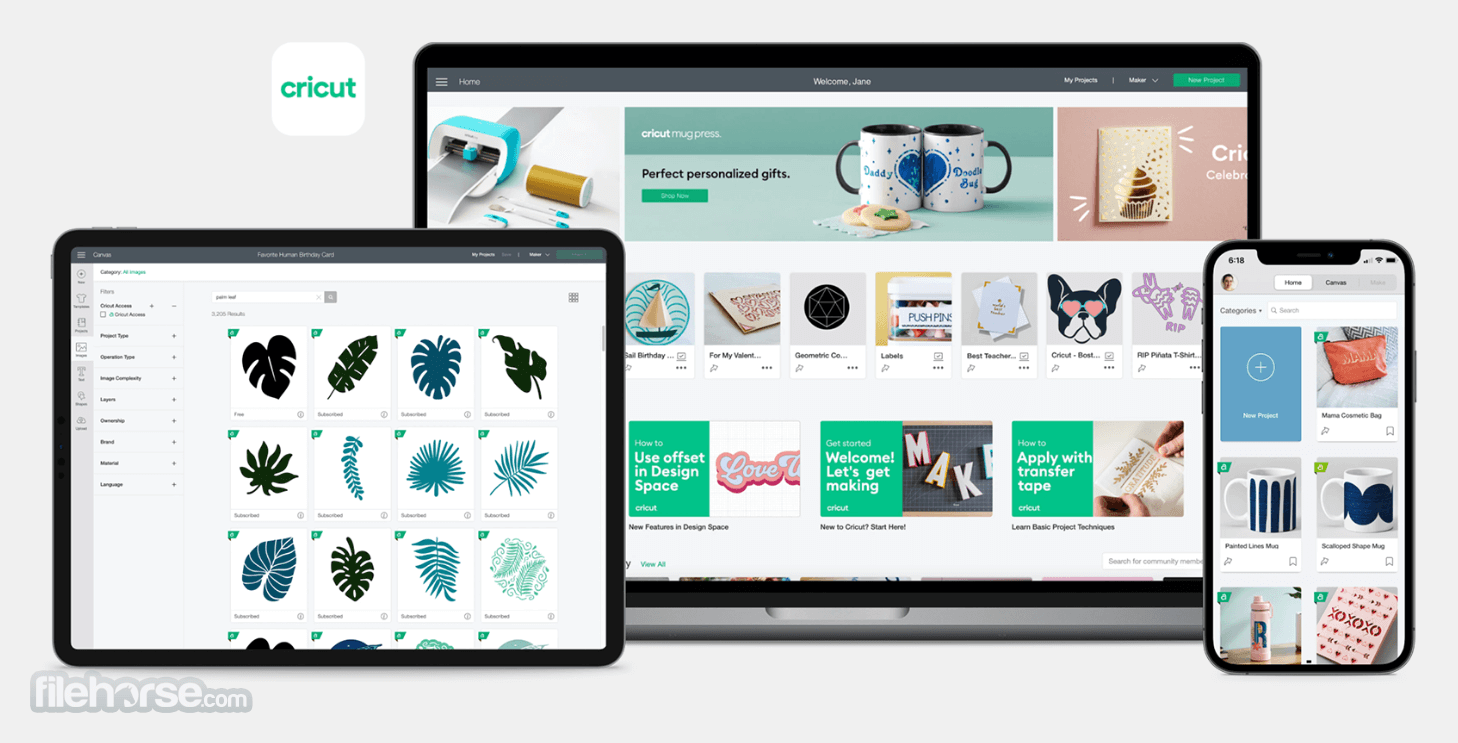
It offers an intuitive and user-friendly interface. The dashboard is well-organized, with easy access to design tools, projects, and the Cricut library.
The canvas area provides a clear workspace for design creation, and the drag-and-drop functionality simplifies the design process. Navigation is smooth, making it suitable for users of all skill levels.
Installation and Setup
Installing the software is a straightforward process. Users can download the software for Windows or macOS from the official Cricut website or FileHorse.
Once downloaded, follow the on-screen instructions for installation. You'll also need to create a Cricut account or sign in if you already have one. Connecting your Cricut machine to the software is also easy, with step-by-step instructions provided.
Uninstalling
Select the Start icon in the lower-left corner of the screen and search for Programs. Select the option to add or remove programs. This will open the Apps & features window.
Use the search field to search for "Cricut." Select Cricut Design Space from the list, then select the Uninstall button. Confirm that you wish to uninstall Cricut Design Space.
How to Use
- Create a Project: Start by selecting a new project or template, or import your own design.
- Design and Edit: Use the design tools to create and edit your project on the canvas. Customize text, images, colors, and more.
- Preview: Use the canvas preview to visualize how your project will look when cut.
- Select Material: Choose the material you'll be working with, and the software will recommend settings for your Cricut machine.
- Cut and Assemble: Send your design to the Cricut machine, and it will cut your project with precision. Assemble the pieces to complete your craft.
FAQs
Can I use Cricut Design Space with other brands of cutting machines?
No, Cricut Design Space is specifically designed to work with Cricut cutting machines and is not compatible with other brands.
Is Cricut Design Space free to use?
It offers a FREE version with limited features. Access to the full range of fonts, images, and projects requires a subscription called Cricut Access.
Can I work on design projects offline?
While the program primarily operates online, there is an offline mode available for some functionalities, but you'll need an internet connection to initially sign in and sync your projects.
What materials can I cut with Cricut machines?
Cricut machines are compatible with a wide range of materials, including paper, vinyl, fabric, cardstock, and more. The specific materials depend on the type of Cricut machine you have.
Is there a mobile version of Cricut Design Space?
Yes, it offers a mobile app for both iOS and Android devices, allowing you to design and work on projects on the go.
Alternatives
Adobe Illustrator - A professional-grade vector design software that provides advanced design features for crafters and graphic designers.
Silhouette Studio - Designed for Silhouette cutting machines, this software offers similar design and cutting capabilities.
Inkscape - A free, open-source vector graphics editor suitable for those on a budget.
Pricing
Cricut Design Space is free to use with a Cricut account. However, users can upgrade to Cricut Access, an optional subscription that unlocks additional content and perks.
Free Plan
- Access to Design Space software
- Limited selection of free images, fonts, and ready-to-make projects
- Option to purchase images and fonts individually (à la carte)
- Access to an expanded library of images, fonts, and ready-to-make projects
- Exclusive member discounts on digital content
- Discounts on Cricut.com purchases
- Additional member-only perks and promotions
System Requirements
- Windows 11, 10, 8, 7 (64-bit OS), 4GB RAM, 2 GB free disk space
- Internet connection for software updates and design library access
- A compatible Cricut cutting machine for physical projects
- User-friendly interface
- Extensive library of fonts, images, and projects
- Wireless cutting capability
- Supportive crafting community
- Seamless integration with Cricut machines
- Limited free version
- Requires an internet connection for full functionality
- Exclusive compatibility with Cricut machines
Cricut Design Space for PC is a powerful design software tailored for Cricut cutting machine enthusiasts and crafters. Its intuitive interface, extensive design library, and collaborative features make it a valuable tool for unleashing your creativity and bringing your craft projects to life.
While the free version provides some functionality, the subscription-based Cricut Access unlocks a wealth of design resources. If you own a Cricut machine or plan to purchase one, Cricut Design Space is an essential companion for all your crafting endeavors.
Note: Limited functionality in demo/free version.
Also Available: Download Cricut Design Space for Mac
Download Cricut Design Space Latest Version Why is this app published on FileHorse? (More info)
- 2026-02-20 Cricut Design Space 9.56.87 317.12 MB
- 2025-01-28 Cricut Design Space 8.66.21 283.06 MB
- 2024-01-22 Cricut Design Space 8.15.50 238.39 MB
- 2022-06-20 Cricut Design Space 7.10.163 131.55 MB
- 2022-06-06 Cricut Design Space 7.9.158 129.2 MB
- 2021-11-25 Cricut Design Space 6.17.143 131.51 MB