⚠ 這是歷史版本頁面 — 查看 DiskDigger 最新版本 →

- 目前版本2.0.13.4127
- 更新日期2025-11-24
- 檔案大小1.98 MB
- 檔案名稱diskdigger.zip
- 作業系統Windows 7 64 / Windows 8 64 / Windows 10 64 / Windows 11
- 支援語系English
- 授權型式試用版
- 開發商 Defiant Technologies, LLC.
- 軟體分類Windows 軟體 / 備份還原
##
編輯短評
DiskDigger 是一款輕量級的檔案救援工具,專門用來掃描並找回因誤刪、格式化或硬體問題而遺失的檔案。它支援 FAT 與 NTFS 檔案系統,能對應多數隨身碟、記憶卡和硬碟。最特別的是提供「Dig Deep」與「Dig Deeper」兩種掃描模式,前者快速找回近期刪除的檔案,後者則深入掃描殘餘資料,提高救援成功率。開發商持續更新,近期仍有版本釋出,使用者評價普遍不錯,在同類工具中算是中堅選擇。
這套軟體適合一般使用者偶爾需要救回誤刪檔案的情境,尤其是照片、文件或影片。與 WinRAR 等壓縮工具不同,它專注於資料救援,操作介面簡單,但試用版可能有限制(如只能救回小檔案或需付費解鎖完整功能)。僅支援 Windows 平台,且介面為英文,對不熟悉英文的使用者可能稍有門檻。若需要更進階的救援功能,可考慮其他專業工具,但 DiskDigger 在輕量與易用之間取得平衡。
##
翻譯排程處理中,以下暫以英文原文呈現
軟體介紹
DiskDigger is a lightweight yet powerful file recovery software designed to scan and retrieve lost or deleted files.
It supports both FAT and NTFS file systems, making it compatible with a wide range of storage devices.
The tool is especially useful for users who accidentally delete files or experience data loss due to corruption, formatting, or hardware issues.
Key Features
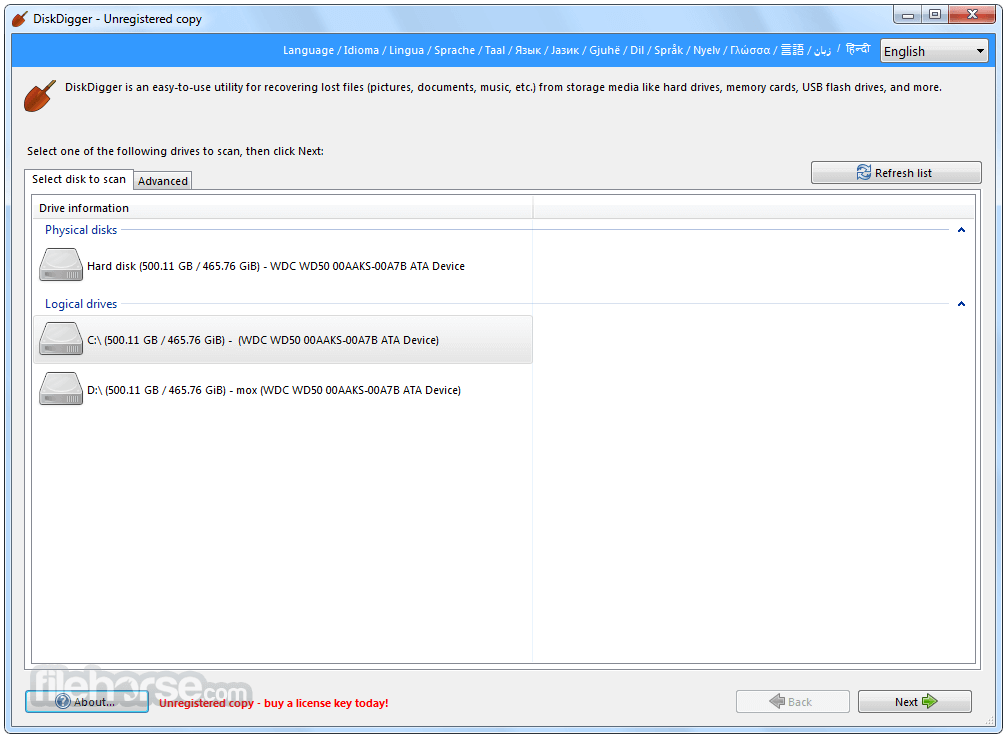
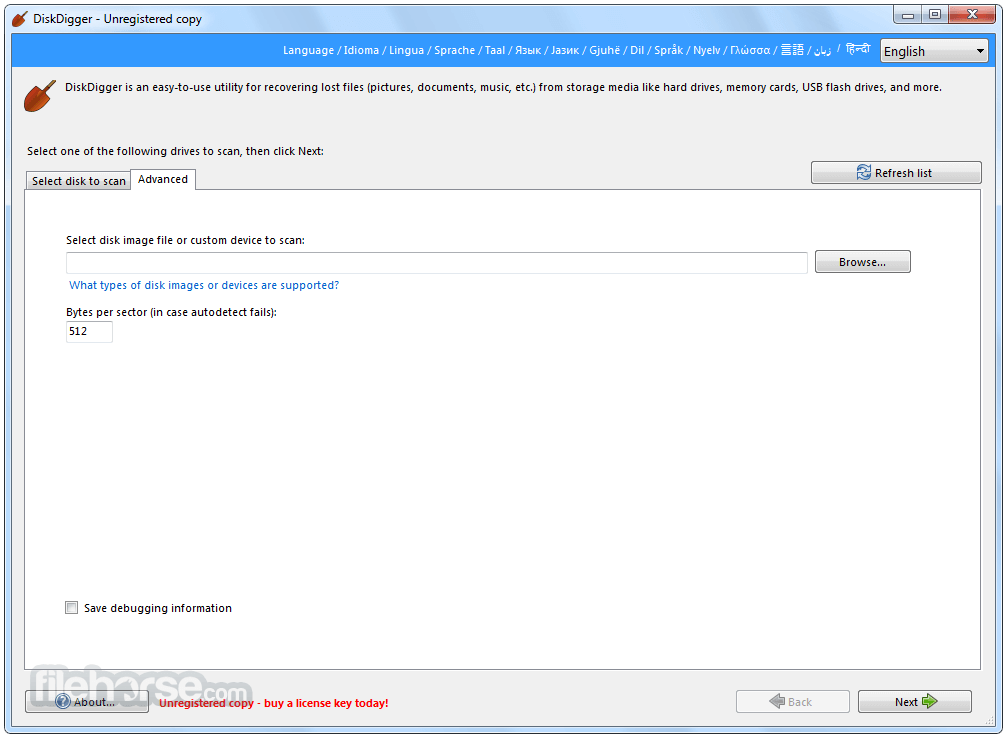
DiskDigger has a simple and minimalistic interface. Upon launching the software, users are presented with a straightforward step-by-step wizard.
The main screen allows users to select a drive and choose a recovery mode.
While the design may not be the most modern, it is functional and easy to navigate.
Installation and Setup
Launch – Open the application and select the drive from which you want to recover files.
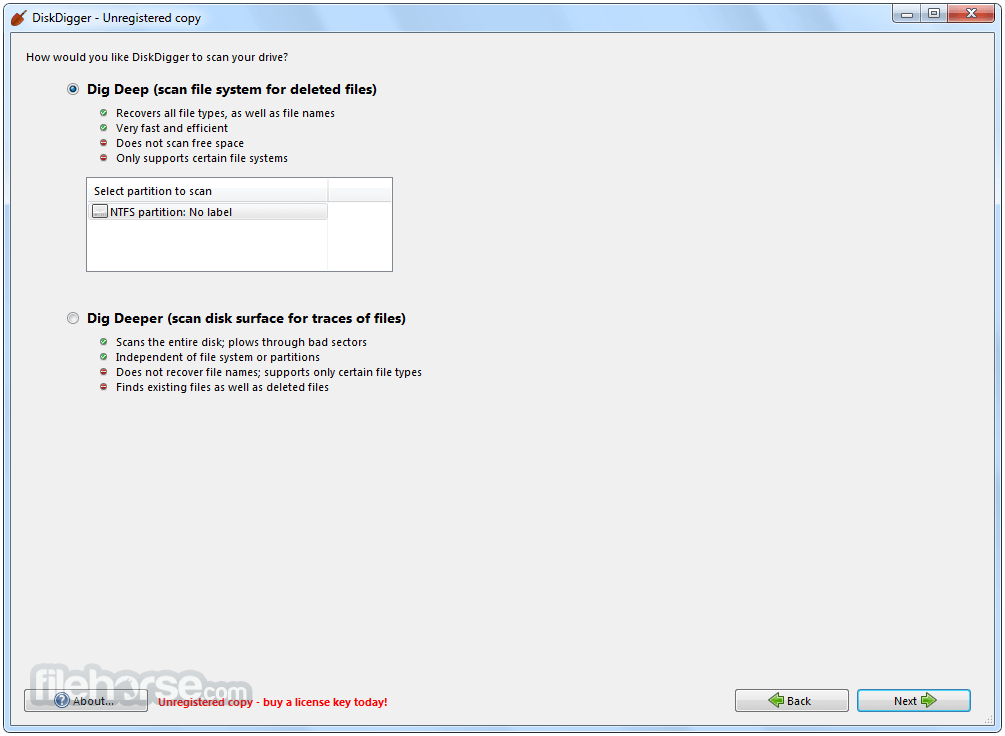
Choose Recovery Mode – "Dig Deep" for a quick scan or "Dig Deeper" for a thorough search.
Scan for Lost Files – It will start scanning and display recoverable files.
Preview and Select Files – Check file previews to ensure they are intact.
Recover Files – Choose a destination folder to restore selected files.
FAQ
Can DiskDigger recover permanently deleted files?
Yes, but recovery success depends on how much the disk space has been overwritten.
Is DiskDigger free?
The basic version is free but has limited features. The Pro version is required for full recovery functionality.
Does DiskDigger support external hard drives?
Yes, it works with external hard drives, USB drives, and memory cards.
Can I use DiskDigger on an SSD?
Yes, but SSDs with TRIM enabled may have permanently erased deleted files, making recovery difficult.
Is DiskDigger safe to use?
Yes, the software is safe and does not install malware or make unwanted system changes.
Alternatives
Wondershare Recoverit – Powerful data recovery with an easy-to-use interface.
Recuva – A popular free alternative with a user-friendly interface and deep scan mode.
EaseUS Data Recovery Wizard – Advanced features but requires a paid version for full recovery.
Stellar Windows Data Recovery – High success rate but more expensive.
MiniTool Power Data Recovery – Free version available with a limited recovery capacity.
Pricing
Free Version – Basic recovery features with limited functionality.
DiskDigger Pro – Paid version with full recovery capabilities, costing around $14.99 for a personal license.
System Requirements
DiskDigger is a solid data recovery tool for Windows users looking for a simple, no-frills solution. While it may not have the most modern interface or the fastest recovery times, it excels in ease of use and affordability.
Note: Requires .NET Framework. Cannot save recovered files and nag screens.
Download DiskDigger Latest Version Why is this app published on FileHorse? (More info)
It supports both FAT and NTFS file systems, making it compatible with a wide range of storage devices.
The tool is especially useful for users who accidentally delete files or experience data loss due to corruption, formatting, or hardware issues.
Key Features
- Two Recovery Modes – "Dig Deep" (basic file recovery) and "Dig Deeper" (advanced recovery).
- Supports Multiple File Formats – Recovers images, videos, documents, audio files, and archives.
- Compatible with Various Storage Devices – Works on hard drives, USB flash drives, memory cards, and SSDs.
- File Preview Option – Allows users to preview recoverable files before restoration.
- Filtering and Sorting – Enables users to search by file name, size, and modification date.
- Portable Version Available – Can run without installation.
- Secure Wipe Feature – Permanently deletes files beyond recovery.
DiskDigger has a simple and minimalistic interface. Upon launching the software, users are presented with a straightforward step-by-step wizard.
The main screen allows users to select a drive and choose a recovery mode.
While the design may not be the most modern, it is functional and easy to navigate.
Installation and Setup
- Download the installer from the official website or FileHorse.
- Run the installation file and follow the on-screen instructions.
- Once installed, launch the software and select the drive to scan.
- Alternatively, the portable version can be downloaded and used without installation, making it a great option for users who prefer a lightweight, no-install recovery tool.
Launch – Open the application and select the drive from which you want to recover files.
Choose Recovery Mode – "Dig Deep" for a quick scan or "Dig Deeper" for a thorough search.
Scan for Lost Files – It will start scanning and display recoverable files.
Preview and Select Files – Check file previews to ensure they are intact.
Recover Files – Choose a destination folder to restore selected files.
FAQ
Can DiskDigger recover permanently deleted files?
Yes, but recovery success depends on how much the disk space has been overwritten.
Is DiskDigger free?
The basic version is free but has limited features. The Pro version is required for full recovery functionality.
Does DiskDigger support external hard drives?
Yes, it works with external hard drives, USB drives, and memory cards.
Can I use DiskDigger on an SSD?
Yes, but SSDs with TRIM enabled may have permanently erased deleted files, making recovery difficult.
Is DiskDigger safe to use?
Yes, the software is safe and does not install malware or make unwanted system changes.
Alternatives
Wondershare Recoverit – Powerful data recovery with an easy-to-use interface.
Recuva – A popular free alternative with a user-friendly interface and deep scan mode.
EaseUS Data Recovery Wizard – Advanced features but requires a paid version for full recovery.
Stellar Windows Data Recovery – High success rate but more expensive.
MiniTool Power Data Recovery – Free version available with a limited recovery capacity.
Pricing
Free Version – Basic recovery features with limited functionality.
DiskDigger Pro – Paid version with full recovery capabilities, costing around $14.99 for a personal license.
System Requirements
- OS: Windows 7, 8, 10, 11 (32-bit & 64-bit)
- Processor: Intel or AMD, 1 GHz or faster
- RAM: At least 512 MB (1 GB recommended)
- Storage: 10 MB for installation, additional space for recovered files
- Lightweight and easy to use.
- Two recovery modes for different needs.
- Supports multiple file formats and storage devices.
- Portable version available.
- Affordable pricing compared to competitors.
- The interface looks outdated.
- Limited functionality in the free version.
- Advanced recovery is slower than some competitors.
- No official Mac version.
- Limited support for fragmented file recovery.
DiskDigger is a solid data recovery tool for Windows users looking for a simple, no-frills solution. While it may not have the most modern interface or the fastest recovery times, it excels in ease of use and affordability.
Note: Requires .NET Framework. Cannot save recovered files and nag screens.
Download DiskDigger Latest Version Why is this app published on FileHorse? (More info)
##
畫面截圖
- 2026-08-03 DiskDigger 2.3.53.4481 32.41 MB
- 2026-07-21 DiskDigger 2.0.13.4451 32.41 MB
- 2025-12-01 DiskDigger 2.0.13.4139 1.98 MB
- 2025-11-24 DiskDigger 2.0.13.4127 1.98 MB
- 2025-06-22 DiskDigger 2.0.11.4091 1.95 MB
- 2025-02-09 DiskDigger 2.0.7.4027 1.93 MB
- 2025-01-20 DiskDigger 2.0.5.4013 1.93 MB
- 2024-09-01 DiskDigger 2.0.3.3989 1.92 MB