⚠ 這是歷史版本頁面 — 查看 DisplayCAL 最新版本 →

- 目前版本3.8.9.1
- 更新日期2019-12-08
- 檔案大小24.52 MB
- 檔案名稱DisplayCAL-3.8.9.1-Setup.exe
- 作業系統Windows XP / Vista / Windows 7 / Windows 8 / Windows 10
- 支援語系English
- 授權型式開源軟體
- 開發商 Florian Hoch
- 軟體分類Windows 軟體 / 影像設計
##
編輯短評
DisplayCAL 是一款開源的顯示器校準與色彩描述檔工具,主要解決螢幕色彩不準確的問題,讓使用者能透過量測與設定,獲得符合 ICC 標準的色彩表現。它的最大特色是高度依賴 ArgyllCMS 這套進階色彩管理系統,提供精確且多樣化的校準功能,作者甚至自認是市面上最準確的 ICC 相容方案之一。不過,這款軟體目前已停止積極開發,更新頻率低,屬於小眾但評價普遍不錯的選擇,適合追求專業色彩控制的使用者。
這套工具特別適合攝影師、設計師或影像工作者,在需要精準校色或建立色彩描述檔的場合使用。與 Adobe Photoshop 等影像編輯軟體相比,DisplayCAL 更專注於校準本身,而非後製處理,因此取捨在於功能單一但深度足夠。授權為開源軟體,支援 Windows 與 macOS 平台,但介面僅提供英文,使用前需留意語系門檻,且因停止更新,可能無法完全相容最新作業系統或硬體。
##
翻譯排程處理中,以下暫以英文原文呈現
軟體介紹
DisplayCAL (formerly known as dispcalGUI) is a display calibration and profiling solution with a focus on accuracy and versatility (in fact, the author is of the honest opinion that it may be the most accurate and versatile ICC-compatible display profiling solution available anywhere).
Note: This product is not in active development.
At its core, it relies on ArgyllCMS, an advanced open-source color management system, to take measurements, create calibrations and profiles, and perform a variety of other advanced color-related tasks.
DisplayCAL is a free and open-source display calibration and profiling utility for Windows, macOS, and Linux.
Developed as a successor to the well-known DispcalGUI, DisplayCAL displaycal profile loader for PC offers advanced color management tools aimed at photographers, graphic designers, and anyone requiring accurate color representation on their displays.
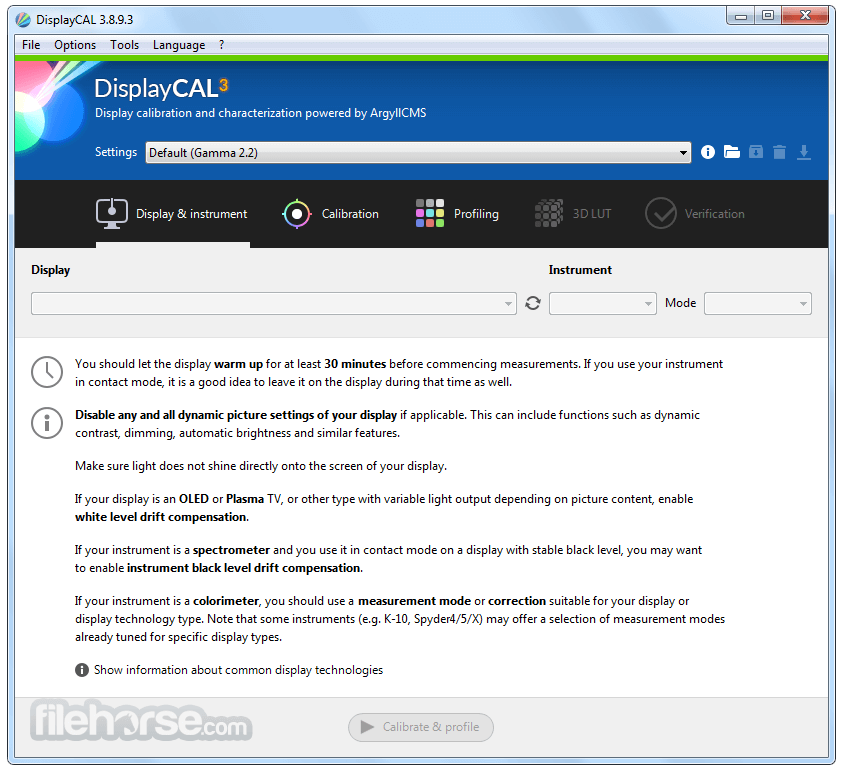
Calibrate and characterize your display devices using one of many supported measurement instruments, with support for multi-display setups and a variety of available options for advanced users, such as verification and reporting functionality to evaluate ICC profiles and display devices, creating video 3D LUTs, as well as optional CIECAM02 gamut mapping to take into account varying viewing conditions.
Other features include:
Colorimeters
Display Calibration
It provides a comprehensive set of tools for calibrating and profiling monitors, ensuring accurate color reproduction.
Profile Creation
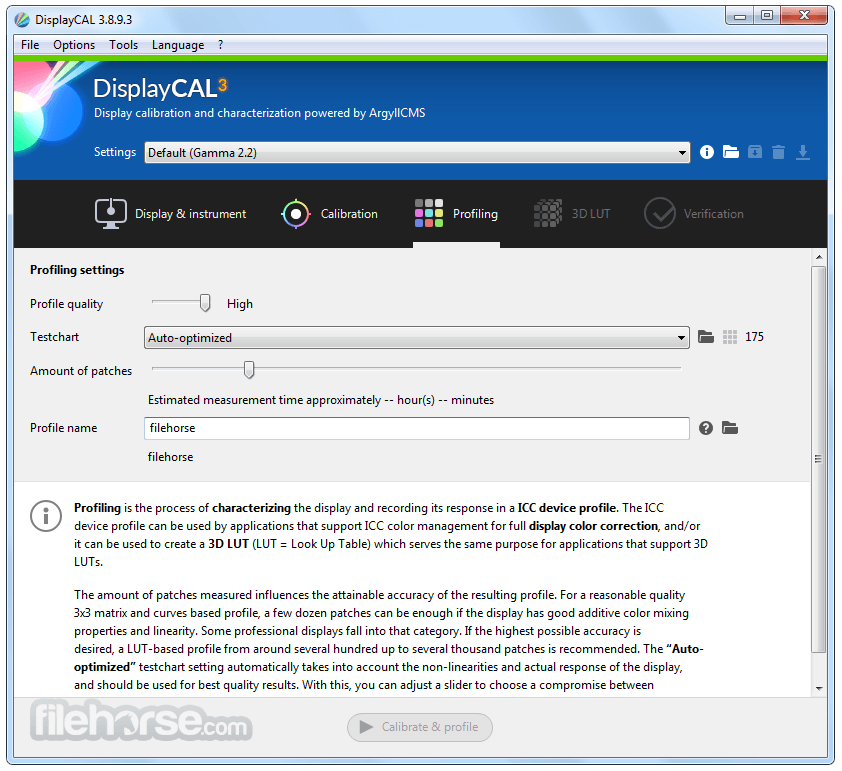
Users can create ICC profiles for their displays, allowing for consistent color across various devices and applications.
Advanced Options
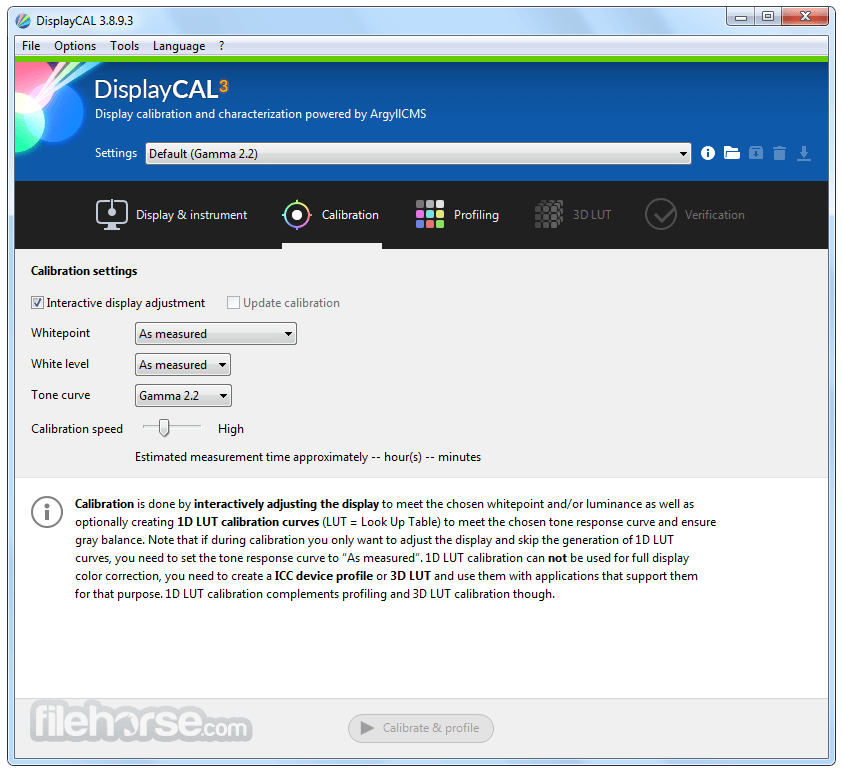
The software offers advanced options for fine-tuning calibration settings, including white point, gamma, and brightness adjustments.
Multiple Display Support
It supports multi-monitor setups, enabling users to calibrate and profile multiple displays simultaneously.
Compatibility
The software is compatible with a wide range of colorimeters and spectrophotometers, including popular models from X-Rite and Datacolor.
User Interface
It features a user-friendly interface that guides users through the calibration and profiling process step by step. The layout is intuitive, with clear labels and tooltips explaining each option.
Installation and Setup
Installing this tool is straightforward on all supported platforms.
Users can download the app from the official website or FileHorse.com and follow the on-screen instructions to complete the installation process.
Once installed, users are prompted to connect their colorimeter or spectrophotometer and begin the calibration process.
How to Use
FAQs
Is DisplayCAL display calibration software compatible with my colorimeter?
It supports a wide range of colorimeters and spectrophotometers, including popular models from X-Rite and Datacolor. Check the compatibility list on the official website for more information.
Can I calibrate multiple displays simultaneously?
Yes, it supports multi-monitor setups, allowing you to calibrate and profile multiple displays at once.
How often should I recalibrate my display?
It is recommended to recalibrate your display regularly to maintain accurate color representation, especially if you rely on color-critical work. The frequency of recalibration depends on usage and environmental factors.
Does DisplayCAL's interactive display tool support HDR displays?
Yes, it offers support for HDR displays, allowing users to calibrate and profile high dynamic range monitors for accurate color reproduction.
Can I use DisplayCAL with third-party software?
Yes, it generates ICC profiles that can be used by any software that supports color management, including image editing and design applications.
Unattended calibration and profiling currently support the following spectrometers in addition to most colorimeters:
This monitor calibration software for Windows is available as a FREE and open-source software, making it accessible to users of all budgets.
PROS
Download DisplayCAL Latest Version Why is this app published on FileHorse? (More info)
Note: This product is not in active development.
At its core, it relies on ArgyllCMS, an advanced open-source color management system, to take measurements, create calibrations and profiles, and perform a variety of other advanced color-related tasks.
DisplayCAL is a free and open-source display calibration and profiling utility for Windows, macOS, and Linux.
Developed as a successor to the well-known DispcalGUI, DisplayCAL displaycal profile loader for PC offers advanced color management tools aimed at photographers, graphic designers, and anyone requiring accurate color representation on their displays.
Calibrate and characterize your display devices using one of many supported measurement instruments, with support for multi-display setups and a variety of available options for advanced users, such as verification and reporting functionality to evaluate ICC profiles and display devices, creating video 3D LUTs, as well as optional CIECAM02 gamut mapping to take into account varying viewing conditions.
Other features include:
- Enhance colorimeter accuracy by enabling support for corrections tailored to various types of display devices. These corrections can either be imported from vendor software or generated through measurements using a spectrometer if available.
- Ensure uniformity of display devices through comprehensive measurements.
- Utilize the test chart editor to effortlessly generate charts containing any desired number and combination of color patches. This feature supports easy copying and pasting from CGATS, CSV files (tab-delimited only), and spreadsheet applications, facilitating profile verification and evaluation.
- Generate custom synthetic ICC profiles featuring personalized primaries, white and black points, and tone responses. These profiles serve as versatile working spaces or source profiles in device linking (3D LUT) transforms.
Colorimeters
- CalMAN X2 (treated as i1 Display 2)
- Datacolor/ColorVision Spyder2
- Datacolor Spyder3 (since ArgyllCMS 1.1.0)
- Datacolor Spyder4 (since ArgyllCMS 1.3.6)
- Datacolor Spyder5 (since ArgyllCMS 1.7.0)
- Datacolor SpyderX (since ArgyllCMS 2.1.0)
- Hughski ColorHug (Linux support since ArgyllCMS 1.3.6, Windows support with the newest ColorHug firmware since ArgyllCMS 1.5.0, fully functional Mac OS X support since ArgyllCMS 1.6.2)
- Hughski ColorHug2 (since ArgyllCMS 1.7.0)
- Image Engineering EX1 (since ArgyllCMS 1.8.0)
- Klein K10-A (since ArgyllCMS 1.7.0. The K-1, K-8 and K-10 are also reported to work)
- Lacie Blue Eye (treated as i1 Display 2)
- Sencore ColorPro III, IV & V (treated as i1 Display 1)
- Sequel Imaging MonacoOPTIX/Chroma 4 (treated as i1 Display 1)
- X-Rite Chroma 5 (treated as i1 Display 1)
- X-Rite ColorMunki Create (treated as i1 Display 2)
- X-Rite ColorMunki Smile (since ArgyllCMS 1.5.0)
- X-Rite DTP92
- X-Rite DTP94
- X-Rite/GretagMacbeth/Pantone Huey
- X-Rite/GretagMacbeth i1 Display 1
- X-Rite/GretagMacbeth i1 Display 2/LT (the HP DreamColor/Advanced Profiling Solution versions of the instrument are also reported to work)
- X-Rite i1 Display Pro, ColorMunki Display (since ArgyllCMS 1.3.4. The HP DreamColor, NEC SpectraSensor Pro, and SpectraCal C6 versions of the instrument are also reported to work)
Display Calibration
It provides a comprehensive set of tools for calibrating and profiling monitors, ensuring accurate color reproduction.
Profile Creation
Users can create ICC profiles for their displays, allowing for consistent color across various devices and applications.
Advanced Options
The software offers advanced options for fine-tuning calibration settings, including white point, gamma, and brightness adjustments.
Multiple Display Support
It supports multi-monitor setups, enabling users to calibrate and profile multiple displays simultaneously.
Compatibility
The software is compatible with a wide range of colorimeters and spectrophotometers, including popular models from X-Rite and Datacolor.
User Interface
It features a user-friendly interface that guides users through the calibration and profiling process step by step. The layout is intuitive, with clear labels and tooltips explaining each option.
Installation and Setup
Installing this tool is straightforward on all supported platforms.
Users can download the app from the official website or FileHorse.com and follow the on-screen instructions to complete the installation process.
Once installed, users are prompted to connect their colorimeter or spectrophotometer and begin the calibration process.
How to Use
- Connect your colorimeter or spectrophotometer to your computer.
- Launch the app and follow the on-screen instructions to select your display and calibration settings.
- Place the colorimeter on your display and start the calibration process.
- Once calibration is complete, save the ICC profile and apply it to your display in your operating system settings.
FAQs
Is DisplayCAL display calibration software compatible with my colorimeter?
It supports a wide range of colorimeters and spectrophotometers, including popular models from X-Rite and Datacolor. Check the compatibility list on the official website for more information.
Can I calibrate multiple displays simultaneously?
Yes, it supports multi-monitor setups, allowing you to calibrate and profile multiple displays at once.
How often should I recalibrate my display?
It is recommended to recalibrate your display regularly to maintain accurate color representation, especially if you rely on color-critical work. The frequency of recalibration depends on usage and environmental factors.
Does DisplayCAL's interactive display tool support HDR displays?
Yes, it offers support for HDR displays, allowing users to calibrate and profile high dynamic range monitors for accurate color reproduction.
Can I use DisplayCAL with third-party software?
Yes, it generates ICC profiles that can be used by any software that supports color management, including image editing and design applications.
Unattended calibration and profiling currently support the following spectrometers in addition to most colorimeters:
- X-Rite ColorMunki Design/Photo
- X-Rite/GretagMacbeth i1 Monitor & Pro
- X-Rite/GretagMacbeth Spectrolino
- X-Rite i1 Pro 2
- X-Rite i1Studio
- Windows 11, 10, 8, or 7
- “True color” 24 bits per pixel or higher graphics output.
- Minimum: 1 GHz single-core processor, 1.5 GB RAM, 500 MB free storage space.
- Recommended: 2 GHz dual-core processor or better, 4 GB RAM or more, 1 GB free storage space or more.
- To use this tool, you need to download and install ArgyllCMS (1.0 or newer).
This monitor calibration software for Windows is available as a FREE and open-source software, making it accessible to users of all budgets.
PROS
- Free and open-source.
- Comprehensive calibration and profiling tools.
- Multi-monitor support.
- Wide compatibility with colorimeters and spectrophotometers.
- Regular updates and community support.
- This product is not being developed actively anymore.
- Limited technical support compared to commercial alternatives.
- Some advanced features may require additional hardware or expertise.
- The interface could be more modern and visually appealing.
- Occasional stability issues, especially on less common hardware configurations.
Download DisplayCAL Latest Version Why is this app published on FileHorse? (More info)
##
畫面截圖
- 2026-03-30 DisplayCAL 3.8.9.3 24.52 MB
- 2019-12-13 DisplayCAL 3.8.9.2 24.48 MB
- 2019-12-08 DisplayCAL 3.8.9.1 24.52 MB
- 2019-11-07 DisplayCAL 3.8.8.0 24.47 MB
- 2019-10-02 DisplayCAL 3.8.7.1 24.49 MB
- 2019-09-23 DisplayCAL 3.8.7.0 24.46 MB
- 2019-09-06 DisplayCAL 3.8.6.0 24.46 MB
- 2019-08-14 DisplayCAL 3.8.5.0 24.46 MB