⚠ 這是歷史版本頁面 — 查看 Free Logo Maker 最新版本 →

- 目前版本1.30
- 更新日期2020-04-22
- 檔案大小7.93 MB
- 檔案名稱jeta-setup.exe
- 作業系統Windows Vista / Windows 7 / Windows 8 / Windows 10 / Windows 11
- 支援語系English
- 授權型式試用版
- 開發商 Jeta Team
- 軟體分類Windows 軟體 / 影像設計
##
編輯短評
Free Logo Maker 是一款主打「人人都能設計 Logo」的 Windows 影像工具,核心訴求是讓完全沒有設計經驗的使用者,也能在幾分鐘內做出有水準的標誌。它內建大量 Logo 範本,透過替換形狀、調整樣式就能快速產出成品,省去從零開始的門檻,也免去購買昂貴影像編輯軟體的需求。開發商 Jeta Team 持續收錄新版本,但近一年未再更新,維護步調明顯放緩;在同類軟體中評價人數不多,分數表現中上,屬於有一定口碑但不算主流的選擇。
這套工具適合臨時需要 Logo 的小型專案、個人品牌或社團活動,尤其是想快速做出可用素材、又不願花時間學習專業繪圖軟體的使用者。與 Adobe Photoshop 這類功能完整的影像軟體相比,Free Logo Maker 的優勢在於操作直覺、流程精簡,但相對地進階編輯能力有限,無法應付複雜的設計需求。需要注意的是,它屬於試用版,且介面僅提供英文,對不熟悉英文操作環境的使用者來說稍有門檻;若只是應急用途,免安裝的輕量特性會是相當方便的選擇。
##
翻譯排程處理中,以下暫以英文原文呈現
軟體介紹
Free Logo Maker is a free graphic design editor that promotes easy access to tools for the easy, quick, and beautiful design of logos.
Built from the ground up to provide the easy experience of logo design even to the most novice of computer users, this app manages to provide an excellent toolset for the creation of professional-looking photos without the need for investing into expensive digital image editing suites.
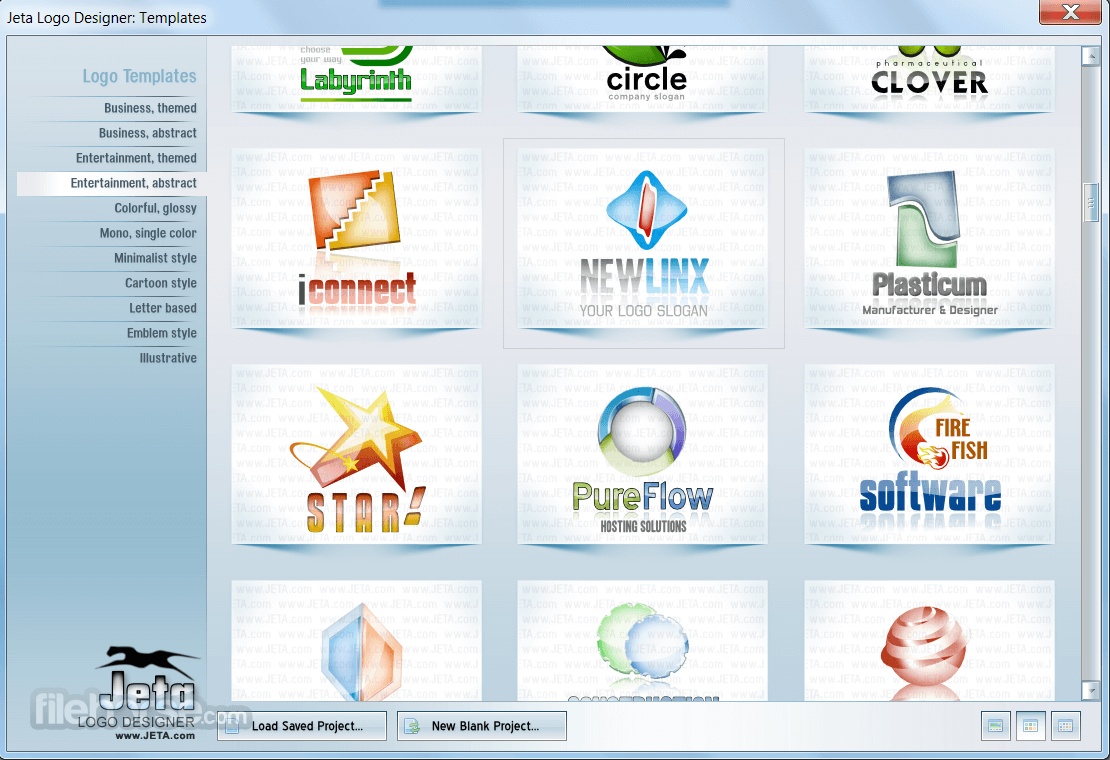
Start your design with one of 800 logo templates, modify it by replacing shapes and styles and you will get unique logo design in just a few minutes!
It manages to achieve this feat by focusing on easy access to a large library of templates that can simplify the early steps of logo design.
With the presence of a large array of drawing tools and pre-made shapes, this program also empowers users to enhance their designs with various filters, graphic libraries, and text layers that can all lead to the production of professional-looking logos for both personal and business use.
One of the most common use-case scenarios that Jeta Free Logo Maker for PC is used for is for the creation of logos of all types for new companies, as well as re-brands for organizations who want to reinvent themselves under a new logo.
The app offers an intuitive set of tools for any type of logo creation, from small logos that need to be easily visible on business cards, to the eye-catching designs intended for print and online promotion.
The app features over a thousand pre-made graphical elements, with incredible freedom to customize all visual aspects of the final logo.
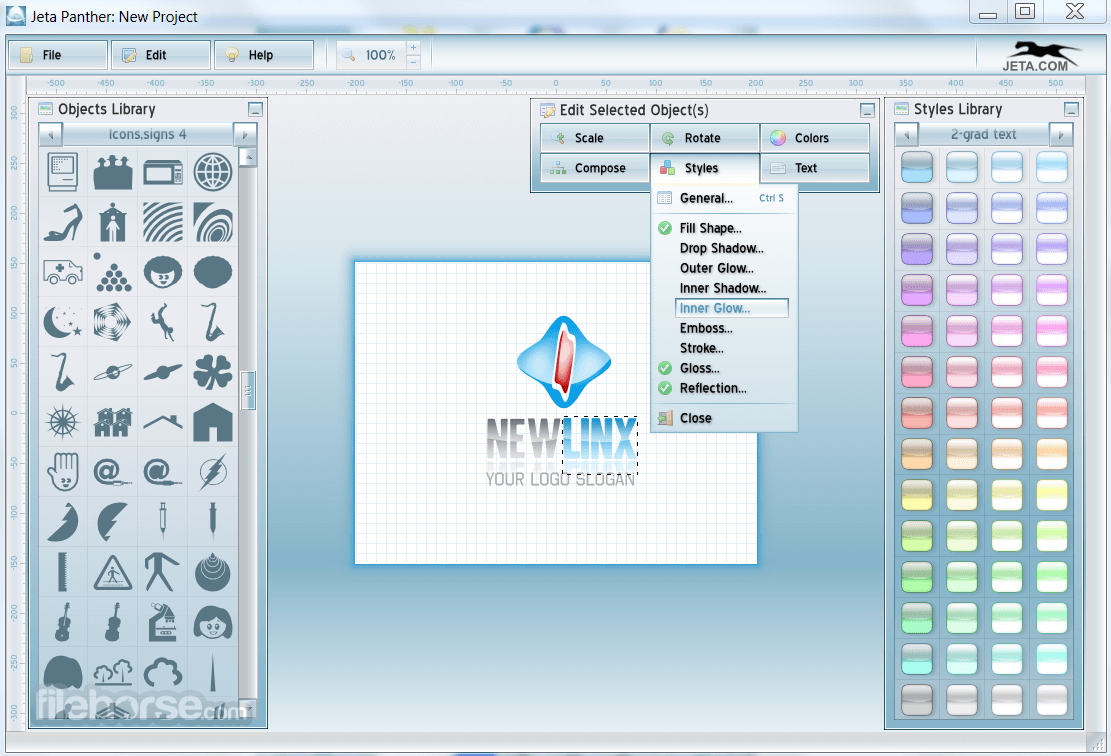
The user interface of the Free Logo Maker follows that standard design found in many other graphic design apps, with large painting canvas on the center of the window, tool selection library (including a very large Objects library with its own subsections for easier discovery of perfect shape) on the left, and style library (color and effect picker) on the very right.
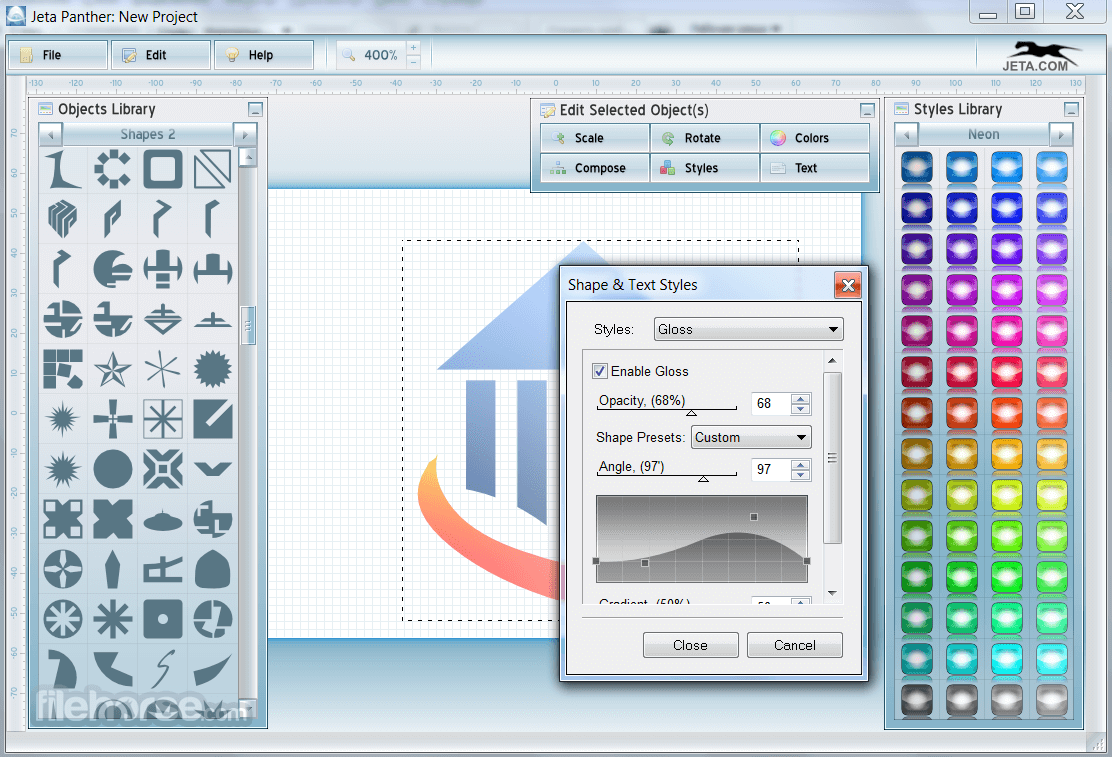
Each of the elements that are brought to the canvas can be customized to a great extent using a Shape & Text Style properties window.
The Jeta Logo app features enough tools that it can even provide seasoned users with enough freedom to create any type of logo they desire, while simultaneously being easy on the patience of complete novices who just want to mix few graphical elements to create an appealing logo design in minutes.
Templates are especially valuable for novices, who can take their time exploring all of the available designs that are separated in individual categories such as Business themed, Entertainment themed, Cartoon style, Minimalist style, and many others.
Free Logo Maker app is lightweight, fast, runs great on older PC hardware, and is optimized for all modern versions of Windows OS (including the legacy Windows XP).
FAQ
Is JetA Logo Creator free to use?
JetA Logo Creator offers a free version with basic features, while premium features require a paid license.
Can I use the logos I create for commercial purposes?
Yes, logos created with JetA Logo Creator can be used for commercial projects without restrictions.
Do I need design skills to use JetA Logo Creator?
No, the software is beginner-friendly and comes with templates and drag-and-drop tools for easy logo creation.
What file formats can I export my logo in?
Logos can be exported in common formats like PNG, JPG, and SVG.
Is JetA Logo Creator available for Mac?
No, JetA Logo Creator is currently only available for Windows operating systems.
Alternatives
Adobe Illustrator: Create logos, icons, sketches, typography and other vector art!
CorelDRAW: A popular vector graphics editor with a user-friendly interface and robust feature set, suitable for both beginners and professionals.
Affinity Designer: A powerful vector design software with a sleek interface and comprehensive feature set, including precise controls, non-destructive editing, and excellent compatibility with Adobe file formats.
Gravit Designer: A web-based vector design tool that provides a lightweight and intuitive interface, making it accessible for beginners while still offering advanced features for professionals.
Inkscape: A free and open-source vector graphics editor that offers a wide range of tools and supports various file formats, making it a viable alternative to Illustrator.
Canva: It makes design simple for everyone. Create designs for Web or print!
PROS
Download Free Logo Maker Latest Version Why is this app published on FileHorse? (More info)
Built from the ground up to provide the easy experience of logo design even to the most novice of computer users, this app manages to provide an excellent toolset for the creation of professional-looking photos without the need for investing into expensive digital image editing suites.
Start your design with one of 800 logo templates, modify it by replacing shapes and styles and you will get unique logo design in just a few minutes!
It manages to achieve this feat by focusing on easy access to a large library of templates that can simplify the early steps of logo design.
With the presence of a large array of drawing tools and pre-made shapes, this program also empowers users to enhance their designs with various filters, graphic libraries, and text layers that can all lead to the production of professional-looking logos for both personal and business use.
One of the most common use-case scenarios that Jeta Free Logo Maker for PC is used for is for the creation of logos of all types for new companies, as well as re-brands for organizations who want to reinvent themselves under a new logo.
The app offers an intuitive set of tools for any type of logo creation, from small logos that need to be easily visible on business cards, to the eye-catching designs intended for print and online promotion.
The app features over a thousand pre-made graphical elements, with incredible freedom to customize all visual aspects of the final logo.
The user interface of the Free Logo Maker follows that standard design found in many other graphic design apps, with large painting canvas on the center of the window, tool selection library (including a very large Objects library with its own subsections for easier discovery of perfect shape) on the left, and style library (color and effect picker) on the very right.
Each of the elements that are brought to the canvas can be customized to a great extent using a Shape & Text Style properties window.
The Jeta Logo app features enough tools that it can even provide seasoned users with enough freedom to create any type of logo they desire, while simultaneously being easy on the patience of complete novices who just want to mix few graphical elements to create an appealing logo design in minutes.
Templates are especially valuable for novices, who can take their time exploring all of the available designs that are separated in individual categories such as Business themed, Entertainment themed, Cartoon style, Minimalist style, and many others.
Free Logo Maker app is lightweight, fast, runs great on older PC hardware, and is optimized for all modern versions of Windows OS (including the legacy Windows XP).
FAQ
Is JetA Logo Creator free to use?
JetA Logo Creator offers a free version with basic features, while premium features require a paid license.
Can I use the logos I create for commercial purposes?
Yes, logos created with JetA Logo Creator can be used for commercial projects without restrictions.
Do I need design skills to use JetA Logo Creator?
No, the software is beginner-friendly and comes with templates and drag-and-drop tools for easy logo creation.
What file formats can I export my logo in?
Logos can be exported in common formats like PNG, JPG, and SVG.
Is JetA Logo Creator available for Mac?
No, JetA Logo Creator is currently only available for Windows operating systems.
Alternatives
Adobe Illustrator: Create logos, icons, sketches, typography and other vector art!
CorelDRAW: A popular vector graphics editor with a user-friendly interface and robust feature set, suitable for both beginners and professionals.
Affinity Designer: A powerful vector design software with a sleek interface and comprehensive feature set, including precise controls, non-destructive editing, and excellent compatibility with Adobe file formats.
Gravit Designer: A web-based vector design tool that provides a lightweight and intuitive interface, making it accessible for beginners while still offering advanced features for professionals.
Inkscape: A free and open-source vector graphics editor that offers a wide range of tools and supports various file formats, making it a viable alternative to Illustrator.
Canva: It makes design simple for everyone. Create designs for Web or print!
PROS
- Easy access to tools
- Large library of templates
- Customizable graphical elements
- User-friendly interface
- Lightweight and fast
- Not all features available in free version
Download Free Logo Maker Latest Version Why is this app published on FileHorse? (More info)
##
畫面截圖
- 2025-05-08 Free Logo Maker 2.50 15.33 MB
- 2022-01-29 Free Logo Maker 2.30 15.02 MB
- 2021-07-23 Free Logo Maker 2.22 14.91 MB
- 2021-03-01 Free Logo Maker 2.21 14.91 MB
- 2021-02-24 Free Logo Maker 2.20 10.58 MB
- 2020-04-22 Free Logo Maker 1.30 7.93 MB