⚠ 這是歷史版本頁面 — 查看 GetDataBack Pro 最新版本 →

- 目前版本5.76
- 更新日期2025-12-28
- 檔案大小15.48 MB
- 檔案名稱gdbprosetup.exe
- 作業系統Windows 7 / Windows 8 / Windows 10 / Windows 11
- 支援語系English
- 授權型式試用版
- 開發商 Runtime Software
- 軟體分類Windows 軟體 / 備份還原
##
編輯短評
GetDataBack Pro 是 Runtime Software 推出的資料救援工具,主打在硬碟誤刪、格式化、分割區損毀或無法開機時,把遺失的檔案找回來。它最大的辨識度在於介面極度簡潔,號稱「一鍵」就能開始掃描,不需要事先判斷檔案系統格式,因為它同時支援 NTFS、FAT、exFAT 與 EXT 等常見格式,對不熟悉技術細節的一般使用者相當友善。這套軟體在備份還原分類中屬於中段班的選擇,評價不錯但樣本數不多,不過開發商仍持續維護,近一年內有更新,算是活躍發展中的工具。
如果你曾經遇過隨身碟或外接硬碟突然讀不到、檔案被誤刪又清空了資源回收筒,這套軟體會是值得一試的救援方案。它特別適合不想花時間閱讀說明文件、希望介面引導式操作的使用者,與其他功能繁雜的救援軟體相比,取捨在於它犧牲了進階調校選項,換來更低的學習門檻。要注意的是,它僅提供英文介面,且為試用版授權,下載前需確認是否能接受先掃描、後付費解鎖完整還原的流程;平台僅支援 Windows,使用前也建議先將救援目標磁碟與安裝系統的磁碟分開,避免覆寫風險。
##
翻譯排程處理中,以下暫以英文原文呈現
軟體介紹
GetDataBack Pro is a completely redesigned and rewritten Data Recovery solution for Windows and Linux file systems. Developers have combined decades of data recovery experience with the newest technologies.
GetDataBack Pro's clean interface guides you to your lost data in no time. You are literally one click away from your files. The app is the data recovery software for the 99%. You can recover it now. No manual to read, no ostentatious options, no kidding.
It combines recovery capabilities for NTFS, FAT, exFAT, and EXT. You do not need to find out beforehand which files system your drive was formatted with. GetDataBack Pro's recovery engine internally uses four distinguished sophistication levels that automatically escalate until good results have been achieved.
One license for three program versions
The tool comes with free updates for the lifetime of the software. Unlike competitors who require you to buy a new version every year, first customers from 2001 are still enjoying the newest versions of software! Customers who bought the app for FAT, an app for NTFS, or Get DataBack Simple in the past can use their existing license key for Get Data Back Pro.
The software is more than an undelete or file recovery program or a system restore
It will recover your data if the hard drive's partition table, boot record, FAT/MFT or root directory are lost or damaged, data was lost due to a virus attack, the drive was formatted or re-partitioned, a power failure has caused a system crash, files were lost due to a software failure, or files were accidentally deleted. It can even recover your data when the drive is no longer recognized by Windows. It works on hard drives, SSD, flashcards, USB sticks, etc.
Get everything back, the safe, easy, and fast way
Advanced algorithms make sure that all files and directories are put together as they were, and that file names are reconstructed correctly. It employs a number of approaches to your data, depending on the actual condition of your drive. Four different escalating sophistication levels ensure your files are recovered.
Features and Highlights
EaseUS Data Recovery Wizard: Known for its user-friendly interface and robust recovery capabilities, EaseUS Data Recovery Wizard is a popular alternative.
Recuva: This free data recovery tool from CCleaner is great for basic file recovery tasks and is suitable for budget-conscious users.
MiniTool Power Data Recovery: This software offers a wide range of recovery options, including partition recovery and digital media recovery.
Disk Drill: Disk Drill is known for its advanced scanning algorithms and user-friendly interface.
R-Studio: If you're looking for a comprehensive data recovery solution with advanced features, R-Studio is worth considering.
How to Use
Download GetDataBack Pro Latest Version Why is this app published on FileHorse? (More info)
GetDataBack Pro's clean interface guides you to your lost data in no time. You are literally one click away from your files. The app is the data recovery software for the 99%. You can recover it now. No manual to read, no ostentatious options, no kidding.
It combines recovery capabilities for NTFS, FAT, exFAT, and EXT. You do not need to find out beforehand which files system your drive was formatted with. GetDataBack Pro's recovery engine internally uses four distinguished sophistication levels that automatically escalate until good results have been achieved.
One license for three program versions
The tool comes with free updates for the lifetime of the software. Unlike competitors who require you to buy a new version every year, first customers from 2001 are still enjoying the newest versions of software! Customers who bought the app for FAT, an app for NTFS, or Get DataBack Simple in the past can use their existing license key for Get Data Back Pro.
The software is more than an undelete or file recovery program or a system restore
It will recover your data if the hard drive's partition table, boot record, FAT/MFT or root directory are lost or damaged, data was lost due to a virus attack, the drive was formatted or re-partitioned, a power failure has caused a system crash, files were lost due to a software failure, or files were accidentally deleted. It can even recover your data when the drive is no longer recognized by Windows. It works on hard drives, SSD, flashcards, USB sticks, etc.
Get everything back, the safe, easy, and fast way
Advanced algorithms make sure that all files and directories are put together as they were, and that file names are reconstructed correctly. It employs a number of approaches to your data, depending on the actual condition of your drive. Four different escalating sophistication levels ensure your files are recovered.
Features and Highlights
- Recover ALL your drive's data
- Restore file names and directory structure
- Safe, read-only design
- One easy click, it is simple, simpler, simplest
- Lightning-fast operation
- Supports all hard drives, SSD, flashcards, USB
- New, redesigned and rewritten, using the newest technologies
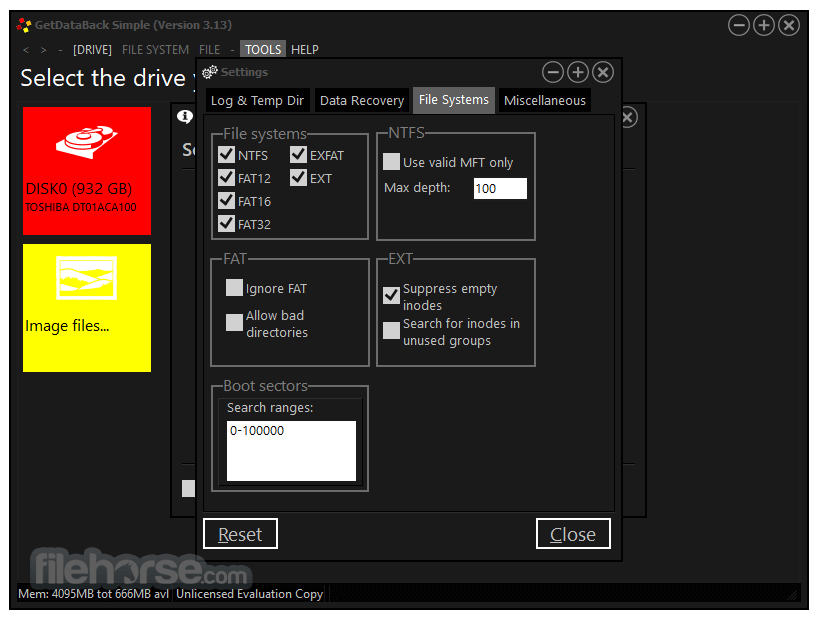
- Supports NTFS, FAT12, FAT16, FAT32, exFAT, EXT, EXT2, EXT3, EXT4
- Free to try
- Free lifetime updates with purchase
- Run Get Data Back from the Runtime Live CD or a WinPE Boot Medium
EaseUS Data Recovery Wizard: Known for its user-friendly interface and robust recovery capabilities, EaseUS Data Recovery Wizard is a popular alternative.
Recuva: This free data recovery tool from CCleaner is great for basic file recovery tasks and is suitable for budget-conscious users.
MiniTool Power Data Recovery: This software offers a wide range of recovery options, including partition recovery and digital media recovery.
Disk Drill: Disk Drill is known for its advanced scanning algorithms and user-friendly interface.
R-Studio: If you're looking for a comprehensive data recovery solution with advanced features, R-Studio is worth considering.
How to Use
- Download and install GetDataBack Pro on your PC.
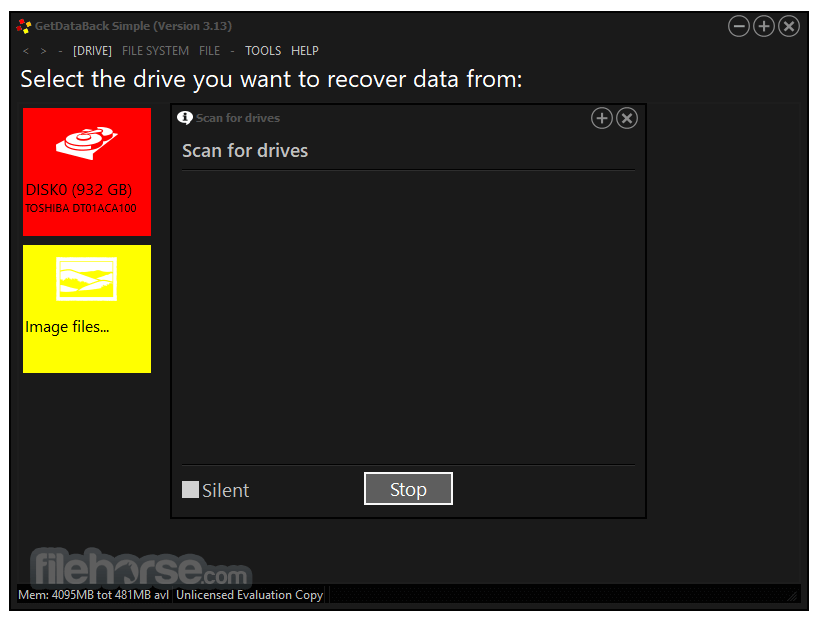
- Launch the software and select the drive to recover.
- Choose the scanning mode based on data loss severity.
- Wait for the scan to complete and review found files.
- Select files to recover and choose a save location.
- Click "Recover" to restore your lost data.
- OS: Windows 10, 8, 7 (32-bit & 64-bit)
- Processor: 1 GHz or faster
- RAM: 512 MB minimum (1 GB recommended)
- Storage: 50 MB free disk space
- Internet: Required for activation
- Fast and deep scanning options
- Supports multiple file systems
- Easy-to-use interface
- Recovers deleted or formatted data
- No data overwritten during recovery
- Paid software with no free recovery
- Limited success on severely damaged drives
- No macOS version available
- Requires internet for activation
- May take time for deep scanning
Download GetDataBack Pro Latest Version Why is this app published on FileHorse? (More info)
##
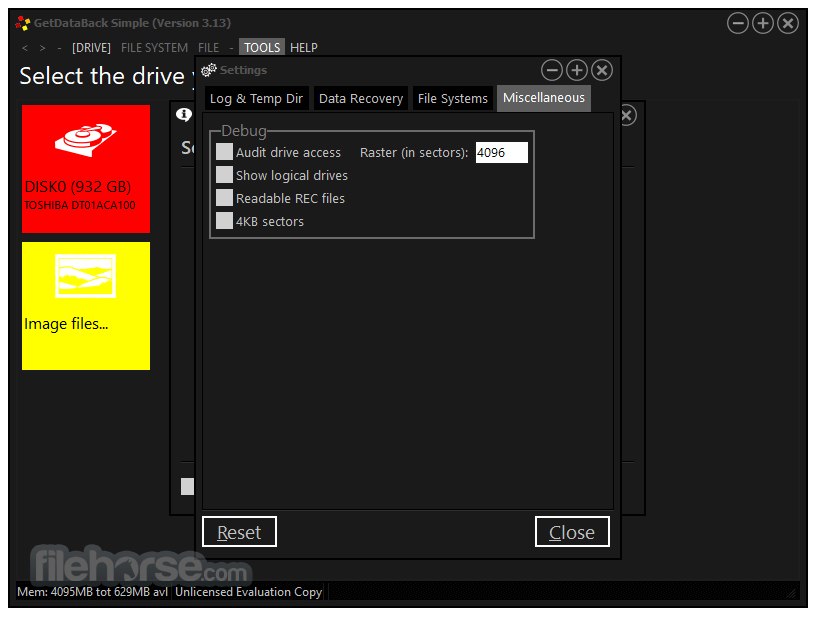
畫面截圖
- 2026-04-08 GetDataBack Pro 5.78 15.48 MB
- 2025-12-28 GetDataBack Pro 5.76 15.48 MB
- 2025-04-10 GetDataBack Pro 5.74 15.46 MB
- 2024-05-21 GetDataBack Pro 5.71 15.37 MB
- 2024-01-26 GetDataBack Pro 5.63 15.28 MB
- 2023-09-28 GetDataBack Pro 5.61 15.12 MB
- 2021-12-09 GetDataBack Pro 5.57 14.95 MB
- 2021-11-10 GetDataBack Pro 5.56 14.94 MB