- 目前版本16.0.3.0320
- 更新日期2026-03-12
- 作業系統Windows 8 / Windows 10 / Windows 11
- 支援語系English
- 授權型式未分類
- 開發商 Google
- 軟體分類Windows 軟體 / 開發者工具
##
翻譯排程處理中,以下暫以英文原文呈現
軟體介紹
Google Web Designer is a free, professional-grade software developed by Google that enables users to create interactive HTML5-based designs and motion graphics.
Primarily focused on building engaging ad creatives, banners, and animations, the tool provides a visual interface while allowing access to code for advanced users.
Google Web Designer for Windows integrates well with Google's advertising platforms, making it an excellent choice for marketers, designers, and developers alike.
Key Features
User Interface
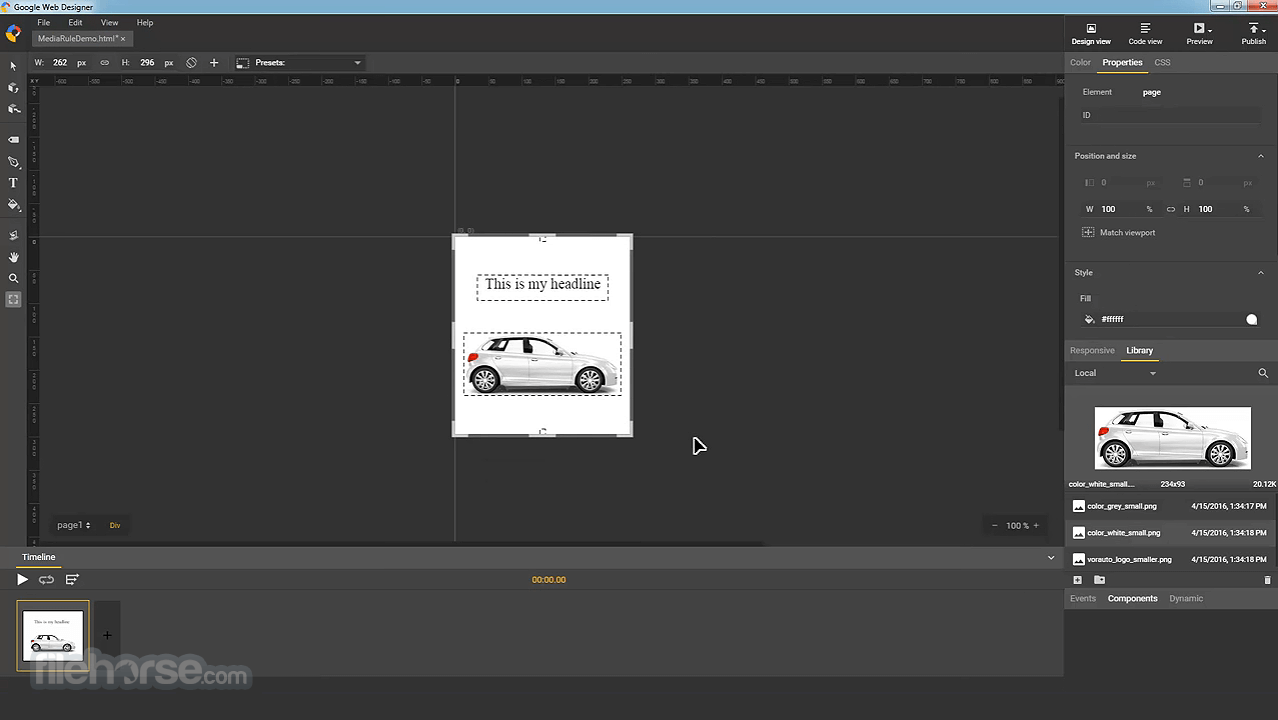
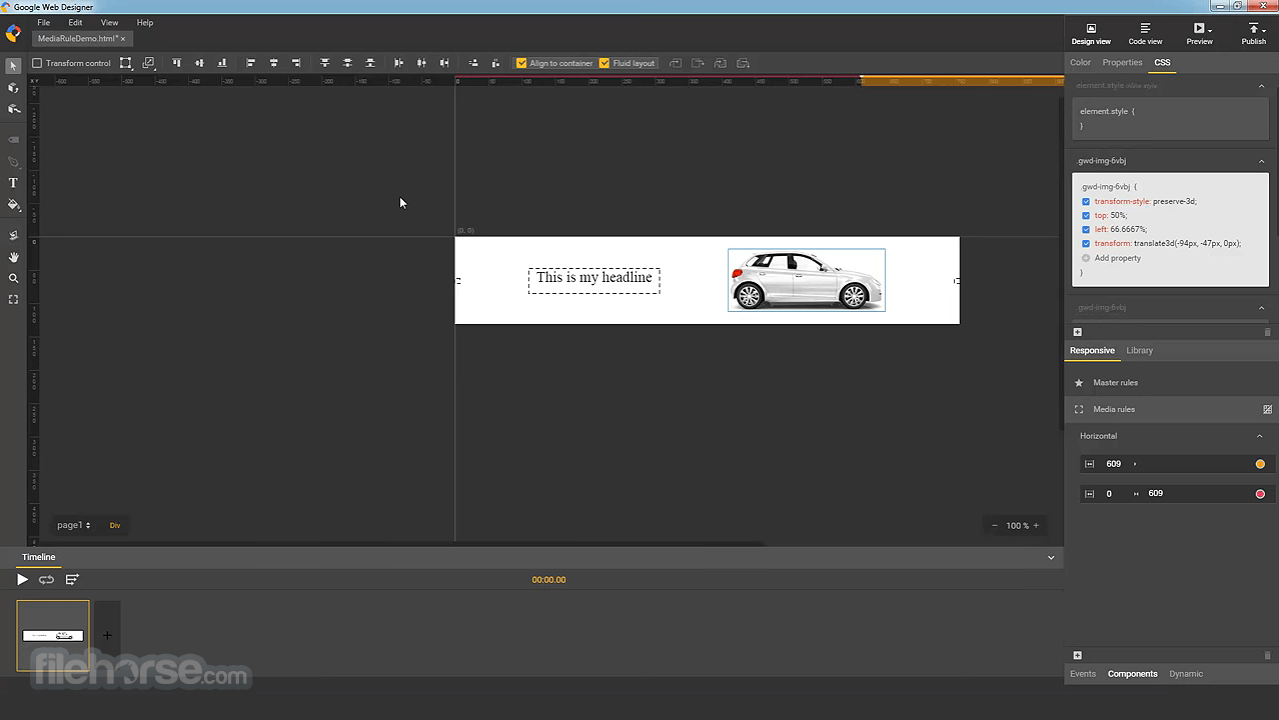
The app features a clean and professional UI that balances ease of use and functionality. The main workspace consists of a canvas for design work, a timeline for animations, and a properties panel for modifying elements.
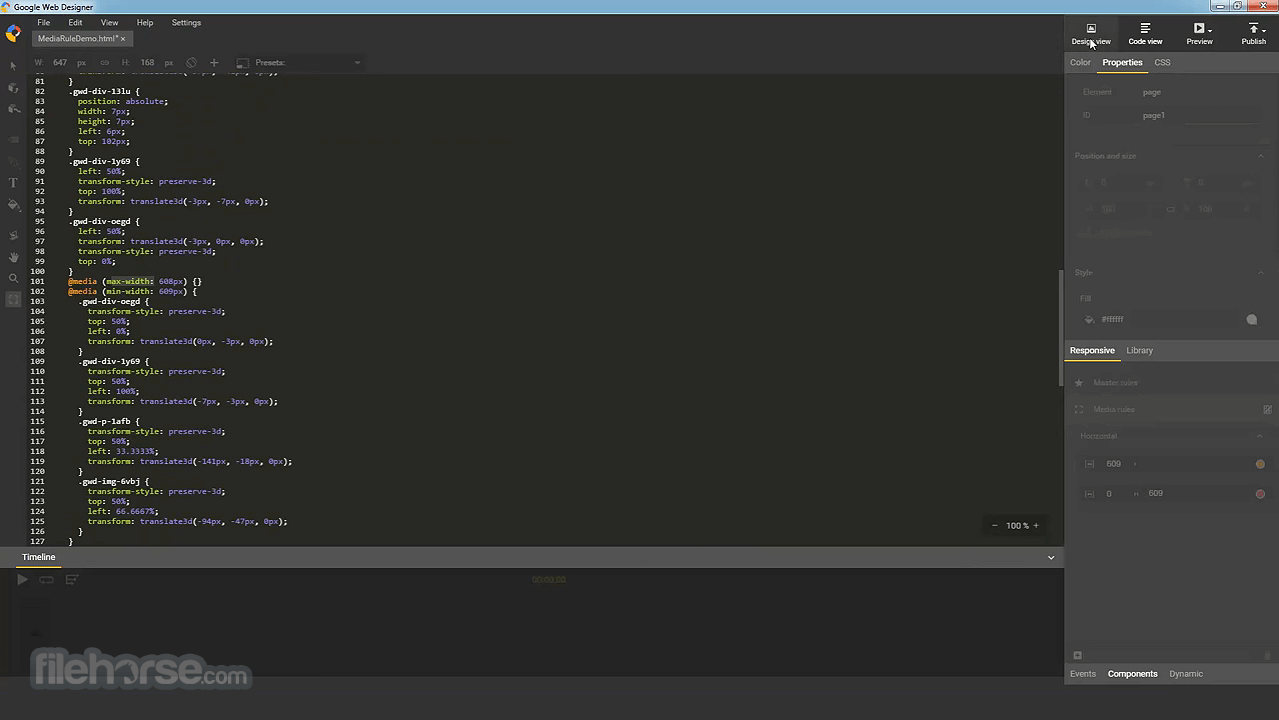
The left sidebar provides tools such as selection, text, shape, and pen tools, while the right panel includes layers, components, and CSS properties. Advanced users can switch between design and code views seamlessly.
Installation and Setup
FAQs
Is Google Web Designer free?
Yes, it is completely free with no hidden costs.
Can I use Google Web Designer for general web development?
While it focuses on animations and ad creatives, it can be used for general web design but lacks full-fledged web development features.
Does it work offline?
Yes, after installation, you can use it without an internet connection.
What file formats does it support?
It exports designs as HTML5, CSS, and JavaScript files. You can also import images in PNG, JPG, GIF, and SVG formats.
Can I use it on Mac or Linux?
Yes, Google Web Designer is available for Windows, Mac, and Linux.
Alternatives
Adobe Animate – More advanced animation and interactivity features.
Pinegrow Web Editor – Offers greater control over responsive web design.
Figma – Primarily a UI/UX design tool, but useful for interactive prototypes.
System Requirements
Google Web Designer is an excellent tool for creating interactive HTML5-based ads and animations. Its user-friendly interface, drag-and-drop design elements, and integration with Google Ads make it ideal for marketers and designers. While it is not a full-scale web development tool, it excels at what it is designed for—building engaging visual content.
Also Available: Download Google Web Designer for Mac
Download Google Web Designer Latest Version Why is this app published on FileHorse? (More info)
Primarily focused on building engaging ad creatives, banners, and animations, the tool provides a visual interface while allowing access to code for advanced users.
Google Web Designer for Windows integrates well with Google's advertising platforms, making it an excellent choice for marketers, designers, and developers alike.
Key Features
- HTML5 & CSS3 Support: Ensures web designs are responsive and compatible with modern browsers.
- Drag-and-Drop Interface: Offers an intuitive way to design animations and web elements without coding.
- Timeline Animation: Supports keyframe and CSS-based animations for precise control over movement.
- 3D Transformation Tools: Provides depth and perspective for creating visually appealing designs.
- Code Editing Mode: Allows users to tweak HTML, CSS, and JavaScript for custom implementations.
- Templates & Components: Includes pre-built layouts, buttons, galleries, and other UI elements.
- Integration with Google Ads: Optimized for creating ad creatives directly deployable in Google’s ad platforms.
- Multi-Screen Preview: Let users test how their designs look on different devices.
- Bug Fix: Resolved an issue where mask animations did not work properly in Safari browsers.
- Improved File Import: Fixed a problem with importing files by dragging and dropping them into Google Web Designer.
- New Dynamic Data Option: Added Ads Creative Studio as a supported dynamic data schema.
- Compatibility Update: Support for Custom Elements v0 components has been removed, requiring migration to modern custom component standards.
User Interface
The app features a clean and professional UI that balances ease of use and functionality. The main workspace consists of a canvas for design work, a timeline for animations, and a properties panel for modifying elements.
The left sidebar provides tools such as selection, text, shape, and pen tools, while the right panel includes layers, components, and CSS properties. Advanced users can switch between design and code views seamlessly.
Installation and Setup
- Download this program from the official Google website.
- Run the installer and follow the on-screen instructions.
- Accept the license agreement and choose an installation directory.
- Launch the application after installation is complete.
- Create a New Project: Select a template or start with a blank canvas.
- Design Your Layout: Use drag-and-drop tools to add elements such as text, images, and buttons.
- Animate Your Design: Utilize the timeline to add motion effects, keyframes, and transitions.
- Edit Code (Optional): Modify the HTML, CSS, and JavaScript directly for custom elements.
- Preview & Test: Check your design on different screen sizes.
- Publish & Export: Save the project and export it as HTML5, or publish it directly to Google Ads.
FAQs
Is Google Web Designer free?
Yes, it is completely free with no hidden costs.
Can I use Google Web Designer for general web development?
While it focuses on animations and ad creatives, it can be used for general web design but lacks full-fledged web development features.
Does it work offline?
Yes, after installation, you can use it without an internet connection.
What file formats does it support?
It exports designs as HTML5, CSS, and JavaScript files. You can also import images in PNG, JPG, GIF, and SVG formats.
Can I use it on Mac or Linux?
Yes, Google Web Designer is available for Windows, Mac, and Linux.
Alternatives
Adobe Animate – More advanced animation and interactivity features.
Pinegrow Web Editor – Offers greater control over responsive web design.
Figma – Primarily a UI/UX design tool, but useful for interactive prototypes.
System Requirements
- OS: Windows 11 or Windows 10
- Processor: Intel or AMD with 64-bit support
- RAM: Minimum 4GB (8GB recommended)
- Storage: At least 2GB of available disk space
- Graphics: OpenGL-compatible graphics card recommended
- Free to use with no subscription fees.
- Intuitive drag-and-drop interface.
- Supports advanced HTML5 and CSS3 animations.
- Seamless integration with Google Ads.
- Works offline after installation.
- Lacks full-fledged web development features.
- Limited pre-made templates compared to competitors.
- The interface may feel complex for beginners.
- Limited third-party plugin support.
- Not as powerful as Adobe Animate for advanced animations.
Google Web Designer is an excellent tool for creating interactive HTML5-based ads and animations. Its user-friendly interface, drag-and-drop design elements, and integration with Google Ads make it ideal for marketers and designers. While it is not a full-scale web development tool, it excels at what it is designed for—building engaging visual content.
Also Available: Download Google Web Designer for Mac
Download Google Web Designer Latest Version Why is this app published on FileHorse? (More info)
##
影片介紹
##
畫面截圖