
Greenshot 1.1.4-2622
v 1.1.4-2622- 目前版本1.1.4-2622
- 更新日期2013-05-09
- 檔案大小1.23MB
- 檔案名稱Greenshot-INSTALLER-1.1.4.2622.exe
- 作業系統Windows 8 / Windows 10 / Windows 11
- 支援語系English
- 授權型式開源軟體
- 開發商 Greenshot Team
- 軟體分類Windows 軟體 / 影像設計
軟體介紹
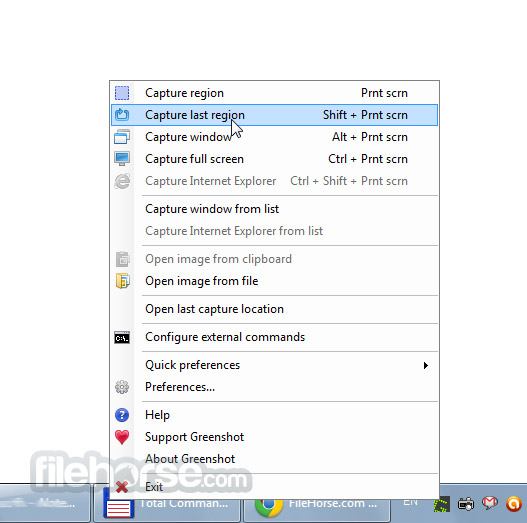
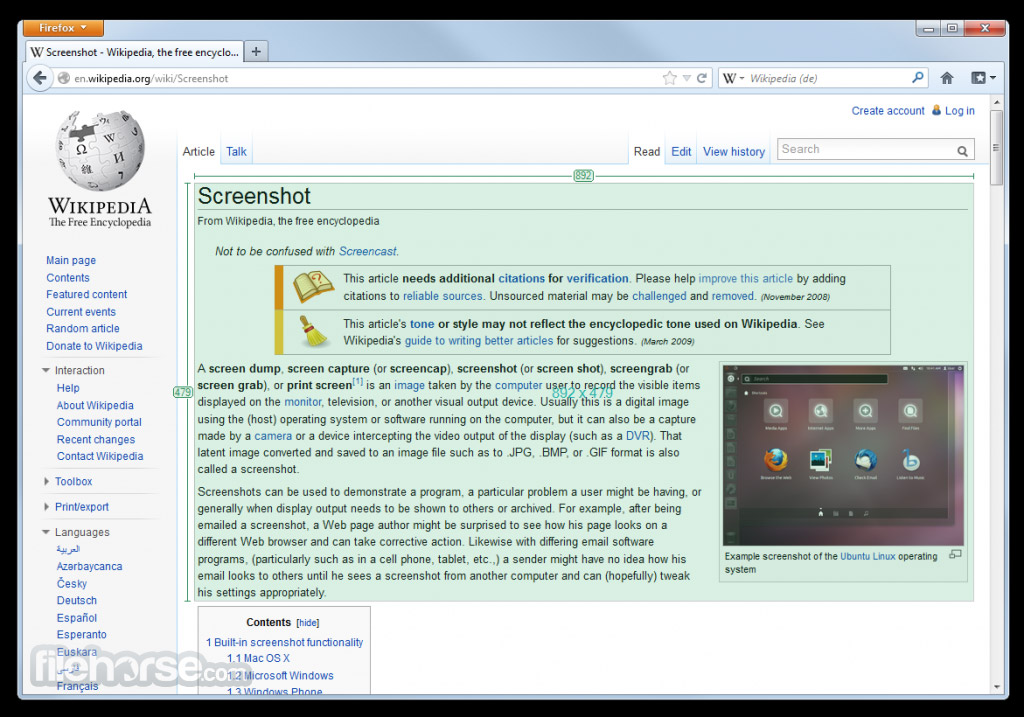
- Greenshot可以快速的截取部分或是全螢幕畫面。
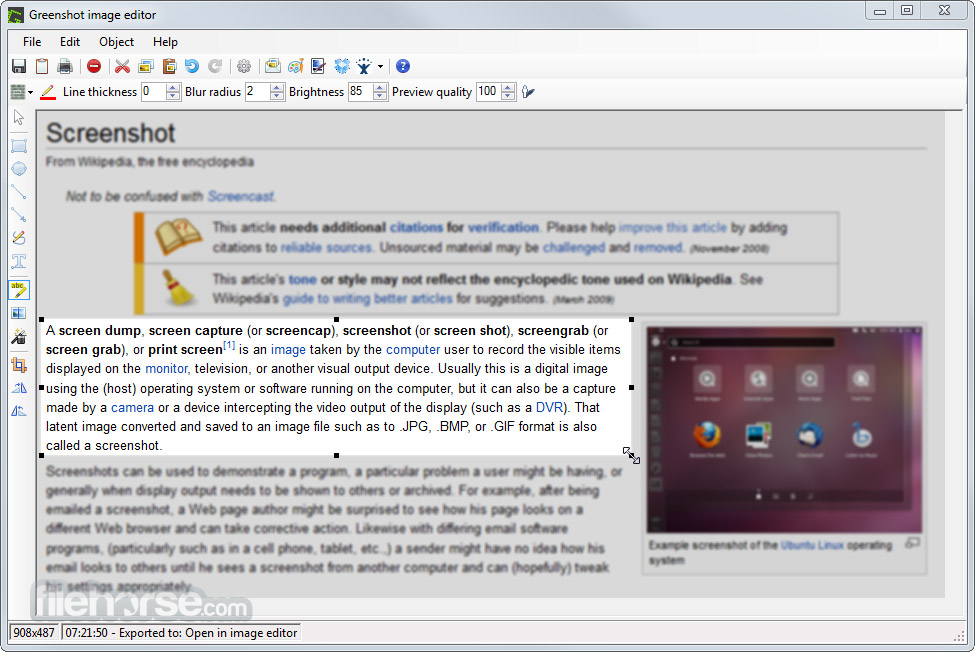
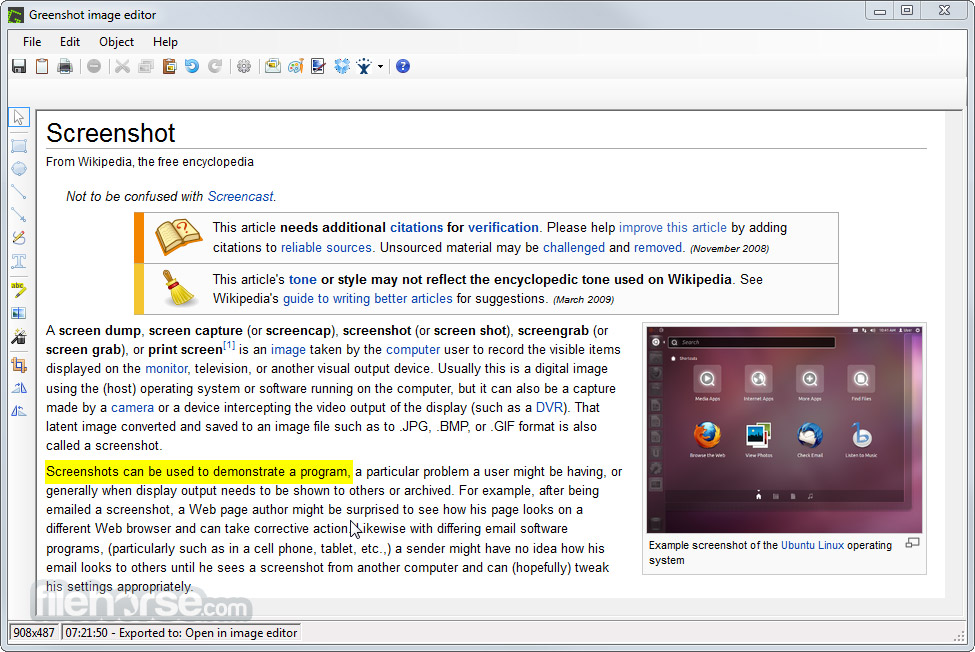
- 簡單編輯功能,輕鬆到截取圖上做註解、繪圖及剪裁。
- 將所截的圖存成檔案,用電子郵件傳遞。
- 介面乾淨,操作容易。
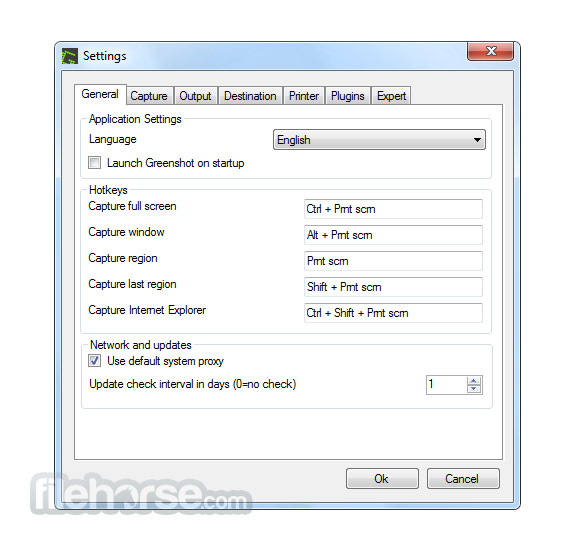
畫面截圖
更新日誌
1.1.4-2622 # Features added:
* General: Added zoom when capturing with a option in the settings for disabling the zoom. (this can also be done via the "z" key while capturing.)
* General: Better Windows 8 integration: Capture window from list now has the apps and the interactive window capture is not confused by apps or the app launcher.
* General: Added Special-Folder support for the OutputPath/Filenames, now one can use the following values: MyPictures, MyMusic, MyDocuments, Personal, Desktop, ApplicationData, LocalApplicationData. Meaning one can now set the output path to e.g. ${MyPictures}
* General: Greenshot now also comes as a "for PortableApps" download, this now will be released just like the other files (installer & .zip)
* Editor: Added a new image format "Greenshot" which allows the user to save the current state and continue editing later. (was already in the 1.1.1.2550)
* Editor: The capture is now displayed in the center of the editor
* Editor: Added horizontal and vertical alignment for text boxes.
* Printing: Added option to force monochrome (black/white) print
* Plug-in: Added Photobucket plugin
# Bugs resolved
* On Windows XP Firefox/java captures are mainly black. This fix should also work with other OS versions and applications.
* Fixed issue with opening a screenshow from the clipboard which was created in a remote desktop
* Exporting captures to Microsoft Office applications give problems when the Office application shows a dialog, this is fixed by displaying a retry dialog with info.
* Exported captures to Powerpoint were displayed cropped, which needed extra actions to correct.
* Picasa-Web uploads didn't have a filename and the filename was shown as "UNSET" in Picasa-Web.
* The window corners on Windows Vista & Windows 7 weren't cut correctly. While fixing this issue, we found some other small bugs which could cause small capture issues on Vista & 7 it also used more resources than needed.
* Resize issues with some the plugin configuration dialogs.
* Elements in 1.0 are drawn differently as in pre 1.0
* Fixed missing filename in the Editor title
* Pasting captures as HTML-inline in Thunderbird doesn't work when using 256-colors.
* Fixed a problem with the editor initialization, in some small cases this gave an error as something happend at the same time.
* Added some checks for some configuration values, if they were not set this caused an error
* If copying an image from Outlook via the clipboard the image was cropped
* Image exports to Microsoft Word didn't have the "Lock aspect ratio" set
* Colors were disappearing when "Create an 8-bit image if colors are less than 256 while having a > 8 bits image" was turned on
* Auto-filename generation cropping title text after period
* when pasting elements from one editor into another the element could end up outside the visible area
* External Command plug-in issues. e.g. when clicking edit in the External Command plug-in settings, than cancel, and than edit again an error occured.
* Stability improvements for when Greenshot tries to open the explorer.exe
* Error while dragging an obfuscation
* InvalidCastException when using the brightness-filter
* Reported in forum: Fixed a problem with the OCR, it sometimes didn't work.
* Not reported: Flickr configuration for the Family, Friend & Public wasn't stored.
* Not reported: If Greenshot is linked in a Windows startup folder, the "Start with startup" checkbox wasn't checked.
* Not reported: Some shortcut keys in the editor didn't respond.
* Not reported: Fixed some issues with capturing windows that were larger than the visible screen, logic should now be more reliable.
* Not reported: Fixed some cases where Dragging & Dropping an image from a browser on the editor lost transparency.
* Not reported: Undo while in an Auto-Crop made the editor unusable.
* Not reported: When first selecting a printer, the main printer destination has been replaced by the selected one, making the Windows printer dialog unavailable for further prints
* Not reported: Open last capture in explorer doesn't open the right location
* Not reported: Fixed some issues where the sub-menus of the context menu moved to the next screen.
* Not reported: When having Outlook installed but not the Office plugin there was no EMail destination.
# Languages:
* Added Indonesian
* Installer: Added Spanish
* Installer: Added Serbian
* Installer: Added Finnish
* General: Fixes for many languages
- 2026-03-21 Greenshot 1.3.315 3.8 MB
- 2017-09-14 Greenshot 1.2.10.6 1.70MB
- 2017-01-30 Greenshot 1.2.9.129 1.70MB
- 2017-01-02 Greenshot 1.2.9.112 1.68MB
- 2016-12-20 Greenshot 1.2.9.104 1.68MB
- 2016-11-06 Greenshot 1.2.8.14 1.31MB
- 2015-11-12 Greenshot 1.2.8.12 1.31MB
- 2015-10-26 Greenshot 1.2.7.2 1.31MB