⚠ 這是歷史版本頁面 — 查看 Honeycam 最新版本 →

- 目前版本4.19
- 更新日期2023-03-16
- 檔案大小28.74 MB
- 檔案名稱HONEYCAM-SETUP-ALL.EXE
- 作業系統Windows 7 64 / Windows 8 64 / Windows 10 64 / Windows 11
- 支援語系English
- 授權型式試用版
- 開發商 Bandisoft
- 軟體分類Windows 軟體 / 影像設計
##
編輯短評
Honeycam 是 Bandisoft 推出的動態圖片製作工具,主要解決「快速把畫面變成 GIF/WebP/WebM」的需求。它可以直接錄下電腦螢幕、YouTube 影片或播放器畫面,也能匯入相機連拍的一系列照片來合成動態圖,甚至開啟別人做好的 GIF 再編輯加工。這套軟體在台灣討論度不算特別高,但開發商 Bandisoft 本身就是知名壓縮軟體 Bandizip 的團隊,維護相當穩定,近一年內仍持續更新,評價普遍不錯。
如果你常需要做教學步驟、社群貼文或論壇回覆用的短動圖,Honeycam 會比開 Photoshop 來得輕量直覺。它與 Photoshop 這類專業影像軟體的取捨在於:功能單純、上手門檻低,但沒有進階的圖層或濾鏡編輯能力。要注意的是它只有英文介面、僅支援 Windows,且是試用版授權,長期使用需付費;若你只需要偶爾轉檔,免安裝的線上工具或許更省事,但錄製與編輯的流暢度就不如這套。
##
翻譯排程處理中,以下暫以英文原文呈現
軟體介紹
Honeycam is the best animated GIF maker and editor software. The tool allows users to capture their computer screen, YouTube videos, or media players and save them as animated GIF/WebP/WebM image files.
Users can create an animated image by using the recording function or the importing function of the program, which allows users to import a series of pictures (JPG, PNG, etc.) taken through a camera's burst mode (continuous shooting mode).
Users can also open existing animated image files (GIF, WebP, etc.) created by other programs and edit them to make their own animated images.
What’s New
Also, the app offers useful features such as 10% faster/slower, reverse playback, yo-yo effect, FPS control, deleting frames, cropping, resizing, importing, text/image watermark, transition effects, filters, etc.
Created images can be directly uploaded to free image sharing services, so users can easily share animated images on Facebook, Twitter, messengers, forum. All in all, Honeycam may meet the requirements of all users who want to make, edit, and share animated GIF images.
Features and Highlights
Simple and easy GIF Maker
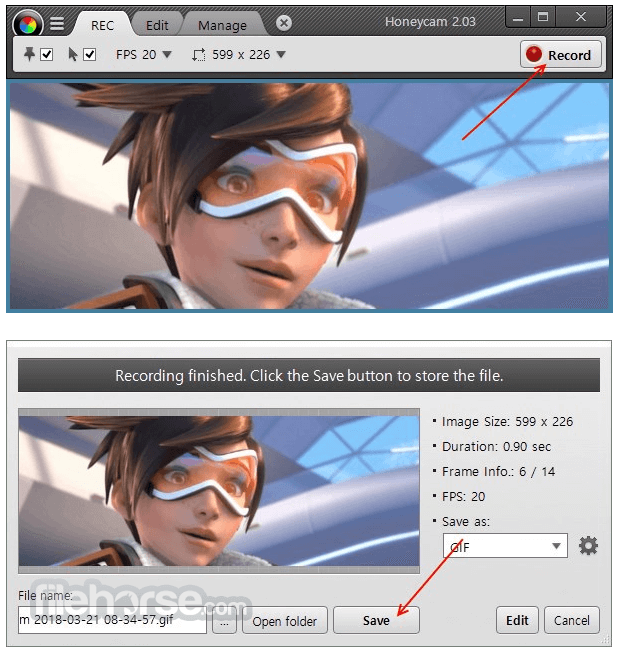
Animated GIFs used to be difficult to create. With the tool, you can easily record a specific area of the computer screen and save it as an animated GIF image file.
Creates high-quality GIF images
The app can create ultra-high-definition animated GIFs by using its high-quality dithering feature to keep the original video quality.
Supports WebP and WebM formats
Honey cam supports WebP and WebM, which are the most recent image and video formats that Google developed. Although they are only visible on selected browsers, such as Chrome, etc., those formats are suitable for high-quality GIF images with small file sizes.
Offers various editing features and effects
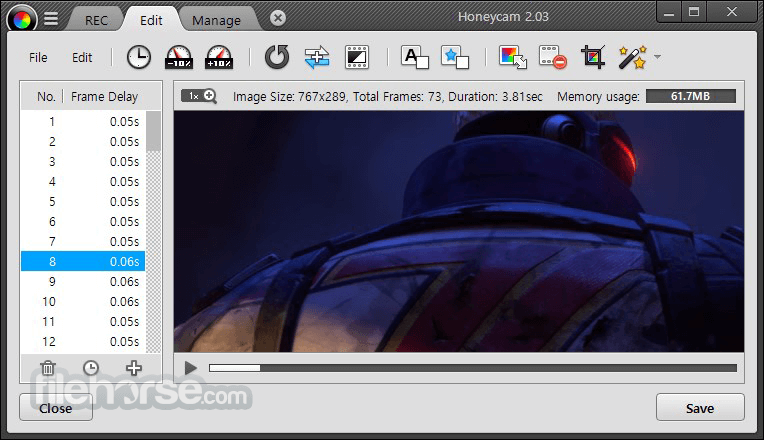
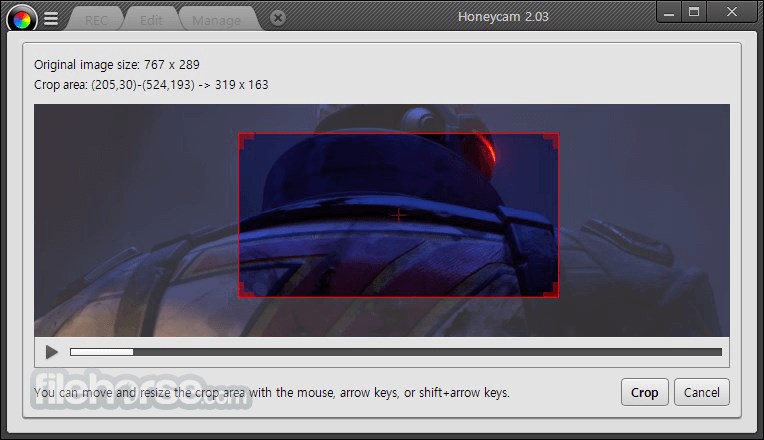
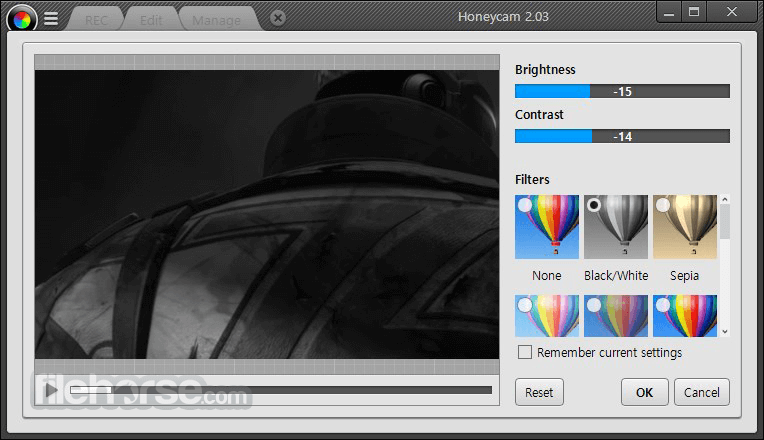
The program offers various editing features such as 10% faster/slower, reverse playback, yo-yo effect, reduce frames, cropping, resizing, importing, text/image watermark, transition effects, filters, etc.
Use your watermark
You can use your text or images as watermarks on an animated GIF. It can be used to insert your logo, title, message, etc.
Simple image sharing
You can share images by posting them on Facebook, Twitter, messengers, or forums, and GIFs created can be directly uploaded via free image sharing services. Moreover, the web addresses of images can be easily obtained.
How to Use
Gyazo – A simple screen capture tool that lets users quickly take screenshots and record GIFs, then share them via instant links.
ShareX – A powerful open-source tool for screen capturing, recording GIFs, and sharing files with extensive customization and automation options.
System Requirements
Download Honeycam Latest Version Why is this app published on FileHorse? (More info)
Users can create an animated image by using the recording function or the importing function of the program, which allows users to import a series of pictures (JPG, PNG, etc.) taken through a camera's burst mode (continuous shooting mode).
Users can also open existing animated image files (GIF, WebP, etc.) created by other programs and edit them to make their own animated images.
What’s New
- Fixed a compatibility issue with Bitdefender that caused “procedure entry point” errors
- Resolved a problem where generated WebP files couldn’t be registered in KakaoTalk Emoticon Studio
- Fixed crashes related to the JXR image format
- Improved support and handling for animated AVIF files
- Corrected file naming behavior during direct MP4 recording
- Enhanced error message clarity for easier troubleshooting
- Fixed detection issues with certain MKV files
- Improved drag-and-drop functionality for smoother usage
- Various minor fixes and overall stability improvements
Also, the app offers useful features such as 10% faster/slower, reverse playback, yo-yo effect, FPS control, deleting frames, cropping, resizing, importing, text/image watermark, transition effects, filters, etc.
Created images can be directly uploaded to free image sharing services, so users can easily share animated images on Facebook, Twitter, messengers, forum. All in all, Honeycam may meet the requirements of all users who want to make, edit, and share animated GIF images.
Features and Highlights
Simple and easy GIF Maker
Animated GIFs used to be difficult to create. With the tool, you can easily record a specific area of the computer screen and save it as an animated GIF image file.
Creates high-quality GIF images
The app can create ultra-high-definition animated GIFs by using its high-quality dithering feature to keep the original video quality.
Supports WebP and WebM formats
Honey cam supports WebP and WebM, which are the most recent image and video formats that Google developed. Although they are only visible on selected browsers, such as Chrome, etc., those formats are suitable for high-quality GIF images with small file sizes.
Offers various editing features and effects
The program offers various editing features such as 10% faster/slower, reverse playback, yo-yo effect, reduce frames, cropping, resizing, importing, text/image watermark, transition effects, filters, etc.
Use your watermark
You can use your text or images as watermarks on an animated GIF. It can be used to insert your logo, title, message, etc.
Simple image sharing
You can share images by posting them on Facebook, Twitter, messengers, or forums, and GIFs created can be directly uploaded via free image sharing services. Moreover, the web addresses of images can be easily obtained.
How to Use
- Install the software on your Windows PC
- Launch Honeycam from the Start Menu or desktop shortcut
- Click "New Recording" to capture screen content
- Select the area of the screen to record
- Click the record button to begin capturing
- Stop the recording when done to preview the result
- Edit the recording with built-in tools (resize, effects, etc.)
- Export the final result as GIF, WebP, or MP4 format
- Save the file or upload directly to the web
Gyazo – A simple screen capture tool that lets users quickly take screenshots and record GIFs, then share them via instant links.
ShareX – A powerful open-source tool for screen capturing, recording GIFs, and sharing files with extensive customization and automation options.
System Requirements
- OS: Windows 7, 8, 10, or 11 (32-bit and 64-bit)
- CPU: Dual-core processor or better
- RAM: 2GB minimum (4GB recommended)
- Disk Space: 100MB of free space
- Display: 1024x768 or higher resolution
- Simple and user-friendly interface
- Lightweight and fast performance
- Supports multiple export formats
- Built-in editing and optimization tools
- No watermark on output files
- Limited editing compared to video editors
- The free version has occasional reminders
- No direct webcam recording feature
- Few advanced settings for power users
- Lacks multi-track timeline support
Download Honeycam Latest Version Why is this app published on FileHorse? (More info)
##
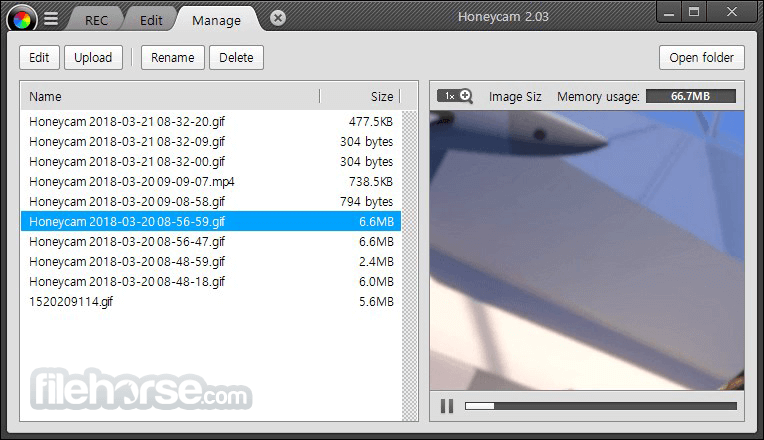
畫面截圖
- 2026-08-13 Honeycam 5.05 22.81 MB
- 2026-08-12 Honeycam 5.04 22.76 MB
- 2026-06-11 Honeycam 5.03 22.38 MB
- 2026-04-28 Honeycam 5.02 20.66 MB
- 2026-04-15 Honeycam 5.01 20.56 MB
- 2026-04-07 Honeycam 5.0 20.6 MB
- 2024-11-25 Honeycam 4.31 29.51 MB
- 2023-11-30 Honeycam 4.30 24.73 MB