⚠ 這是歷史版本頁面 — 查看 HP Support Assistant 最新版本 →

HP Support Assistant 9.25.18.0
v 9.25.18.0
Windows
免費軟體
7.84/10 (33)
- 目前版本9.25.18.0
- 更新日期2023-05-19
- 檔案大小169.23 MB
- 檔案名稱sp146042.exe
- 作業系統Windows 10 / Windows 11
- 支援語系English
- 授權型式免費軟體
- 開發商 HP Development Company, L.P.
- 軟體分類Windows 軟體 / 驅動程式
##
編輯短評
HP Support Assistant 是 HP 官方推出的系統工具,主要用於自動偵測硬體狀態、掃描系統穩定性,並協助更新 HP 驅動程式與軟體,讓 HP 電腦維持順暢運作。它的最大特色是針對 HP 裝置提供整合式維護,能自動檢查並安裝必要的更新,省去手動尋找驅動的麻煩。就維護狀況而言,這套工具雖然仍可下載,但近期更新已趨緩,在驅動程式分類中也不算熱門,不過對 HP 用戶來說仍是官方推薦的輔助程式。
這套軟體適合使用 HP 筆電或桌機、希望以自動化方式管理驅動與系統健康的使用者,尤其當你不想逐一上官網找驅動時,它能提供一站式的掃描與更新。與其他通用驅動工具相比,它專注於 HP 硬體,但介面僅提供英文,且為免費軟體,需在 Windows 平台上執行。若你使用非 HP 裝置,或需要多語系支援,可能就得考慮其他替代方案。
##
翻譯排程處理中,以下暫以英文原文呈現
軟體介紹
HP Support Assistant is a fast and reliable system utility application that provides a streamlined service of maintaining clean, updated, and smooth daily operation and automatic support for all users of HP notebooks.
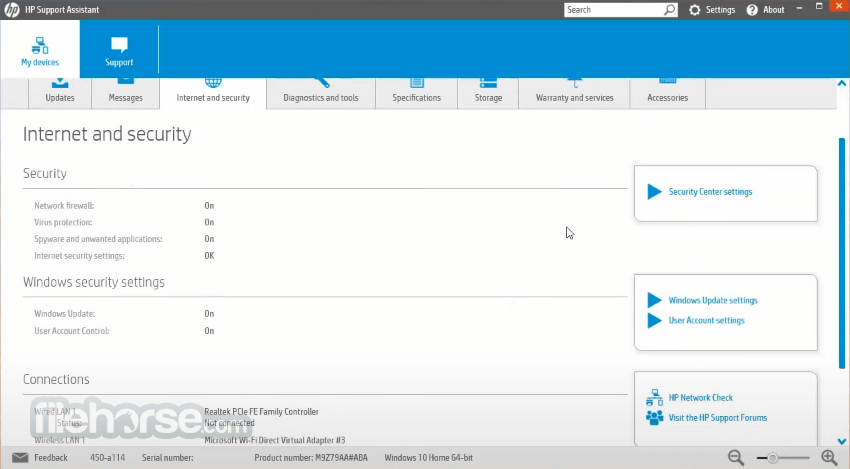
Built from the ground up to detect the status of laptop hardware and all the early signs of system instabilities or reduced working speed, this app represents one of the best ways that users of HP PC devices can optimize their PC for fast performance.
In addition of automatic system scans and updating of important HP software upgrades and system drivers, this app also provides users with a single portal where they can learn more about their local hardware, take advantage of the consumer services and benefits that are provided to all new HP customers, and even schedule a support call that can resolve any of your hardware issues.
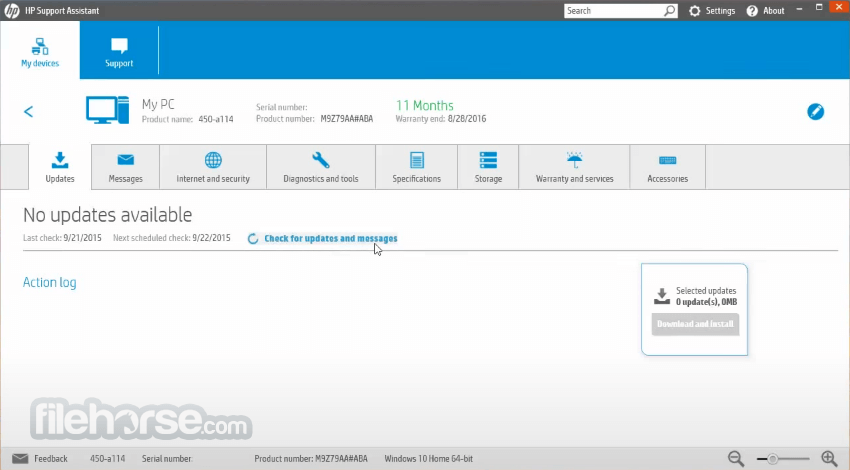
Automatic updates - Improve the performance and reliability of your PCs and printers with automatic firmware and driver updates. You can configure your options to install updates automatically or to notify you when updates are available.
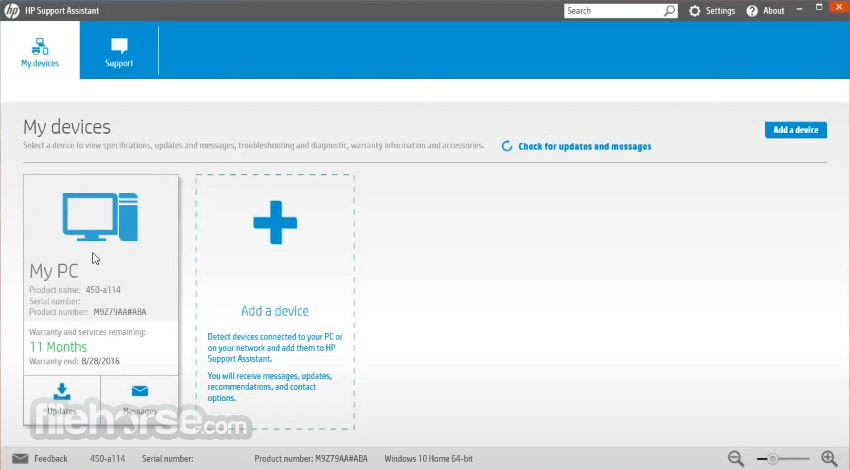
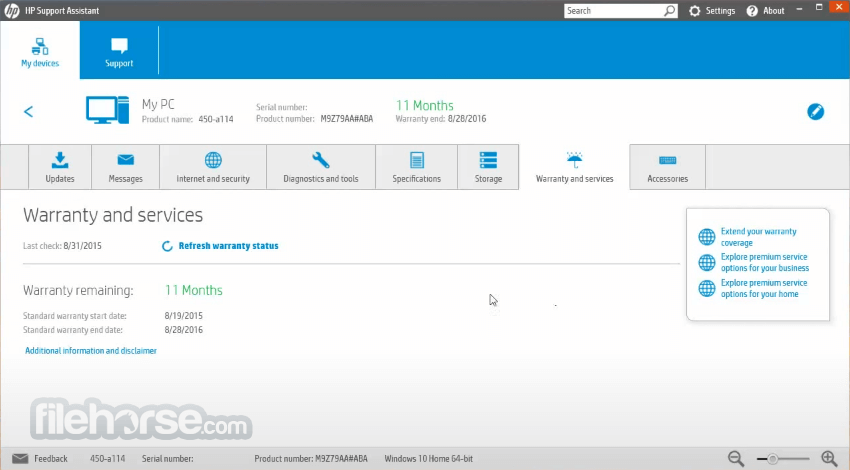
The user interface of the HP Support Assistant is streamlined for ease of use and quick discovery of all of its features. It uses a traditional light-blue color layout and promotes access to four main tabs.
The first one is “My Devices”, where user can not only list their currently detected and registered HP devices, but also see messages related to their health status, specification listings, and listing of all connected accessories. Here users can also access the most popular troubleshooting services for printers, power plans, and other Ease of Access topics.
The next tab is “My Services”, where users can register their HP device online and discover if they are eligible for any of the warranty/extended service offerings from HP.
The third tab is “Support”, and from there, users can quickly add their current location, device, and set up an online request ticket for solving some of the issues that cannot be fixed easily. The final tab is “Profile”, where users can manage their online HP account. In the Settings page, users can allow the app to install the most critical updates automatically, set the automatic scan schedule, and notification status.
HP Support Assistant for Chrome OS
Install HP Support Download and Install Assistant for easy troubleshooting tools on your Chrome OS device. This free app runs from a Chrome browser, and can be installed on most devices running Chrome OS M99 or later.
To add this service, start from a device running Chrome OS M99 or later.
The entire interface can be zoomed in using a zoom slider in the bottom/right corner of the app, and interface visuals can be switched into a special high-contrast mode to facilitate easier viewing experience for people with poor eyesight.
For many users of HP laptops, this desktop application can be their personal technician who can solve many of the issues that can appear when handling PCs for a prolonged period.
The app is relatively small, runs quietly in the background, and requires very little resources to monitor the health and changes in the computer’s performance.
Key Features
Automated Fixes and Troubleshooters
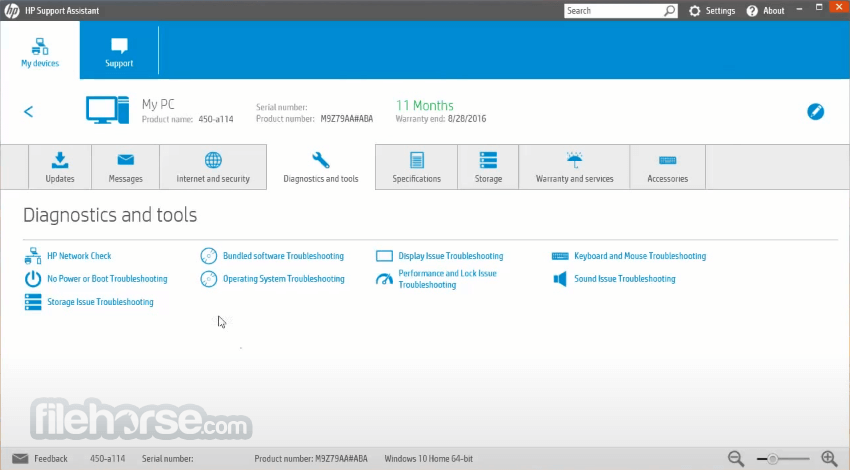
It provides tools to automatically diagnose and fix many common issues. If the problem persists, it also helps you access additional support resources tailored to your specific HP device.
Personalized Device Management
Create an HP account or log in with existing credentials to manage all your connected HP devices. You can also add devices from friends or family and receive updates and notifications for their PCs or printers. It also allows you to view any available or subscribed HP services.
Automatic Firmware and Driver Updates
Enhance the performance and stability of your HP devices with automatic firmware and driver updates. You can set updates to install automatically or choose to be notified when updates are available.
24/7 Help with the HP Virtual Agent
The HP Virtual Agent is always available to assist with troubleshooting your PC or printer issues at any time, day or night, providing quick and efficient solutions.
PROS
Download HP Support Assistant Latest Version Why is this app published on FileHorse? (More info)
Built from the ground up to detect the status of laptop hardware and all the early signs of system instabilities or reduced working speed, this app represents one of the best ways that users of HP PC devices can optimize their PC for fast performance.
In addition of automatic system scans and updating of important HP software upgrades and system drivers, this app also provides users with a single portal where they can learn more about their local hardware, take advantage of the consumer services and benefits that are provided to all new HP customers, and even schedule a support call that can resolve any of your hardware issues.
Automatic updates - Improve the performance and reliability of your PCs and printers with automatic firmware and driver updates. You can configure your options to install updates automatically or to notify you when updates are available.
The user interface of the HP Support Assistant is streamlined for ease of use and quick discovery of all of its features. It uses a traditional light-blue color layout and promotes access to four main tabs.
The first one is “My Devices”, where user can not only list their currently detected and registered HP devices, but also see messages related to their health status, specification listings, and listing of all connected accessories. Here users can also access the most popular troubleshooting services for printers, power plans, and other Ease of Access topics.
The next tab is “My Services”, where users can register their HP device online and discover if they are eligible for any of the warranty/extended service offerings from HP.
The third tab is “Support”, and from there, users can quickly add their current location, device, and set up an online request ticket for solving some of the issues that cannot be fixed easily. The final tab is “Profile”, where users can manage their online HP account. In the Settings page, users can allow the app to install the most critical updates automatically, set the automatic scan schedule, and notification status.
HP Support Assistant for Chrome OS
Install HP Support Download and Install Assistant for easy troubleshooting tools on your Chrome OS device. This free app runs from a Chrome browser, and can be installed on most devices running Chrome OS M99 or later.
To add this service, start from a device running Chrome OS M99 or later.
- Make sure you are using the Chrome browser
- Go to the HPSA Chrome OS extension on the Chrome Web Store
- Download the HP Support Assistant extension
The entire interface can be zoomed in using a zoom slider in the bottom/right corner of the app, and interface visuals can be switched into a special high-contrast mode to facilitate easier viewing experience for people with poor eyesight.
For many users of HP laptops, this desktop application can be their personal technician who can solve many of the issues that can appear when handling PCs for a prolonged period.
The app is relatively small, runs quietly in the background, and requires very little resources to monitor the health and changes in the computer’s performance.
Key Features
Automated Fixes and Troubleshooters
It provides tools to automatically diagnose and fix many common issues. If the problem persists, it also helps you access additional support resources tailored to your specific HP device.
Personalized Device Management
Create an HP account or log in with existing credentials to manage all your connected HP devices. You can also add devices from friends or family and receive updates and notifications for their PCs or printers. It also allows you to view any available or subscribed HP services.
Automatic Firmware and Driver Updates
Enhance the performance and stability of your HP devices with automatic firmware and driver updates. You can set updates to install automatically or choose to be notified when updates are available.
24/7 Help with the HP Virtual Agent
The HP Virtual Agent is always available to assist with troubleshooting your PC or printer issues at any time, day or night, providing quick and efficient solutions.
PROS
- Easy System Maintenance & Optimization.
- Automated Updates for Drivers & Software.
- User-Friendly Interface for Diagnostics.
- Access to HP Tech Support & Resources.
- Comprehensive PC Health Monitoring.
- Occasional Slow Performance & Glitches.
- Limited Features for Advanced Users.
- Frequent Unnecessary Notifications.
- Resource-Heavy on Startup.
- Requires Frequent Manual Interventions.
Download HP Support Assistant Latest Version Why is this app published on FileHorse? (More info)
##
畫面截圖
- 2025-07-08 HP Support Assistant 9.46.17.0 175.68 MB
- 2024-10-09 HP Support Assistant 9.39.17.0 174.87 MB
- 2023-10-03 HP Support Assistant 9.28.34.0 170.91 MB
- 2023-05-19 HP Support Assistant 9.25.18.0 169.23 MB
- 2022-04-14 HP Support Assistant 9.14.42.0 173.64 MB
- 2022-01-12 HP Support Assistant 8.8.34.31 36.46 MB
- 2021-08-25 HP Support Assistant 9.7.536.0 166.92 MB
- 2020-07-17 HP Support Assistant 9.6.605.0 137.29 MB