⚠ 這是歷史版本頁面 — 查看 IDEA StatiCa 最新版本 →

IDEA StatiCa 21.1.9.0018
v 21.1.9.0018
Windows
商業試用
8/10 (43)
- 目前版本21.1.9.0018
- 更新日期2024-01-04
- 檔案大小299 MB
- 檔案名稱ideastatica_21.1.9.0018.msi
- 作業系統Windows 10 / Windows 11
- 支援語系English
- 授權型式商業試用
- 開發商 IDEA StatiCa Team
- 軟體分類Windows 軟體 / 影像設計
##
編輯短評
IDEA StatiCa 是一款专为建筑师与结构设计师打造的工程分析软体,主要用来检查钢构或混凝土结构的连接、锚固、基础等关键部位的完整性。它最突出的特色是能快速生成包含图纸与明确通过/失败评分的完整报告,让设计验证过程更直观、更可靠。在同类专业工具中,它属于主流首选,使用者评价普遍不错,虽然更新频率不算高,但仍有持续维护,适合需要严谨结构验证的工程场景。
这套软体适合从事结构设计、需要确认连接安全性的专业人士,尤其是在现代钢构或混凝土拓扑设计中,能有效缩短检查时间。与一般影像设计软体如 Photoshop 等不同,它更聚焦于工程计算,因此若你只是需要绘图或视觉呈现,可能用不上。替代软体虽多,但 IDEA StatiCa 在专业结构分析上更具针对性。授权为试用版,仅支援 Windows 平台,且目前只提供英文介面,使用时需留意语系与授权限制。
##
翻譯排程處理中,以下暫以英文原文呈現
軟體介紹
IDEA StatiCa is an industry-leading software solution for architect and structure designers that can help them to check the integrity and features of steel connections, joint integrity, anchoring, footing, and connection in their modern steel or concrete topologies.
Built from the ground up to be reliable, easy to use, and easily integrated into your work environment, IDEA Statica represents an important analysis tool that can help you quickly test the integrity of your design and provide a complete report with drawings and clear pass/fail scores.
This engineering tool is focused on realistic physics calculation, stress analytics, the behavior of prestressed bolts and plastic behavior of the welds, strain calculation for all types of connections and joints (including plates, elements, bolts, and welds), linear analysis of stability, the discovery of critical loads, determining of rotational and axial joint stiffness, joint characteristics, seismicity checks and much more.
Steel design
For easy integration in your regular workflow, developers of IDEA StatiCa have worked tirelessly to ensure complete compatibility with all the most popular workshop drawing apps and manufacturing process designs created in apps such as Robot, Revit, MIDAS Civil + Gen, STAAD.Pro, SAP 2000, Scia Engineer, RFEM, RSTAB, AxisVM, ConSteel, and others.
Even though of the professional nature of this app, the developers of this program have enabled users from all around the world access to the FREE 14-day Trial. To gain access to this one-PC trial license, all you need is to complete an online form and wait for personal license delivery via email.
Features and Highlights
The full client for the app comes in an installation that is just over 300 MB in size, enabling everyone to quickly download it and deploy it on their work PC.
It is important to note that even the holders of the FREE 14-day trial license gain access to the full version of the app, with all of its tools and services unlocked and ready for use.
IDEA STatiCa developers recommend that this app can be used on all Windows 7/8/10 PCs that have at least Pentium IV CPU, 2GB of RAM, and 1GB of free space on local storage.
However, to streamline and quicken the calculations performed by this app, it is highly recommended to give it as capable hardware as you can, including modern multi-threaded CPU and 8GB (or more) of system RAM.
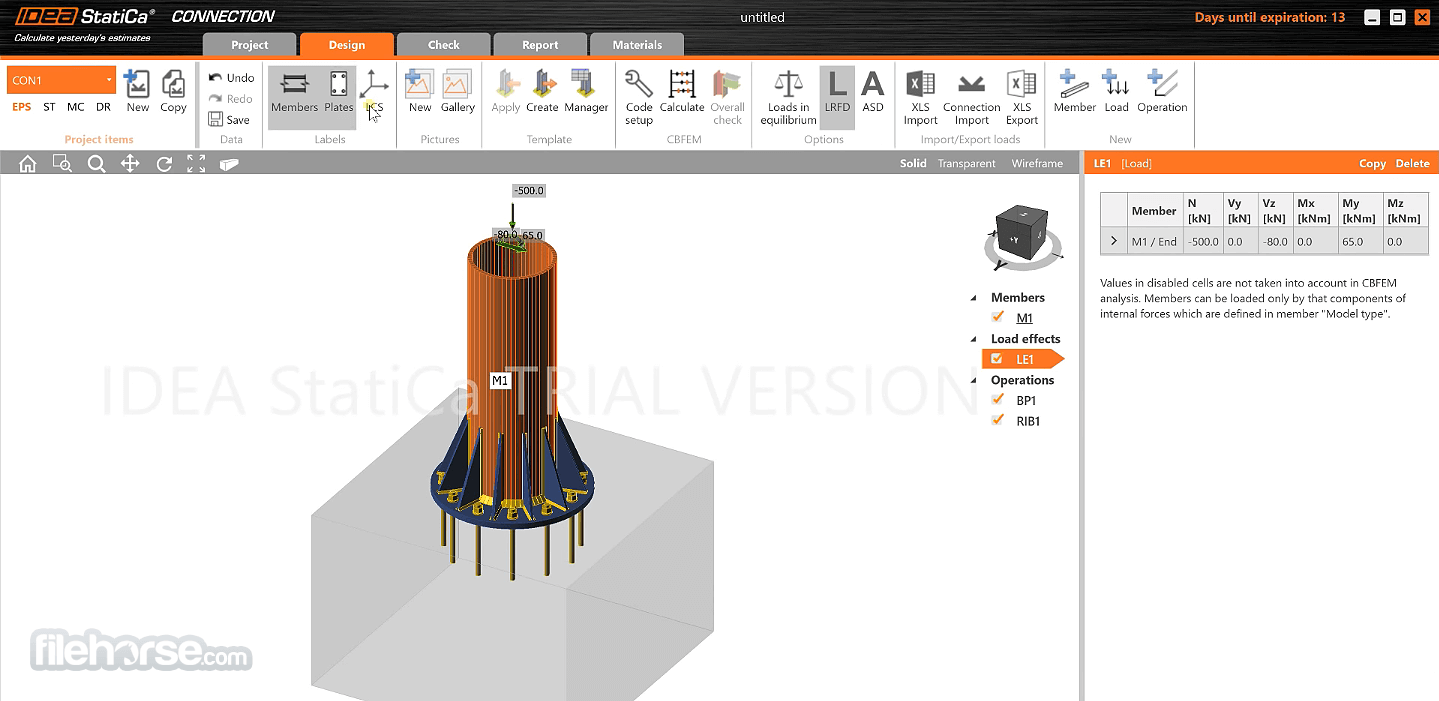
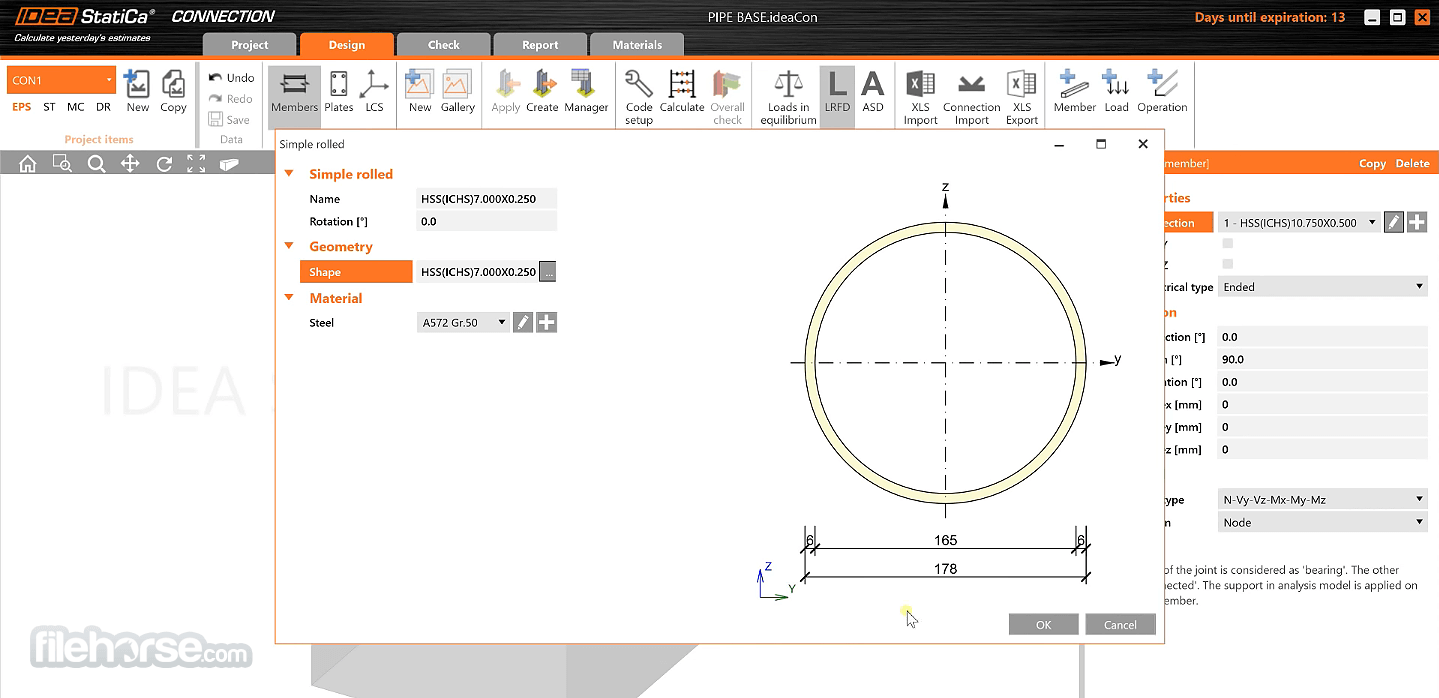
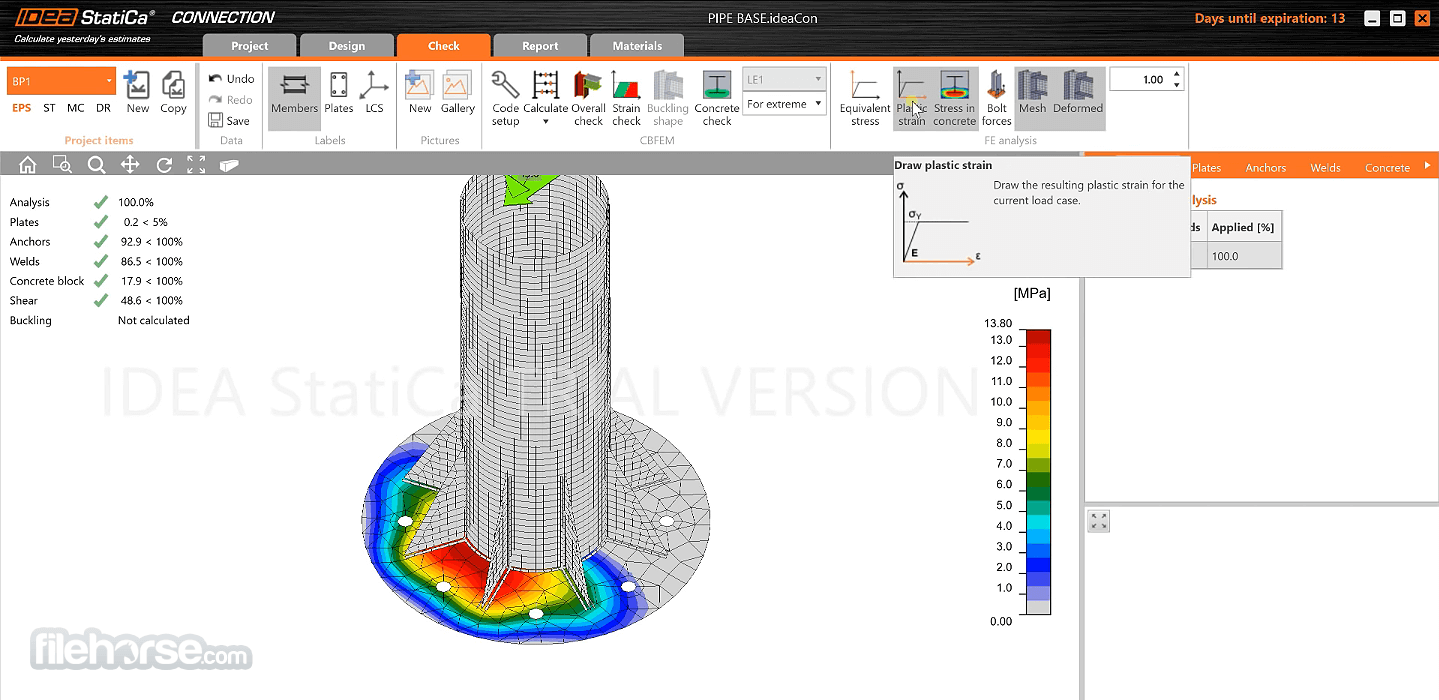
The visual design of the app’s user interface is unobtrusive and promotes easy discovery of all the most important and commonly used tools. The majority of the screen is taken by the “Main” tab that showcases your models and the calculated forces that affect it. On the sides of that tab, you can access tabs such as Navigate, Details, Data, and Summary listings.
Key Features
Connection Design: The program excels in connection design, enabling the creation and analysis of any joint type. It provides accurate models for both simple and complex connections.
Load Application and Distribution: It supports multiple load cases and combinations, allowing for comprehensive stress, deformation, and buckling analyses.
International Code Support: Engineers can work with various design codes, including Eurocode, AISC, and AS codes.
Prestressed Concrete Analysis: This feature allows for the design of prestressed and post-tensioned concrete elements, ensuring compliance with modern standards.
Report Generation: Automatic generation of detailed reports on structural analysis and design for submission to regulatory authorities.
Cloud and BIM Integration: It integrates seamlessly with Building Information Modeling (BIM) software such as Revit and Tekla Structures, improving workflows.
Customizable Templates: Engineers can create templates and libraries of standard designs to enhance productivity for repetitive tasks.
User Collaboration: Features for sharing projects, models, and reports between team members ensure smooth project coordination.
User Interface
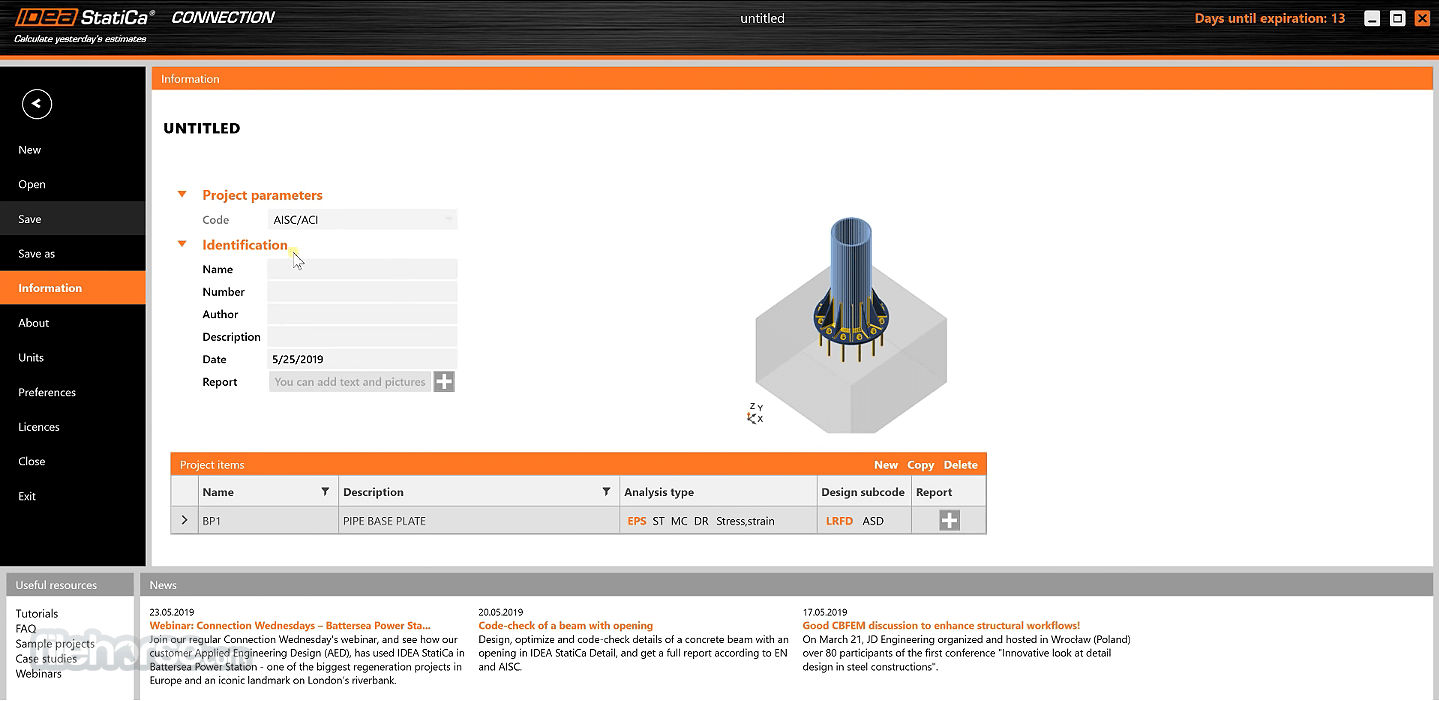
It has a clean and user-friendly interface, making it easy for engineers to navigate through its various tools and features. The software opens with a project dashboard where users can manage different projects and access recent files.
The workspace is intuitive, with clear tabs for input parameters, load applications, analysis options, and design results.
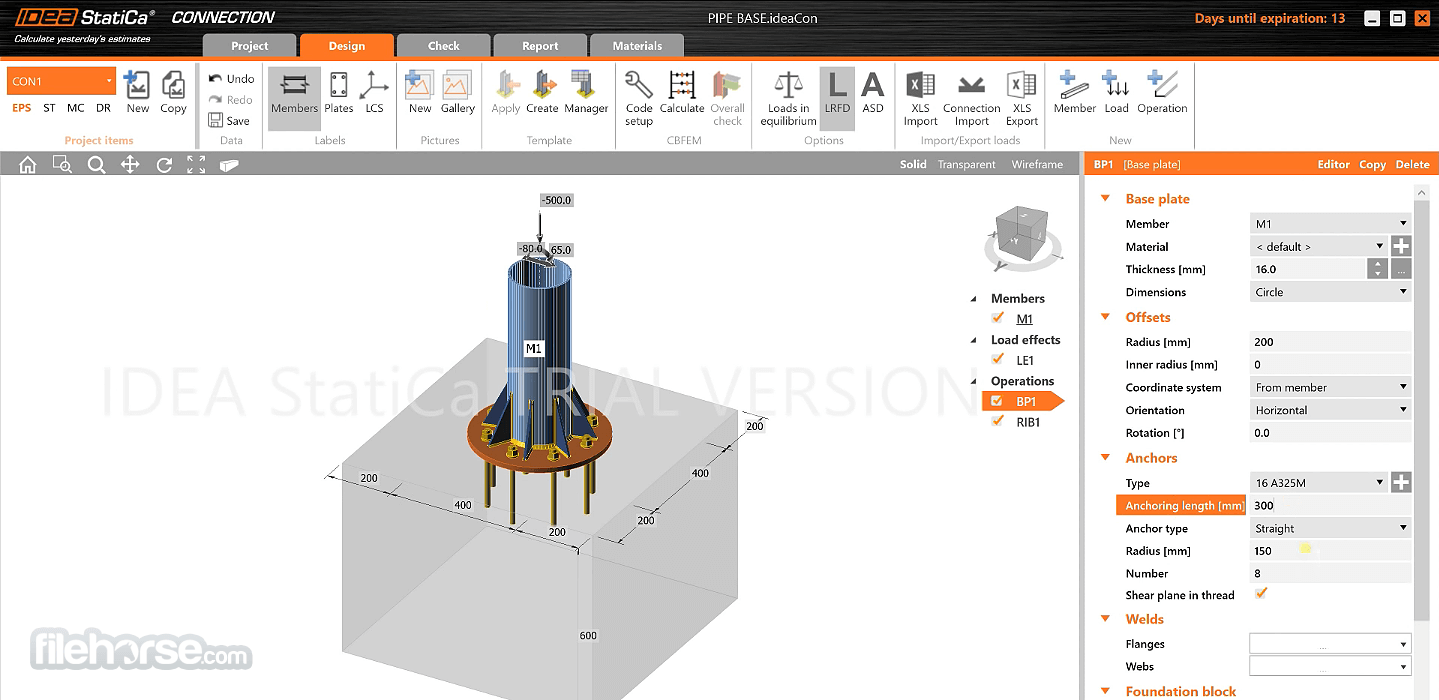
The design tools are displayed on the side panels, and results are visualized in the main area, making it simple to track progress and adjust input variables. The graphics engine in IDEA StatiCa is robust, allowing for 3D visualizations of connections, stress distributions, and deformations. The visual feedback helps engineers identify potential issues in the design early on.
Installation and Setup
The software is easy to install, with a straightforward download and installation process that takes only a few minutes. The system requirements are modest, but a high-performance machine with a strong graphics card is recommended for handling complex models efficiently.
How to Use
Create or Import a Model: Start by creating a new project or importing a model from BIM software such as Revit or Tekla. Define the structural components, such as beams, columns, and connections.
Define Load Cases and Combinations: Specify load cases, including permanent, variable, and accidental loads. Load combinations can also be defined in accordance with applicable design codes.
Analyze the Structure: Run the analysis to determine stress distributions, deflections, and stability. The results are displayed visually in 3D with color-coded stress regions.
Optimize the Design: Modify the structure’s dimensions or materials based on the analysis results to optimize performance and cost-efficiency.
Generate Reports: After finalizing the design, generate comprehensive reports detailing the analysis, design calculations, and code compliance.
FAQ
Can IDEA StatiCa handle connections with multiple materials?
Yes, it supports connections in steel, concrete, and composite structures, allowing engineers to design complex joints with multiple materials.
Is it possible to integrate IDEA StatiCa with Revit or Tekla Structures?
Absolutely. It integrates seamlessly with popular BIM software like Revit and Tekla Structures, enhancing design workflows.
Does IDEA StatiCa support seismic analysis?
While this software focuses primarily on connection and component analysis, it can handle seismic load cases and combinations for steel and concrete structures.
What codes does IDEA StatiCa support?
It supports multiple international codes, including Eurocode, AISC, and others, making it adaptable for global engineering projects.
How is the learning curve for new users?
While it is designed to be intuitive, it has many advanced features that might take time to master. However, the software provides excellent tutorials and support resources.
Pricing
It offers subscription-based pricing, which varies depending on the modules selected.
Steel
Structural design of steel connections and joints. Member stability and buckling.
Concrete
Structural design of RC walls, beams, sections and discontinuity regions.
Complete
Enjoy unrivaled access to the complete Steel and Concrete packages.
The trial license of IDEA StatiCa runs for 14 days, including:
Complete plan contains all IDEA StatiCa applications - Connection, Detail, Checkbot, RCS, Beam, and Member.
Enterprise plan is the ultimate package for Enterprise users, providing everything IDEA StatiCa has available (IDEA StatiCa Complete) with the following extra benefits:
It stands out as a versatile and powerful structural analysis and design tool, particularly for engineers focused on connections, joints, and prestressed concrete. Its broad support for international codes and seamless BIM integration makes it an essential asset in the structural engineering toolkit.
Although the learning curve may be challenging for beginners, the rich feature set and robust performance justify its investment for firms engaged in complex structural projects.
Download IDEA StatiCa Latest Version Why is this app published on FileHorse? (More info)
Built from the ground up to be reliable, easy to use, and easily integrated into your work environment, IDEA Statica represents an important analysis tool that can help you quickly test the integrity of your design and provide a complete report with drawings and clear pass/fail scores.
This engineering tool is focused on realistic physics calculation, stress analytics, the behavior of prestressed bolts and plastic behavior of the welds, strain calculation for all types of connections and joints (including plates, elements, bolts, and welds), linear analysis of stability, the discovery of critical loads, determining of rotational and axial joint stiffness, joint characteristics, seismicity checks and much more.
Steel design
- A database of 10,000+ pre-designed 2D/3D connections, footings, CHS and HSS connections, steel-to-timber, and other connections
- The ability to model and design any bolted and welded connection quickly and safely
- Comprehensive AISC, including advanced analyses such as buckling, stiffness analysis, design resistance, and seismic
- Fully customizable reports with equations and pictures that help prove and sell your work
- Clear pass/fail results for any geometry
- Ready-made templates, import from DXF
- ULS checks – Strength of concrete and reinforcement, anchoring
- SLS checks – Crack width checks, Stress limitation checks
- Nonlinear deflections
For easy integration in your regular workflow, developers of IDEA StatiCa have worked tirelessly to ensure complete compatibility with all the most popular workshop drawing apps and manufacturing process designs created in apps such as Robot, Revit, MIDAS Civil + Gen, STAAD.Pro, SAP 2000, Scia Engineer, RFEM, RSTAB, AxisVM, ConSteel, and others.
Even though of the professional nature of this app, the developers of this program have enabled users from all around the world access to the FREE 14-day Trial. To gain access to this one-PC trial license, all you need is to complete an online form and wait for personal license delivery via email.
Features and Highlights
- Comprehensive stress and strain analysis for all types of connections and joints.
- Analysis of stability of connection elements.
- Discover critical loads and test your designs for seismicity checks.
- Streamlined interface, fast calculation, and in-depth visual reportings.
- Integration with modern workshop drawing apps.
- Optimized for Windows 7/8/10/11.
- Availed for FREE via a 14-day Trial.
The full client for the app comes in an installation that is just over 300 MB in size, enabling everyone to quickly download it and deploy it on their work PC.
It is important to note that even the holders of the FREE 14-day trial license gain access to the full version of the app, with all of its tools and services unlocked and ready for use.
IDEA STatiCa developers recommend that this app can be used on all Windows 7/8/10 PCs that have at least Pentium IV CPU, 2GB of RAM, and 1GB of free space on local storage.
However, to streamline and quicken the calculations performed by this app, it is highly recommended to give it as capable hardware as you can, including modern multi-threaded CPU and 8GB (or more) of system RAM.
The visual design of the app’s user interface is unobtrusive and promotes easy discovery of all the most important and commonly used tools. The majority of the screen is taken by the “Main” tab that showcases your models and the calculated forces that affect it. On the sides of that tab, you can access tabs such as Navigate, Details, Data, and Summary listings.
Key Features
Connection Design: The program excels in connection design, enabling the creation and analysis of any joint type. It provides accurate models for both simple and complex connections.
Load Application and Distribution: It supports multiple load cases and combinations, allowing for comprehensive stress, deformation, and buckling analyses.
International Code Support: Engineers can work with various design codes, including Eurocode, AISC, and AS codes.
Prestressed Concrete Analysis: This feature allows for the design of prestressed and post-tensioned concrete elements, ensuring compliance with modern standards.
Report Generation: Automatic generation of detailed reports on structural analysis and design for submission to regulatory authorities.
Cloud and BIM Integration: It integrates seamlessly with Building Information Modeling (BIM) software such as Revit and Tekla Structures, improving workflows.
Customizable Templates: Engineers can create templates and libraries of standard designs to enhance productivity for repetitive tasks.
User Collaboration: Features for sharing projects, models, and reports between team members ensure smooth project coordination.
User Interface
It has a clean and user-friendly interface, making it easy for engineers to navigate through its various tools and features. The software opens with a project dashboard where users can manage different projects and access recent files.
The workspace is intuitive, with clear tabs for input parameters, load applications, analysis options, and design results.
The design tools are displayed on the side panels, and results are visualized in the main area, making it simple to track progress and adjust input variables. The graphics engine in IDEA StatiCa is robust, allowing for 3D visualizations of connections, stress distributions, and deformations. The visual feedback helps engineers identify potential issues in the design early on.
Installation and Setup
The software is easy to install, with a straightforward download and installation process that takes only a few minutes. The system requirements are modest, but a high-performance machine with a strong graphics card is recommended for handling complex models efficiently.
- Download the installer from the official website or FileHorse.
- Follow the step-by-step guide to complete the installation.
- Activate the software using the provided license key.
- Optionally, integrate it with BIM platforms or other structural analysis software.
How to Use
Create or Import a Model: Start by creating a new project or importing a model from BIM software such as Revit or Tekla. Define the structural components, such as beams, columns, and connections.
Define Load Cases and Combinations: Specify load cases, including permanent, variable, and accidental loads. Load combinations can also be defined in accordance with applicable design codes.
Analyze the Structure: Run the analysis to determine stress distributions, deflections, and stability. The results are displayed visually in 3D with color-coded stress regions.
Optimize the Design: Modify the structure’s dimensions or materials based on the analysis results to optimize performance and cost-efficiency.
Generate Reports: After finalizing the design, generate comprehensive reports detailing the analysis, design calculations, and code compliance.
FAQ
Can IDEA StatiCa handle connections with multiple materials?
Yes, it supports connections in steel, concrete, and composite structures, allowing engineers to design complex joints with multiple materials.
Is it possible to integrate IDEA StatiCa with Revit or Tekla Structures?
Absolutely. It integrates seamlessly with popular BIM software like Revit and Tekla Structures, enhancing design workflows.
Does IDEA StatiCa support seismic analysis?
While this software focuses primarily on connection and component analysis, it can handle seismic load cases and combinations for steel and concrete structures.
What codes does IDEA StatiCa support?
It supports multiple international codes, including Eurocode, AISC, and others, making it adaptable for global engineering projects.
How is the learning curve for new users?
While it is designed to be intuitive, it has many advanced features that might take time to master. However, the software provides excellent tutorials and support resources.
Pricing
It offers subscription-based pricing, which varies depending on the modules selected.
Steel
Structural design of steel connections and joints. Member stability and buckling.
Concrete
Structural design of RC walls, beams, sections and discontinuity regions.
Complete
Enjoy unrivaled access to the complete Steel and Concrete packages.
The trial license of IDEA StatiCa runs for 14 days, including:
- Full functionality, including BIM links
- All products - Steel & Concrete & Prestressing
- Technical support
- Premium content
- Access to the User Portal
- Only limitation – watermark on reports
Complete plan contains all IDEA StatiCa applications - Connection, Detail, Checkbot, RCS, Beam, and Member.
Enterprise plan is the ultimate package for Enterprise users, providing everything IDEA StatiCa has available (IDEA StatiCa Complete) with the following extra benefits:
- Worldwide usage of the license
- Unlimited number of license users
- Priority support
- Multi-year contract
- API support and robot-based workflows
- Training and Campus certificates
- Operating System: Windows 11 or Windows 10 (64-bit)
- Processor: Intel Core i3 or AMD Ryzen 3 processor (Intel Core i7 or AMD Ryzen 7 processor or better is recommended)
- Memory: 16 GB RAM (32 GB recommended)
- Graphics: Single OpenGL 4.2 compatible graphics card with up to 4K resolution is recommended
- Storage: 3 GB free disk space
- Excellent connection design capabilities
- Seamless integration with BIM software
- Supports multiple international design codes
- User-friendly interface
- Powerful reporting features
- Relatively expensive for smaller firms
- Steeper learning curve for complex projects
- Limited seismic analysis tools
It stands out as a versatile and powerful structural analysis and design tool, particularly for engineers focused on connections, joints, and prestressed concrete. Its broad support for international codes and seamless BIM integration makes it an essential asset in the structural engineering toolkit.
Although the learning curve may be challenging for beginners, the rich feature set and robust performance justify its investment for firms engaged in complex structural projects.
Download IDEA StatiCa Latest Version Why is this app published on FileHorse? (More info)
##
影片介紹
##
畫面截圖
- 2025-12-06 IDEA StatiCa 24.1.1.1479 578 MB
- 2024-04-25 IDEA StatiCa 22.1.6.0621 357 MB
- 2024-04-25 IDEA StatiCa 23.1.5.1003 535 MB
- 2024-01-04 IDEA StatiCa 21.1.9.0018 299 MB
- 2023-10-04 IDEA StatiCa 23.0.5.1260 306 MB