⚠ 這是歷史版本頁面 — 查看 Intel Extreme Tuning Utility 最新版本 →

Intel Extreme Tuning Utility 7.14.2.14
v 7.14.2.14
Windows
免費軟體
6.86/10 (53)
- 目前版本7.14.2.14
- 更新日期2024-07-25
- 檔案大小47.53 MB
- 檔案名稱XTUSetup_7.14.2.14.exe
- 作業系統Windows 10 / Windows 11
- 支援語系English
- 授權型式免費軟體
- 開發商 Intel
- 軟體分類Windows 軟體 / 系統優化
##
編輯短評
Intel Extreme Tuning Utility 是 Intel 官方推出的處理器效能調校工具,主要用來在 Windows 環境下對 Intel CPU 進行超頻、監控系統數據與微調硬體參數。它最大的辨識度在於提供圖形化介面,讓不熟悉 BIOS 操作的使用者也能嘗試調整電壓與頻率,同時也保留進階選項給有經驗的玩家。這套軟體由 Intel 持續維護,更新頻率穩定,在同類工具中屬於官方主流的熱門選擇,使用者評價普遍不錯。
這套工具適合想提升 Intel 處理器效能、但又不想直接面對 BIOS 複雜設定的使用者,尤其是搭配可超頻的 K 系列處理器時更能發揮作用。與其他系統優化軟體相比,它專注於 CPU 調校而非系統清理,功能取向更明確,但僅支援 Windows 平台且介面為英文,使用前需留意自己的硬體是否在支援清單內。軟體本身免費,由原廠提供,對追求穩定性的使用者來說是相對安心的選擇。
##
翻譯排程處理中,以下暫以英文原文呈現
軟體介紹
Intel Extreme Tuning Utility (Intel XTU) is a Windows-based performance-tuning software designed to optimize Intel CPUs for enhanced system performance.
Developed by Intel, XTU offers both novice and experienced PC enthusiasts a platform to overclock their processors, monitor system metrics, and fine-tune their hardware settings.
Its primary focus is on providing users with a safe yet powerful way to boost the performance of their Intel CPUs.
Two versions of Intel® XTU exist:
Main Features
User Interface
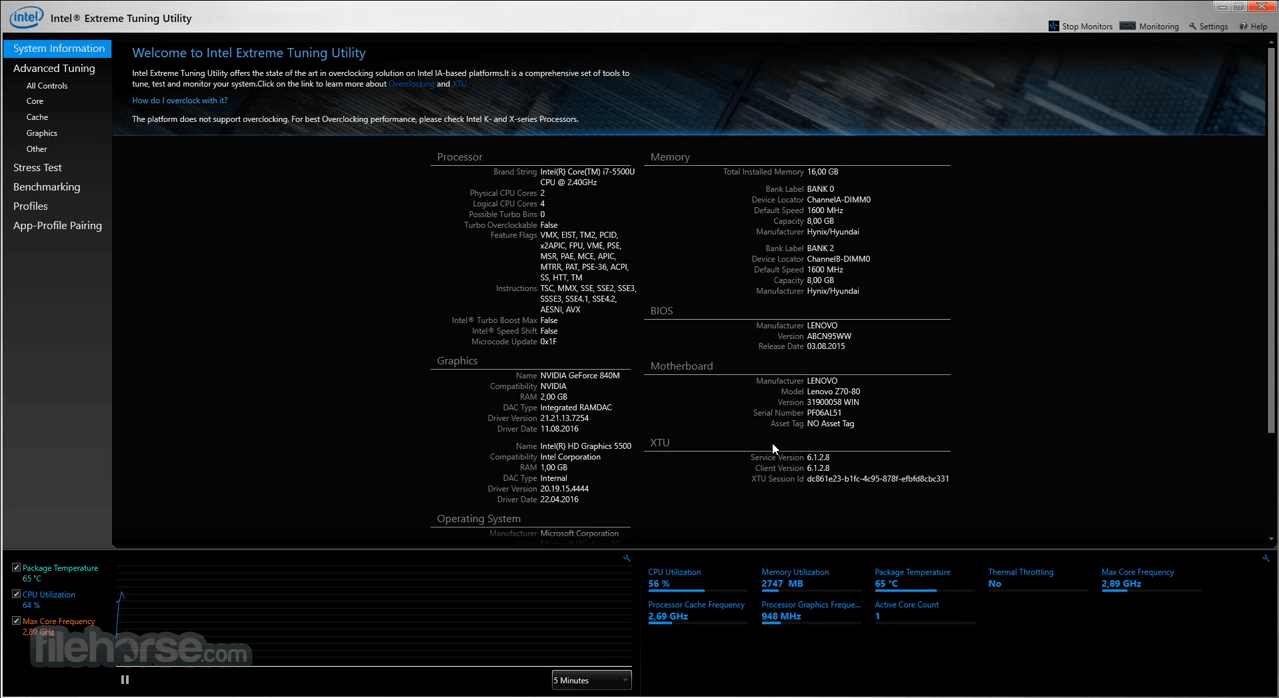
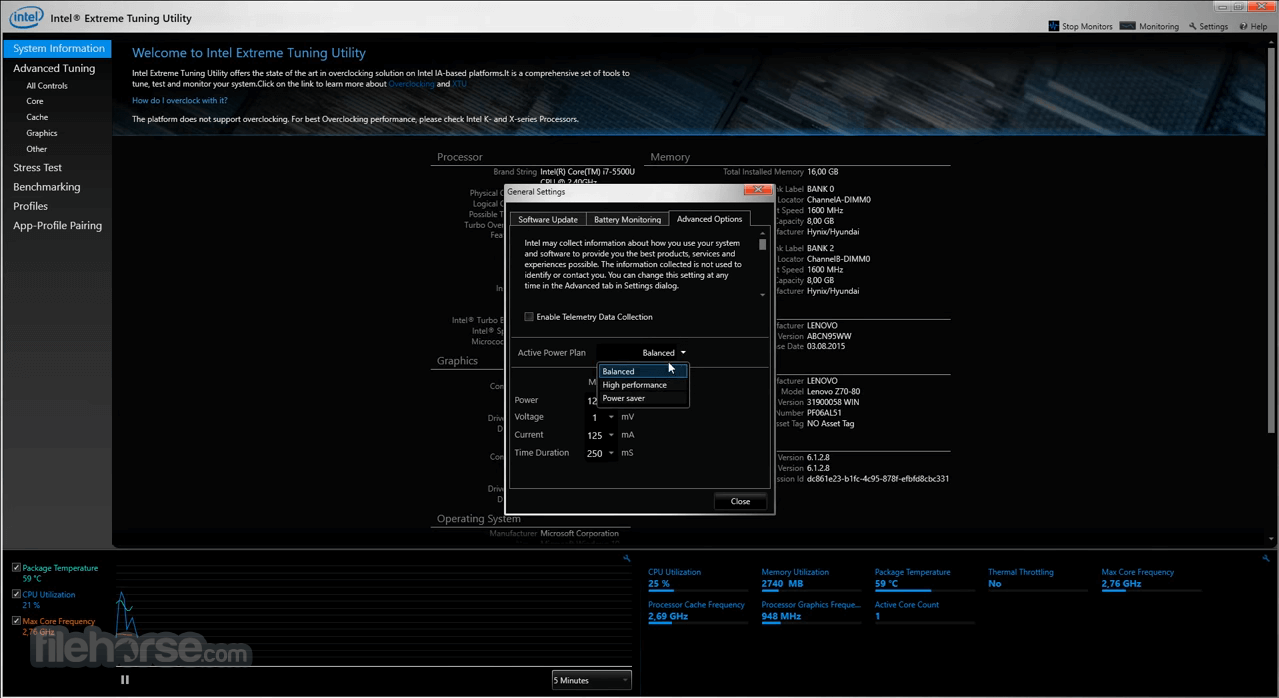
The Intel XTU interface is clean and intuitive. It categorizes settings into tabs, including Tuning, Stress Test, Benchmarking, and System Monitoring.
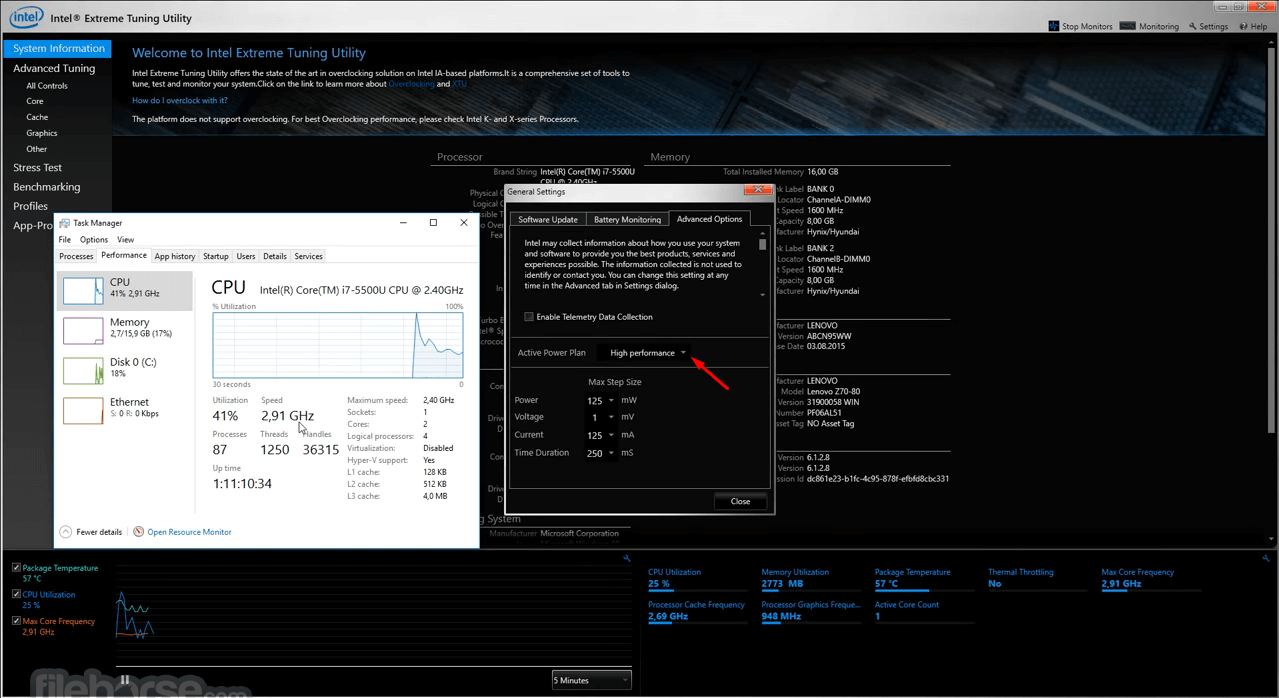
The dashboard provides a consolidated view of critical system parameters like temperature, clock speed, and usage metrics, making it easy for users to track their system’s performance at a glance.
The design strikes a balance between simplicity for beginners and depth for advanced users.
Installation and Setup
Overclocking:
FAQs
Is Intel XTU compatible with non-Intel CPUs?
No, Intel XTU is exclusively designed for Intel processors.
Can XTU damage my CPU?
Overclocking always carries some risk, but XTU includes safeguards like thermal and power limit controls to minimize potential damage.
What happens if my system crashes during overclocking?
XTU automatically reverts to default settings after a crash, preventing permanent issues.
Does XTU work on laptops?
It depends on the laptop’s BIOS and CPU. Many laptops have locked BIOS settings that prevent overclocking.
How often should I run stress tests?
Run stress tests after making significant changes to your overclock settings or when experiencing system instability.
This download is valid for the product(s) listed below.
Core™ Ultra Series:
MSI Afterburner - Offers GPU and some CPU tuning capabilities with a robust monitoring interface.
Ryzen Master - Designed for AMD CPUs, providing similar overclocking and monitoring features.
Throttlestop - Focuses on undervolting and thermal throttling control for laptops.
EVGA Precision X1 - A versatile tool for GPU overclocking and monitoring.
HWMonitor - Provides in-depth system monitoring but lacks overclocking capabilities.
System Requirements
Intel Extreme Tuning Utility is a powerful and accessible tool for optimizing Intel CPUs. Its blend of user-friendly design and advanced features caters to both novices and seasoned enthusiasts. While the software’s capabilities shine on desktop systems, its limited compatibility with laptops and locked BIOS settings on some systems may restrict its utility.
Nevertheless, the inclusion of features like stress testing, real-time monitoring, and benchmarking makes XTU a valuable tool for anyone looking to extract more performance from their Intel hardware.
For those who own an Intel processor and want to delve into overclocking without diving into BIOS settings, Intel XTU is an excellent choice. Its free availability and robust feature set ensure it remains a staple in the toolkit of any PC enthusiast.
Download Intel Extreme Tuning Utility Latest Version Why is this app published on FileHorse? (More info)
Developed by Intel, XTU offers both novice and experienced PC enthusiasts a platform to overclock their processors, monitor system metrics, and fine-tune their hardware settings.
Its primary focus is on providing users with a safe yet powerful way to boost the performance of their Intel CPUs.
Two versions of Intel® XTU exist:
- Intel® XTU version 7.14.2.14: supports unlocked Intel® Core™ processors (14th gen) and older processors.
- Intel® XTU version 10.0 or newer: supports unlocked Intel® Core™ Ultra Processors (Series 2)
Main Features
- Processor Overclocking: Adjust CPU multipliers and voltages to achieve better performance.
- Advanced Tuning Controls: Fine-tune settings such as turbo boost power limits and core voltage.
- Real-Time Monitoring: Access real-time data on CPU temperature, clock speeds, and power consumption.
- Stress Testing: Validate system stability after overclocking with built-in stress-test tools.
- Profiles Management: Create, save, and switch between multiple overclocking profiles for different usage scenarios.
- Benchmarking: Run benchmarks to assess system performance and compare it with others.
- Hardware Detection: Automatically detects Intel hardware configurations to ensure compatibility.
- Dependency Updates: Upgraded core components, including telemetry, WDT driver, and ABI library for improved system compatibility.
- Updated Watchdog Driver: Included a newer version of the Watchdog Device Driver (11.7.0.1021) for better system monitoring.
- Platform Requirement Update: Requires Intel Innovation Platform Framework (minimum version 2.2.10200.11) for full functionality.
- Monitoring Limitations: Graphics voltage and System Agent voltage monitoring remain unavailable.
- Graphics Monitoring Requirement: IGCL Provider is now required for Graphics Frequency monitoring.
- Stability Focus: No specific bug fixes listed, indicating a maintenance and compatibility-focused release.
User Interface
The Intel XTU interface is clean and intuitive. It categorizes settings into tabs, including Tuning, Stress Test, Benchmarking, and System Monitoring.
The dashboard provides a consolidated view of critical system parameters like temperature, clock speed, and usage metrics, making it easy for users to track their system’s performance at a glance.
The design strikes a balance between simplicity for beginners and depth for advanced users.
Installation and Setup
- Download: Visit the official Intel website or FileHorse.com to download the latest version of XTU.
- Installation: Run the installer and follow the on-screen prompts to complete the setup.
- System Requirements Check: Ensure your system meets the requirements (discussed below).
- Permissions: Allow administrative privileges during installation.
- First-Time Setup: After launching the software, XTU will automatically detect your Intel hardware and load default settings.
Overclocking:
- Open the Tuning tab.
- Adjust the core multipliers and voltage sliders.
- Apply changes and monitor system stability.
- Navigate to the Stress Test tab.
- Select the component (CPU or Memory) to test.
- Run the test to check system stability under high loads.
- Go to the Benchmarking tab.
- Run a performance test and compare results.
- Use the dashboard to view system metrics such as temperature, clock speeds, and voltage in real time.
- Save your settings as profiles for specific applications, like gaming or video editing.
FAQs
Is Intel XTU compatible with non-Intel CPUs?
No, Intel XTU is exclusively designed for Intel processors.
Can XTU damage my CPU?
Overclocking always carries some risk, but XTU includes safeguards like thermal and power limit controls to minimize potential damage.
What happens if my system crashes during overclocking?
XTU automatically reverts to default settings after a crash, preventing permanent issues.
Does XTU work on laptops?
It depends on the laptop’s BIOS and CPU. Many laptops have locked BIOS settings that prevent overclocking.
How often should I run stress tests?
Run stress tests after making significant changes to your overclock settings or when experiencing system instability.
This download is valid for the product(s) listed below.
Core™ Ultra Series:
- Core™ Ultra 5, 7, and 9 Processors: Feature cache sizes from 24M to 36M and clock speeds up to 5.70 GHz. These models cater to high-performance computing needs.
- i9 Processors: Offer cache sizes up to 36M and clock speeds reaching 6.20 GHz, ideal for demanding tasks and gaming.
- Models include i9-14900KS, i9-13900KS, and i9-12900KS for peak performance.
- i7 Processors: Cache sizes up to 33M, clock speeds up to 5.60 GHz.
- i5 Processors: Cache sizes up to 24M, clock speeds up to 5.30 GHz.
- Designed for professional-grade tasks, featuring large caches (up to 105M) and varying clock speeds, with models like w9-3495X and w7-3465X.
- Older Core™ i9, i7, and i5 processors, including X-series and Extreme Edition, with cache sizes up to 24.75M and speeds up to 5.30 GHz.
MSI Afterburner - Offers GPU and some CPU tuning capabilities with a robust monitoring interface.
Ryzen Master - Designed for AMD CPUs, providing similar overclocking and monitoring features.
Throttlestop - Focuses on undervolting and thermal throttling control for laptops.
EVGA Precision X1 - A versatile tool for GPU overclocking and monitoring.
HWMonitor - Provides in-depth system monitoring but lacks overclocking capabilities.
System Requirements
- Operating System: Windows 11 (23H2), Windows 11 (22H2), Windows 11 (21H2), Windows 10 (22H2)
- Supported Platforms: ArrowLake -S; ArrowLake- HX
- Processor: Intel Core processors (compatibility varies by generation)
- Memory: At least 4 GB of RAM
- Storage: 100 MB of free disk space
- Free to use.
- User-friendly interface.
- Powerful and precise tuning options.
- Built-in stress testing and benchmarking tools.
- Automatic reversion to default settings after crashes.
- Limited to Intel processors.
- Requires advanced knowledge for safe overclocking.
- Compatibility issues with some laptops.
Intel Extreme Tuning Utility is a powerful and accessible tool for optimizing Intel CPUs. Its blend of user-friendly design and advanced features caters to both novices and seasoned enthusiasts. While the software’s capabilities shine on desktop systems, its limited compatibility with laptops and locked BIOS settings on some systems may restrict its utility.
Nevertheless, the inclusion of features like stress testing, real-time monitoring, and benchmarking makes XTU a valuable tool for anyone looking to extract more performance from their Intel hardware.
For those who own an Intel processor and want to delve into overclocking without diving into BIOS settings, Intel XTU is an excellent choice. Its free availability and robust feature set ensure it remains a staple in the toolkit of any PC enthusiast.
Download Intel Extreme Tuning Utility Latest Version Why is this app published on FileHorse? (More info)
##
畫面截圖
- 2026-04-28 Intel Extreme Tuning Utility 10.0.1.45 42.96 MB
- 2026-02-02 Intel Extreme Tuning Utility 10.0.1.35 42.92 MB
- 2026-01-30 Intel Extreme Tuning Utility 7.14.2.69 43.24 MB
- 2025-03-17 Intel Extreme Tuning Utility 10.0.1.31 44.54 MB
- 2024-10-14 Intel Extreme Tuning Utility 10.0.1.18 44.8 MB
- 2024-07-25 Intel Extreme Tuning Utility 7.14.2.14 47.53 MB