⚠ 這是歷史版本頁面 — 查看 KeyShot Studio 2025.1 最新版本 →

KeyShot 11.2.0.102
v 11.2.0.102
Windows
商業試用
8.2/10 (57)
- 目前版本11.2.0.102
- 更新日期2022-07-01
- 檔案大小1.1 GB
- 檔案名稱keyshot_win64_11.2.0.102.exe
- 作業系統Windows 10 (64-bit) / Windows 11
- 支援語系English
- 授權型式商業試用
- 開發商 Luxion, Inc.
- 軟體分類Windows 軟體 / 影像設計
##
編輯短評
KeyShot Studio 是一套專業的 3D 渲染解決方案,主打即時光線追蹤與快速建模,讓設計師在調整材質、燈光時能立即看到結果,省去傳統渲染的等待時間。它的核心特色在於簡化工作流程,即使不熟悉複雜參數,也能產出高品質的靜態影像與動畫,並內建色彩庫、材質範本與卡通著色等功能。這套軟體多年來持續維護,雖然近期更新步調較慢,但在同類工具中仍是熱門選擇,使用者評價普遍不錯。
它特別適合工業設計、產品開發與行銷人員,常用於提案簡報、產品動畫或視覺化呈現,尤其當你需要快速迭代設計方案時,即時預覽的優勢相當明顯。與 Adobe Photoshop 這類 2D 影像編輯軟體相比,KeyShot 專注於 3D 場景的即時渲染,取捨在於學習門檻較低,但進階控制功能可能不如高階渲染器完整。目前僅提供 Windows 平台與英文介面,且為試用版,使用前需留意授權限制與語系支援。
##
翻譯排程處理中,以下暫以英文原文呈現
軟體介紹
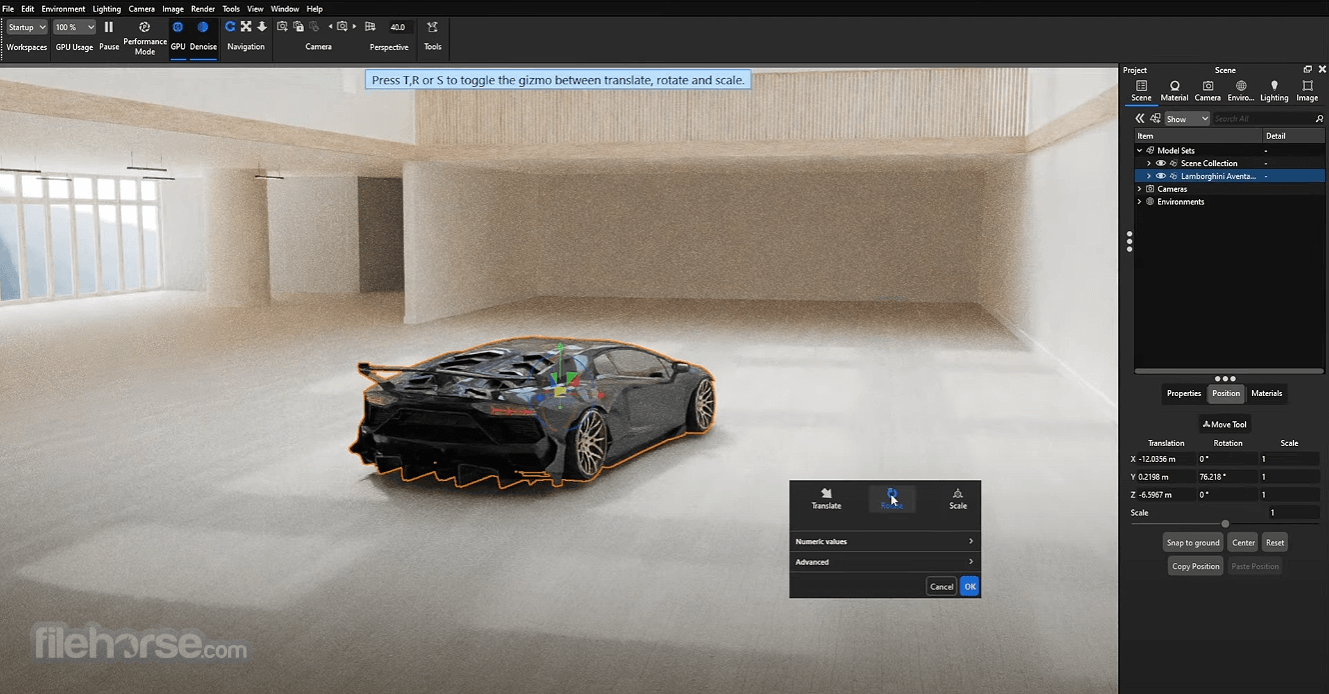
KeyShot Studio is a professional 3D rendering solution aimed to provide businesses of all sizes with a reliable, fast, and scalable modeling and rendering solution for the creation of eye-catching and visually stunning animation, still images, real-time ray tracing scenes, color libraries, material templates, toon-shading, and many more services needed in modern marketing, project development, engineering design, and visualization.
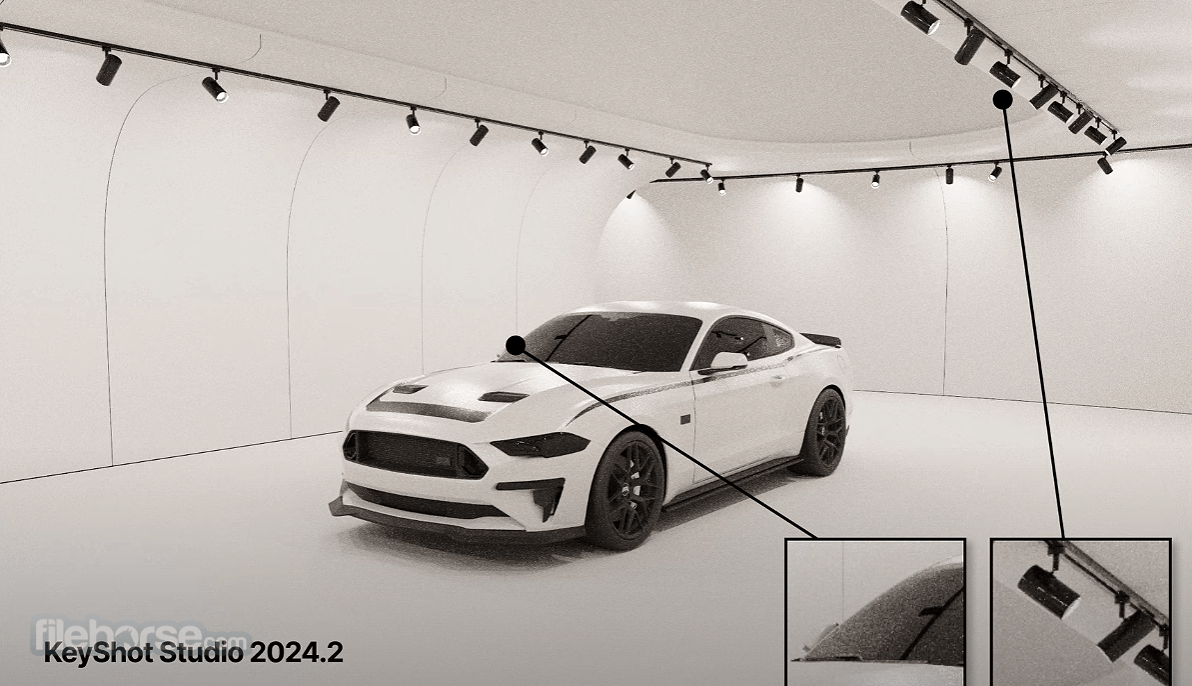
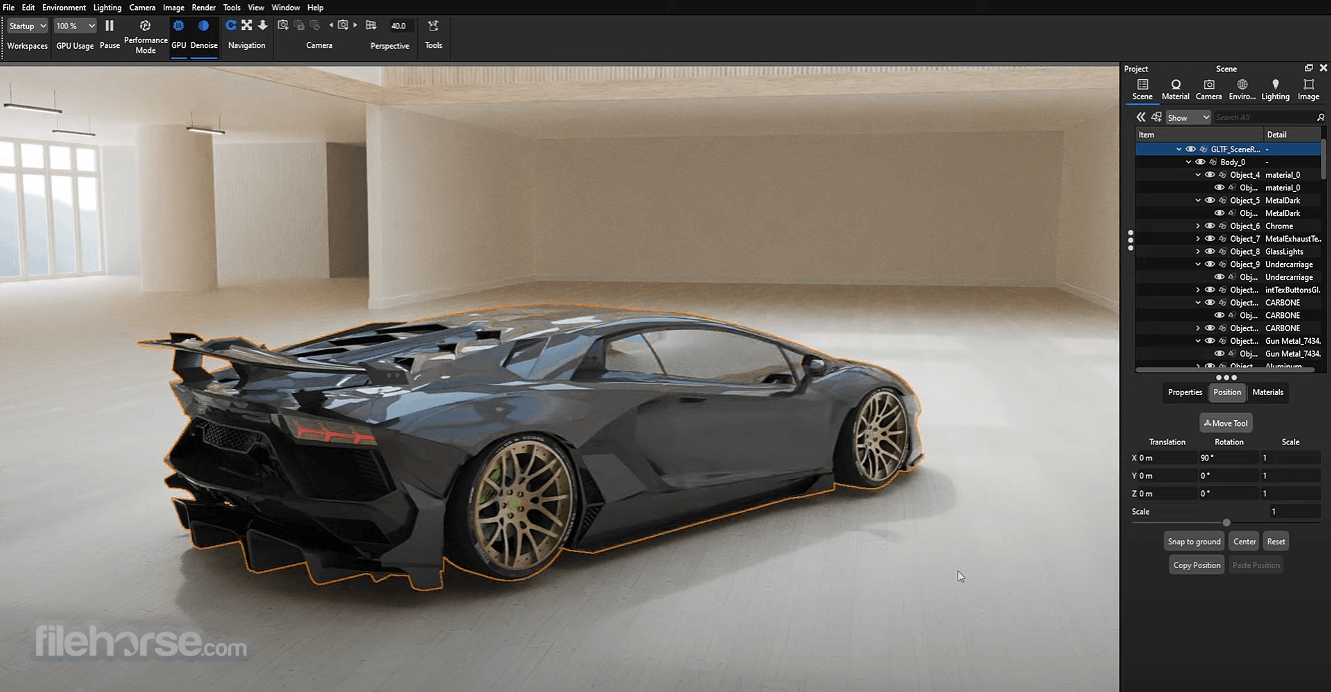
Built from the ground up to be fast, accurate, and capable of delivering stunning visuals, KeyShot has found its fame by focusing its workflow on real-time 3D designing, powerful tools, and fast rendering.
These tools include things like built-in image-editing tools (with full support for curves, tone mapping, and color adjustments), an advanced cutaway feature that can remove layers from your design and, for example, showcase the internal components of your object, multi-layered optics for more realistic emulation of camera lenses, and much more.
With the ability to easily handle scenes with several million polygons and built-in tools for precise manipulation of textures, surfaces of materials, lighting, and shadows, KeyShot for PC has managed to grow into a fully-featured product for industrial visualization, architecture, illustration, visual effects, and much more.
It also supports a wide variety of plugins, enabling it to become directly integrated with many of the most popular 3D modeling software used today.
To get it, you can pick between a few license options (Studio Professional, Hub, Dock, Web, Network, VR), but be aware that more premium versions of the app come with a very high price tag. Similarly, like many other apps from this segment, you can also download and test a fully-featured version of Key Shot via a FREE trial license.
What’s New
Industry-leading CAD formats:
FAQs
What is KeyShot Studio, and what is it used for?
KeyShot Studio is a 3D rendering and animation software used to create photorealistic images of 3D models, commonly used by designers, engineers, and product visualization professionals. It’s known for real-time rendering, allowing users to instantly see changes to materials, lighting, and environments.
What makes KeyShot Studio different from other 3D rendering tools?
KeyShot stands out for its ease of use, real-time rendering engine, and drag-and-drop workflow for materials and lighting. Unlike more complex tools, it allows users to achieve high-quality renders quickly without deep technical setup, which is why it's widely used in product design workflows.
Is KeyShot Studio beginner-friendly?
Yes, KeyShot is considered one of the easiest rendering tools to learn, especially for users coming from CAD software. Reddit users frequently highlight its fast learning curve compared to tools like Blender, which require more time to master advanced features.
What features does KeyShot Studio include?
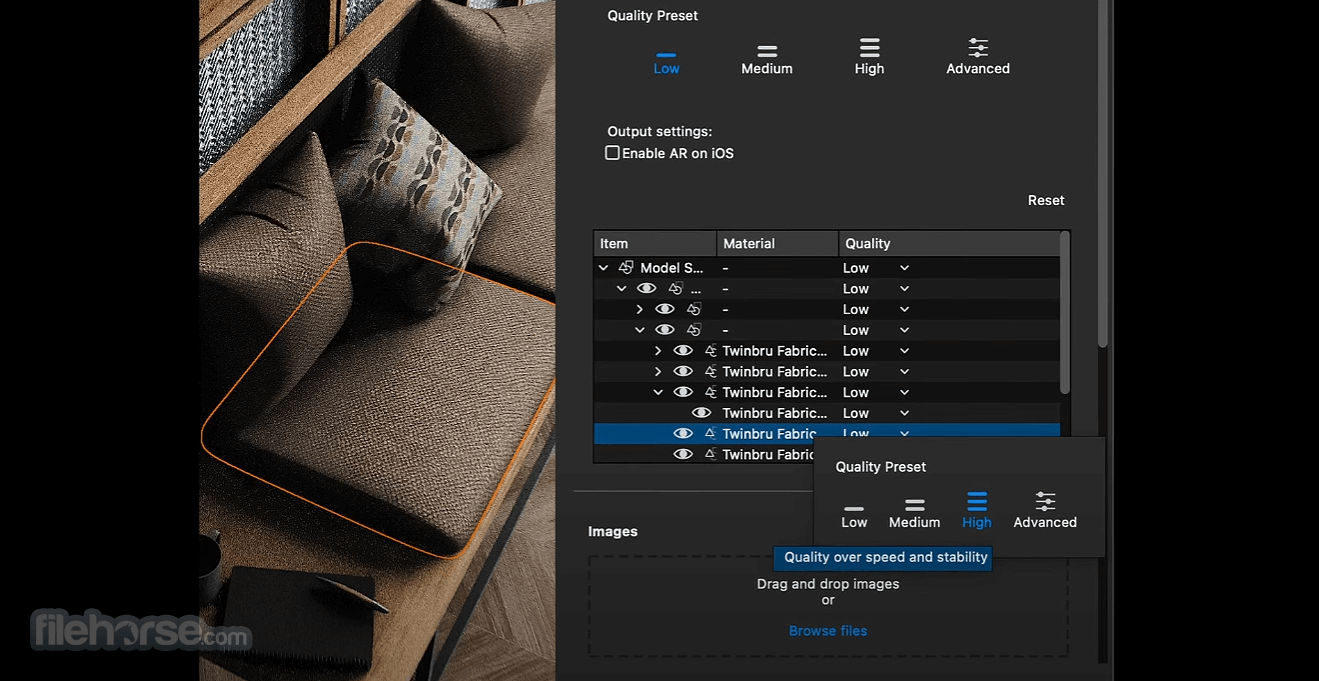
KeyShot includes features such as real-time rendering, a large material library, HDRI lighting environments, animation tools, and camera controls for precise product visualization. It also supports a wide range of 3D file formats and allows users to create studio-quality renders with minimal setup.
Alternatives
Blender - Free and open-source 3D creation suite.
Cinema 4D - Robust 3D modeling, animation, and rendering.
V-Ray - High-quality, photorealistic rendering software.
Lumion - Real-time 3D visualization for architecture.
Octane Render - GPU-based rendering for fast photorealism.
Arnold - Advanced ray tracing for feature-rich renders.
Corona Renderer - User-friendly, high-quality photorealism.
Pricing
KeyShot Studio Professional — $108.25 /month or $1,299 /year
KeyShot Studio VR — $99 /month
Everything in KeyShot Studio Professional, plus:
Everything in KeyShot Studio Professional, plus:
Everything in KeyShot Studio Professional, plus:
Everything in KeyShot Studio Professional, plus:
PROS
Download KeyShot Studio Latest Version Why is this app published on FileHorse? (More info)
Built from the ground up to be fast, accurate, and capable of delivering stunning visuals, KeyShot has found its fame by focusing its workflow on real-time 3D designing, powerful tools, and fast rendering.
- Real-time CPU and GPU rendering
- Drag and drop materials and environments
- Material and environment editing
- Advanced geometry and material tools
- Light and Studio Manager
- Cloud access
These tools include things like built-in image-editing tools (with full support for curves, tone mapping, and color adjustments), an advanced cutaway feature that can remove layers from your design and, for example, showcase the internal components of your object, multi-layered optics for more realistic emulation of camera lenses, and much more.
With the ability to easily handle scenes with several million polygons and built-in tools for precise manipulation of textures, surfaces of materials, lighting, and shadows, KeyShot for PC has managed to grow into a fully-featured product for industrial visualization, architecture, illustration, visual effects, and much more.
It also supports a wide variety of plugins, enabling it to become directly integrated with many of the most popular 3D modeling software used today.
To get it, you can pick between a few license options (Studio Professional, Hub, Dock, Web, Network, VR), but be aware that more premium versions of the app come with a very high price tag. Similarly, like many other apps from this segment, you can also download and test a fully-featured version of Key Shot via a FREE trial license.
What’s New
- AI Shots Improvements: Significantly enhanced realism with better prompt understanding, more accurate background placement, and improved perspective handling
- AI Editing Tools: Introduced advanced edit modes, including transform, replace (mask-based editing), and high-quality upscaling for generated and rendered images
- AI Model Upgrade: Switched to a more advanced custom AI model for improved output quality and more reliable prompt results
- Upscaling Technology: Added fast resolution scaling that can double or quadruple image quality without re-rendering
- Custom Pivot System: Enabled multiple custom pivot points per object for more precise and flexible animation control
- Animation Tools: Improved keyframe animation workflow with per-keyframe curve editing for finer motion control
- Performance Improvements: Boosted GPU rendering and shader performance for faster previews and handling of complex scenes
- Gallery View: Added a built-in gallery for browsing, organizing, and searching rendered images directly inside the app
- Render Queue Integration: Included the render queue by default to streamline local, network, and cloud rendering workflows
- Scripting Enhancements: Expanded automation with new scripting capabilities, including metadata export and faster headless rendering
- File & Pipeline Support: Added IFC import and improved compatibility with CAD/BIM workflows and USD materials
Industry-leading CAD formats:
- ALIAS
- AutoCAD
- CATIA
- Creo
- Inventor
- NX
- Pro/ENGINEER
- Revit
- Rhinoceros
- SketchUp
- Solid Edge
- SOLIDWORKS
- Parasolid
- STEP
- and more.
- Creo View
- Onshape.
- OBJ
- FBX
- GLB/glTF
- STL
- USD
- 3MF
FAQs
What is KeyShot Studio, and what is it used for?
KeyShot Studio is a 3D rendering and animation software used to create photorealistic images of 3D models, commonly used by designers, engineers, and product visualization professionals. It’s known for real-time rendering, allowing users to instantly see changes to materials, lighting, and environments.
What makes KeyShot Studio different from other 3D rendering tools?
KeyShot stands out for its ease of use, real-time rendering engine, and drag-and-drop workflow for materials and lighting. Unlike more complex tools, it allows users to achieve high-quality renders quickly without deep technical setup, which is why it's widely used in product design workflows.
Is KeyShot Studio beginner-friendly?
Yes, KeyShot is considered one of the easiest rendering tools to learn, especially for users coming from CAD software. Reddit users frequently highlight its fast learning curve compared to tools like Blender, which require more time to master advanced features.
What features does KeyShot Studio include?
KeyShot includes features such as real-time rendering, a large material library, HDRI lighting environments, animation tools, and camera controls for precise product visualization. It also supports a wide range of 3D file formats and allows users to create studio-quality renders with minimal setup.
Alternatives
Blender - Free and open-source 3D creation suite.
Cinema 4D - Robust 3D modeling, animation, and rendering.
V-Ray - High-quality, photorealistic rendering software.
Lumion - Real-time 3D visualization for architecture.
Octane Render - GPU-based rendering for fast photorealism.
Arnold - Advanced ray tracing for feature-rich renders.
Corona Renderer - User-friendly, high-quality photorealism.
Pricing
KeyShot Studio Professional — $108.25 /month or $1,299 /year
- Real-time ray tracing preview
- Local AI tools (Restyle, Background & Imagine modes)
- Drag-and-drop material system
- Material graph with procedural texturing
- 34+ CAD format support with native plugins
- Light layers & advanced lighting control
- One-click animation & product reveals
- AI denoise for faster renders
- Physically accurate caustics & global illumination
- Cryptomatte & OpenPBR support
KeyShot Studio VR — $99 /month
Everything in KeyShot Studio Professional, plus:
- One-click VR viewing
- Real-time collaboration in virtual reality
Everything in KeyShot Studio Professional, plus:
- 3D viewing on the web
- Share visuals across desktop, mobile, and web
Everything in KeyShot Studio Professional, plus:
- Distributed rendering across multiple machines
- CPU & GPU acceleration (e.g., 32 cores plan)
Everything in KeyShot Studio Professional, plus:
- Direct NX integration
- Live linking with a maintained assembly structure
PROS
- Real-Time Rendering Speeds
- User-Friendly Interface
- Advanced Lighting Controls
- Wide Material Library
- Seamless CAD Import Support
- High System Resource Demand
- Limited Animation Features
- Expensive for Small Studios
- Basic Post-Processing Tools
Download KeyShot Studio Latest Version Why is this app published on FileHorse? (More info)
##
影片介紹
##
畫面截圖
- 2026-05-05 KeyShot Studio 2025.1 14.0.1.2 1.4 GB
- 2024-11-01 KeyShot Studio 2024.2 13.1.1.4 1.03 GB
- 2023-11-02 KeyShot 12.1.1.11 1.5 GB
- 2023-07-08 KeyShot 12.1.0.103 1.5 GB
- 2023-04-11 KeyShot 12.0.0.186 1.4 GB
- 2022-12-06 KeyShot 11.3.1.1 1.1 GB
- 2022-10-26 KeyShot 11.3.0.135 1.1 GB
- 2022-07-01 KeyShot 11.2.0.102 1.1 GB