⚠ 這是歷史版本頁面 — 查看 KGB Archiver 2.0 beta 最新版本 →

- 目前版本1
- 更新日期2007-02-11
- 檔案大小5.15 MB
- 檔案名稱KGB_Archiver_2beta1.msi
- 作業系統Windows (All Versions)
- 支援語系English
- 授權型式開源軟體
- 開發商 Tomasz Pawlak
- 軟體分類Windows 軟體 / 備份還原
##
編輯短評
KGB Archiver 是一款以極致壓縮率為賣點的開源壓縮工具,主打將檔案壓成 ZIP 或自家 KBP 格式,並提供最高十級的壓縮強度調整,讓使用者依資料類型與封存需求自行取捨。它的名稱取自蘇聯時代的祕密警察機構,暗示其「壓得夠狠」的定位。不過這款軟體已停止更新,屬於小眾工具,雖然評價普遍不錯,但評分人數不多,整體聲量遠不如同類主流壓縮軟體。
它適合追求極致壓縮比、不介意等待較長壓縮時間的使用者,尤其當你手上有大量文字檔或可重複性高的資料想節省儲存空間時,KGB Archiver 的表現會比一般壓縮軟體更突出。但與 WinRAR 等主流替代方案相比,它在速度、格式相容性與持續維護上明顯吃虧,且僅提供英文介面、無免安裝版本,使用前需留意 KBP 格式在其它軟體上可能無法直接開啟,建議僅在雙方都安裝此工具的前提下使用。
##
翻譯排程處理中,以下暫以英文原文呈現
軟體介紹
KGB Archiver allows you to easily compress all types of files. This powerful software tool is completely free and simple to use. If you want to compress files into ZIP or KBP format, then there is no better option out there. You can customize the strength of the compression up to 10 levels. It all depends on the data you want to compress and the files you want to archive.
Note: This product is discontinued.
KGB Archiver is a free and open-source file compression app designed to achieve remarkably high compression ratios. Named after the Soviet-era secret police agency, the KGB, this software aims to compress files to the maximum extent without compromising on quality. Developed by Tomasz Pawlak, the program primarily utilizes the PAQ and AES-256 encryption algorithms to compress files.
If you choose the strongest compression levels, it may consume a lot of your system’s resources. On the upside, the compression is a lot better for the files.
This free tool is compatible with the most recent versions of Windows. Some users claim that executing KGB Archiver is difficult initially. But after you install the program, it becomes easier to use thereafter. The software provides AES-256 encryption for compression and archive security. Its compression strength is even better than that of the 7-Zip software.
What is unique about this utility is that it lets you select from up to 10 compression levels. Most compression tools don’t do this, which makes this one even better and more powerful. Since it is free, what more can you ask for?
When you secure a compression, you can add password protection to any data compression or archive. In addition, you can decompress files just as easily as you can compress them. This is where you extract the files that are inside the compressed KGB or ZIP files.
Main Features
Installing this file archiver tool is a straightforward process. Users can download the installation package from the official website (there is no more) or reputable software repositories (like FileHorse). The setup wizard guides users through the installation steps, allowing them to customize preferences such as installation directory and shortcuts. Once installed, the software is ready for immediate use.
How to Use
Is KGB Archiver compatible with all file formats?
It supports a wide range of file formats, including popular formats like ZIP, RAR, and 7z, ensuring compatibility with most files.
Can I decompress files compressed with KGB Archiver using other software?
Yes, it provides options to decompress files using compatible software, ensuring interoperability with other compression tools.
What is the maximum compression ratio achievable with KGB Archiver?
While compression ratios vary depending on the file type and content, the tool is capable of achieving compression ratios as high as 1:1000.
Is KGB Archiver suitable for compressing large files?
Yes, the program is optimized for compressing large files and is capable of handling files of considerable size efficiently.
Does KGB Archiver for PC support batch compression?
Yes, it offers batch compression functionality, allowing users to compress multiple files simultaneously for improved productivity.
Alternatives
WinRAR - A popular compression tool known for its robust feature set and compatibility with various file formats.
7-Zip - A free and open-source compression utility renowned for its high compression ratios and extensive format support.
WinZip - A user-friendly compression tool with a focus on simplicity and ease of use, ideal for novice users.
PeaZip - A versatile compression software offering advanced features such as encryption, file splitting, and archive conversion.
Bandizip - A lightweight compression tool featuring a modern interface and support for numerous archive formats.
System Requirements
Download KGB Archiver Latest Version Why is this app published on FileHorse? (More info)
Note: This product is discontinued.
KGB Archiver is a free and open-source file compression app designed to achieve remarkably high compression ratios. Named after the Soviet-era secret police agency, the KGB, this software aims to compress files to the maximum extent without compromising on quality. Developed by Tomasz Pawlak, the program primarily utilizes the PAQ and AES-256 encryption algorithms to compress files.
If you choose the strongest compression levels, it may consume a lot of your system’s resources. On the upside, the compression is a lot better for the files.
This free tool is compatible with the most recent versions of Windows. Some users claim that executing KGB Archiver is difficult initially. But after you install the program, it becomes easier to use thereafter. The software provides AES-256 encryption for compression and archive security. Its compression strength is even better than that of the 7-Zip software.
What is unique about this utility is that it lets you select from up to 10 compression levels. Most compression tools don’t do this, which makes this one even better and more powerful. Since it is free, what more can you ask for?
When you secure a compression, you can add password protection to any data compression or archive. In addition, you can decompress files just as easily as you can compress them. This is where you extract the files that are inside the compressed KGB or ZIP files.
Main Features
- Exceptional Compression Ratios: It boasts impressive compression ratios, often surpassing other compression tools in the market.
- Multiple Compression Algorithms: The software supports various compression algorithms, including its proprietary KGB format, providing users with flexibility in compression options.
- Encryption: It offers AES-256 encryption to secure compressed files, ensuring data privacy and confidentiality.
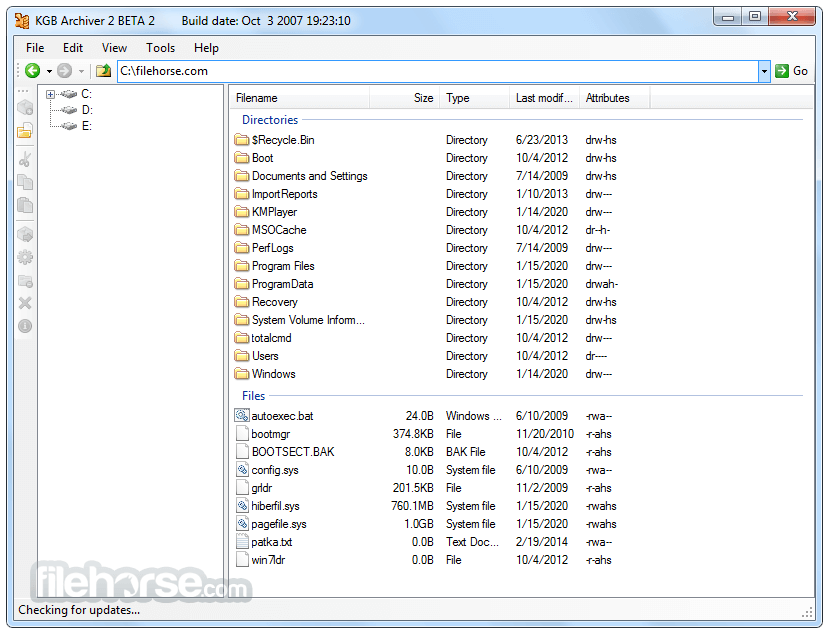
- User-Friendly Interface: Despite its advanced compression capabilities, it features a simple and intuitive user interface, making it accessible to users of all skill levels.
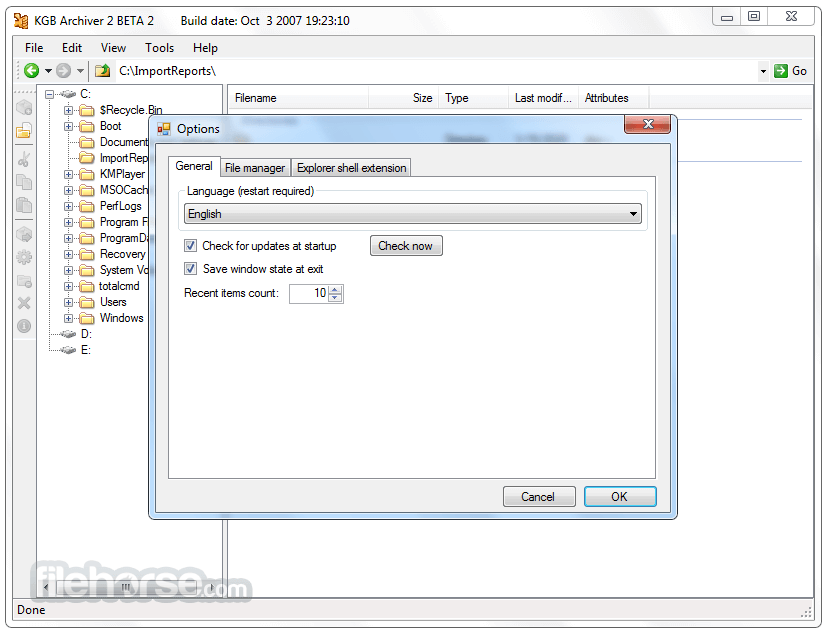
- Multi-Language Support: The software is available in multiple languages, enhancing its global accessibility.
Installing this file archiver tool is a straightforward process. Users can download the installation package from the official website (there is no more) or reputable software repositories (like FileHorse). The setup wizard guides users through the installation steps, allowing them to customize preferences such as installation directory and shortcuts. Once installed, the software is ready for immediate use.
How to Use
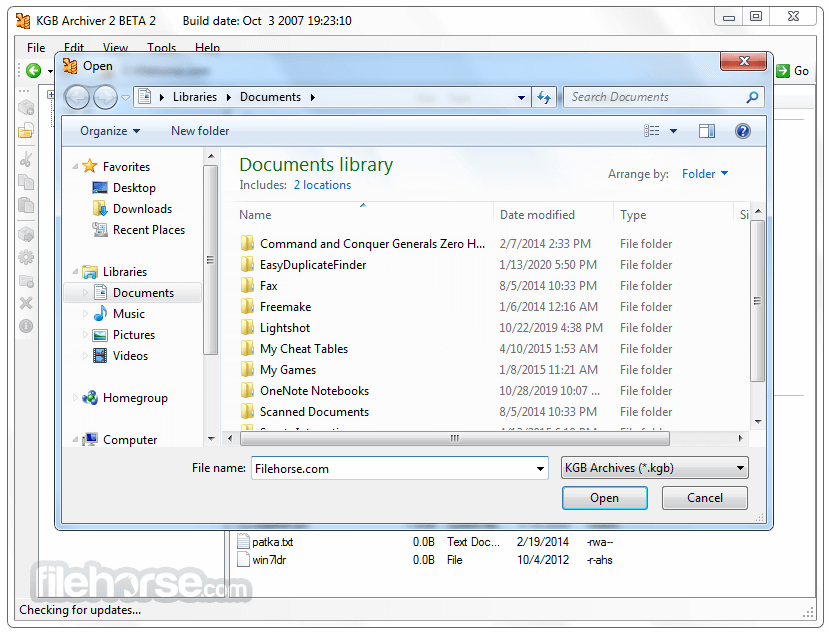
- Launch the app and select "Add files" or "Add folder" to import the files you wish to compress.
- Choose the compression algorithm and level of compression.
- Specify the output destination for the compressed file.
- Optionally, enable encryption and set a password for added security.
- Click "Compress" to initiate the compression process.
- Once compression is complete, the compressed file will be available at the specified location.
Is KGB Archiver compatible with all file formats?
It supports a wide range of file formats, including popular formats like ZIP, RAR, and 7z, ensuring compatibility with most files.
Can I decompress files compressed with KGB Archiver using other software?
Yes, it provides options to decompress files using compatible software, ensuring interoperability with other compression tools.
What is the maximum compression ratio achievable with KGB Archiver?
While compression ratios vary depending on the file type and content, the tool is capable of achieving compression ratios as high as 1:1000.
Is KGB Archiver suitable for compressing large files?
Yes, the program is optimized for compressing large files and is capable of handling files of considerable size efficiently.
Does KGB Archiver for PC support batch compression?
Yes, it offers batch compression functionality, allowing users to compress multiple files simultaneously for improved productivity.
Alternatives
WinRAR - A popular compression tool known for its robust feature set and compatibility with various file formats.
7-Zip - A free and open-source compression utility renowned for its high compression ratios and extensive format support.
WinZip - A user-friendly compression tool with a focus on simplicity and ease of use, ideal for novice users.
PeaZip - A versatile compression software offering advanced features such as encryption, file splitting, and archive conversion.
Bandizip - A lightweight compression tool featuring a modern interface and support for numerous archive formats.
System Requirements
- Operating System: Windows XP/Vista/7/8/10/11
- Processor: Intel or AMD compatible CPU
- RAM: 512 MB or higher
- Disk Space: 10 MB of free space for installation
- Works faster than the 7-Zip compression tool
- 10 customizable compression levels
- Multilingual capabilities
- Free to use
- AES-256 encryption for enhanced security
- Password protection / Increased data security
- This application has been discontinued
- Windows compatibility only
- Output archive formats can only be either ZIP or KGB
- Not much support is available
- The user interface could be more modern and visually appealing
- The setup process is rather annoying
- Consumes a lot of system resources when you use high compression levels
Download KGB Archiver Latest Version Why is this app published on FileHorse? (More info)
##
畫面截圖
- 2026-04-17 KGB Archiver 2.0 beta 2 3.7 MB
- 2007-02-11 KGB Archiver 2.0 beta 1 5.15 MB
- 2006-11-01 KGB Archiver 1.2.1.24 1.02 MB