
- 目前版本3.0.1.1
- 更新日期2016-09-29
- 檔案大小75.72MB
- 檔案名稱krita-3.0.1.1-x86-setup.exe
- 作業系統Windows 8 (64-bit) / Windows 10 (64-bit) / Windows 11
- 支援語系English
- 授權型式開源軟體
- 開發商 Krita Team
- 軟體分類Windows 軟體 / 影像設計
編輯短評
Krita 是一款開源的數位繪圖軟體,主要為插畫師、概念設計師及視覺特效藝術家打造。它提供強大的筆刷引擎、筆刷穩定器與彈出式調色盤等專業功能,並支援 PSD 格式與 HDR,能有效解決數位創作中的精細描繪需求。該軟體在同類工具中相當熱門且更新活躍,介面直覺且高度可自定義,讓創作者能專注於繪圖樂趣。
這套工具適合追求專業繪圖體驗的業餘愛好者或職業藝術家,特別是在需要處理無縫貼圖(Wrap-around mode)或複雜圖層管理的情境下非常實用。相較於 Adobe Photoshop 等主流商業軟體,Krita 的開源屬性使其成為極具競爭力的替代選擇。使用者在下載前需留意其目前僅提供英文介面,且支援 Windows 與 macOS 平台。
軟體介紹
Krita is an Open Source painting tool that has been designed for illustrators, concept artists, the VFX industry, and matte and texture artists. Krita has numerous innovative features to help the amateur and professionals alike.
Key Tools include:
- Brush engines.
- Brush stabilizers.
- Pop-up palette.
- Wrap-around mode.
- Resource manager.
- Drawing assistants.
- Layer management.
- Layer masks.
- OpenGL enhanced.
- Full color management.
- PSD support.
- HDR support.
- Transform tools.
- Training resources.
- Color palette.
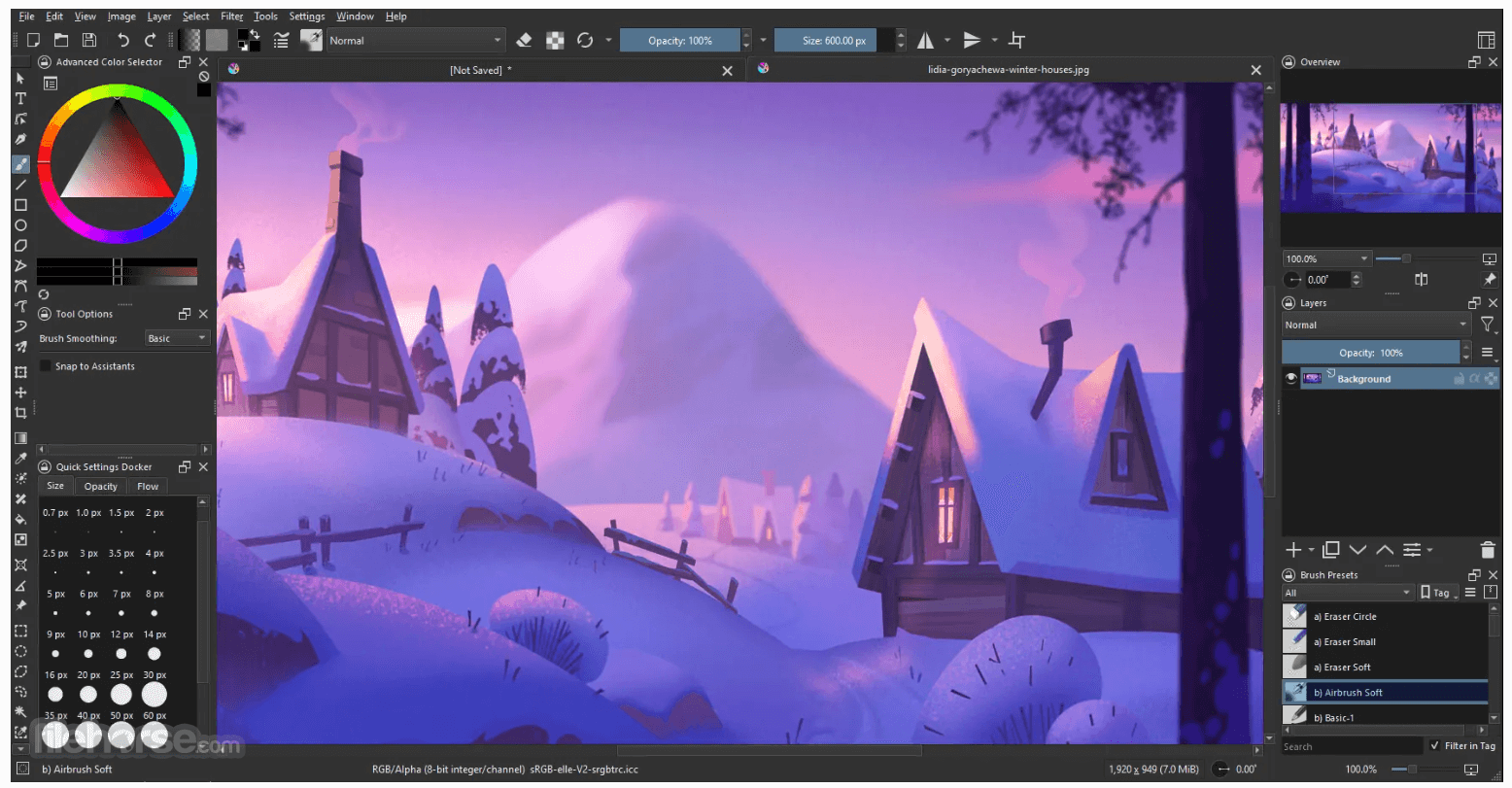
For artists, using Krita is a joy. The interface is very intuitive and highly customizable. The various panels and dockers an be moved and modified to suit your own workflow. As soon as you have your setup in place, you are able to save it as your personal workspace. If you use specific tools regularly, then you are also able to create your own shortcuts for more commonly used tools.
Overall, Krita is one of those gems that you rarely come across. The array of tools is first class for a free product, as is the design and interface. It is easy to use and can be navigated by all users, regardless of their expertise. With support for Photoshop files and the ability to open, save, edit and author HDR images, Krita stands out from the crowd in the painting tool market.
畫面截圖
- 2026-07-30 Krita 5.3.3 157.66 MB
- 2026-06-03 Krita 5.3.2.1 156.49 MB
- 2026-05-28 Krita 5.3.2 154.07 MB
- 2026-03-31 Krita 5.3.1 156.64 MB
- 2026-03-25 Krita 5.3.0 156.64 MB
- 2026-02-28 Krita 5.2.16 147.85 MB
- 2026-01-29 Krita 5.2.15 149.93 MB
- 2025-12-13 Krita 5.2.14 149.76 MB