⚠ 這是歷史版本頁面 — 查看 LabVIEW 最新版本 →

- 目前版本2021
- 更新日期2021-08-31
- 檔案大小6.4 MB
- 檔案名稱ni-labview-2021-x86_21.0_suite_online.exe
- 作業系統Windows 10 / Windows 11
- 支援語系English
- 授權型式商業試用
- 開發商 National Instruments
- 軟體分類Windows 軟體 / 影像設計
##
編輯短評
LabVIEW是一套系統工程軟體,主要用於測試、量測與控制,能快速存取硬體並整合數據。它的特色在於圖形化程式設計環境,大幅降低程式撰寫複雜度,並提供拖放式介面建立與數據檢視器,讓工程師能專注於問題本身。這套軟體在站上收錄的版本不多,更新步調較慢,但仍有持續維護;使用者評分人數不多,但評價普遍不錯,屬於小眾但穩定的工具。
適合需要與NI或第三方硬體整合的工程師、科學家,例如實驗室數據採集、自動化測試或控制系統開發。與一般影像編輯軟體不同,它專注於硬體通訊與量測,學習曲線較陡,但能簡化複雜的儀器控制。目前提供Windows與macOS版本,僅有英文介面,且為試用版,需購買正式授權才能完整使用。若你的工作涉及儀控與數據分析,這套軟體值得一試。
##
翻譯排程處理中,以下暫以英文原文呈現
軟體介紹
LabVIEW is a systems engineering software for applications that require test, measurement, and control with rapid access to hardware and data insights.
The programming environment simplifies hardware integration for engineering applications so that you have a consistent way to acquire data from NI and third-party hardware. It reduces the complexity of programming, so you can focus on your unique engineering problem.
It enables you to immediately visualize results with built-in, drag-and-drop engineering user interface creation and integrated data viewers. To turn your acquired data into real business results, you can develop algorithms for data analysis and advanced control with included math and signal processing IP, or reuse your own libraries from a variety of tools.
To ensure compatibility with other engineering tools, NI LabVIEW can interoperate with and reuse libraries from other software and open-source languages.
With the Platform, one installation gives you access to nearly all products on the platform. If you purchased any modules or toolkits, install and activate them using the Platform installer to ensure compatibility with Lab VIEW 2026. If you want to evaluate any of these add-ons before purchasing them, you can install these add-ons and try them for free for a set period of time.
The following products are included in the Platform. Refer to the readme of each product for information, including system requirements, installation, activation, known issues, and bug fixes.
What’s New in LabVIEW 2026
Supported OS
Also Available: Download LabVIEW for Mac
Download LabVIEW Latest Version Why is this app published on FileHorse? (More info)
The programming environment simplifies hardware integration for engineering applications so that you have a consistent way to acquire data from NI and third-party hardware. It reduces the complexity of programming, so you can focus on your unique engineering problem.
It enables you to immediately visualize results with built-in, drag-and-drop engineering user interface creation and integrated data viewers. To turn your acquired data into real business results, you can develop algorithms for data analysis and advanced control with included math and signal processing IP, or reuse your own libraries from a variety of tools.
To ensure compatibility with other engineering tools, NI LabVIEW can interoperate with and reuse libraries from other software and open-source languages.
With the Platform, one installation gives you access to nearly all products on the platform. If you purchased any modules or toolkits, install and activate them using the Platform installer to ensure compatibility with Lab VIEW 2026. If you want to evaluate any of these add-ons before purchasing them, you can install these add-ons and try them for free for a set period of time.
The following products are included in the Platform. Refer to the readme of each product for information, including system requirements, installation, activation, known issues, and bug fixes.
What’s New in LabVIEW 2026
- Code Completion with Nigel AI – Built-in AI assistant provides intelligent code suggestions, helps answer project questions, and offers contextual development guidance.
- Improved Debugging Workflow – Ability to enable/disable VI debugging without modifying source files, and set probes/breakpoints without altering VIs, saving debugging settings outside of source control.
- Notification of Externally Changed Files – New alerts and dialogs notify when open files change on disk and provide easy reload options to prevent state conflicts.
- Retain Wire Values Control for Multiple VIs – You can enable or disable the retain wire values setting across a VI hierarchy from the toolbar to improve debugging performance.
- VI Comparison Enhancements – Improved VI compare reports, including overview images, grouped differences, and report descriptions.
- Headless Operation & Docker Support – Support for running LabVIEW in headless mode and Windows Docker containers for CI/CD workflows without a GUI.
- Security Improvements – New security mode to prevent unknown external code from executing automatically, requiring trust confirmation for external files.
- Web Browser Front Panel Control – A new control that allows embedding and navigating web content directly on VI front panels.
- .NET Core 8.0 Improvements – Enhanced interoperability and improvements related to .NET 8 support within LabVIEW.
- LabVIEW Development System
- Advanced Signal Processing Toolkit
- System Identification Assistant
- Control Design and Simulation Module
- Control Design Assistant
- System Identification Assistant
- Datalogging and Supervisory Control Module
- Datalogging and Supervisory Control Runtime Module
- Desktop Execution Trace Toolkit for Windows
- Digital Filter Design Toolkit
- FPGA Compile Farm Toolkit
- FPGA ISE Compilation Tool
- FPGA Module
- FPGA Vivado Compilation Tool
- JKI VI Package Manager
- MathScript Module
- NI Switch Executive
- Real-Time Module
- Robotics Module
- Sound and Vibration Toolkit
- Unit Test Framework Toolkit
- VI Analyzer Toolkit
- Vision Development Module
- NXG
- NXG FPGA Module
- NXG Web Module
- FlexRIO with Integrated I/O
- FlexRIO with Modular I/O
- IVI Compliance Package
- NI-488.2
- NI-DAQmx
- NI-DCPower
- NI-DMM
- NI-FGEN
- NI-HSDIO
- NI-IMAQ
- NI-IMAQ I/O
- NI-IMAQdx
- NI-Industrial Communications for EtherNet/IP
- NI-SCOPE
- NI-Serial
- NI-SWITCH
- NI-Sync
- NI-VISA
- NI-XNET
- NI CompactRIO
- NI PXI Platform Services
- NI R Series Multifunction RIO
- It can connect to any instrument, regardless of vendor
- It has a native user interface for monitoring and controlling the test
- It has thousands of engineering analysis functions
- It works with popular programming languages, such as Python, C, and .NET
Supported OS
- Windows 11
- Windows Server 2022 64-bit
- Windows 10 64-bit
- Windows Server 2016 64-bit
- Windows Server 2019 64-bit
- Intuitive Graphical Programming Interface
- Seamless Hardware Integration
- Extensive Library of Prebuilt Functions
- Efficient Data Visualization Tools
- Robust Support for Multithreading
- High Licensing and Maintenance Costs
- Limited Cross-Platform Support
- Complexity in Large-Scale Applications
- Dependency on the National Instruments Ecosystem
Also Available: Download LabVIEW for Mac
Download LabVIEW Latest Version Why is this app published on FileHorse? (More info)
##
畫面截圖
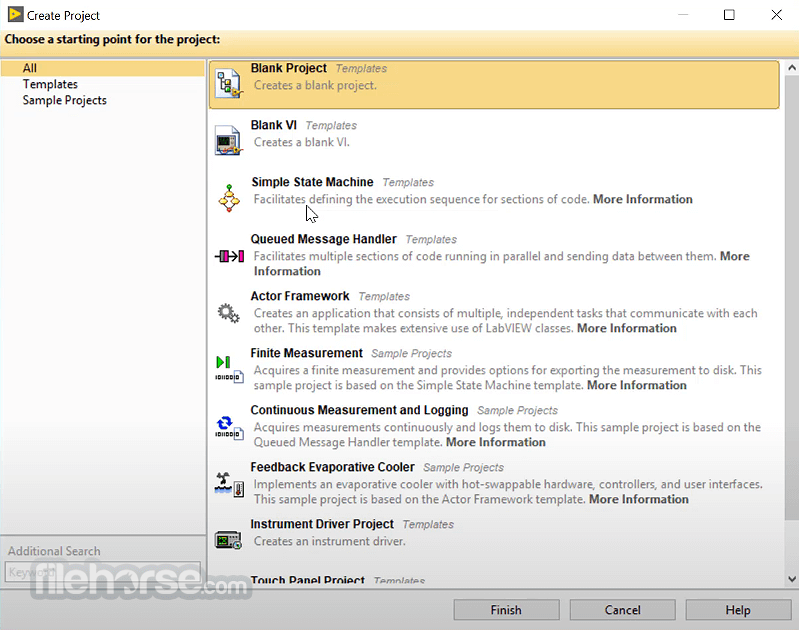
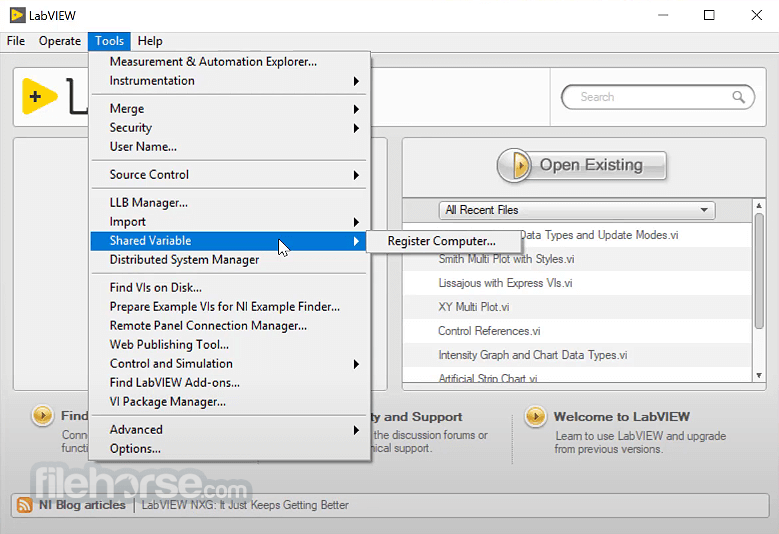
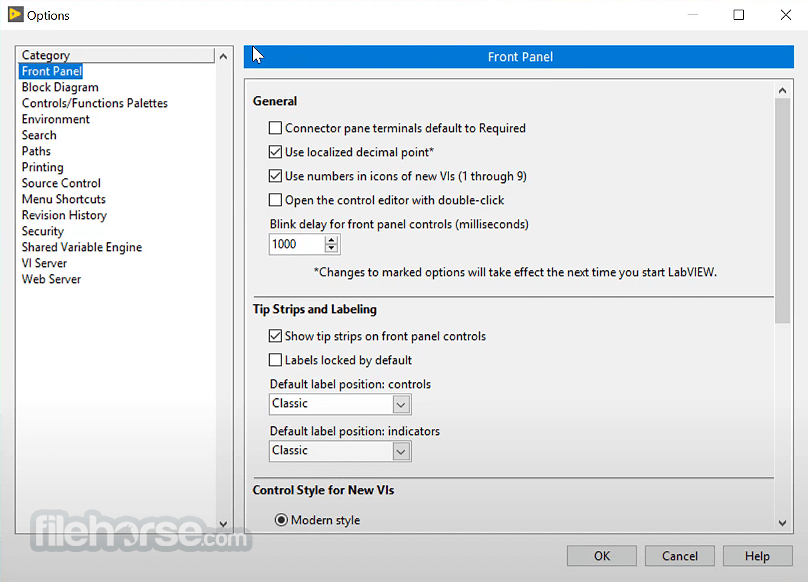
- 2026-02-13 LabVIEW 2026 8.8 MB
- 2024-01-10 LabVIEW 2024 5.9 MB
- 2023-02-20 LabVIEW 2023 5.3 MB
- 2021-08-31 LabVIEW 2021 6.4 MB
- 2019-10-19 LabVIEW 19.1 SP1 5.4 MB