⚠ 這是歷史版本頁面 — 查看 Deeper 最新版本 →

- 目前版本3.2.4
- 更新日期2026-02-24
- 檔案大小7.3 MB
- 檔案名稱Deeper.dmg
- 作業系統macOS 26.0 Tahoe or later
- 支援語系English
- 授權型式免費軟體
- 開發商 Titanium Software
- 軟體分類Mac 軟體 / 系統優化
##
編輯短評
Deeper 是一款專為 macOS 設計的個人化工具,主要用途是開啟或關閉 Finder、Dock、QuickTime、Safari、iTunes 等蘋果內建應用程式中隱藏的功能。它最明顯的特色,就是讓不熟悉指令列的一般使用者,也能輕鬆調整系統底層的運作方式,從介面視覺到日常操作流程都能有所變化。這款小工具在 Mac 市場上已存在多年,功能持續擴展,更新相當活躍,在同類系統優化工具中屬於熱門選擇,評價普遍不錯。
如果你喜歡深入調整 Mac 的細節行為,卻不想碰 Terminal 或撰寫設定檔,Deeper 會是相當順手的選擇。與 CleanMyMac X 這類整合型優化軟體相比,Deeper 更專注於系統隱藏設定的開關,而非清理或防護,取捨上較為單純。它採用免費授權,僅提供英文介面,使用前需留意選項的實際作用,避免誤改系統行為。對於想探索 macOS 隱藏功能、且能接受英文操作介面的使用者來說,這套軟體值得一試。
##
翻譯排程處理中,以下暫以英文原文呈現
軟體介紹
Deeper is a personalization utility for macOS which allows you to enable and disable the hidden functions of the Finder, Dock, QuickTime, Safari, iTunes, Login window, Spotlight, and many of Apple's applications.
By being present on the Mac market for many years, this small app managed to greatly expand its functionality, enabling users of all knowledge levels easy way to control the way their computer functions, including not only visual changes to the most popular OS services and applications, but also deep changes in the way you control your daily activities.
This app is perfect for people who want to optimize their daily time in front of their Mac, increase their productivity, surface some hidden options, and remove services that are bothering you.
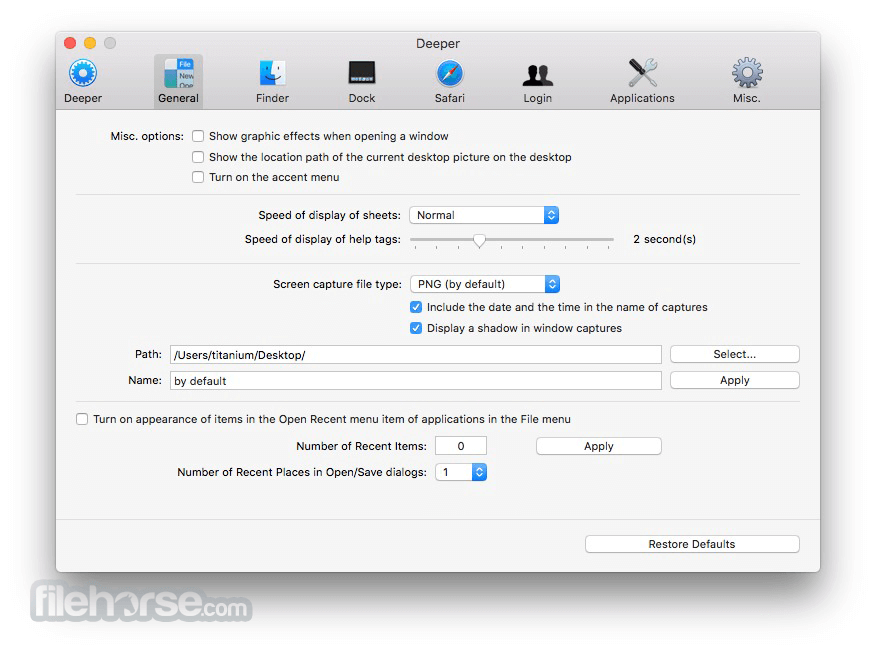
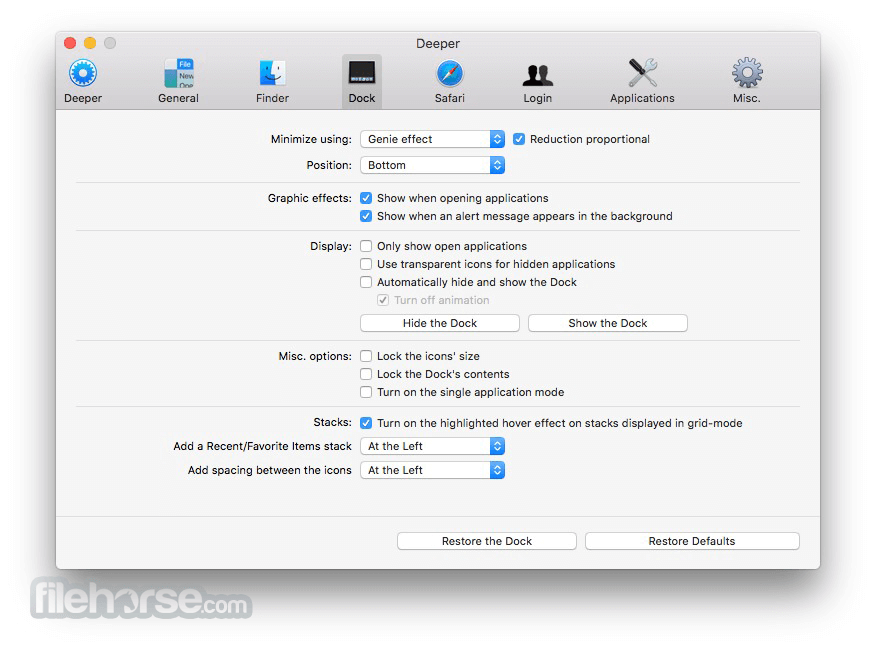
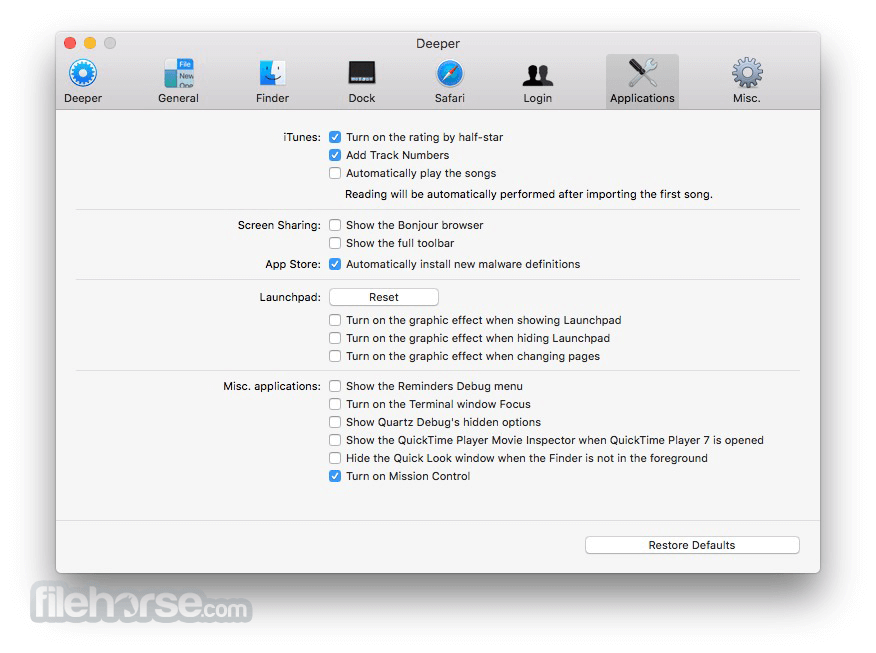
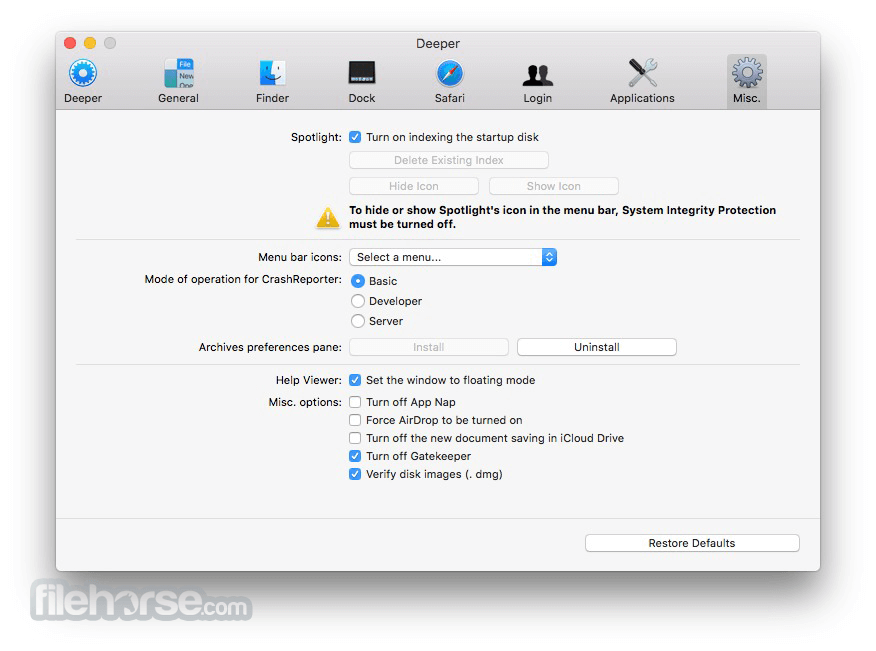
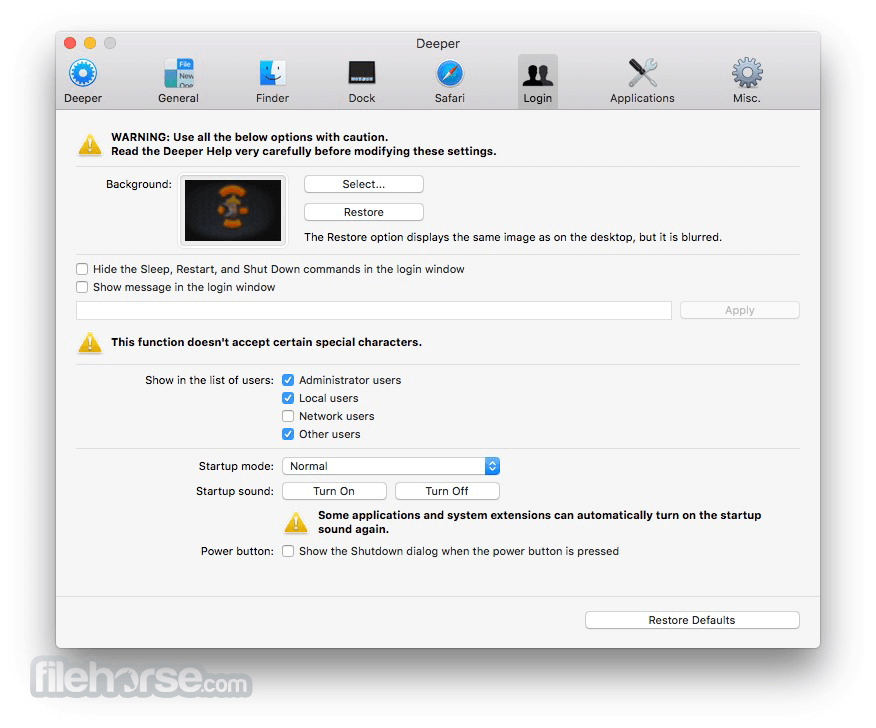
The main interface of Deeper for Mac consists of a dashboard that holds tremendous amount of tweaks that are separated in 10 main categories - General, Finder, Dock, QuickTime, Safari, mail, iTunes, Login, Spotlight and Miscellaneous.
To give all users peace of mind, developers of this app also heavily promote “Restore Defaults” button, enabling anyone to easily return back to the original configuration of their Mac and start their customization process from the start, this time better knowing what to touch and what to leave alone.
How to Use
macOS 10.9 to macOS 13 Ventura (varies by version)
Intel or Apple Silicon Mac
Admin rights for system modifications
Internet connection for updates
50 MB of free disk space
PROS
Download Deeper for Mac Latest Version Why is this app published on FileHorse? (More info)
By being present on the Mac market for many years, this small app managed to greatly expand its functionality, enabling users of all knowledge levels easy way to control the way their computer functions, including not only visual changes to the most popular OS services and applications, but also deep changes in the way you control your daily activities.
This app is perfect for people who want to optimize their daily time in front of their Mac, increase their productivity, surface some hidden options, and remove services that are bothering you.
The main interface of Deeper for Mac consists of a dashboard that holds tremendous amount of tweaks that are separated in 10 main categories - General, Finder, Dock, QuickTime, Safari, mail, iTunes, Login, Spotlight and Miscellaneous.
To give all users peace of mind, developers of this app also heavily promote “Restore Defaults” button, enabling anyone to easily return back to the original configuration of their Mac and start their customization process from the start, this time better knowing what to touch and what to leave alone.
How to Use
- Open Deeper from Applications folder
- Authenticate with admin password
- Select system customization options
- Toggle Finder, Dock, and login settings
- Apply changes and restart affected apps
- Use "Restore Defaults" to undo changes
- Quit app when customization is complete
macOS 10.9 to macOS 13 Ventura (varies by version)
Intel or Apple Silicon Mac
Admin rights for system modifications
Internet connection for updates
50 MB of free disk space
PROS
- Wide range of hidden macOS tweaks
- No installation required, just drag-and-drop
- Free and regularly updated by developer
- Lightweight with minimal system load
- Can restore system defaults easily
- No real-time preview of changes
- May break settings if misused
- Limited official support
- Not yet updated for macOS Sonoma
Download Deeper for Mac Latest Version Why is this app published on FileHorse? (More info)
##
畫面截圖
- 2026-08-03 Deeper 3.3.1 6.01 MB
- 2026-06-12 Deeper 3.3.0 7.16 MB
- 2026-04-16 Deeper 3.2.8 7.16 MB
- 2026-04-10 Deeper 3.2.7 7.11 MB
- 2026-03-28 Deeper 3.2.6 7.13 MB
- 2026-03-23 Deeper 3.2.5 7.07 MB
- 2026-02-24 Deeper 3.2.4 7.3 MB
- 2026-02-07 Deeper 3.2.3 7.28 MB