⚠ 這是歷史版本頁面 — 查看 Elmedia Player 最新版本 →

- 目前版本8.11
- 更新日期2022-12-20
- 檔案大小89.22 MB
- 檔案名稱elmediaplayer.dmg
- 作業系統macOS 10.13 High Sierra or later
- 支援語系English
- 授權型式試用版
- 開發商 Eltima Software
- 軟體分類Mac 軟體 / 影片軟體
##
編輯短評
Elmedia Player 是專為 macOS 設計的多功能媒體播放器,主打能播放市面上常見與較冷門的影音格式,包括 FLV、SWF、XAP、WMV、AVI、MOV、MP4、MP3、DAT 等,幾乎涵蓋所有 Mac 上會遇到的媒體檔案。它最特別的地方是內建網頁瀏覽器與「開啟 URL」功能,讓使用者可以直接在播放器視窗內觀看線上影片,不必另外切換瀏覽器。這套軟體由 Eltima Software 開發,長期持續維護,近一年內仍有更新,在同類播放工具中屬於有一定知名度的選擇,評價普遍不錯。
這款播放器適合經常需要開啟各種罕見格式、或習慣在單一視窗內處理本地與線上影片的 Mac 使用者。與 VLC 這類免費開源播放器相比,Elmedia Player 的介面更貼近 macOS 原生風格,但採用試用版授權,完整功能需付費解鎖,且目前僅提供英文介面,沒有中文版。若你主要播放常見格式且不介意多裝一套免費軟體,VLC 是更省事的替代方案;但若你常遇到特殊格式或想整合線上影片播放,這套會是值得考慮的選項。
##
翻譯排程處理中,以下暫以英文原文呈現
軟體介紹
A multifunctional free media player for Mac, Elmedia Player for Mac supports a wide range of common and not so common audio & video formats, including FLV, SWF, XAP (Silverlight), WMV, AVI, MOV, MP4, MP3, DAT and more.
It can play virtually all media files on your Mac. This player also boasts a number of handy features such as built-in web-browser and Open URL option that allow you to watch online videos from the app window.
Note: Instead of buying a license for this app, at Setapp you could get access to this one plus another 230+ commonly used macOS apps for only $9.99/month. CLICK HERE to download and install all the apps you need for a single monthly price!
HD content playback is a resource-intensive task, and if a media player is not capable of coping with it well, expect choppy, jittery or slow playback.
However with Elmedia Player for macOS a perfectly smooth HD experience is guaranteed, this Mac video player is equipped with everything to provide it. Download, Install or Update Elmedia Player for Mac!
Features and Highlights
Playback movies & animations of any format
Elmedia is a universal player for virtually all media formats – DivX, WMV, FLV, SWF, AVI, MOV, MP4, MP3, etc. Throw any movie or animation at it – the video player will play it back on your Mac.
Enhanced Playback Features
The app features video tuner to adjust brightness, contrast, saturation and other related parameters. This media player for Mac OS X also includes a graphic equalizer with 10 carefully chosen frequencies for you to shape your sound. It supports subtitles and their editing, aspect ratio change and playback speed adjustment. Make sure to use your Apple RCU and standard Mac media keys – this free media player fully supports them.
Playlist Compilation & Editing
This media player helps organize audio & video content on your Mac by enabling playlists compilation. You can populate playlists with local or online content, store the lists on your hard drive or export them to an online storage service like Dropbox. To make things easier Elmedia enables you to search playlists.
Web Browser
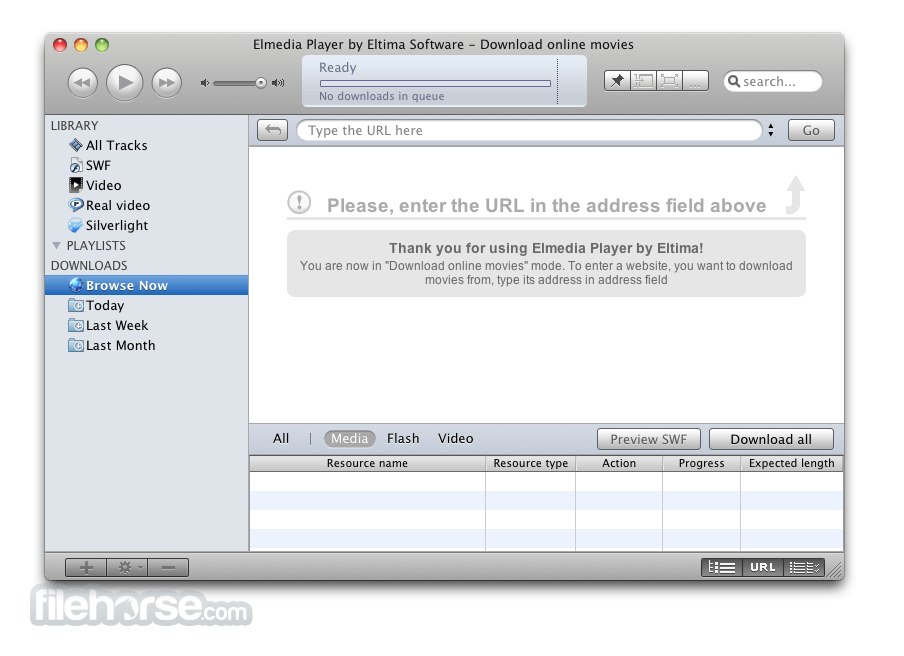
The app integrates web-browsing support to watch online media without leaving the application. To use the built-in browser switch to the browser mode, find a video you’d like to watch in the Internet and – start watching it right away!
Enjoy Your Music Collection
ElmediaPlayer supports a great number of audio formats, incl. MP3, AAC, etc. Perfect for storing and managing your entire music collection, here you can tailor multiple playlists to match every mood of yours.
SWF Settings
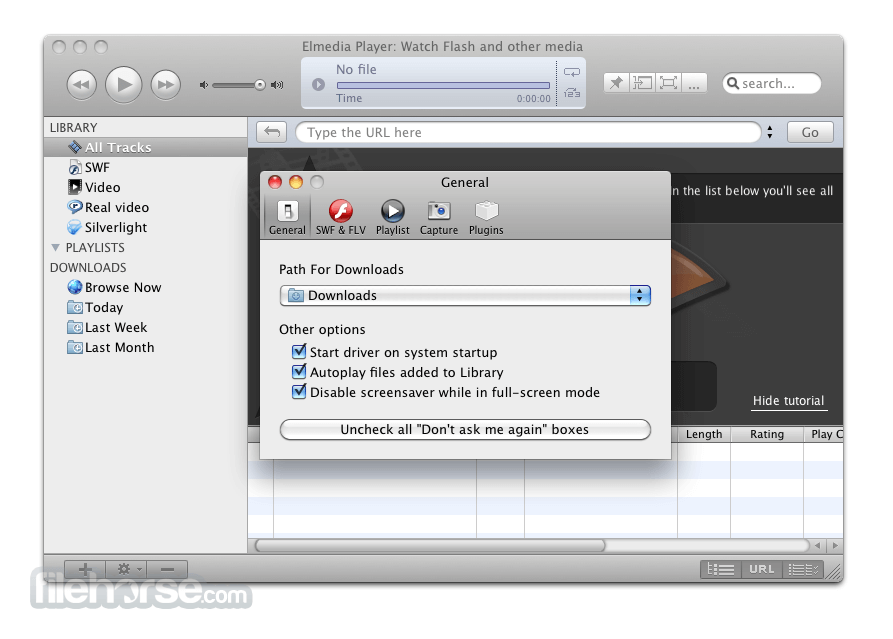
You can choose to watch videos in full screen mode, hide control panel, deactivate screensaver during playback, and pin video on top of other running applications – nothing will distract you from watching or gaming experience. This video player for Mac boasts settings exclusive to SWF: you can choose quality of your playback and activate Flash local security, as well as exchanging data over network.
FAQ
How to change default media player on Mac?
In order to change default player on Mac, users need to follow this guide:
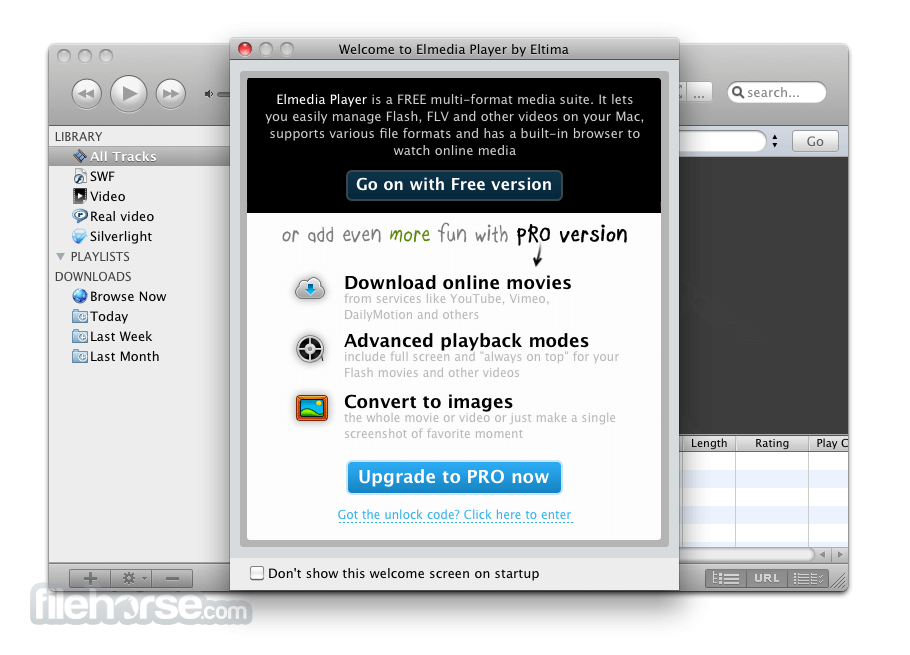
Elmedia Player has two versions: free and PRO. Elmedia Player PRO version offers more features and enhanced video playback, however, a free version is enough to have great control over your media files.
What is better than VLC for Mac?
There are many options to choose from. Depending on what features are important to you, you can use, for example, Elmedia Player. This Mac player can do pretty much everything that VLC can, but it also offers streaming options.
Alternatives
VLC Media Player – Free, open-source, and versatile.
Movist – Simple interface with advanced codec support.
5KPlayer – Supports 4K, AirPlay, and DLNA streaming.
IINA – Modern Mac-style player with gesture controls.
MPV Player – Lightweight, powerful, and customizable.
Plex for Mac – Media server with streaming and organization tools.
Kodi – Media center with extensive plugin support.
System Requirements
macOS 10.12 and later.
PROS
Download Elmedia Player for Mac Latest Version Why is this app published on FileHorse? (More info)
It can play virtually all media files on your Mac. This player also boasts a number of handy features such as built-in web-browser and Open URL option that allow you to watch online videos from the app window.
Note: Instead of buying a license for this app, at Setapp you could get access to this one plus another 230+ commonly used macOS apps for only $9.99/month. CLICK HERE to download and install all the apps you need for a single monthly price!
HD content playback is a resource-intensive task, and if a media player is not capable of coping with it well, expect choppy, jittery or slow playback.
However with Elmedia Player for macOS a perfectly smooth HD experience is guaranteed, this Mac video player is equipped with everything to provide it. Download, Install or Update Elmedia Player for Mac!
Features and Highlights
Playback movies & animations of any format
Elmedia is a universal player for virtually all media formats – DivX, WMV, FLV, SWF, AVI, MOV, MP4, MP3, etc. Throw any movie or animation at it – the video player will play it back on your Mac.
Enhanced Playback Features
The app features video tuner to adjust brightness, contrast, saturation and other related parameters. This media player for Mac OS X also includes a graphic equalizer with 10 carefully chosen frequencies for you to shape your sound. It supports subtitles and their editing, aspect ratio change and playback speed adjustment. Make sure to use your Apple RCU and standard Mac media keys – this free media player fully supports them.
Playlist Compilation & Editing
This media player helps organize audio & video content on your Mac by enabling playlists compilation. You can populate playlists with local or online content, store the lists on your hard drive or export them to an online storage service like Dropbox. To make things easier Elmedia enables you to search playlists.
Web Browser
The app integrates web-browsing support to watch online media without leaving the application. To use the built-in browser switch to the browser mode, find a video you’d like to watch in the Internet and – start watching it right away!
Enjoy Your Music Collection
ElmediaPlayer supports a great number of audio formats, incl. MP3, AAC, etc. Perfect for storing and managing your entire music collection, here you can tailor multiple playlists to match every mood of yours.
SWF Settings
You can choose to watch videos in full screen mode, hide control panel, deactivate screensaver during playback, and pin video on top of other running applications – nothing will distract you from watching or gaming experience. This video player for Mac boasts settings exclusive to SWF: you can choose quality of your playback and activate Flash local security, as well as exchanging data over network.
FAQ
How to change default media player on Mac?
In order to change default player on Mac, users need to follow this guide:
- Find the video you want to play and right-click it.
- Select the "Open With" option from the context menu and choose the desired media player.
Elmedia Player has two versions: free and PRO. Elmedia Player PRO version offers more features and enhanced video playback, however, a free version is enough to have great control over your media files.
What is better than VLC for Mac?
There are many options to choose from. Depending on what features are important to you, you can use, for example, Elmedia Player. This Mac player can do pretty much everything that VLC can, but it also offers streaming options.
Alternatives
VLC Media Player – Free, open-source, and versatile.
Movist – Simple interface with advanced codec support.
5KPlayer – Supports 4K, AirPlay, and DLNA streaming.
IINA – Modern Mac-style player with gesture controls.
MPV Player – Lightweight, powerful, and customizable.
Plex for Mac – Media server with streaming and organization tools.
Kodi – Media center with extensive plugin support.
System Requirements
macOS 10.12 and later.
PROS
- Supports Various Formats – Plays almost any media file.
- Streaming Capabilities – AirPlay, DLNA, and Chromecast.
- Advanced Playback Controls – Customizable settings.
- Ad-Free Experience – No interruptions while watching.
- Built-in Subtitle Support – Auto-detects and loads subtitles.
- Pro Features Require Payment – Free version is limited.
- No Blu-ray Support – Can't play Blu-ray discs.
- Occasional Performance Issues – Lag on high-res files.
- Limited Audio Customization – Basic sound settings.
- No Cloud Integration – Lacks direct cloud playback.
Download Elmedia Player for Mac Latest Version Why is this app published on FileHorse? (More info)
##
畫面截圖
- 2025-12-06 Elmedia Player 8.24 144.9 MB
- 2025-09-25 Elmedia Player 8.23 144.86 MB
- 2024-10-12 Elmedia Player 8.20 89.42 MB
- 2024-09-24 Elmedia Player 8.19 89.42 MB
- 2024-03-29 Elmedia Player 8.18 89.42 MB
- 2023-11-29 Elmedia Player 8.17 89.42 MB
- 2023-07-21 Elmedia Player 8.16 89.42 MB
- 2023-03-23 Elmedia Player 8.15 89.2 MB