- 目前版本2.9.4
- 更新日期2026-03-04
- 檔案大小14.16 MB
- 檔案名稱Fission.zip
- 作業系統macOS 10.13 High Sierra or later
- 支援語系English
- 授權型式試用版
- 開發商 Rogue Amoeba Software, Inc.
- 軟體分類Mac 軟體 / 音訊軟體
##
翻譯排程處理中,以下暫以英文原文呈現
軟體介紹
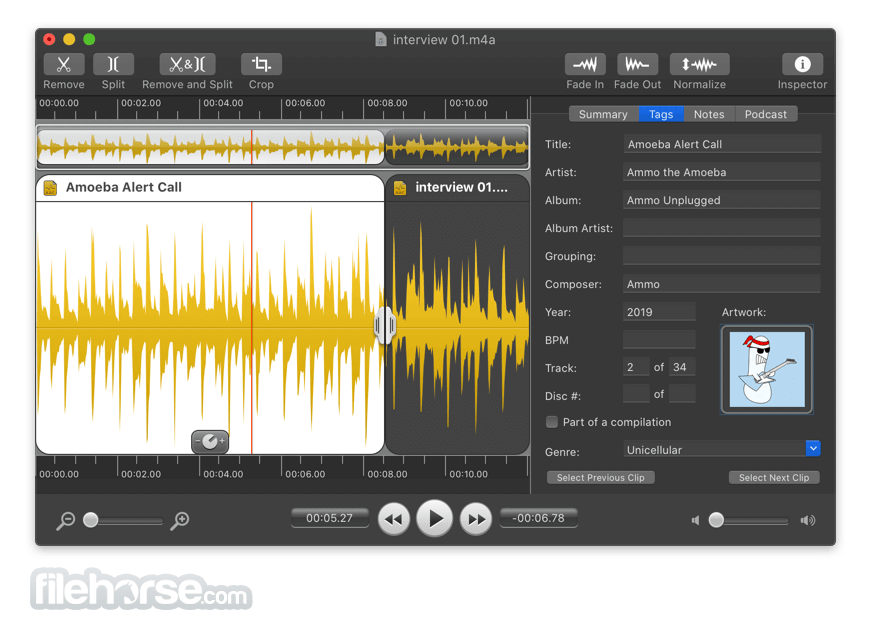
With Fission for Mac, audio editing is no longer a chore. You can join files, crop and trim audio, and rapidly split up long files.
The tool is streamlined for fast editing, and it works without the quality loss other audio editors cause.
If you need to convert between audio formats, Fission for macOS can do that too. Rapidly export or batch convert files to the MP3, AAC, Apple Lossless, FLAC, AIFF, and WAV formats.
The app has all your audio needs covered. Finally, simple audio editing has arrived.
Features and Highlights
Fade, Cut, Crop & Edit Metadata
Fission offers all the standard audio editing options you need right at your fingertips. Unlike overly complicated competitors, there's no clutter or bloat.
Edit Audio with No Quality Loss
The tool never causes quality loss when it edits, even with the MP3 and AAC formats. It's like magic, and it's something only Fission offers!
Batch Convert Between Formats
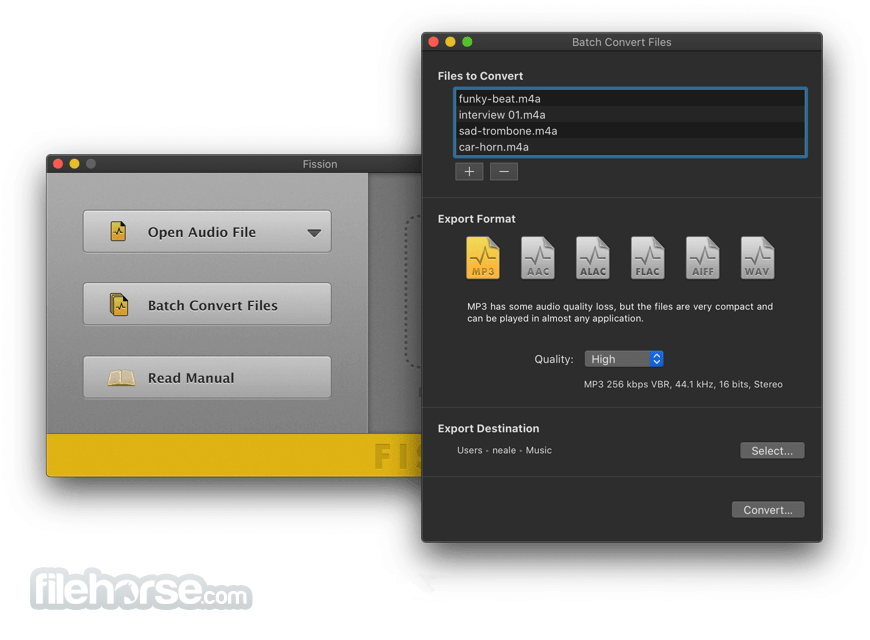
The app's batch convertor lets you convert dozens of files at once, to any of the most popular formats: MP3, AAC, Apple Lossless, FLAC, AIFF, and WAV.
Cross-Format Conversions
Any file the app can open can be saved directly to MP3, AAC, Apple Lossless, FLAC, AIFF, or WAV.
Chapterized AAC & MP3 Files
Make enhanced podcasts with AAC or MP3 chapters using the app. Your listeners will love you for it!
Quick Audio Removal
Cutting out audio couldn't be easier. Just select and cut!
Full FLAC Support
If you need to edit FLAC files, look no further than the tool.
Crop It Out
Got a small portion of audio to save? Highlight it, click Crop and you're done.
File Joining
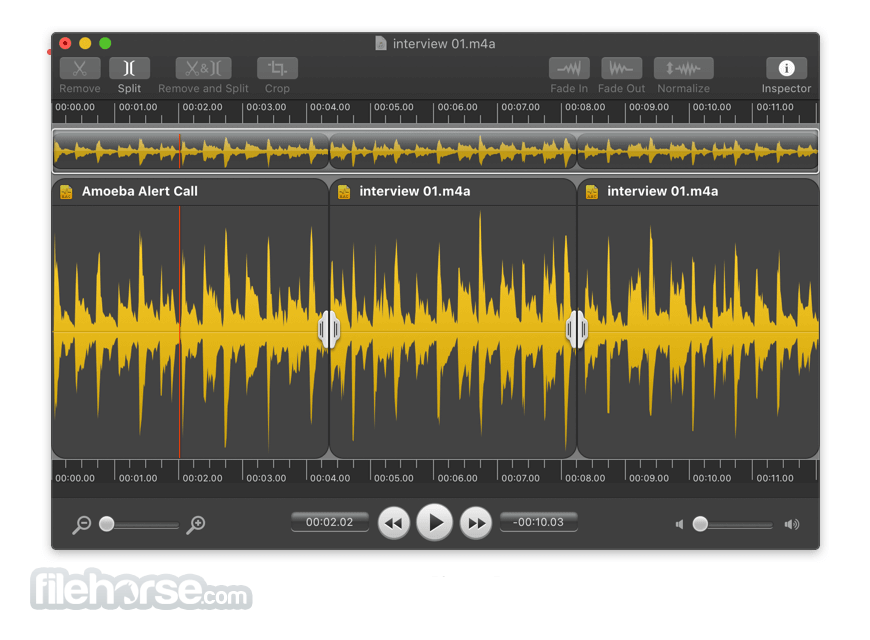
With a simple drag and drop or copy and paste, you can join two or more files into one.
Smart Split
Automatically split files based on silence. It's perfect for LP and DVD recordings.
Inline Gain Adjustment
Highlight a section of audio then adjust the gain with the Gain slider.
Cue Sheet Support
Split files using cue sheets, or export your edits to a cue sheet file.
Fade Away
Fade audio in and out to create pleasing transitions.
Why Be Normal?
Give audio files a constant volume level with the Normalize function.
Split Points
With the app's Split Points, you can split and save to get multiple files.
How to Use
macOS 11 (Big Sur) to macOS 15 (Sequoia)
PROS
Download Fission for Mac Latest Version Why is this app published on FileHorse? (More info)
The tool is streamlined for fast editing, and it works without the quality loss other audio editors cause.
If you need to convert between audio formats, Fission for macOS can do that too. Rapidly export or batch convert files to the MP3, AAC, Apple Lossless, FLAC, AIFF, and WAV formats.
The app has all your audio needs covered. Finally, simple audio editing has arrived.
Features and Highlights
Fade, Cut, Crop & Edit Metadata
Fission offers all the standard audio editing options you need right at your fingertips. Unlike overly complicated competitors, there's no clutter or bloat.
Edit Audio with No Quality Loss
The tool never causes quality loss when it edits, even with the MP3 and AAC formats. It's like magic, and it's something only Fission offers!
Batch Convert Between Formats
The app's batch convertor lets you convert dozens of files at once, to any of the most popular formats: MP3, AAC, Apple Lossless, FLAC, AIFF, and WAV.
Cross-Format Conversions
Any file the app can open can be saved directly to MP3, AAC, Apple Lossless, FLAC, AIFF, or WAV.
Chapterized AAC & MP3 Files
Make enhanced podcasts with AAC or MP3 chapters using the app. Your listeners will love you for it!
Quick Audio Removal
Cutting out audio couldn't be easier. Just select and cut!
Full FLAC Support
If you need to edit FLAC files, look no further than the tool.
Crop It Out
Got a small portion of audio to save? Highlight it, click Crop and you're done.
File Joining
With a simple drag and drop or copy and paste, you can join two or more files into one.
Smart Split
Automatically split files based on silence. It's perfect for LP and DVD recordings.
Inline Gain Adjustment
Highlight a section of audio then adjust the gain with the Gain slider.
Cue Sheet Support
Split files using cue sheets, or export your edits to a cue sheet file.
Fade Away
Fade audio in and out to create pleasing transitions.
Why Be Normal?
Give audio files a constant volume level with the Normalize function.
Split Points
With the app's Split Points, you can split and save to get multiple files.
How to Use
- Import an audio file
- Use the selection tool to highlight audio
- Apply edits like cut, crop, fade, or normalize
- Adjust gain if needed
- Use Smart Split to divide audio by silence
- Join files by dragging and dropping
- Edit metadata as required
- Preview the edited audio
- Export the file in desired format
macOS 11 (Big Sur) to macOS 15 (Sequoia)
PROS
- Lossless audio editing
- User-friendly interface
- Supports multiple formats
- Batch conversion feature
- Smart Split functionality
- Limited zoom for precision edits
- No multi-track editing
- Basic effects options
- No support for VST/AU plugins
- Occasional stability issues
Download Fission for Mac Latest Version Why is this app published on FileHorse? (More info)
##
畫面截圖