⚠ 這是歷史版本頁面 — 查看 OBS Studio 最新版本 →

OBS Studio 32.1.1
v 32.1.1
macOS
開源軟體
7.96/10 (152)
- 目前版本32.1.1
- 更新日期2026-04-03
- 檔案大小188.12 MB
- 檔案名稱OBS-Studio-32.1.1-macOS-Intel.dmg
- 作業系統macOS 10.13 High Sierra or later
- 支援語系English
- 授權型式開源軟體
- 開發商 OBS Team
- 軟體分類Mac 軟體 / 影片軟體
##
編輯短評
OBS Studio 是一套免費開源的錄影與直播軟體,核心能力在於同時擷取多個影音來源,即時混音後輸出到網路平台。它支援全螢幕、視窗、圖片、文字、瀏覽器、網路攝影機與擷取卡等來源,無論是遊戲實況、線上教學或產品發表都能勝任。這套軟體由 OBS Team 長期維護,更新相當頻繁,在同類工具中屬於主流首選,使用者評價普遍不錯,在 Mac 影片軟體分類中也是熱門下載項目。
它特別適合直播主、教育工作者與內容創作者,需要將多個畫面與音訊來源組合輸出時,OBS 的彈性與穩定性是最大優勢。相較於 Premiere 或 After Effects 這類偏重後製剪輯的軟體,OBS 強在即時串流與錄製,但本身不提供剪輯功能。軟體為開源授權,可免費使用,目前僅提供英文介面,對不熟悉英文操作介面的使用者來說,初期需要一些適應時間。
##
翻譯排程處理中,以下暫以英文原文呈現
軟體介紹
OBS Studio for Mac is free and open-source software for video recording and live streaming, empowering users of all technical knowledge levels to capture and mix real-time video and audio from multiple sources and broadcast it to the internet.
It includes support for full-screen capture, window captures, images, text, browser windows, webcams, and capture cards, covering the needs of home users, educators, students, and professionals.
Today, OBS Studio is widely used by gamers, educators, and content creators to create high-quality video content for various platforms.
The app supports hardware-accelerated video processing, which can dramatically reduce the strain on CPU performance, freeing the computer to be focused on other tasks while the live stream session is active.
Users can also take full control over the look and feel of their livestream, with an incredible variety of tools for the management of cameras, audio mixing, video transitions, on-screen effects, and many other production services.
Finally, the video streams produced by this app can be automatically routed to the largest and most popular video streaming platforms, such as YouTube, Twitch, and others, empowering all users to produce a high-quality video stream to worldwide audiences without any need for custom hardware or expensive video editing software.
Mac users can use this app for recording and live streaming on all modern desktop and laptop hardware running macOS 11.0 or newer.
What`s New
To get this app up and running on any modern Mac, users simply must download the automated installer from the official website, digital software distribution platform Steam, or our secure FileHorse servers.
The app is optimized for both Intel-based Macs and the newest Apple Silicon hardware.
To install the app, simply follow the on-screen instructions, and the app will automatically install itself, and detect the on-board video processing hardware, microphones, webcams, and other accessories.
How to Use
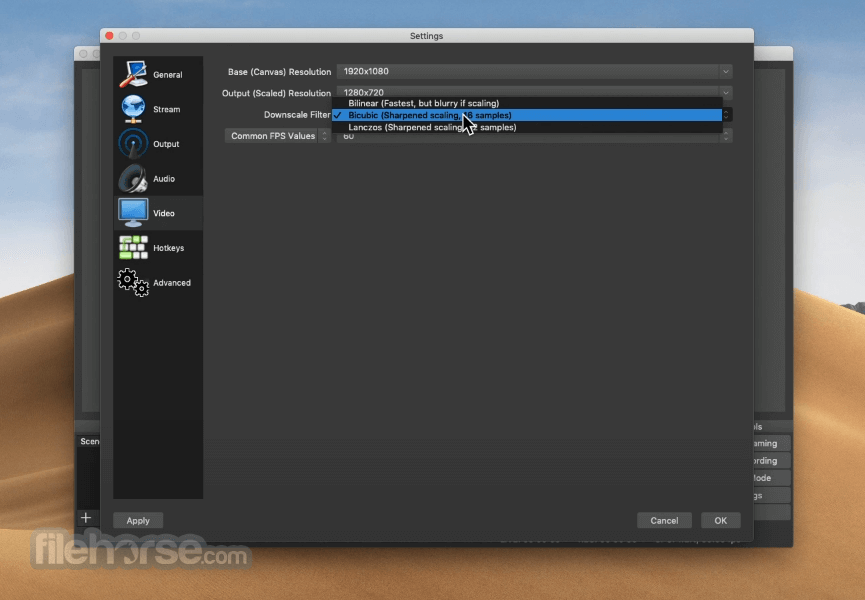
Upon the first start of the app, users will be required to perform an initial setup where they will pick the video processing quality, select webcams, and microphone, configure capture cards, and create scenes from the available camera sources.
Advanced controls include the setup for on-screen elements, animated scene transitions, and more.
New users can learn much more about the hidden features of this highly capable recording and broadcasting utility via official documentation and a large number of community tutorials.
User Interface
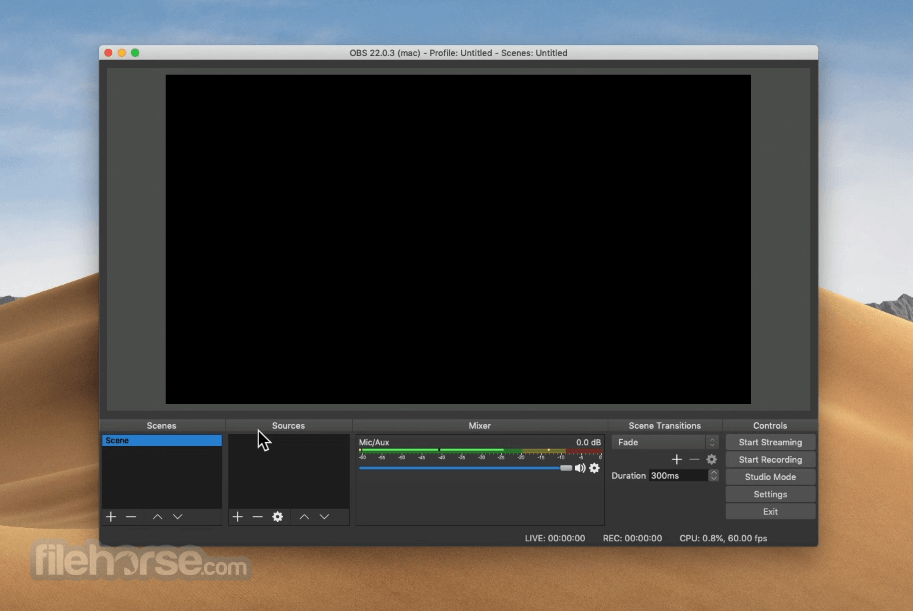
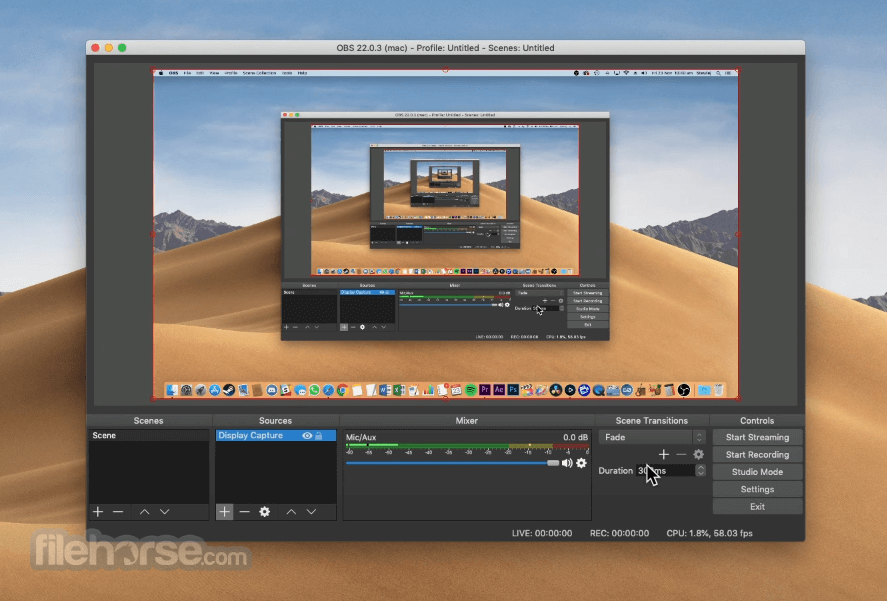
OBS Studio features a user-friendly dashboard that is easy to navigate.
Users can easily set up their recording scenes, manage webcam feeds, eliminate greenscreen for more streamlined host integration on recorded videos, and manage the flow of the live stream sessions with a wide array of shortcuts and command buttons.
All in all, even novices can learn to easily manage this recording and broadcasting utility with ease.
FAQ
What is OBS Studio for macOS?
It is free and open-source software for video recording and live streaming, with full support for hardware-accelerated video processing that leaves most system resources available for the processing of apps and video games.
Is it safe?
Yes, this is a widely used and trusted application that receives regular stability, security, and functionality upgrades.
Alternatives
Camtasia for Mac – A versatile screen recording and video editing software, providing users with powerful tools to create professional-quality videos and tutorials seamlessly on the macOS platform.
Wirecast for Mac – A professional software for video recording and live streaming, with many advanced features such as virtual sets, multi-camera support, and social media integration.
ScreenPal for Mac – A versatile screen recording and video editing tool, offering users intuitive features to capture, edit, and share videos effortlessly
Pricing
This app is 100% free for download and use. There are no hidden fees or subscriptions for unlocking additional tools and features.
System Requirements
This Mac app can be natively used on both Intel and Apple Silicon hardware. Minimum system requirements are as follows:
OBS Studio for Mac is a powerful and versatile tool for video recording and live streaming on Mac computers, with full support for broadcast customization, advanced video effects, scene management, and integration with popular streaming platforms.
Its ease of use and compatibility with various platforms make it a valuable utility for anyone wishing to stream their desktop, apps, or games to the internet.
Also Available: Download OBS Studio for Windows
Download OBS Studio for Mac Latest Version Why is this app published on FileHorse? (More info)
It includes support for full-screen capture, window captures, images, text, browser windows, webcams, and capture cards, covering the needs of home users, educators, students, and professionals.
Today, OBS Studio is widely used by gamers, educators, and content creators to create high-quality video content for various platforms.
The app supports hardware-accelerated video processing, which can dramatically reduce the strain on CPU performance, freeing the computer to be focused on other tasks while the live stream session is active.
Users can also take full control over the look and feel of their livestream, with an incredible variety of tools for the management of cameras, audio mixing, video transitions, on-screen effects, and many other production services.
Finally, the video streams produced by this app can be automatically routed to the largest and most popular video streaming platforms, such as YouTube, Twitch, and others, empowering all users to produce a high-quality video stream to worldwide audiences without any need for custom hardware or expensive video editing software.
Mac users can use this app for recording and live streaming on all modern desktop and laptop hardware running macOS 11.0 or newer.
What`s New
- Improved performance with better GPU encoding optimization.
- Enhanced AV1 and HEVC hardware encoder support.
- Upgraded audio monitoring with lower latency processing.
- Improved browser source stability and compatibility.
- Refined dock and UI customization options.
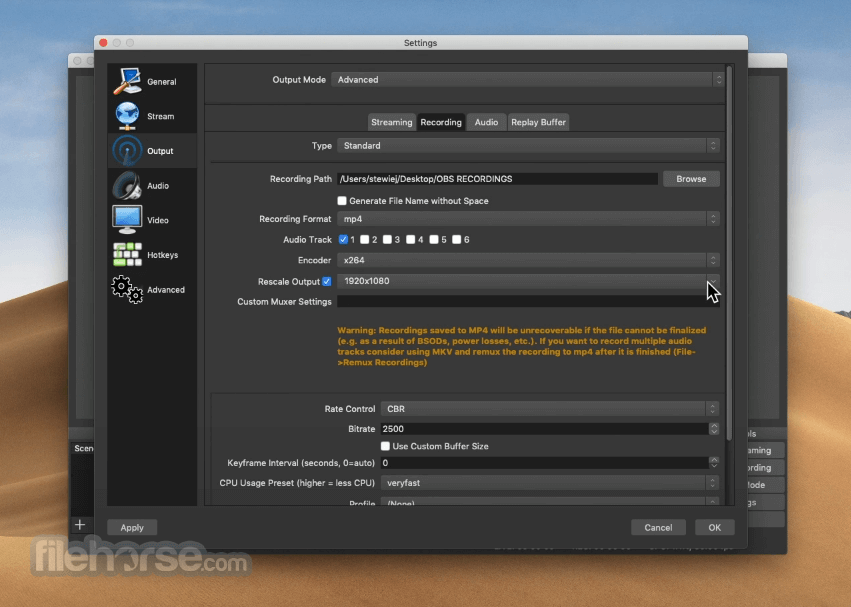
- Better multi-track audio recording support.
- Enhanced virtual camera performance and reliability.
- Improved scene collection and profile management.
- Security patches and dependency updates.
- Various bug fixes and overall stability improvements.
- Screen Capture – Capture desktop or active app screen in HD quality and stream it high quality.
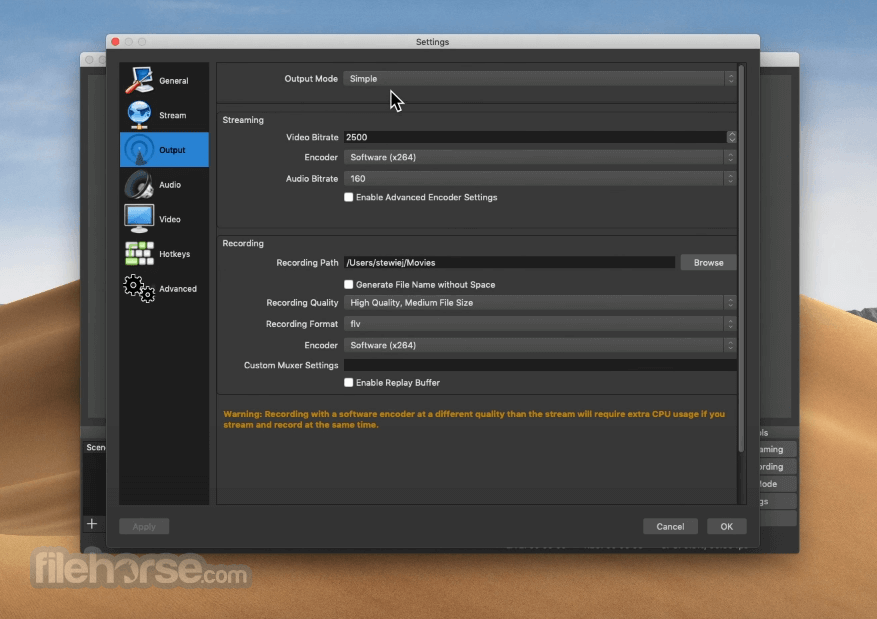
- Video Recording – Set recording options for high-quality video capture, and securely save it on local storage.
- Video Broadcasting – Easily broadcast video content live to various platforms, including Twitch, YouTube, and Facebook.
- Neat and Clean Interface – Take full control over the recording and broadcasts with a streamlined interface that promotes easy discovery of all its tools.
- Customizable Look and Controls – Modify the video production dashboard to best fit your needs, with full access to customizing keyboards and other accessories.
- Optimize Video Quality – Monitor up to 8 different scenes concurrently, cue transitions, and control the video quality of the final broadcast stream.
To get this app up and running on any modern Mac, users simply must download the automated installer from the official website, digital software distribution platform Steam, or our secure FileHorse servers.
The app is optimized for both Intel-based Macs and the newest Apple Silicon hardware.
To install the app, simply follow the on-screen instructions, and the app will automatically install itself, and detect the on-board video processing hardware, microphones, webcams, and other accessories.
How to Use
Upon the first start of the app, users will be required to perform an initial setup where they will pick the video processing quality, select webcams, and microphone, configure capture cards, and create scenes from the available camera sources.
Advanced controls include the setup for on-screen elements, animated scene transitions, and more.
New users can learn much more about the hidden features of this highly capable recording and broadcasting utility via official documentation and a large number of community tutorials.
User Interface
OBS Studio features a user-friendly dashboard that is easy to navigate.
Users can easily set up their recording scenes, manage webcam feeds, eliminate greenscreen for more streamlined host integration on recorded videos, and manage the flow of the live stream sessions with a wide array of shortcuts and command buttons.
All in all, even novices can learn to easily manage this recording and broadcasting utility with ease.
FAQ
What is OBS Studio for macOS?
It is free and open-source software for video recording and live streaming, with full support for hardware-accelerated video processing that leaves most system resources available for the processing of apps and video games.
Is it safe?
Yes, this is a widely used and trusted application that receives regular stability, security, and functionality upgrades.
Alternatives
Camtasia for Mac – A versatile screen recording and video editing software, providing users with powerful tools to create professional-quality videos and tutorials seamlessly on the macOS platform.
Wirecast for Mac – A professional software for video recording and live streaming, with many advanced features such as virtual sets, multi-camera support, and social media integration.
ScreenPal for Mac – A versatile screen recording and video editing tool, offering users intuitive features to capture, edit, and share videos effortlessly
Pricing
This app is 100% free for download and use. There are no hidden fees or subscriptions for unlocking additional tools and features.
System Requirements
This Mac app can be natively used on both Intel and Apple Silicon hardware. Minimum system requirements are as follows:
- OS: macOS 11.0 or newer
- CPU: Intel quadcore (M1/M2 is recommended)
- Memory: 4GB of RAM (8GB is recommended)
- Storage: 800MB of free space
- Free and open-source software.
- Easy to use and navigate.
- Customizable controls and hotkeys.
- Ability to manage quality and monitor multiple scenes.
- Compatible with various platforms.
- Hardware-accelerated video processing.
- Built-in broadcasting to most popular video streaming platforms such as Twitch, YouTube, and Facebook.
- Requires some technical knowledge for optimal customization.
OBS Studio for Mac is a powerful and versatile tool for video recording and live streaming on Mac computers, with full support for broadcast customization, advanced video effects, scene management, and integration with popular streaming platforms.
Its ease of use and compatibility with various platforms make it a valuable utility for anyone wishing to stream their desktop, apps, or games to the internet.
Also Available: Download OBS Studio for Windows
Download OBS Studio for Mac Latest Version Why is this app published on FileHorse? (More info)
##
畫面截圖
- 2026-07-27 OBS Studio 32.2.1 178.98 MB
- 2026-07-22 OBS Studio 32.2.0 189.65 MB
- 2026-04-22 OBS Studio 32.1.2 188.13 MB
- 2026-04-03 OBS Studio 32.1.1 188.12 MB
- 2026-03-12 OBS Studio 32.1.0 188.12 MB
- 2025-12-14 OBS Studio 32.0.4 187.94 MB
- 2025-12-06 OBS Studio 32.0.3 187.94 MB
- 2025-10-29 OBS Studio 32.0.2 187.93 MB