
- 目前版本2024.10.3
- 更新日期2025-07-11
- 作業系統macOS 10.14 Mojave or later
- 支援語系English
- 授權型式未分類
- 開發商 Avid Technology, Inc.
- 軟體分類Mac 軟體 / 音訊軟體
##
編輯短評
Pro Tools 是 Avid 推出的專業數位音樂工作站,長年深耕於音樂製作、影視後製與現場混音等專業場景。它從 1980 年代中期以 Mac 音訊編輯工具起家,逐步演進為功能完整的 DAW,除了音訊與 MIDI 錄製編輯,也內建影片檔案管理能力,對需要聲畫同步作業的團隊特別實用。就維護狀況而言,它近期更新步調趨緩,但仍是同類軟體中具備一定歷史地位與使用者基礎的選擇;在站上同分類的評分表現屬中段班,評價普通,不算一面倒推薦,但討論度與專業能見度始終不低。
這套軟體適合在錄音室、廣播或影視後期環境工作的專業人士,尤其是需要與業界常見硬體整合、或仰賴穩定工作流程的用戶。與 Logic Pro、Auto-Tune Pro 等替代方案相比,Pro Tools 的強項在於長年累積的專業場域慣性與影片編輯整合,但代價是學習曲線較陡、且近期更新頻率不如對手活躍。它提供 macOS 與 Windows 版本,但介面僅有英文,對非英語使用者稍嫌門檻;授權方式未明確分類,下載前建議先確認官方訂閱或買斷方案,避免安裝後才發現權益不符預期。
##
翻譯排程處理中,以下暫以英文原文呈現
軟體介紹
Pro Tools for Mac is a professional digital audio workstation (DAW) with a long history of use in professional environments, including music production, post-production, live sound mastering, and more.
Originally introduced to the market in distant 1985 as a Mac app “Sound Designer”, this sound mastering solution evolved tremendously over the decades, eventually becoming one of the most comprehensive DAW products in the world.
Today, this application has built-in support to manage not only sound recordings and MIDI tracks but also video files, making it a perfect solution for professionals who want to take complete control over their content.
The app features a comprehensive feature set for real-time audio processing, management of audio effects, virtual instruments, and multi-track project management.
This and much more make it a perfect solution for home enthusiasts, musicians, producers, and engineers who all need to quickly refine their work without interrupting the creative process.
Similarly to many other competing DAW solutions, this platform can also easily interface with a wide variety of external audio hardware solutions and instruments, import/export files in all modern codec formats, and easily take full advantage of all modern processing hardware.
This even includes native support for Apple Silicon processors, which was introduced in the 2021 update.
Main Features
This advanced audio processing suite is distributed online as an automatic installer that can be downloaded for free either from the official Avid website or the secure FileHorse servers.
The software requires a valid license key for long-term use, which can be purchased or obtained through a subscription. However new users can access a free trial period when they can test the capabilities of this popular app.
Once fully installed, users can launch the software and begin using it immediately without any additional configuration steps.
How to Use
When inside the app, users can start their musical journey by creating a new project and setting up their audio tracks. They can then record, edit, and mix their audio content using the software's advanced tools and features.
Built-in tools cover every possible audio management process, from recording and mastering music, mixing large projects, perfecting audio for video productions (films, TV shows, streaming content, commercials, and more), managing digital live video streams, accelerating content production with built-in cloud storage and collaboration services, and much more.
Newcomers who are feeling overwhelmed with the amount of sound processing features can refer to the comprehensive user manual and online tutorials to help them get started and improve their skills.
User Interface
Like many other DAW products, the user interface of this app is designed to be intuitive and easy to use, with a clean and organized layout that allows users to focus on their work.
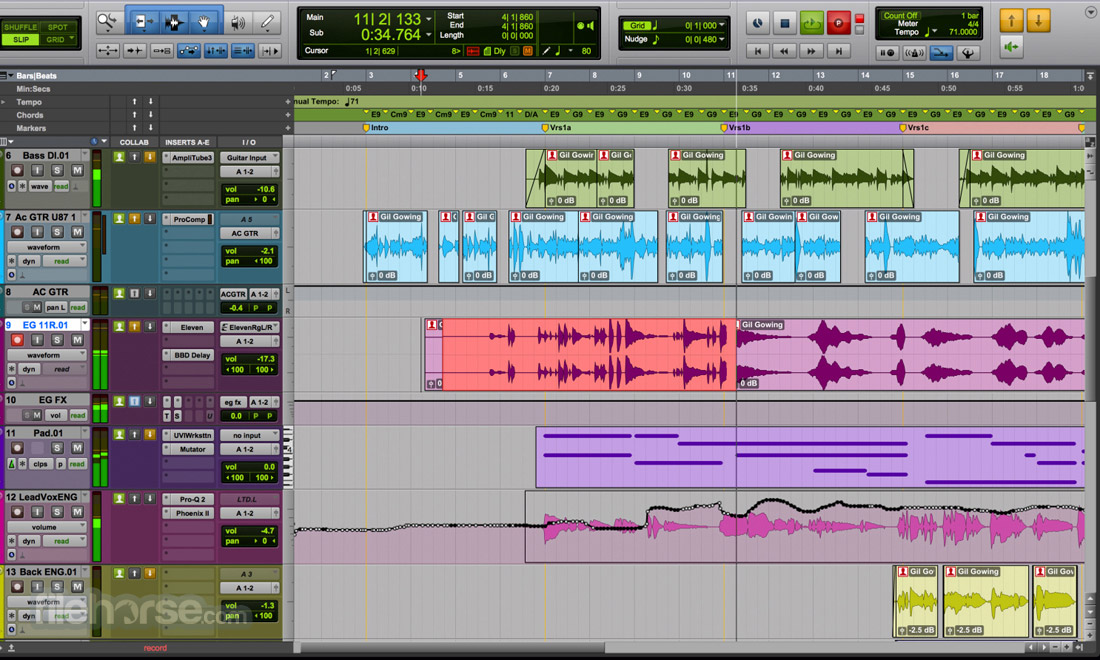
The main dashboard promotes a flexible Timeline module where all audio tracks can be managed to the slightest detail, and a wide variety of modules for editing, mixing, and more.
To best fit any kind of production environment, the entire dashboard can be customized and re-arranged, with full support for multi-monitor setups, and color scheme switching.
FAQ
What is Pro Tools?
It is a professional digital audio workstation (DAW) designed for music production, post-production, and live sound applications.
Is it safe?
Yes. This is a trusted professional tool that is actively maintained by a reputable developer.
Languages
English, French, German, Japanese, Korean, Spanish, and Chinese (Traditional and Simplified).
Alternatives
Cubase – A professional DAW that offers advanced sound processing features for users on Windows and Mac computers.
Ableton Live – A professional music production software with extensive support for realistic virtual instruments.
Logic Pro – A comprehensive tool from Apple for recording, arranging, mixing, and Mastering music on Mac and iPad devices.
Pricing
Pro Tools for Mac is a powerful Digital Audio Workstation suite that offers Mac and Windows users access to a wide range of advanced features and tools for music production, post-production, and live sound processing (including in video production environments).
This software is today widely used and respected in the industry for its high-quality audio and seamless integration with various hardware devices and software applications.
Note: 30 days trial version.
Also Available: Download Pro Tools for Windows
Download Pro Tools for Mac Latest Version Why is this app published on FileHorse? (More info)
Originally introduced to the market in distant 1985 as a Mac app “Sound Designer”, this sound mastering solution evolved tremendously over the decades, eventually becoming one of the most comprehensive DAW products in the world.
Today, this application has built-in support to manage not only sound recordings and MIDI tracks but also video files, making it a perfect solution for professionals who want to take complete control over their content.
The app features a comprehensive feature set for real-time audio processing, management of audio effects, virtual instruments, and multi-track project management.
This and much more make it a perfect solution for home enthusiasts, musicians, producers, and engineers who all need to quickly refine their work without interrupting the creative process.
Similarly to many other competing DAW solutions, this platform can also easily interface with a wide variety of external audio hardware solutions and instruments, import/export files in all modern codec formats, and easily take full advantage of all modern processing hardware.
This even includes native support for Apple Silicon processors, which was introduced in the 2021 update.
Main Features
- Professional Audio Editing – Access advanced audio editing capabilities, including real-time editing, multi-track editing, and clip-based gain.
- MIDI Editing – Full MIDI editing system, for creating and editing MIDI tracks with precision.
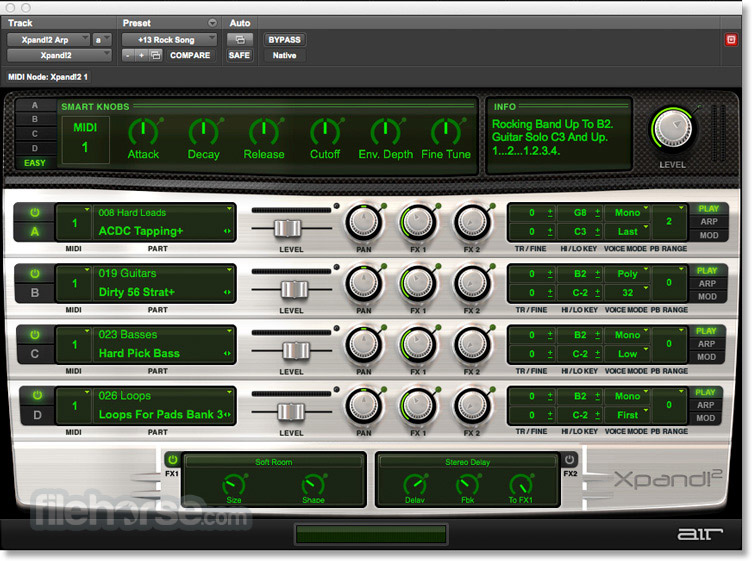
- Virtual Instruments – Populate soundscape with realistic sounds of highly customizable virtual instruments.
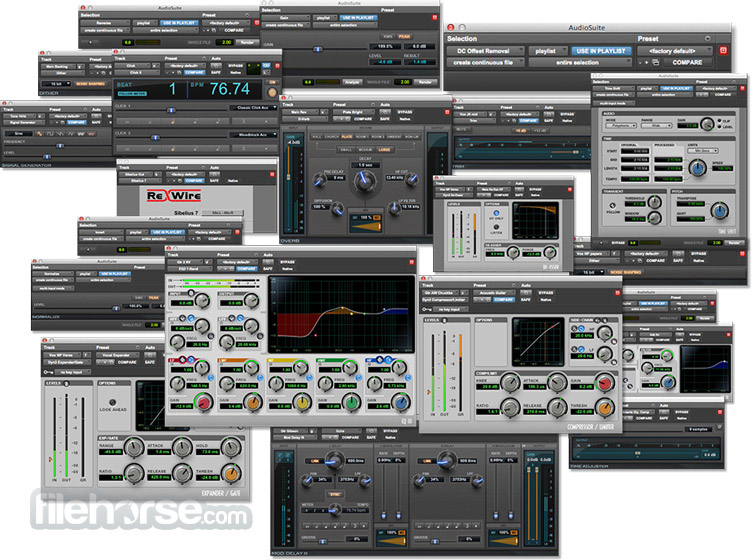
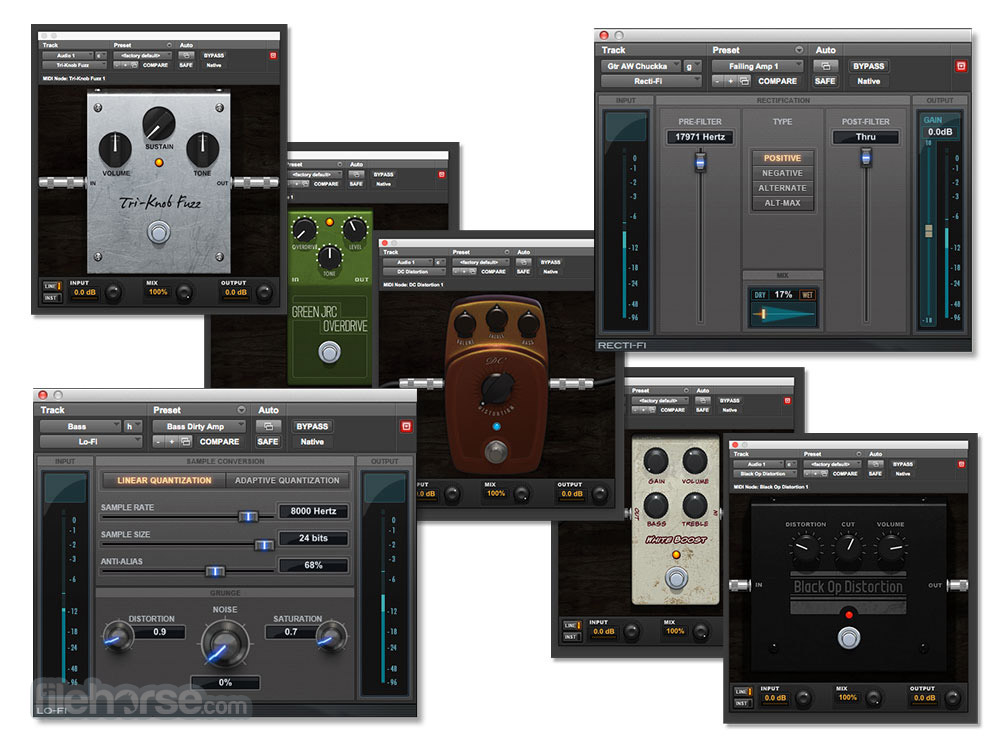
- Plug-ins – Comes with a range of built-in plug-ins, including reverb, delay, compression effects, and many others.
- Session Management – Includes advanced session management services and built-in collaboration tools.
- Integrations – Connect seamlessly with various hardware devices and export data in popular audio formats.
This advanced audio processing suite is distributed online as an automatic installer that can be downloaded for free either from the official Avid website or the secure FileHorse servers.
The software requires a valid license key for long-term use, which can be purchased or obtained through a subscription. However new users can access a free trial period when they can test the capabilities of this popular app.
Once fully installed, users can launch the software and begin using it immediately without any additional configuration steps.
How to Use
When inside the app, users can start their musical journey by creating a new project and setting up their audio tracks. They can then record, edit, and mix their audio content using the software's advanced tools and features.
Built-in tools cover every possible audio management process, from recording and mastering music, mixing large projects, perfecting audio for video productions (films, TV shows, streaming content, commercials, and more), managing digital live video streams, accelerating content production with built-in cloud storage and collaboration services, and much more.
Newcomers who are feeling overwhelmed with the amount of sound processing features can refer to the comprehensive user manual and online tutorials to help them get started and improve their skills.
User Interface
Like many other DAW products, the user interface of this app is designed to be intuitive and easy to use, with a clean and organized layout that allows users to focus on their work.
The main dashboard promotes a flexible Timeline module where all audio tracks can be managed to the slightest detail, and a wide variety of modules for editing, mixing, and more.
To best fit any kind of production environment, the entire dashboard can be customized and re-arranged, with full support for multi-monitor setups, and color scheme switching.
FAQ
What is Pro Tools?
It is a professional digital audio workstation (DAW) designed for music production, post-production, and live sound applications.
Is it safe?
Yes. This is a trusted professional tool that is actively maintained by a reputable developer.
Languages
English, French, German, Japanese, Korean, Spanish, and Chinese (Traditional and Simplified).
Alternatives
Cubase – A professional DAW that offers advanced sound processing features for users on Windows and Mac computers.
Ableton Live – A professional music production software with extensive support for realistic virtual instruments.
Logic Pro – A comprehensive tool from Apple for recording, arranging, mixing, and Mastering music on Mac and iPad devices.
Pricing
- Trial Plan: New users can test the capabilities of this app for 30 days.
- Individual Plan: $34.99 per month or $299 per year.
- Student/Teacher Plan: $9.99 per month or $99 per year.
- All premium users gain access to the following services: 1GB of secure cloud storage, third-party add-ons, access to a library of 100 plugins and virtual instruments, Sonic Drop content library, and additional rewards.
- OS: macOS 12.7.x or newer
- CPU: Dual-core i5 intel processor or Apple M1
- RAM: 8GB of memory
- Storage: 15GB of free space, one drive dedicated to audio recording and playback
- Internet connection for content downloads and license authentication.
- PCIe slot for HDX or HD Native card.
- USB or Thunderbolt port.
- iLok account/access.
- One of the most advanced DAWs on the market.
- High-quality audio processing.
- Support for video productions and management of live digital feeds.
- Seamless integrations.
- Flexible premium pricing options.
- Steep learning curve.
- No free tier of use.
Pro Tools for Mac is a powerful Digital Audio Workstation suite that offers Mac and Windows users access to a wide range of advanced features and tools for music production, post-production, and live sound processing (including in video production environments).
This software is today widely used and respected in the industry for its high-quality audio and seamless integration with various hardware devices and software applications.
Note: 30 days trial version.
Also Available: Download Pro Tools for Windows
Download Pro Tools for Mac Latest Version Why is this app published on FileHorse? (More info)
##
影片介紹
##
畫面截圖
- 2025-07-11 Pro Tools 2024.10.3
- 2018-12-28 Pro Tools 2018.12 1.6 GB