- 目前版本8.10.575
- 更新日期2026-01-28
- 檔案大小71.8 MB
- 檔案名稱syncmate.dmg
- 作業系統macOS 10.15 Catalina or later
- 支援語系English
- 授權型式免費軟體
- 開發商 Eltima Software
- 軟體分類Mac 軟體 / 備份還原
##
翻譯排程處理中,以下暫以英文原文呈現
軟體介紹
SyncMate is a Mac sync software which will sync Mac with Android, Nokia and Windows Mobile phones, iOS devices, other Macs, online accounts, etc.
Synchronizing data between Mac & other devices has never been easier — SyncMate for Mac makes sure changes done to your data are copied back and forth without fail. This app is your single solution for syncing data between multiple devices.
SyncMate for macOS supports multiple devices, so you don’t have to buy a separate synchronization tool for each of them — one app will do it for you. The list of the supported devices & sync options available for them can be found here.
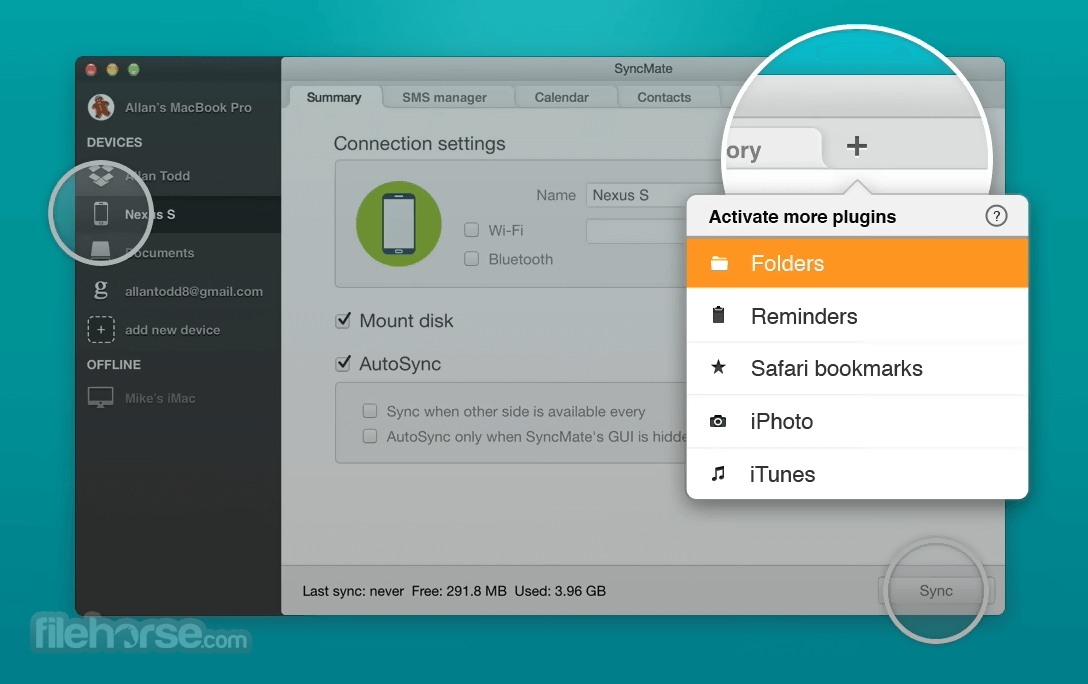
The app is available in Free & Expert editions. Contacts & Calendar entries are synced for free, while Expert offers you extra benefits such as syncing iTunes, Photos, folders, bookmarks and more.
Features and Highlights
Synchronize Mac with multiple devices
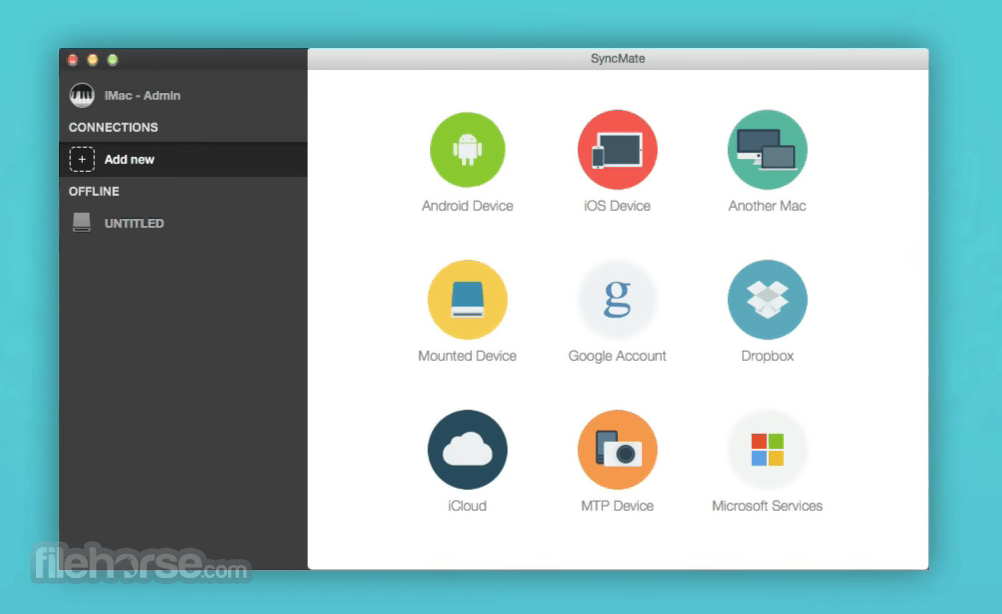
SyncMate is probably the only Mac sync software that allows syncing Mac with multiple devices simultaneously (Android devices, unlimited quantity of iOS devices, other Macs, any MTP devices, and mounted storages). No need to purchase several sync solutions in order to sync your Mac with each device — just download the app and all supported devices will be synced within one application.
Synchronize Mac with online accounts
The program can sync data not only with numerous devices, but also with online accounts and cloud storages! Sync data with Outlook and Office 365, iCloud storage, Google account (Google Drive is supported), or even with your Dropbox account!
Numerous sync options
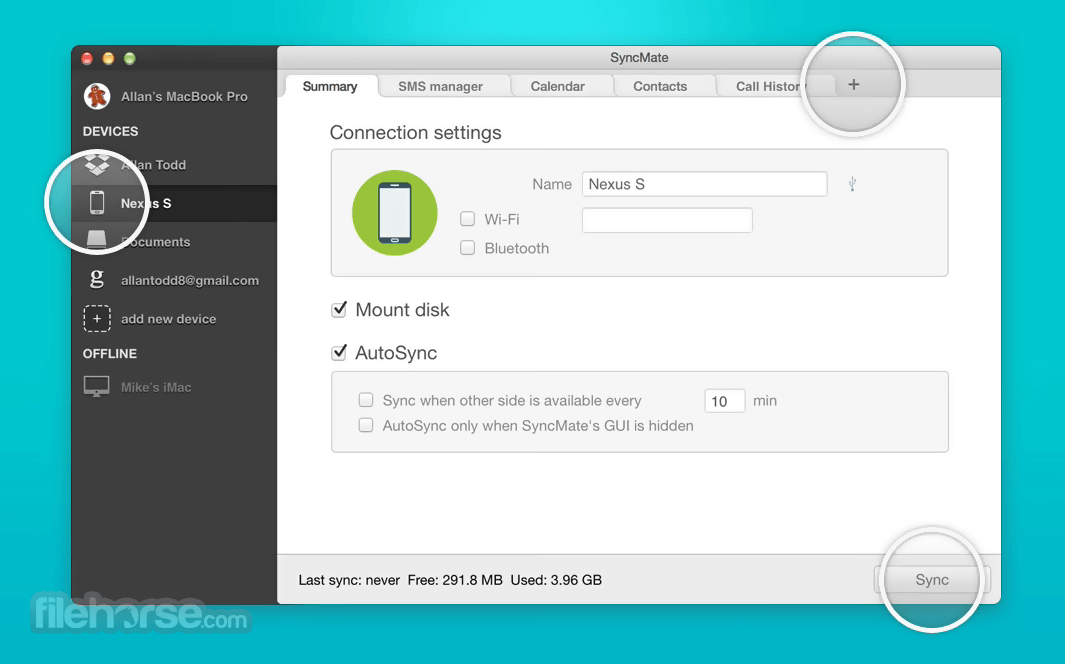
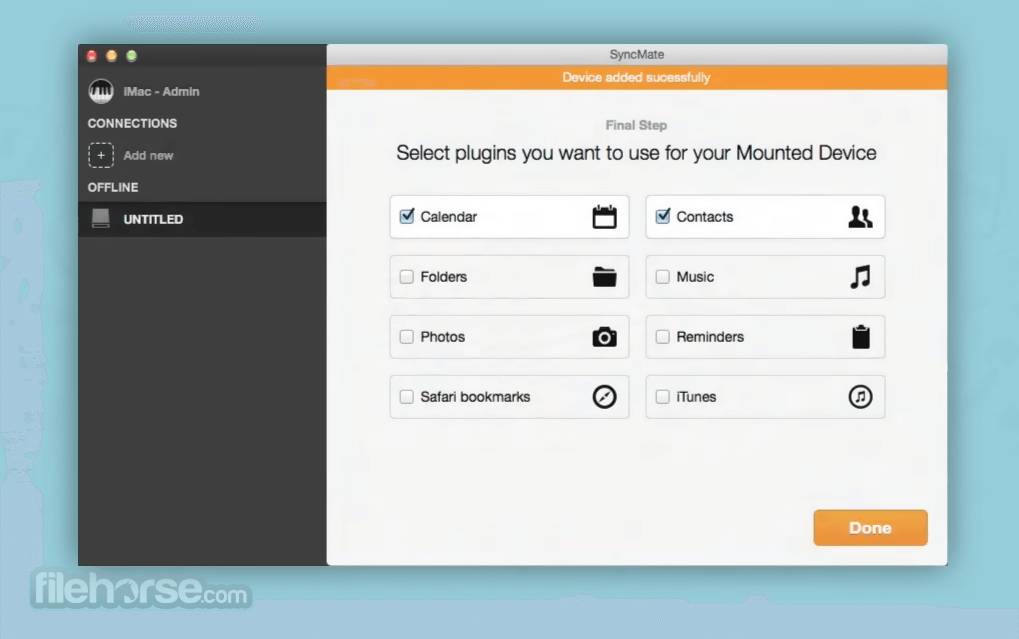
The tool lets you sync your Calendars, Reminders, Contacts, Safari bookmarks, iTunes, Photos. The app lets you read and manage your SMS messages as well as text your friends and watch through Call History directly from your Mac. Moreover, Sync Mate offers you to sync your devices automatically in the background.
How to Use
Install the app by dragging it to the Applications folder
Launch SyncMate and select your device type
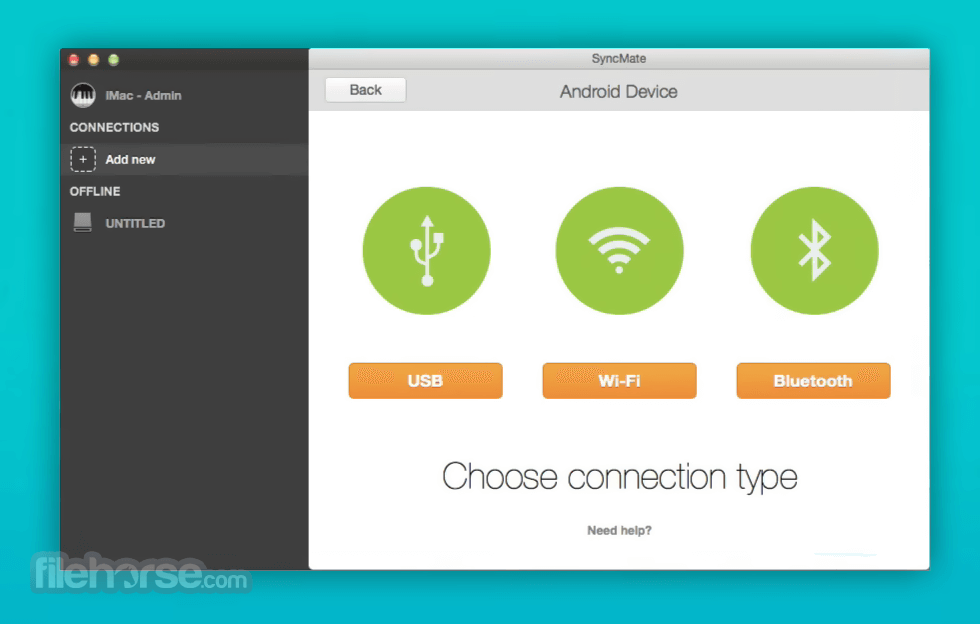
Connect your device via USB, Bluetooth, or Wi-Fi
Choose data types to sync (contacts, calendar, etc.)
Set up sync rules and preferences
Click “Sync” to start data synchronization
Monitor sync progress and logs within the app
Schedule automatic syncs if needed
Disconnect your device after sync completes
System Requirements
Download SyncMate for Mac Latest Version Why is this app published on FileHorse? (More info)
Synchronizing data between Mac & other devices has never been easier — SyncMate for Mac makes sure changes done to your data are copied back and forth without fail. This app is your single solution for syncing data between multiple devices.
SyncMate for macOS supports multiple devices, so you don’t have to buy a separate synchronization tool for each of them — one app will do it for you. The list of the supported devices & sync options available for them can be found here.
The app is available in Free & Expert editions. Contacts & Calendar entries are synced for free, while Expert offers you extra benefits such as syncing iTunes, Photos, folders, bookmarks and more.
Features and Highlights
Synchronize Mac with multiple devices
SyncMate is probably the only Mac sync software that allows syncing Mac with multiple devices simultaneously (Android devices, unlimited quantity of iOS devices, other Macs, any MTP devices, and mounted storages). No need to purchase several sync solutions in order to sync your Mac with each device — just download the app and all supported devices will be synced within one application.
Synchronize Mac with online accounts
The program can sync data not only with numerous devices, but also with online accounts and cloud storages! Sync data with Outlook and Office 365, iCloud storage, Google account (Google Drive is supported), or even with your Dropbox account!
Numerous sync options
The tool lets you sync your Calendars, Reminders, Contacts, Safari bookmarks, iTunes, Photos. The app lets you read and manage your SMS messages as well as text your friends and watch through Call History directly from your Mac. Moreover, Sync Mate offers you to sync your devices automatically in the background.
How to Use
Install the app by dragging it to the Applications folder
Launch SyncMate and select your device type
Connect your device via USB, Bluetooth, or Wi-Fi
Choose data types to sync (contacts, calendar, etc.)
Set up sync rules and preferences
Click “Sync” to start data synchronization
Monitor sync progress and logs within the app
Schedule automatic syncs if needed
Disconnect your device after sync completes
System Requirements
- macOS 10.13 High Sierra or later
- Intel or Apple Silicon (M1/M2) Mac
- Minimum 100 MB of free disk space
- At least 4 GB of RAM recommended
- Active internet for activation and updates
- Syncs multiple devices simultaneously
- Supports a wide range of devices
- Automatic background synchronization
- Custom sync filters and settings
- Works with macOS native apps
- Limited features in free version
- Interface feels outdated
- Occasional connection issues
- No real-time cloud sync
Download SyncMate for Mac Latest Version Why is this app published on FileHorse? (More info)
##
影片介紹
##
畫面截圖