⚠ 這是歷史版本頁面 — 查看 Transmission 最新版本 →

- 目前版本4.00
- 更新日期2023-02-08
- 檔案大小7.18 MB
- 檔案名稱Transmission-4.0.0.dmg
- 作業系統macOS 11.0 Big Sur or later
- 支援語系English
- 授權型式開源軟體
- 開發商 Transmission Project
- 軟體分類Mac 軟體 / 檔案傳輸與網路
##
編輯短評
Transmission 是一款以簡潔著稱的開源 BitTorrent 用戶端,主要解決新手初次接觸 BT 下載時常見的設定門檻問題。它預設會自動監看指定的下載資料夾、阻擋不良 peer,並提供可從任何連網裝置存取的直覺式網頁介面,讓使用者幾乎不用花時間學習就能開始使用。這個專案長期維護、更新活躍,在 macOS 平台上擁有不錯的能見度,雖然不是同類中最熱門的選擇,但口碑穩定,是許多老用戶心中的可靠選項。
這套軟體特別適合不想深入研究 BT 設定、只求穩定下載的一般使用者,也適合需要透過網頁介面遠端管理下載任務的人。進階用戶仍可享用完整的加密傳輸、peer exchange、webseeds、自動連接埠轉發、tracker 編輯與速度限制等功能,但整體功能深度不如 uTorrent 等替代軟體那般繁複,取捨上偏向簡潔與安全。它為開源免費軟體,提供 macOS 與 Windows 版本,但介面僅有英文,且目前僅收錄英文語系,中文使用者需留意這點。
##
翻譯排程處理中,以下暫以英文原文呈現
軟體介紹
Transmission for Mac is a free and easy-to-use BitTorrent client software that is focused on enabling even novice users to enter into the world of Torrents without any need to invest time in learning how to configure client.
It automatically watches over your preferred directories, blocks bad peers, and has a very intuitive web interface that can be accessed from any internet enabled device.
In addition to this, advanced users will appreciate inclusion of full and secure encryption, peer exchange, webseeds, automatic port forwarding, tracker editing, file selection, and comprehensive speed limits for both torrents and global download.
This all means that immediately after starting this app for the first time, both novices and professionals can easily manage their online sharing and control all aspects of file transferring.
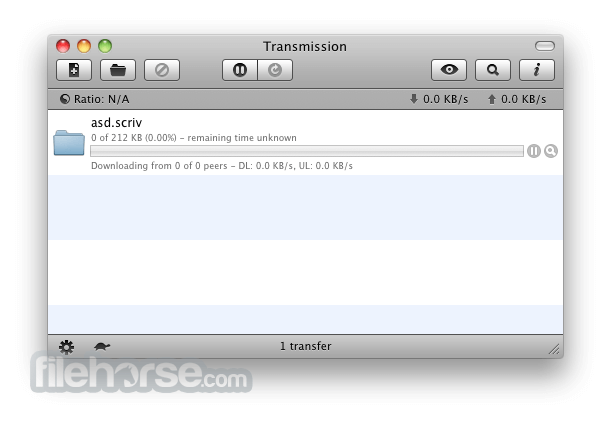
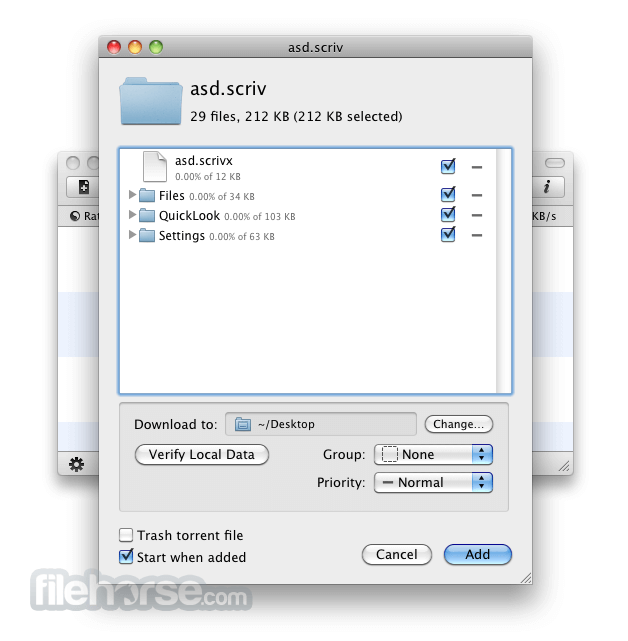
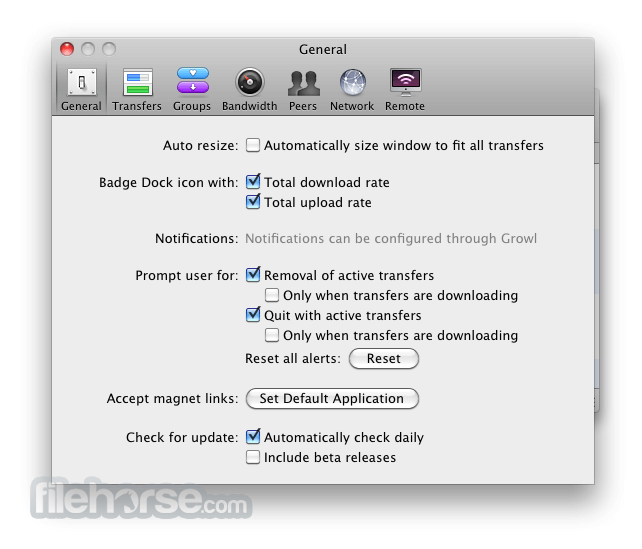
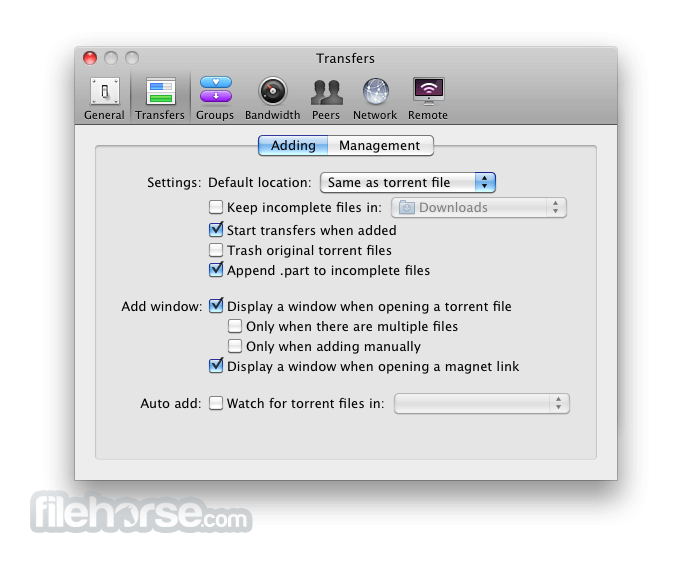
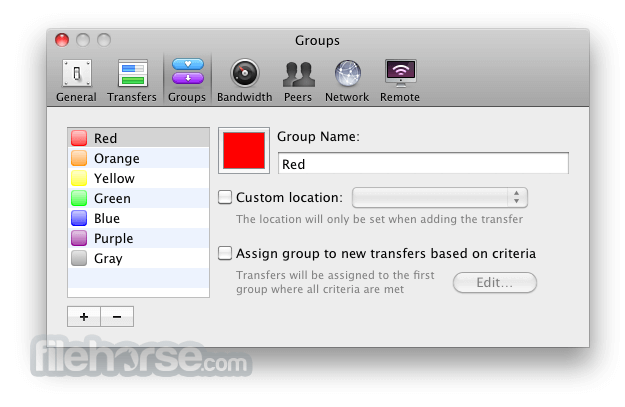
Main dashboard of Transmission features very simple interface, with all the basic tools for managing currently active transfers. Customization screen offers controls for changing both surface and deep features, with dozens of tools that are separated in seven main configuration categories – General, Transfers, Groups, Bandwidth, Peers, Network and Remote.
With support from open source community who produced countless updated to this program since its inception, Transmission for macOS represents one of the best made BitTorrent clients on the market today.
In addition to Mac, it can also be used natively on GTK+ and Qt GUI clients. Another important fact of the app operation is that require very little processing resources (less than majority of its competitors) which make it perfect companion to every Mac user who wants to share and receive data using BitTorrent protocol.
How to Use
Is Transmission free to use?
Yes, Transmission is completely free and open-source software, available under the MIT license. You can download it from the official website: transmissionbt.com.
What platforms does Transmission support?
Transmission is cross-platform and supports various operating systems, including macOS, Linux (with GTK+ and Qt interfaces), Windows, FreeBSD, OpenBSD, NetBSD, and even embedded systems like NAS devices and routers.
Does Transmission offer a web interface for remote management?
Yes, Transmission includes a built-in web interface that allows users to manage their torrents remotely through a web browser. This feature is particularly useful for controlling downloads on headless servers or network-attached storage devices.
What features does Transmission offer?
Transmission provides a range of features, including encryption support, download scheduling, remote management, IP filtering, support for magnet links, and the ability to prioritize files within torrents. It also supports multiple trackers, peer exchange, and has a minimalistic user interface.
Is Transmission still actively developed?
Yes, Transmission is actively maintained and developed. The latest stable release is version 4.0.6, which includes various improvements and bug fixes. You can find the source code and contribute to the project on GitHub.
System Requirements
Download Transmission for Mac Latest Version Why is this app published on FileHorse? (More info)
It automatically watches over your preferred directories, blocks bad peers, and has a very intuitive web interface that can be accessed from any internet enabled device.
In addition to this, advanced users will appreciate inclusion of full and secure encryption, peer exchange, webseeds, automatic port forwarding, tracker editing, file selection, and comprehensive speed limits for both torrents and global download.
This all means that immediately after starting this app for the first time, both novices and professionals can easily manage their online sharing and control all aspects of file transferring.
Main dashboard of Transmission features very simple interface, with all the basic tools for managing currently active transfers. Customization screen offers controls for changing both surface and deep features, with dozens of tools that are separated in seven main configuration categories – General, Transfers, Groups, Bandwidth, Peers, Network and Remote.
With support from open source community who produced countless updated to this program since its inception, Transmission for macOS represents one of the best made BitTorrent clients on the market today.
In addition to Mac, it can also be used natively on GTK+ and Qt GUI clients. Another important fact of the app operation is that require very little processing resources (less than majority of its competitors) which make it perfect companion to every Mac user who wants to share and receive data using BitTorrent protocol.
How to Use
- Install it by dragging to the Applications folder
- Launch Transmission from Applications
- Drag and drop .torrent files into the window
- Set download location and preferences
- Monitor progress in the main interface
- Pause, resume, or remove torrents anytime
- Configure bandwidth limits and queue settings
- Enable encryption in preferences if needed
- Close the app when downloads are complete
Is Transmission free to use?
Yes, Transmission is completely free and open-source software, available under the MIT license. You can download it from the official website: transmissionbt.com.
What platforms does Transmission support?
Transmission is cross-platform and supports various operating systems, including macOS, Linux (with GTK+ and Qt interfaces), Windows, FreeBSD, OpenBSD, NetBSD, and even embedded systems like NAS devices and routers.
Does Transmission offer a web interface for remote management?
Yes, Transmission includes a built-in web interface that allows users to manage their torrents remotely through a web browser. This feature is particularly useful for controlling downloads on headless servers or network-attached storage devices.
What features does Transmission offer?
Transmission provides a range of features, including encryption support, download scheduling, remote management, IP filtering, support for magnet links, and the ability to prioritize files within torrents. It also supports multiple trackers, peer exchange, and has a minimalistic user interface.
Is Transmission still actively developed?
Yes, Transmission is actively maintained and developed. The latest stable release is version 4.0.6, which includes various improvements and bug fixes. You can find the source code and contribute to the project on GitHub.
System Requirements
- macOS 10.10 (Yosemite) or later
- 64-bit Intel or Apple Silicon processor
- At least 50 MB of free disk space
- Internet connection for torrent downloads
- Optional: firewall permissions for incoming connections
- Lightweight and fast performance
- Open-source and ad-free
- Simple and clean user interface
- Low CPU and memory usage
- Supports magnet links and encryption
- Limited advanced torrent features
- No built-in search engine
- Minimalist interface may feel too basic
- No integrated media player
- Fewer customization options than competitors
Download Transmission for Mac Latest Version Why is this app published on FileHorse? (More info)
##
畫面截圖
- 2026-07-01 Transmission 4.13 10.7 MB
- 2026-06-03 Transmission 4.12 10.6 MB
- 2026-02-20 Transmission 4.11 10.6 MB
- 2026-01-28 Transmission 4.10 10.6 MB
- 2024-05-30 Transmission 4.06 7.15 MB
- 2023-12-08 Transmission 4.05 7.05 MB
- 2023-08-29 Transmission 4.04 7.18 MB
- 2023-04-14 Transmission 4.03 7.19 MB