- 目前版本8.6.3
- 更新日期2025-11-20
- 檔案大小27.2 MB
- 檔案名稱vectoraster8.dmg
- 作業系統macOS 10.15 Catalina or later
- 支援語系English
- 授權型式試用版
- 開發商 Lost Minds
- 軟體分類Mac 軟體 / 影像設計
##
翻譯排程處理中,以下暫以英文原文呈現
軟體介紹
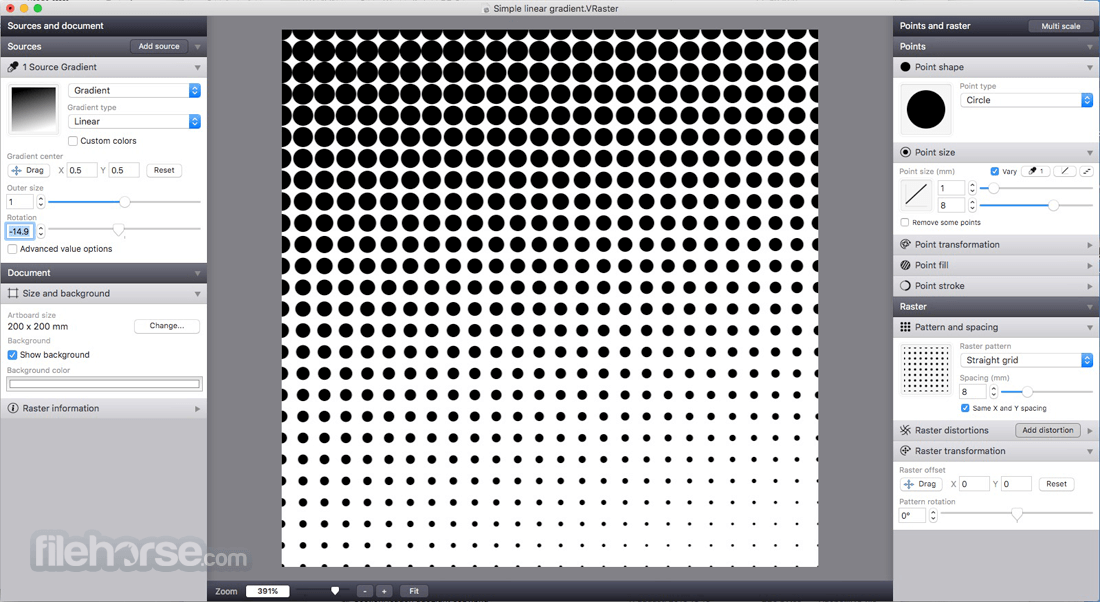
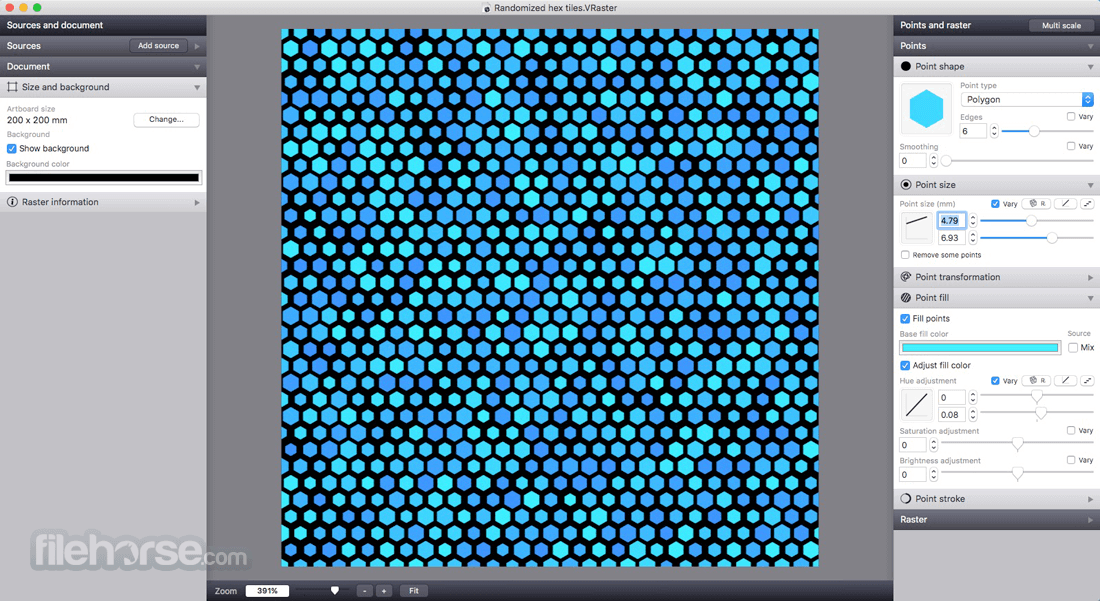
Vectoraster for Mac is a graphics program for macOS for creating vector-based raster patterns and halftones based on images or gradients. Download and create now vector-based raster patterns in your Mac!
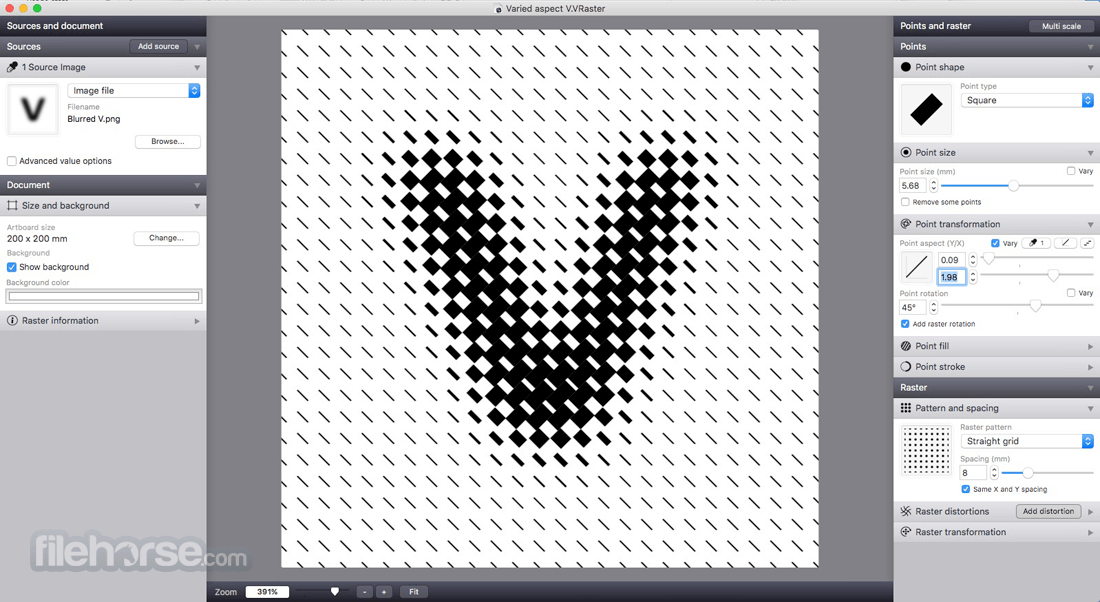
The raster patterns and point shapes can be changed and varied across the pattern to produce many different styles. The resulting raster is always shown, updating in real time as you change parameters.
The result can then easily be exported as vectors to EPS or PDF files, as images to JPEG, PNG or TIFF, or simply copied and pasted into most graphics software. Vectoraster for macOS is Amazing tool!
Features and Highlights
Launch the app and start a new project
Import or draw a vector/image as a base pattern
Adjust raster pattern parameters in real-time
Export the final artwork in desired vector format
System Requirements
macOS 10.14 (Mojave) or later
Intel or Apple Silicon Mac
100 MB of available disk space
4 GB RAM minimum
Internet connection for license activation
PROS
Download Vectoraster for Mac Latest Version Why is this app published on FileHorse? (More info)
The raster patterns and point shapes can be changed and varied across the pattern to produce many different styles. The resulting raster is always shown, updating in real time as you change parameters.
The result can then easily be exported as vectors to EPS or PDF files, as images to JPEG, PNG or TIFF, or simply copied and pasted into most graphics software. Vectoraster for macOS is Amazing tool!
Features and Highlights
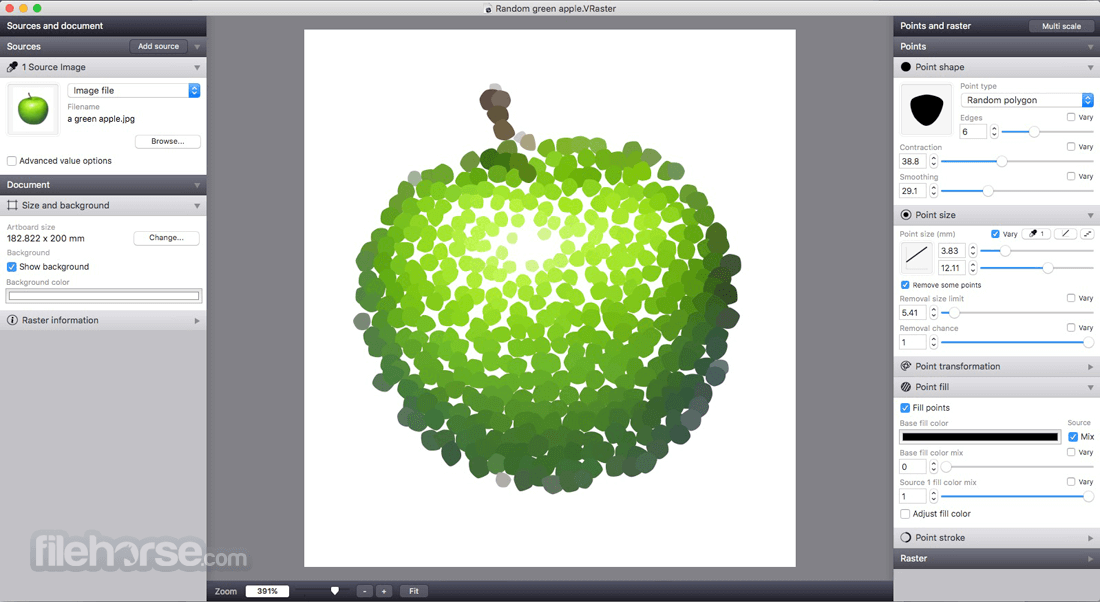
- Many different point shape types, including circles, polygons, font characters and imported custom vector shapes or images.
- Detailed control of how you want point shape, transformation and color to vary over the raster.
- Base how the raster points vary on source images, gradients you define live in Vectoraster, or a combination.
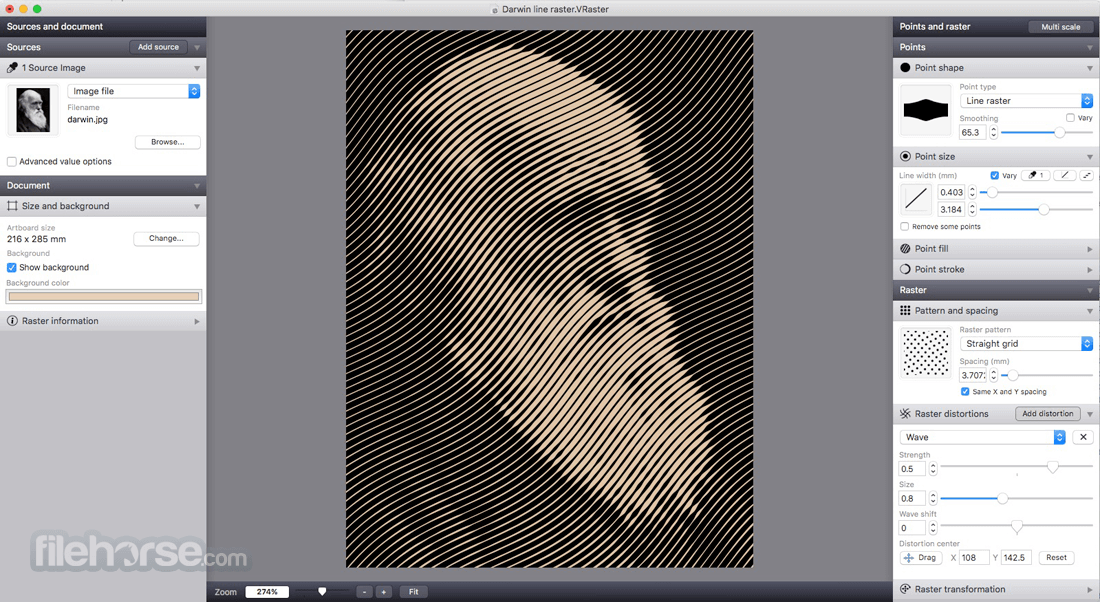
- Advanced line raster mode with lines of varying width instead of points.
- Many different raster patterns with detailed control of how the points are placed.
- Easily rotate and offset the raster pattern, and add multiple distortions like waves and twists.
- Copy raster output and paste it straight into most vector graphics software.
- File export to EPS and PDF for vector output, and JPEG, PNG and TIFF for bitmap.
- Export point data (location and size) to a CSV file for further CAD or other processing.
- Parametric gradient sources. In addition to using imported images as sources for your raster you can now define linear and radial gradients you can adjust in Vecto raster.
- More dynamic properties. Greatly increased the possibilities to have different point aspects, like shape, size and color, vary across the raster.
- New interface. Redesigned to be more consistent, efficient and responsive.
- Improved stroke and fill properties. Improved separate settings for point fill and stroke parameters that can be used individually or together.
- Flexible raster distortions. You can now combine multiple distortions to your raster pattern (like waves, twists or randomizations), each with improved individual control over position and scale.
Launch the app and start a new project
Import or draw a vector/image as a base pattern
Adjust raster pattern parameters in real-time
Export the final artwork in desired vector format
System Requirements
macOS 10.14 (Mojave) or later
Intel or Apple Silicon Mac
100 MB of available disk space
4 GB RAM minimum
Internet connection for license activation
PROS
- Flexible raster pattern customization
- Real-time preview with fast rendering
- Supports vector-based output formats
- Clean and intuitive user interface
- Works well with other design tools
- No built-in image editing tools
- Limited to raster pattern effects
- Not suitable for bitmap workflows
- No mobile or cross-platform support
- Paid license required after trial
Download Vectoraster for Mac Latest Version Why is this app published on FileHorse? (More info)
##
影片介紹
##
畫面截圖