⚠ 這是歷史版本頁面 — 查看 VLC Media Player 最新版本 →

VLC Media Player 3.0.16
v 3.0.16
macOS
開源軟體
8.2/10 (171)
- 目前版本3.0.16
- 更新日期2021-06-19
- 檔案大小77.2 MB
- 檔案名稱vlc-3.0.16-universal.dmg
- 作業系統Mac OS X 10.7 or later
- 支援語系English
- 授權型式開源軟體
- 開發商 VideoLAN team
- 軟體分類Mac 軟體 / 影片軟體
##
編輯短評
VLC Media Player 是 VideoLAN 團隊開發的開源媒體播放器,主打「什麼都能播」的相容性,幾乎涵蓋市面上常見的影音格式,而且開箱即用,不需要另外安裝解碼包或驅動程式。它從 2001 年推出至今,一直是跨平台播放器的長青樹,在 Mac 同類工具中屬於熱門首選,更新也相當活躍,近期仍持續維護,對各種技術程度的使用者都很友善。
這套軟體最適合不想被格式綁架的一般使用者,無論是看影片、聽音樂,還是播放學校或工作上的多媒體檔案,都能直接搞定。跟 Adobe Premiere Pro 或 After Effects 這類專業剪輯軟體相比,VLC 定位在播放而非編輯,功能單純但輕量;與 Popcorn Time 這類串流工具也不同,它不依賴網路服務。要注意的是目前僅提供英文介面,macOS 版本為開源授權,免費使用,對中文使用者來說雖無語言隔閡問題,但選單操作仍需一點英文基礎。
##
翻譯排程處理中,以下暫以英文原文呈現
軟體介紹
VLC Media Player for Mac is a fully featured open-source media player that supports the reproduction of a wide range of video and audio formats and excellent compatibility with modern PC, Mac, Linux, and mobile hardware.
It was first released in 2001 and has since become one of the most recommended choices for users of all technical knowledge levels who want to enjoy multimedia on their home, school, or work computers.
One of the key aspects of its success is its focus on being a complete package or more precisely, not requiring users to have any other piece of software (such as drivers for each individual media format) installed in order to perfectly reproduce audio video files of the user’s choice.
Over the years, this popular player app has received a dramatic set of updates that enabled users to compress media files, easily reproduce CD/DVD/BD media, access internet streams via many industry-standard protocols, transcode multimedia files, stream media over computer networks, become an embeddable player in other local apps, and much more.
Today, over 23 years after its original release this software continues to expand its reach and solidify its place as one of the best video players ever created.
What`s New
To get this popular video player up and running on any modern Mac, users simply have to download the latest version of the installer archive from its official VideoLAN website or the secure FileHorse servers.
After a successful download, simply move the DMG file into the application folder to start the automated installation process that requires users to follow a few simple on-screen instructions.
It is important to note that the open-source development team of this app has produced two versions of this app for the Mac platform, one optimized for Intel-based processors and one for the newest Apple Silicon hardware.
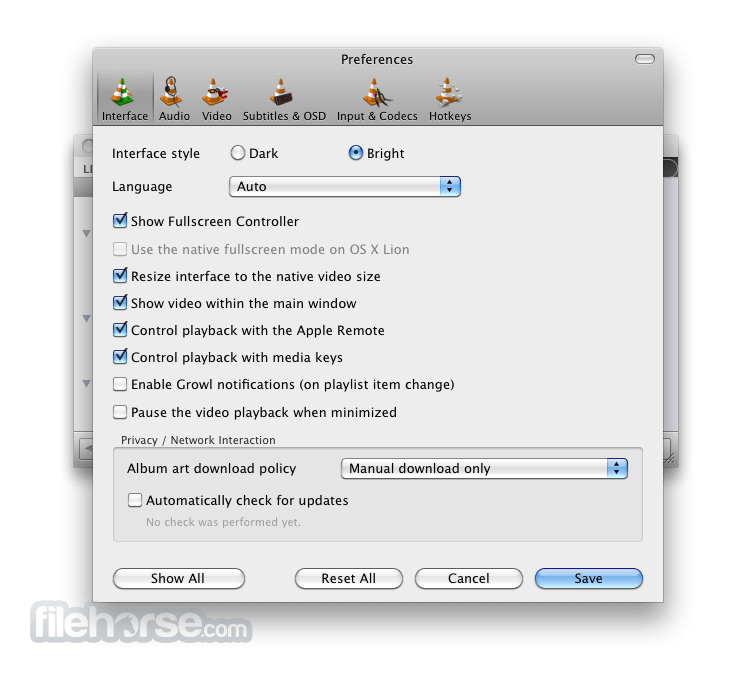
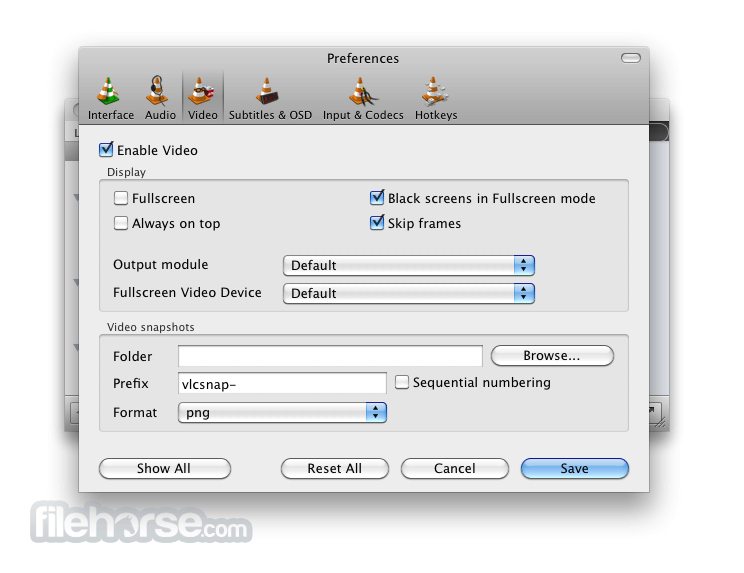
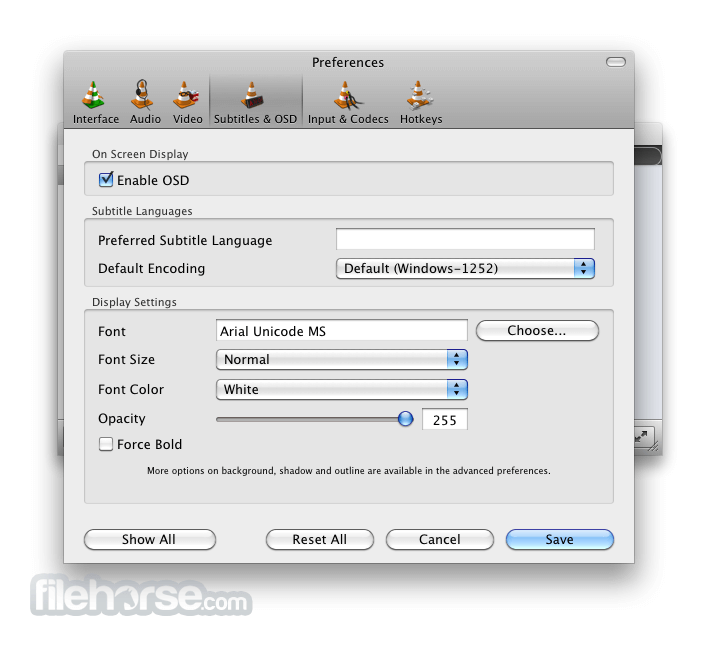
Once installed, the app does not require any additional setup, but users are encouraged to visit its extensive Preferences module (accessible via the Tools dropdown menu).
How to Use
To use VLC Media Player for macOS, simply drag and drop media files into the app's interface or use the "Open File" option in the Media menu.
The app can also automatically associate multimedia file types with the Mac OS, enabling effortless multimedia playback by simply double-clicking on the video or audio files from inside any file browser app.
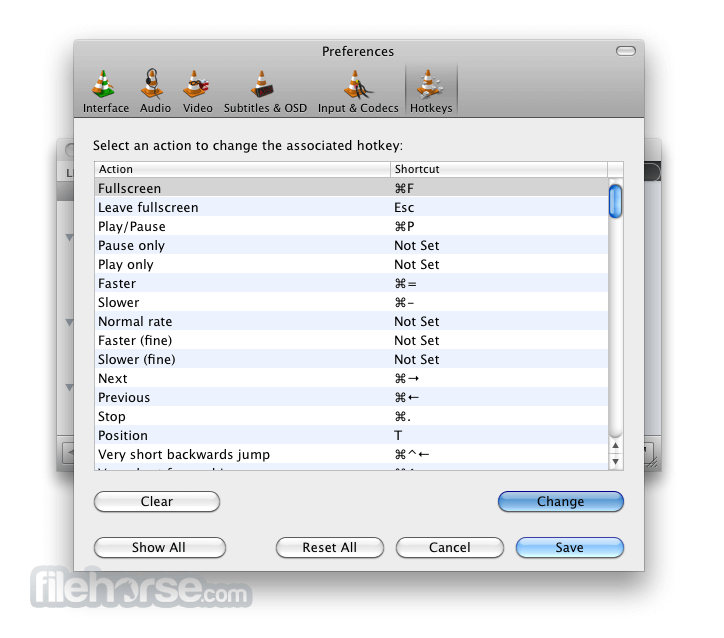
Multimedia playback can be heavily customized with an incredible amount of options this community-driven app holds, including in-depth subtitle tweaking, video/audio reproduction formats, assigning custom hotkeys, and much more.
User Interface
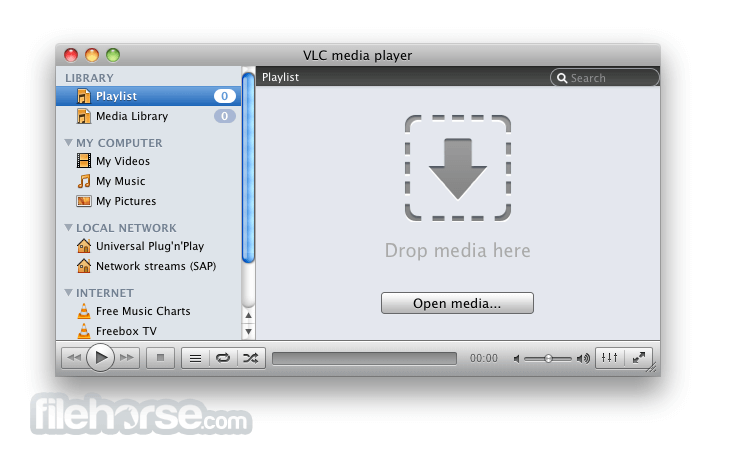
The VLC Media Player interface on Mac is straightforward and user-friendly, with a minimalist design that allows users to focus fully on their media content while retaining the option to fully customize the way they enjoy audio/video files.
The app's main window displays the media file being played, along with basic playback controls and a playlist view.
The bottom of the app hosts shortcuts for the smart audio signature equalizer, media browser, full-screen toggle, and basic media playback controls.
FAQ
What is VLC Media Player?
It is a free, open-source media player that supports various video/audio formats and extensive customization controls.
Alternatives
VLC Media Player – Free, open-source, and versatile.
QuickTime Player – A native macOS media player that supports various video and audio formats.
MPV Media Player – A lightweight, open-source media player with advanced features and a minimalist interface.
Kodi – A versatile media player and streaming media hub that supports a wide range of media formats and offers customizable add-ons.
5KPlayer – A versatile media player that supports 4K/5K video playback, music streaming, and AirPlay/DLNA screen mirroring.
Movist – Simple interface with advanced codec support.
IINA – Modern Mac-style player with gesture controls.
MPV Player – Lightweight, powerful, and customizable.
Plex for Mac – Media server with streaming and organization tools.
Pricing
This open-source app is 100% free. It does not feature any in-app ads, premium features, or subscriptions.
System Requirements
VLC Media Player requires macOS 10.7.5 or later and a 64-bit processor (both Intel and Apple Silicon are supported).
Users with older Mac hardware and OS releases can get this app up and running by downloading older versions of this popular video player.
PROS
VLC Media Player for Mac is a powerful and versatile media player that offers a wide range of features for macOS users.
While its interface may be complex for some, its open-source nature and perfect compatibility with various media formats make it one of the best multimedia reproduction apps on the modern market.
Also Available: Download VLC Media Player for Windows
Download VLC Media Player for Mac Latest Version Why is this app published on FileHorse? (More info)
It was first released in 2001 and has since become one of the most recommended choices for users of all technical knowledge levels who want to enjoy multimedia on their home, school, or work computers.
One of the key aspects of its success is its focus on being a complete package or more precisely, not requiring users to have any other piece of software (such as drivers for each individual media format) installed in order to perfectly reproduce audio video files of the user’s choice.
Over the years, this popular player app has received a dramatic set of updates that enabled users to compress media files, easily reproduce CD/DVD/BD media, access internet streams via many industry-standard protocols, transcode multimedia files, stream media over computer networks, become an embeddable player in other local apps, and much more.
Today, over 23 years after its original release this software continues to expand its reach and solidify its place as one of the best video players ever created.
What`s New
- Improved hardware decoding support for smoother 4K and HDR playback.
- Enhanced compatibility with modern video and audio codecs.
- Optimized streaming performance for network and online media.
- Updated subtitle rendering with better styling and synchronization.
- Improved user interface responsiveness and theme consistency.
- Expanded support for new container formats and media extensions.
- Better playlist management with smoother navigation.
- Security fixes addressing recent media parsing vulnerabilities.
- Improved Blu-ray and DVD playback stability.
- General bug fixes and performance optimizations across platforms.
- All-encompassing media playback – Effortlessly play audio and video files in various formats without the need for additional codecs.
- Support for ALL formats – Reliably open hundreds of audio, video, and subtitle files.
- Streaming – Enjoy streaming media from the internet and local networks.
- Subtitles – Add and customize subtitles for all media files, including easy subtitle synchronization.
- Plugins – Extend the functionality of this versatile app with a large library of plugins.
- Reproduce Damaged Files – Extract all viable data from damaged multimedia files.
- 100% FREE and available for all modern computing platforms and operating systems.
To get this popular video player up and running on any modern Mac, users simply have to download the latest version of the installer archive from its official VideoLAN website or the secure FileHorse servers.
After a successful download, simply move the DMG file into the application folder to start the automated installation process that requires users to follow a few simple on-screen instructions.
It is important to note that the open-source development team of this app has produced two versions of this app for the Mac platform, one optimized for Intel-based processors and one for the newest Apple Silicon hardware.
Once installed, the app does not require any additional setup, but users are encouraged to visit its extensive Preferences module (accessible via the Tools dropdown menu).
How to Use
To use VLC Media Player for macOS, simply drag and drop media files into the app's interface or use the "Open File" option in the Media menu.
The app can also automatically associate multimedia file types with the Mac OS, enabling effortless multimedia playback by simply double-clicking on the video or audio files from inside any file browser app.
Multimedia playback can be heavily customized with an incredible amount of options this community-driven app holds, including in-depth subtitle tweaking, video/audio reproduction formats, assigning custom hotkeys, and much more.
User Interface
The VLC Media Player interface on Mac is straightforward and user-friendly, with a minimalist design that allows users to focus fully on their media content while retaining the option to fully customize the way they enjoy audio/video files.
The app's main window displays the media file being played, along with basic playback controls and a playlist view.
The bottom of the app hosts shortcuts for the smart audio signature equalizer, media browser, full-screen toggle, and basic media playback controls.
FAQ
What is VLC Media Player?
It is a free, open-source media player that supports various video/audio formats and extensive customization controls.
Alternatives
VLC Media Player – Free, open-source, and versatile.
QuickTime Player – A native macOS media player that supports various video and audio formats.
MPV Media Player – A lightweight, open-source media player with advanced features and a minimalist interface.
Kodi – A versatile media player and streaming media hub that supports a wide range of media formats and offers customizable add-ons.
5KPlayer – A versatile media player that supports 4K/5K video playback, music streaming, and AirPlay/DLNA screen mirroring.
Movist – Simple interface with advanced codec support.
IINA – Modern Mac-style player with gesture controls.
MPV Player – Lightweight, powerful, and customizable.
Plex for Mac – Media server with streaming and organization tools.
Pricing
This open-source app is 100% free. It does not feature any in-app ads, premium features, or subscriptions.
System Requirements
VLC Media Player requires macOS 10.7.5 or later and a 64-bit processor (both Intel and Apple Silicon are supported).
Users with older Mac hardware and OS releases can get this app up and running by downloading older versions of this popular video player.
PROS
- Support for all modern and legacy video, audio, and subtitle formats.
- All-in-one package that does not require any external codec pack.
- Excellent cross-platform compatibility.
- Ability to reproduce CD/DVD/BD discs and stream internet content.
- Open-source development.
- Versatile features and extensive customization options.
- Regular updates that introduce new features.
- 100% free!
- Retro interface that did not change its style in over 2 decades.
- Not available in the Mac App Store.
VLC Media Player for Mac is a powerful and versatile media player that offers a wide range of features for macOS users.
While its interface may be complex for some, its open-source nature and perfect compatibility with various media formats make it one of the best multimedia reproduction apps on the modern market.
Also Available: Download VLC Media Player for Windows
Download VLC Media Player for Mac Latest Version Why is this app published on FileHorse? (More info)
##
畫面截圖
- 2026-01-01 VLC Media Player 3.0.23 85 MB
- 2025-12-03 VLC Media Player 3.0.22 85.01 MB
- 2024-06-09 VLC Media Player 3.0.21 81.21 MB
- 2023-11-01 VLC Media Player 3.0.20 81.22 MB
- 2023-10-09 VLC Media Player 3.0.19 81.04 MB
- 2022-11-22 VLC Media Player 3.0.18 80.58 MB
- 2022-04-19 VLC Media Player 3.0.17.3 79.81 MB
- 2021-06-19 VLC Media Player 3.0.16 77.2 MB