- 目前版本1.114.0
- 更新日期2026-08-05
- 檔案大小53.12 MB
- 檔案名稱XnConvert-mac-x64.dmg
- 作業系統macOS 10.13 High Sierra or later
- 支援語系English
- 授權型式免費軟體
- 開發商 Pierre. e Gougelet
- 軟體分類Mac 軟體 / 影像設計
##
翻譯排程處理中,以下暫以英文原文呈現
軟體介紹
XnConvert for Mac is a powerful and free cross-platform batch image processor, allowing you to combine over 80 actions. Compatible with 500 formats. It uses the batch processing module of XnViewMP.
XnConvert for macOS is Multi-platform, it is available for Windows, Mac, and Linux for both 32-bit and 64-bit editions. XnConvert for Mac is Multilingual, it includes more than 20 different translations.
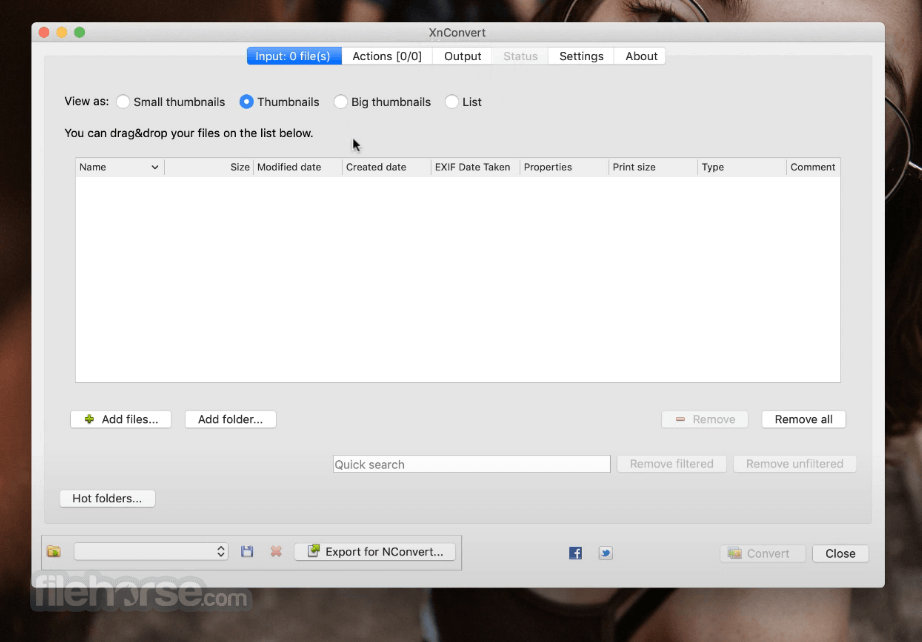
It offers powerful features in an easy to use interface providing convenient drag & drop functionality. Xn Convert is compatible with more than 500 formats and Export to about 70 different file formats.
Combine and choose between more than 80 different operations including:
Launch the app and click "Add files" or "Add folder"
Choose output format and destination path
Use the "Actions" tab to apply transformations
Click "Convert" to process the selected images
System Requirements
macOS 10.10 Yosemite or later
Intel 64-bit or Apple Silicon (M1/M2)
At least 100 MB free disk space
Minimum 4 GB RAM recommended
PROS
Download XnConvert for Mac Latest Version Why is this app published on FileHorse? (More info)
XnConvert for macOS is Multi-platform, it is available for Windows, Mac, and Linux for both 32-bit and 64-bit editions. XnConvert for Mac is Multilingual, it includes more than 20 different translations.
It offers powerful features in an easy to use interface providing convenient drag & drop functionality. Xn Convert is compatible with more than 500 formats and Export to about 70 different file formats.
Combine and choose between more than 80 different operations including:
- Metadata Editing.
- Transforms: Rotate, Crop, Resize, ...
- Adjustments: Brightness, Contrast, Saturation, ...
- Filters: Blur, Emboss, Sharpen, ...
- Effects: Masking, Watermark, Vignetting.
Launch the app and click "Add files" or "Add folder"
Choose output format and destination path
Use the "Actions" tab to apply transformations
Click "Convert" to process the selected images
System Requirements
macOS 10.10 Yosemite or later
Intel 64-bit or Apple Silicon (M1/M2)
At least 100 MB free disk space
Minimum 4 GB RAM recommended
PROS
- Batch convert hundreds of images
- Supports 500+ image formats
- Cross-platform availability
- Includes powerful image editing tools
- Fast and lightweight performance
- Interface feels outdated
- No real-time preview of edits
- Limited advanced editing tools
- Lacks cloud integration
- Minimal user documentation available
Download XnConvert for Mac Latest Version Why is this app published on FileHorse? (More info)
##
畫面截圖