
Macrium Reflect Free Edition 8.0.6560 (32-bit)
v 8.0.6560 (32-bit)
Windows
免費軟體
8.02/10 (123)
- 目前版本8.0.6560 (32-bit)
- 更新日期2022-02-08
- 檔案大小155.58 MB
- 檔案名稱reflect_setup_free_x86.exe
- 作業系統Windows XP / Vista / Windows 7 / Windows 8 / Windows 10 / Windows 11
- 支援語系English
- 授權型式免費軟體
- 開發商 Paramount Software UK Ltd
- 軟體分類Windows 軟體 / 備份還原
##
編輯短評
Macrium Reflect Free Edition 是 Windows 平台上頗受好評的磁碟映像與克隆工具,主要解決系統備份、整顆硬碟複製,以及檔案層級的資料保護需求。它支援完整、增量與差異備份三種模式,讓使用者能依資料變動頻率彈性安排備份策略。這套軟體最具辨識度的特色是 Rapid Delta Restore 技術,能大幅縮短還原時間,在系統故障或遭受勒索軟體攻擊時快速恢復運作。自推出以來持續有版本更新,近一年仍維持維護節奏,在同類免費備份工具中屬於熱門選擇,使用者評價普遍不錯。
這套軟體適合需要定期備份系統或整顆硬碟的個人使用者,也適用於小型工作環境的資料保護。與其他免費備份軟體相比,Macrium Reflect 的取捨在於功能完整但介面偏專業,初次使用者需要一點時間熟悉;而免費版已涵蓋多數核心備份需求,但部分進階功能仍須付費升級。值得注意的是,目前僅提供英文介面,對中文使用者稍有門檻,且僅支援 Windows 平台,使用前需確認系統相容性。若你重視還原速度與備份彈性,這套值得一試。
##
翻譯排程處理中,以下暫以英文原文呈現
軟體介紹
Macrium Reflect Free 32-bit is a powerful disk imaging and cloning software for Windows that provides users with the ability to create full, incremental, or differential backups of their data.
Whether you're looking to safeguard your entire system or specific files and folders, this software is designed to deliver robust backup solutions that are both user-friendly and feature-rich.
Ideal for personal and professional use, Macrium Reflect Free ensures your data is protected against hardware failure, accidental deletion, or ransomware attacks.
Features
Rapid Delta Restore (RDR)
Using advanced delta detection technology, RDR can rapidly recover data from single or multiple full backups. Cuts restore times by 90% or more.
Pre-defined backup plan templates
The app scheduling engine is pre-loaded with templates for traditional, Incremental forever, or you can create your own custom plan.
Incrementals forever
An efficient method to continuously maintain a defined number of the most recent incremental backups. The oldest incremental files are consolidated into a single synthetic delta.
SSD Trim support
These features provide automated SSD optimization, providing enhanced SSD performance and longevity.
Rapid Delta Clone (RDC)
Improving further on the cloning capabilities using technology based on RDR to speed up disk cloning activities by 90% or more.
GFS with backup chain protection
The traditional GFS backup template has been pre-configured with monthly, weekly, and daily activities and retention rules. Simplifies the management of backup chains.
Custom backup plan support
It allows administrators the flexibility of creating custom backup plans that provide the level of protection they require.
User Interface
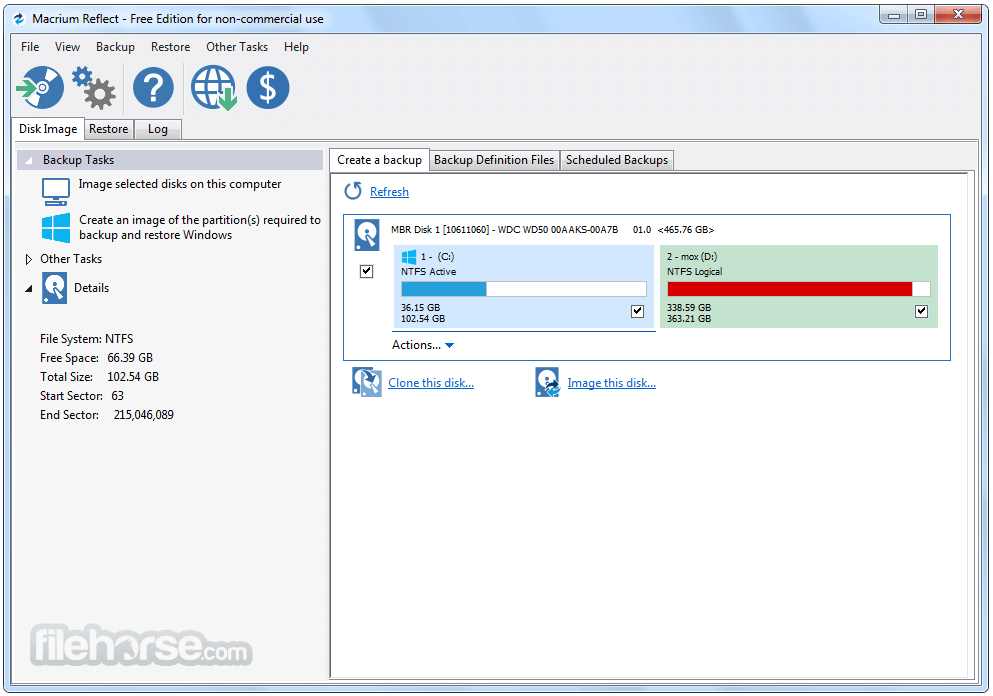
Macrium Reflect Free boasts a clean and intuitive user interface that caters to both beginners and advanced users. The dashboard presents clearly defined options such as "Create Backup," "Clone Disk," and "Create Rescue Media."
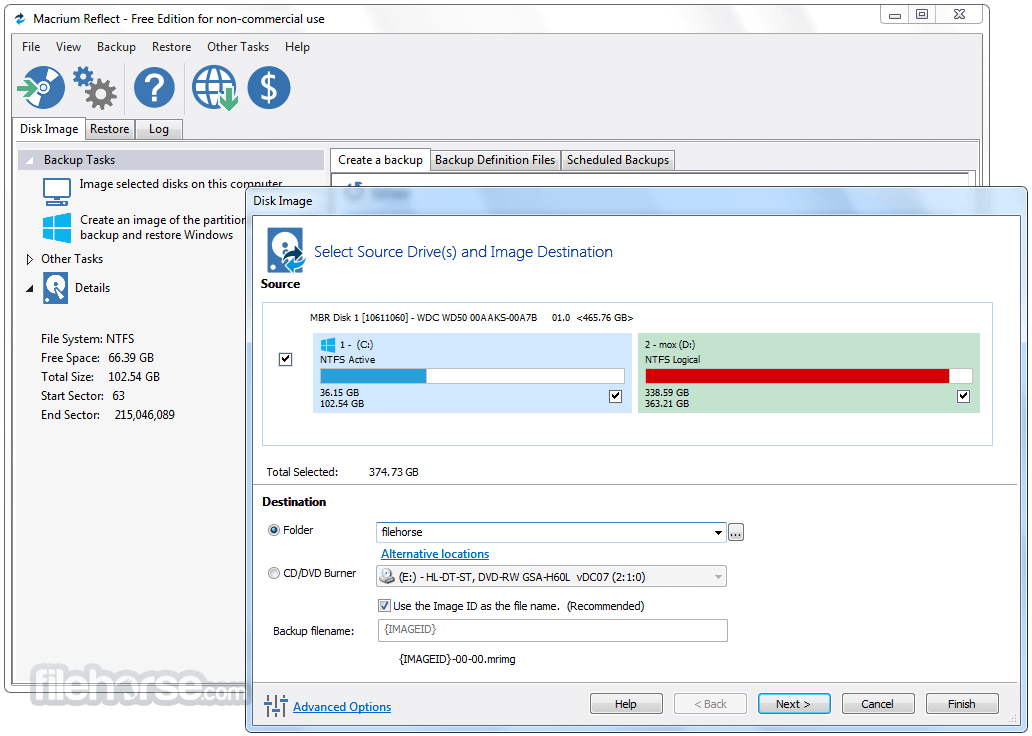
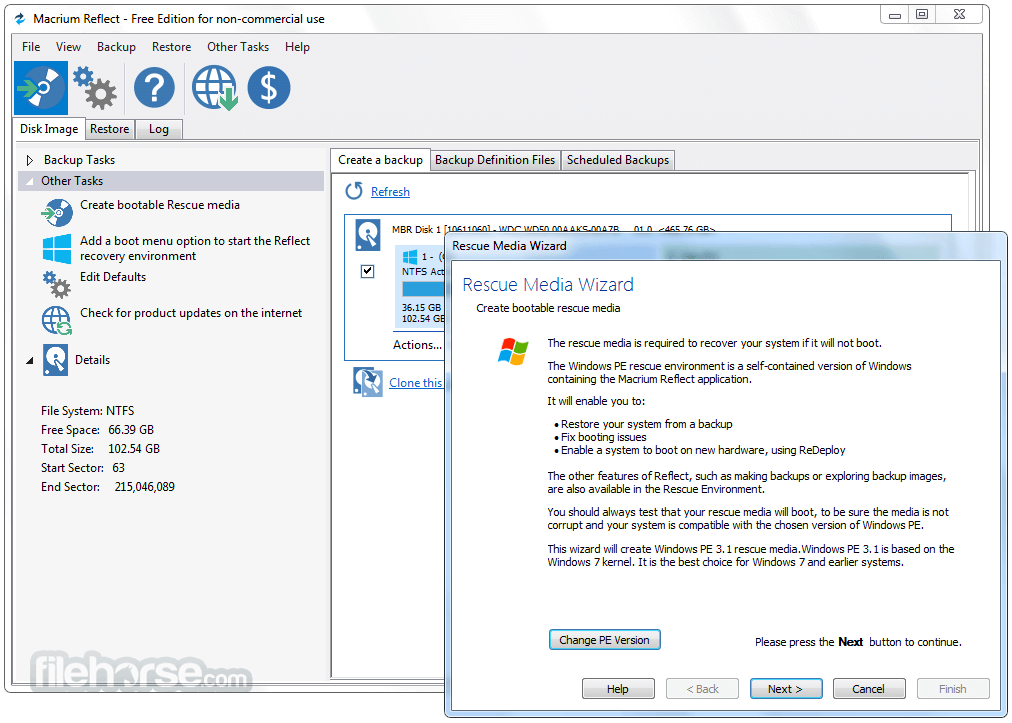
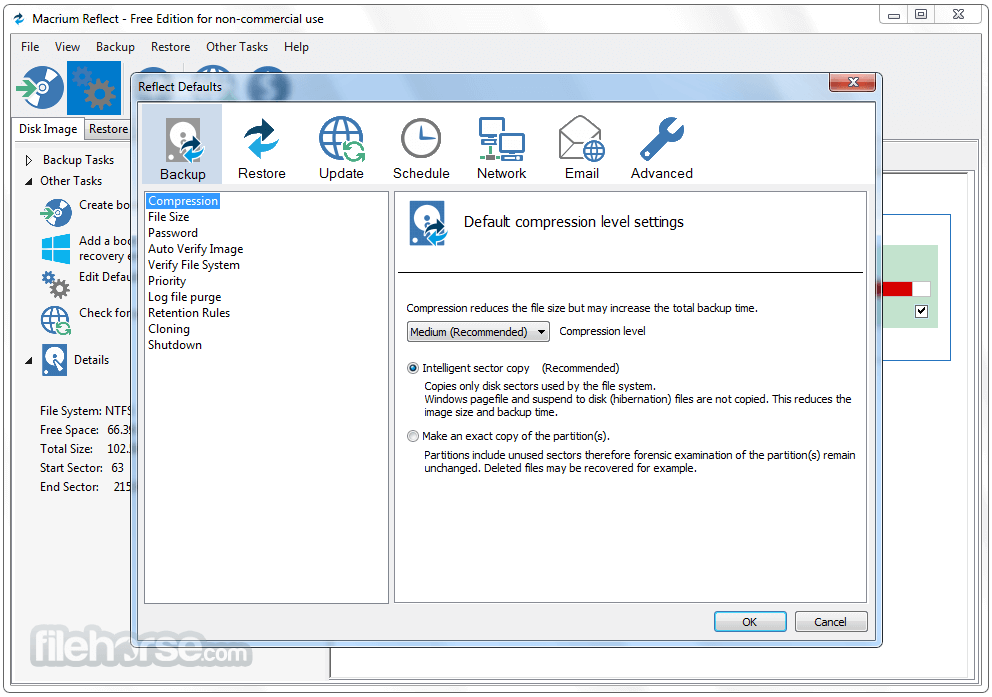
The graphical representation of your disks and partitions makes navigation straightforward, and the step-by-step wizards guide users through each process.
Despite its robust capabilities, the software avoids overwhelming users with technical jargon, making it accessible to non-technical individuals.
FAQ
Is Macrium Reflect Free truly FREE?
Yes, the free version is completely free and provides essential backup and cloning features without hidden costs.
Alternatives
Acronis True Image - Offers additional cloud integration and advanced security features, but it’s not free.
EaseUS Todo Backup Free - Provides similar functionality with a focus on user-friendly interfaces.
Clonezilla - A free, open-source alternative focused on disk cloning.
Paragon Backup & Recovery - Offers powerful backup tools with a slightly more complex interface.
AOMEI Backupper Standard - Another free option with features like system backup, disk imaging, and file sync.
Pricing
Macrium Reflect Free is, as the name implies, completely FREE.
However, a paid version, Macrium Reflect Home, is available starting at $49.95. It includes advanced features such as ransomware protection, encryption, and premium support.
Macrium Reflect Home is a complete backup solution for personal use. It protects your documents, data, and operating systems using advanced disk imaging technology.
Reflect 10 (X) Home - Free Trial
30-Day Free Trial includes:
Download Macrium Reflect Free (32-bit) Latest Version Why is this app published on FileHorse? (More info)
Whether you're looking to safeguard your entire system or specific files and folders, this software is designed to deliver robust backup solutions that are both user-friendly and feature-rich.
Ideal for personal and professional use, Macrium Reflect Free ensures your data is protected against hardware failure, accidental deletion, or ransomware attacks.
Features
Rapid Delta Restore (RDR)
Using advanced delta detection technology, RDR can rapidly recover data from single or multiple full backups. Cuts restore times by 90% or more.
Pre-defined backup plan templates
The app scheduling engine is pre-loaded with templates for traditional, Incremental forever, or you can create your own custom plan.
Incrementals forever
An efficient method to continuously maintain a defined number of the most recent incremental backups. The oldest incremental files are consolidated into a single synthetic delta.
SSD Trim support
These features provide automated SSD optimization, providing enhanced SSD performance and longevity.
Rapid Delta Clone (RDC)
Improving further on the cloning capabilities using technology based on RDR to speed up disk cloning activities by 90% or more.
GFS with backup chain protection
The traditional GFS backup template has been pre-configured with monthly, weekly, and daily activities and retention rules. Simplifies the management of backup chains.
Custom backup plan support
It allows administrators the flexibility of creating custom backup plans that provide the level of protection they require.
User Interface
Macrium Reflect Free boasts a clean and intuitive user interface that caters to both beginners and advanced users. The dashboard presents clearly defined options such as "Create Backup," "Clone Disk," and "Create Rescue Media."
The graphical representation of your disks and partitions makes navigation straightforward, and the step-by-step wizards guide users through each process.
Despite its robust capabilities, the software avoids overwhelming users with technical jargon, making it accessible to non-technical individuals.
FAQ
Is Macrium Reflect Free truly FREE?
Yes, the free version is completely free and provides essential backup and cloning features without hidden costs.
Alternatives
Acronis True Image - Offers additional cloud integration and advanced security features, but it’s not free.
EaseUS Todo Backup Free - Provides similar functionality with a focus on user-friendly interfaces.
Clonezilla - A free, open-source alternative focused on disk cloning.
Paragon Backup & Recovery - Offers powerful backup tools with a slightly more complex interface.
AOMEI Backupper Standard - Another free option with features like system backup, disk imaging, and file sync.
Pricing
Macrium Reflect Free is, as the name implies, completely FREE.
However, a paid version, Macrium Reflect Home, is available starting at $49.95. It includes advanced features such as ransomware protection, encryption, and premium support.
Macrium Reflect Home is a complete backup solution for personal use. It protects your documents, data, and operating systems using advanced disk imaging technology.
Reflect 10 (X) Home - Free Trial
30-Day Free Trial includes:
- Removable media imaging and cloning
- Create images of a running Windows OS
- Restore non-booting systems
- Scalable and navigable log view interface
- Instantly boot backups in Hyper-V / Oracle VirtualBox VM
- Direct disk cloning
- WinPE 11 rescue media
- Technical support via email for the trial duration
- Rapid Delta Clone and Restore
- Intra-daily backup scheduling
- Ransomware protection and encryption
- Incremental imaging
- Operating System: Windows 7, 8, 10, and 11 (32-bit and 64-bit).
- RAM: Minimum 2GB.
- Processor: Dual-core or better.
- Disk Space: At least 1GB for installation; additional space for backups.
- Free and easy to use.
- Reliable disk imaging and cloning.
- Supports scheduling and incremental backups.
- Rescue media for system recovery.
- The free version 8 is updated less frequently, while the home version 10 (demo/trial) receives updates more often.
- Lacks advanced features like ransomware protection (available in paid version).
- Limited customer support compared to the paid edition.
Download Macrium Reflect Free (32-bit) Latest Version Why is this app published on FileHorse? (More info)
##
影片介紹
##
畫面截圖
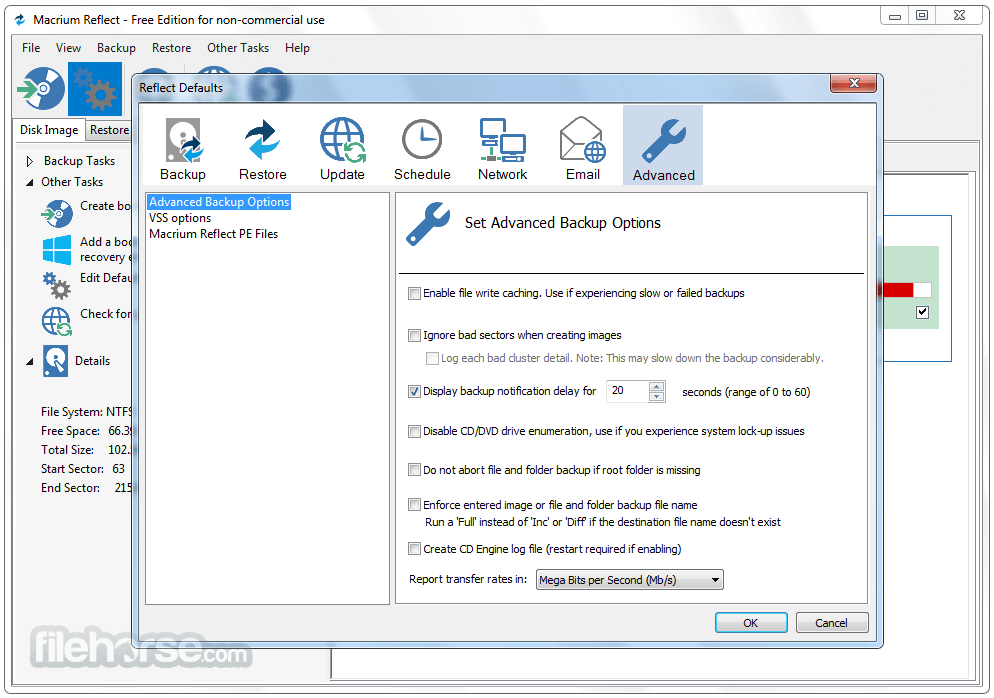
- 2025-12-12 Macrium Reflect Free Edition 8.0.7783 (32-bit) 160 MB
- 2022-05-12 Macrium Reflect Free Edition 8.0.6758 (32-bit) 157.32 MB
- 2022-03-04 Macrium Reflect Free Edition 8.0.6635 (32-bit) 155.77 MB
- 2022-02-16 Macrium Reflect Free Edition 8.0.6584 (32-bit) 155.59 MB
- 2022-02-08 Macrium Reflect Free Edition 8.0.6560 (32-bit) 155.58 MB
- 2021-11-18 Macrium Reflect Free Edition 8.0.6392 (32-bit) 150.61 MB
- 2021-11-07 Macrium Reflect Free Edition 8.0.6353 (32-bit) 151.38 MB
- 2021-09-08 Macrium Reflect Free Edition 8.0.6161 (32-bit) 148.49 MB