⚠ 這是歷史版本頁面 — 查看 Memtest86 最新版本 →

- 目前版本10.5
- 更新日期2023-06-19
- 檔案大小11.48 MB
- 檔案名稱memtest86-usb.zip
- 作業系統Windows 7 / Windows 8 / Windows 10 / Windows 11
- 支援語系English
- 授權型式免費軟體
- 開發商 PassMark Software
- 軟體分類Windows 軟體 / 系統優化
##
編輯短評
Memtest86 是一款專注於記憶體穩定性的檢測工具,能對 x86 架構 CPU 的電腦執行一系列完整測試,藉此判斷 RAM 是否為系統不穩定、崩潰、資料損壞或各種莫名行為的根源。它的核心價值在於幫你快速釐清問題是否出在記憶體,省去反覆交叉測試的麻煩。這套軟體由 PassMark Software 開發,長期持續更新,在同類工具中屬於歷史悠久且評價普遍不錯的選擇,雖然使用者數量不算大眾,但在需要硬體診斷的場合是相當可靠的參考。
如果你經常遇到藍屏、程式無預警關閉或系統運作異常,又懷疑是記憶體出問題,Memtest86 就很適合拿來做初步排查。它與 Rufus、Glary Utilities 等系統工具定位不同,後者偏向系統管理或開機碟製作,而 Memtest86 專注於記憶體壓力測試,功能單一但深入。使用上需留意它僅提供英文介面,且建議以開機碟方式執行以避開作業系統干擾;授權為免費軟體,對一般使用者來說門檻不高,但若要在伺服器或商業環境長期使用,仍需確認授權條款是否涵蓋。
##
翻譯排程處理中,以下暫以英文原文呈現
軟體介紹
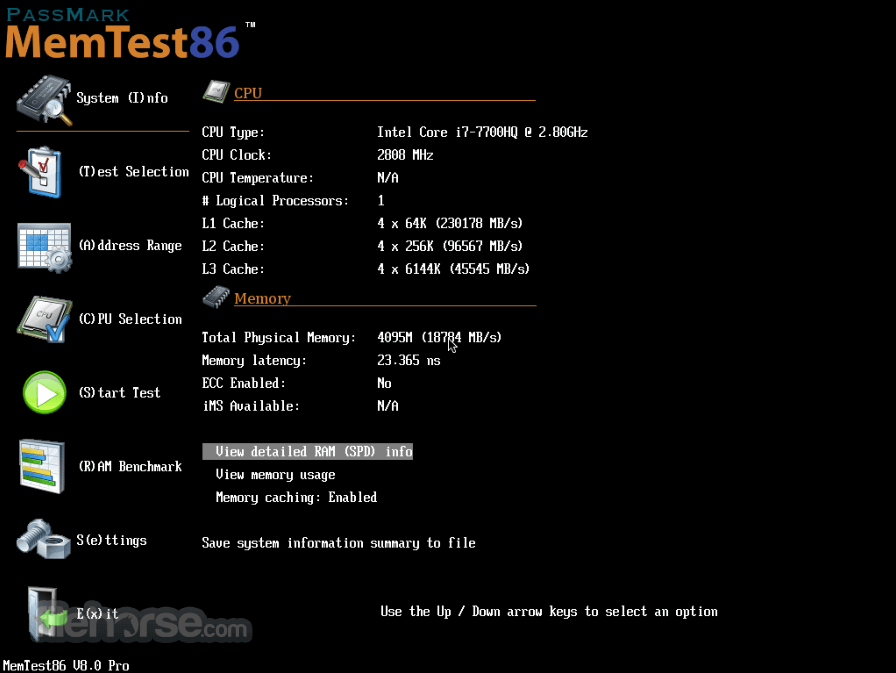
Memtest86 is a free utility application that allows PC users any model of x86 CPU to run comprehensive tests regarding the stability of your RAM memory.
This includes a wide array of tests that will determine if your RAM is causing or will potentially be future cause for system instabilities, crashes, corrupted data, and a wide array of unexplained behavior.
System RAM memory is integral for the proper functioning of your OS and handling of your data, and confirming that it is at fault (or ruling it out) can save you many worries and help you with troubleshooting errors on your PC.
Itis built from the ground up to run independently of your OS. To run it, you need to copy it to a self-booting USB stick, and then restart your PC and boot this mini-app from your USB.
To make this process easier, It comes with a built-in image USB tool. In addition to USB sticks, Memtest86 (which can handle older BIOS and not modern UEFI BIOS) can also be booted from CD/DVD or even floppy discs.
Features and Highlights
It is very important to note that PC users who have older motherboards with BIOS need to download a free version of the program. Users with newer motherboards that feature the UEFI interface need to download newer and feature full the app.
The tool is safe & secure, tested to be virus-free. All of its files are in their original form. This benchmark tool is great and very useful.
Differences between FREE and PREMIUM versions
Have no fear, because the free version of Mem test 86 packs in incredible functionality that can help both novices and seasoned veterans of the PC repair in testing RAM memory.
Premium version of Memtest 86 expands on the already great functionality of the base free version and adds several advanced features that are focused on more premium types of RAM memory (ECC RAM), networking features, automation, and data collection.
How to Use
A Windows PC with UEFI firmware (not legacy BIOS)
USB flash drive (minimum 512MB)
Internet connection for downloading the image
64-bit CPU (MemTest86 supports x86 and x64 CPUs)
Keyboard access to BIOS/UEFI settings
PROS
Download Memtest86 Latest Version Why is this app published on FileHorse? (More info)
This includes a wide array of tests that will determine if your RAM is causing or will potentially be future cause for system instabilities, crashes, corrupted data, and a wide array of unexplained behavior.
System RAM memory is integral for the proper functioning of your OS and handling of your data, and confirming that it is at fault (or ruling it out) can save you many worries and help you with troubleshooting errors on your PC.
Itis built from the ground up to run independently of your OS. To run it, you need to copy it to a self-booting USB stick, and then restart your PC and boot this mini-app from your USB.
To make this process easier, It comes with a built-in image USB tool. In addition to USB sticks, Memtest86 (which can handle older BIOS and not modern UEFI BIOS) can also be booted from CD/DVD or even floppy discs.
Features and Highlights
- Self-booting from USB flash stick
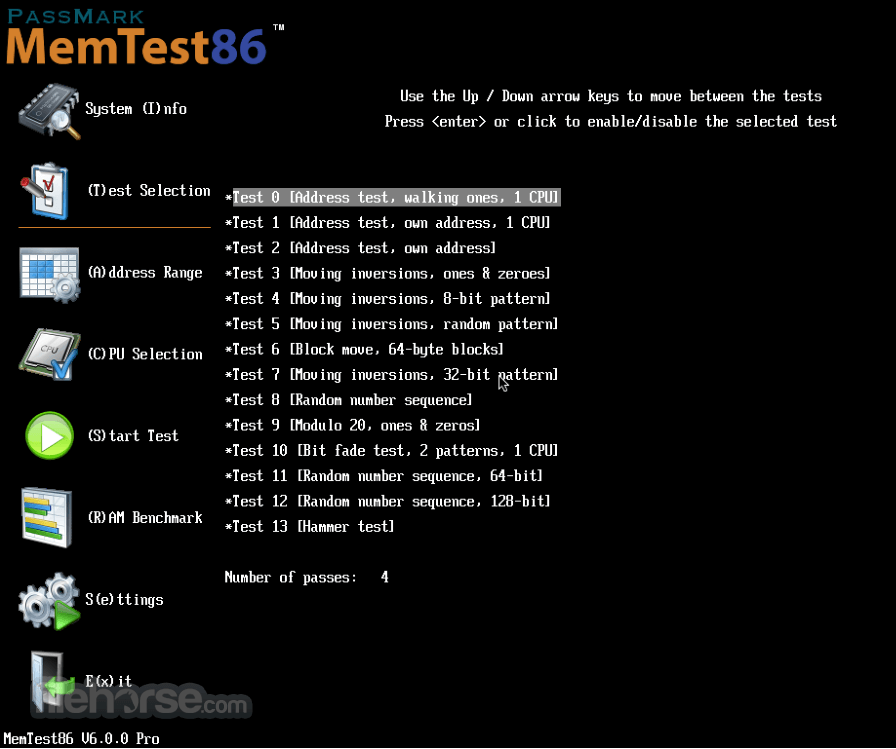
- A comprehensive suite of 13 RAM testing algorithms, all targeted to check your RAM for potential faults.
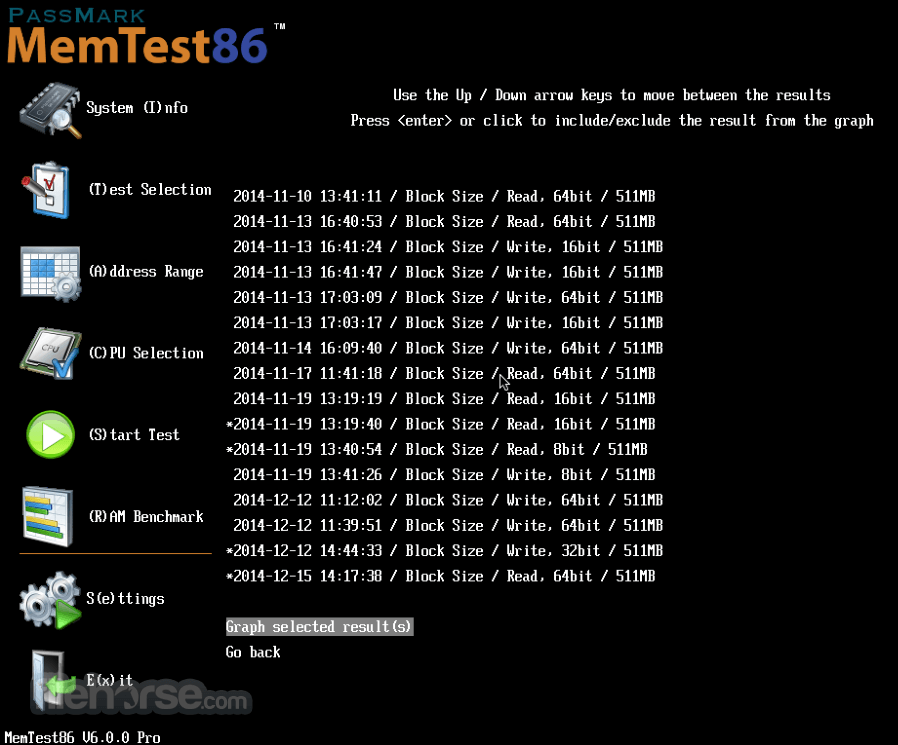
- Modern graphics interface, suitable for both novices and professionals.
- Support for all current RAM versions - DDR2, DDR3, and DDR4.
- Ability to recognize XMP profiles.
- Support for ECC RAM, error-correcting code RAM.
- Full support for UEFI, the latest visual UI BIOS.
- Since version 5, It has become a native x64 app.
- Memtest86 is a Microsoft registered app that can handle SecureBoot feature of modern BIOS
- Expanding support for foreign languages.
- Support for a wide array of enthusiast networking features, including Network Boot (PXE), full test automation, exporting of test results to file, and more.
It is very important to note that PC users who have older motherboards with BIOS need to download a free version of the program. Users with newer motherboards that feature the UEFI interface need to download newer and feature full the app.
The tool is safe & secure, tested to be virus-free. All of its files are in their original form. This benchmark tool is great and very useful.
Differences between FREE and PREMIUM versions
Have no fear, because the free version of Mem test 86 packs in incredible functionality that can help both novices and seasoned veterans of the PC repair in testing RAM memory.
Premium version of Memtest 86 expands on the already great functionality of the base free version and adds several advanced features that are focused on more premium types of RAM memory (ECC RAM), networking features, automation, and data collection.
How to Use
- Insert a USB drive and launch the image creation tool
- Create a bootable USB drive with MemTest86
- Reboot your PC and enter the BIOS/UEFI settings
- Set USB as the first boot device and save changes
- Boot from the USB drive to launch MemTest86
- Let the memory test run automatically or configure options
- Review the results and look for memory errors
- Power off the PC and remove the USB drive
- Replace faulty RAM if errors are detected
A Windows PC with UEFI firmware (not legacy BIOS)
USB flash drive (minimum 512MB)
Internet connection for downloading the image
64-bit CPU (MemTest86 supports x86 and x64 CPUs)
Keyboard access to BIOS/UEFI settings
PROS
- Reliable memory error detection
- UEFI boot support for modern systems
- Easy USB bootable setup
- Free version available
- Detailed error reporting
- No in-OS testing (requires reboot)
- Complex for novice users
- USB creation may confuse some
- No automatic RAM fix
- Takes time to run full tests
Download Memtest86 Latest Version Why is this app published on FileHorse? (More info)
##
畫面截圖
- 2026-05-04 Memtest86 11.7 12.13 MB
- 2026-01-06 Memtest86 11.6 11.96 MB
- 2025-07-31 Memtest86 11.4 11.91 MB
- 2025-05-03 Memtest86 11.3 11.65 MB
- 2025-02-04 Memtest86 11.2 11.61 MB
- 2024-10-31 Memtest86 11.1 11.55 MB
- 2024-06-13 Memtest86 11.0 11.5 MB
- 2024-02-08 Memtest86 10.7 11.37 MB