⚠ 這是歷史版本頁面 — 查看 MikuMikuDance MMD 9.32 (64-bit) 最新版本 →

MikuMikuDance MMD 9.31 (32-bit)
v 9.31 (32-bit)
Windows
免費軟體
8.48/10 (63)
- 目前版本9.31 (32-bit)
- 更新日期2019-08-01
- 檔案大小6.57 MB
- 檔案名稱MikuMikuDanceE_v931.zip
- 作業系統Windows XP64 / Vista64 / Windows 7 64 / Windows 8 64 / Windows 10 64 / Windows 11
- 支援語系English
- 授權型式免費軟體
- 開發商 VPVP
- 軟體分類Windows 軟體 / 影像設計
##
編輯短評
MikuMikuDance(MMD)是一套免費的 3D 動畫製作軟體,最初是為了讓使用者能創作以 Vocaloid 角色(尤其是初音未來)為主角的動畫而誕生。它讓你在虛擬空間中直接操作 3D 模型、調整動作與鏡頭,並輸出成影片上傳分享,大幅降低了 3D 動畫的入門門檻。這套軟體自 2008 年推出以來,已累積大量使用者與社群資源,至今仍是同類工具中的老牌熱門選擇,不過近期更新並不頻繁,屬於長期維護但步調趨緩的狀態。
MMD 最適合 Vocaloid 粉絲、動畫愛好者,以及想快速做出角色舞蹈或短片內容的獨立創作者。與 Blender 或 Maya 等專業動畫軟體相比,MMD 的學習曲線較平緩,但功能也相對單純,較難處理複雜的物理模擬或精細建模。需要注意的是,軟體僅提供英文介面且限 Windows 平台,免費使用但無官方中文版;若想取得更多模型與動作資料,多半得依賴社群分享的資源。
##
翻譯排程處理中,以下暫以英文原文呈現
軟體介紹
MikuMikuDance, commonly known as MMD, is a free animation PC software (like game) originally developed for creating 3D animations featuring Vocaloid characters, particularly Hatsune Miku.
Developed by Yu Higuchi and first released in 2008, it has since evolved into a powerful tool used by both amateur and professional animators worldwide. The software allows users to create animations by manipulating 3D models in a virtual space, offering extensive customization options and the ability to produce high-quality animations.
It lets you create animations and output them to video for your upload to YouTube, and the like. Hatsune Miku is the star of the show… but fans have created THOUSANDS of models and made them available for free download. The app is a free 3D animation software… but, more than that, MikuMikuDance MMD 32/64bit is a modern DirectX video game, WITHOUT the game!
MMD is a powerful game-system framework that awaits your creative genius to create your own 3D animations. When you download and open the app, “the gates are open” and you can simply “get started”… and, using only the tools included in your download, you can create amazing animations and videos.
The entire “system” is no charge: FREE … there ARE a few modelers who charge for their privately created custom models, but when seen from a Global Scale, It costs nothing to use and enjoy.
The first commercial Vocaloid product was released by Yamaha in 2003 and lola-boxwas considered as a “for commercial use” product. The scheme of Vocaloid is that it lets the user assemble a spoken voice (a singing voice, actually) from a collection of voice samples… a “voicebank”.
The manufacturer created the voicebank by painstakingly breaking the recorded voice of a particular singer into hundreds of sampled-segments representing every sound included in that voice.
Then, through the Vocaloid interface, the user selects those bits and pieces and assembles them so as to composes new spoken recordings… new songs sung from his computer using the voice from the voicebank he selected. The earliest version of Yamaha’s Vocaloid featured only the lips of the speakers and two genders: Leon and Lola… soon after, Crypton Future Media designed a character, Meiko, as a graphic to go along with the product to give a “face” to the lips.
Main Features
3D Model Manipulation
It offers an intuitive interface for manipulating 3D models. Users can move, rotate, and scale models in a 3D space, allowing for detailed and precise animations.
Bone and Facial Controls
The software provides comprehensive bone and facial control systems. This enables detailed character movements and expressions, essential for creating realistic animations.
Physics Engine
It includes a physics engine that simulates realistic movements of hair, clothing, and other soft body parts, adding a layer of realism to animations.
Lighting and Camera Effects
Users can adjust lighting and camera angles to create dynamic scenes. The software supports multiple camera layers and advanced lighting options to enhance the visual appeal of animations.
Plug-in Support
It supports various plug-ins that extend its functionality. Users can add new effects, models, and motions to enhance their animations.
Motion Data Import/Export
The software allows importing and exporting motion data, enabling users to share their animations and use pre-made motions from other creators.
Model Compatibility
It supports multiple 3D model formats, including PMD, PMX, and X, making it versatile and compatible with a wide range of models.
User Interface
Download
It can be downloaded from various websites, with the official download available from the Vocaloid promotion video project website.
Installation
Installation is straightforward. Users simply need to extract the downloaded ZIP file and run the MikuMikuDance executable.
Setup
Upon first launch, users should configure their preferences, such as the language setting (if available) and default file paths. It’s also recommended to download additional models, motions, and effects to get the most out of MMD.
How to Use
Loading Models
To start animating, load a model by clicking the "Load" button and selecting a compatible 3D model file.
Manipulating Models
Use the bone and morph controls to pose the model. Adjust the position, rotation, and scaling of each bone to create the desired pose.
Setting Keyframes
Move to the timeline and set keyframes for each significant pose. It will interpolate the motion between keyframes, creating smooth animations.
Adding Camera Movements
Adjust the camera settings to create dynamic shots. Set keyframes for camera positions, angles, and focal lengths.
Applying Physics
Enable the physics engine to simulate realistic movements of hair and clothing. Adjust the physics settings as needed for the desired effect.
Rendering the Animation
Preview the animation in real-time. Once satisfied, render the animation to a video file by selecting the desired output settings and starting the rendering process.
FAQ
How do I add new models to MMD?
You can add new models by downloading compatible files (PMD, PMX, X) and placing them in the "UserFile" directory. Load them into MMD using the "Load" button in the software.
Can I import motions from other creators?
Yes, it supports importing motion data. Download motion files (VMD) and load them using the "Motion" tab. This allows you to use pre-made animations.
How do I improve the quality of my renders?
Improve render quality by adjusting the lighting and camera settings, applying higher-resolution textures, and using advanced effects. Additionally, consider post-processing your renders using video editing software.
Is there a way to automate repetitive animations?
You can use plug-ins and scripts to automate repetitive tasks. Explore the MMD community for available tools and tutorials on how to use them.
What if my model or motion file doesn’t work?
Ensure the file format is compatible and the file isn’t corrupted. Check online forums for troubleshooting tips specific to the model or motion you’re using.
Alternatives
Blender - A free and open-source 3D creation suite that supports modeling, rigging, animation, simulation, rendering, and more. Blender is more complex but offers greater functionality.
Cinema 4D - A 3D modeling, animation, motion graphic, and rendering application developed by Maxon. Known for its ease of use and powerful features, it’s popular among motion graphic artists.
DAZ Studio - A 3D content creation tool that allows users to create animations and renderings.
Autodesk Maya - A professional 3D animation, modeling, simulation, and rendering software. It is widely used in the film, television, and gaming industries but comes with a high cost.
Pricing
This game program is free to download and use. Additional models, motions, and effects created by the community are also generally available for free, though some creators may request donations or offer premium content.
System Requirements
Minimum Requirements
Download MikuMikuDance MMD Latest Version Why is this app published on FileHorse? (More info)
Developed by Yu Higuchi and first released in 2008, it has since evolved into a powerful tool used by both amateur and professional animators worldwide. The software allows users to create animations by manipulating 3D models in a virtual space, offering extensive customization options and the ability to produce high-quality animations.
It lets you create animations and output them to video for your upload to YouTube, and the like. Hatsune Miku is the star of the show… but fans have created THOUSANDS of models and made them available for free download. The app is a free 3D animation software… but, more than that, MikuMikuDance MMD 32/64bit is a modern DirectX video game, WITHOUT the game!
MMD is a powerful game-system framework that awaits your creative genius to create your own 3D animations. When you download and open the app, “the gates are open” and you can simply “get started”… and, using only the tools included in your download, you can create amazing animations and videos.
The entire “system” is no charge: FREE … there ARE a few modelers who charge for their privately created custom models, but when seen from a Global Scale, It costs nothing to use and enjoy.
The first commercial Vocaloid product was released by Yamaha in 2003 and lola-boxwas considered as a “for commercial use” product. The scheme of Vocaloid is that it lets the user assemble a spoken voice (a singing voice, actually) from a collection of voice samples… a “voicebank”.
The manufacturer created the voicebank by painstakingly breaking the recorded voice of a particular singer into hundreds of sampled-segments representing every sound included in that voice.
Then, through the Vocaloid interface, the user selects those bits and pieces and assembles them so as to composes new spoken recordings… new songs sung from his computer using the voice from the voicebank he selected. The earliest version of Yamaha’s Vocaloid featured only the lips of the speakers and two genders: Leon and Lola… soon after, Crypton Future Media designed a character, Meiko, as a graphic to go along with the product to give a “face” to the lips.
Main Features
3D Model Manipulation
It offers an intuitive interface for manipulating 3D models. Users can move, rotate, and scale models in a 3D space, allowing for detailed and precise animations.
Bone and Facial Controls
The software provides comprehensive bone and facial control systems. This enables detailed character movements and expressions, essential for creating realistic animations.
Physics Engine
It includes a physics engine that simulates realistic movements of hair, clothing, and other soft body parts, adding a layer of realism to animations.
Lighting and Camera Effects
Users can adjust lighting and camera angles to create dynamic scenes. The software supports multiple camera layers and advanced lighting options to enhance the visual appeal of animations.
Plug-in Support
It supports various plug-ins that extend its functionality. Users can add new effects, models, and motions to enhance their animations.
Motion Data Import/Export
The software allows importing and exporting motion data, enabling users to share their animations and use pre-made motions from other creators.
Model Compatibility
It supports multiple 3D model formats, including PMD, PMX, and X, making it versatile and compatible with a wide range of models.
User Interface
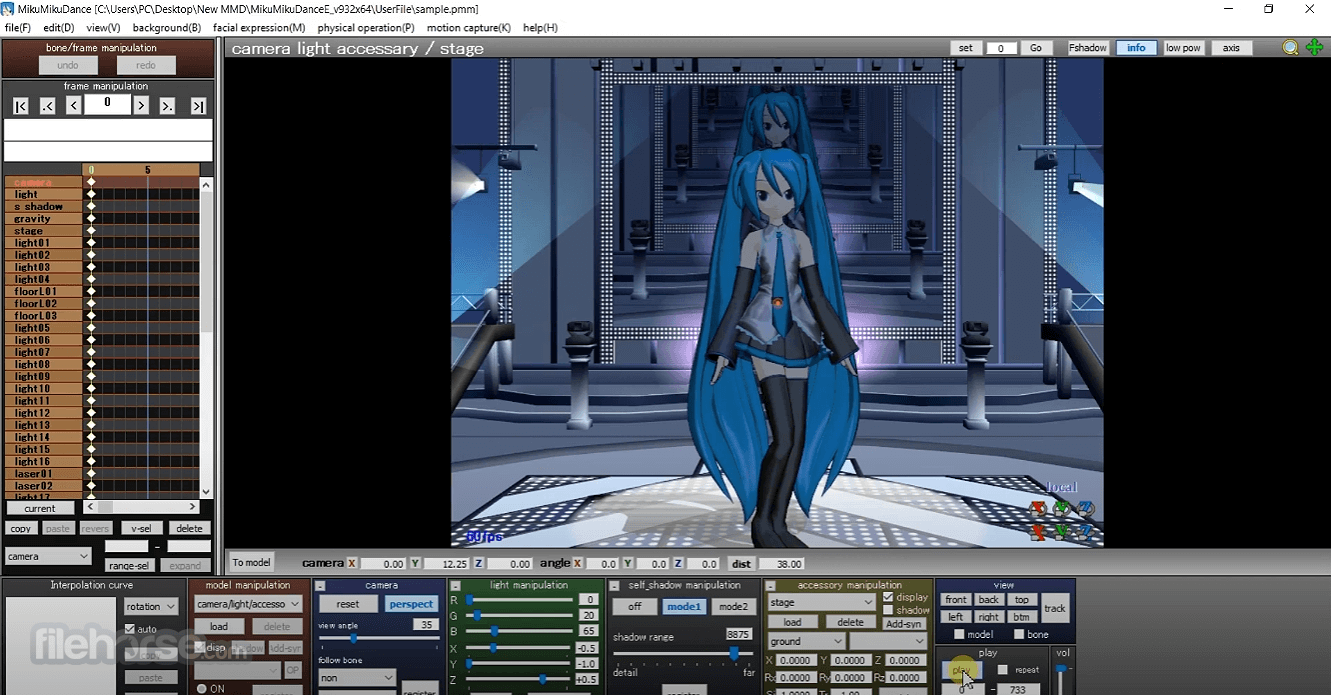
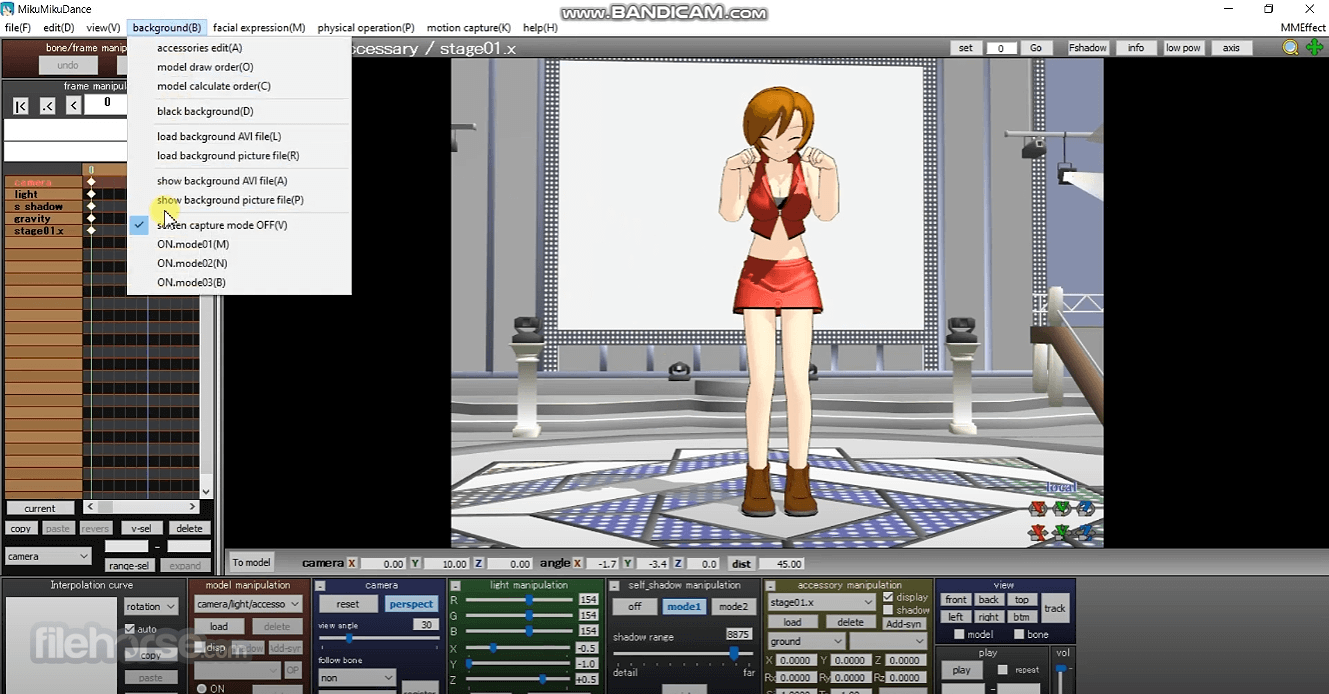
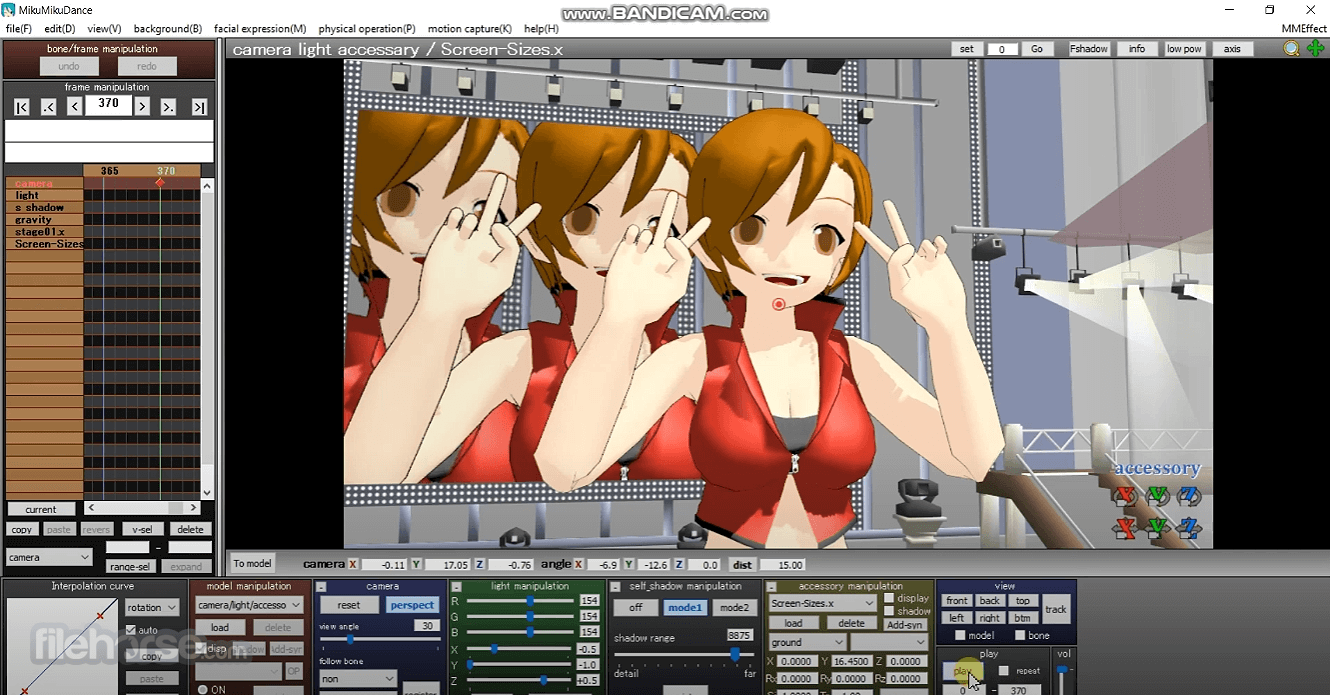
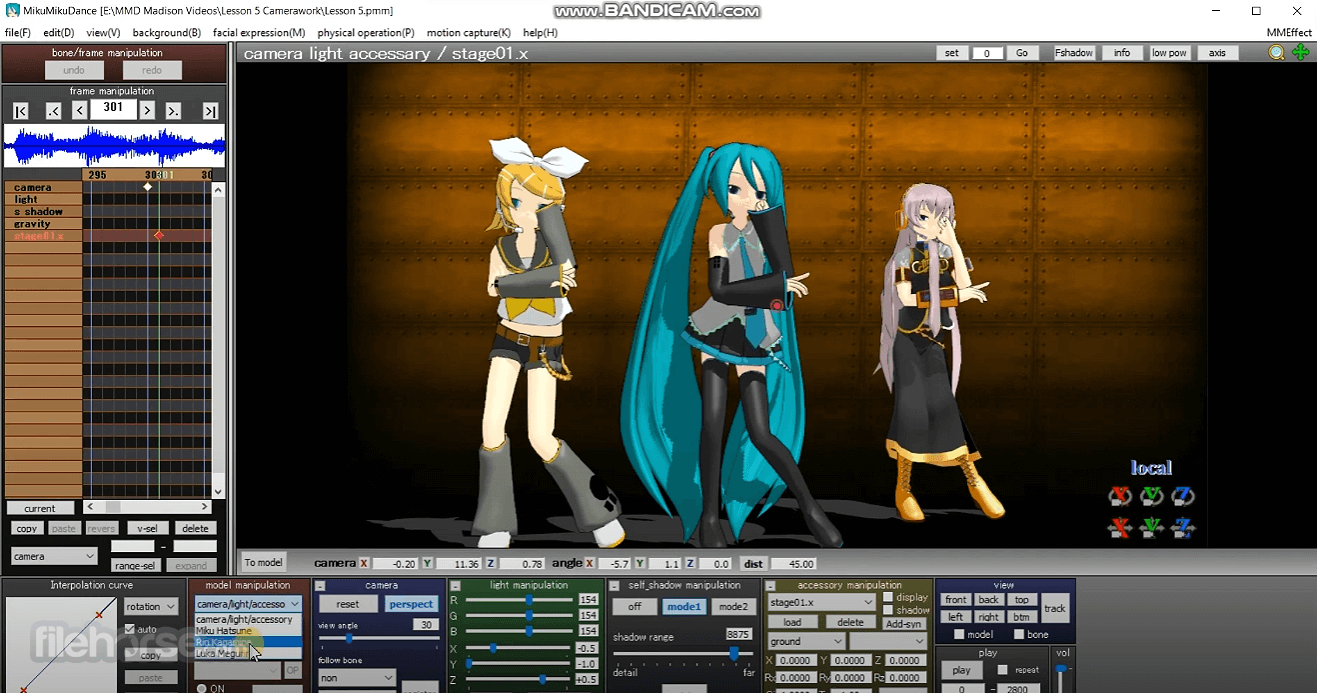
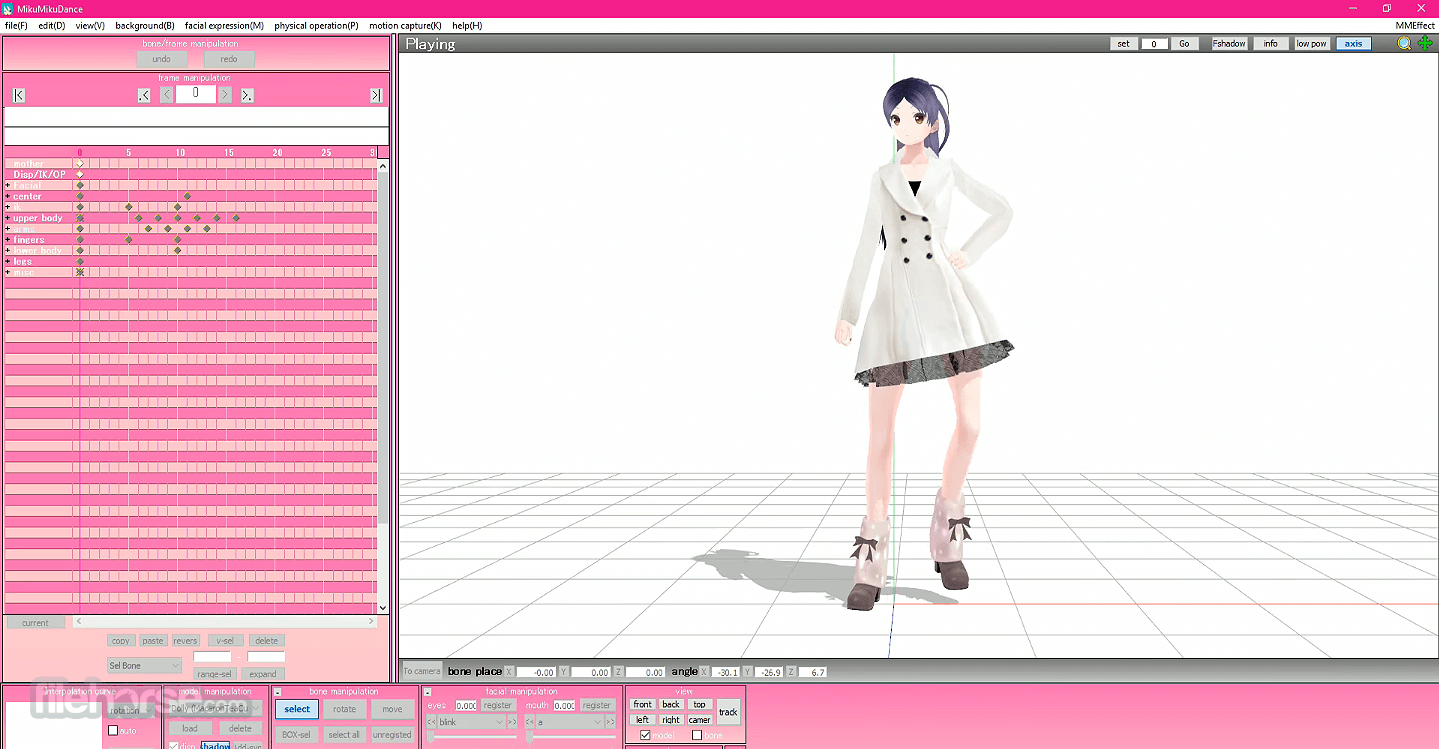
- Model Manipulation Area: The central area where users manipulate 3D models.
- Bone and Morph Controls: Panels on the sides for adjusting bones and facial expressions.
- Timeline: Located at the bottom, the timeline allows users to set keyframes and control the flow of animations.
- Camera and Lighting Settings: Tabs for adjusting camera angles and lighting effects.
- Preview Window: A real-time preview of the animation.
- While the interface might seem daunting at first, especially for beginners, the logical layout and extensive online tutorials make it easier to learn.
Download
It can be downloaded from various websites, with the official download available from the Vocaloid promotion video project website.
Installation
Installation is straightforward. Users simply need to extract the downloaded ZIP file and run the MikuMikuDance executable.
Setup
Upon first launch, users should configure their preferences, such as the language setting (if available) and default file paths. It’s also recommended to download additional models, motions, and effects to get the most out of MMD.
How to Use
Loading Models
To start animating, load a model by clicking the "Load" button and selecting a compatible 3D model file.
Manipulating Models
Use the bone and morph controls to pose the model. Adjust the position, rotation, and scaling of each bone to create the desired pose.
Setting Keyframes
Move to the timeline and set keyframes for each significant pose. It will interpolate the motion between keyframes, creating smooth animations.
Adding Camera Movements
Adjust the camera settings to create dynamic shots. Set keyframes for camera positions, angles, and focal lengths.
Applying Physics
Enable the physics engine to simulate realistic movements of hair and clothing. Adjust the physics settings as needed for the desired effect.
Rendering the Animation
Preview the animation in real-time. Once satisfied, render the animation to a video file by selecting the desired output settings and starting the rendering process.
FAQ
How do I add new models to MMD?
You can add new models by downloading compatible files (PMD, PMX, X) and placing them in the "UserFile" directory. Load them into MMD using the "Load" button in the software.
Can I import motions from other creators?
Yes, it supports importing motion data. Download motion files (VMD) and load them using the "Motion" tab. This allows you to use pre-made animations.
How do I improve the quality of my renders?
Improve render quality by adjusting the lighting and camera settings, applying higher-resolution textures, and using advanced effects. Additionally, consider post-processing your renders using video editing software.
Is there a way to automate repetitive animations?
You can use plug-ins and scripts to automate repetitive tasks. Explore the MMD community for available tools and tutorials on how to use them.
What if my model or motion file doesn’t work?
Ensure the file format is compatible and the file isn’t corrupted. Check online forums for troubleshooting tips specific to the model or motion you’re using.
Alternatives
Blender - A free and open-source 3D creation suite that supports modeling, rigging, animation, simulation, rendering, and more. Blender is more complex but offers greater functionality.
Cinema 4D - A 3D modeling, animation, motion graphic, and rendering application developed by Maxon. Known for its ease of use and powerful features, it’s popular among motion graphic artists.
DAZ Studio - A 3D content creation tool that allows users to create animations and renderings.
Autodesk Maya - A professional 3D animation, modeling, simulation, and rendering software. It is widely used in the film, television, and gaming industries but comes with a high cost.
Pricing
This game program is free to download and use. Additional models, motions, and effects created by the community are also generally available for free, though some creators may request donations or offer premium content.
System Requirements
Minimum Requirements
- OS: Windows 7/8/10/11
- CPU: Intel Core2Duo or higher
- RAM: 1 GB or more
- Graphics: DirectX 9.0c compatible video card
- Storage: 500 MB free space
- OS: Windows 7/8/10/11
- CPU: Intel Core i5 or higher
- RAM: 4 GB or more
- Graphics: DirectX 9.0c compatible video card with 512MB or more VRAM
- Storage: 1 GB free space or more
- Free to Use: MMD is completely free, making it accessible to anyone.
- Community Support: Extensive community with numerous tutorials, models, and motions available.
- Intuitive Interface: User-friendly interface that, despite its initial complexity, becomes easy to navigate with use.
- Versatility: Supports a wide range of 3D model formats and plug-ins for extended functionality.
- Realistic Physics: Built-in physics engine for realistic animations.
- Steep Learning Curve: Can be overwhelming for beginners without prior experience in 3D animation.
- Windows Only: Officially available only for Windows OS, though it can run on other systems via compatibility layers.
- Basic Rendering Capabilities: Lacks the advanced rendering capabilities of professional software like Blender or Maya.
Download MikuMikuDance MMD Latest Version Why is this app published on FileHorse? (More info)
##
畫面截圖
- 2025-06-20 MikuMikuDance MMD 9.32 (64-bit) 6.48 MB
- 2024-06-20 MikuMikuDance MMD 9.32 (32-bit) 6.51 MB
- 2019-08-01 MikuMikuDance MMD 9.31 (32-bit) 6.57 MB
- 2019-08-01 MikuMikuDance MMD 9.31 (64-bit) 6.54 MB