⚠ 這是歷史版本頁面 — 查看 MSI Live Update 最新版本 →

- 目前版本6.2.0.74
- 更新日期2021-04-15
- 檔案大小29.68 MB
- 檔案名稱LiveUpdate.zip
- 作業系統Windows 10 (64-bit) / Windows 11
- 支援語系English
- 授權型式免費軟體
- 開發商 MSI
- 軟體分類Windows 軟體 / 系統優化
##
編輯短評
MSI Live Update 是微星官方推出的硬體更新工具,主要服務自家主機板與顯示卡用戶。它會自動掃描系統中過舊的驅動程式、BIOS 版本與公用軟體,並提供一站式的下載與安裝流程,省去手動到官網比對型號的麻煩。最有辨識度的特色在於與 MSI 硬體的深度整合,能一次處理多種元件的更新,對維持系統穩定與安全性有直接幫助。這款工具在系統優化分類中屬於中段班的選擇,評價中上,但更新步調不算頻繁,仍維持著基本維護。
這套軟體最適合擁有 MSI 主機板或顯示卡的用戶,尤其是剛組裝新機、或遇到系統不穩想更新 BIOS 時,能快速確認是否有對應的新版韌體。與 FileHippo App Manager 這類通用驅動更新工具相比,它的優勢是精準鎖定 MSI 自家硬體,較不易裝錯驅動;但缺點是對非 MSI 產品完全無用,且介面僅提供英文,沒有中文版。軟體本身免費,僅支援 Windows 平台,使用前需確認自己的硬體是否在支援清單內。
##
翻譯排程處理中,以下暫以英文原文呈現
軟體介紹
MSI Live Update is a utility developed by Micro-Star International (MSI) to simplify the process of keeping your MSI hardware components up to date.
Primarily aimed at MSI motherboard and graphics card users, this software automatically scans your system for outdated drivers, BIOS versions, and utility software, then provides an easy way to download and install the latest updates.
By ensuring that all your MSI components run the latest software versions, MSI Live Update for PC helps maintain system stability, improve performance, and secure your system against potential vulnerabilities.
Key Features
Automatic Scanning and Updating: It automatically detects outdated drivers, BIOS versions, and utility software, allowing users to download and install updates with just a few clicks.
Manual Update Option: For users who prefer more control, the software also offers manual scanning and updating, letting you choose which updates to install.
BIOS Update: The software provides an easy way to update your motherboard's BIOS, a task that can be complex and risky if done manually.
One-Click Update: MSI Live Update simplifies the updating process with a one-click update feature, making it user-friendly even for those who are not tech-savvy.
Scheduled Updates: You can set up automatic scanning and updates on a schedule that fits your needs, ensuring your system is always up to date without needing to remember to check manually.
User Interface
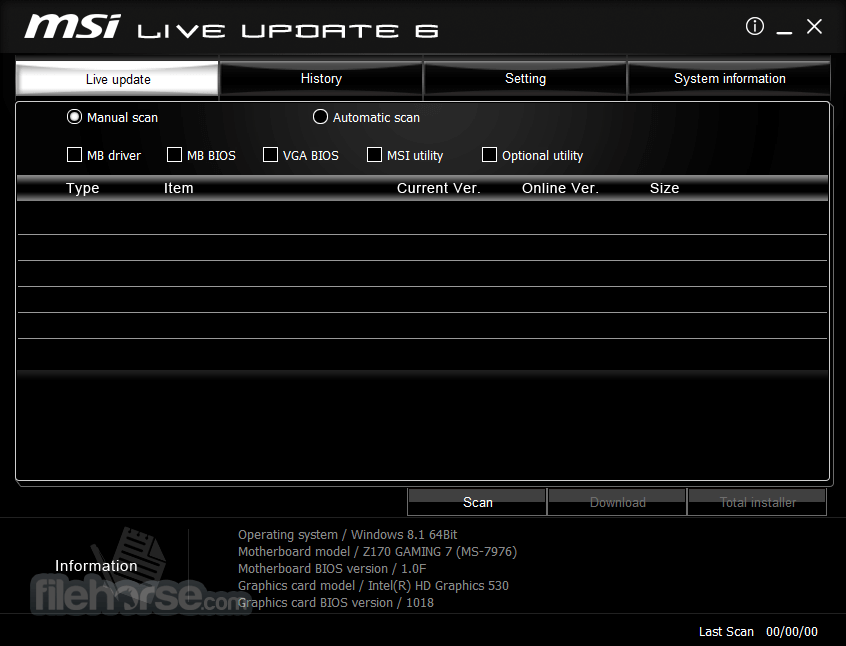
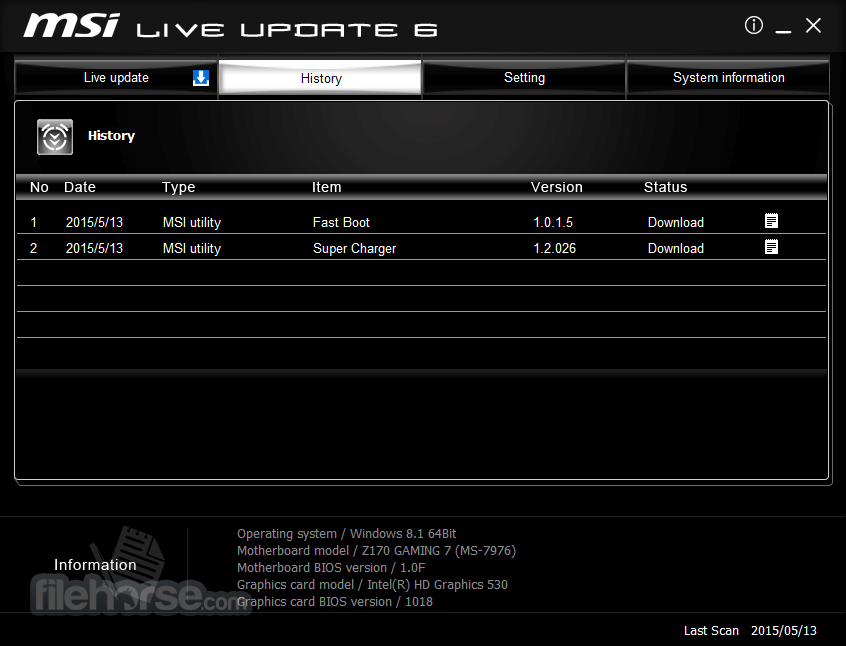
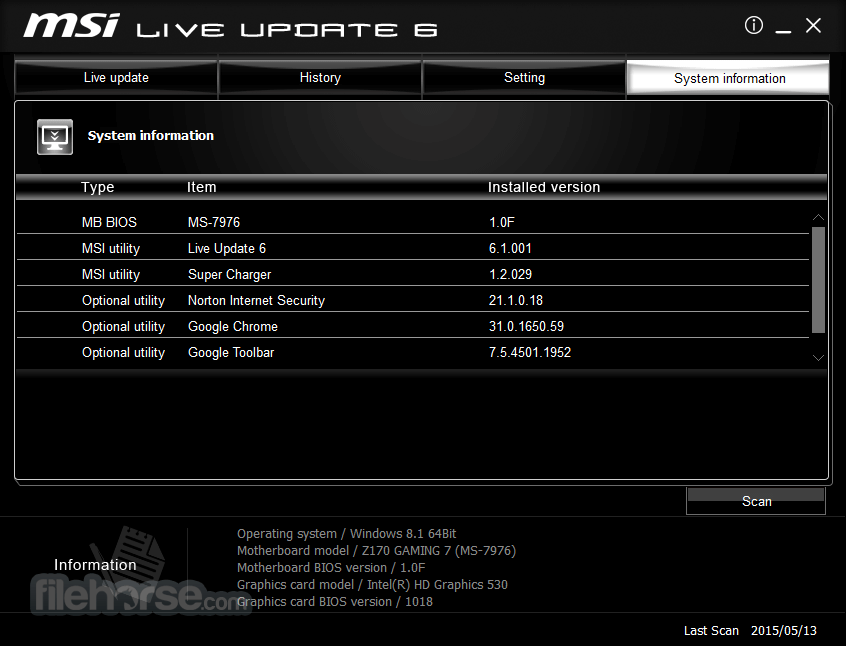
The app features a straightforward, clean, and user-friendly interface. The main dashboard is organized into different sections, allowing users to easily navigate between options such as scanning for updates, viewing installed versions, and managing update schedules.
The color scheme and layout align with MSI's brand aesthetic, featuring a sleek, modern design that feels professional without being overly complicated. Clear icons and well-labeled buttons make it easy to understand what each section of the software does, even for less experienced users.
Installation and Setup
FAQ
Can I use MSI Live Update with non-MSI components?
This program is designed specifically for MSI motherboards and graphics cards. It may not detect or properly update non-MSI components.
Is it safe to update my BIOS using MSI Live Update?
Yes, it simplifies BIOS updates and ensures they are done safely. However, as with all BIOS updates, there is a slight risk, so it’s advisable to follow the instructions carefully and ensure the update process is not interrupted.
How often should I run MSI Live Update?
It’s recommended to run the tool at least once a month or whenever you experience issues with your system that could be related to outdated drivers or BIOS.
What should I do if an update fails?
If an update fails, try restarting your system and running the update again. If the issue persists, check MSI’s support forums or contact their customer service for assistance.
Can I revert to an older driver version if an update causes issues?
Yes, it allows you to roll back to a previous driver version if you encounter problems after an update.
Alternatives
Driver Booster Pro (IObit) - A popular tool for automatically updating drivers, compatible with a wide range of hardware from various manufacturers.
Driver Updater - An open-source alternative that offers a comprehensive database of drivers for all kinds of hardware components.
Driver Easy - Another automatic driver updater that is easy to use and offers cloud-based scanning for up-to-date drivers.
DriverPack Solution - Known for its large database, DriverPack is a solid alternative for users looking for an all-in-one solution.
AMD Radeon Software - If you use AMD components, this software is specifically designed for updating AMD drivers and optimizing performance.
System Requirements
MSI Live Update is a powerful utility for anyone using MSI motherboards and graphics cards. Its user-friendly interface, automatic updating features, and scheduling options make it an essential tool for maintaining system performance and stability.
While it is limited to MSI components, for those within the MSI ecosystem, it provides a hassle-free way to ensure your system is always running the latest software. With its free price tag and robust feature set, MSI Live Update is a must-have for MSI users who want to keep their systems in peak condition.
Note: Do NOT use Live Update for AIO PC and Notebooks. Requires MSI Mainboard and .NET Framework.
Download MSI Live Update Latest Version Why is this app published on FileHorse? (More info)
Primarily aimed at MSI motherboard and graphics card users, this software automatically scans your system for outdated drivers, BIOS versions, and utility software, then provides an easy way to download and install the latest updates.
By ensuring that all your MSI components run the latest software versions, MSI Live Update for PC helps maintain system stability, improve performance, and secure your system against potential vulnerabilities.
Key Features
Automatic Scanning and Updating: It automatically detects outdated drivers, BIOS versions, and utility software, allowing users to download and install updates with just a few clicks.
Manual Update Option: For users who prefer more control, the software also offers manual scanning and updating, letting you choose which updates to install.
BIOS Update: The software provides an easy way to update your motherboard's BIOS, a task that can be complex and risky if done manually.
One-Click Update: MSI Live Update simplifies the updating process with a one-click update feature, making it user-friendly even for those who are not tech-savvy.
Scheduled Updates: You can set up automatic scanning and updates on a schedule that fits your needs, ensuring your system is always up to date without needing to remember to check manually.
User Interface
The app features a straightforward, clean, and user-friendly interface. The main dashboard is organized into different sections, allowing users to easily navigate between options such as scanning for updates, viewing installed versions, and managing update schedules.
The color scheme and layout align with MSI's brand aesthetic, featuring a sleek, modern design that feels professional without being overly complicated. Clear icons and well-labeled buttons make it easy to understand what each section of the software does, even for less experienced users.
Installation and Setup
- Download: The software can be downloaded directly from MSI's official website or FileHorse. Ensure you are downloading the latest version compatible with your operating system.
- Installation: Once downloaded, the installation wizard guides you through the setup process. It typically takes just a few minutes to complete, with options for choosing the installation directory and creating desktop shortcuts.
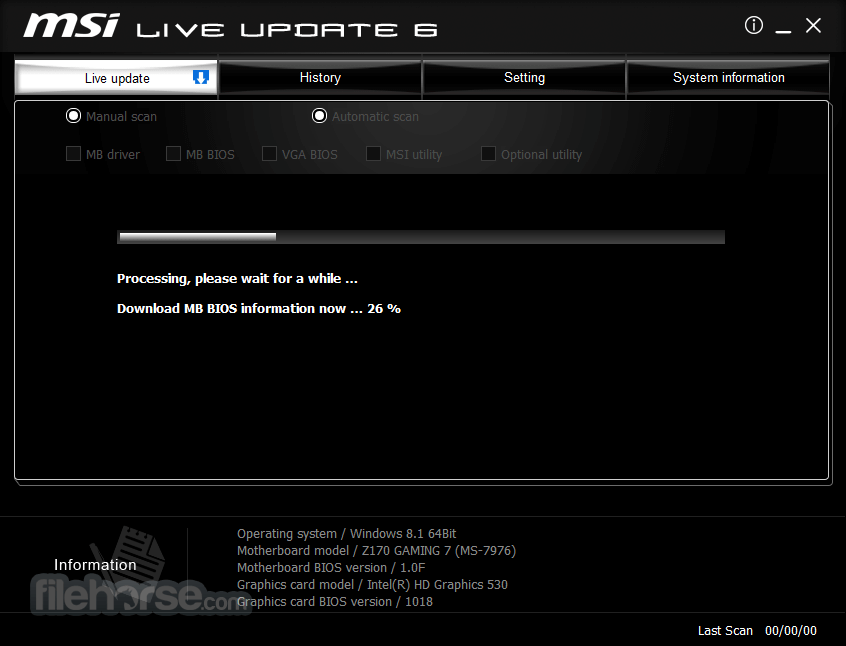
- Initial Setup: After installation, the software will prompt you to perform an initial scan of your system. This scan identifies any outdated drivers, BIOS, and utility software.
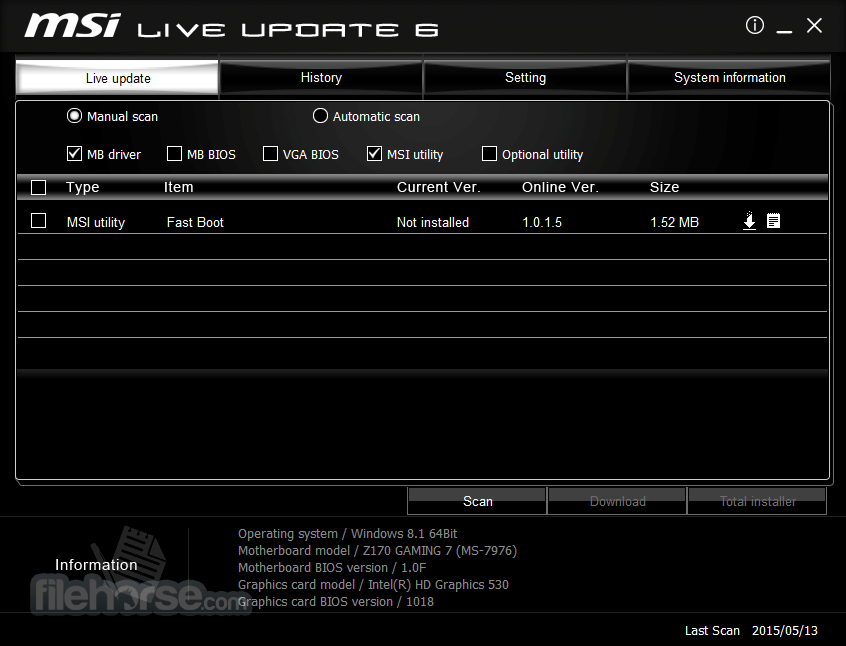
- Updating: Following the scan, it will display a list of available updates. You can choose to install all updates or select specific ones. The software will then download and install the updates automatically.
- Launch the Software: Open this program from your desktop or Start menu.
- Scan for Updates: Click on the "Scan" button to allow the software to search for any outdated drivers, BIOS versions, or utility software.
- Review Updates: After the scan, the software will present a list of available updates. You can review the details of each update, including the version number and release notes.
- Select Updates: Choose the updates you want to install. You can select individual updates or use the "Select All" option for a comprehensive update.
- Install Updates: Click the "Install" button to begin the update process. The software will automatically download and install the selected updates. Your system may need to restart for some updates to take effect.
- Schedule Updates: If you prefer automatic updates, you can set a schedule under the "Settings" menu, allowing MSI Live Update to scan and update your system at regular intervals.
FAQ
Can I use MSI Live Update with non-MSI components?
This program is designed specifically for MSI motherboards and graphics cards. It may not detect or properly update non-MSI components.
Is it safe to update my BIOS using MSI Live Update?
Yes, it simplifies BIOS updates and ensures they are done safely. However, as with all BIOS updates, there is a slight risk, so it’s advisable to follow the instructions carefully and ensure the update process is not interrupted.
How often should I run MSI Live Update?
It’s recommended to run the tool at least once a month or whenever you experience issues with your system that could be related to outdated drivers or BIOS.
What should I do if an update fails?
If an update fails, try restarting your system and running the update again. If the issue persists, check MSI’s support forums or contact their customer service for assistance.
Can I revert to an older driver version if an update causes issues?
Yes, it allows you to roll back to a previous driver version if you encounter problems after an update.
Alternatives
Driver Booster Pro (IObit) - A popular tool for automatically updating drivers, compatible with a wide range of hardware from various manufacturers.
Driver Updater - An open-source alternative that offers a comprehensive database of drivers for all kinds of hardware components.
Driver Easy - Another automatic driver updater that is easy to use and offers cloud-based scanning for up-to-date drivers.
DriverPack Solution - Known for its large database, DriverPack is a solid alternative for users looking for an all-in-one solution.
AMD Radeon Software - If you use AMD components, this software is specifically designed for updating AMD drivers and optimizing performance.
System Requirements
- Operating System: Windows 7/8/10/11 (32-bit or 64-bit)
- RAM: Minimum 2 GB
- Hard Disk Space: Minimum 100 MB of free space
- Internet Connection: Required for downloading updates
- Easy to use with a clean and intuitive interface.
- Automatic scanning and updating save time.
- Free to use for MSI hardware users.
- Simplifies the BIOS updating process.
- The scheduling feature ensures your system is always up to date.
- Limited to MSI components.
- Occasional update failures may require manual intervention.
- BIOS updates carry inherent risks.
MSI Live Update is a powerful utility for anyone using MSI motherboards and graphics cards. Its user-friendly interface, automatic updating features, and scheduling options make it an essential tool for maintaining system performance and stability.
While it is limited to MSI components, for those within the MSI ecosystem, it provides a hassle-free way to ensure your system is always running the latest software. With its free price tag and robust feature set, MSI Live Update is a must-have for MSI users who want to keep their systems in peak condition.
Note: Do NOT use Live Update for AIO PC and Notebooks. Requires MSI Mainboard and .NET Framework.
Download MSI Live Update Latest Version Why is this app published on FileHorse? (More info)
##
畫面截圖
- 2025-08-20 MSI Live Update 6.2.0.77 39.78 MB
- 2022-12-20 MSI Live Update 6.2.0.76 39.64 MB
- 2021-04-15 MSI Live Update 6.2.0.74 29.68 MB
- 2021-03-31 MSI Live Update 6.2.0.73 29.68 MB
- 2021-02-24 MSI Live Update 6.2.0.72 30.91 MB
- 2020-05-13 MSI Live Update 6.2.0.69 21.57 MB
- 2020-03-20 MSI Live Update 6.2.0.68 21.56 MB