⚠ 這是歷史版本頁面 — 查看 Nik Collection 最新版本 →

- 目前版本1.2.18
- 更新日期2018-11-15
- 檔案大小392 MB
- 檔案名稱DxO_Nik_Collection.exe
- 作業系統Windows 7 / Windows 7 64 / Windows 8 / Windows 8 64 / Windows 10 / Windows 10 64
- 支援語系English
- 授權型式商業試用
- 開發商 DxO Labs
- 軟體分類Windows 軟體 / 影像設計
##
編輯短評
Nik Collection 是 DxO Labs 推出的影像編輯外掛套件,主要為 Photoshop、Lightroom 與 Aperture 等軟體提供外掛支援,讓使用者直接在桌面端完成專業級照片後製。這套工具最鮮明的特色在於內含多款經典濾鏡,例如 Color Efex 與 Analog Efex 的升級版本,並加入去霧工具與多種底片顆粒模擬效果,對喜愛底片質感的使用者來說辨識度很高。自收錄以來更新頻率穩定,近一年內仍有持續維護,在同類外掛工具中屬於評價普遍不錯的熱門選擇。
這套軟體適合已經在使用 Photoshop 或 Lightroom 的攝影愛好者,尤其是想快速套用風格化效果、又不想手動調整繁複參數的人。與其替代軟體相比,Nik Collection 的優勢在於一次提供多種濾鏡整合,但代價是必須依賴主程式運作,無法獨立開啟。授權方面提供試用版,且目前僅支援英文介面,Windows 與 macOS 皆有對應版本,使用前需留意語系與主程式相容性。
##
翻譯排程處理中,以下暫以英文原文呈現
軟體介紹
Nik Collection is a robust photo editing suite that is plugin ready for Photoshop, Lightroom, or Aperture allowing you to create professional-looking images right from your desktop. Add the power of the Nik Collection by DxO Labs to your workflow today.
Nik Collection version 5: Major upgrades to Color Efex and Analog Efex, improved local adjustment technology, and a smoother user experience. The latest version of the renowned suite of eight plug-ins for Adobe Photoshop® and Lightroom Classic® also features a brand new tool to reduce haze and 29 faithfully reproduced color film grains.
This desktop graphics suite was a paid service but has recently been offered as freeware. You can use it, without breaking the bank, to bring out every aspect of your photos easily creating moods, fixing imperfections, enhancing colors and so much more.
In no way shape or form would I be considered a photographer but as the testing progressed I found that this is very easy-to-use and understand - some of the pictures I was playing around with actually started to look pretty good so just imagine what a real photographer could accomplish. Any option you choose to use comes with a thumbnail example of the effect rendering for reference taking all the guesswork out letting you focus on creating.
Nik Collection is adequately packed with 7 desktop plug-ins that provide an unmatched range of photo editing capabilities that include multiple filter applications for improving color correction, image sharpening for bringing out details that may be too subtle, many retouching and creative effects as well as the ability to make on-the-spot color and tonality adjustments to any image. Being that this is now free it is worth giving a try.
What`s New
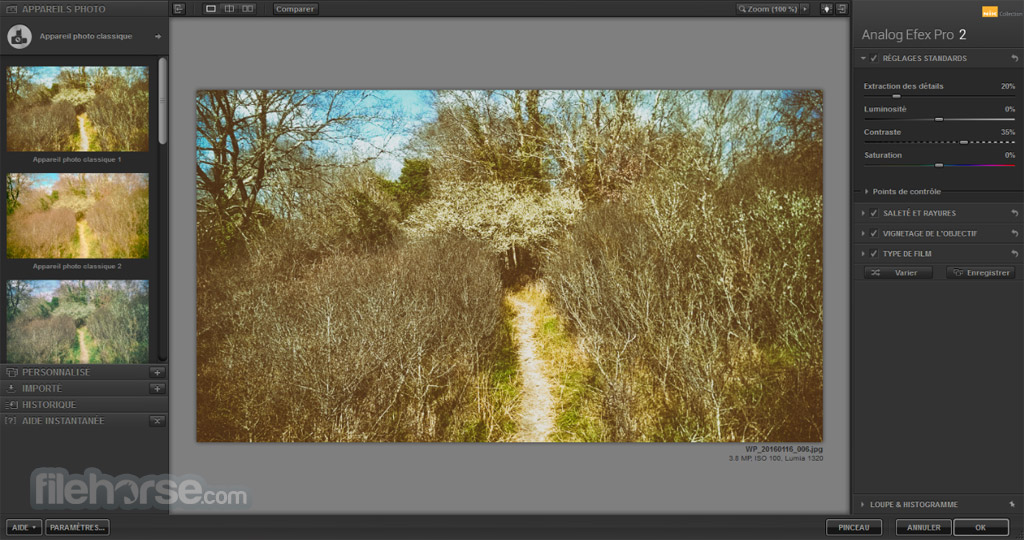
Analog Efex Pro
Get the photo you’re looking for, even if you don’t own the equipment. Let effects inspired by traditional cameras bring you back to the vintage age of photo development. Choose from 10 different Tool Combinations to easily apply their effects, or use the Camera Kit to mix and match your favorite analog features.
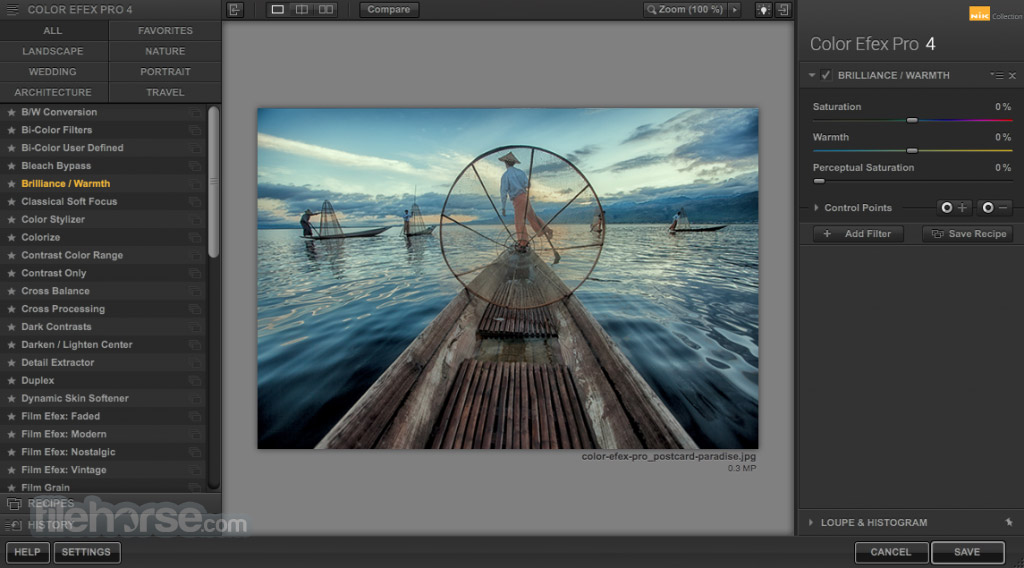
Color Efex Pro
Access 55 high-quality photographic filters to achieve incredible photographic results. Color Efex Pro is known for its power and versatility. Years of imaging research and development and feedback from customers worldwide have resulted in a powerful feature set with unmatched control. Perfectly suited for all styles of photography, each filter provides control to satisfy discerning photographers.
Silver Efex Pro
Dozens of visual presets as starting points. If you like what you see, you’re done. If you want to go further, use an extensive set of global controls such as brightness, contrast, saturation, structure, film types, toning, and much more to craft your image.
Viveza
Creating great photography involves mastery of color and light. Powered by patented U Point® technology, Viveza allows photographers of any skill level to quickly enhance their images using innovative tools designed for speed and efficiency.
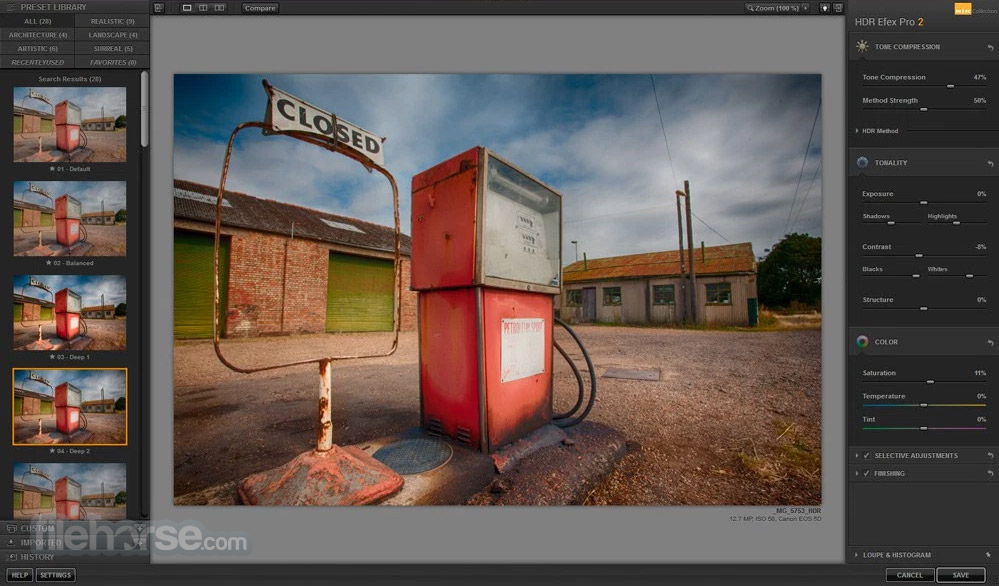
HDR Efex Pro
By incorporating multiple proprietary tone mapping algorithms HDR Efex Pro can support whatever unique look you choose for a particular image. You can add a realistic, subtle touch to your landscape or interior scene, or you can also pick an artistic preset and increase the structure to create a truly unique look. With HDR Efex Pro there are no limits.
Sharpener Pro
U Point powered controls allow you to precisely control sharpness and detail selectively within an image without the need for complicated selections or layer masks. Enhancements are automatically and naturally blended throughout your image for spectacular results.
Dfine
Dfine reduction engine provides best-in-class noise reduction while retaining an incredible amount of detail. Automatic camera profiling replaces the need to purchase camera profiles and fine-tunes Dfine’s revamped noise reduction engine to produce the best results for your camera.
How to Use
Also Available: Download Nik Collection for Mac
Download Nik Collection Latest Version Why is this app published on FileHorse? (More info)
Nik Collection version 5: Major upgrades to Color Efex and Analog Efex, improved local adjustment technology, and a smoother user experience. The latest version of the renowned suite of eight plug-ins for Adobe Photoshop® and Lightroom Classic® also features a brand new tool to reduce haze and 29 faithfully reproduced color film grains.
This desktop graphics suite was a paid service but has recently been offered as freeware. You can use it, without breaking the bank, to bring out every aspect of your photos easily creating moods, fixing imperfections, enhancing colors and so much more.
In no way shape or form would I be considered a photographer but as the testing progressed I found that this is very easy-to-use and understand - some of the pictures I was playing around with actually started to look pretty good so just imagine what a real photographer could accomplish. Any option you choose to use comes with a thumbnail example of the effect rendering for reference taking all the guesswork out letting you focus on creating.
Nik Collection is adequately packed with 7 desktop plug-ins that provide an unmatched range of photo editing capabilities that include multiple filter applications for improving color correction, image sharpening for bringing out details that may be too subtle, many retouching and creative effects as well as the ability to make on-the-spot color and tonality adjustments to any image. Being that this is now free it is worth giving a try.
What`s New
- Enhanced U Point™ technology with elliptical adjustments and a new Polygonal Tool for precise selections.
- Luminosity masks allow editing based on brightness ranges for better control.
- Performance boost with 30% faster image loading and smoother plugin switching.
- Quick export and fast search functions improve editing workflow.
- Nik Color Efex upgrades include advanced HSL controls, dynamic filter stacking, and Viveza integration.
- Preset and filter management lets you save filters as defaults for streamlined editing.
Analog Efex Pro
Get the photo you’re looking for, even if you don’t own the equipment. Let effects inspired by traditional cameras bring you back to the vintage age of photo development. Choose from 10 different Tool Combinations to easily apply their effects, or use the Camera Kit to mix and match your favorite analog features.
Color Efex Pro
Access 55 high-quality photographic filters to achieve incredible photographic results. Color Efex Pro is known for its power and versatility. Years of imaging research and development and feedback from customers worldwide have resulted in a powerful feature set with unmatched control. Perfectly suited for all styles of photography, each filter provides control to satisfy discerning photographers.
Silver Efex Pro
Dozens of visual presets as starting points. If you like what you see, you’re done. If you want to go further, use an extensive set of global controls such as brightness, contrast, saturation, structure, film types, toning, and much more to craft your image.
Viveza
Creating great photography involves mastery of color and light. Powered by patented U Point® technology, Viveza allows photographers of any skill level to quickly enhance their images using innovative tools designed for speed and efficiency.
HDR Efex Pro
By incorporating multiple proprietary tone mapping algorithms HDR Efex Pro can support whatever unique look you choose for a particular image. You can add a realistic, subtle touch to your landscape or interior scene, or you can also pick an artistic preset and increase the structure to create a truly unique look. With HDR Efex Pro there are no limits.
Sharpener Pro
U Point powered controls allow you to precisely control sharpness and detail selectively within an image without the need for complicated selections or layer masks. Enhancements are automatically and naturally blended throughout your image for spectacular results.
Dfine
Dfine reduction engine provides best-in-class noise reduction while retaining an incredible amount of detail. Automatic camera profiling replaces the need to purchase camera profiles and fine-tunes Dfine’s revamped noise reduction engine to produce the best results for your camera.
How to Use
- Open your preferred photo editing software
- Launch Nik Collection from the plugin menu
- Choose a specific plugin for desired effects
- Apply adjustments using the intuitive interface
- Preview changes in real time before applying
- Click "Apply" to finalize and return to host app
- Export or save your edited image as needed
- Operating System: Windows 11 or Windows 10 (64-bit only)
- Processor: Intel Core i5 or higher
- RAM: 8 GB minimum (16 GB recommended)
- Graphics: GPU with 1 GB VRAM (2 GB recommended)
- Display: 1280×800 resolution (1920×1080 recommended)
- Storage: 4 GB of available disk space
- Host Software: Compatible with Adobe Photoshop, Lightroom Classic, or DxO PhotoLab
- High-quality photo enhancement tools
- Wide variety of creative presets
- Non-destructive editing workflow
- Seamless plugin integration
- Excellent value for photography tools
- Requires compatible host software
- Resource intensive on older PCs
- Limited RAW editing capability
- No mobile or tablet version available
Also Available: Download Nik Collection for Mac
Download Nik Collection Latest Version Why is this app published on FileHorse? (More info)
##
影片介紹
##
畫面截圖
- 2026-04-22 Nik Collection 9.0.11 781 MB
- 2026-01-24 Nik Collection 8.3.1 1.3 GB
- 2025-02-26 Nik Collection 7.0.401 759 MB
- 2024-04-17 Nik Collection 6.10 967 MB
- 2023-04-13 Nik Collection 5.7.0 660 MB
- 2021-12-14 Nik Collection 4.3 640 MB
- 2020-11-19 Nik Collection 3.3 477 MB
- 2018-11-15 Nik Collection 1.2.18 392 MB