Passware Password Recovery Kit Standard 2026.3.0
v 2026.3.0
Windows
試用版
6.4/10 (88)
- 目前版本2026.3.0
- 更新日期2026-07-23
- 檔案大小280 MB
- 檔案名稱PasswareKit_Demo_64bit_Setup.msi
- 作業系統Windows 7 / Windows 8 / Windows 10 / Windows 11
- 支援語系English
- 授權型式試用版
- 開發商 Passware
- 軟體分類Windows 軟體 / 系統優化
##
翻譯排程處理中,以下暫以英文原文呈現
軟體介紹
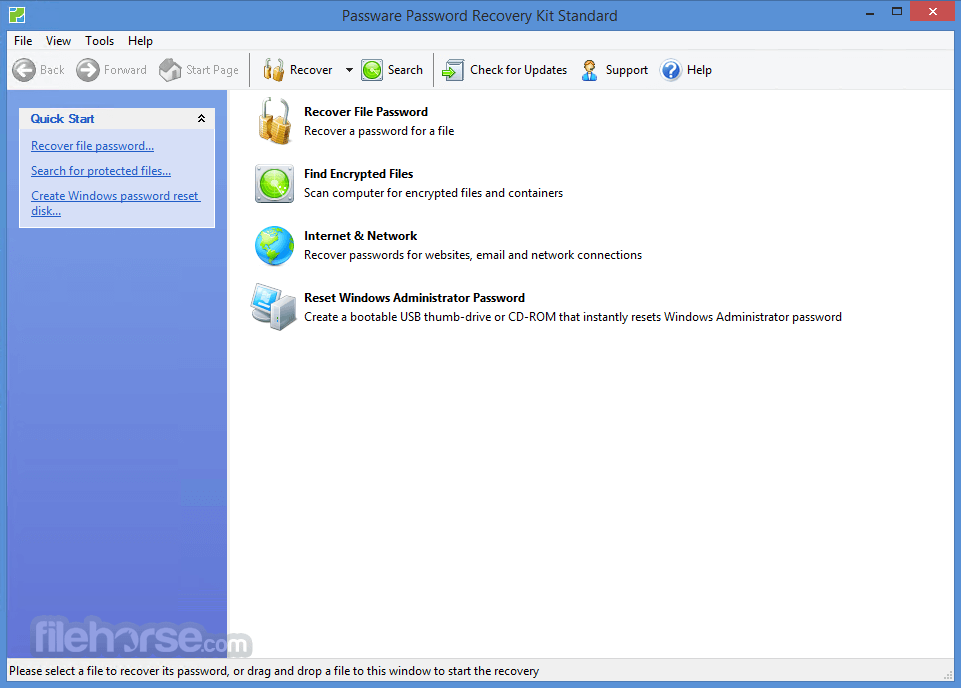
Passware Password Recovery Kit Standard is an easy-to-use tool that recovers passwords for MS Office files, archives, PDF documents, Windows Administrators, email accounts, and others.
Recovers passwords for MS Word, Excel, Outlook Express, web browsers, etc. NVIDIA and AMD GPUs, and multi-core CPUs are used to dramatically speed up password recovery. Scans computer and finds all password-protected files.
Passware Kit Standard software recognizes and recovers passwords for 80+ file types including MS Word, Excel, Outlook Express, and web browsers.
Features and Highlights
Instant Results
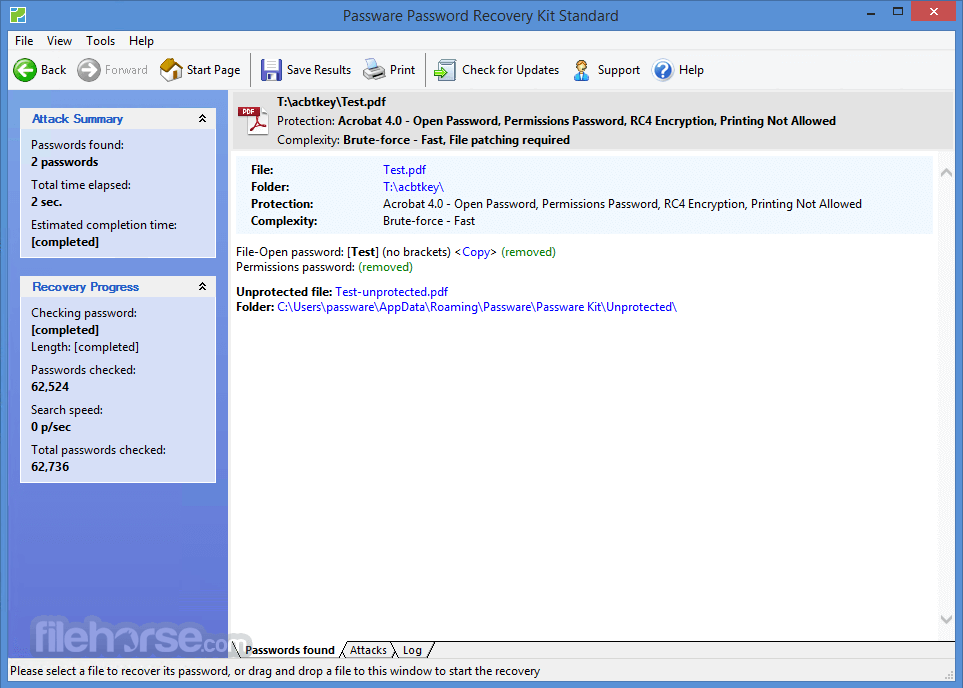
Recovers or resets many password types instantly.
Advanced Recovery Attacks
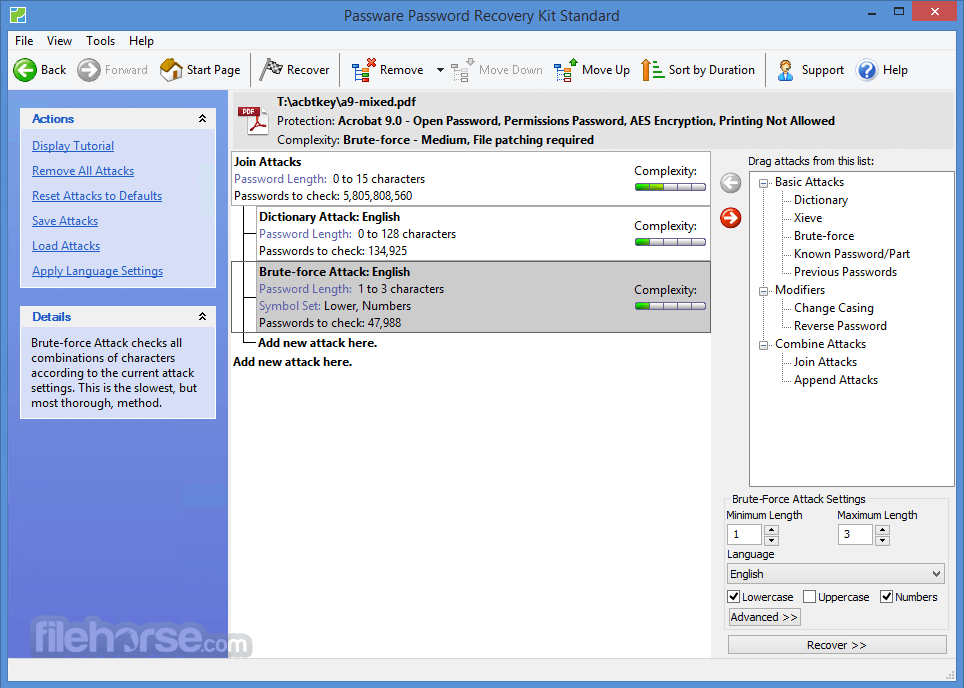
Uses advanced password recovery attacks: Dictionary, Xieve, Brute-force, Known Password/Part, Previous Passwords, and their combinations.
Combined Attacks
Combines attacks for passwords like "strong123password".
Hardware Acceleration
NVIDIA and AMD GPUs, and multi-core CPUs are used to dramatically speed up password recovery.
Analysis
Locates password-protected files on a PC and analyzes their security.
Easy to setup & use
Includes a Wizard for easy setup of password recovery attacks.
Easy to customize
For non-instantaneous password recovery, 6 different attack types (and any combination of them) could be set up using a wizard or drag & drop attacks editor.
Passwords History
All recovered passwords are saved and ready to be reused on other files.
Works with a strong password
Supports password modifications, including case changes, reversed words, etc.
Over 110+ files supported, a protected item such as:
What`s New
PC platforms (64-bit only): Windows 11/10, or Microsoft Windows Server 2022/2019/2016
Hardware Requirements
GPU (Graphics Processing Unit) cards allow users to accelerate password recovery by up to 400 times compared to CPU-only systems. Passware Kit supports almost all types of NVIDIA (RTX, GTX, Tesla) and AMD GPUs. Mac version supports OpenCL acceleration on AMD GPU and NVIDIA/AMD eGPU.
Demo Version Limitations
Recovers either the first 3 letters of passwords or passwords containing no more than 3 characters
Allows each of the attacks to run for up to 1 minute
For Windows users, resets a 'Demo12345' password only
For FDE decryption, has limitations on the volume size:
Download Passware Kit Standard Latest Version Why is this app published on FileHorse? (More info)
Recovers passwords for MS Word, Excel, Outlook Express, web browsers, etc. NVIDIA and AMD GPUs, and multi-core CPUs are used to dramatically speed up password recovery. Scans computer and finds all password-protected files.
Passware Kit Standard software recognizes and recovers passwords for 80+ file types including MS Word, Excel, Outlook Express, and web browsers.
Features and Highlights
Instant Results
Recovers or resets many password types instantly.
Advanced Recovery Attacks
Uses advanced password recovery attacks: Dictionary, Xieve, Brute-force, Known Password/Part, Previous Passwords, and their combinations.
Combined Attacks
Combines attacks for passwords like "strong123password".
Hardware Acceleration
NVIDIA and AMD GPUs, and multi-core CPUs are used to dramatically speed up password recovery.
Analysis
Locates password-protected files on a PC and analyzes their security.
Easy to setup & use
Includes a Wizard for easy setup of password recovery attacks.
Easy to customize
For non-instantaneous password recovery, 6 different attack types (and any combination of them) could be set up using a wizard or drag & drop attacks editor.
Passwords History
All recovered passwords are saved and ready to be reused on other files.
Works with a strong password
Supports password modifications, including case changes, reversed words, etc.
Over 110+ files supported, a protected item such as:
- Acrobat: 3.0, 4.0, 5.0, 6.0, 7.0, 8.0, 9.0, 10.0, 11.0
- Google Chrome: Website
- Hancom Office: 2010, 2014–2025 (Hanword, Hancell, Hanshow)
- ICQ: 99a, 2000–2003
- iWork: 2009, 2013, 2020
- Microsoft Edge: Website
- Mozilla Firefox: Website, Database v.58+
- MS Access: 2.0, 95, 97, 2000, 2002, 2003, 2007, 2010, 2013, 2019, System Database (2.0, 97, 2000), VBA
- MS Excel: 4.0, 5.0, 95, 97, 2000, 2002, 2003, 2007, 2010, 2013, 2016, 2019, Pocket Excel, VBA
- MS Internet Explorer: Website, Webform, Content Advisor
- MS OneNote: 2003, 2007, 2010, 2013, 2019, Revision Store
- MS Outlook: 2000/2003/2007/2010/2013/2016/2019 (Email Account, Form Template, Personal Storage), Express (Account, Identity)
- MS PowerPoint: 2002, 2003, 2007, 2010, 2013, 2019, VBA
- MS Windows: NT, 2000, XP, Vista, 7, 8 - 8.1, 10, 11 (Administrator/User Secure Boot Option), Live ID Account, UPEK
- MS Word: 1.0, 2.0, 3.0, 4.0, 5.0, 6.0, 95, 97, 2000, 2002, 2003, 2007, 2010, 2013, 2016, 2019, VBA
- Network Connection: General
- OpenDocument: ODT, ODS, ODP, ODB
- Opera: Website, GX Website, Crypto Website
- RAR: 2.0, 2.9 - 4.x, 5.x
- Remote Desktop Connection: RDP
- Safari: Website
- WinZip: 8.0 or earlier
- Yandex Browser: Website
- Zip Archive: General
- 7-Zip: General
What`s New
- Password recovery for newer versions of Hancom Office
- Usability improvements
- Support for macOS 15 Sequoia
- Public GPU and CPU benchmarks
- GPU-accelerated password recovery for Hancom Office
- Usability improvements
- Password hint display
- Improved UI experience for stopping the password recovery process
- Improved GPU-accelerated credential recovery for older versions of Mozilla
- New QR-codes and short links simplifying the workflow in air-gapped environments
PC platforms (64-bit only): Windows 11/10, or Microsoft Windows Server 2022/2019/2016
Hardware Requirements
- 1 GHz processor (2.4 GHz recommended)
- 4 GB of RAM (8 GB recommended)
- 1 GB of free hard disk space (more if you use custom dictionaries). For hardware acceleration on some strong file types, it is recommended to have 2 x (RAM + GPUs RAM) of free disk space for paging file.
GPU (Graphics Processing Unit) cards allow users to accelerate password recovery by up to 400 times compared to CPU-only systems. Passware Kit supports almost all types of NVIDIA (RTX, GTX, Tesla) and AMD GPUs. Mac version supports OpenCL acceleration on AMD GPU and NVIDIA/AMD eGPU.
Demo Version Limitations
Recovers either the first 3 letters of passwords or passwords containing no more than 3 characters
Allows each of the attacks to run for up to 1 minute
For Windows users, resets a 'Demo12345' password only
For FDE decryption, has limitations on the volume size:
- 64 MB for VeraCrypt, TrueCrypt, and PGP WDE,
- 384 MB for FileVault,
- 512 MB for APFS.
- User-Friendly Interface
- Supports Various File Types
- Fast Password Recovery
- Affordable Pricing
- Regular Updates
- Limited Advanced Features
- Requires High CPU Usage
- Lacks Cloud Integration
- Dependent on Dictionary Files
Download Passware Kit Standard Latest Version Why is this app published on FileHorse? (More info)
##
影片介紹
##
畫面截圖