⚠ 這是歷史版本頁面 — 查看 PortraitPro 最新版本 →

- 目前版本17.5.1 (32-bit)
- 更新日期2016-04-06
- 檔案大小154 MB
- 檔案名稱PortraitProTrialSetup.exe
- 作業系統Windows 7 64 / Windows 8 64 / Windows 10 64 / Windows 11
- 支援語系English
- 授權型式試用版
- 開發商 Anthropics Technology
- 軟體分類Windows 軟體 / 影像設計
##
編輯短評
PortraitPro 是一款專注於人像修圖的軟體,與一般磨皮工具不同,它內建了人體美學的訓練模型,使用者只需拖曳滑桿,就能調整臉部細節,讓沒有專業背景的人也能快速做出接近專業級的效果。它的操作直覺,也支援加入背景、浮水印等後製功能。這套軟體在市場上已有一段時間,更新步調較慢,但使用者評價普遍不錯,在同類工具中屬於特定領域的熱門選擇。
適合需要大量人像修圖的攝影師、婚紗業者,或是想快速美化自拍的一般使用者。當你不想花時間學習 Photoshop 的複雜遮罩與圖層,又希望人像處理有自然效果時,PortraitPro 能省下不少功夫。不過它只專注於人像,不像 Photoshop 那樣全面,且目前僅提供英文介面,試用版有功能限制,購買前建議先確認是否符合需求。平台支援 Windows 與 macOS,使用上較有彈性。
##
翻譯排程處理中,以下暫以英文原文呈現
軟體介紹
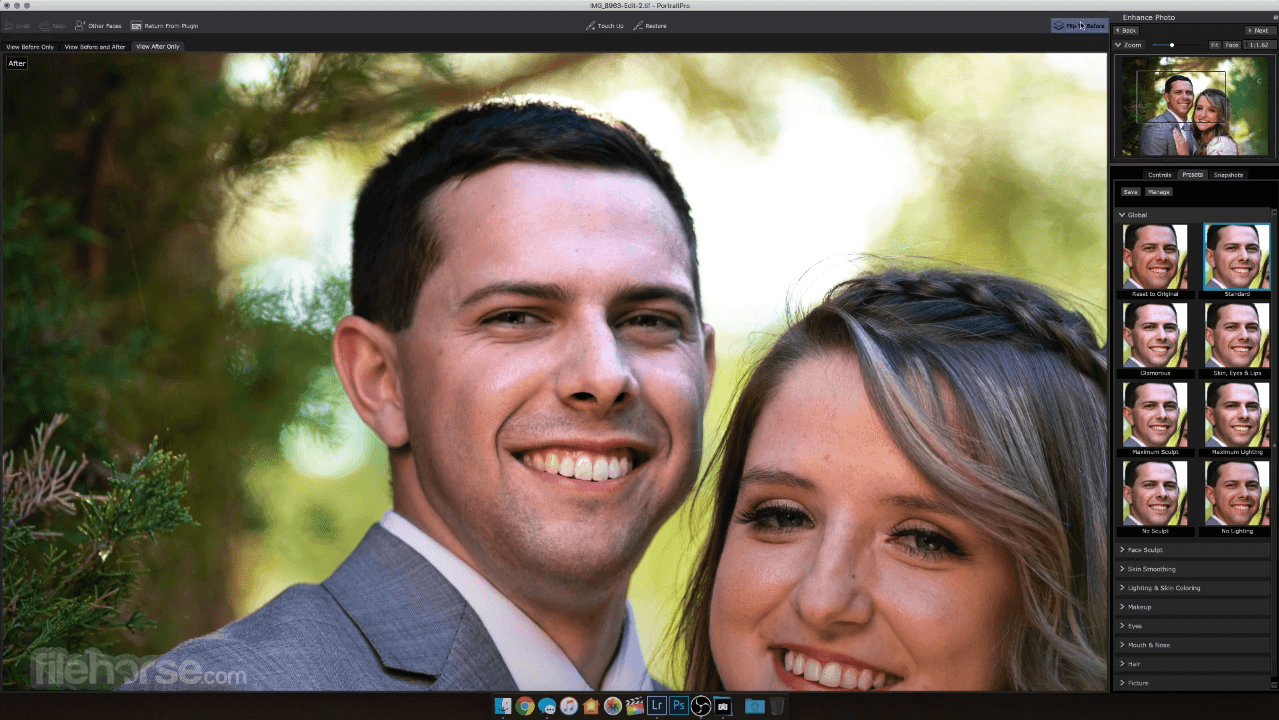
PortraitPro works in a completely different way to ordinary airbrushing and photo editing software. The software is trained in human beauty, so you can edit your photo as much as required.
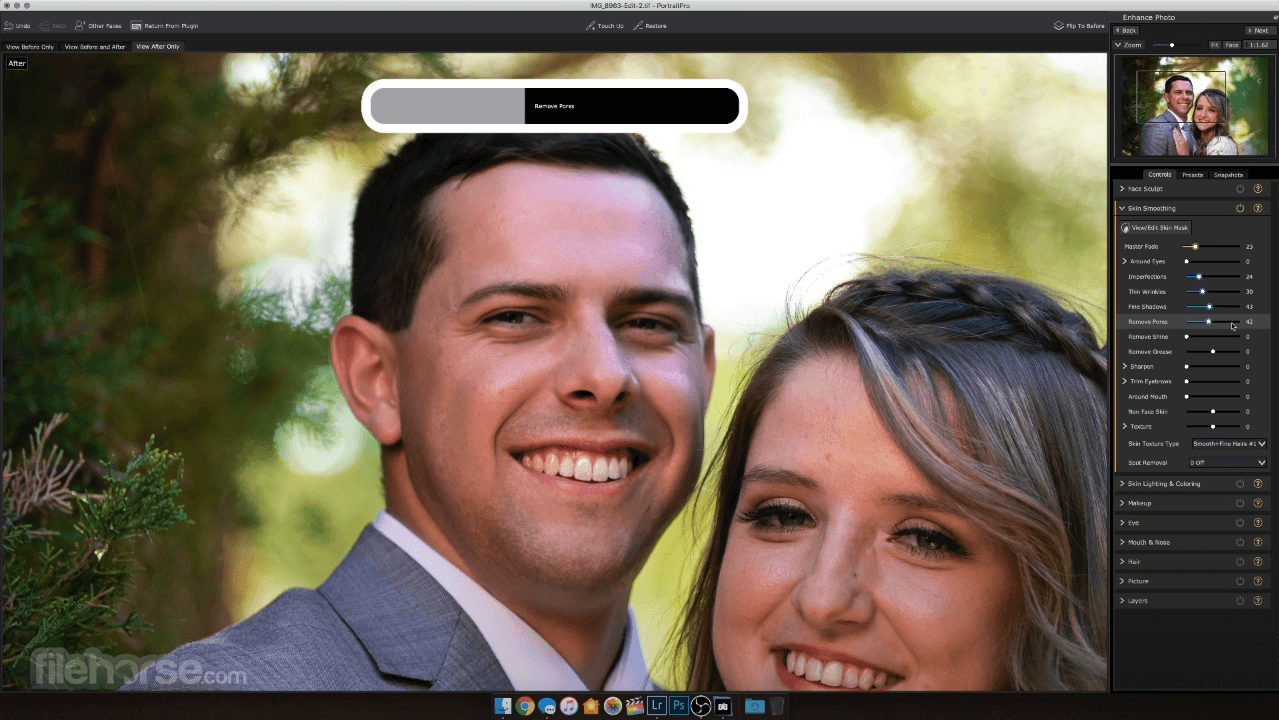
Expert photo editing can be achieved by unskilled users in minutes. With PortraitPro, you can enhance faces as much as you want simply by moving sliders.
Portrait Pro is the world's best-selling retouching program app. Fast and intuitive, It edits your portrait photos for beautiful results. Give your portraits a professional finish by inserting backgrounds, adding your logo or watermark, or creating artistic double exposures.
It uses exclusive ClearSkin 4 technology to smooth skin without that plastic ‘Photoshopped’ finish. The Touch-Up brush gives you the option to target blemishes and problem areas directly, instead of having to apply excessive smoothing to the whole face.
Advanced Layers functionality gives better background control, plus add your logo, watermark, stickers, and more with new overlays.
It comes in three editions to suit your needs. For keen amateurs, the Studio includes new Smart Filter functionality for Photoshop as well as handling RAW files directly and supporting different color spaces.
Using the latest developments in deep learning, image recognition, and artificial intelligence, It offers the most accurate feature finding of any retouching software. Remove all edits from a selected area by adjusting the Effects Mask. Perfect for complex portraits involving accessories or props.
FACE SCULPTING
PortraitPro’s face sculpting technology is based on hundreds of hours of training in human aesthetics. Rather than dragging or warping the face, as you might in other software, Portrait Pro uses a slider interface to sculpt and refine your subject’s features.
The program now comes with a full range of digital makeup. Based on years of research into real cosmetics, you can create fashionable and flattering makeup looks in a huge variety of styles.
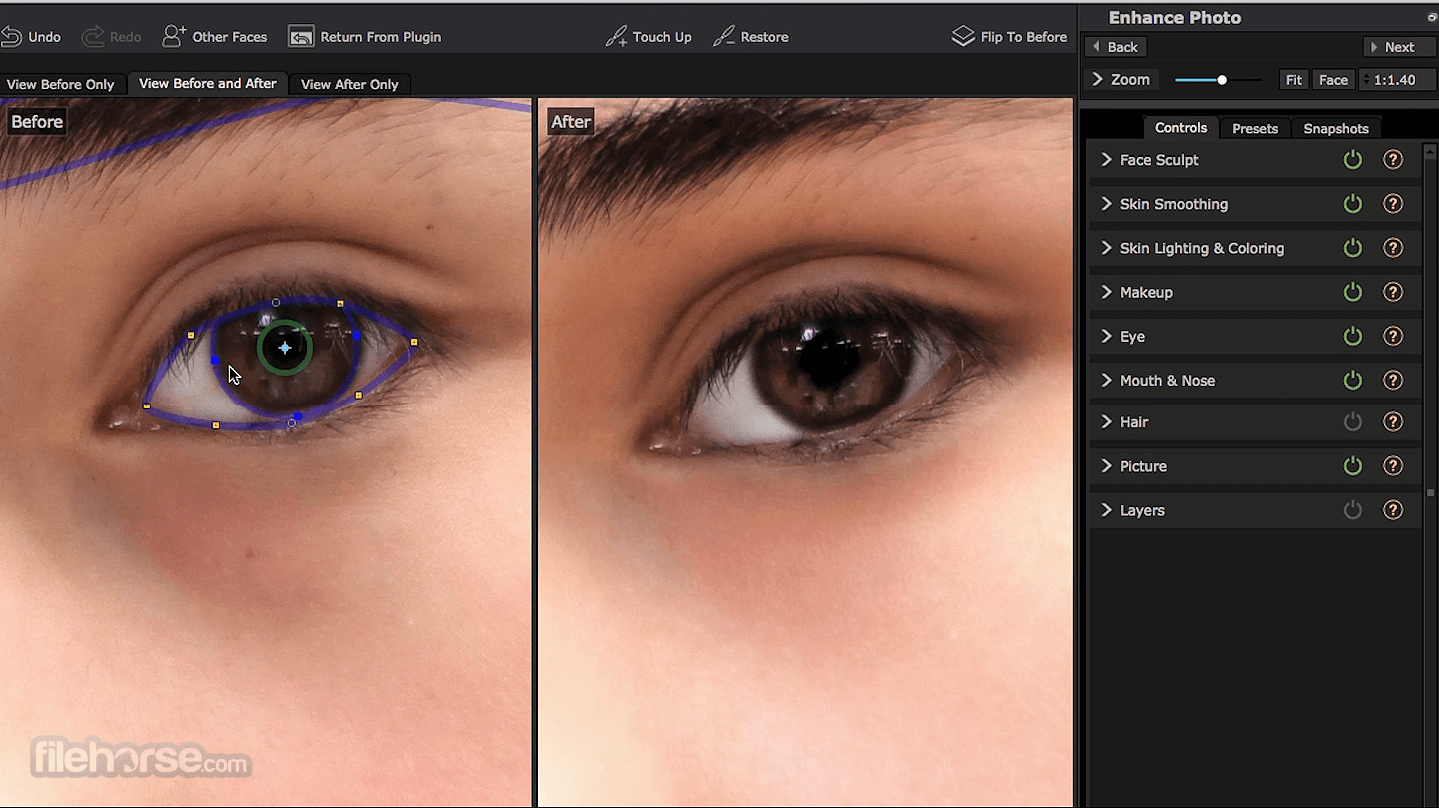
‘The windows to the soul’. As the eyes are probably the focus of your portrait, It makes it easier to give them the finishing touch.
Children require very little retouching and a much more subtle hand, which is why they have their very own mode in Portrait Pro. Removing unneeded tools to clear your workspace, Child Mode focuses on natural retouchings such as enhancing eyes and smiles.
Features and Highlights
Adobe Lightroom – Pro-grade editing with cloud sync.
PicsArt – Creative editing with stickers and AI.
Luminar Neo – AI-powered editing for professionals.
Snapseed for PC – Google’s powerful mobile photo editor.
VSCO – Stylish filters and minimal editing tools.
Pixlr – Browser-based editor with AI tools.
Canva Photo Editor – Easy photo edits with design tools.
Fotor – One-click enhancements and HDR effects.
Affinity Photo – Advanced editor with no subscription.
How to Use
Launch the application on your PC
Open a portrait image within the software
Allow the software to automatically detect facial features
Adjust the facial feature markers if necessary
Choose a preset or manually adjust settings using sliders
Apply desired enhancements to skin, eyes, hair, and lighting
Review the before-and-after comparison
Save the edited image to your preferred location
System Requirements
Also Available: Download PortraitPro for Mac
Download PortraitPro Latest Version Why is this app published on FileHorse? (More info)
Expert photo editing can be achieved by unskilled users in minutes. With PortraitPro, you can enhance faces as much as you want simply by moving sliders.
Portrait Pro is the world's best-selling retouching program app. Fast and intuitive, It edits your portrait photos for beautiful results. Give your portraits a professional finish by inserting backgrounds, adding your logo or watermark, or creating artistic double exposures.
It uses exclusive ClearSkin 4 technology to smooth skin without that plastic ‘Photoshopped’ finish. The Touch-Up brush gives you the option to target blemishes and problem areas directly, instead of having to apply excessive smoothing to the whole face.
Advanced Layers functionality gives better background control, plus add your logo, watermark, stickers, and more with new overlays.
It comes in three editions to suit your needs. For keen amateurs, the Studio includes new Smart Filter functionality for Photoshop as well as handling RAW files directly and supporting different color spaces.
Using the latest developments in deep learning, image recognition, and artificial intelligence, It offers the most accurate feature finding of any retouching software. Remove all edits from a selected area by adjusting the Effects Mask. Perfect for complex portraits involving accessories or props.
FACE SCULPTING
PortraitPro’s face sculpting technology is based on hundreds of hours of training in human aesthetics. Rather than dragging or warping the face, as you might in other software, Portrait Pro uses a slider interface to sculpt and refine your subject’s features.
- Widen eyes.
- Correct wide-angle distortion.
- Simulate tilting the subject’s head forward to sculpt the jaw.
- Enhance smile or expression.
- And more.
The program now comes with a full range of digital makeup. Based on years of research into real cosmetics, you can create fashionable and flattering makeup looks in a huge variety of styles.
- Enhance eyes with false eyelashes, eyeliner, eyeshadow, and mascara.
- Use highlighter and bronzer to contour the face.
- Use blusher to give a natural glow.
- Add lipstick of your choice in a range of realistic textures.
- Create subtle, romantic looks or dramatic high-fashion styles.
‘The windows to the soul’. As the eyes are probably the focus of your portrait, It makes it easier to give them the finishing touch.
- Change the iris color or add colored contacts.
- Sharpen, brighten, and whiten eyes.
- Make the pupils bigger and darker.
- Add catch-lights.
Children require very little retouching and a much more subtle hand, which is why they have their very own mode in Portrait Pro. Removing unneeded tools to clear your workspace, Child Mode focuses on natural retouchings such as enhancing eyes and smiles.
Features and Highlights
- NEW - Greatly improved A.I. powered image recognition
- NEW - Add logos or stickers to images
- NEW - Reduce Reflections in Glasses
- NEW - Inpaint Mouth & Teeth
- NEW - Fix blurry faces with a dedicated new tool.
- Background replacement
- Fix skin blemishes
- Reduce wrinkles
- Makeup controls
- Remove grease, sweat, or shine
- Reshape any aspect of the face
- Enhance the eyes and mouth
- Smooth, recolor and thicken hair
- Change the lighting on the face
- Detects the face, age, and gender.
- Locates features, skin, hair, and background areas.
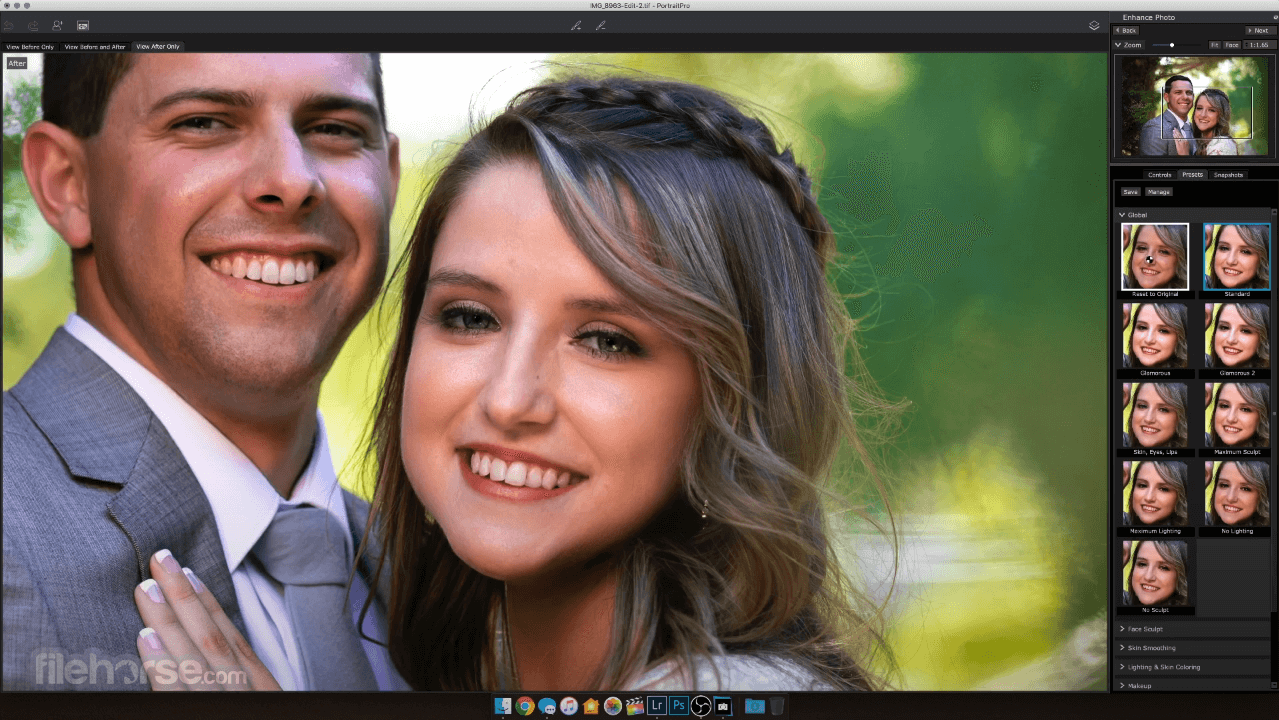
- Automatically retouches the photo with customizable presets.
- Fully adjustable retouching using sliders.
- Make-up, relighting, and face sculpting controls for complete creative control.
- Edit or replace the background and add stickers, logos, or overlays.
- Over 600,000 Portrait Pro users around the world.
- Download the free trial and see what it can do.
Adobe Lightroom – Pro-grade editing with cloud sync.
PicsArt – Creative editing with stickers and AI.
Luminar Neo – AI-powered editing for professionals.
Snapseed for PC – Google’s powerful mobile photo editor.
VSCO – Stylish filters and minimal editing tools.
Pixlr – Browser-based editor with AI tools.
Canva Photo Editor – Easy photo edits with design tools.
Fotor – One-click enhancements and HDR effects.
Affinity Photo – Advanced editor with no subscription.
How to Use
Launch the application on your PC
Open a portrait image within the software
Allow the software to automatically detect facial features
Adjust the facial feature markers if necessary
Choose a preset or manually adjust settings using sliders
Apply desired enhancements to skin, eyes, hair, and lighting
Review the before-and-after comparison
Save the edited image to your preferred location
System Requirements
- Processor: 2GHz or faster recommended
- Memory: 8GB RAM minimum; 16GB recommended for larger images
- Display: Minimum resolution of 1280 x 800
- Operating System: 64-bit Windows 11 or Windows 10 with latest updates
- Intuitive and user-friendly interface
- Advanced AI-driven facial feature detection
- Extensive range of editing tools and presets
- High-quality, natural-looking retouching results
- Efficient workflow with batch processing capabilities
- Overuse can lead to unrealistic edits
- Limited to portrait-specific editing
- Higher system requirements for optimal performance
- Some features may require manual adjustments
- Cost may be prohibitive for casual users
Also Available: Download PortraitPro for Mac
Download PortraitPro Latest Version Why is this app published on FileHorse? (More info)
##
畫面截圖
- 2025-07-06 PortraitPro 24.3.3 822 MB
- 2025-02-24 PortraitPro 24.3.1 822 MB
- 2024-03-21 PortraitPro 24.0.4 818 MB
- 2024-02-15 PortraitPro 24.0.3 818 MB
- 2023-08-22 PortraitPro 23.1.2 492 MB
- 2022-10-19 PortraitPro 23.0.2 491 MB
- 2022-03-03 PortraitPro 22.2.1 451 MB
- 2022-01-11 PortraitPro 22.1.2 451 MB