⚠ 這是歷史版本頁面 — 查看 PS4 Remote Play 最新版本 →

- 目前版本4.1.0.4020
- 更新日期2021-04-14
- 檔案大小3.64 MB
- 檔案名稱RemotePlayInstaller.exe
- 作業系統Windows 10 (64-bit) / Windows 11
- 支援語系English
- 授權型式免費軟體
- 開發商 Sony Interactive Entertainment Inc.
- 軟體分類Windows 軟體 / 檔案傳輸與網路
##
編輯短評
PS4 Remote Play 是 Sony 官方推出的 PS4 遠端串流工具,讓玩家在區域網路內或透過網際網路,將主機上的遊戲畫面即時傳送到 Windows 電腦上遊玩。它的最大特色是完整保留 DualShock 4 手把支援與主機系統介面操作,串流技術與 PlayStation Now 同源,延遲與畫質表現都有官方背書。這套軟體由 Sony 持續維護,更新節奏不算頻繁但穩定,在同類工具中屬於官方首選,評價普遍不錯。
這款軟體適合不想一直待在電視前的 PS4 玩家,例如想躺在床上用筆電玩、或出門在外仍想連回主機繼續進度。與其他第三方串流方案相比,它最大的優勢是官方支援、設定簡單,但前提是你必須擁有 PS4 主機,且網路上行頻寬要夠。軟體本身免費,提供 Windows 與 macOS 版本,但介面僅有英文,使用前需留意主機與電腦需登入相同 PSN 帳號,並在首次連線時完成驗證。
##
翻譯排程處理中,以下暫以英文原文呈現
軟體介紹
PS4 Remote Play is the official remote streaming app of PlayStation 4 console, enabling owners of this popular gaming hardware to remotely access its games both when connected to the home network and away via the public internet.
After the connection is established, simply connect your DualShock 4 controller to your PC, and start playing your PS4 games on your Windows PC with minimal lag, great picture quality, and full access to your console OS.
Built on top of advanced streaming technology that is today successfully powering PlayStation Now game streaming service, PS4 Remote Play is an excellent companion to every PS4 console that can transform every desktop PC and laptop into a secondary display for your console games.
After downloading and installing this small app, the first thing you will need to do is to input your PlayStation Network credentials, which will help the app to detect the presence of your console via a home network or public internet. It is important to note that you don’t need to have an internet connection if you wish to stream your PS4 games inside your home. PS4 can simply send video streams directly to your PC via its ethernet or Wi-Fi connection.
This same application can also be used to remotely connect to your PC via the public internet. The quality of the internet connection, your home internet upload speed, and the distance to the PS4 may introduce some lag or visual glitches, but nevertheless, you can still enjoy the entire PS4 game catalog even when you are at school, work, visiting family, enjoying the vacation or traveling on the other side of the planet.
The app recommends at least 5Mbps broadband internet upload speed for achieving stable connection outside of the home, with recommended speed being 12Mbps.
Owners of more powerful PlayStation 4 Pro consoles even have access to 60fps streams, which increases image quality and game responsiveness.
Because the games are rendered on the console itself, the app has very slim PC system requirements – enabling any PC that can run modern Windows 10 and 11 OS to easily access game streams from the console.
Be aware that the use of the DualShock 4 gamepad is the only hardware requirement for taking direct control over the games (the app supports limited control inputs via keyboard).
PS4 Remote Play is 100% FREE and is optimized for use on Windows 10 and Windows 11.
System requirements
Download PS4 Remote Play Latest Version Why is this app published on FileHorse? (More info)
After the connection is established, simply connect your DualShock 4 controller to your PC, and start playing your PS4 games on your Windows PC with minimal lag, great picture quality, and full access to your console OS.
Built on top of advanced streaming technology that is today successfully powering PlayStation Now game streaming service, PS4 Remote Play is an excellent companion to every PS4 console that can transform every desktop PC and laptop into a secondary display for your console games.
After downloading and installing this small app, the first thing you will need to do is to input your PlayStation Network credentials, which will help the app to detect the presence of your console via a home network or public internet. It is important to note that you don’t need to have an internet connection if you wish to stream your PS4 games inside your home. PS4 can simply send video streams directly to your PC via its ethernet or Wi-Fi connection.
This same application can also be used to remotely connect to your PC via the public internet. The quality of the internet connection, your home internet upload speed, and the distance to the PS4 may introduce some lag or visual glitches, but nevertheless, you can still enjoy the entire PS4 game catalog even when you are at school, work, visiting family, enjoying the vacation or traveling on the other side of the planet.
The app recommends at least 5Mbps broadband internet upload speed for achieving stable connection outside of the home, with recommended speed being 12Mbps.
Owners of more powerful PlayStation 4 Pro consoles even have access to 60fps streams, which increases image quality and game responsiveness.
Because the games are rendered on the console itself, the app has very slim PC system requirements – enabling any PC that can run modern Windows 10 and 11 OS to easily access game streams from the console.
Be aware that the use of the DualShock 4 gamepad is the only hardware requirement for taking direct control over the games (the app supports limited control inputs via keyboard).
PS4 Remote Play is 100% FREE and is optimized for use on Windows 10 and Windows 11.
System requirements
- Computer
- PS4 system
- DUALSHOCK™4 wireless controller
- USB cable or DUALSHOCK™4 USB wireless adaptor
- By using a wireless adaptor, you can use the controller wirelessly
- Account for PlayStation™Network
- High-speed Internet connection
- Play Anywhere – Stream games on various devices.
- No Extra Cost – Free feature with PS4 system.
- Controller Support – Use DualShock 4 on supported devices.
- Smooth Performance – Low latency on strong connections.
- Easy Setup – Simple and quick to configure.
- Internet Dependent – Requires fast, stable Wi-Fi.
- Limited Device Support – Not all devices are compatible.
- Input Lag – Noticeable in fast-paced games.
- Lower Resolution – Reduced graphics quality vs. native play.
- No Local Multiplayer – Only one player can connect.
Download PS4 Remote Play Latest Version Why is this app published on FileHorse? (More info)
##
畫面截圖
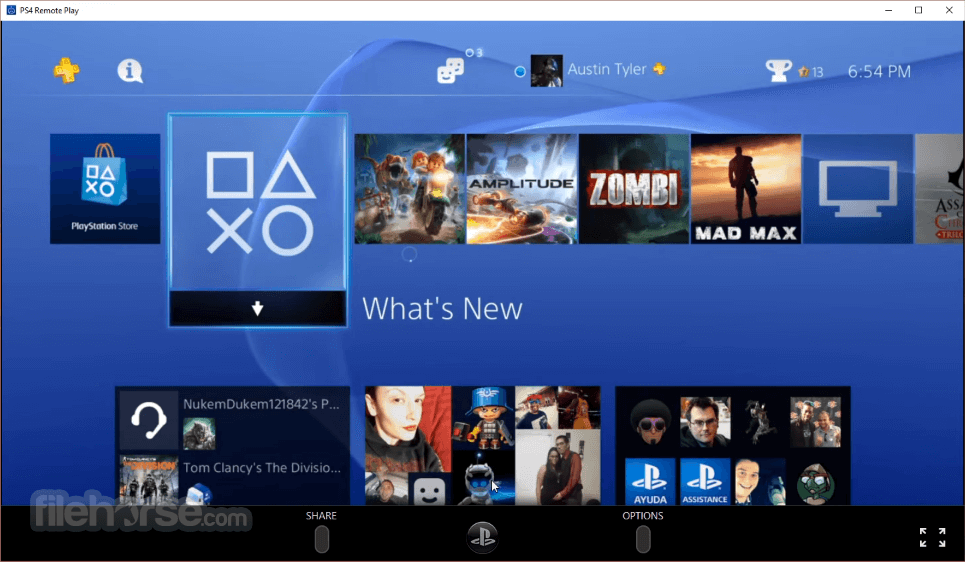
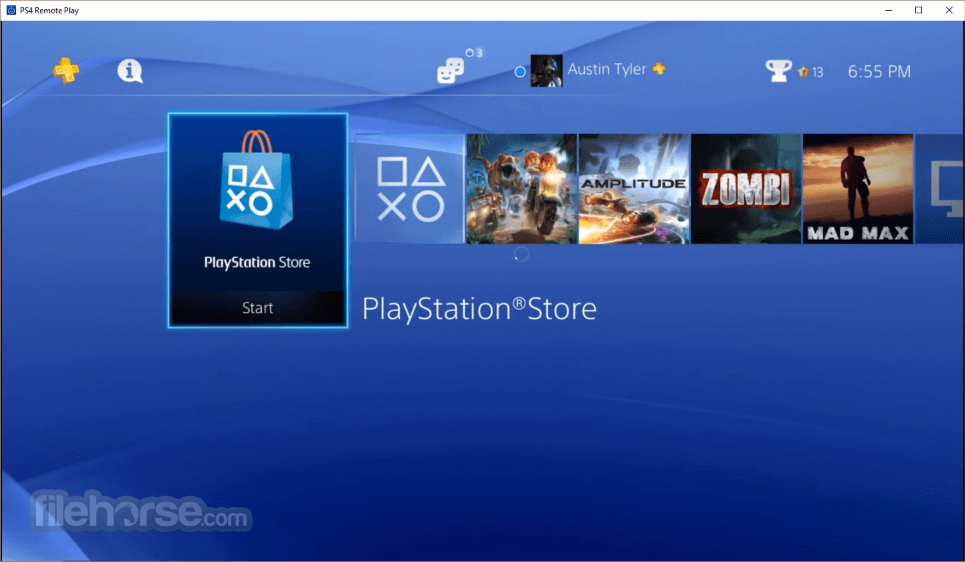
- 2026-03-19 PS4 Remote Play 9.0.0.2120 3.1 MB
- 2021-04-14 PS4 Remote Play 4.1.0.4020 3.64 MB
- 2020-10-14 PS4 Remote Play 4.0.0.9240 3.57 MB
- 2019-10-11 PS4 Remote Play 3.0.0.9250 9.34 MB