⚠ 這是歷史版本頁面 — 查看 Recuva Portable 最新版本 →

- 目前版本1.53.1087
- 更新日期2016-06-08
- 檔案大小3.82 MB
- 檔案名稱rcsetup153.zip
- 作業系統Windows 7 / Windows 8 / Windows 10 / Windows 11
- 支援語系English
- 授權型式免費軟體
- 開發商 Gen Digital Inc.
- 軟體分類Windows 軟體 / 備份還原
##
編輯短評
Recuva Portable 是一款專為 Windows 設計的免費檔案救援工具,主要解決使用者不小心刪除重要資料的窘境。它能從回收站、數位相機記憶卡或 MP3 播放器中找回遺失的文件與照片,甚至能處理因系統崩潰或病毒導致的檔案流失。這款軟體在同類工具中評價普遍不錯,且屬於長期維護的選擇,是許多使用者面對資料遺失時的可靠助手。
這款工具適合需要快速救援資料且不想安裝軟體到系統中的使用者,提供免安裝的便捷體驗。無論是在處理記憶卡損毀或是誤刪重要文件時都能派上用場。相較於其他備份還原類軟體,它更專注於將已刪除的檔案找回。下載前請留意此版本僅支援英文語系且限 Windows 平台使用,適合能接受英文介面操作的用戶。
##
翻譯排程處理中,以下暫以英文原文呈現
軟體介紹
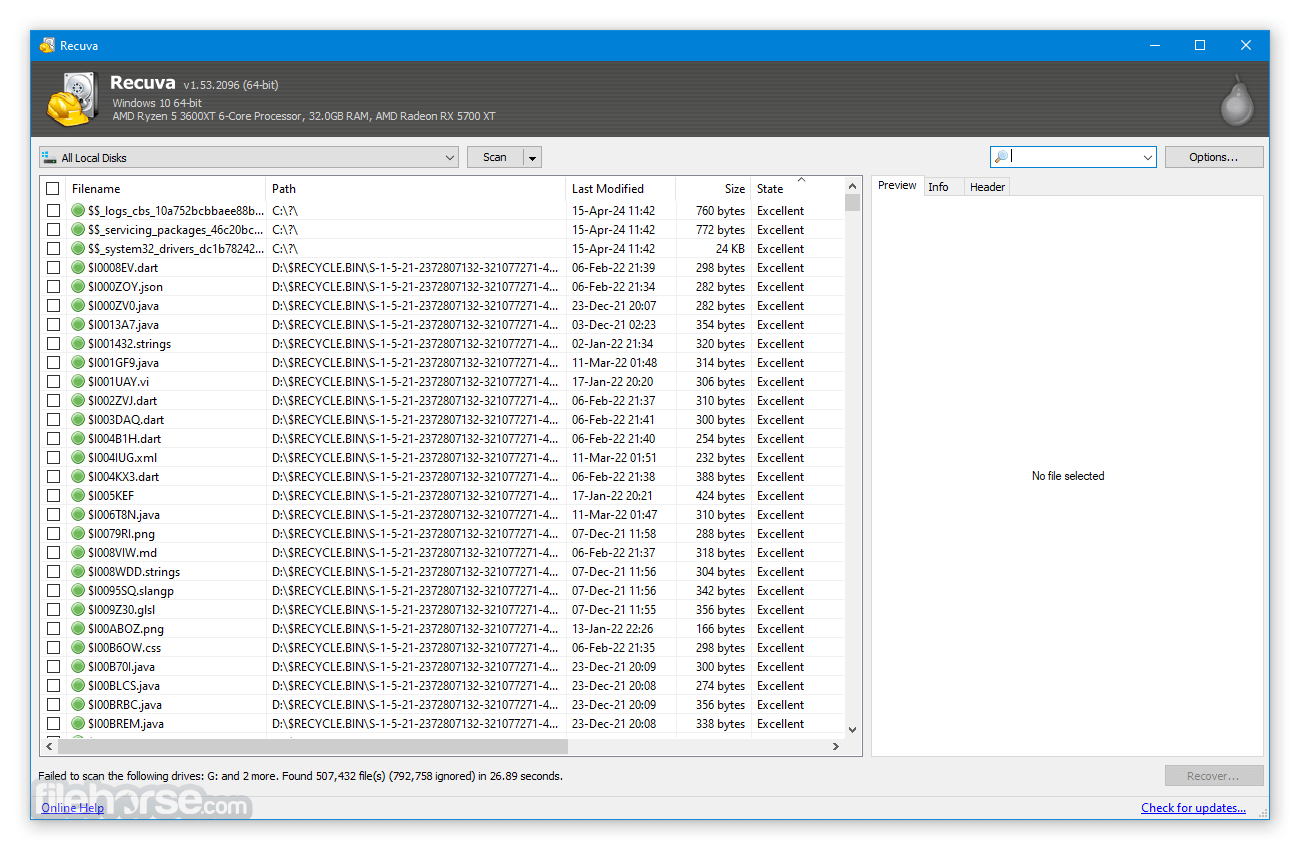
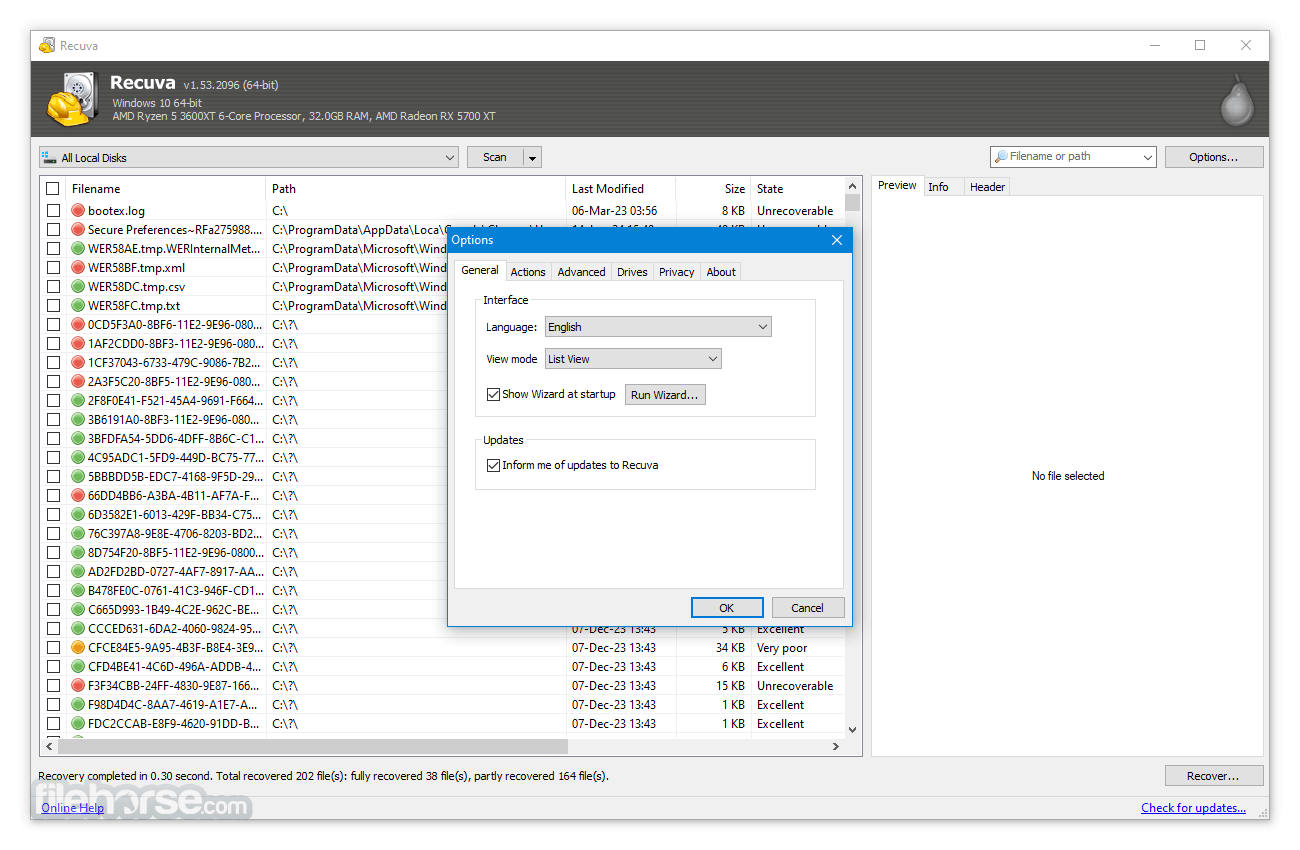
Recuva Portable (pronounced "recover") is a freeware Windows app to restore files that have been accidentally deleted from your computer.
This includes files emptied from the Recycle bin as well as images and other files that have been deleted by user error from digital camera memory cards or MP3 players. It will even bring back files that have been deleted by bugs, crashes, and viruses.
Accidentally deleted an important file? Lost files after a computer crash? No problem - Recuva Portable recovers files from your Windows computer, recycle bin, digital camera card, or MP3 player!
Features and Highlights
Superior file recovery
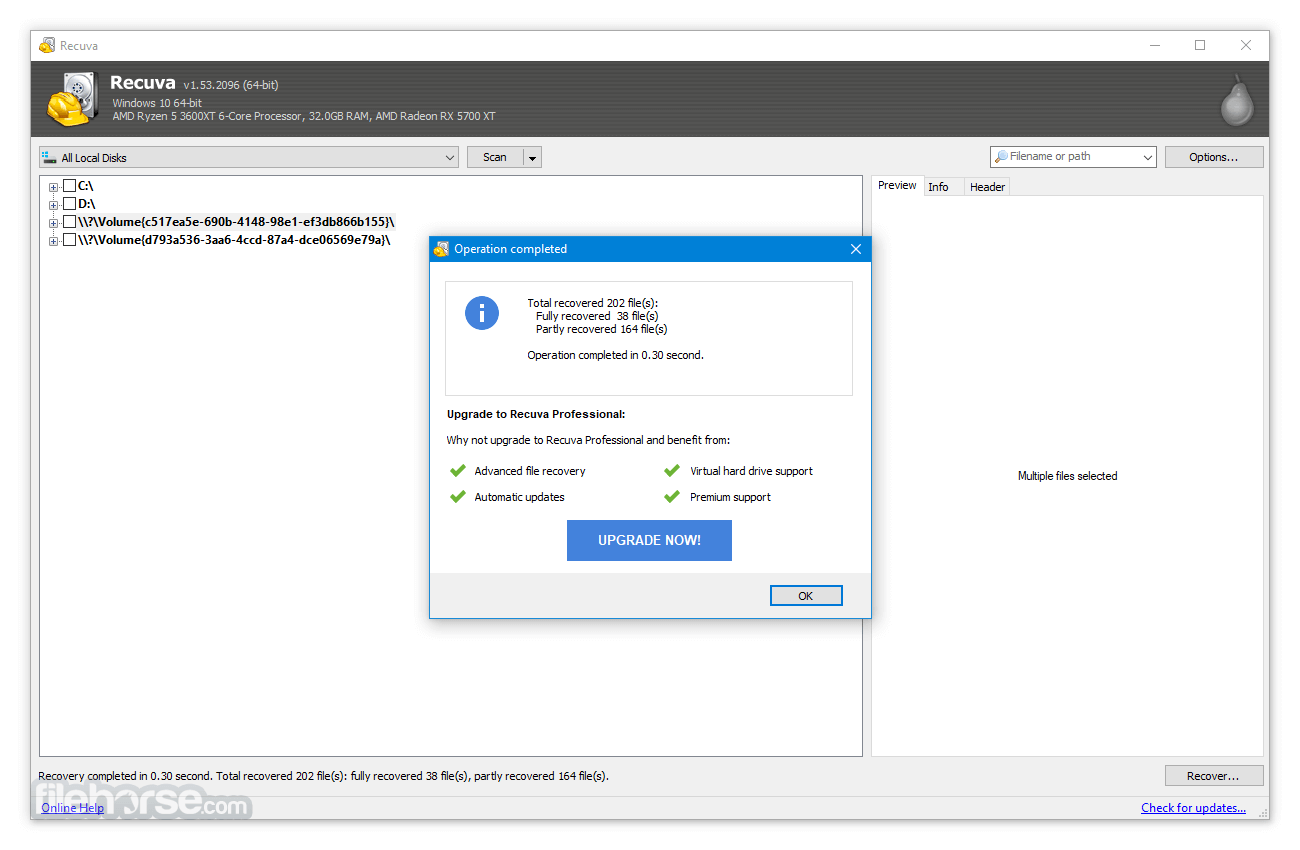
It can recover pictures, music, documents, videos, emails, or any other file type you’ve lost. And it can recover from any rewriteable media you have: memory cards, external hard drives, USB sticks, and more!
Recovery from damaged disks
Unlike most file recovery tools, Recuva Portable can recover files from damaged or newly formatted drives. Greater flexibility means a greater chance of recovery.
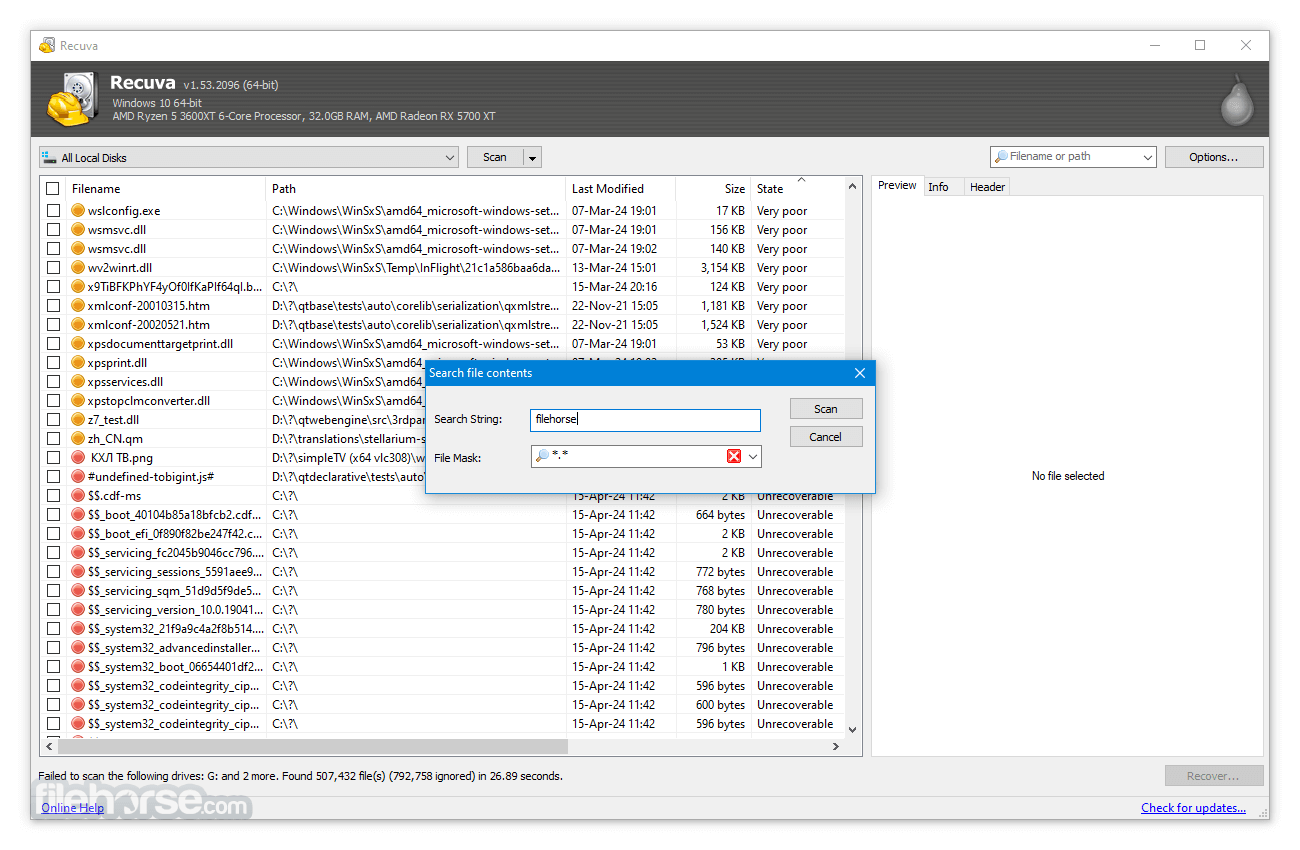
Deep scan for buried files
For those hard-to-find files, it has an advanced deep scan mode that scours your drives to find any traces of files you have deleted.
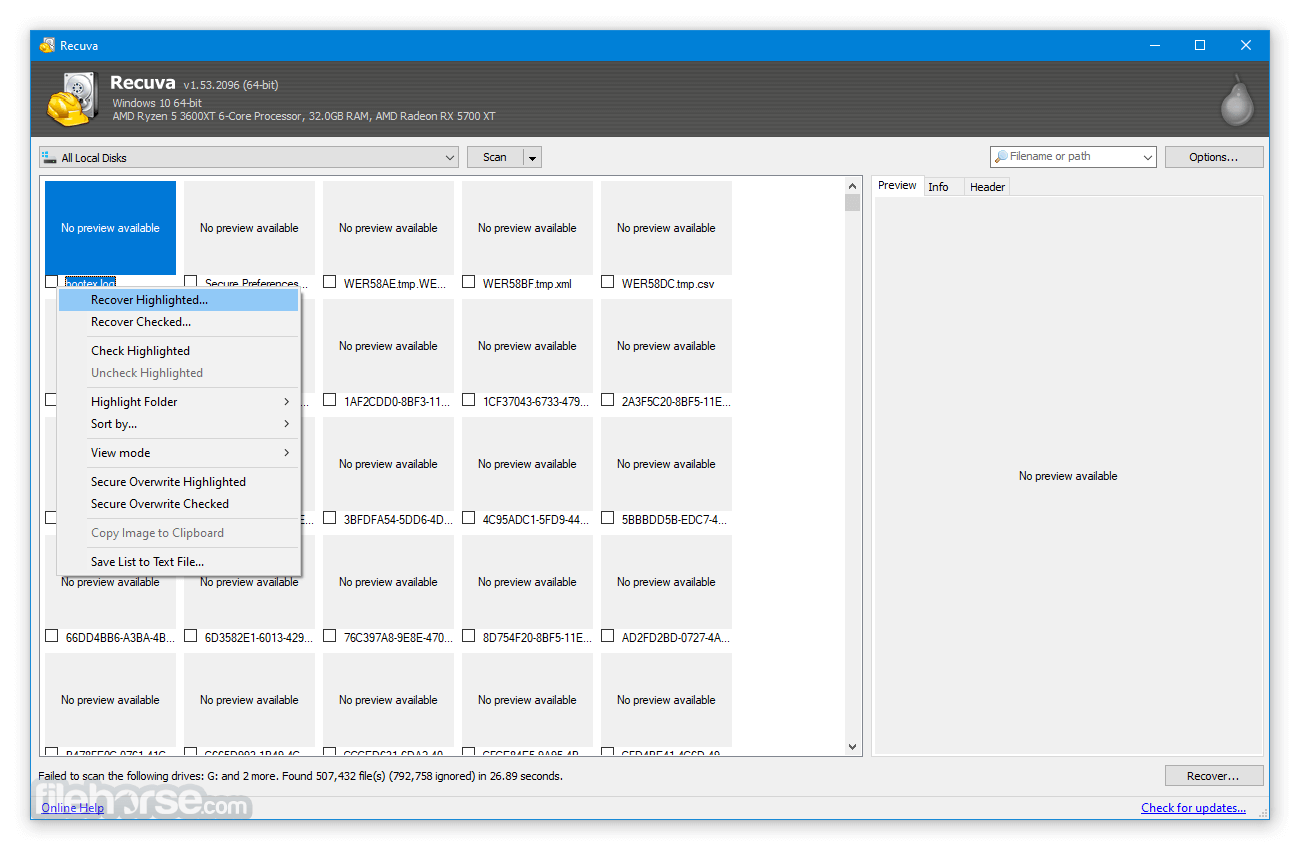
Securely delete files
Sometimes you want a file gone for good. The app’s secure overwrite feature uses industry- and military-standard deletion techniques to make sure your files stay erased.
FAQ
What is Recuva Portable, and how does it differ from the regular version?
Recuva Portable is a lightweight, standalone version of the Recuva data recovery tool that runs directly from a USB drive without installation, making it ideal for emergency file recovery on systems where you don’t want to install additional software.
What types of files can Recuva Portable recover?
Recuva Portable can recover a wide range of file types, including deleted photos, documents, videos, emails, and other data from hard drives, USB flash drives, memory cards, and even formatted or damaged drives.
Is Recuva Portable safe to use on any PC?
Yes, Recuva Portable is safe and secure, as it doesn't write any files to the host computer during use, minimizing the risk of overwriting deleted data and preserving system integrity.
Does Recuva Portable support deep scan?
Yes, it includes the same deep scan functionality as the installed version, allowing users to perform a more thorough search for hard-to-find or partially overwritten files.
Can Recuva Portable be used for secure file deletion?
Yes, besides recovery, Recuva Portable also offers a secure overwrite feature that allows you to permanently delete sensitive files so they cannot be recovered by any data recovery software.
Alternatives
Wondershare Recoverit: A professional-grade data recovery tool with extensive features and support for various file systems, ideal for advanced users.
AnyRecover: Recover Deleted, Formatted or Lost Files from PC/Hard Disk/Camera/USB/SD Card, etc.
EaseUS Data Recovery Wizard: Offers a comprehensive data recovery solution with an intuitive interface and support for a wide range of file types and storage devices.
Disk Drill: Provides advanced data recovery capabilities with additional features like disk health monitoring and data protection.
Stellar Windows Data Recovery: Known for its powerful scanning algorithms and ability to recover data from various storage media, including damaged drives.
MiniTool Power Data Recovery: A user-friendly tool that offers effective data recovery with a straightforward interface and deep scan capabilities.
Pricing
Free Version: Provides basic file recovery features suitable for most users.
Professional Version: Priced at approximately $24.95, it includes advanced features such as automatic updates, premium support, and virtual hard drive support.
CCleaner Professional Plus: $49.95 (complete cleaning)
System Requirements
Download Recuva Portable Latest Version Why is this app published on FileHorse? (More info)
This includes files emptied from the Recycle bin as well as images and other files that have been deleted by user error from digital camera memory cards or MP3 players. It will even bring back files that have been deleted by bugs, crashes, and viruses.
Accidentally deleted an important file? Lost files after a computer crash? No problem - Recuva Portable recovers files from your Windows computer, recycle bin, digital camera card, or MP3 player!
Features and Highlights
Superior file recovery
It can recover pictures, music, documents, videos, emails, or any other file type you’ve lost. And it can recover from any rewriteable media you have: memory cards, external hard drives, USB sticks, and more!
Recovery from damaged disks
Unlike most file recovery tools, Recuva Portable can recover files from damaged or newly formatted drives. Greater flexibility means a greater chance of recovery.
Deep scan for buried files
For those hard-to-find files, it has an advanced deep scan mode that scours your drives to find any traces of files you have deleted.
Securely delete files
Sometimes you want a file gone for good. The app’s secure overwrite feature uses industry- and military-standard deletion techniques to make sure your files stay erased.
FAQ
What is Recuva Portable, and how does it differ from the regular version?
Recuva Portable is a lightweight, standalone version of the Recuva data recovery tool that runs directly from a USB drive without installation, making it ideal for emergency file recovery on systems where you don’t want to install additional software.
What types of files can Recuva Portable recover?
Recuva Portable can recover a wide range of file types, including deleted photos, documents, videos, emails, and other data from hard drives, USB flash drives, memory cards, and even formatted or damaged drives.
Is Recuva Portable safe to use on any PC?
Yes, Recuva Portable is safe and secure, as it doesn't write any files to the host computer during use, minimizing the risk of overwriting deleted data and preserving system integrity.
Does Recuva Portable support deep scan?
Yes, it includes the same deep scan functionality as the installed version, allowing users to perform a more thorough search for hard-to-find or partially overwritten files.
Can Recuva Portable be used for secure file deletion?
Yes, besides recovery, Recuva Portable also offers a secure overwrite feature that allows you to permanently delete sensitive files so they cannot be recovered by any data recovery software.
Alternatives
Wondershare Recoverit: A professional-grade data recovery tool with extensive features and support for various file systems, ideal for advanced users.
AnyRecover: Recover Deleted, Formatted or Lost Files from PC/Hard Disk/Camera/USB/SD Card, etc.
EaseUS Data Recovery Wizard: Offers a comprehensive data recovery solution with an intuitive interface and support for a wide range of file types and storage devices.
Disk Drill: Provides advanced data recovery capabilities with additional features like disk health monitoring and data protection.
Stellar Windows Data Recovery: Known for its powerful scanning algorithms and ability to recover data from various storage media, including damaged drives.
MiniTool Power Data Recovery: A user-friendly tool that offers effective data recovery with a straightforward interface and deep scan capabilities.
Pricing
Free Version: Provides basic file recovery features suitable for most users.
Professional Version: Priced at approximately $24.95, it includes advanced features such as automatic updates, premium support, and virtual hard drive support.
CCleaner Professional Plus: $49.95 (complete cleaning)
System Requirements
- Operating System: Windows 7/8/10/11
- Processor: 1 GHz processor or faster
- Memory: 512 MB RAM or more
- Hard Disk Space: 20 MB of free space
- User-friendly interface
- Effective file recovery
- Deep Scan mode
- Secure overwrite feature
- Free version available
- Limited features in the free version
- Recovery success can vary based on file condition
- Deep Scan can be time-consuming
- Limited support for non-Windows platforms
- Lack of official support and updates
Download Recuva Portable Latest Version Why is this app published on FileHorse? (More info)
##
畫面截圖
- 2026-07-10 Recuva Portable 1.55.133 1.18 MB
- 2024-06-27 Recuva Portable 1.54.120 1.17 MB
- 2023-06-14 Recuva Portable 1.53.2096 1.11 MB
- 2023-05-25 Recuva Portable 1.53.2095 1.11 MB
- 2022-06-15 Recuva Portable 1.53.2083 1.11 MB
- 2022-04-11 Recuva Portable 1.53.2078 1.08 MB
- 2022-03-29 Recuva Portable 1.53.2074 1.08 MB
- 2016-06-08 Recuva Portable 1.53.1087 3.82 MB