⚠ 這是歷史版本頁面 — 查看 SmartAlbums 最新版本 →

- 目前版本2.2.6
- 更新日期2019-03-08
- 檔案大小109.7 MB
- 檔案名稱SmartAlbums-2.2.6-x64.exe
- 作業系統Windows 7 64 / Windows 8 64 / Windows 10 64 / Windows 11
- 支援語系English
- 授權型式商業試用
- 開發商 Pixellu
- 軟體分類Windows 軟體 / 影像設計
##
編輯短評
SmartAlbums 是 Pixellu 推出的相簿排版軟體,主要解決專業攝影師在製作婚紗、婚禮或寫真相簿時,傳統排版流程耗時費力的痛點。它的核心特色是「快」與「直覺」,透過拖曳照片、自動排版與智慧填補等功能,讓使用者能迅速完成版面編排;內建的 Cloud Proofing 雲端校樣功能,則提供了一個線上展示相簿成品的方式,方便與客戶溝通確認。這套軟體在影像設計分類中屬於評價普遍不錯的選擇,開發商持續維護,近一年內仍有更新,但更新頻率不算密集,屬於穩定發展的工具。
這套軟體最適合需要大量產出相簿的職業攝影師,尤其是婚禮、婚紗、家庭寫真等講求效率與交件速度的接案情境。與 Photoshop 這類功能全面但學習曲線陡峭的通用影像軟體相比,SmartAlbums 專注在相簿排版單一任務,操作門檻低很多,但相對地它不具備進階的影像編修能力,後製仍需搭配其他軟體。需要注意的是,它提供的是試用版授權,且介面僅有英文,沒有官方中文版;若對中文介面有硬性需求,使用前需先評估是否適應。
##
翻譯排程處理中,以下暫以英文原文呈現
軟體介紹
SmartAlbums was built for speed and ease of use. Making an album with SmartAlbums is so simple, you’ll actually enjoy it. Prove your album with Cloud Proofing - the most beautiful way to present your album online.
Print your album with your favorite lab and deliver a beautiful book to your client.
Pixellu SmartAlbums is a cutting-edge software application designed to streamline the process of creating stunning photo albums.
Developed specifically for professional photographers, it offers a range of powerful features to simplify album design, enhance creativity, and save valuable time.
It utilizes advanced technology to automate layout creation, allowing users to effortlessly arrange photos into beautiful spreads with just a few clicks.
Discover how it has helped photographers like you grow their business and get their life back. Start your free 14-day trial today—no credit card required.
Pixellu SmartAlbums for PC puts thousands of professionally-designed templates at your fingertips while giving you full creative freedom. Select your images, drag and drop, and immediately see a design. It’s that simple. With beautiful layouts to choose from, easy customization, and time-saving technologies, there is no better way to design your album.
Forget bleeds, safe zones, and all other print jargon; It has got you covered! Select from dozens of available lab company presets and rest easy knowing your album files are accurate and print-ready.
The all-new Cloud Proofing doesn’t just work seamlessly with Smart Albums; it makes the entire album design process effortless and fun. Easily share a beautiful presentation of the album draft with your clients and review their comments and feedback without ever leaving the application. It gets you from design to done in no time.
Export to Adobe Photoshop and Adobe InDesign in fully layered PSD & IDML formats to seamlessly connect the app to your current workflow. Choose to show your top templates more often by “favoriting” them, and hide others by opting to “reject” them.
Change the album size of your design at any time, allowing for fast and easy album upgrades and changes. Import a wide range of file formats, including JPG, TIFF, PNG, and PSD.
Adobe Lightroom and Adobe Bridge star ratings and color labels are imported along with your images, allowing you to sort your images by those ratings.
It enables you to be very precise with the spacing between images, ensuring gap consistency throughout the album.
When an image must be cropped, such as with square frames, it automatically repositions the image inside the frame to avoid cropping faces.
Human beings perceive beauty; computers don’t. This is why every single layout in Smart Albums is handcrafted by a professional graphic artist, not a mathematical algorithm.
Key Features
User Interface
It boasts a clean and intuitive user interface, making it easy for photographers of all skill levels to navigate and utilize its features effectively.
The drag-and-drop functionality simplifies the album design process, while the organized layout ensures quick access to tools and settings.
Installation and Setup
The installation process for this program is straightforward and user-friendly. Upon downloading the software from the Pixellu website or FileHorse, users are guided through a series of simple steps to install it on their PC.
Activation typically requires entering a license key provided upon purchase.
How to Use
Can I use my own custom templates with SmartAlbums?
Yes, it allows users to import custom templates created using other software or designed from scratch.
Does SmartAlbums support collaboration with clients?
Yes, the software offers collaboration tools that enable photographers to share album designs with clients for feedback and revisions.
What file formats does SmartAlbums support for importing photos?
It supports a wide range of image file formats, including JPEG, PNG, TIFF, and RAW formats from various camera manufacturers.
Can I export my designs for printing at a professional lab?
Absolutely, it offers export options optimized for professional printing, ensuring high-quality results.
Is there a mobile version of SmartAlbums available?
Currently, the program is only available for PC and Mac platforms, with no mobile version offered.
Pricing
The All Apps Bundle is a single subscription to all four Pixellu products. You will get access to album design software, SmartAlbums, the online album proofing service, Cloud Proofing (SmartAlbums add-on), and the Unlimited plan options for slideshow design software, SmartSlides, and gallery software, Galleries. Everything you need to wow your clients in a single plan.
System Requirements
Also Available: Download SmartAlbums for Mac
Download SmartAlbums Latest Version Why is this app published on FileHorse? (More info)
Print your album with your favorite lab and deliver a beautiful book to your client.
Pixellu SmartAlbums is a cutting-edge software application designed to streamline the process of creating stunning photo albums.
Developed specifically for professional photographers, it offers a range of powerful features to simplify album design, enhance creativity, and save valuable time.
It utilizes advanced technology to automate layout creation, allowing users to effortlessly arrange photos into beautiful spreads with just a few clicks.
Discover how it has helped photographers like you grow their business and get their life back. Start your free 14-day trial today—no credit card required.
Pixellu SmartAlbums for PC puts thousands of professionally-designed templates at your fingertips while giving you full creative freedom. Select your images, drag and drop, and immediately see a design. It’s that simple. With beautiful layouts to choose from, easy customization, and time-saving technologies, there is no better way to design your album.
Forget bleeds, safe zones, and all other print jargon; It has got you covered! Select from dozens of available lab company presets and rest easy knowing your album files are accurate and print-ready.
The all-new Cloud Proofing doesn’t just work seamlessly with Smart Albums; it makes the entire album design process effortless and fun. Easily share a beautiful presentation of the album draft with your clients and review their comments and feedback without ever leaving the application. It gets you from design to done in no time.
Export to Adobe Photoshop and Adobe InDesign in fully layered PSD & IDML formats to seamlessly connect the app to your current workflow. Choose to show your top templates more often by “favoriting” them, and hide others by opting to “reject” them.
Change the album size of your design at any time, allowing for fast and easy album upgrades and changes. Import a wide range of file formats, including JPG, TIFF, PNG, and PSD.
Adobe Lightroom and Adobe Bridge star ratings and color labels are imported along with your images, allowing you to sort your images by those ratings.
It enables you to be very precise with the spacing between images, ensuring gap consistency throughout the album.
When an image must be cropped, such as with square frames, it automatically repositions the image inside the frame to avoid cropping faces.
Human beings perceive beauty; computers don’t. This is why every single layout in Smart Albums is handcrafted by a professional graphic artist, not a mathematical algorithm.
Key Features
- Automated Layouts: The app intelligently arranges photos into layouts, saving time and effort.
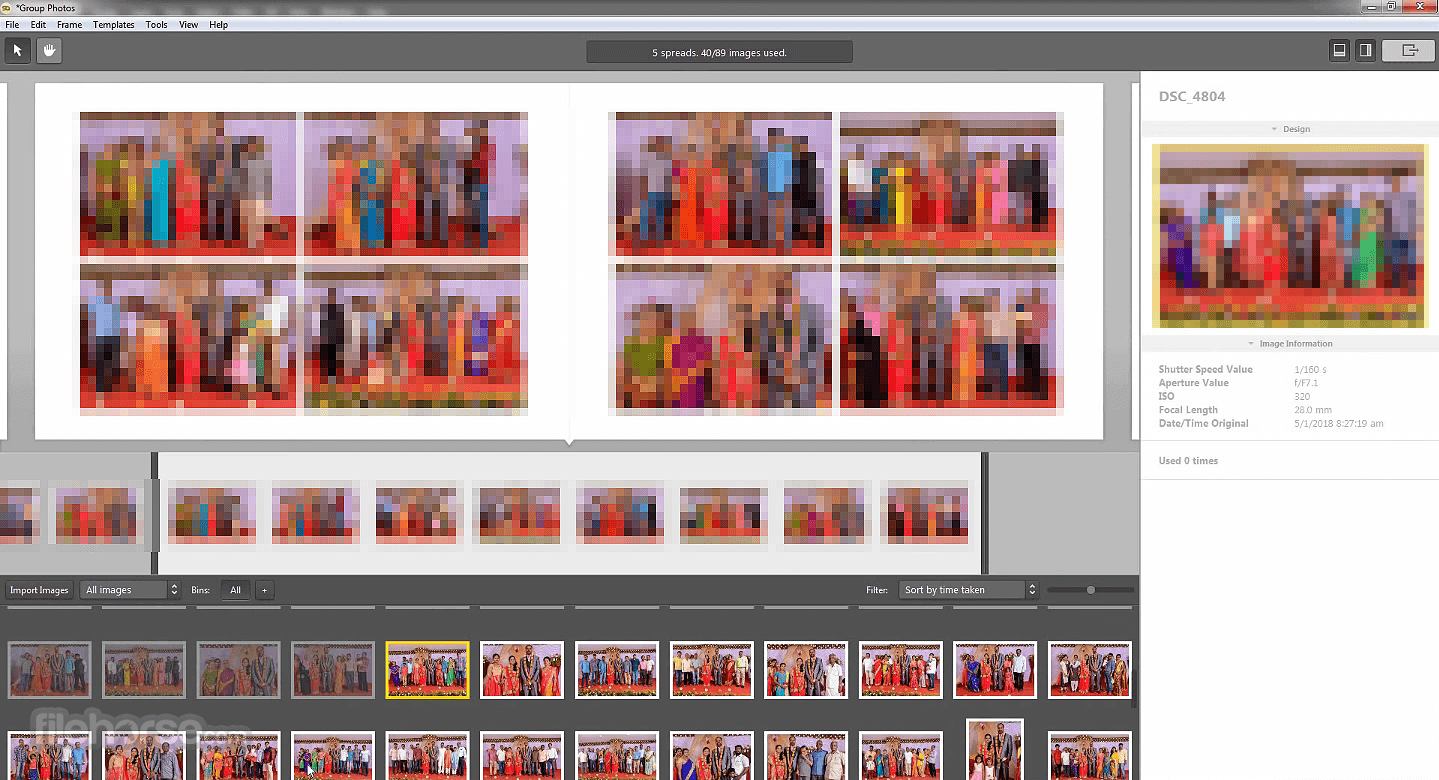
- Drag-and-Drop Interface: Users can easily customize layouts by dragging and dropping photos and adjusting sizes.
- Template Selection: A vast library of professionally designed templates is available, catering to various album styles and themes.
- Customization Options: Users can customize templates by adjusting margins, spacing, and other parameters to suit their preferences.
- Integration with Cloud Services: It seamlessly integrates with popular cloud storage services like Dropbox and Google Drive for easy access to photos.
- Collaboration Tools: The software enables collaboration between multiple users, allowing photographers and clients to work together on album design remotely.
- Cover Design Tools: Create fully customizable, print-ready album covers directly within the app using images, colors, patterns, and text
- Auto Build with Smart Grouping: Automatically generate complete album layouts using AI-driven grouping based on image content and metadata
- Pattern Browser: Access a library of customizable design patterns to enhance and style album spreads
- Search Function: Quickly locate specific photos within your project using the built-in search tool
- Faster Album Creation: Overall improvements focused on speeding up workflow and simplifying the album design process
User Interface
It boasts a clean and intuitive user interface, making it easy for photographers of all skill levels to navigate and utilize its features effectively.
The drag-and-drop functionality simplifies the album design process, while the organized layout ensures quick access to tools and settings.
Installation and Setup
The installation process for this program is straightforward and user-friendly. Upon downloading the software from the Pixellu website or FileHorse, users are guided through a series of simple steps to install it on their PC.
Activation typically requires entering a license key provided upon purchase.
How to Use
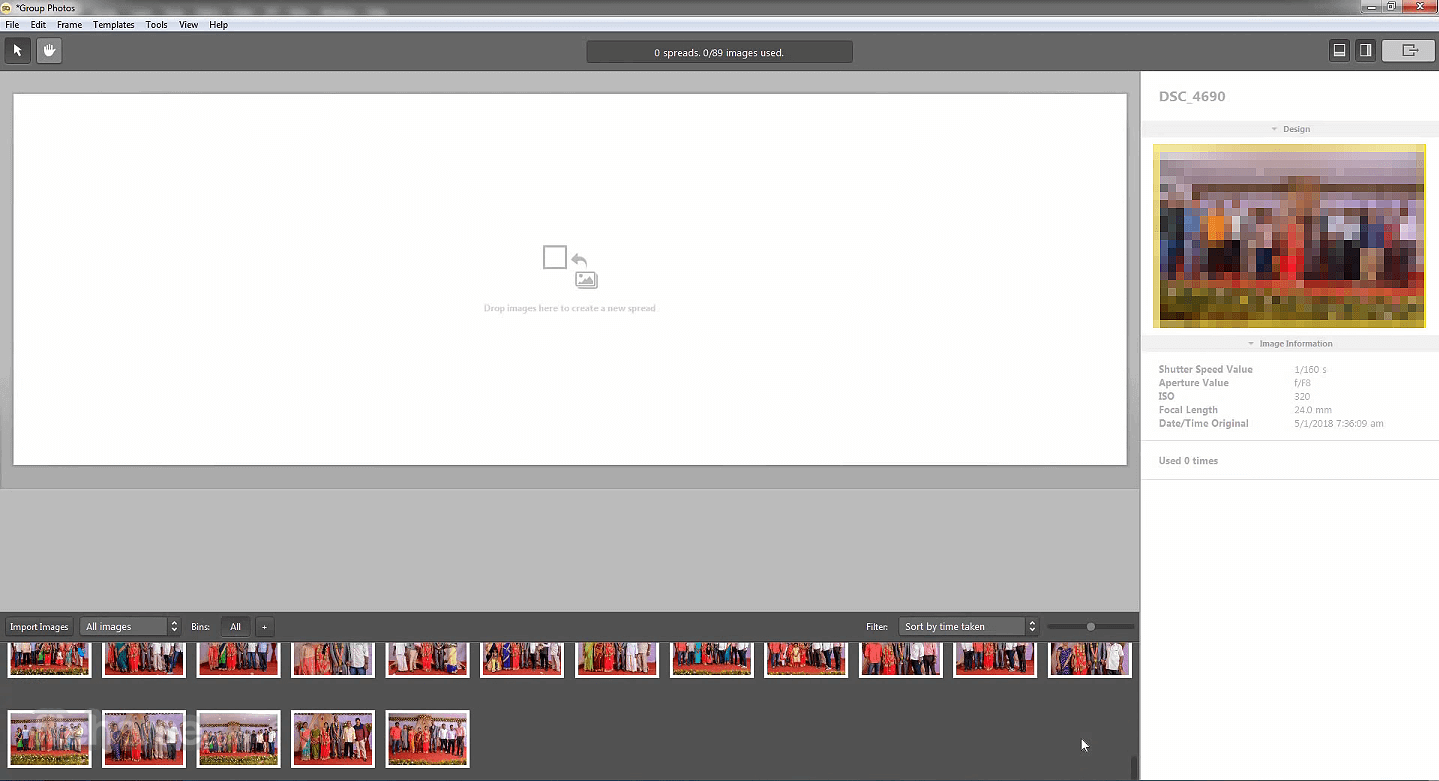
- Import Photos: Start by importing photos from your computer or connected storage devices.
- Choose a Template: Browse the extensive template library and select one that matches your desired album style.
- Customize Layout: Drag and drop photos onto the template and adjust sizes and positions as needed.
- Fine-Tune Details: Customize margins, spacing, and other parameters to perfect the layout.
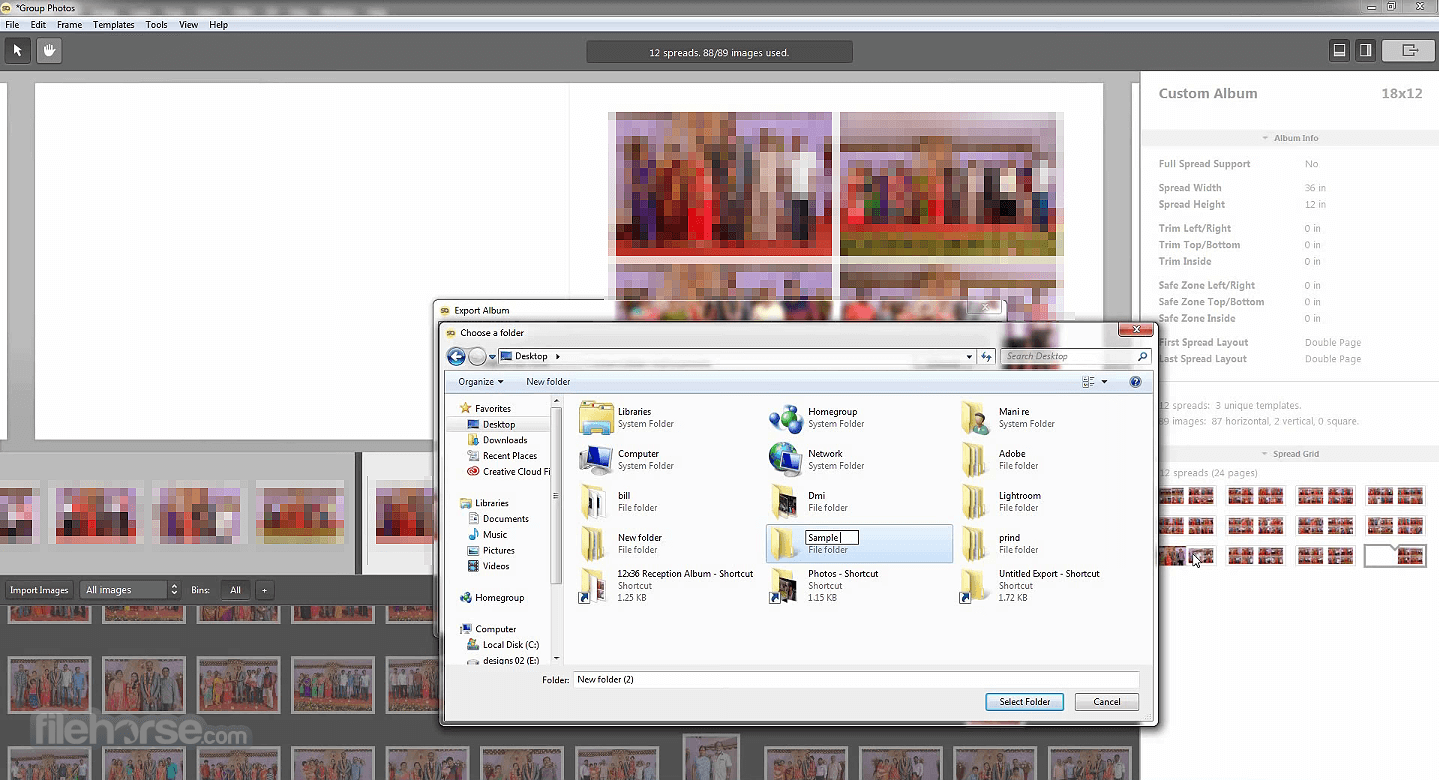
- Preview and Export: Preview the album to ensure satisfaction, then export it in the desired format for printing or digital sharing.
Can I use my own custom templates with SmartAlbums?
Yes, it allows users to import custom templates created using other software or designed from scratch.
Does SmartAlbums support collaboration with clients?
Yes, the software offers collaboration tools that enable photographers to share album designs with clients for feedback and revisions.
What file formats does SmartAlbums support for importing photos?
It supports a wide range of image file formats, including JPEG, PNG, TIFF, and RAW formats from various camera manufacturers.
Can I export my designs for printing at a professional lab?
Absolutely, it offers export options optimized for professional printing, ensuring high-quality results.
Is there a mobile version of SmartAlbums available?
Currently, the program is only available for PC and Mac platforms, with no mobile version offered.
Pricing
- SmartAlbums - $20 /month
- SmartAlbums Plus - $32 /month (Cloud Proofing)
- All Apps Bundle - $40 /month (Galleries Unlimited + SmartSlides Unlimited)
The All Apps Bundle is a single subscription to all four Pixellu products. You will get access to album design software, SmartAlbums, the online album proofing service, Cloud Proofing (SmartAlbums add-on), and the Unlimited plan options for slideshow design software, SmartSlides, and gallery software, Galleries. Everything you need to wow your clients in a single plan.
System Requirements
- Operating System: Windows 11/10
- Processor: Intel Core i5 or equivalent
- RAM: 8GB or higher
- Disk Space: 2GB of available space
- Display: 1280x768 resolution or higher
- Intuitive user interface
- Automated layout creation saves time
- Extensive template library
- Collaboration tools for remote work
- Seamless integration with cloud services
- Relatively high upfront cost
- Limited customization compared to manual design methods
- No mobile version available
Also Available: Download SmartAlbums for Mac
Download SmartAlbums Latest Version Why is this app published on FileHorse? (More info)
##
影片介紹
##
畫面截圖
- 2026-05-11 SmartAlbums 2026.3.1 226 MB
- 2024-03-25 SmartAlbums 2024.1.0 204 MB
- 2022-08-19 SmartAlbums 2022.1.1 178 MB
- 2019-03-08 SmartAlbums 2.2.6 109.7 MB