⚠ 這是歷史版本頁面 — 查看 SourceTree 最新版本 →

- 目前版本3.4.28
- 更新日期2026-01-17
- 檔案大小24.1 MB
- 檔案名稱SourceTreeSetup-3.4.28.exe
- 作業系統Windows 7 / Windows 8 / Windows 10 / Windows 11
- 支援語系English
- 授權型式免費軟體
- 開發商 Atlassian
- 軟體分類Windows 軟體 / 開發者工具
##
編輯短評
SourceTree 是 Atlassian 推出的免費 Git 客戶端,主要解決開發者不熟悉指令列操作時,管理 Git 版本控制的門檻問題。它透過圖形化介面呈現儲存庫狀態與分支模型,讓 commit、pull、push 與衝突處理都能以視覺化方式完成,同時也支援 Mercurial 儲存庫。這套軟體長期維護、更新相當活躍,在同類工具中屬於有一定知名度、但不算最熱門的選擇,評價普遍不錯。
SourceTree 適合剛接觸 Git 的初學者,也適合習慣視覺化操作、不想背指令的開發者,在需要快速理解分支結構或處理合併衝突時特別實用。與其他 Git 圖形介面工具相比,它整合了 Atlassian 生態系,但介面與功能對部分使用者來說略顯繁重。軟體為免費授權,提供 Windows 與 macOS 版本,不過目前僅有英文介面,使用上需留意沒有正體中文語系。
##
翻譯排程處理中,以下暫以英文原文呈現
軟體介紹
SourceTree is a free Git client developed by Atlassian that simplifies Git repository management through an intuitive graphical interface.
Designed for developers who prefer a visual approach to Git workflows, SourceTree eliminates the need for command-line interactions, making it an excellent choice for both beginners and experienced Git users.
It supports Git and Mercurial repositories, allowing users to manage, commit, pull, push, and resolve conflicts seamlessly.
Key Features
Graphical Git Client: Offers an intuitive visual representation of Git repositories and branching models.
Branch Management: Easily create, switch, merge, and delete branches with a few clicks.
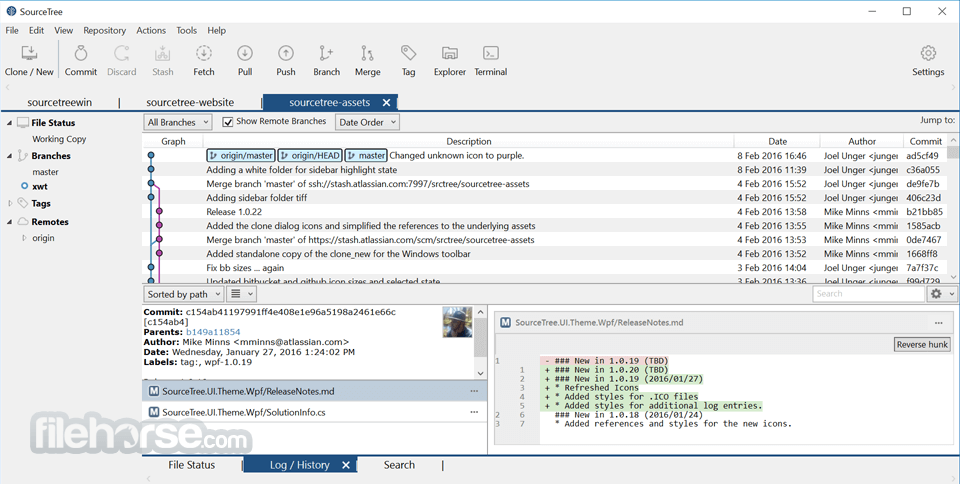
Commit History Visualization: Displays a clear, detailed view of commit logs and changes.
Built-in Merge Conflict Resolution: Helps users resolve conflicts with a built-in visual conflict editor.
Support for Large Repositories: Handles large-scale repositories efficiently.
Remote Repository Integration: Connects to popular Git hosting services such as Bitbucket, GitHub, and GitLab.
Stash and Shelve Changes: Temporarily set aside changes without committing them.
Interactive Rebase: Provides a simplified way to clean up commit history.
User Interface
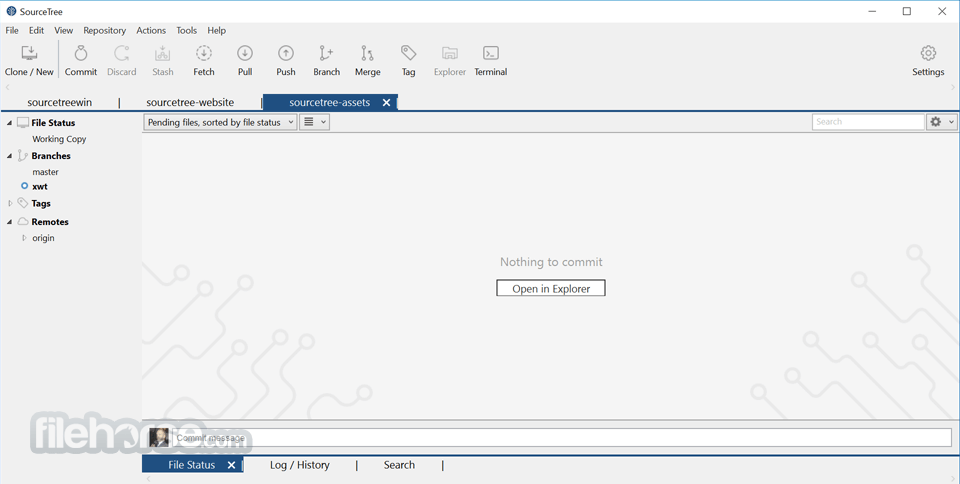
It features a clean and organized interface, with a left-hand sidebar that provides quick access to local and remote repositories.
The main panel displays a detailed commit history, file changes, and branch structures, making it easy to track project progress.
The interface is well-structured, ensuring smooth navigation even for users unfamiliar with Git.
What`s New
Download: Obtain the installer from the official Atlassian SourceTree website.
Installation: Run the installer and follow the on-screen instructions.
Initial Setup:
Start Using: Begin working with repositories, managing branches, and making commits.
How to Use
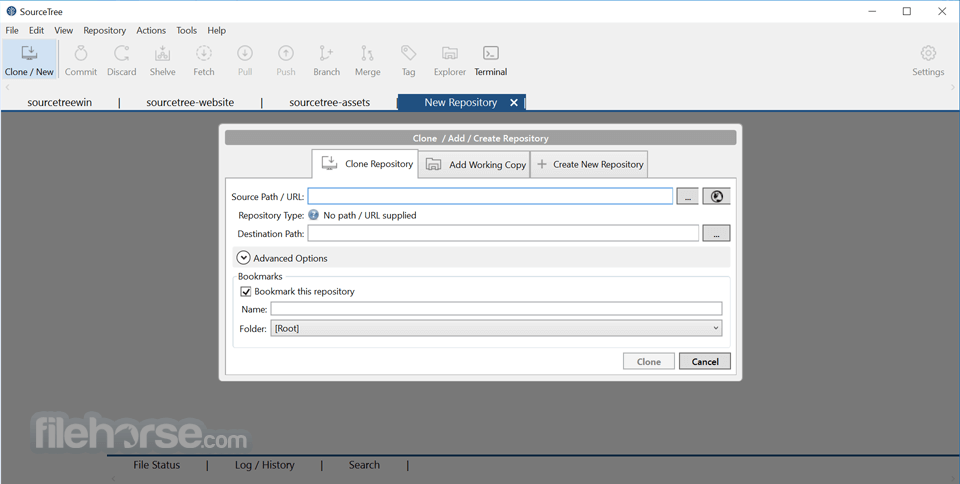
Open a Repository: Either clone a remote repository or open an existing local one.
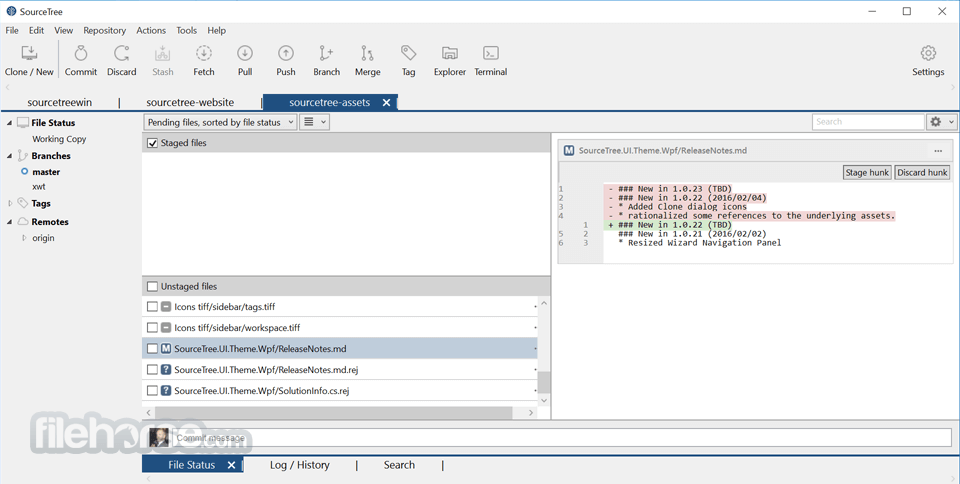
Stage and Commit Changes: View file modifications, stage changes, and commit updates.
Branch Management: Create and switch between branches using the graphical interface.
Push and Pull: Sync changes with a remote repository.
Resolve Conflicts: Use the built-in merge conflict resolution tool to handle conflicts efficiently.
Rebase and Stash: Perform advanced Git operations such as rebasing and stashing changes.
FAQ
Is SourceTree free to use?
Yes, this platform and program is completely free to use for personal and commercial projects.
Can SourceTree work with GitHub and GitLab?
Yes, it supports integration with GitHub, GitLab, and Bitbucket.
Does SourceTree support Windows and macOS?
Yes, SourceTree is available for both Windows and macOS.
How do I resolve merge conflicts in SourceTree?
It provides a built-in merge conflict resolution tool that allows you to manually resolve conflicts before committing changes.
Can I use SourceTree without an Atlassian account?
No, an Atlassian account is required to use SourceTree.
Alternatives
GitKraken – A visually appealing Git client with additional productivity features.
GitHub Desktop – A streamlined Git client designed for GitHub users.
Git GUI – A basic graphical interface for Git operations.
System Requirements
SourceTree is a great choice for developers looking for a visual Git client that simplifies repository management. It provides an intuitive interface, powerful features, and seamless integration with popular Git services. While it has some performance limitations with large repositories and requires an Atlassian account, its ease of use and functionality make it an excellent alternative to command-line Git for many developers.
Note: Requires .NET Framework.
Also Available: Download SourceTree for Mac
Download SourceTree Latest Version Why is this app published on FileHorse? (More info)
Designed for developers who prefer a visual approach to Git workflows, SourceTree eliminates the need for command-line interactions, making it an excellent choice for both beginners and experienced Git users.
It supports Git and Mercurial repositories, allowing users to manage, commit, pull, push, and resolve conflicts seamlessly.
Key Features
Graphical Git Client: Offers an intuitive visual representation of Git repositories and branching models.
Branch Management: Easily create, switch, merge, and delete branches with a few clicks.
Commit History Visualization: Displays a clear, detailed view of commit logs and changes.
Built-in Merge Conflict Resolution: Helps users resolve conflicts with a built-in visual conflict editor.
Support for Large Repositories: Handles large-scale repositories efficiently.
Remote Repository Integration: Connects to popular Git hosting services such as Bitbucket, GitHub, and GitLab.
Stash and Shelve Changes: Temporarily set aside changes without committing them.
Interactive Rebase: Provides a simplified way to clean up commit history.
User Interface
It features a clean and organized interface, with a left-hand sidebar that provides quick access to local and remote repositories.
The main panel displays a detailed commit history, file changes, and branch structures, making it easy to track project progress.
The interface is well-structured, ensuring smooth navigation even for users unfamiliar with Git.
What`s New
- New: Added an option to customize double-click behavior on files.
- New: Introduced "Open in Sourcetree" in the context menu.
- Fixed: Spaces are now allowed in branch names.
- Fixed: Resolved authentication failure when deleting the passwd file.
- Fixed: Interactive Rebase window now resizes correctly during commit squashing.
- Fixed: Updated icon for collapsed Tags/Branches and added a collapse option in settings.
- Fixed: Commit message formatting issue corrected.
- Fixed: Improved user experience for the "Continue Rebase" process.
- Fixed: Consistent naming applied in Sourcetree MSI installer and shortcuts.
- Fixed: Sourcetree no longer overwrites .gitconfig without permission.
Download: Obtain the installer from the official Atlassian SourceTree website.
Installation: Run the installer and follow the on-screen instructions.
Initial Setup:
- Log in with an Atlassian account.
- Configure SSH keys for secure repository access.
- Connect to remote repositories from GitHub, Bitbucket, or GitLab.
Start Using: Begin working with repositories, managing branches, and making commits.
How to Use
Open a Repository: Either clone a remote repository or open an existing local one.
Stage and Commit Changes: View file modifications, stage changes, and commit updates.
Branch Management: Create and switch between branches using the graphical interface.
Push and Pull: Sync changes with a remote repository.
Resolve Conflicts: Use the built-in merge conflict resolution tool to handle conflicts efficiently.
Rebase and Stash: Perform advanced Git operations such as rebasing and stashing changes.
FAQ
Is SourceTree free to use?
Yes, this platform and program is completely free to use for personal and commercial projects.
Can SourceTree work with GitHub and GitLab?
Yes, it supports integration with GitHub, GitLab, and Bitbucket.
Does SourceTree support Windows and macOS?
Yes, SourceTree is available for both Windows and macOS.
How do I resolve merge conflicts in SourceTree?
It provides a built-in merge conflict resolution tool that allows you to manually resolve conflicts before committing changes.
Can I use SourceTree without an Atlassian account?
No, an Atlassian account is required to use SourceTree.
Alternatives
GitKraken – A visually appealing Git client with additional productivity features.
GitHub Desktop – A streamlined Git client designed for GitHub users.
Git GUI – A basic graphical interface for Git operations.
System Requirements
- OS: Windows 10 or Windows 11
- Processor: 1 GHz or faster
- RAM: 2 GB minimum (4 GB recommended)
- Disk Space: At least 200 MB of available space
- Network: Internet connection required for Atlassian account login and repository access
- Free to use with no hidden costs
- User-friendly graphical interface
- Supports both Git and Mercurial
- Seamless integration with Bitbucket, GitHub, and GitLab
- Built-in merge conflict resolution tool
- Requires an Atlassian account for usage
- Performance issues with very large repositories
- Lacks some advanced Git features available in command-line tools
- Occasionally experiences bugs and crashes
- Slower compared to Git command-line operations
SourceTree is a great choice for developers looking for a visual Git client that simplifies repository management. It provides an intuitive interface, powerful features, and seamless integration with popular Git services. While it has some performance limitations with large repositories and requires an Atlassian account, its ease of use and functionality make it an excellent alternative to command-line Git for many developers.
Note: Requires .NET Framework.
Also Available: Download SourceTree for Mac
Download SourceTree Latest Version Why is this app published on FileHorse? (More info)
##
畫面截圖
- 2026-08-04 SourceTree 3.4.31 24.2 MB
- 2026-03-30 SourceTree 3.4.30 24.1 MB
- 2026-02-21 SourceTree 3.4.29 24.1 MB
- 2026-01-17 SourceTree 3.4.28 24.1 MB
- 2025-12-04 SourceTree 3.4.27 24.5 MB
- 2025-09-27 SourceTree 3.4.26 24.5 MB
- 2025-09-10 SourceTree 3.4.25 24.5 MB
- 2025-07-23 SourceTree 3.4.24 24.5 MB