⚠ 這是歷史版本頁面 — 查看 Synfig Studio 1.5.5 (32-bit) 最新版本 →

Synfig Studio 1.2.1 (32-bit)
v 1.2.1 (32-bit)
Windows
開源軟體
8.2/10 (67)
- 目前版本1.2.1 (32-bit)
- 更新日期2017-09-11
- 檔案大小99.8 MB
- 檔案名稱SynfigStudio-1.2.1-32bit.exe
- 作業系統Windows 7 / Windows 8 / Windows 10
- 支援語系English
- 授權型式開源軟體
- 開發商 Robert Quattlebaum
- 軟體分類Windows 軟體 / 影像設計
##
編輯短評
Synfig Studio 是一套免費開源的 2D 動畫軟體,主打以向量與點陣圖素材直接產出電影級品質的動畫,省去傳統逐格繪製的繁重流程。它最鮮明的特色在於豐富的圖層系統——涵蓋幾何、漸層、濾鏡、扭曲、變形與分形等類型——搭配完整的骨骼綁定功能,讓角色動畫的製作更直覺。軟體自收錄以來持續維護,更新步調不算頻繁,但在同類工具中評價普遍不錯,有一定使用者基礎。
這套軟體適合獨立動畫創作者、小型工作室或教學用途,尤其當你需要製作角色動畫、向量風格影片,又不想負擔商業軟體授權費用時,Synfig 是相當實惠的選擇。與 Adobe Photoshop 這類以影像編輯為主的工具相比,Synfig 專注在 2D 動畫流程,功能取向不同;它支援 Windows、Linux 與 macOS 三大平台,但介面目前僅提供英文,且官方文件與社群資源以英文為主,使用前需留意語言門檻。
##
翻譯排程處理中,以下暫以英文原文呈現
軟體介紹
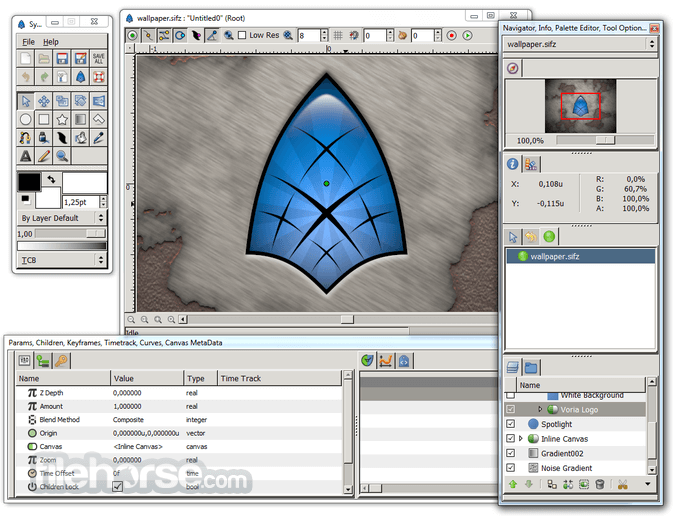
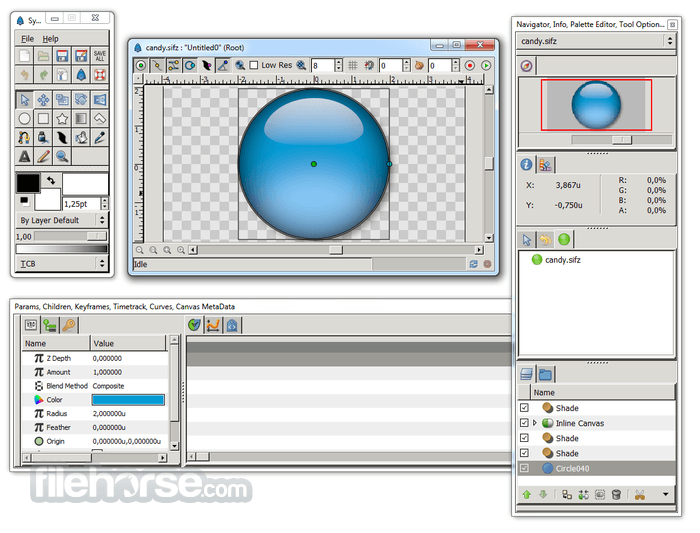
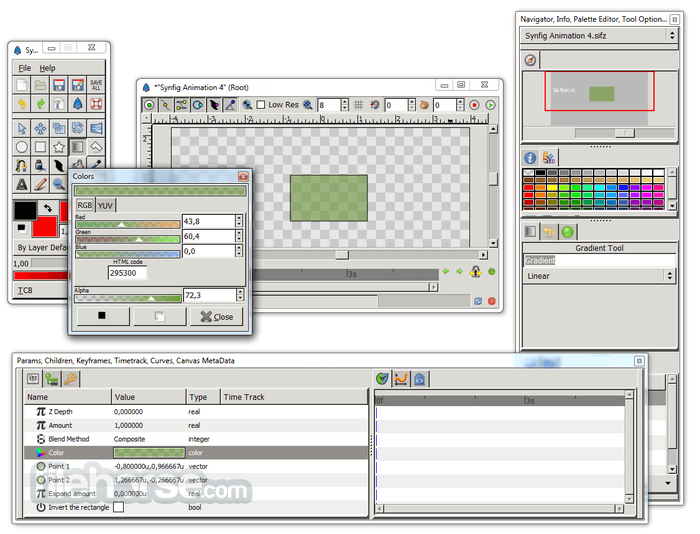
Synfig Studio 32bit is a free and open-source 2D animation software, designed as a powerful industrial-strength solution for creating film-quality animation using vector and bitmap artwork. It eliminates the need to create an animation frame-by-frame, allowing you to produce a 2D animation of a higher quality with fewer people and resources. Synfig Studio is available for Windows, Linux, and macOS.
Features and Highlights
Layers
Synfig supports a multitude of layers of various types: geometric, gradients, filters, distortions, transformations, fractal, and a few others.
Bones
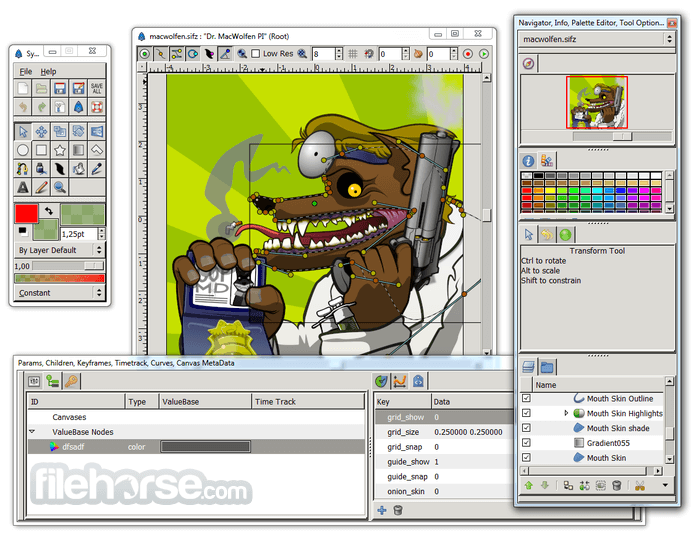
The full-featured bone system allows you to create cutout animation using bitmap images or control your vector artwork. The Skeleton Distortion layer allows applying complex deformations to bitmap artwork.
Spatial resolution-independence
Most elements are vector-based, and all layers are parametrically generated; hence, even when changing the target resolution of a project, the only pixelation will occur in imported raster images, not the built-in components.
Temporal resolution independence
Animation keyframes are automatically interpolated by the computer, resulting in a smooth motion.
High Dynamic-Range Imaging (HDRI)
By using floating-point math in the image calculations, HDRI processing allows canvases to internally understand a far greater range of pixel luminance, resulting in better lighting effects and improved color composition.
Sound support
The tool has basic features for syncing your animation with a soundtrack using Sound Layer. Linux users can get all the benefits of full-featured audio editors through the JACK integration.
Pen tablet-friendly tools
The draw tool can read the pressure sensitivity channel off your favorite tablets, for natural line weighting, and more to come!
Artist-oriented design
While it may not be obvious in this early stage, the software (and its proprietary predecessors) has been designed from the ground up with animation workflow in mind.
Path-based Gradients
Unlike purely SVG-based vector software and most consumer-level animation programs, the tool has full support for gradient paths - gradients that follow along with a drawn shape. This allows artists to easily add soft shading to animation without the trouble of painting it onto every frame.
FAQ
Is Synfig 32-bit suitable for beginners?
Yes, it offers a user-friendly interface and comprehensive documentation, making it accessible to beginners.
Can I import images and videos into Synfig Studio?
Yes, it supports importing various file formats, including images and videos, for use in animations.
Does Synfig Studio support audio synchronization?
While the software does not have built-in audio synchronization features, users can import audio tracks and manually synchronize them with animations.
Can I export animations in different formats?
Yes, it supports exporting animations in various formats, including GIF, MP4, and AVI, among others.
Is Synfig Studio compatible with other animation software?
It uses its file format (.sif) but supports importing and exporting files in other common formats, allowing for interoperability with other animation software.
Alternatives
Adobe Animate - A comprehensive 2D animation software with a wide range of features and industry-standard tools.
Toon Boom Harmony - A professional animation software known for its powerful rigging and compositing capabilities.
OpenToonz - A free and open-source animation software used for traditional 2D animation production.
System Requirements
OS: Windows 11, 10, 8, or 7
PROS
Download Synfig Studio (32-bit) Latest Version Why is this app published on FileHorse? (More info)
Features and Highlights
Layers
Synfig supports a multitude of layers of various types: geometric, gradients, filters, distortions, transformations, fractal, and a few others.
Bones
The full-featured bone system allows you to create cutout animation using bitmap images or control your vector artwork. The Skeleton Distortion layer allows applying complex deformations to bitmap artwork.
Spatial resolution-independence
Most elements are vector-based, and all layers are parametrically generated; hence, even when changing the target resolution of a project, the only pixelation will occur in imported raster images, not the built-in components.
Temporal resolution independence
Animation keyframes are automatically interpolated by the computer, resulting in a smooth motion.
High Dynamic-Range Imaging (HDRI)
By using floating-point math in the image calculations, HDRI processing allows canvases to internally understand a far greater range of pixel luminance, resulting in better lighting effects and improved color composition.
Sound support
The tool has basic features for syncing your animation with a soundtrack using Sound Layer. Linux users can get all the benefits of full-featured audio editors through the JACK integration.
Pen tablet-friendly tools
The draw tool can read the pressure sensitivity channel off your favorite tablets, for natural line weighting, and more to come!
Artist-oriented design
While it may not be obvious in this early stage, the software (and its proprietary predecessors) has been designed from the ground up with animation workflow in mind.
Path-based Gradients
Unlike purely SVG-based vector software and most consumer-level animation programs, the tool has full support for gradient paths - gradients that follow along with a drawn shape. This allows artists to easily add soft shading to animation without the trouble of painting it onto every frame.
FAQ
Is Synfig 32-bit suitable for beginners?
Yes, it offers a user-friendly interface and comprehensive documentation, making it accessible to beginners.
Can I import images and videos into Synfig Studio?
Yes, it supports importing various file formats, including images and videos, for use in animations.
Does Synfig Studio support audio synchronization?
While the software does not have built-in audio synchronization features, users can import audio tracks and manually synchronize them with animations.
Can I export animations in different formats?
Yes, it supports exporting animations in various formats, including GIF, MP4, and AVI, among others.
Is Synfig Studio compatible with other animation software?
It uses its file format (.sif) but supports importing and exporting files in other common formats, allowing for interoperability with other animation software.
Alternatives
Adobe Animate - A comprehensive 2D animation software with a wide range of features and industry-standard tools.
Toon Boom Harmony - A professional animation software known for its powerful rigging and compositing capabilities.
OpenToonz - A free and open-source animation software used for traditional 2D animation production.
System Requirements
OS: Windows 11, 10, 8, or 7
PROS
- Free and open-source
- Comprehensive set of features
- Flexible and customizable
- Multiplatform support
- Active community and documentation
- Steeper learning curve for beginners
- Some advanced features may require additional learning
Download Synfig Studio (32-bit) Latest Version Why is this app published on FileHorse? (More info)
##
影片介紹
##
畫面截圖
- 2026-03-16 Synfig Studio 1.5.5 (32-bit) 103 MB
- 2024-05-20 Synfig Studio 1.4.5 (32-bit) 103 MB
- 2023-04-01 Synfig Studio 1.4.4 (32-bit) 103 MB
- 2021-08-16 Synfig Studio 1.5.0 (32-bit) 102 MB
- 2018-09-15 Synfig Studio 1.2.2 (32-bit) 118 MB
- 2017-09-11 Synfig Studio 1.2.1 (32-bit) 99.8 MB