⚠ 這是歷史版本頁面 — 查看 Synfig Studio 1.5.5 (64-bit) 最新版本 →

Synfig Studio 1.4.5 (64-bit)
v 1.4.5 (64-bit)
Windows
開源軟體
8.2/10 (59)
- 目前版本1.4.5 (64-bit)
- 更新日期2024-05-20
- 檔案大小107 MB
- 檔案名稱SynfigStudio-1.4.5-2024.05.19-win64-f4b8d.exe
- 作業系統Windows 7 64 / Windows 8 64 / Windows 10 64 / Windows 11
- 支援語系English
- 授權型式開源軟體
- 開發商 Robert Quattlebaum
- 軟體分類Windows 軟體 / 影像設計
##
編輯短評
Synfig Studio 是一套免費開源的 2D 動畫軟體,主打向量與點陣圖的動畫製作,能大幅減少逐幀繪製的負擔,讓創作者以較少資源產出高品質動畫。它提供完整的繪圖與動畫工具,跨平台支援 Windows、Linux 與 macOS,開發者持續維護,但更新頻率不算頻繁。使用者評價普遍不錯,雖然在同類工具中不算最熱門,但對於預算有限或偏好開源方案的動畫師來說,是值得考慮的選擇。
這套軟體適合獨立動畫師、小型工作室或學生,在需要製作流暢 2D 動畫卻不想購買昂貴商業軟體時特別實用。相較於 Adobe Animate 等付費方案,Synfig Studio 完全免費且開放原始碼,但介面與操作邏輯需要一些時間熟悉,且目前僅提供英文介面,對中文使用者稍有門檻。若你追求免逐幀的自動補間功能,並願意投入學習成本,它會是相當有力的工具。
##
翻譯排程處理中,以下暫以英文原文呈現
軟體介紹
Synfig Studio 64-bit is a free and open-source 2D animation software, designed as a powerful industrial-strength solution for creating film-quality animation using vector and bitmap artwork. It eliminates the need to create an animation frame-by-frame, allowing you to produce a 2D animation of a higher quality with fewer people and resources. Synfig Studio is available for Windows, Linux, and macOS.
It offers a comprehensive suite of tools for artists, animators, and designers to bring their creative visions to life. With its vector-based approach and advanced features, the program caters to both beginners and professionals in the animation industry.
Key Features
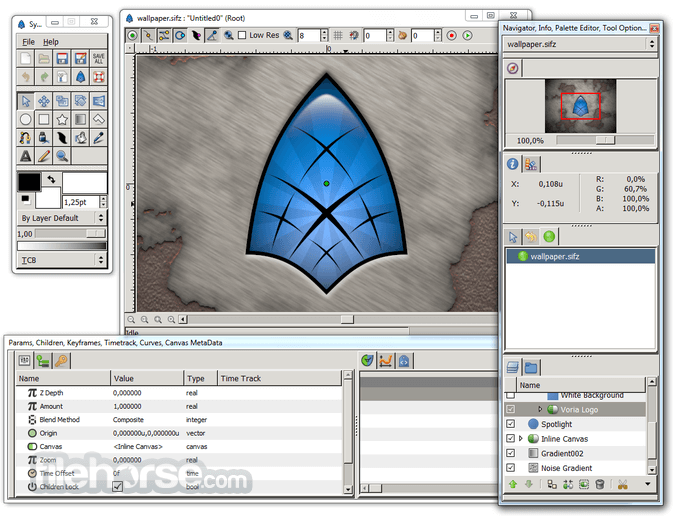
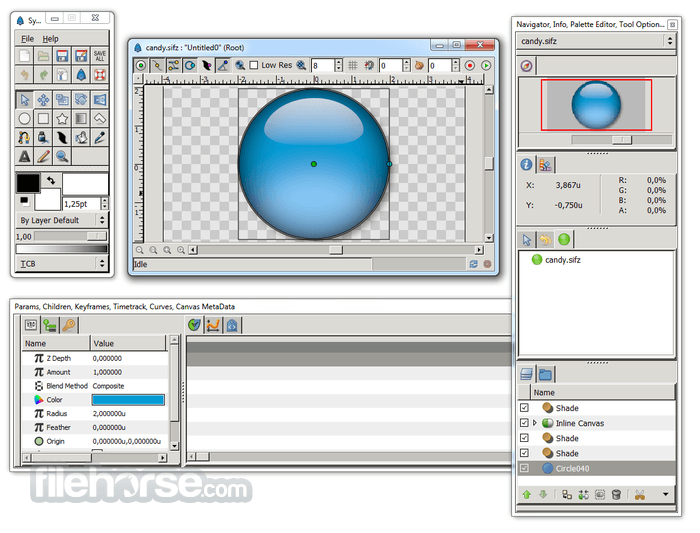
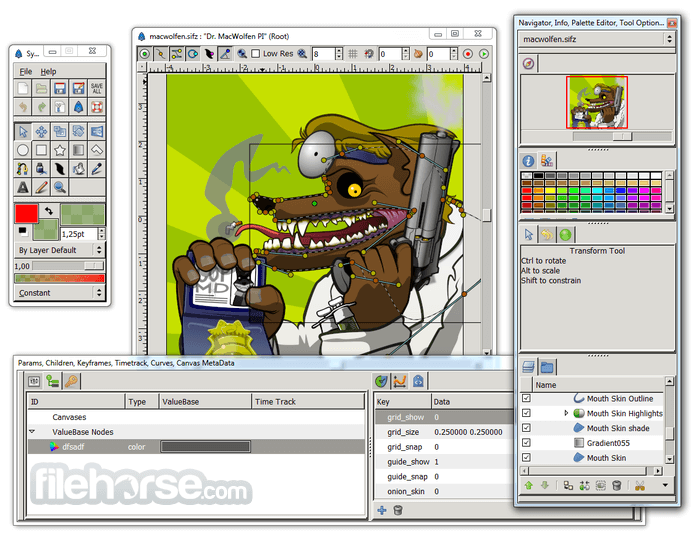
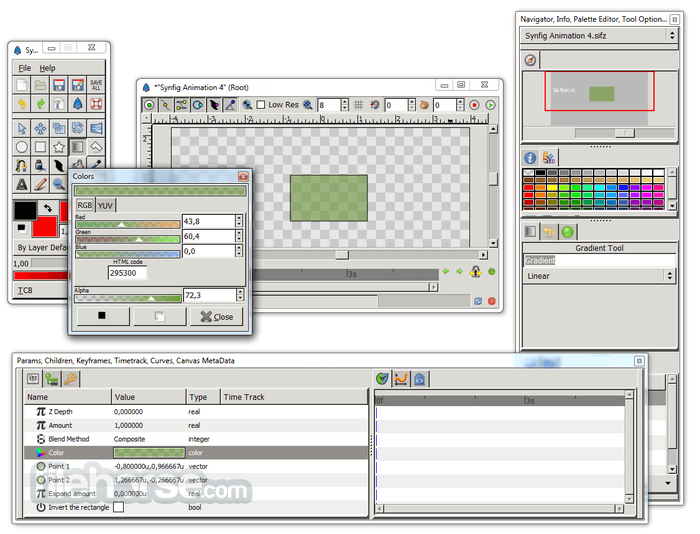
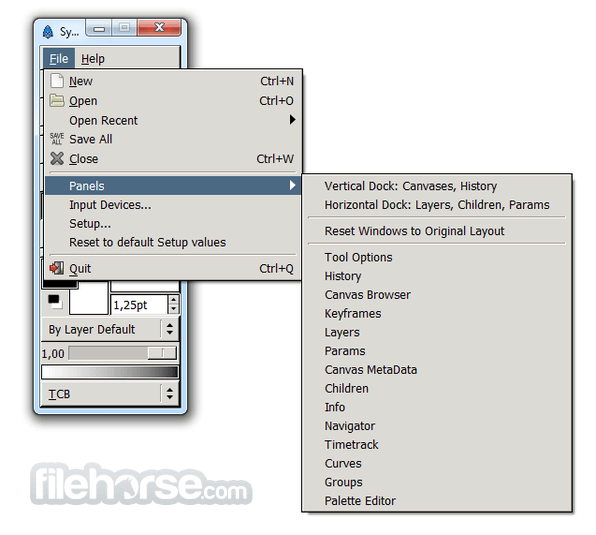
It features a clean and intuitive user interface, with customizable layouts and panels to suit individual preferences. The interface is designed to streamline the animation workflow, making it easy for users to access tools and features efficiently.
Installation and Setup
Installing this tool is straightforward on all supported platforms. Users can download the installer from the official website (you may have to make a donation) or FileHorse and follow the on-screen instructions to complete the installation process. The software does not require any additional dependencies, making it easy to set up.
How to Use
Is Synfig suitable for beginners?
Yes, it offers a user-friendly interface and comprehensive documentation, making it accessible to beginners.
Can I import images and videos into Synfig Studio?
Yes, it supports importing various file formats, including images and videos, for use in animations.
Does Synfig Studio support audio synchronization?
While the software does not have built-in audio synchronization features, users can import audio tracks and manually synchronize them with animations.
Can I export animations in different formats?
Yes, it supports exporting animations in various formats, including GIF, MP4, and AVI, among others.
Is Synfig Studio compatible with other animation software?
It uses its file format (.sif) but supports importing and exporting files in other common formats, allowing for interoperability with other animation software.
Alternatives
Adobe Animate - A comprehensive 2D animation software with a wide range of features and industry-standard tools.
Toon Boom Harmony - A professional animation software known for its powerful rigging and compositing capabilities.
OpenToonz - A free and open-source animation software used for traditional 2D animation production.
System Requirements
OS: Windows 11, 10, 8, or 7
PROS
Synfig Studio is a powerful and versatile 2D animation software that caters to both beginners and professionals alike. With its extensive feature set, intuitive user interface, and cross-platform compatibility, it offers a compelling alternative to commercial animation software.
While it may have a learning curve for newcomers, its wealth of documentation and active community support make it an excellent choice for anyone looking to create high-quality animations without breaking the bank. Whether you're an aspiring animator or a seasoned professional, it has the tools and capabilities to bring your creative visions to life.
Also Available: Synfig Studio (32-bit) and Synfig Studio for Mac
Download Synfig Studio (64-bit) Latest Version Why is this app published on FileHorse? (More info)
It offers a comprehensive suite of tools for artists, animators, and designers to bring their creative visions to life. With its vector-based approach and advanced features, the program caters to both beginners and professionals in the animation industry.
Key Features
- Vector Tweening: It utilizes vector tweening techniques, allowing users to create smooth and fluid animations.
- Bone System: The software offers a sophisticated bone system for character rigging and animation, enabling users to create complex character movements easily.
- Layers and Filters: It provides a wide range of layers and filters, including gradients, distortions, and transformations, to enhance the visual quality of animations.
- Keyframe Animation: Users can animate objects and characters using keyframes, providing precise control over timing and motion.
- Multiplatform Support: The program is available for Windows, macOS, and Linux, ensuring compatibility across different operating systems.
It features a clean and intuitive user interface, with customizable layouts and panels to suit individual preferences. The interface is designed to streamline the animation workflow, making it easy for users to access tools and features efficiently.
Installation and Setup
Installing this tool is straightforward on all supported platforms. Users can download the installer from the official website (you may have to make a donation) or FileHorse and follow the on-screen instructions to complete the installation process. The software does not require any additional dependencies, making it easy to set up.
How to Use
- Creating a New Project: Launch the app and select "New" from the File menu to create a new project. Choose the desired canvas size and frame rate for the animation.
- Adding Layers: Use the Layers panel to add various elements to the canvas, such as shapes, images, and text.
- Animating Objects: Select the object you want to animate and set keyframes for its properties, such as position, scale, and rotation.
- Using the Bone Tool: Utilize the Bone Tool to create skeletal rigs for characters and objects, allowing for more natural movement and deformation.
- Rendering the Animation: Once the animation is complete, go to the File menu and select "Export" to render the animation in the desired format.
Is Synfig suitable for beginners?
Yes, it offers a user-friendly interface and comprehensive documentation, making it accessible to beginners.
Can I import images and videos into Synfig Studio?
Yes, it supports importing various file formats, including images and videos, for use in animations.
Does Synfig Studio support audio synchronization?
While the software does not have built-in audio synchronization features, users can import audio tracks and manually synchronize them with animations.
Can I export animations in different formats?
Yes, it supports exporting animations in various formats, including GIF, MP4, and AVI, among others.
Is Synfig Studio compatible with other animation software?
It uses its file format (.sif) but supports importing and exporting files in other common formats, allowing for interoperability with other animation software.
Alternatives
Adobe Animate - A comprehensive 2D animation software with a wide range of features and industry-standard tools.
Toon Boom Harmony - A professional animation software known for its powerful rigging and compositing capabilities.
OpenToonz - A free and open-source animation software used for traditional 2D animation production.
System Requirements
OS: Windows 11, 10, 8, or 7
PROS
- Free and open-source
- Comprehensive set of features
- Flexible and customizable
- Multiplatform support
- Active community and documentation
- Steeper learning curve for beginners
- Some advanced features may require additional learning
Synfig Studio is a powerful and versatile 2D animation software that caters to both beginners and professionals alike. With its extensive feature set, intuitive user interface, and cross-platform compatibility, it offers a compelling alternative to commercial animation software.
While it may have a learning curve for newcomers, its wealth of documentation and active community support make it an excellent choice for anyone looking to create high-quality animations without breaking the bank. Whether you're an aspiring animator or a seasoned professional, it has the tools and capabilities to bring your creative visions to life.
Also Available: Synfig Studio (32-bit) and Synfig Studio for Mac
Download Synfig Studio (64-bit) Latest Version Why is this app published on FileHorse? (More info)
##
影片介紹
##
畫面截圖
- 2026-03-16 Synfig Studio 1.5.5 (64-bit) 106 MB
- 2024-05-20 Synfig Studio 1.4.5 (64-bit) 107 MB
- 2023-04-01 Synfig Studio 1.4.4 (64-bit) 107 MB
- 2021-08-06 Synfig Studio 1.5.0 (64-bit) 106 MB
- 2018-09-15 Synfig Studio 1.2.2 (64-bit) 123 MB
- 2017-09-11 Synfig Studio 1.2.1 (64-bit) 103 MB