⚠ 這是歷史版本頁面 — 查看 TeamSpeak Client 3.6.2 (32-bit) 最新版本 →

TeamSpeak Client 3.5.2 (32-bit)
v 3.5.2 (32-bit)
Windows
免費軟體
8.4/10 (223)
- 目前版本3.5.2 (32-bit)
- 更新日期2020-04-02
- 檔案大小75.64 MB
- 檔案名稱TeamSpeak3-Client-win32-3.5.2.exe
- 作業系統Windows 8 / Windows 10 / Windows 11
- 支援語系English
- 授權型式免費軟體
- 開發商 TeamSpeak Systems GmbH
- 軟體分類Windows 軟體 / 社群通訊
##
編輯短評
TeamSpeak Client 是歷史悠久的語音通訊軟體,採用客戶端-伺服器架構,能同時容納數千名使用者上線,主打低延遲、清晰音質與低系統資源占用。它的核心特色在於「軍事級」加密與高度穩定的連線品質,特別適合需要即時、清晰溝通的線上遊戲、遠距教學或企業內部訓練場合。這款軟體長期維護,更新節奏不算頻繁,但在重度遊戲玩家與特定社群中仍保有穩固的忠實用戶群,評價普遍不錯。
這套軟體最適合需要自建語音伺服器、重視隱私與連線掌控權的使用者,例如電競戰隊、大型線上公會或跨國團隊協作。與 Discord 等現代通訊軟體相比,TeamSpeak 的介面較為樸素,但換來的是更低的資源占用與更精準的權限管理。此版本為 32 位元,僅提供英文介面,免費使用,對老舊硬體或需要極致效能的玩家來說,是值得考慮的輕量選擇。
##
翻譯排程處理中,以下暫以英文原文呈現
軟體介紹
TeamSpeak offers the ideal app for online gaming, education and training, internal business communication, and staying in touch with friends and family.
Primary focus is on delivering a solution that is easy to use, with high security standards, excellent voice quality, and low system and bandwidth usage. Featuring a client-server architecture, TeamSpeak 32bit is literally capable of handling up to thousands of simultaneous users.
Use crystal clear sound to communicate with your team mates cross-platform with military-grade security, lag-free performance & unparalleled reliability and uptime.
How does it work? Host your own server or rent one from an Authorized TeamSpeak Host Provider. Share your server address with anyone you want to speak with. They connect to your server via the free desktop client using the server address you provided. Start talking. It’s that easy!
TeamSpeak Client is a powerful communication software primarily designed for online gaming communities, businesses, and educational institutions. It provides users with a platform to communicate via voice, text, and video in real-time, enabling seamless collaboration and coordination among team members.
Main Features
How do I create a server on TeamSpeak?
To create a server, you'll need to download and install TeamSpeak Server software on your computer or server. Follow the installation instructions, configure server settings, and start the server.
Can I use TeamSpeak Client for free?
Yes, TeamSpeak Client is available for free. However, users may need to pay for hosting their own servers or for additional features.
Is TeamSpeak Client available on mobile devices?
Yes, TeamSpeak offers mobile applications for iOS and Android devices, allowing users to stay connected on the go.
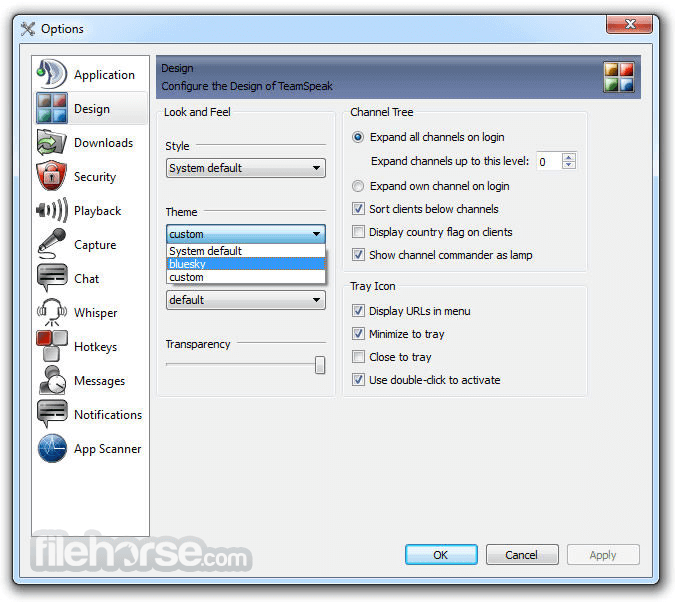
Can I customize the appearance of TeamSpeak Client?
Yes, TeamSpeak Client supports themes and plugins, allowing users to customize the appearance and functionality of the application.
Is TeamSpeak Client secure?
Yes, TeamSpeak Client employs encryption to ensure secure communication and data protection.
Alternatives
Discord - A popular communication platform for gamers, businesses, and communities, offering voice, video, and text communication features.
Mumble - An open-source, low-latency voice chat software designed for gamers and online communities.
Slack - A collaboration hub for teams, providing messaging, file sharing, and integration with third-party apps.
Pricing
TeamSpeak Client is available for FREE. However, users may incur costs for hosting their own servers or for additional features and services.
System Requirements
Download TeamSpeak Client (32-bit) Latest Version Why is this app published on FileHorse? (More info)
Primary focus is on delivering a solution that is easy to use, with high security standards, excellent voice quality, and low system and bandwidth usage. Featuring a client-server architecture, TeamSpeak 32bit is literally capable of handling up to thousands of simultaneous users.
Use crystal clear sound to communicate with your team mates cross-platform with military-grade security, lag-free performance & unparalleled reliability and uptime.
How does it work? Host your own server or rent one from an Authorized TeamSpeak Host Provider. Share your server address with anyone you want to speak with. They connect to your server via the free desktop client using the server address you provided. Start talking. It’s that easy!
TeamSpeak Client is a powerful communication software primarily designed for online gaming communities, businesses, and educational institutions. It provides users with a platform to communicate via voice, text, and video in real-time, enabling seamless collaboration and coordination among team members.
Main Features
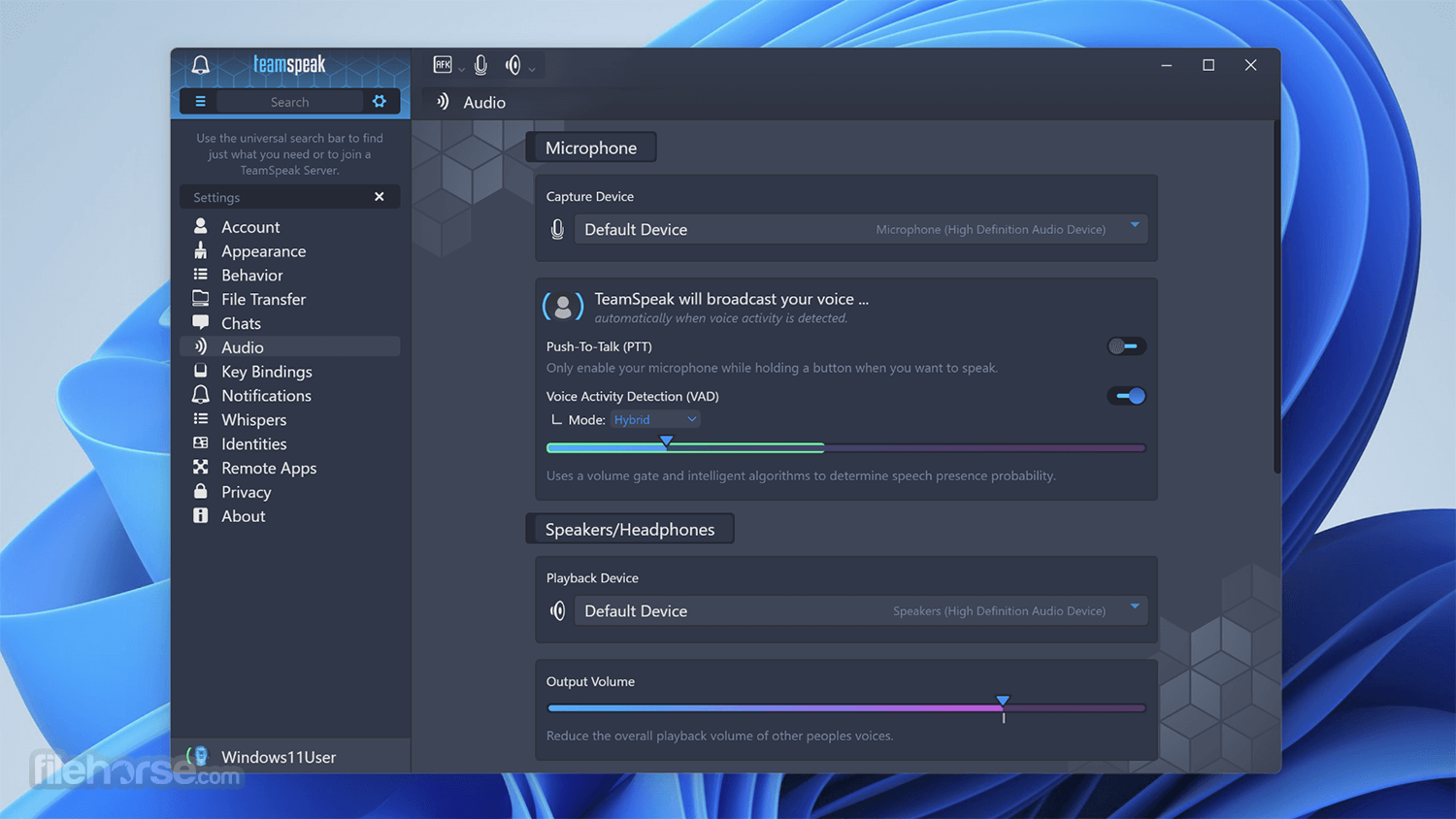
- Voice Communication: High-quality, low-latency voice communication ensures clear and efficient communication.
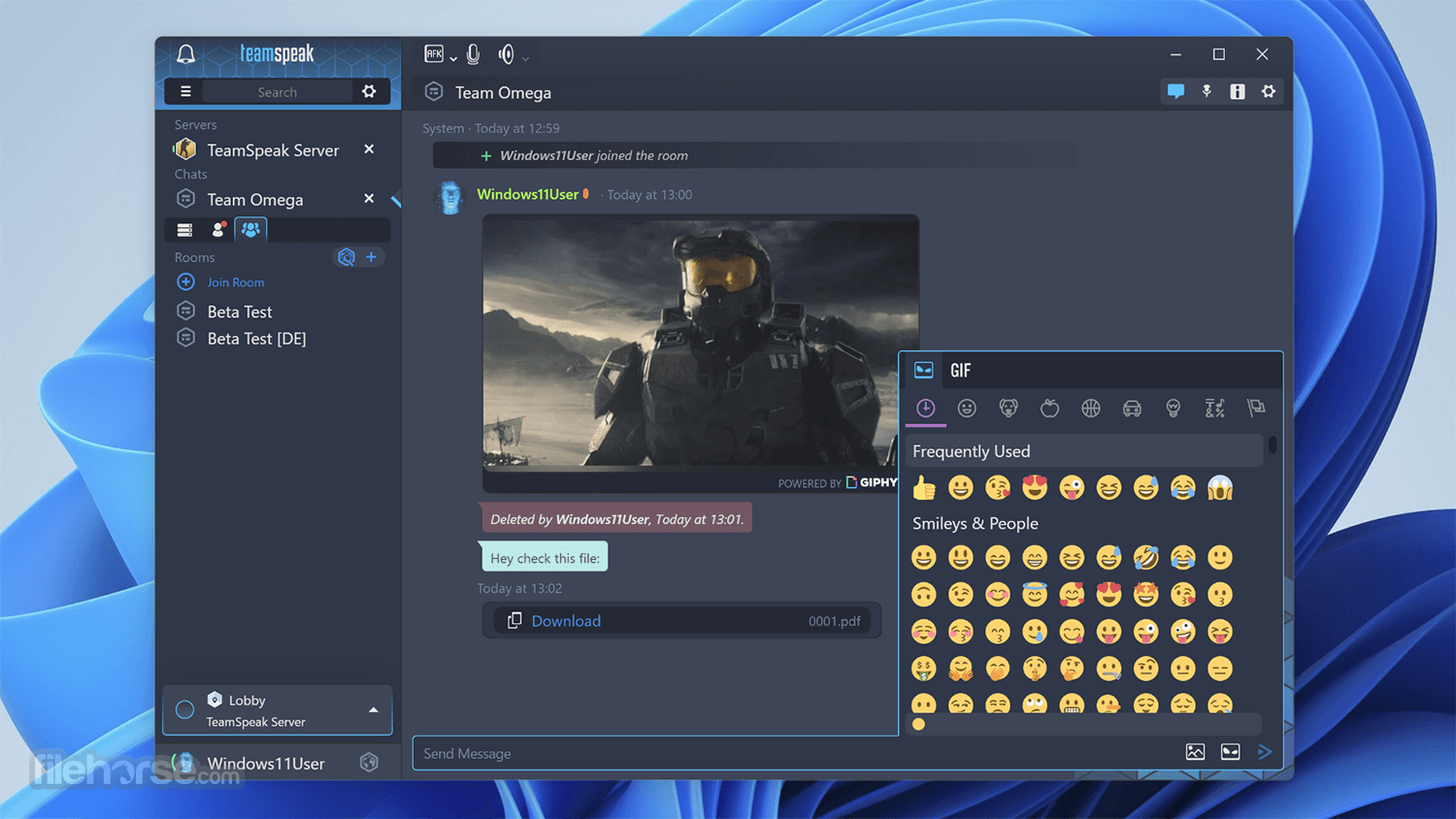
- Text Chat: Instant messaging feature allows users to send text messages to individuals or groups.
- File Sharing: Users can share files, documents, and multimedia content within the platform.
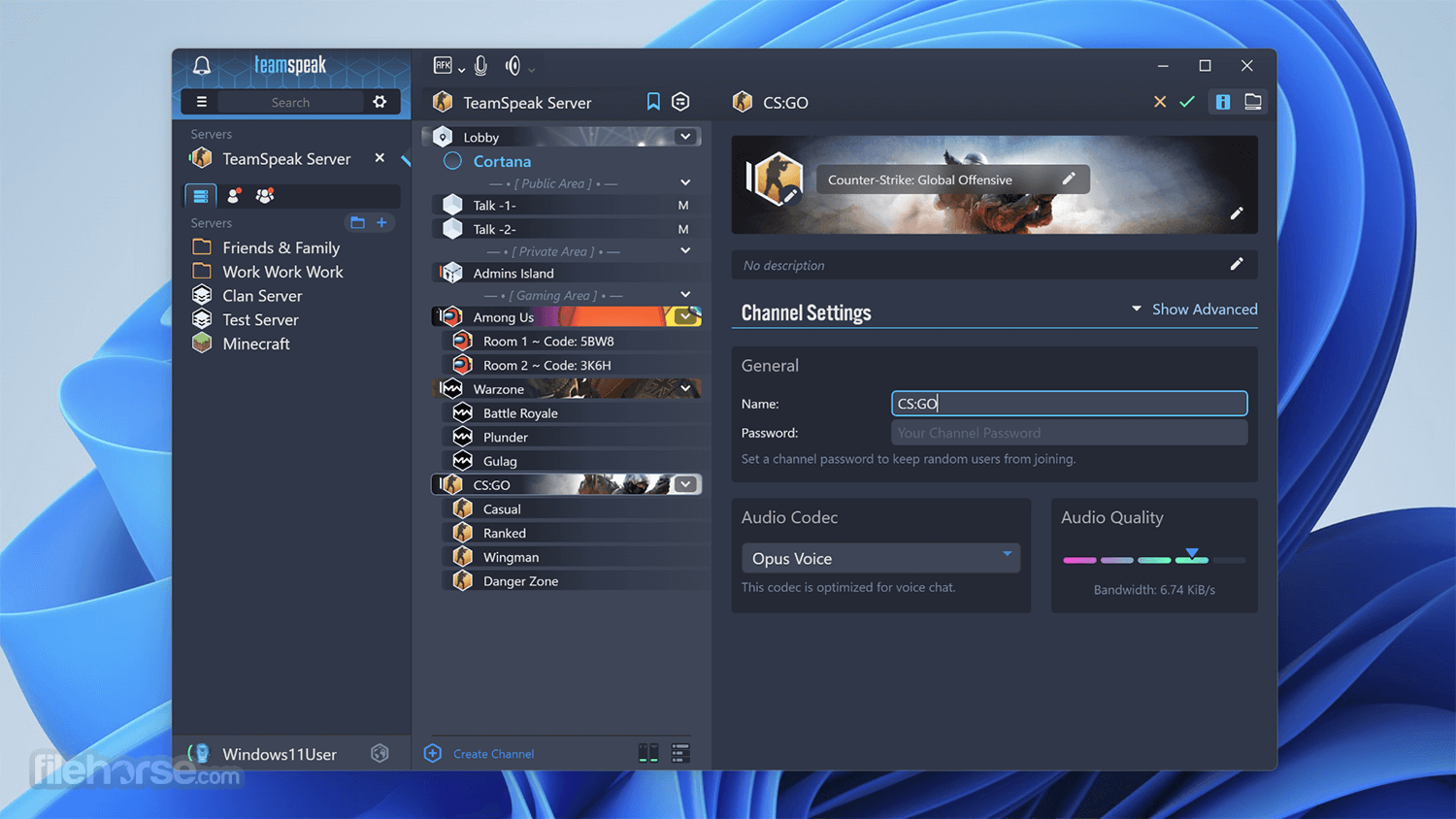
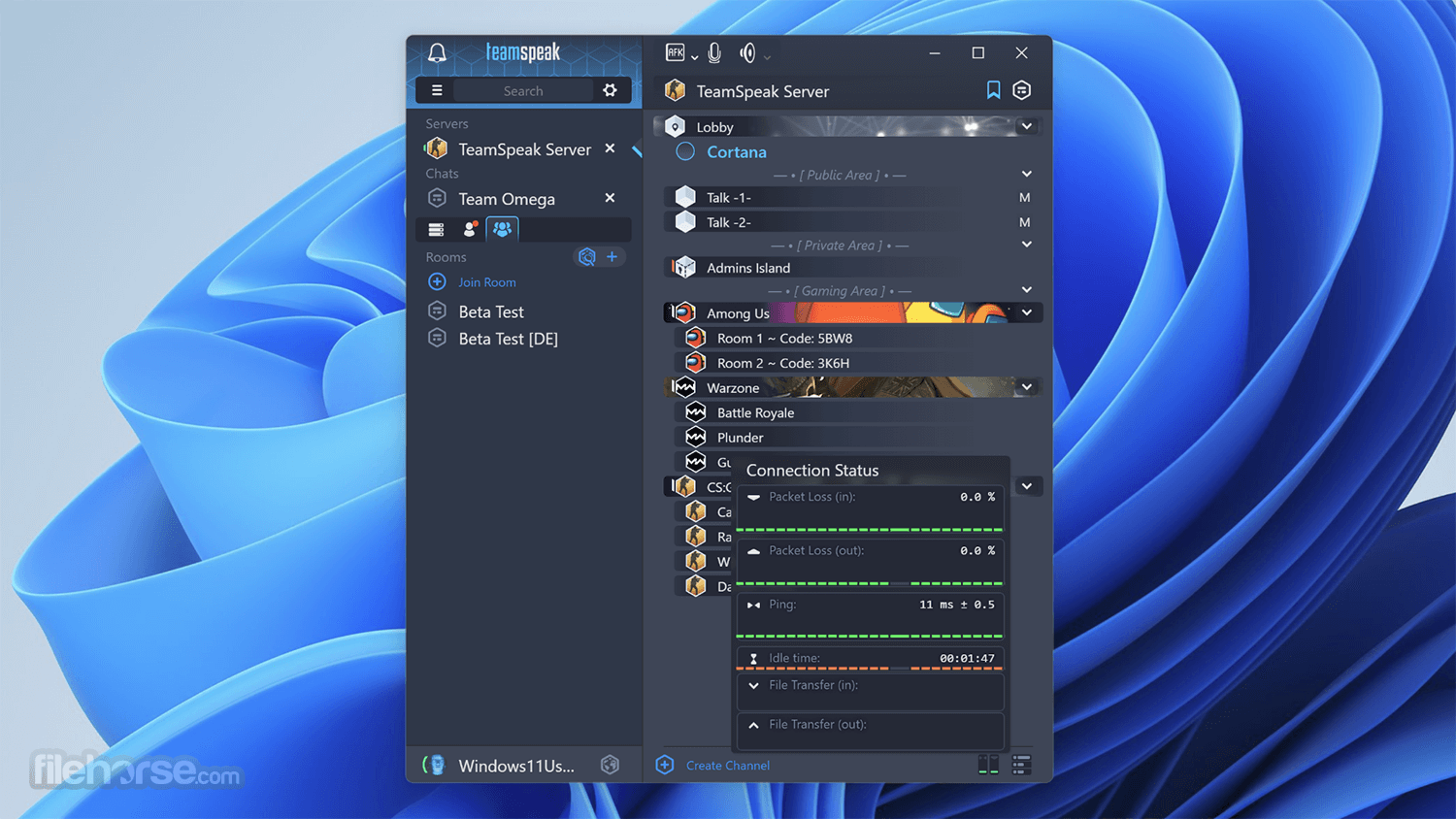
- Channel Organization: Organize users into customizable channels for better management and coordination.
- Permissions System: The advanced permissions system allows administrators to control access and privileges for users.
- Security: Built-in encryption ensures secure communication and data protection.
- Customization: Users can customize their client interface with themes, plugins, and add-ons.
How do I create a server on TeamSpeak?
To create a server, you'll need to download and install TeamSpeak Server software on your computer or server. Follow the installation instructions, configure server settings, and start the server.
Can I use TeamSpeak Client for free?
Yes, TeamSpeak Client is available for free. However, users may need to pay for hosting their own servers or for additional features.
Is TeamSpeak Client available on mobile devices?
Yes, TeamSpeak offers mobile applications for iOS and Android devices, allowing users to stay connected on the go.
Can I customize the appearance of TeamSpeak Client?
Yes, TeamSpeak Client supports themes and plugins, allowing users to customize the appearance and functionality of the application.
Is TeamSpeak Client secure?
Yes, TeamSpeak Client employs encryption to ensure secure communication and data protection.
Alternatives
Discord - A popular communication platform for gamers, businesses, and communities, offering voice, video, and text communication features.
Mumble - An open-source, low-latency voice chat software designed for gamers and online communities.
Slack - A collaboration hub for teams, providing messaging, file sharing, and integration with third-party apps.
Pricing
TeamSpeak Client is available for FREE. However, users may incur costs for hosting their own servers or for additional features and services.
System Requirements
- Operating System: Windows 11, 10, 8, or 7
- Processor: Intel Pentium III or equivalent
- RAM: 512 MB
- Disk Space: 100 MB
- Internet Connection
- High-quality, low-latency voice communication
- Customizable interface and settings
- Secure communication with built-in encryption
- Cross-platform support
- Free to use for individual users
- Requires hosting or renting servers for group communication
- Steeper learning curve for server setup and administration compared to some alternatives
Download TeamSpeak Client (32-bit) Latest Version Why is this app published on FileHorse? (More info)
##
影片介紹
##
畫面截圖
- 2026-04-02 TeamSpeak Client 3.6.2 (32-bit) 86.59 MB
- 2023-09-19 TeamSpeak Client 3.6.1 (32-bit) 86.59 MB
- 2023-06-15 TeamSpeak Client 3.6.0 (32-bit) 86.57 MB
- 2020-12-09 TeamSpeak Client 3.5.6 (32-bit) 77.28 MB
- 2020-11-06 TeamSpeak Client 3.5.5 (32-bit) 75.65 MB
- 2020-05-12 TeamSpeak Client 3.5.3 (32-bit) 75.65 MB
- 2020-04-02 TeamSpeak Client 3.5.2 (32-bit) 75.64 MB
- 2020-03-24 TeamSpeak Client 3.5.1 (32-bit) 75.64 MB