⚠ 這是歷史版本頁面 — 查看 TeamSpeak Server 3.13.8 (32-bit) 最新版本 →

TeamSpeak Server 3.13.0 (32-bit)
v 3.13.0 (32-bit)
Windows
免費軟體
7.6/10 (45)
- 目前版本3.13.0 (32-bit)
- 更新日期2020-11-10
- 檔案大小7.63 MB
- 檔案名稱teamspeak3-server_win32-3.13.0.zip
- 作業系統Windows 7 / Windows 8 / Windows 10
- 支援語系English
- 授權型式免費軟體
- 開發商 TeamSpeak Systems GmbH
- 軟體分類Windows 軟體 / 社群通訊
##
編輯短評
TeamSpeak Server 是一款專為多人語音通訊設計的伺服器軟體,透過集中式架構轉送音訊,提供比點對點連線更穩定、清晰的通話品質。它特別適合需要同時容納數十甚至上百人進行群組通話的場合,例如線上遊戲、虛擬會議等。這款軟體長期以來持續維護,更新頻率雖不算頻繁,但在遊戲社群中仍有一定的使用族群,使用者評價普遍不錯。
若你打算自建語音伺服器,TeamSpeak Server 是值得考慮的選項,尤其適合遊戲公會、線上社團等需要自主掌控通訊品質的團體。相較於其他依賴 P2P 的語音軟體,它的集中式架構能提供更穩定的音質,但相對地需要自行架設與管理伺服器,技術門檻較高。軟體本身免費,但僅提供英文介面,對中文使用者可能稍嫌不便,且目前僅支援 Windows 平台,部署前需留意環境相容性。
##
翻譯排程處理中,以下暫以英文原文呈現
軟體介紹
TeamSpeak Server is an extremely popular free communication software that provides high-quality voice chat over the Internet to users interested not only in 1-on-1 chat but also in group chat with dozens and sometimes hundreds of participants.
The base functionality of TeamSpeak is in its connection between PC clients and internet dedicated servers, which serve as transfer points for all your audio streams. This centralized structure provides higher-quality sound than other solutions that rely on peer-to-peer connections.
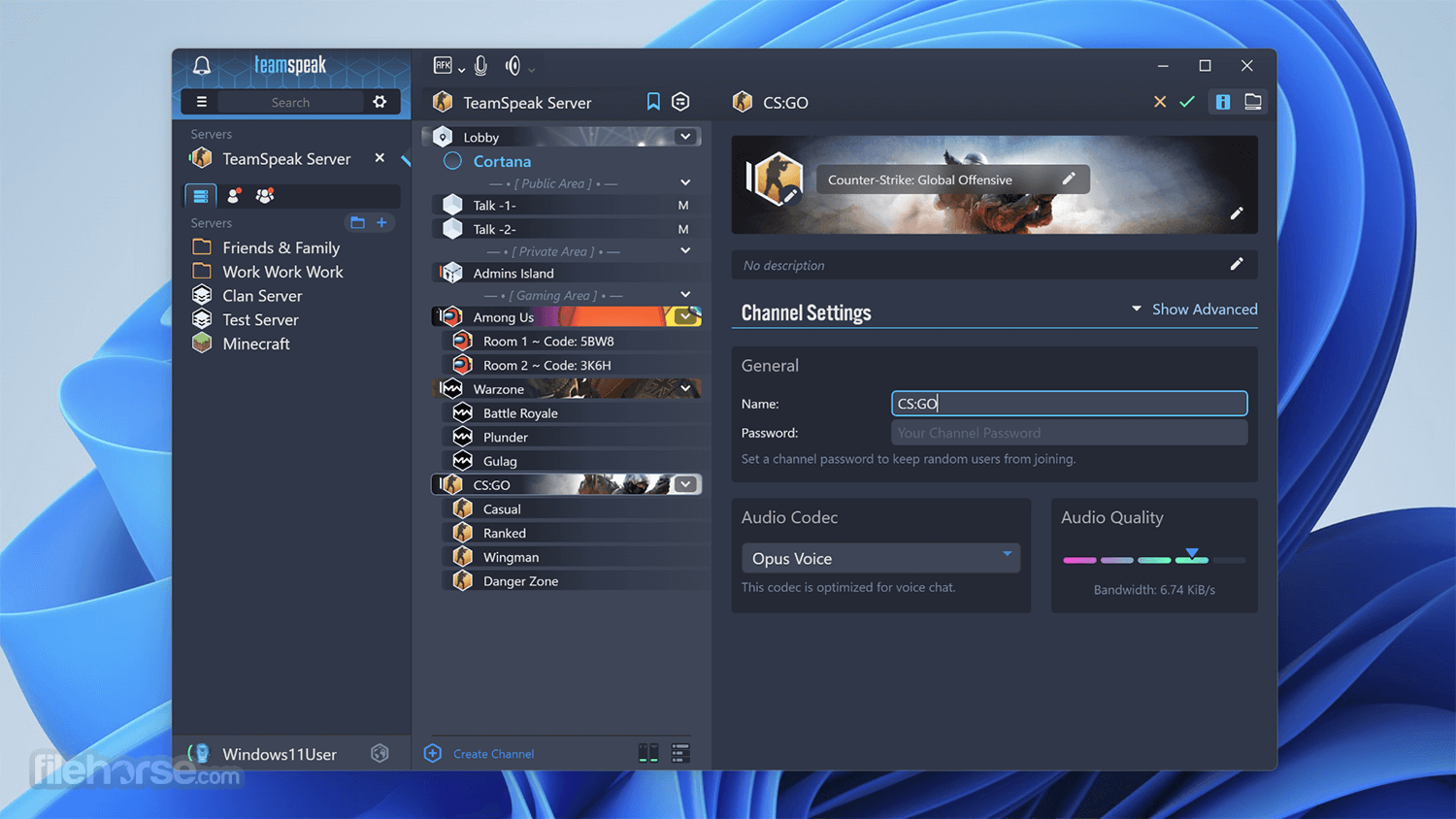
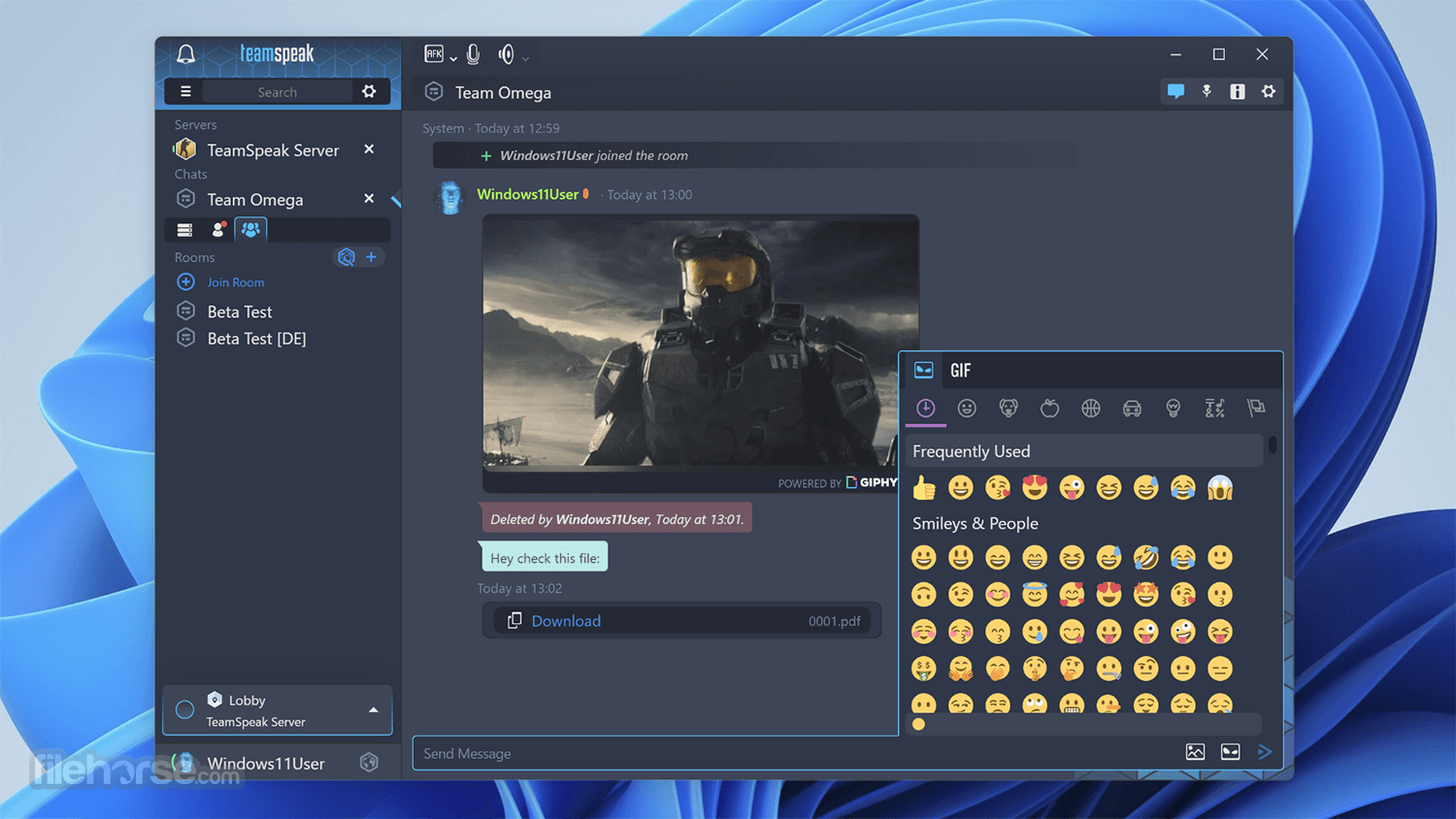
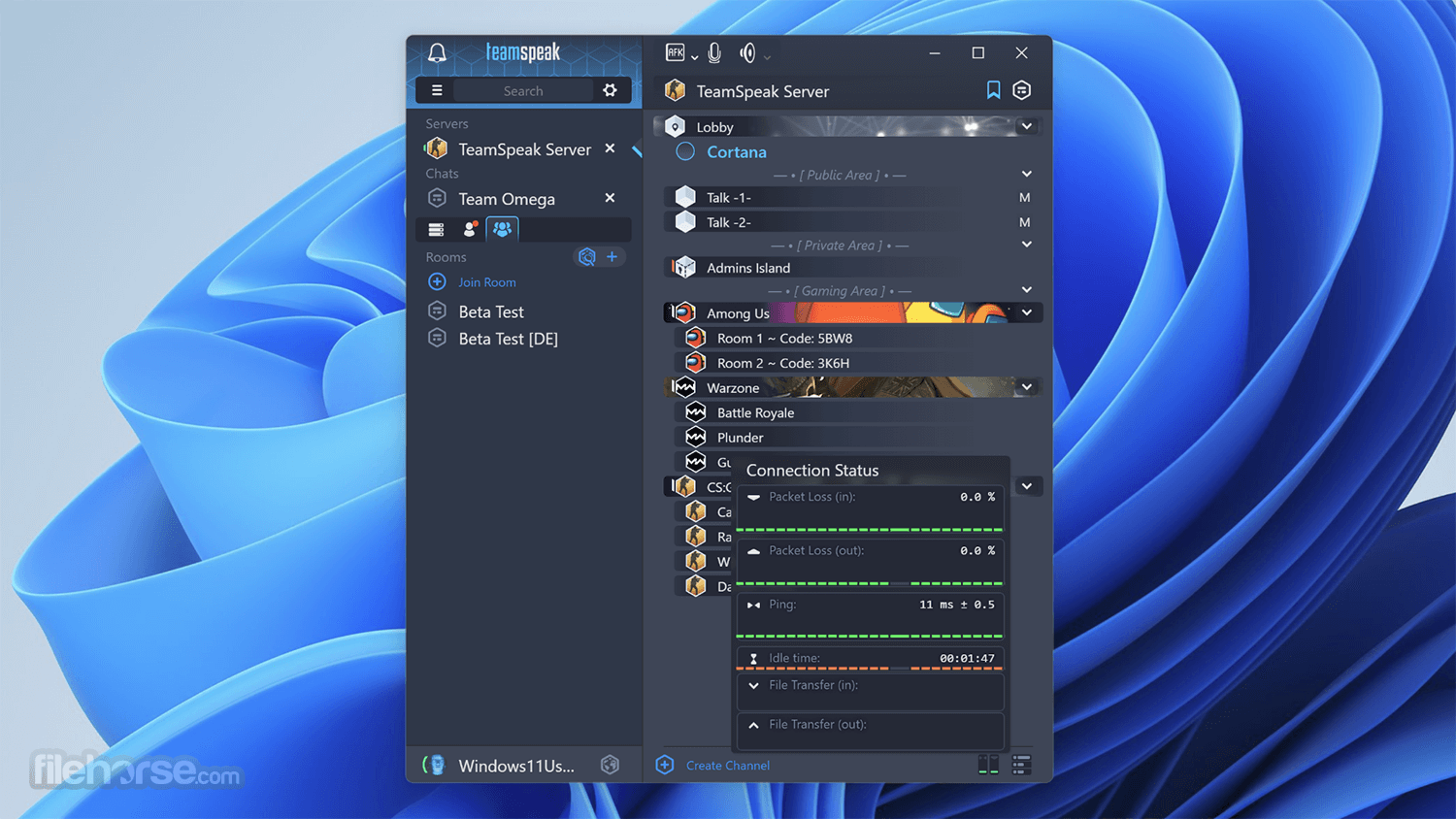
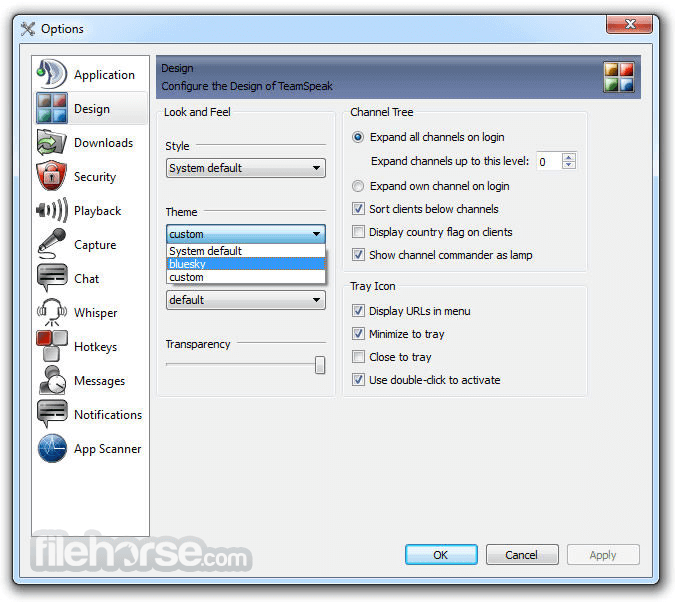
The interface of the TeamSpeak client is well-organized, enabling users easy access to the server load area and listings of all the available rooms that are present on the server.
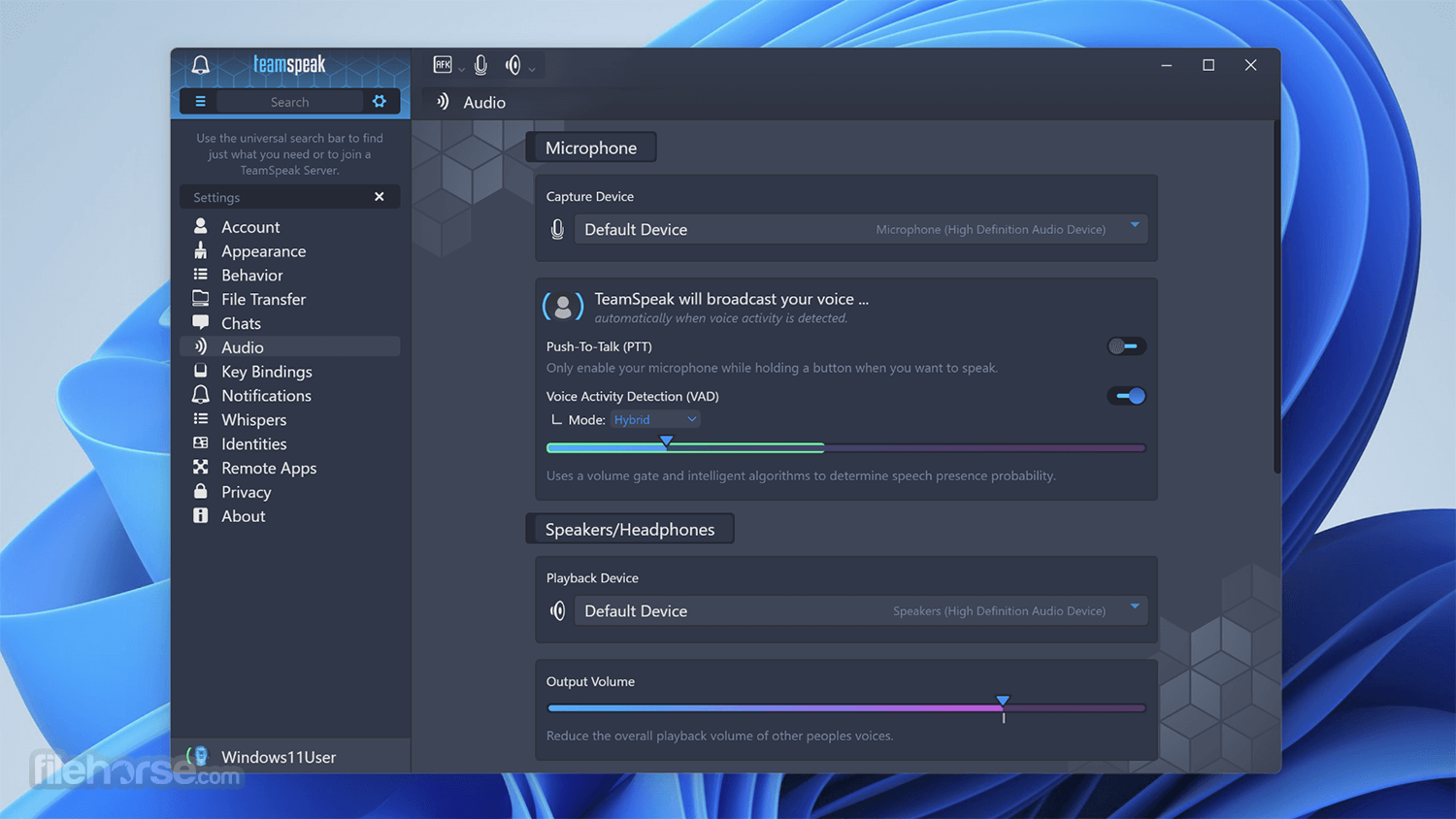
From there, users can simply enter any room with the double-click of their mouse and easily access customization options (keyboard bindings for mute/unmute, set their microphone and speaker levels, and more). During gaming sessions, the app Client can also be accessed via a very useful in-game overlay.
With the TeamSpeak Server 32bit, you can easily talk with hundreds and thousands of users simultaneously, enabling you to use it for large-scale teleconferencing in both professional and home situations (such as video gaming or gathering with friends and family). The app is absolutely free and gives you incredible freedom and power in the world of online voice chat.
Main Features
FAQs
What is TeamSpeak Server used for?
TeamSpeak Server is a voice communication server that allows users to host their own voice chat system. It is commonly used by gaming communities, teams, and organizations for real-time voice communication with full control over channels and permissions.
Do you need to host a TeamSpeak Server yourself?
Yes. TeamSpeak Server can be self-hosted on your own computer or a dedicated server, but it can also be rented from hosting providers. Self-hosting gives full control, while hosted solutions are easier to set up.
Is TeamSpeak Server still relevant in 2026?
Yes. In 2026, TeamSpeak Server remains relevant for users who prefer privacy, low latency, and full control over their voice communication, even though apps like Discord are more popular for casual use.
Alternatives
Discord - A popular communication platform for gamers, businesses, and communities, offering voice, video, and text communication features.
Mumble - An open-source, low-latency voice chat software designed for gamers and online communities.
Slack - A collaboration hub for teams, providing messaging, file sharing, and integration with third-party apps.
Pricing
The program is FREE to download and use for non-commercial purposes. Commercial users may need to purchase a license based on their usage requirements, with pricing starting at $25 per virtual server.
System Requirements
The system requirements for running TeamSpeak Server depend on the number of simultaneous users and the desired voice quality. Generally, a dedicated server with at least 512MB of RAM and a modern CPU is recommended for small to medium-sized deployments.
PROS
Also Available: TeamSpeak Server (64-bit) and TeamSpeak Server for Mac
Download TeamSpeak Server (32-bit) Latest Version Why is this app published on FileHorse? (More info)
The base functionality of TeamSpeak is in its connection between PC clients and internet dedicated servers, which serve as transfer points for all your audio streams. This centralized structure provides higher-quality sound than other solutions that rely on peer-to-peer connections.
The interface of the TeamSpeak client is well-organized, enabling users easy access to the server load area and listings of all the available rooms that are present on the server.
From there, users can simply enter any room with the double-click of their mouse and easily access customization options (keyboard bindings for mute/unmute, set their microphone and speaker levels, and more). During gaming sessions, the app Client can also be accessed via a very useful in-game overlay.
With the TeamSpeak Server 32bit, you can easily talk with hundreds and thousands of users simultaneously, enabling you to use it for large-scale teleconferencing in both professional and home situations (such as video gaming or gathering with friends and family). The app is absolutely free and gives you incredible freedom and power in the world of online voice chat.
Main Features
- Low-latency voice communication: The program is known for its exceptional voice quality and low-latency communication, making it ideal for gaming and professional use where timing is critical.
- Customizable server settings: Users can customize various server settings to suit their specific needs, including channel permissions, user groups, and audio codecs.
- Secure communication: It employs advanced encryption protocols to ensure secure communication, protecting sensitive information from unauthorized access.
- Cross-platform compatibility: TeamSpeak Server is available for a wide range of platforms, including Windows, Linux, and macOS, ensuring compatibility with most devices.
- Scalability: It supports thousands of simultaneous users on a single server, making it suitable for large-scale deployments such as gaming tournaments or corporate events.
FAQs
What is TeamSpeak Server used for?
TeamSpeak Server is a voice communication server that allows users to host their own voice chat system. It is commonly used by gaming communities, teams, and organizations for real-time voice communication with full control over channels and permissions.
Do you need to host a TeamSpeak Server yourself?
Yes. TeamSpeak Server can be self-hosted on your own computer or a dedicated server, but it can also be rented from hosting providers. Self-hosting gives full control, while hosted solutions are easier to set up.
Is TeamSpeak Server still relevant in 2026?
Yes. In 2026, TeamSpeak Server remains relevant for users who prefer privacy, low latency, and full control over their voice communication, even though apps like Discord are more popular for casual use.
Alternatives
Discord - A popular communication platform for gamers, businesses, and communities, offering voice, video, and text communication features.
Mumble - An open-source, low-latency voice chat software designed for gamers and online communities.
Slack - A collaboration hub for teams, providing messaging, file sharing, and integration with third-party apps.
Pricing
The program is FREE to download and use for non-commercial purposes. Commercial users may need to purchase a license based on their usage requirements, with pricing starting at $25 per virtual server.
System Requirements
The system requirements for running TeamSpeak Server depend on the number of simultaneous users and the desired voice quality. Generally, a dedicated server with at least 512MB of RAM and a modern CPU is recommended for small to medium-sized deployments.
PROS
- Exceptional voice quality and low-latency communication
- Customizable server settings for fine-tuning user permissions and channel configurations
- Secure communication with advanced encryption protocols
- Cross-platform compatibility with support for Windows, Linux, and macOS
- Scalability to support thousands of simultaneous users on a single server
- A minimalistic user interface may lack some advanced features found in other communication platforms
- Licensing fees for commercial use may deter some users
- A steeper learning curve for administrators configuring server settings compared to more user-friendly alternatives
Also Available: TeamSpeak Server (64-bit) and TeamSpeak Server for Mac
Download TeamSpeak Server (32-bit) Latest Version Why is this app published on FileHorse? (More info)
##
影片介紹
##
畫面截圖
- 2026-05-28 TeamSpeak Server 3.13.8 (32-bit) 7.56 MB
- 2022-07-13 TeamSpeak Server 3.13.7 (32-bit) 7.66 MB
- 2021-06-11 TeamSpeak Server 3.13.6 (32-bit) 7.65 MB
- 2021-05-19 TeamSpeak Server 3.13.5 (32-bit) 7.65 MB
- 2020-12-18 TeamSpeak Server 3.13.3 (32-bit) 7.63 MB
- 2020-11-19 TeamSpeak Server 3.13.2 (32-bit) 7.63 MB
- 2020-11-12 TeamSpeak Server 3.13.1 (32-bit) 7.63 MB
- 2020-11-10 TeamSpeak Server 3.13.0 (32-bit) 7.63 MB