⚠ 這是歷史版本頁面 — 查看 TeamSpeak Server 3.13.8 (64-bit) 最新版本 →

TeamSpeak Server 3.13.5 (64-bit)
v 3.13.5 (64-bit)
Windows
免費軟體
8.6/10 (84)
- 目前版本3.13.5 (64-bit)
- 更新日期2021-05-19
- 檔案大小8.4 MB
- 檔案名稱teamspeak3-server_win64-3.13.5.zip
- 作業系統Windows 7 64 / Windows 8 64 / Windows 10 64 / Windows 11
- 支援語系English
- 授權型式免費軟體
- 開發商 TeamSpeak Systems GmbH
- 軟體分類Windows 軟體 / 社群通訊
##
編輯短評
TeamSpeak Server 是一款免費的伺服器端軟體,主要用於架設高品質、低延遲的語音通訊環境,特別適合需要同時容納數十甚至上百人進行群組語音對話的場合。它讓使用者能建立自己的私有伺服器,自行管理語音與文字頻道,提供比一般即時通訊軟體更穩定、更可控的溝通基礎。這套軟體由開發商長期維護,更新頻率不算密集但仍持續提供支援,在社群通訊分類中屬於熱門選擇,使用者評價普遍不錯。
這款軟體最適合線上遊戲社群、企業或組織,需要自行架設專屬語音伺服器以確保安全與低延遲的場景。與同類的即時通訊軟體相比,TeamSpeak Server 更強調伺服器端的自主管理,但相對地需要具備基本的架設與維護知識。它僅提供英文介面,且為 Windows 平台專用,使用前需留意語系與作業系統相容性。授權為免費軟體,但實際運作時仍需自行處理伺服器資源與網路設定。
##
翻譯排程處理中,以下暫以英文原文呈現
軟體介紹
TeamSpeak Server 64-bit is an extremely popular free communication software that provides high-quality voice chat over the Internet to users interested not only in 1-on-1 chat but also in group chat with dozens and sometimes hundreds of participants.
TeamSpeak Server is a powerful communication platform designed primarily for online gaming communities, businesses, and organizations requiring secure and low-latency voice communication.
It allows users to create their own private servers where they can host voice and text chat channels for group communication in real-time.
The base functionality of TeamSpeak is in its connection between PC clients and internet dedicated servers, which serve as transfer points for all your audio streams. This centralized structure provides higher-quality sound than other solutions that rely on peer-to-peer connections.
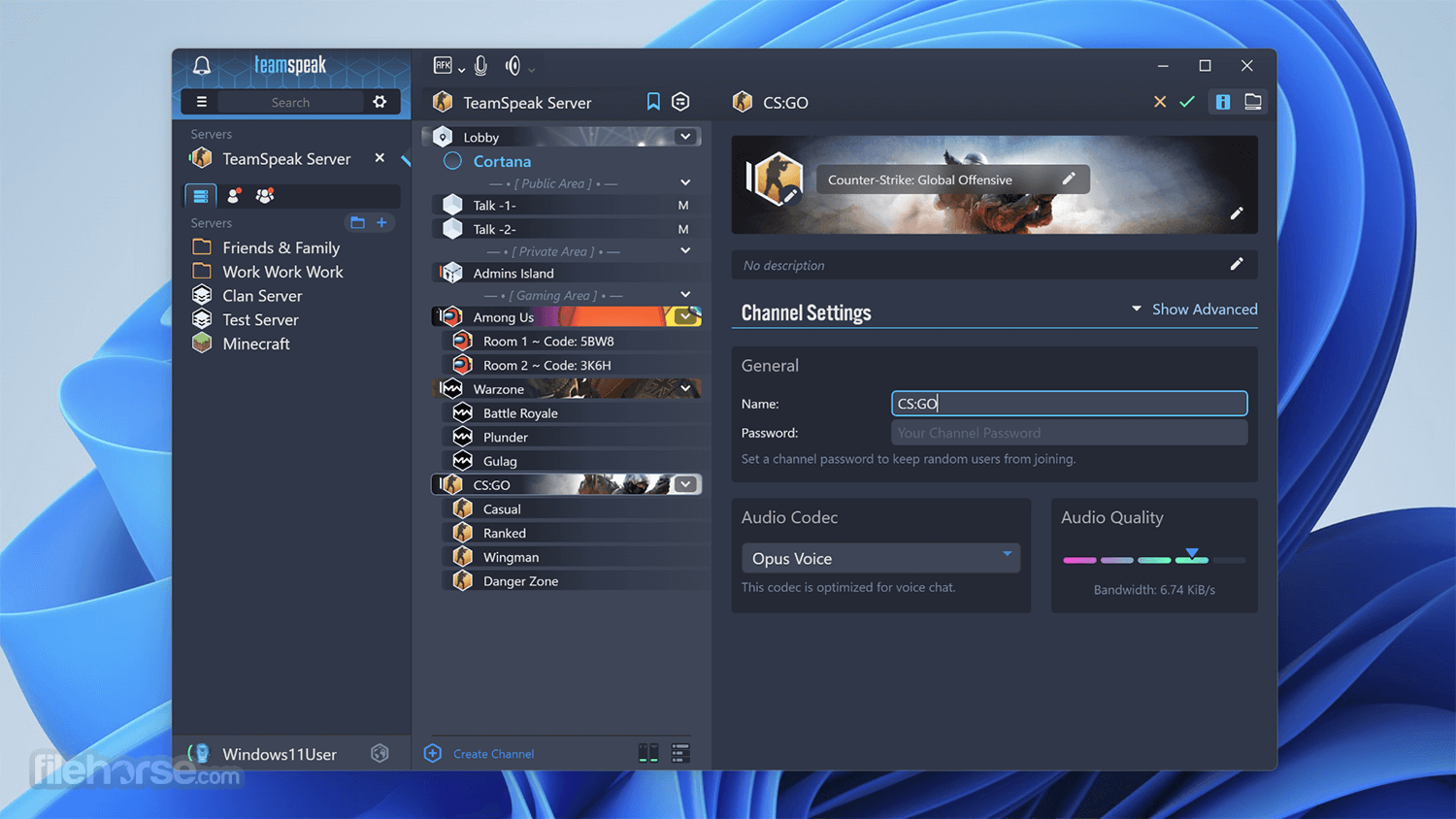
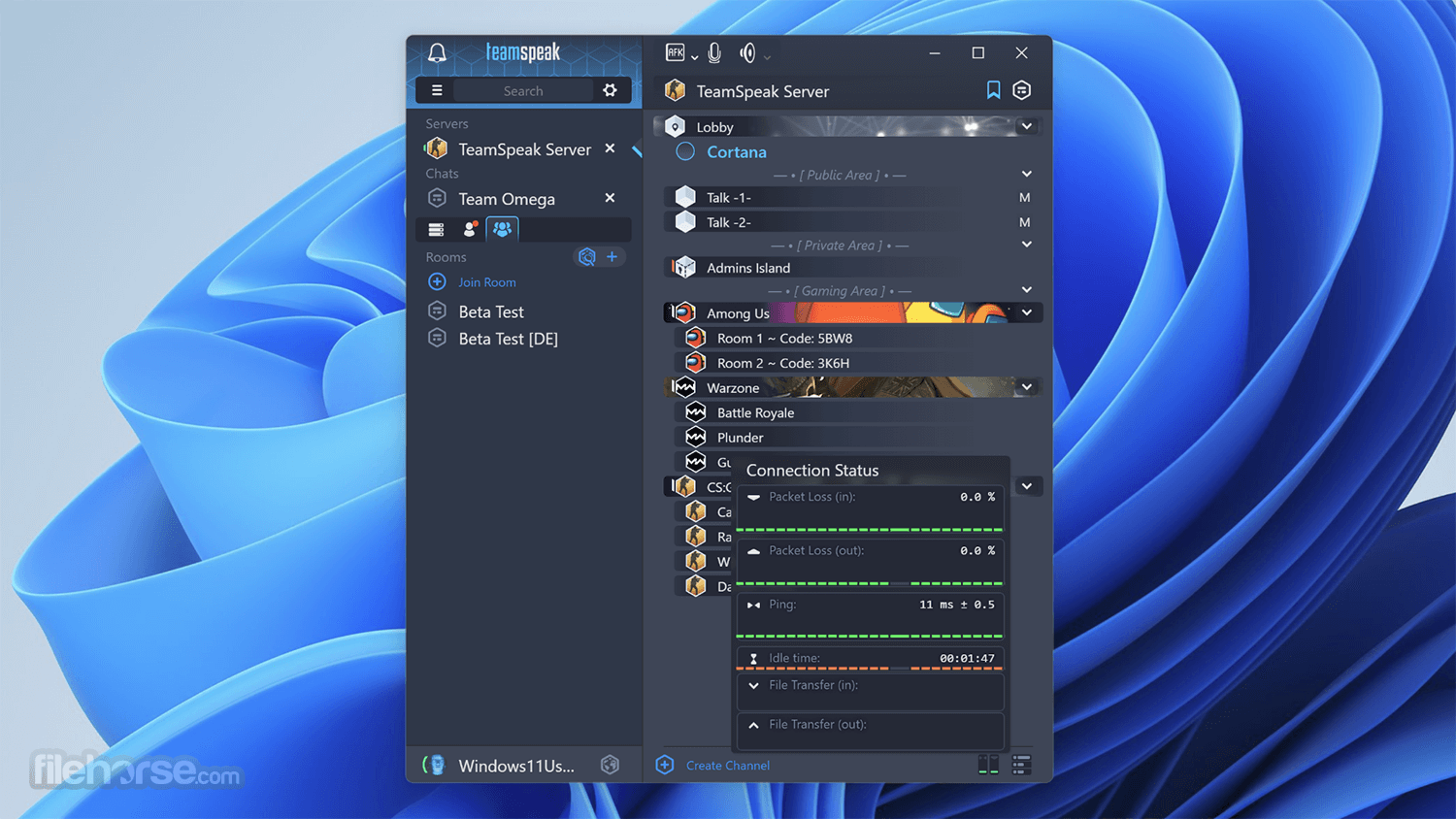
The interface of the TeamSpeak app client is well-organized, enabling users easy access to the server load area and listings of all the available rooms that are present on the server.
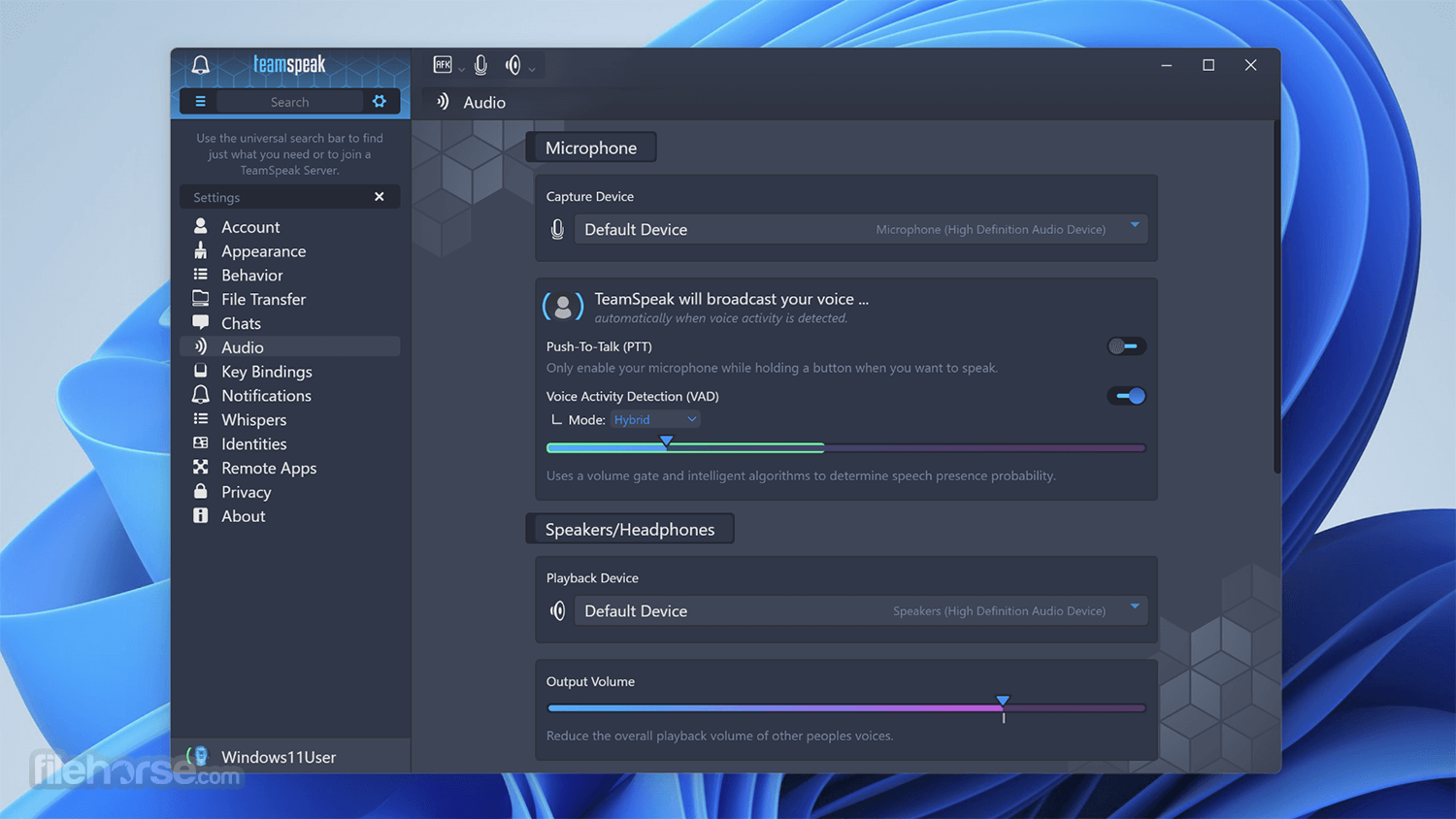
From there, users can simply enter any room with the double-click of their mouse and easily access customization options (keyboard bindings for mute/unmute, set their microphone and speaker levels, and more). During gaming sessions, the Client can also be accessed via a very useful in-game overlay.
With the TeamSpeak Server for PC, you can easily talk with hundreds or thousands of users simultaneously, enabling you to use it for large-scale teleconferencing in both professional and home situations (such as video gaming or gathering with friends and family).
This app is absolutely free and gives you incredible freedom and power in the world of online voice chat.
New and Improved Features
Improved Voice Quality and Latency
The app's voice quality is truly revolutionary. Featuring completely new codecs, automatic microphone adjustment, advanced noise reduction, and echo cancellation, this tool offers only the highest quality in voice communication. Users can finally say goodbye to echo, feedback, and background buzzing noises as the evolution of quality voice communication has arrived.
Raising the Bar
The tool was designed with cutting-edge hardware in mind. Thus, it will have full support for the latest G-keys from Logitech® in addition to other currently unannounced hardware manufacturers.
Stunning 3D Sound Effects
The program now features fully integrated 3D sound support, which allows spatial placement of sound effects and audio streams. This creates the illusion of a sound source being placed anywhere in three-dimensional space, including behind, to the left of, to the right of, above, or below the listener.
Powerful Permissions System
The app Server features a completely overhauled, hierarchical permissions system with the ability to dynamically create, define, and apply group permissions as you see fit.
Improved Security and Privacy
The software introduces a new authentication system. Instead of using a combination of username and password, the app Client creates unique identities that are stored and tracked by every Team Speak Server you're connecting to.
Firewall Friendly File Transfer
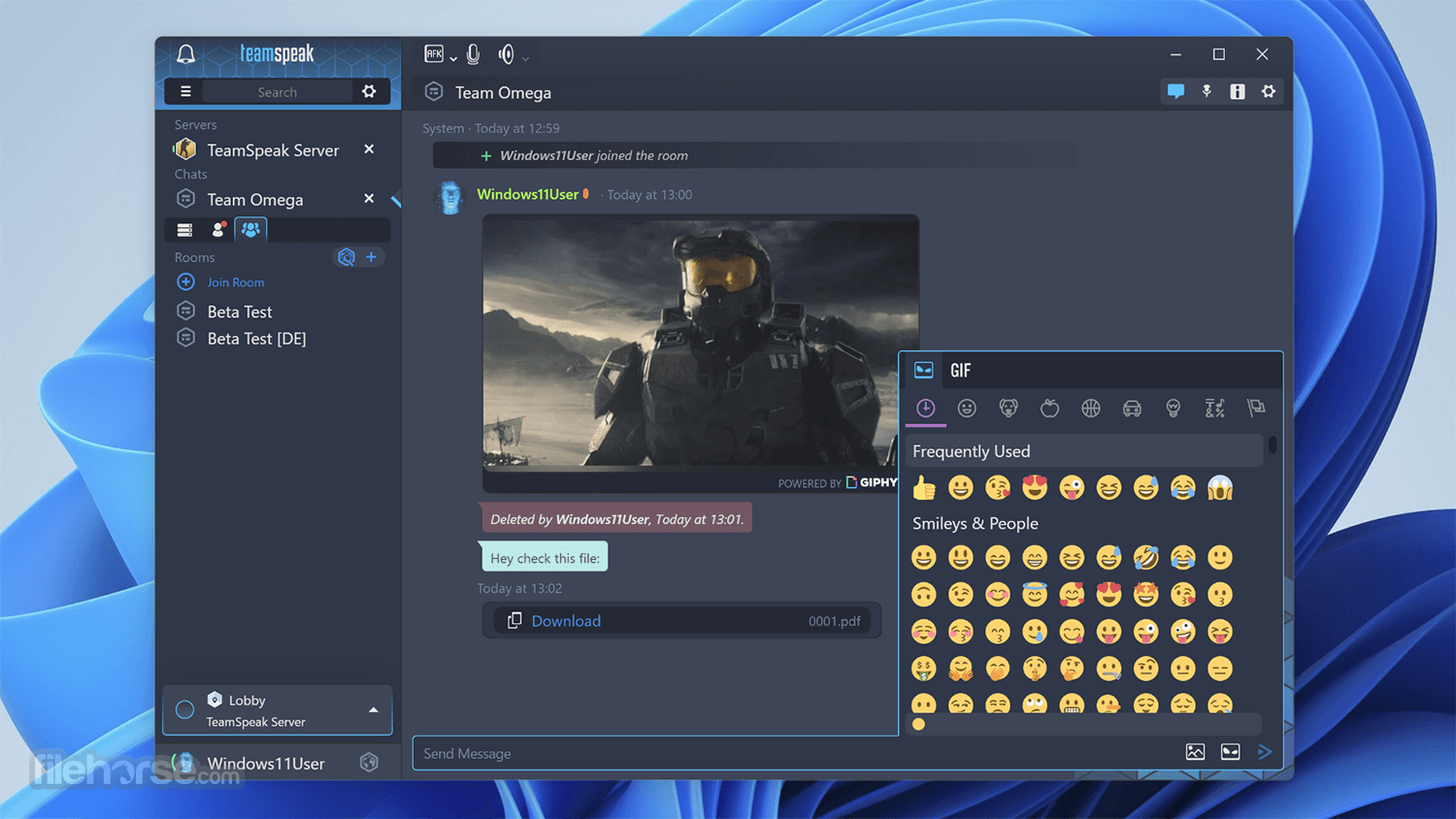
Maximize your online collaborative experience with this software with all-new file transfer features. Depending on your permissions, users can recursively upload or download files on a per-channel basis or into a common folder tree.
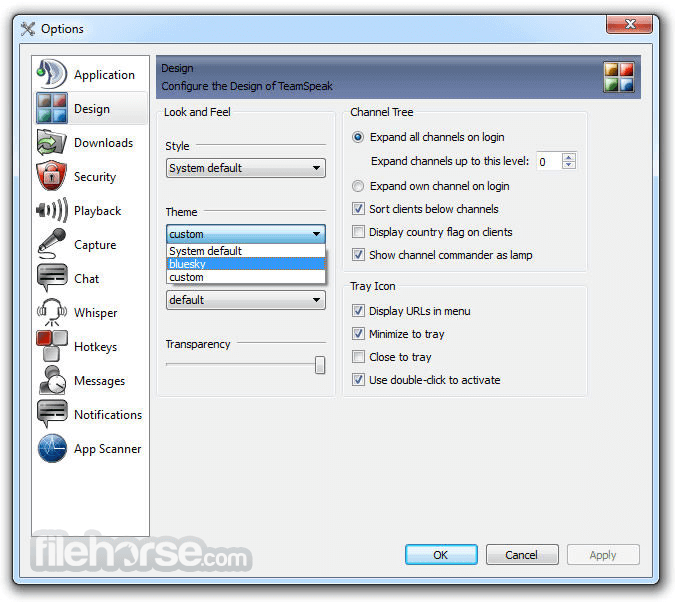
Fully Customizable User Interface
GUI (Graphical User Interface) has been completely redesigned, providing a professional new look and intuitive navigation. The interface itself can be fully customized or "skinned" using stylesheets, allowing users to further alter the look and feel of the Client.
Key Features
The user interface of this tool is minimalistic and straightforward, focusing on functionality rather than aesthetics.
Administrators can manage server settings and user permissions through a web-based control panel or command-line interface, while end-users can connect to servers using the TeamSpeak Client application.
Installation and Setup
Installing TeamSpeak Server is relatively straightforward, with installation packages available for Windows, Linux, and macOS. Users can download the appropriate package from the official website or FileHorse and follow the on-screen instructions to complete the installation process.
Once installed, administrators can configure server settings and create user accounts through the web-based control panel or command-line interface.
How to Use
Is TeamSpeak Server free to use?
TeamSpeak Server is free to download and use for non-commercial purposes. However, commercial users may need to purchase a license depending on their usage requirements.
Can I host multiple servers on a single installation of TeamSpeak Server?
Yes, it supports hosting multiple virtual servers on a single installation, allowing users to segregate communication channels for different groups or purposes.
Is TeamSpeak Server compatible with mobile devices?
Yes, this software is compatible with mobile devices through the TeamSpeak Client application available for iOS and Android.
What is the maximum number of users supported on a single TeamSpeak Server?
It supports thousands of simultaneous users on a single server, with the exact limit depending on server hardware and configuration.
Can I integrate TeamSpeak Server with other applications?
Yes, it supports integration with third-party applications through its extensive API, allowing users to extend its functionality as needed.
Alternatives
Discord - A popular communication platform for gamers, businesses, and communities, offering voice, video, and text communication features.
Mumble - An open-source, low-latency voice chat software designed for gamers and online communities.
Slack - A collaboration hub for teams, providing messaging, file sharing, and integration with third-party apps.
Pricing
The program is FREE to download and use for non-commercial purposes.
Commercial users may need to purchase a license based on their usage requirements, with pricing starting at $25 per virtual server.
System Requirements
The system requirements for running TeamSpeak Server depend on the number of simultaneous users and the desired voice quality.
Generally, a dedicated server with at least 512MB of RAM and a modern CPU is recommended for small to medium-sized deployments.
PROS
Overall, TeamSpeak Server is a robust communication platform ideal for online gaming communities, businesses, and organizations requiring secure and low-latency voice communication. With exceptional voice quality, customizable server settings, and cross-platform compatibility, it offers a comprehensive solution for group communication in real-time.
While it may have a steeper learning curve for administrators and licensing fees for commercial use, its scalability and advanced features make it a compelling choice for those seeking a reliable and secure communication platform.
Note: This is the 64-bit version of the server.
Also Available: TeamSpeak Server (32-bit) and TeamSpeak Server for Mac
Download TeamSpeak Server (64-bit) Latest Version Why is this app published on FileHorse? (More info)
TeamSpeak Server is a powerful communication platform designed primarily for online gaming communities, businesses, and organizations requiring secure and low-latency voice communication.
It allows users to create their own private servers where they can host voice and text chat channels for group communication in real-time.
The base functionality of TeamSpeak is in its connection between PC clients and internet dedicated servers, which serve as transfer points for all your audio streams. This centralized structure provides higher-quality sound than other solutions that rely on peer-to-peer connections.
The interface of the TeamSpeak app client is well-organized, enabling users easy access to the server load area and listings of all the available rooms that are present on the server.
From there, users can simply enter any room with the double-click of their mouse and easily access customization options (keyboard bindings for mute/unmute, set their microphone and speaker levels, and more). During gaming sessions, the Client can also be accessed via a very useful in-game overlay.
With the TeamSpeak Server for PC, you can easily talk with hundreds or thousands of users simultaneously, enabling you to use it for large-scale teleconferencing in both professional and home situations (such as video gaming or gathering with friends and family).
This app is absolutely free and gives you incredible freedom and power in the world of online voice chat.
New and Improved Features
Improved Voice Quality and Latency
The app's voice quality is truly revolutionary. Featuring completely new codecs, automatic microphone adjustment, advanced noise reduction, and echo cancellation, this tool offers only the highest quality in voice communication. Users can finally say goodbye to echo, feedback, and background buzzing noises as the evolution of quality voice communication has arrived.
Raising the Bar
The tool was designed with cutting-edge hardware in mind. Thus, it will have full support for the latest G-keys from Logitech® in addition to other currently unannounced hardware manufacturers.
Stunning 3D Sound Effects
The program now features fully integrated 3D sound support, which allows spatial placement of sound effects and audio streams. This creates the illusion of a sound source being placed anywhere in three-dimensional space, including behind, to the left of, to the right of, above, or below the listener.
Powerful Permissions System
The app Server features a completely overhauled, hierarchical permissions system with the ability to dynamically create, define, and apply group permissions as you see fit.
Improved Security and Privacy
The software introduces a new authentication system. Instead of using a combination of username and password, the app Client creates unique identities that are stored and tracked by every Team Speak Server you're connecting to.
Firewall Friendly File Transfer
Maximize your online collaborative experience with this software with all-new file transfer features. Depending on your permissions, users can recursively upload or download files on a per-channel basis or into a common folder tree.
Fully Customizable User Interface
GUI (Graphical User Interface) has been completely redesigned, providing a professional new look and intuitive navigation. The interface itself can be fully customized or "skinned" using stylesheets, allowing users to further alter the look and feel of the Client.
Key Features
- Low-latency voice communication: The program is known for its exceptional voice quality and low-latency communication, making it ideal for gaming and professional use where timing is critical.
- Customizable server settings: Users can customize various server settings to suit their specific needs, including channel permissions, user groups, and audio codecs.
- Secure communication: It employs advanced encryption protocols to ensure secure communication, protecting sensitive information from unauthorized access.
- Cross-platform compatibility: TeamSpeak Server is available for a wide range of platforms, including Windows, Linux, and macOS, ensuring compatibility with most devices.
- Scalability: It supports thousands of simultaneous users on a single server, making it suitable for large-scale deployments such as gaming tournaments or corporate events.
The user interface of this tool is minimalistic and straightforward, focusing on functionality rather than aesthetics.
Administrators can manage server settings and user permissions through a web-based control panel or command-line interface, while end-users can connect to servers using the TeamSpeak Client application.
Installation and Setup
Installing TeamSpeak Server is relatively straightforward, with installation packages available for Windows, Linux, and macOS. Users can download the appropriate package from the official website or FileHorse and follow the on-screen instructions to complete the installation process.
Once installed, administrators can configure server settings and create user accounts through the web-based control panel or command-line interface.
How to Use
- Download and install the app on your preferred platform.
- Configure server settings and create user accounts using the web-based control panel or command-line interface.
- Share the server address and login credentials with users who wish to connect.
- Users can connect to the server using the TeamSpeak Client application by entering the server address and login credentials.
- Once connected, users can join voice and text chat channels to communicate with other users in real-time.
Is TeamSpeak Server free to use?
TeamSpeak Server is free to download and use for non-commercial purposes. However, commercial users may need to purchase a license depending on their usage requirements.
Can I host multiple servers on a single installation of TeamSpeak Server?
Yes, it supports hosting multiple virtual servers on a single installation, allowing users to segregate communication channels for different groups or purposes.
Is TeamSpeak Server compatible with mobile devices?
Yes, this software is compatible with mobile devices through the TeamSpeak Client application available for iOS and Android.
What is the maximum number of users supported on a single TeamSpeak Server?
It supports thousands of simultaneous users on a single server, with the exact limit depending on server hardware and configuration.
Can I integrate TeamSpeak Server with other applications?
Yes, it supports integration with third-party applications through its extensive API, allowing users to extend its functionality as needed.
Alternatives
Discord - A popular communication platform for gamers, businesses, and communities, offering voice, video, and text communication features.
Mumble - An open-source, low-latency voice chat software designed for gamers and online communities.
Slack - A collaboration hub for teams, providing messaging, file sharing, and integration with third-party apps.
Pricing
The program is FREE to download and use for non-commercial purposes.
Commercial users may need to purchase a license based on their usage requirements, with pricing starting at $25 per virtual server.
System Requirements
The system requirements for running TeamSpeak Server depend on the number of simultaneous users and the desired voice quality.
Generally, a dedicated server with at least 512MB of RAM and a modern CPU is recommended for small to medium-sized deployments.
PROS
- Exceptional voice quality and low-latency communication
- Customizable server settings for fine-tuning user permissions and channel configurations
- Secure communication with advanced encryption protocols
- Cross-platform compatibility with support for Windows, Linux, and macOS
- Scalability to support thousands of simultaneous users on a single server
- A minimalistic user interface may lack some advanced features found in other communication platforms
- Licensing fees for commercial use may deter some users
- A steeper learning curve for administrators configuring server settings compared to more user-friendly alternatives
Overall, TeamSpeak Server is a robust communication platform ideal for online gaming communities, businesses, and organizations requiring secure and low-latency voice communication. With exceptional voice quality, customizable server settings, and cross-platform compatibility, it offers a comprehensive solution for group communication in real-time.
While it may have a steeper learning curve for administrators and licensing fees for commercial use, its scalability and advanced features make it a compelling choice for those seeking a reliable and secure communication platform.
Note: This is the 64-bit version of the server.
Also Available: TeamSpeak Server (32-bit) and TeamSpeak Server for Mac
Download TeamSpeak Server (64-bit) Latest Version Why is this app published on FileHorse? (More info)
##
影片介紹
##
畫面截圖
- 2026-05-28 TeamSpeak Server 3.13.8 (64-bit) 8.3 MB
- 2022-07-13 TeamSpeak Server 3.13.7 (64-bit) 8.41 MB
- 2021-06-11 TeamSpeak Server 3.13.6 (64-bit) 8.4 MB
- 2021-05-19 TeamSpeak Server 3.13.5 (64-bit) 8.4 MB
- 2020-12-18 TeamSpeak Server 3.13.3 (64-bit) 8.38 MB
- 2020-11-19 TeamSpeak Server 3.13.2 (64-bit) 8.38 MB
- 2020-11-12 TeamSpeak Server 3.13.1 (64-bit) 8.38 MB
- 2020-11-10 TeamSpeak Server 3.13.0 (64-bit) 8.38 MB