
Thunderbird 153.0.3 (32-bit)
v 153.0.3 (32-bit)
Windows
開源軟體
8.2/10 (209)
- 目前版本153.0.3 (32-bit)
- 更新日期2026-08-13
- 檔案大小75 MB
- 檔案名稱Thunderbird Setup 153.0.3.exe
- 作業系統Windows 7 / Windows 8 / Windows 10
- 支援語系English
- 授權型式開源軟體
- 開發商 Mozilla Organization
- 軟體分類Windows 軟體 / 社群通訊
##
編輯短評
Thunderbird 是一款由 Mozilla Organization 開發的開源電子郵件軟體,旨在提升郵件處理的安全與效率。它能有效解決垃圾郵件與病毒威脅,內建強大的智能垃圾郵件過濾器、釣魚網站防護以及 RSS 閱讀器。其特色在於提供分頁式郵件管理、快速搜尋與智慧資料夾等功能,且開發團隊維護頻率高,是同類工具中評價普遍不錯的熱門選擇。
這款軟體適合需要集中管理多個郵件帳號且重視隱私安全的 Windows 用戶,在處理大量信件時能提供比網頁版更便捷的索引與搜尋體驗。相較於同類別中偏向即時通訊的替代方案,Thunderbird 更專注於電子郵件的深度管理。使用者在下載前需留意此版本僅支援英文語系,且採開源授權方式提供。
##
軟體介紹
Mozilla Thunderbird 透過智慧型垃圾郵件過濾器、內建 RSS 閱讀器與快速搜尋等功能,讓電子郵件收發更安全、更快速、也更方便。這款應用程式設計旨在防範病毒並阻擋垃圾郵件。
程式包含分頁式電子郵件、全新的搜尋工具與索引、智慧型資料夾、支援 Firefox 的 Personas、簡化的設定精靈,以及包含網路釣魚與垃圾郵件過濾的強大垃圾郵件防護功能。
Thunderbird 32bit 的垃圾郵件工具已更新,以領先於垃圾郵件威脅,並具備網路釣魚防護功能。Thunderbird 是一款免費的PC 電子郵件應用程式,易於設定與自訂!
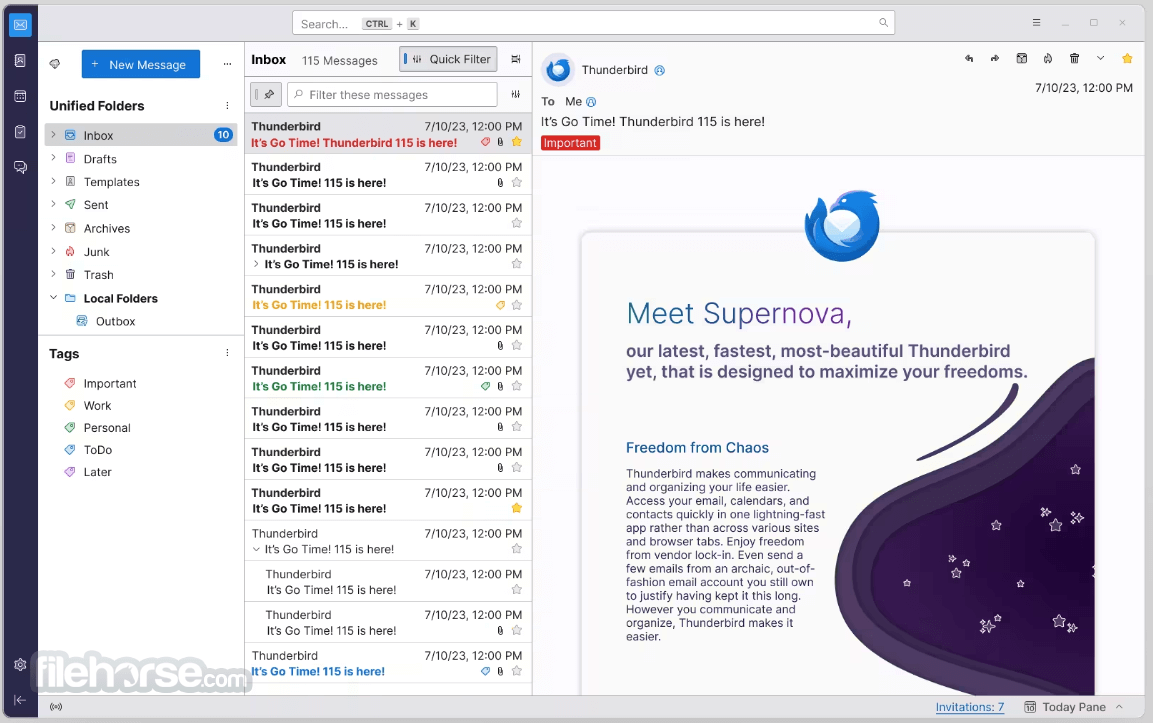
Thunderbird 115「Supernova」正式登場!
根據 Thunderbird 產品與業務發展經理 Ryan Sipes 的說法,Supernova 標誌著 Thunderbird 新時代的開始。
他強調,Supernova 為未來的版本奠定了堅實且令人驚豔的基礎,將把 Thunderbird 轉變為大幅改進的電子郵件用戶端。團隊致力於持續開發,目標是讓 Thunderbird Supernova 成為使用者的終極選擇。
主要功能
電子郵件管理:讓使用者能在統一的收件匣中管理多個電子郵件帳戶。它支援多種電子郵件協定,包括 POP 與 IMAP,因此能相容於大多數電子郵件服務供應商。
安全性:Thunderbird 將使用者的安全與隱私放在首位。它包含自動網路釣魚防護、支援 S/MIME 的電子郵件加密,以及強大的垃圾郵件過濾器等功能。
附加元件與擴充功能:與 Mozilla Firefox 類似,它支援各式各樣的附加元件與擴充功能,讓使用者能自訂並強化電子郵件體驗。
跨平台:Thunderbird 適用於 Windows、macOS 與 Linux,在不同作業系統上提供一致的使用體驗。
分頁式電子郵件:它引入了分頁式電子郵件,讓使用者能在同一個視窗中以獨立分頁開啟電子郵件,使多工處理更加容易。
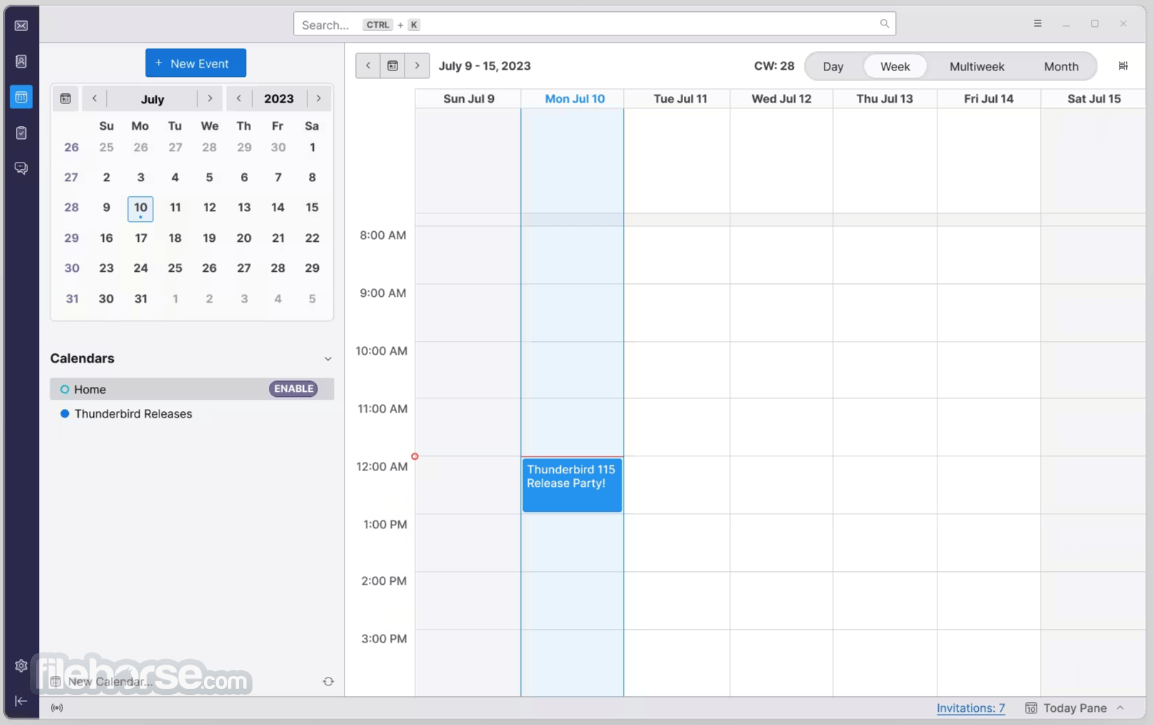
行事曆整合:內建名為「Lightning」的整合式行事曆,讓使用者能直接在應用程式內安排活動、管理工作並設定提醒。
聊天與即時通訊:透過附加元件支援聊天與即時通訊服務。它先前曾與「Thunderbird Conversations」附加元件整合,提供對話式電子郵件檢視。
智慧型資料夾與搜尋:提供智慧型資料夾,協助使用者更有效率地整理與管理電子郵件。搜尋功能強大,讓使用者能快速在所有帳戶中尋找特定郵件。
垃圾郵件控制:Thunderbird 的自適應垃圾郵件過濾器有助於將不需要的郵件擋在收件匣之外,並能學習辨識新的垃圾郵件模式。
開放原始碼:作為開放原始碼專案,Thunderbird 受益於開發者與志工社群,他們持續為其改進與安全性貢獻心力。
程式包含分頁式電子郵件、全新的搜尋工具與索引、智慧型資料夾、支援 Firefox 的 Personas、簡化的設定精靈,以及包含網路釣魚與垃圾郵件過濾的強大垃圾郵件防護功能。
Thunderbird 32bit 的垃圾郵件工具已更新,以領先於垃圾郵件威脅,並具備網路釣魚防護功能。Thunderbird 是一款免費的PC 電子郵件應用程式,易於設定與自訂!
Thunderbird 115「Supernova」正式登場!
根據 Thunderbird 產品與業務發展經理 Ryan Sipes 的說法,Supernova 標誌著 Thunderbird 新時代的開始。
他強調,Supernova 為未來的版本奠定了堅實且令人驚豔的基礎,將把 Thunderbird 轉變為大幅改進的電子郵件用戶端。團隊致力於持續開發,目標是讓 Thunderbird Supernova 成為使用者的終極選擇。
主要功能
電子郵件管理:讓使用者能在統一的收件匣中管理多個電子郵件帳戶。它支援多種電子郵件協定,包括 POP 與 IMAP,因此能相容於大多數電子郵件服務供應商。
安全性:Thunderbird 將使用者的安全與隱私放在首位。它包含自動網路釣魚防護、支援 S/MIME 的電子郵件加密,以及強大的垃圾郵件過濾器等功能。
附加元件與擴充功能:與 Mozilla Firefox 類似,它支援各式各樣的附加元件與擴充功能,讓使用者能自訂並強化電子郵件體驗。
跨平台:Thunderbird 適用於 Windows、macOS 與 Linux,在不同作業系統上提供一致的使用體驗。
分頁式電子郵件:它引入了分頁式電子郵件,讓使用者能在同一個視窗中以獨立分頁開啟電子郵件,使多工處理更加容易。
行事曆整合:內建名為「Lightning」的整合式行事曆,讓使用者能直接在應用程式內安排活動、管理工作並設定提醒。
聊天與即時通訊:透過附加元件支援聊天與即時通訊服務。它先前曾與「Thunderbird Conversations」附加元件整合,提供對話式電子郵件檢視。
智慧型資料夾與搜尋:提供智慧型資料夾,協助使用者更有效率地整理與管理電子郵件。搜尋功能強大,讓使用者能快速在所有帳戶中尋找特定郵件。
垃圾郵件控制:Thunderbird 的自適應垃圾郵件過濾器有助於將不需要的郵件擋在收件匣之外,並能學習辨識新的垃圾郵件模式。
開放原始碼:作為開放原始碼專案,Thunderbird 受益於開發者與志工社群,他們持續為其改進與安全性貢獻心力。
##
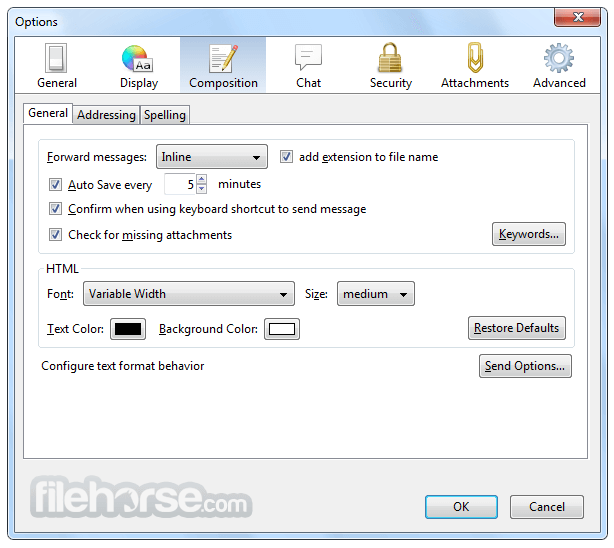
畫面截圖
##
更新日誌
153.0.3 (32-bit)
Easier to Get Started
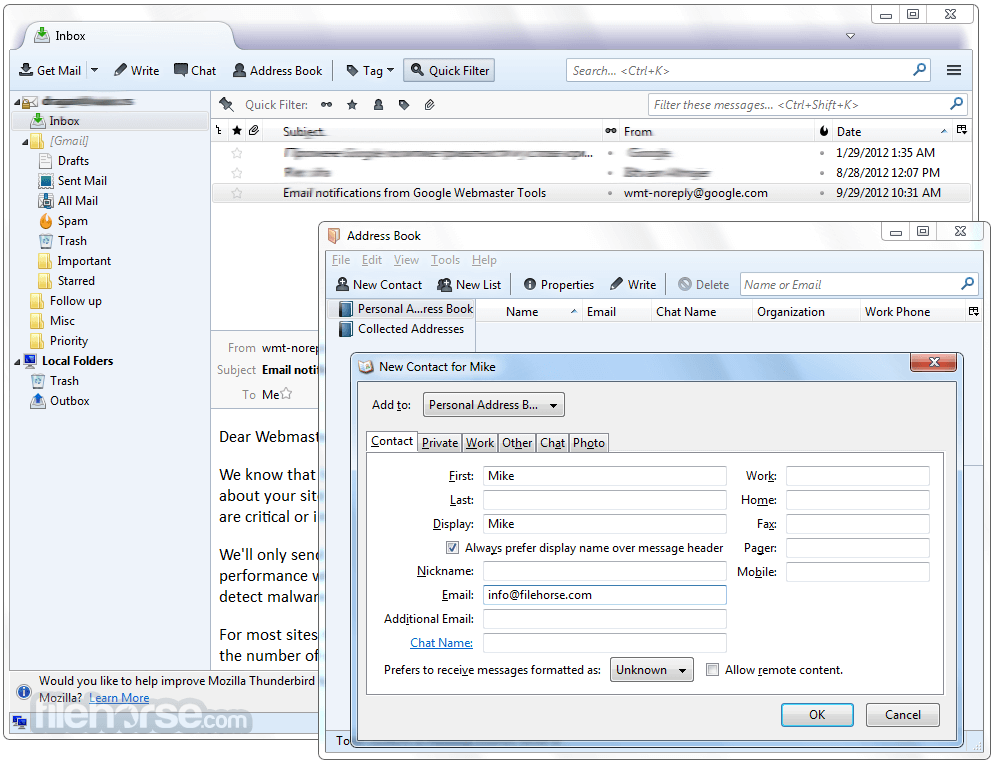
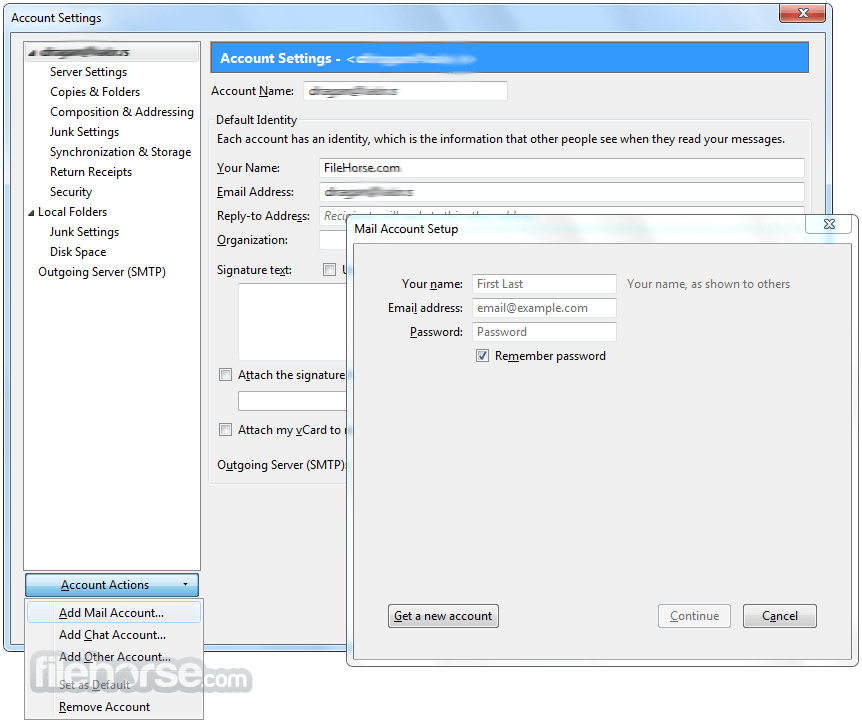
Under the Help Menu, you can find the Migration Assistant to help you set up the software the way you want it. Prior to this feature, you had to know your IMAP, SMTP, and SSL/TLS settings. One-click Address Book is a quick and easy way to add people to your address book. The attachment reminder looks for the word attachment and the Activity Manager records all the interactions between the tool and your email provider in one place.
Tabs and Search
If you like Firefox's tabbed browsing, you're going to love tabbed email. The search interface in the software contains filtering and timeline tools to pinpoint the exact email you're looking for. If you think you're going to need an email in the future but want it out of your inbox without deleting it, archive it!
Customize Your Email Experience
With Personas, lightweight "skins" allow you to change the look and feel of the program in an instant. Find and install add-ons directly in the app. You no longer need to visit the add-ons Web site - instead simply fire up the Add-ons Manager. Smart Folders help you manage multiple email accounts by combining special folders like your Inbox, Sent, or Archive folder.
Secure and Protect Your Email
The app's popular junk mail tools have been updated to stay ahead of spam. Mail client offers support for user privacy and remote image protection. Thunderbird protects you from email scams that try to trick users into handing over personal and confidential information by indicating when a message is a potential phishing attempt.
Alternatives
Microsoft Outlook: A feature-rich email client with tight integration with the Microsoft Office suite. It's well-suited for business users and offers advanced collaboration features.
Microsoft Mail and Calendar: It helps you stay up-to-date on your email & manage your schedule.
Mailbird: Known for its simplicity and productivity-focused design, Mailbird is a popular choice for individuals seeking an easy-to-use email client.
Mailspring: An open-source email client that emphasizes speed, customizable layouts, and advanced features like read receipts and link tracking.
System Requirements
It provides a user-friendly interface and is suitable for both casual and advanced email users. It continues to be a popular choice among those who prefer an open-source, privacy-focused alternative to proprietary email clients.
Also Available: Thunderbird (64-bit) and Thunderbird for Mac
Download Thunderbird (32-bit) Latest Version Why is this app published on FileHorse? (More info)
Under the Help Menu, you can find the Migration Assistant to help you set up the software the way you want it. Prior to this feature, you had to know your IMAP, SMTP, and SSL/TLS settings. One-click Address Book is a quick and easy way to add people to your address book. The attachment reminder looks for the word attachment and the Activity Manager records all the interactions between the tool and your email provider in one place.
Tabs and Search
If you like Firefox's tabbed browsing, you're going to love tabbed email. The search interface in the software contains filtering and timeline tools to pinpoint the exact email you're looking for. If you think you're going to need an email in the future but want it out of your inbox without deleting it, archive it!
Customize Your Email Experience
With Personas, lightweight "skins" allow you to change the look and feel of the program in an instant. Find and install add-ons directly in the app. You no longer need to visit the add-ons Web site - instead simply fire up the Add-ons Manager. Smart Folders help you manage multiple email accounts by combining special folders like your Inbox, Sent, or Archive folder.
Secure and Protect Your Email
The app's popular junk mail tools have been updated to stay ahead of spam. Mail client offers support for user privacy and remote image protection. Thunderbird protects you from email scams that try to trick users into handing over personal and confidential information by indicating when a message is a potential phishing attempt.
Alternatives
Microsoft Outlook: A feature-rich email client with tight integration with the Microsoft Office suite. It's well-suited for business users and offers advanced collaboration features.
Microsoft Mail and Calendar: It helps you stay up-to-date on your email & manage your schedule.
Mailbird: Known for its simplicity and productivity-focused design, Mailbird is a popular choice for individuals seeking an easy-to-use email client.
Mailspring: An open-source email client that emphasizes speed, customizable layouts, and advanced features like read receipts and link tracking.
System Requirements
- Windows: Windows 7 or later
- RAM: 1GB or more
- Disk Space: 200MB of free space
- Free and open-source software.
- Multi-platform support (Windows, macOS, and Linux).
- Highly customizable interface.
- Strong security and privacy features.
- Robust email management tools.
- No official mobile apps, except K-9 Mail app.
- Limited integration with cloud storage services.
- Some users may find the interface dated compared to modern email clients.
It provides a user-friendly interface and is suitable for both casual and advanced email users. It continues to be a popular choice among those who prefer an open-source, privacy-focused alternative to proprietary email clients.
Also Available: Thunderbird (64-bit) and Thunderbird for Mac
Download Thunderbird (32-bit) Latest Version Why is this app published on FileHorse? (More info)
- 2026-08-13 Thunderbird 153.0.3 (32-bit) 75 MB
- 2026-08-09 Thunderbird 153.0.2 (32-bit) 75 MB
- 2026-07-31 Thunderbird 153.0.1 (32-bit) 75 MB
- 2026-07-23 Thunderbird 153.0 (32-bit) 75 MB
- 2026-07-01 Thunderbird 152.0.1 (32-bit) 73.3 MB
- 2026-06-17 Thunderbird 152.0 (32-bit) 73.2 MB
- 2026-05-27 Thunderbird 151.0.1 (32-bit) 72.6 MB
- 2026-05-20 Thunderbird 151.0 (32-bit) 72.6 MB