⚠ 這是歷史版本頁面 — 查看 Thunderbird 153.0.3 (32-bit) 最新版本 →

Thunderbird 147.0 (32-bit)
v 147.0 (32-bit)
Windows
開源軟體
8.2/10 (209)
- 目前版本147.0 (32-bit)
- 更新日期2026-01-15
- 檔案大小71 MB
- 檔案名稱Thunderbird Setup 147.0.exe
- 作業系統Windows 7 / Windows 8 / Windows 10
- 支援語系English
- 授權型式開源軟體
- 開發商 Mozilla Organization
- 軟體分類Windows 軟體 / 社群通訊
##
編輯短評
Thunderbird 是一款由 Mozilla Organization 開發的開源電子郵件軟體,旨在提升郵件處理的安全與效率。它能有效解決垃圾郵件與病毒威脅,內建強大的智能垃圾郵件過濾器、釣魚網站防護以及 RSS 閱讀器。其特色在於提供分頁式郵件管理、快速搜尋與智慧資料夾等功能,且開發團隊維護頻率高,是同類工具中評價普遍不錯的熱門選擇。
這款軟體適合需要集中管理多個郵件帳號且重視隱私安全的 Windows 用戶,在處理大量信件時能提供比網頁版更便捷的索引與搜尋體驗。相較於同類別中偏向即時通訊的替代方案,Thunderbird 更專注於電子郵件的深度管理。使用者在下載前需留意此版本僅支援英文語系,且採開源授權方式提供。
##
翻譯排程處理中,以下暫以英文原文呈現
軟體介紹
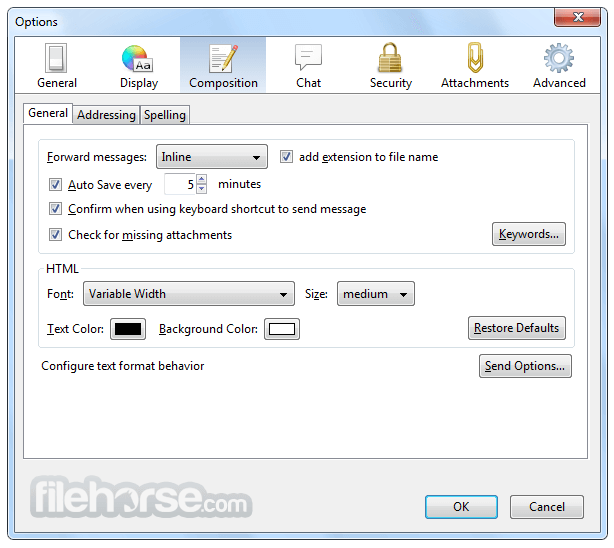
Mozilla Thunderbird makes e-mailing safer, faster, and easier with such features as intelligent spam filters, a built-in RSS reader, and quick search. The app was designed to prevent viruses and to stop junk mail.
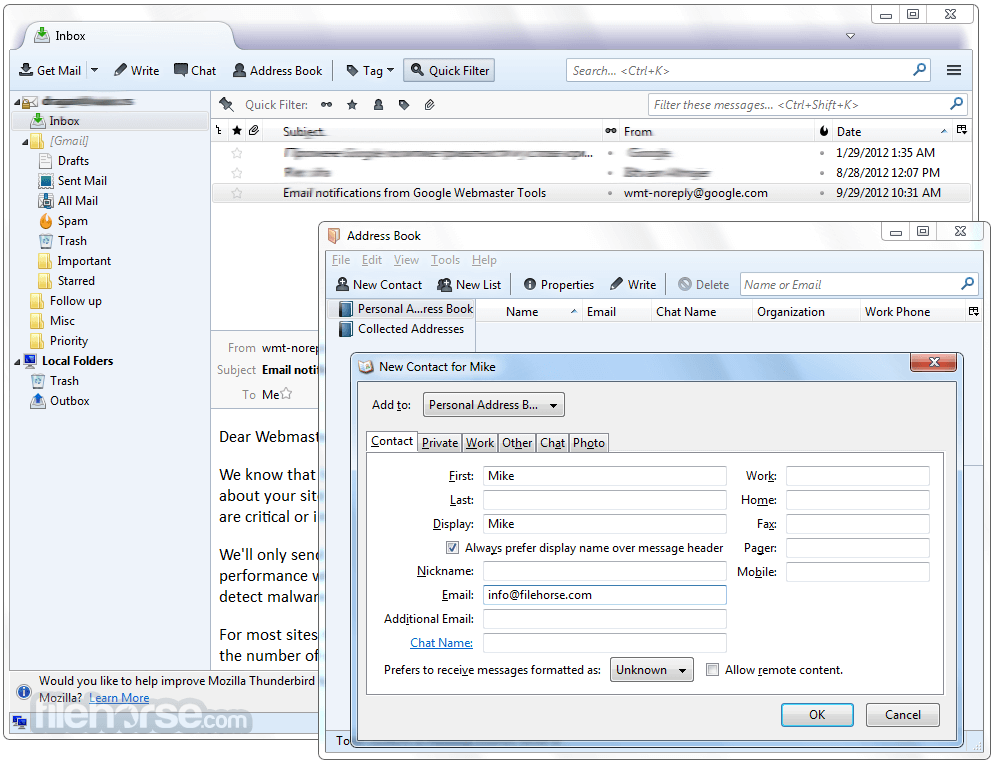
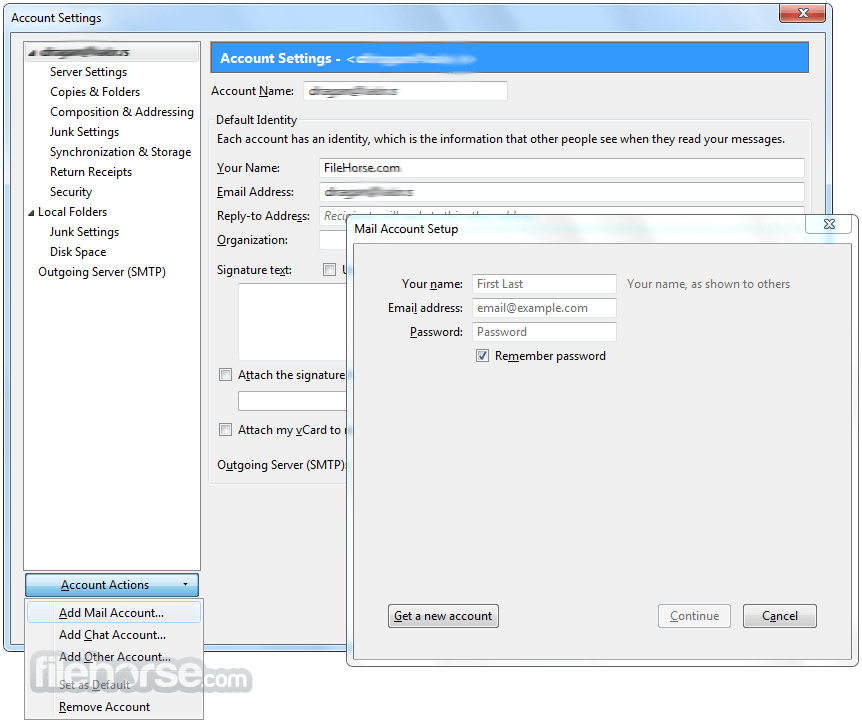
The program includes tabbed e-mail, new search tools, and indexing, smart folders, support for Firefox's Personas, a simplified setup wizard, and robust junk protections that include phishing and spam filters.
Thunderbird 32bit has junk mail tools that have been updated to stay ahead of spam and features Phishing protection. Thunderbird is a free email application for PC that's easy to set up and customize!
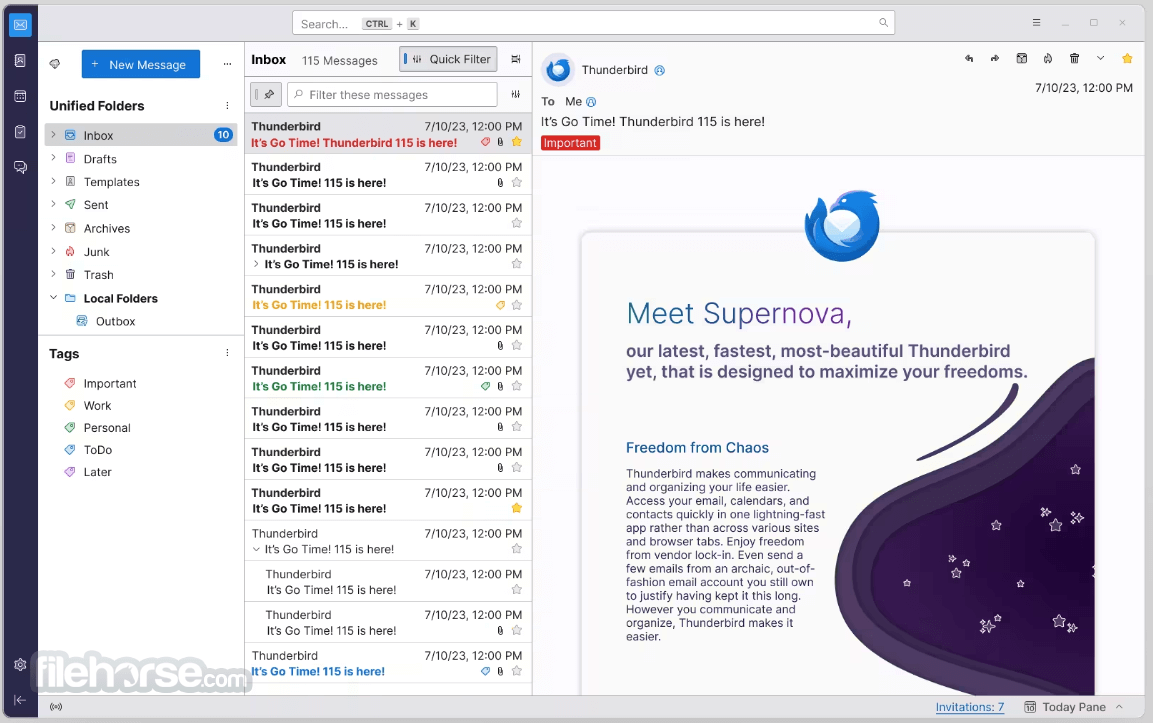
Thunderbird 115 “Supernova” Is Here!
According to Ryan Sipes, Thunderbird's Product and Business Development Manager, Supernova marks the start of a new era for Thunderbird.
He emphasizes that Supernova establishes a strong and impressive foundation for upcoming releases, which will transform Thunderbird into a vastly improved email client. The team is committed to continuous development and aims to make Thunderbird Supernova the ultimate choice for users.
Key Features
Email Management: It allows users to manage multiple email accounts in a unified inbox. It supports various email protocols, including POP and IMAP, making it compatible with most email providers.
Security: Thunderbird prioritizes user security and privacy. It includes features like automated phishing protection, S/MIME support for email encryption, and strong spam filters.
Add-ons and Extensions: Similar to Mozilla Firefox, it supports a wide range of add-ons and extensions that allow users to customize and enhance their email experience.
Cross-Platform: Thunderbird is available for Windows, macOS, and Linux, providing a consistent experience across different operating systems.
Tabbed Email: It introduced tabbed email, allowing users to open emails in separate tabs within the same window, making multitasking easier.
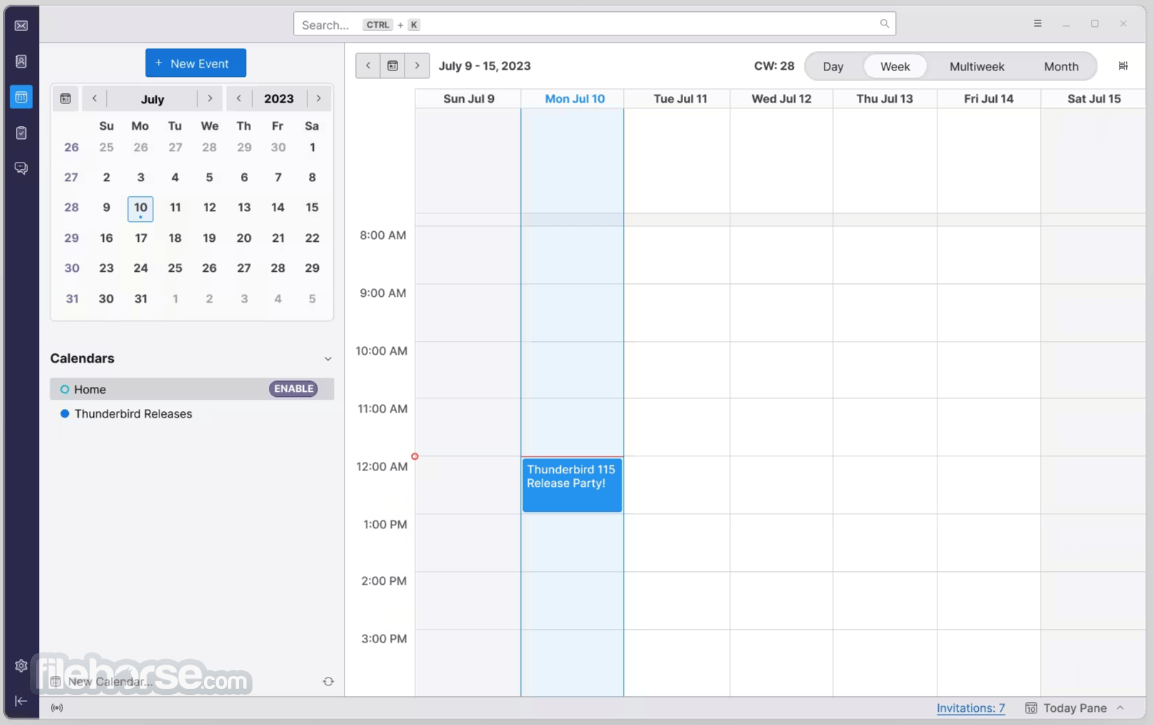
Calendar Integration: It comes with an integrated calendar called "Lightning," which allows users to schedule events, manage tasks, and set reminders directly within the application.
Chat and Messaging: It supports chat and messaging services through the use of add-ons. It was previously integrated with the "Thunderbird Conversations" add-on, enabling conversation-style email views.
Smart Folders and Search: It offers smart folders to help users organize and manage their emails more efficiently. The search function is powerful, allowing users to quickly find specific emails across all accounts.
Junk Mail Controls: Thunderbird's adaptive spam filters help keep unwanted emails out of your inbox and can learn to identify new spam patterns.
Open Source: As an open-source project, Thunderbird benefits from a community of developers and volunteers who contribute to its improvement and security.
The program includes tabbed e-mail, new search tools, and indexing, smart folders, support for Firefox's Personas, a simplified setup wizard, and robust junk protections that include phishing and spam filters.
Thunderbird 32bit has junk mail tools that have been updated to stay ahead of spam and features Phishing protection. Thunderbird is a free email application for PC that's easy to set up and customize!
Thunderbird 115 “Supernova” Is Here!
According to Ryan Sipes, Thunderbird's Product and Business Development Manager, Supernova marks the start of a new era for Thunderbird.
He emphasizes that Supernova establishes a strong and impressive foundation for upcoming releases, which will transform Thunderbird into a vastly improved email client. The team is committed to continuous development and aims to make Thunderbird Supernova the ultimate choice for users.
Key Features
Email Management: It allows users to manage multiple email accounts in a unified inbox. It supports various email protocols, including POP and IMAP, making it compatible with most email providers.
Security: Thunderbird prioritizes user security and privacy. It includes features like automated phishing protection, S/MIME support for email encryption, and strong spam filters.
Add-ons and Extensions: Similar to Mozilla Firefox, it supports a wide range of add-ons and extensions that allow users to customize and enhance their email experience.
Cross-Platform: Thunderbird is available for Windows, macOS, and Linux, providing a consistent experience across different operating systems.
Tabbed Email: It introduced tabbed email, allowing users to open emails in separate tabs within the same window, making multitasking easier.
Calendar Integration: It comes with an integrated calendar called "Lightning," which allows users to schedule events, manage tasks, and set reminders directly within the application.
Chat and Messaging: It supports chat and messaging services through the use of add-ons. It was previously integrated with the "Thunderbird Conversations" add-on, enabling conversation-style email views.
Smart Folders and Search: It offers smart folders to help users organize and manage their emails more efficiently. The search function is powerful, allowing users to quickly find specific emails across all accounts.
Junk Mail Controls: Thunderbird's adaptive spam filters help keep unwanted emails out of your inbox and can learn to identify new spam patterns.
Open Source: As an open-source project, Thunderbird benefits from a community of developers and volunteers who contribute to its improvement and security.
##
畫面截圖
- 2026-08-13 Thunderbird 153.0.3 (32-bit) 75 MB
- 2026-08-09 Thunderbird 153.0.2 (32-bit) 75 MB
- 2026-07-31 Thunderbird 153.0.1 (32-bit) 75 MB
- 2026-07-23 Thunderbird 153.0 (32-bit) 75 MB
- 2026-07-01 Thunderbird 152.0.1 (32-bit) 73.3 MB
- 2026-06-17 Thunderbird 152.0 (32-bit) 73.2 MB
- 2026-05-27 Thunderbird 151.0.1 (32-bit) 72.6 MB
- 2026-05-20 Thunderbird 151.0 (32-bit) 72.6 MB