TreeSize Free Portable 4.8.1
v 4.8.1
Windows
試用版
8.76/10 (4)
- 目前版本4.8.1
- 更新日期2025-11-21
- 檔案大小13.15 MB
- 檔案名稱TreeSizeFreePortable_4.8.1.610.paf.exe
- 作業系統Windows Vista / Windows 7 / Windows 8 / Windows 10 / Windows 11
- 支援語系English
- 授權型式試用版
- 開發商 JAM Software
- 軟體分類Windows 軟體 / 系統優化
##
翻譯排程處理中,以下暫以英文原文呈現
軟體介紹
Even in the times of cheap terabytes, a final truth remains: Sooner or later every hard disk will near capacity. But there is help! TreeSize Free Portable tells you where precious disk space has gone.
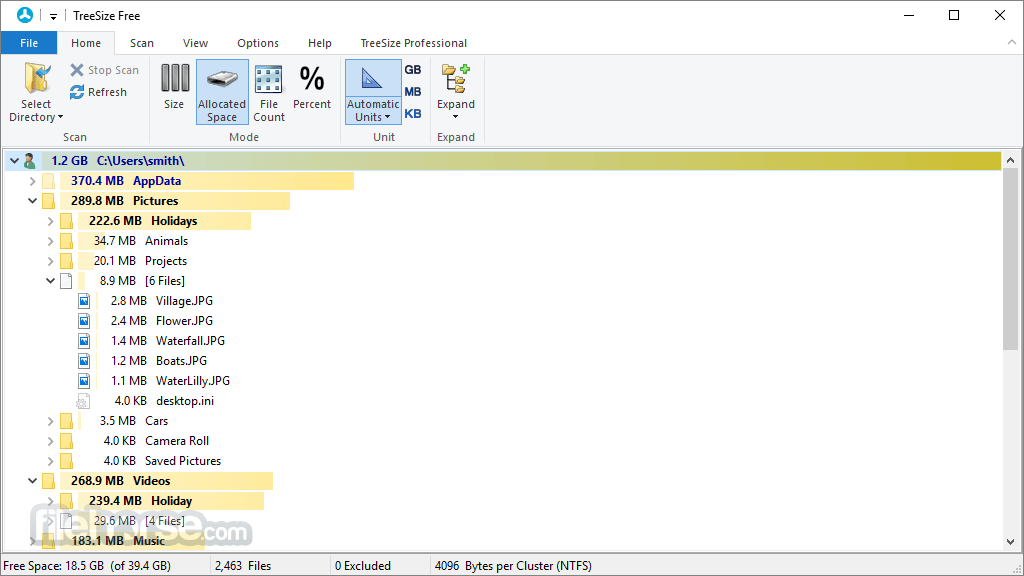
The freeware can be started from the context menu of a folder or drive and shows you the size of this folder, including its subfolders in an Explorer-like fashion. Large folders can be identified at a glance thanks to the gradient bar displayed in the background. All scan results can be drilled down to file level and filters, e.g. for files of a certain type, can be applied.
It scans network drives and locally synchronized cloud shares (except on Windows servers and within a Windows domain) - just like TreeSize Personal!
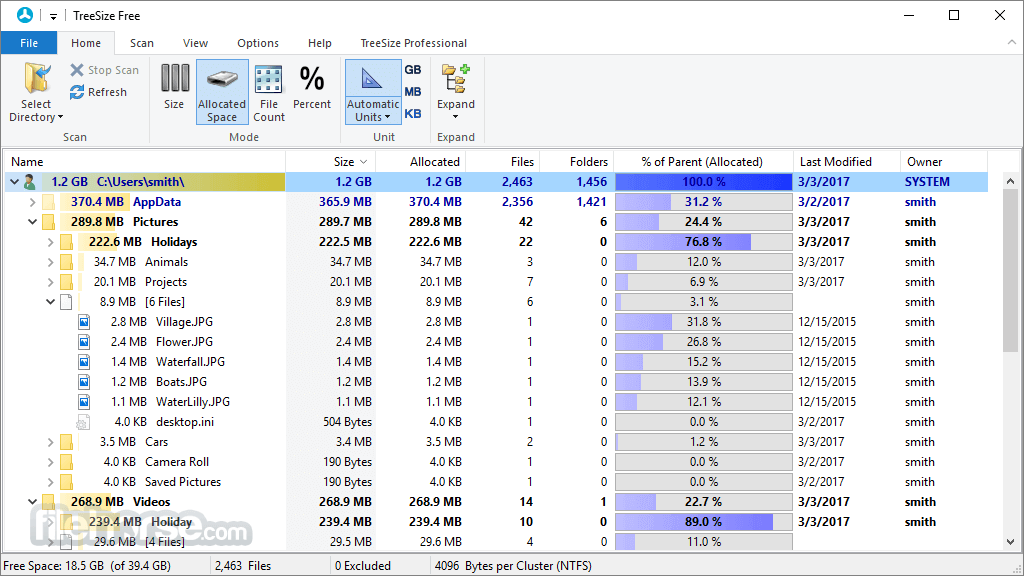
The column view presents more detailed information for each file and folder. Here you will find the size or number of files as well as the last access date and the owner (and other useful facts).
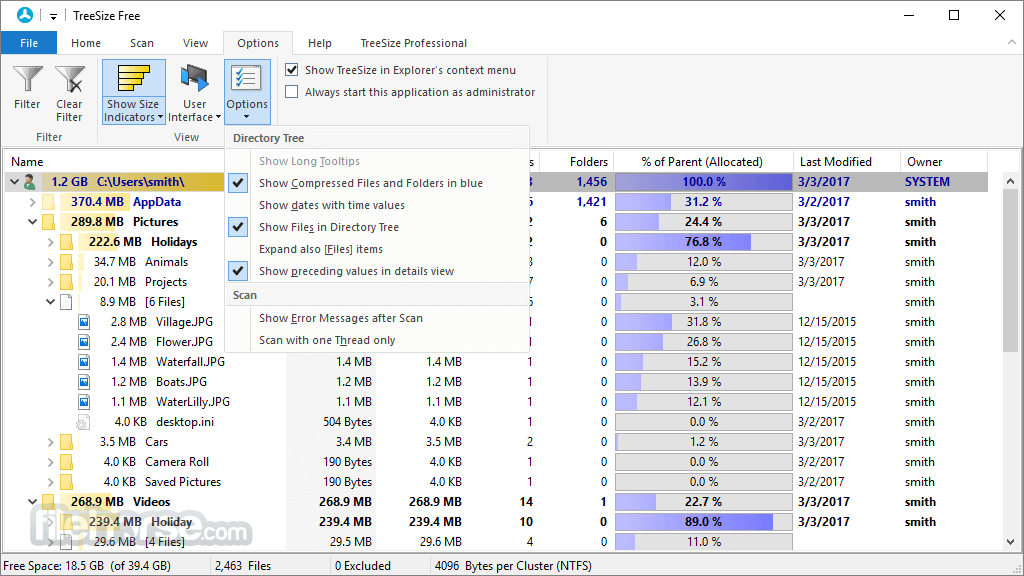
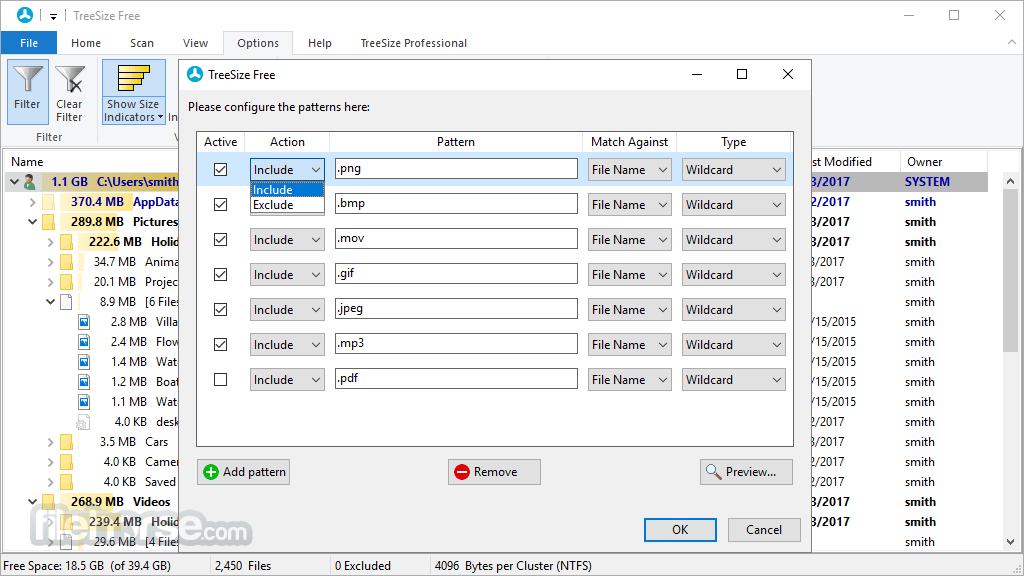
Scan results can be broken down with the flexible filter feature. You can use the filters, for example, to find files of a certain type, such as temporary files, text files, or images, and use this information to clean up your hard disks.
It works on the MFT (Master File Table) and reaches extremely high scan speeds. Scanning operations run in a thread, so you will see results almost instantly while TreeSize Free Portable is working in the background. The Explorer context menu and drag & drop operations are supported within the application.
TreeSize Free Portable can display the NTFS compression rate and apply the NTFS compression to directory branches.
Startup Tree Size Free as an Administrator to calculate the size of all folders - even directories for which you do not have access permission.
Since the content of the files will not be read automatically during this procedure, Windows security and data privacy remain guaranteed.
How to Use
System Requirements
Operating System: Windows 11, 10, 8 or 7
Processor: 1 GHz or faster
Memory: At least 2 GB RAM
Hard Disk Space: Minimum of 50 MB available
PROS
Download TreeSize Free Portable Latest Version Why is this app published on FileHorse? (More info)
The freeware can be started from the context menu of a folder or drive and shows you the size of this folder, including its subfolders in an Explorer-like fashion. Large folders can be identified at a glance thanks to the gradient bar displayed in the background. All scan results can be drilled down to file level and filters, e.g. for files of a certain type, can be applied.
It scans network drives and locally synchronized cloud shares (except on Windows servers and within a Windows domain) - just like TreeSize Personal!
The column view presents more detailed information for each file and folder. Here you will find the size or number of files as well as the last access date and the owner (and other useful facts).
Scan results can be broken down with the flexible filter feature. You can use the filters, for example, to find files of a certain type, such as temporary files, text files, or images, and use this information to clean up your hard disks.
It works on the MFT (Master File Table) and reaches extremely high scan speeds. Scanning operations run in a thread, so you will see results almost instantly while TreeSize Free Portable is working in the background. The Explorer context menu and drag & drop operations are supported within the application.
TreeSize Free Portable can display the NTFS compression rate and apply the NTFS compression to directory branches.
Startup Tree Size Free as an Administrator to calculate the size of all folders - even directories for which you do not have access permission.
Since the content of the files will not be read automatically during this procedure, Windows security and data privacy remain guaranteed.
How to Use
- Download the portable version
- Extract the ZIP file
- Launch TreeSize Free
- Select a directory to scan
- View disk usage
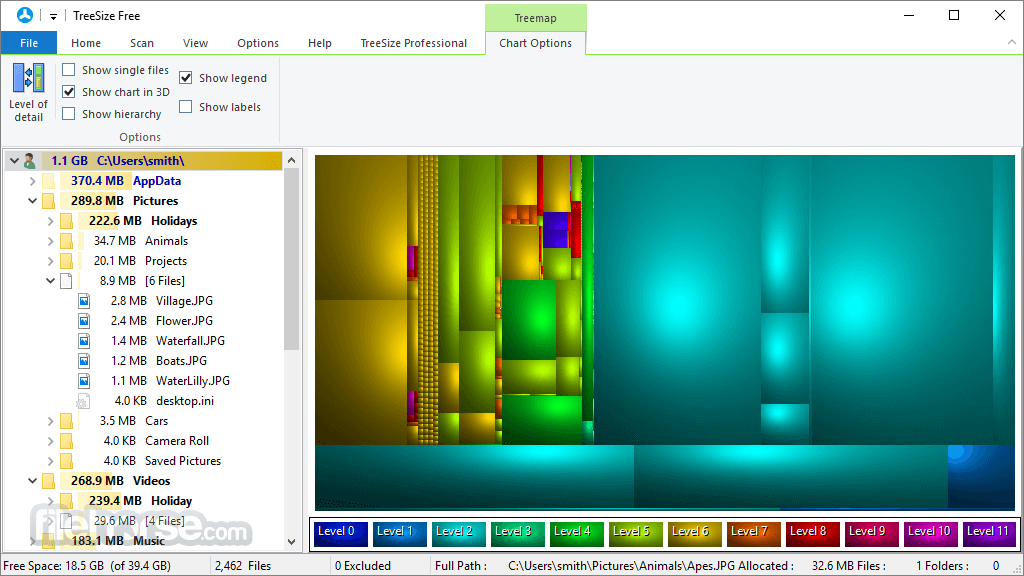
- Use treemap visualization
- Filter and customize views
- Manage files
System Requirements
Operating System: Windows 11, 10, 8 or 7
Processor: 1 GHz or faster
Memory: At least 2 GB RAM
Hard Disk Space: Minimum of 50 MB available
PROS
- Portable and no installation needed
- Fast and efficient disk analysis
- Intuitive user interface
- Detailed visualization options
- Freeware with comprehensive features
- Lacks advanced features of Pro version
- No automation or scheduling options
- Limited export formats available
- Cannot modify system files
- No real-time monitoring feature
Download TreeSize Free Portable Latest Version Why is this app published on FileHorse? (More info)
##
畫面截圖