⚠ 這是歷史版本頁面 — 查看 USB Manager 最新版本 →

- 目前版本2.06
- 更新日期2021-08-18
- 檔案大小2.1 MB
- 檔案名稱USB_Manager2.06_setup.exe
- 作業系統Windows XP / Vista / Windows 7 / Windows 8 / Windows 10
- 支援語系English
- 授權型式免費軟體
- 開發商 Makesoft
- 軟體分類Windows 軟體 / 系統優化
##
編輯短評
USB Manager 是一套專為 Windows 設計的 USB 裝置管理工具,主要解決 USB 連接埠控管的問題。它從系統托盤執行,可透過右鍵選單或主視窗快速啟用或停用各類 USB 裝置,包括隨身碟、印表機、掃描器與音效設備等。最特別的是可針對單一裝置上鎖,並透過密碼保護設定,防止他人擅自更改。這套軟體自 2019 年起持續更新,近期仍有維護,不過在同類型工具中屬於小眾選擇,評價中等。
適合需要管控 USB 使用權限的使用者,例如企業 MIS 想限制員工存取隨身碟,或家長不希望孩子隨意插入外接裝置。與 FileHippo App Manager、Rufus 等熱門工具相比,它專注在 USB 連接埠的開關與鎖定,功能單一但直接,沒有多餘的系統優化或格式化功能。免費授權、僅提供英文介面,且只支援 Windows 平台,使用前需留意沒有中文版,對不熟悉英文操作介面的使用者可能稍有門檻。
##
翻譯排程處理中,以下暫以英文原文呈現
軟體介紹
With the USB Manager, you can manage all USB devices that are connected to your Windows PC. Small Windows software that can quickly enable and disable USB ports. It has an interface and runs from the system tray.
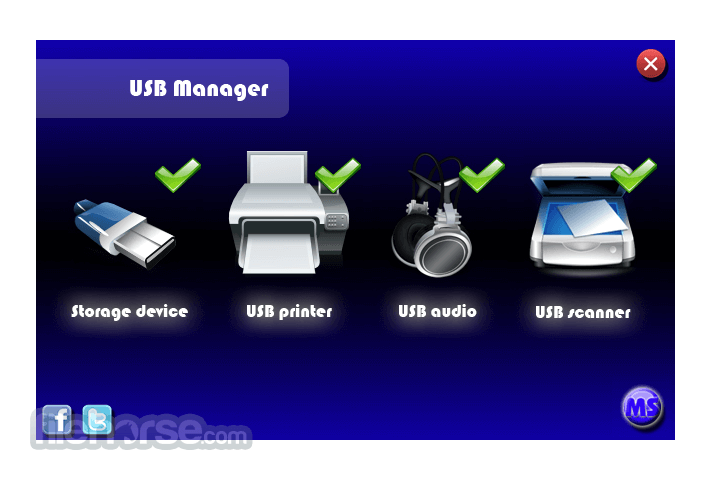
You can control the devices from the right-click context menu or the main graphical form. It allows users to control USB devices such as storage, printers, scanners, audio, and other devices.
It can also be used to lock a device. Suppose you want to disable printing, scanning, or a storage device. First, disable it, and then go to options to Password Protect the settings.
This can, in fact, be very useful. If you have a computer in the office Workspace and are worried that someone might copy a file, then you can disable storage devices and password-protect them. Once done, all USBs inserted into your computer will fail to work. Download USB Manager for PC today!
Features and Highlights
Fixed compatibility with devices.
Pricing
USB Manager is totally free for download and use.
PROS
Download USB Manager Latest Version Why is this app published on FileHorse? (More info)
You can control the devices from the right-click context menu or the main graphical form. It allows users to control USB devices such as storage, printers, scanners, audio, and other devices.
It can also be used to lock a device. Suppose you want to disable printing, scanning, or a storage device. First, disable it, and then go to options to Password Protect the settings.
This can, in fact, be very useful. If you have a computer in the office Workspace and are worried that someone might copy a file, then you can disable storage devices and password-protect them. Once done, all USBs inserted into your computer will fail to work. Download USB Manager for PC today!
Features and Highlights
- Enable/Disable USB ports by the type of devices.
- Easy interface;
- Hiding in the system;
- Password protect;
- Hotkeys for quick use;
- Autorun with Windows.
Fixed compatibility with devices.
Pricing
USB Manager is totally free for download and use.
PROS
- Easy USB Port Control
- Lightweight Application
- Password Protection
- User-Friendly Interface
- Free to Use
- Limited Customization
- Basic Feature Set
- No Auto-Update
- Occasional Bugs
- Limited Documentation
Download USB Manager Latest Version Why is this app published on FileHorse? (More info)
##
畫面截圖
- 2025-08-29 USB Manager 2.07 82.1 MB
- 2021-08-18 USB Manager 2.06 2.1 MB
- 2019-01-18 USB Manager 2.05 2.5 MB