
- 目前版本21.1.2
- 更新日期2026-07-24
- 檔案大小28.9 MB
- 檔案名稱webbuilder21.zip
- 作業系統Windows 8 / Windows 10 / Windows 11
- 支援語系English
- 授權型式商業試用
- 開發商 Pablo Software Solutions
- 軟體分類Windows 軟體 / 開發者工具
##
編輯短評
WYSIWYG Web Builder 是一款所見即所得的網頁製作工具,核心訴求是讓使用者完全不需要撰寫 HTML,透過滑鼠點選與拖曳元件,就能像排版文件一樣建構網頁,最終畫面即為成品樣貌。它內建表單建立、自訂 HTML 區塊,並支援 ActiveX、Java、Flash、Windows Media Player 等外掛嵌入,也提供直接發佈到本機磁碟或 FTP 伺服器的功能。這套軟體由 Pablo Software Solutions 長期維護,近一年內仍有更新,屬於持續進化的工具;在開發者工具分類中,其評價中等偏上,但評分人數不算多,屬於有固定使用者群但非主流大眾的選擇。
這套軟體最適合完全不懂程式碼、又想自行打理公司形象頁或個人作品集的使用者,尤其當你只需要靜態內容、表單收集或影音嵌入,不想碰模板系統或內容管理平台時,它能快速上手。與同分類的 BlueStacks、Turbo C++ 等熱門工具相比,它專注於網頁視覺編輯,而非模擬器或程式編譯,取捨在於彈性較低,進階使用者會受制於其生成程式碼的框架。需要注意的是,它僅提供英文介面,且為試用版授權,若需長期使用或商業用途,得評估付費版本;平台僅限 Windows,Mac 或 Linux 使用者則需另尋替代方案。
##
軟體介紹
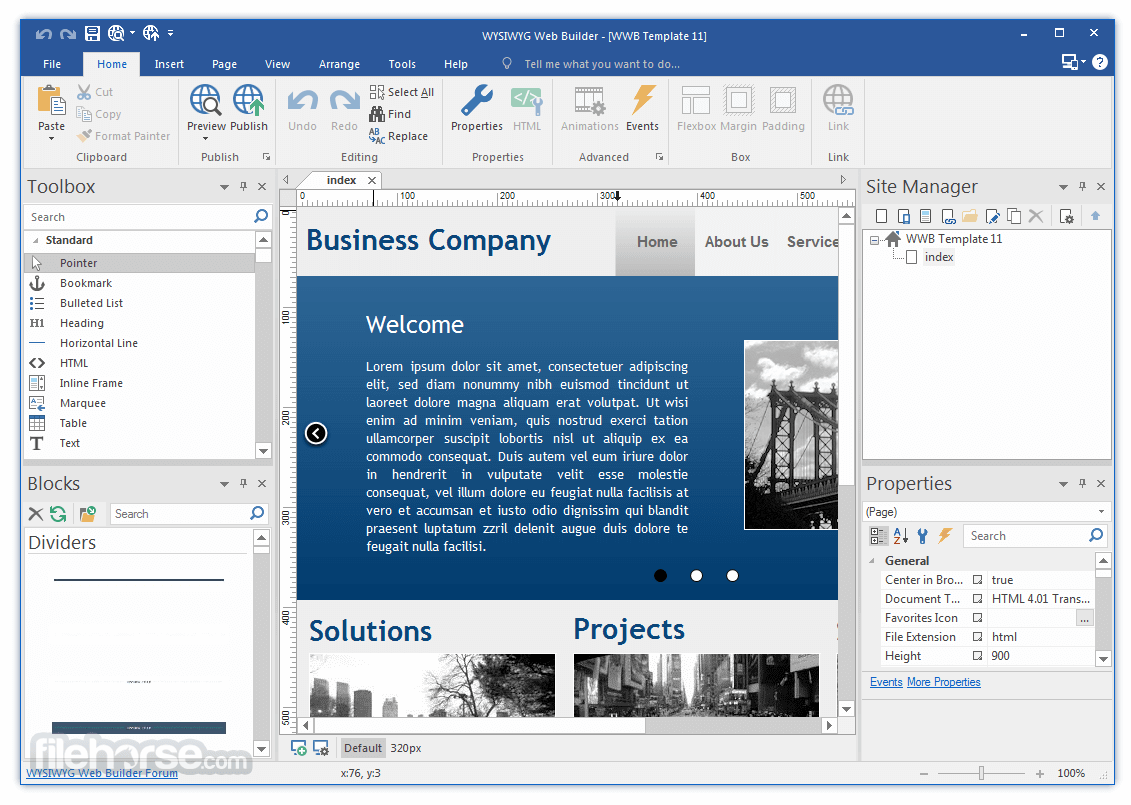
WYSIWYG Web Builder AI 是一個(所見即所得)程式,用於建立令人驚豔的網頁。WYSIWYG 表示完成的頁面會完全按照設計的方式顯示。
程式會在您點擊所需功能時產生 HTML 標籤,您無需學習 HTML 即可建立網頁。網頁的桌上出版,建立網站就像拖放一樣簡單!
功能列表:無需 HTML 知識。輕鬆建立表單。新增自訂 HTML、ActiveX、JAVA、Flash、Windows Media Player、QuickTime 及其他外掛支援。
使用內建的 FTP 管理員發佈到本機磁碟或 FTP 伺服器。旋轉廣告橫幅。多種導覽工具:Go 選單、功能表列和導覽列形狀元件。
下載適用於 Windows PC 的 WYSIWYG Web Builder AI,開始建立您自己的網站!
功能與亮點
程式會在您點擊所需功能時產生 HTML 標籤,您無需學習 HTML 即可建立網頁。網頁的桌上出版,建立網站就像拖放一樣簡單!
功能列表:無需 HTML 知識。輕鬆建立表單。新增自訂 HTML、ActiveX、JAVA、Flash、Windows Media Player、QuickTime 及其他外掛支援。
使用內建的 FTP 管理員發佈到本機磁碟或 FTP 伺服器。旋轉廣告橫幅。多種導覽工具:Go 選單、功能表列和導覽列形狀元件。
下載適用於 Windows PC 的 WYSIWYG Web Builder AI,開始建立您自己的網站!
功能與亮點
- 視覺化設計您的網站(所見即所得)。
- 無需 HTML 知識!只需將物件拖放到頁面即可!
- 輸出標準的 HTML4、HTML5、XHTML、CSS3、PHP。
- 響應式網頁設計
- HTML5 音訊/視訊、YouTube、Flash 視訊等!
- 幻燈片、相簿、滑鼠懸停圖片、滑鼠懸停文字。
- 導覽列、功能表列及許多其他導覽選項。
- 「一鍵發佈」無需 FTP 程式。無需特殊主機,可搭配任何主機服務使用!
- 使用內建的表單精靈、表單驗證工具和內建 CAPTCHA 輕鬆建立表單。
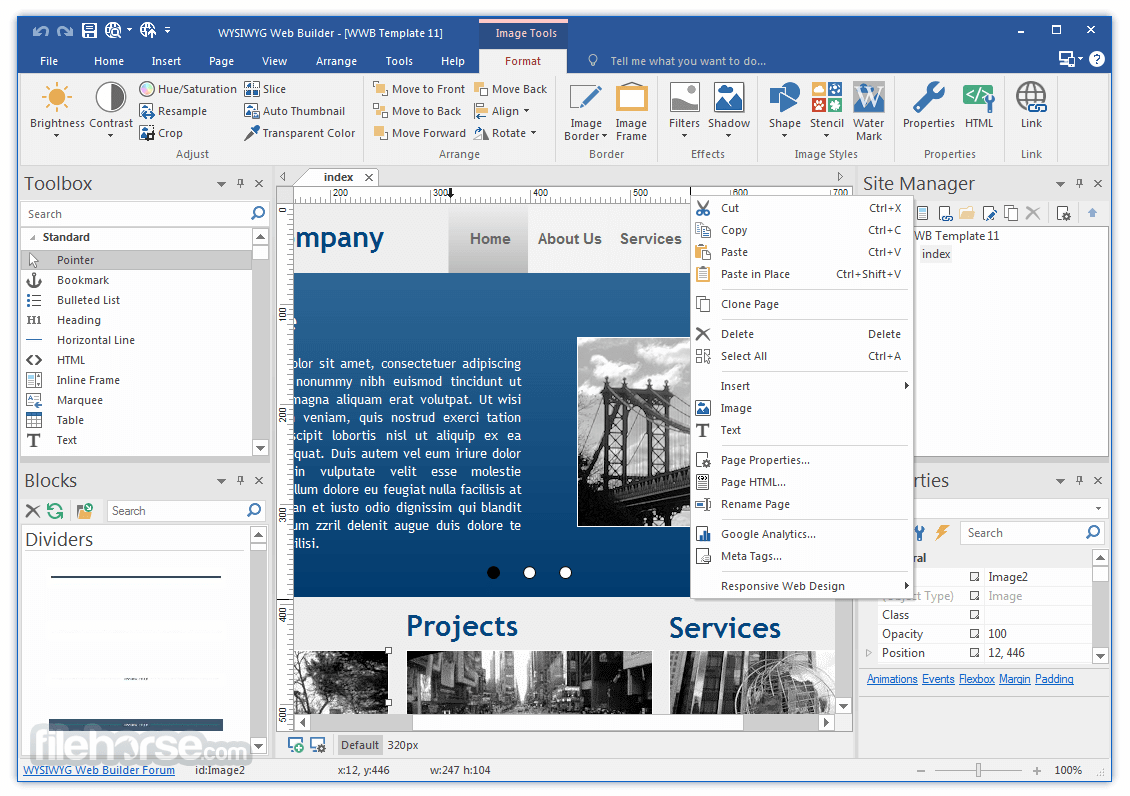
- 進階圖形工具,如形狀、文字藝術、旋轉、陰影及許多其他影像效果。
- 完全整合 jQuery UI(手風琴、分頁等)、動畫、效果及內建的 ThemeRoller 主題編輯器。
- Google 相容的網站地圖產生器 / PayPal 電子商務工具
- 提供多種導覽工具:導覽列、分頁選單、下拉選單、網站樹、滑動選單。
- 內建幻燈片、相簿、滑鼠懸停圖片、橫幅等。
- 支援 YouTube、Flash 視訊、Windows Media Player 及許多其他視訊格式。
- 獨特的外掛(附加元件)系統,已有超過 250 個外掛可用!
- HTML5 文件類型(最佳化的 HTML5 輸出)。
- HTML5 音訊/視訊及 YouTube HTML5 支援。
- HTML5 表單:原生表單驗證、新的輸入類型和選項、網頁儲存。
- HTML5 及形狀和其他繪圖工具中的支援。
- CSS3 @font-face。在所有現代瀏覽器中使用非網頁安全字型。
- CSS3 不透明度、邊框圓角、盒陰影。
- CSS3 漸層。使用原生 CSS3(無需圖片)添加酷炫的漸層效果。
- CSS3 導覽選單。無需使用 JavaScript 或圖片即可建立出色的選單。
- CSS3 動畫和轉場。包括 2D 和 3D 變換的支援!
- 登入工具/頁面密碼保護
- 內建內容管理系統,含許多外掛(留言板、常見問題、下載、相簿等)
- 使用 HTML 工具新增自訂 HTML 程式碼
- JavaScript 事件:顯示/隱藏物件(含動畫)、計時器、移動物件、變更樣式等
- 圖層:黏性圖層、停靠圖層、浮動圖層、模態圖層、錨定圖層、可拉伸圖層等
- jQuery 主題管理員,為內建的 jQuery UI 小工具建立您自己的主題
- 樣式管理員(全域樣式、H1、H2、H3 等)
- 主框架和主物件:在您的網站中重複使用常見元素
##
畫面截圖
##
更新日誌
21.1.2
WYSIWYG Web Builder 19 introduces over 125 new features and enhancements to boost creativity and improve functionality. Here’s a summary of key updates:
Artificial Intelligence Features
Free Demo
You can download a 30 day trial version of WYSIWYG Web Builder for free.
The trial version is fully functional, so you can design and publish your website just like in the full version.
Alternatives
Webflow - Visual builder for advanced design control.
Zoho Sites - Integrated with Zoho's business apps.
Wix - Drag-and-drop website builder with templates.
WordPress.com - Flexible platform with extensive plugins.
HubSpot CMS Hub - Marketing-focused website platform.
Differences Between WYSIWYG Web Builder and Other Web Design Tools
Flexible Layout Options: Unlike many web design tools that focus on a single layout type (e.g., Bootstrap-based flexible layouts or absolute layouts), it supports a variety of methods. You can create flexible designs using layout grids, flexbox, or CSS grid, as well as responsive fixed or absolute layouts where objects can be placed anywhere.
No Coding Required: WYSIWYG Web Builder is not an HTML editor, so no programming knowledge is needed. Its drag-and-drop interface allows users to create visually appealing and functional websites with ease. It also caters to both beginners and professionals with a wide range of tools.
Modern and Feature-Rich: The tool stays current with regular updates and includes features like dark color schemes, customizable scrollbars, SEO optimization, Lottie animations, Bootstrap 5 support, CSS Grid, Flexbox, animations, ecommerce capabilities, and more.
Affordable: It offers excellent value for money, providing professional-grade tools at a budget-friendly price.
PROS
Download WYSIWYG Web Builder AI Latest Version Why is this app published on FileHorse? (More info)
Artificial Intelligence Features
- Text & Image AI Tools: Generate and enhance text, create visuals, expand, or manipulate images with AI tools.
- Multilingual Translation: Translate text into over 25 languages or create translated versions of pages.
- Background Removal: AI-powered image background removal via remove.bg.
- Themes: Revamped Theme Manager supports entire website theming with 25 new themes, including dark variations.
- Variable Fonts: Support for Google Fonts' variable fonts, enabling flexibility and performance.
- Icons: Includes Font Awesome 6 and updated Material Icons library with 390+ new icons.
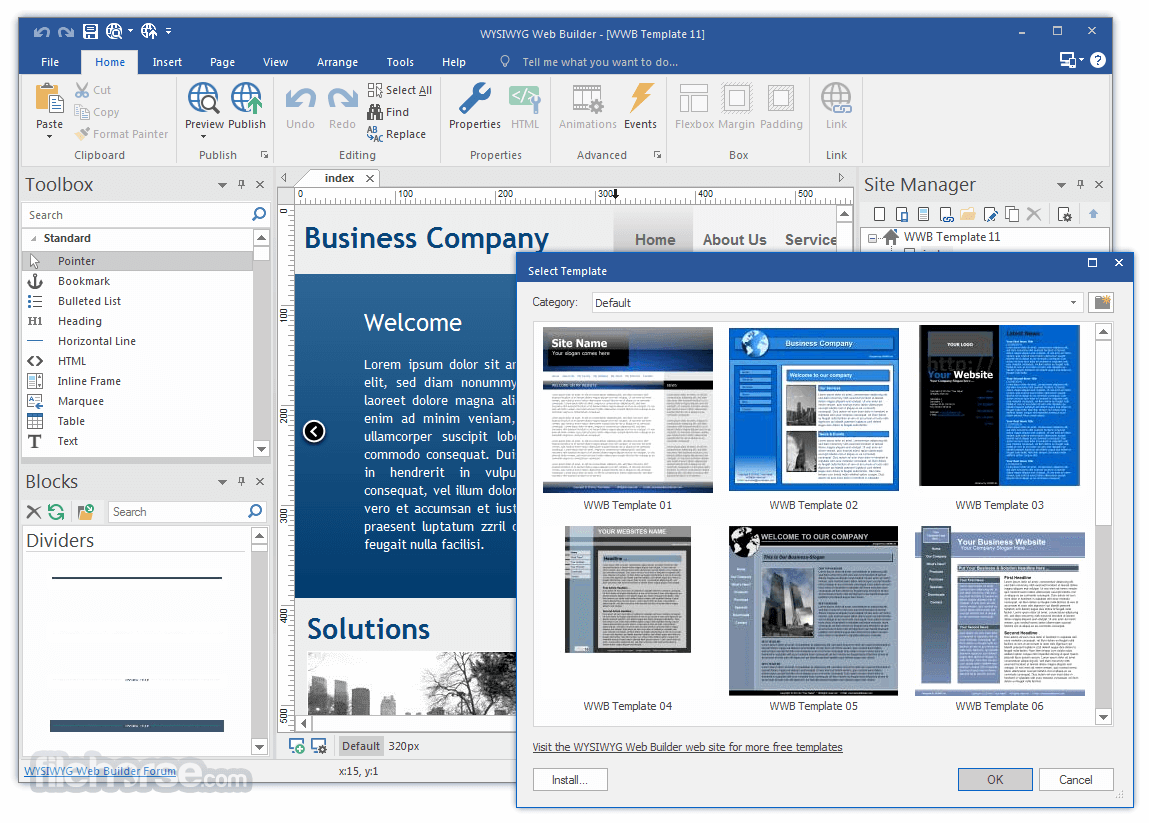
- Website Wizard: Create websites with pre-built templates or AI-generated unique designs.
- Badges: Add graphic or text indicators (e.g., discounts, achievements) to objects.
- Timer: Advanced timer options for displaying content based on visits, dates, or time ranges.
- Card Repeater: Enables uniform card layouts, with changes to one card reflecting across all.
- Ecommerce Cards: Add pricing, quantity options, and customization fields for enhanced ecommerce functionality.
- Photo Gallery: Added Swiper slider, Spotlight/Litebox options, and a new responsive Thumbnail Gallery.
- Gradient Borders: Stylish gradient border styles for modern designs.
- FTP Manager: Redesigned with drag-and-drop support and dual local/remote views for easier file management.
- Honeypot Anti-Spam: Enhanced anti-spam measures for forms.
- PayPal JavaScript SDK, SunEditor CMS editor, bookmark synchronization, dropdown menu overflow mode, visual grid editor, and more.
Free Demo
You can download a 30 day trial version of WYSIWYG Web Builder for free.
The trial version is fully functional, so you can design and publish your website just like in the full version.
Alternatives
Webflow - Visual builder for advanced design control.
Zoho Sites - Integrated with Zoho's business apps.
Wix - Drag-and-drop website builder with templates.
WordPress.com - Flexible platform with extensive plugins.
HubSpot CMS Hub - Marketing-focused website platform.
Differences Between WYSIWYG Web Builder and Other Web Design Tools
Flexible Layout Options: Unlike many web design tools that focus on a single layout type (e.g., Bootstrap-based flexible layouts or absolute layouts), it supports a variety of methods. You can create flexible designs using layout grids, flexbox, or CSS grid, as well as responsive fixed or absolute layouts where objects can be placed anywhere.
No Coding Required: WYSIWYG Web Builder is not an HTML editor, so no programming knowledge is needed. Its drag-and-drop interface allows users to create visually appealing and functional websites with ease. It also caters to both beginners and professionals with a wide range of tools.
Modern and Feature-Rich: The tool stays current with regular updates and includes features like dark color schemes, customizable scrollbars, SEO optimization, Lottie animations, Bootstrap 5 support, CSS Grid, Flexbox, animations, ecommerce capabilities, and more.
Affordable: It offers excellent value for money, providing professional-grade tools at a budget-friendly price.
PROS
- New AI Functionality
- User-Friendly Drag-and-Drop Interface
- Extensive Template Collection
- Responsive Design Tools
- Built-In SEO Features
- No Coding Required
- Limited Advanced Customization
- Lack of High-End Features
- Requires Software Installation
- Windows-Only Compatibility
- Learning Curve for Complex Sites
Download WYSIWYG Web Builder AI Latest Version Why is this app published on FileHorse? (More info)
- 2026-07-24 WYSIWYG Web Builder 21.1.2 28.9 MB
- 2026-01-30 WYSIWYG Web Builder 20.4.2 28 MB
- 2024-11-22 WYSIWYG Web Builder 19.4.4 17.4 MB
- 2023-11-01 WYSIWYG Web Builder 18.4.2 15.2 MB
- 2022-10-07 WYSIWYG Web Builder 17.4.2 14 MB
- 2021-09-03 WYSIWYG Web Builder 16.4.3 14.2 MB
- 2020-08-14 WYSIWYG Web Builder 15.4.5 13.8 MB
- 2019-05-31 WYSIWYG Web Builder 14.4 10.1 MB