⚠ 這是歷史版本頁面 — 查看 Zoiper 最新版本 →

- 目前版本5.6.5
- 更新日期2024-11-27
- 檔案大小214.42 MB
- 檔案名稱Zoiper_Installer_5.6.5.exe
- 作業系統Windows 7 / Windows 8 / Windows 10 / Windows 11
- 支援語系English
- 授權型式試用版
- 開發商 Zoiper Team
- 軟體分類Windows 軟體 / 社群通訊
##
編輯短評
Zoiper是一款功能豐富的VoIP通訊軟體,支援SIP與IAX/IAX2協定,讓使用者能在Windows電腦上直接使用網路電話服務,並提供語音、視訊與文字聊天功能。它最大的特色是內建加密技術,能保護通話內容不被竊聽,適合注重隱私的用戶。這款軟體長期以來持續更新,近一年仍有維護,在社群通訊分類中屬於中段班,使用者評價中等,評分人數不多。
Zoiper適合需要透過SIP或IAX協定連接企業或個人網路電話服務的使用者,例如辦公室分機或VoIP供應商。與WhatsApp、Yahoo! Messenger等主流通訊軟體相比,Zoiper更專注於專業的VoIP協定,但介面與生態系較不普及,且僅提供試用版,需留意授權限制。目前支援Windows與macOS,但僅有英文介面,對中文使用者可能稍有門檻。
##
翻譯排程處理中,以下暫以英文原文呈現
軟體介紹
Zoiper is a feature-rich VoIP, video, and text chat application aimed at users who want to take full advantage of SIP and IAX / IAX2 phone services directly on their desktop and laptop Windows PCs, as well as on a wide array of other supported devices and operating systems.
Built from the ground up to incorporate all the latest security and privacy protection technologies, this communication app can effortlessly encrypt your VoIP calls, preventing anyone from eavesdropping on your conversations, no matter if they are done via voice, text, or video.
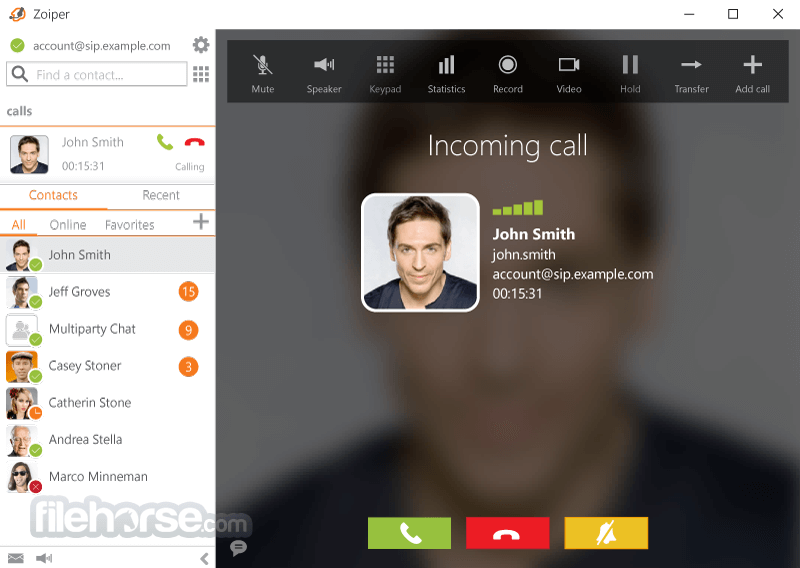
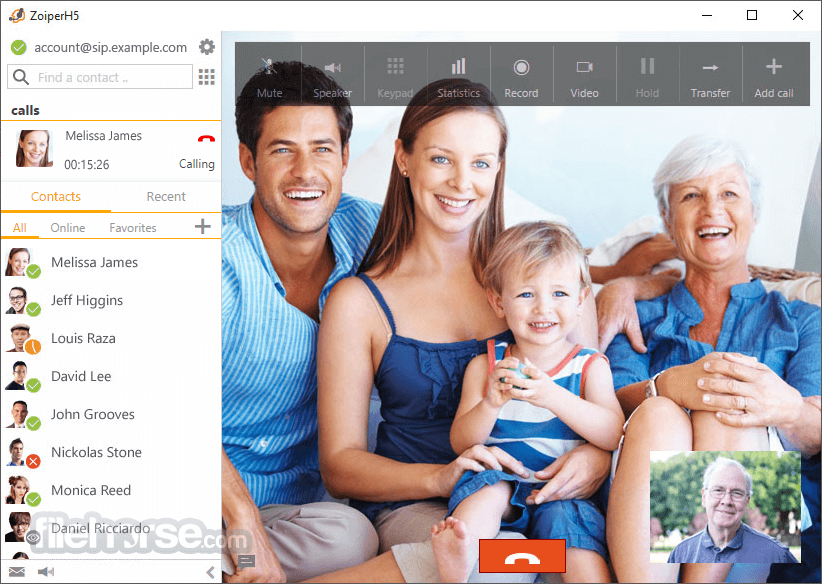
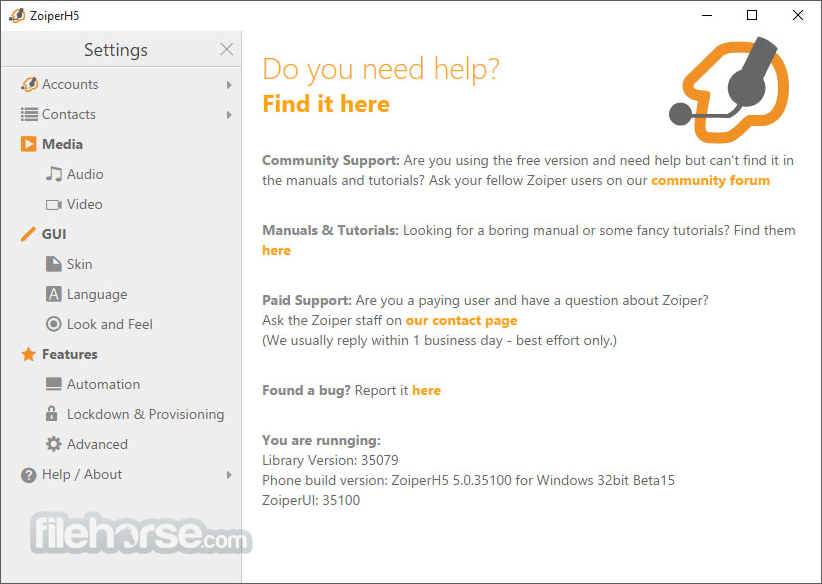
Zoiper for Windows PC presents its communication tools inside a very pleasing and streamlined multi-tabbed interface that resembles those of many other similar VoIP apps. Upon the first start, the app will require users to configure their input and output services (setting up your microphone and video camera, for example) and to log in or create new accounts for SIP, IAX, or XMPP services.
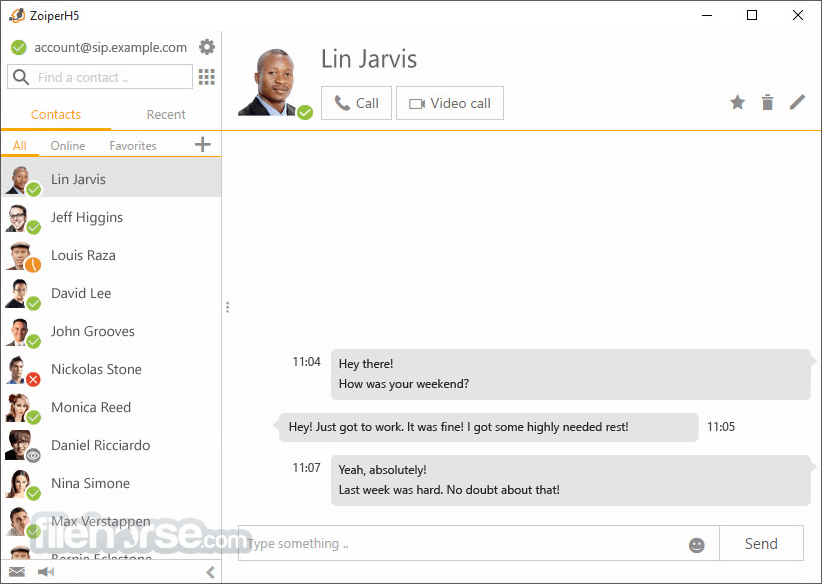
The vast majority of the app layout is focused on a traditional listing of available contacts (which can be imported manually or automatically detected via built-in wizards that can scan your Outlook, Windows, LDAP, XMPP, XCAP, Android, and iOS contact databases), and large user profile windows where users can engage in text, audio, and video sessions.
You can even send messages via the integrated Fax service to real-world landline numbers worldwide. Your online status can be controlled completely with available presets for “Online”, “Invisible”, “Away”, or “Be right back”. Communication with landlines and mobile phones can be done inside the Dialpad tab that gives you access to a virtual phone interface where you can dial any number.
Due to its large feature set, Zoiper Desktop is distributed in an archive that is larger than some of its competitors, clocking in at around 150MB. Thankfully, the installation procedure is simple and requires users to follow only simple on-screen instructions.
The app is 100% FREE, but some of its advanced features require you to purchase virtual credits to perform calls to landline and mobile numbers, send fax messages, and more. The app is optimized for use on all modern versions of Windows OS and has built-in support for several international languages.
Key Features
Installation and Setup
Is Zoiper FREE to use?
It offers both free and paid versions. The free version comes with basic features, while the paid versions offer more advanced capabilities.
Can I use Zoiper for business purposes?
Yes, the program is suitable for businesses and offers features like call recording, conferencing, and secure communication options.
Does Zoiper work with my existing VoIP service provider?
Zoiper is compatible with a wide range of VoIP providers. You can configure it to work with your preferred service.
Is Zoiper available for mobile devices?
Yes, it has mobile apps for iOS and Android, ensuring you can stay connected on the go.
How secure is Zoiper for sensitive communications?
It prioritizes security and offers encryption and authentication options to protect your data during communication.
Alternatives
3CX - A comprehensive VoIP solution with PBX capabilities for businesses.
Bria Solo - A versatile softphone with advanced features and cross-platform compatibility.
Pricing
It offers several pricing plans, including a FREE version with limited basic functionality. The free version is only for non-commercial use.
The paid plans vary in cost depending on the edition and the number of licenses required.
Price is €59.95 one time purchase. There are no monthly or yearly subscription fees.
Premium includes:
Zoiper is a powerful softphone solution suitable for both individual users and businesses. Its wide range of features, cross-platform compatibility, and secure communication options make it a competitive choice in the VoIP and UC market.
Whether you're looking for a cost-effective communication tool or a comprehensive business solution, it has you covered. With its user-friendly interface and flexible pricing plans, it deserves serious consideration for your communication needs.
Note: Limited functionality in the demo version.
Also Available: Download Zoiper for Mac
Download Zoiper Latest Version Why is this app published on FileHorse? (More info)
Built from the ground up to incorporate all the latest security and privacy protection technologies, this communication app can effortlessly encrypt your VoIP calls, preventing anyone from eavesdropping on your conversations, no matter if they are done via voice, text, or video.
Zoiper for Windows PC presents its communication tools inside a very pleasing and streamlined multi-tabbed interface that resembles those of many other similar VoIP apps. Upon the first start, the app will require users to configure their input and output services (setting up your microphone and video camera, for example) and to log in or create new accounts for SIP, IAX, or XMPP services.
The vast majority of the app layout is focused on a traditional listing of available contacts (which can be imported manually or automatically detected via built-in wizards that can scan your Outlook, Windows, LDAP, XMPP, XCAP, Android, and iOS contact databases), and large user profile windows where users can engage in text, audio, and video sessions.
You can even send messages via the integrated Fax service to real-world landline numbers worldwide. Your online status can be controlled completely with available presets for “Online”, “Invisible”, “Away”, or “Be right back”. Communication with landlines and mobile phones can be done inside the Dialpad tab that gives you access to a virtual phone interface where you can dial any number.
Due to its large feature set, Zoiper Desktop is distributed in an archive that is larger than some of its competitors, clocking in at around 150MB. Thankfully, the installation procedure is simple and requires users to follow only simple on-screen instructions.
The app is 100% FREE, but some of its advanced features require you to purchase virtual credits to perform calls to landline and mobile numbers, send fax messages, and more. The app is optimized for use on all modern versions of Windows OS and has built-in support for several international languages.
Key Features
- Cross-Platform Compatibility: The app is available for Windows, macOS, Linux, iOS, and Android, ensuring seamless communication across all major operating systems.
- Support for Multiple Protocols: It supports SIP, IAX, and various other VoIP protocols, offering flexibility and compatibility with a wide range of VoIP providers and systems.
- Voice and Video Calls: Users can make high-quality voice and video calls, making it an excellent choice for remote collaboration and virtual meetings.
- Instant Messaging: It allows users to send and receive instant messages, enhancing team communication and collaboration.
- Contacts Management: The software offers robust contact management features, including the ability to import, export, and categorize contacts for easy access.
- Advanced Call Features: It includes call recording, call forwarding, call transfer, and conference calling capabilities, providing users with the tools they need for effective communication.
- Security: It employs encryption and authentication protocols to ensure secure communication, making it suitable for businesses that prioritize data protection.
- Customizable Interface: Users can personalize the software's interface with various themes and configurations to suit their preferences.
Installation and Setup
- Visit the official website, FileHorse, or app store for your platform.
- Download the installer or app.
- Follow the on-screen instructions to install the software.
- Launch the app and configure your VoIP account settings.
- Open the app after installation.
- Click on "Settings" and add your VoIP account details.
- Add contacts to your address book.
- Use the dial pad to make calls or initiate video conferences.
- Send instant messages to your contacts.
- Explore advanced features like call recording and call forwarding.
Is Zoiper FREE to use?
It offers both free and paid versions. The free version comes with basic features, while the paid versions offer more advanced capabilities.
Can I use Zoiper for business purposes?
Yes, the program is suitable for businesses and offers features like call recording, conferencing, and secure communication options.
Does Zoiper work with my existing VoIP service provider?
Zoiper is compatible with a wide range of VoIP providers. You can configure it to work with your preferred service.
Is Zoiper available for mobile devices?
Yes, it has mobile apps for iOS and Android, ensuring you can stay connected on the go.
How secure is Zoiper for sensitive communications?
It prioritizes security and offers encryption and authentication options to protect your data during communication.
Alternatives
3CX - A comprehensive VoIP solution with PBX capabilities for businesses.
Bria Solo - A versatile softphone with advanced features and cross-platform compatibility.
Pricing
It offers several pricing plans, including a FREE version with limited basic functionality. The free version is only for non-commercial use.
The paid plans vary in cost depending on the edition and the number of licenses required.
Price is €59.95 one time purchase. There are no monthly or yearly subscription fees.
Premium includes:
- Auto-provisioning support for simplified deployment and setup
- Contacts synchronization with Outlook, LDAP directories, Thunderbird, macOS, and Windows
- Browser integration, including click-to-dial and direct URL handling
- Optimized audio and video quality with reduced bandwidth usage (G.729 and H.264 codec support)
- Advanced business calling features, such as call transfer and conferencing
- Fully customized solutions tailored to your specific requirements
- Designed according to your visual identity and branding
- Configured with your chosen feature set
- Restricted exclusively to your service environment
- Branded with your company name and logo
- Integrated account balance display feature
- Cross-platform compatibility.
- Support for multiple VoIP protocols.
- Secure communication options.
- Extensive feature set for both individuals and businesses.
- User-friendly interface with customization options.
- Some advanced features are only available in paid versions.
- The free version lacks certain capabilities.
- Configuration may be challenging for beginners.
Zoiper is a powerful softphone solution suitable for both individual users and businesses. Its wide range of features, cross-platform compatibility, and secure communication options make it a competitive choice in the VoIP and UC market.
Whether you're looking for a cost-effective communication tool or a comprehensive business solution, it has you covered. With its user-friendly interface and flexible pricing plans, it deserves serious consideration for your communication needs.
Note: Limited functionality in the demo version.
Also Available: Download Zoiper for Mac
Download Zoiper Latest Version Why is this app published on FileHorse? (More info)
##
畫面截圖
- 2026-07-30 Zoiper 5.6.13 258.74 MB
- 2026-02-25 Zoiper 5.6.12 237.22 MB
- 2024-11-27 Zoiper 5.6.5 214.42 MB
- 2023-12-05 Zoiper 5.6.1 219.04 MB
- 2022-05-27 Zoiper 5.5.10 187.78 MB
- 2021-11-04 Zoiper 5.5.8 187.96 MB
- 2021-10-28 Zoiper 5.5.7 187.95 MB
- 2021-10-05 Zoiper 5.5.6 187.83 MB