⚠ 這是歷史版本頁面 — 查看 BootRacer 最新版本 →

- 目前版本8.95
- 更新日期2023-02-08
- 檔案大小22.99 MB
- 檔案名稱BootRacerSetup.exe
- 作業系統Windows 7 / Windows 8 / Windows 10 / Windows 11
- 支援語系English
- 授權型式試用版
- 開發商 Greatis Software
- 軟體分類Windows 軟體 / 系統優化
##
編輯短評
BootRacer 是一款專門用來找出哪些程式拖慢 Windows 開機速度的輕量工具,核心功能是精準測量開機花費的時間,並列出啟動項目的影響程度。它最有辨識度的特色,是能將使用者輸入密碼的等待時間排除在計算之外,讓開機計時結果更貼近實際的系統載入時間。這套軟體介面簡單直覺,開發商 Greatis Software 持續維護中,但更新頻率不算高;在同類工具中屬於小眾選擇,評價人數不多,整體評價尚可。
如果你覺得電腦開機越來越慢,又不想手動逐一停用啟動程式來測試,BootRacer 可以幫你快速定位問題來源。它適合一般使用者,尤其是對系統啟動流程不熟悉、但想簡單了解開機瓶頸的人。與 Glary Utilities 這類功能全面的系統優化工具相比,BootRacer 專注在開機速度分析,功能單一但更直接;不過它僅提供試用版,且介面只有英文,非商業使用免費,使用前需留意授權限制與語言門檻。
##
翻譯排程處理中,以下暫以英文原文呈現
軟體介紹
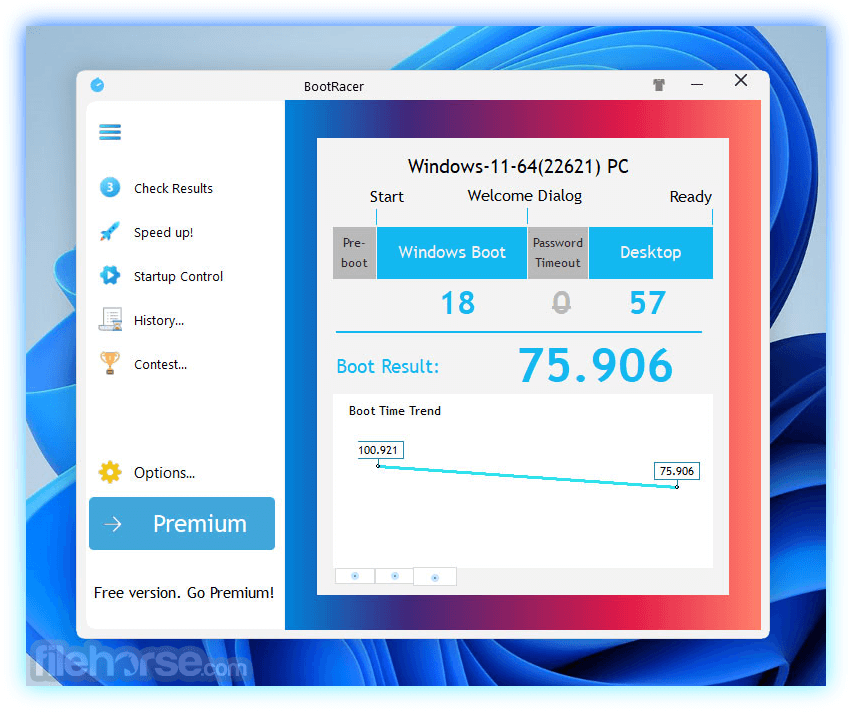
BootRacer finds out which programs slow down the Windows boot-up process! BootRacer is a light-weight, easy to use, and convenient tool for monitoring the Windows PC boot time and controlling over startup programs.
The main approach of the app is an ability to exclude a user password timeout time from the calculated total.
It revolutionizes the way your computer starts up by displaying an accurate countdown timer telling you how many seconds longers you have to wait before the computer is ready. The app is simple, easy, and intuitive, and is free for non-commercial use.
BootRacer’s estimates are accurately based on your computer’s previous startup events, so you’ll know exactly how much time you have to wait before you can start working.
How does Boot Racer save my time and my life?
How to Use
Compatible with Windows 7/8/10/11 (32 and 64-bit)
Approximately 16 MB of free disk space required
Memory requirements are similar to those of your operating system
PROS
Download BootRacer Latest Version Why is this app published on FileHorse? (More info)
The main approach of the app is an ability to exclude a user password timeout time from the calculated total.
It revolutionizes the way your computer starts up by displaying an accurate countdown timer telling you how many seconds longers you have to wait before the computer is ready. The app is simple, easy, and intuitive, and is free for non-commercial use.
BootRacer’s estimates are accurately based on your computer’s previous startup events, so you’ll know exactly how much time you have to wait before you can start working.
How does Boot Racer save my time and my life?
- It calculates the clear Windows boot-up time (without a password timeout).
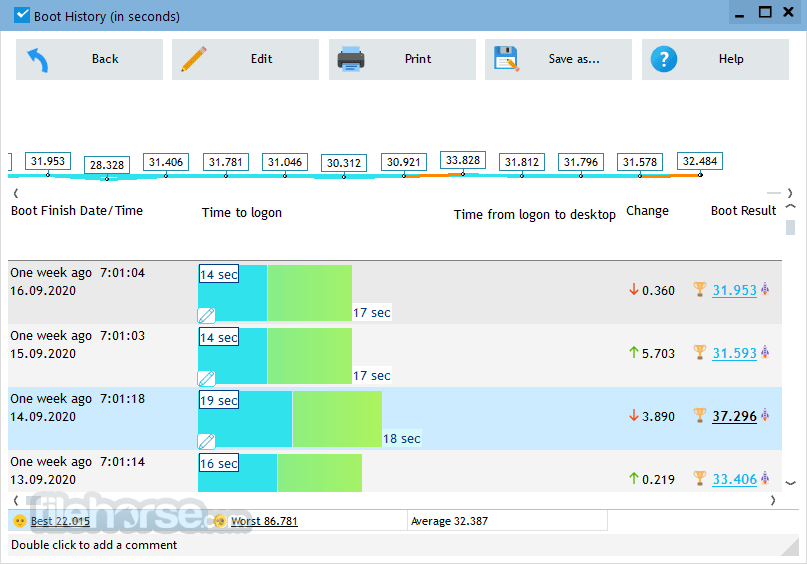
- It monitors your PC's boot time and notifies you about any speed degradation.
- Boot Racer measures Total Time used by startup programs at every boot.
- You will know which programs slow down Windows boot-up.
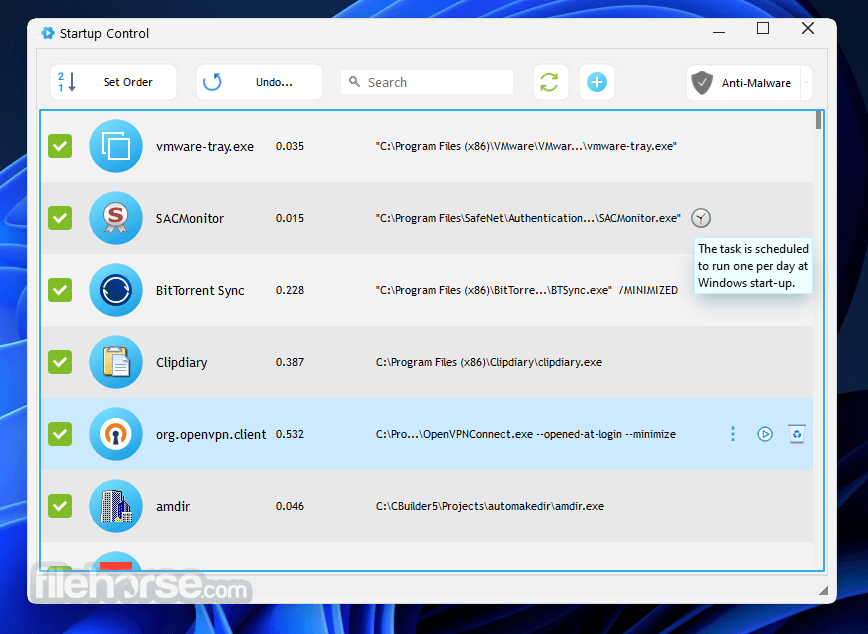
- You can easily disable slow down programs from Windows startup.
- Detecting Boot-Time
- User Password Timeout
- Auto measuring
- Event Logging
- Full-stack of Windows versions
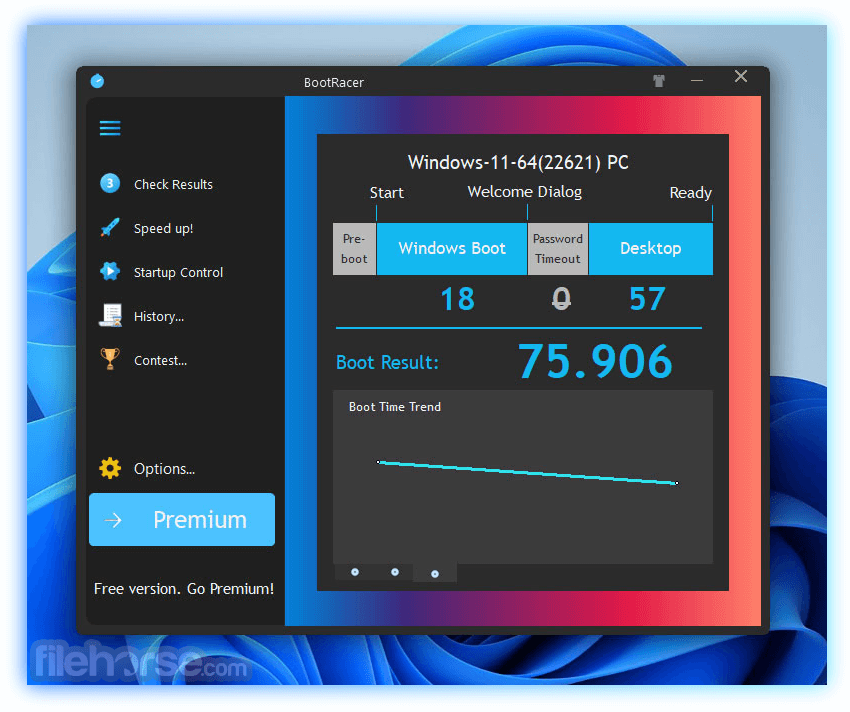
- Displaying Results
- Countdown Timer
- Comparing Results
- Worldwide Boot-Time Contest
- Ability to pause startup programs executing
- Quick and safe to disable programs, with 1000 undo steps.
- Easy control over the initiation order of startup programs.
- Shows startup programs time to open.
- Boot time monitor, with the history database.
How to Use
- Install BootRacer by running the setup file
- Launch BootRacer after installation
- Click on "Boot Time Test" to initiate a test
- Restart your computer when prompted
- After reboot, view the boot time results displayed
- Analyze the results to identify slow startup programs
- Use BootRacer to manage and disable unnecessary startup programs
Compatible with Windows 7/8/10/11 (32 and 64-bit)
Approximately 16 MB of free disk space required
Memory requirements are similar to those of your operating system
PROS
- Accurately measures Windows boot time
- Identifies slow startup programs effectively
- Allows easy management of startup applications
- Lightweight with minimal resource usage
- Free for non-commercial use
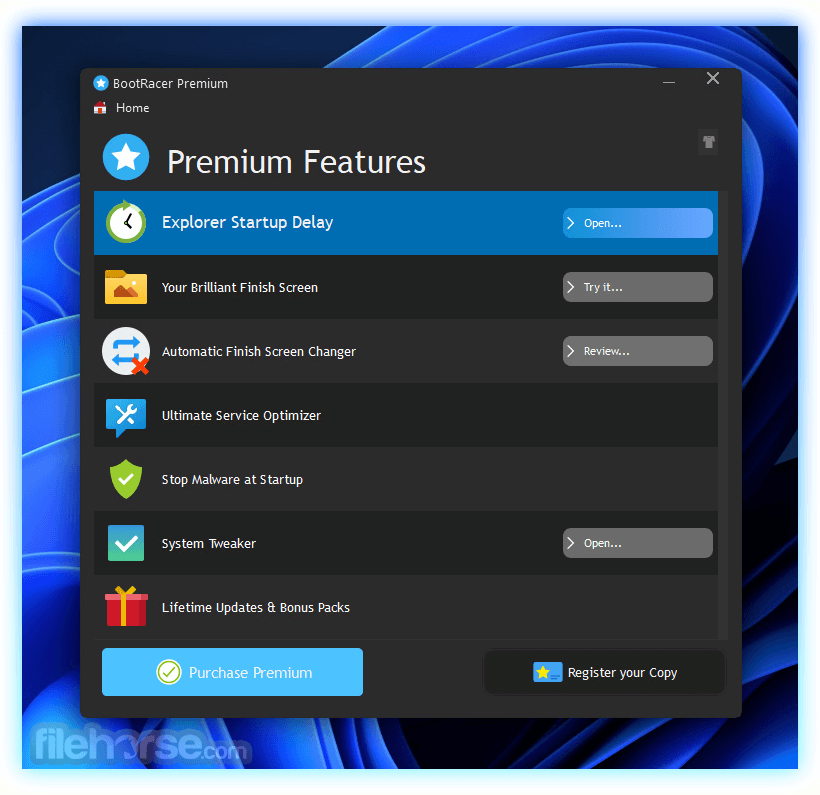
- Limited features in the free version
- May not detect all startup delays
- Requires manual intervention for optimization
- Some features may be complex for beginners
- Commercial use requires a paid license
Download BootRacer Latest Version Why is this app published on FileHorse? (More info)
##
畫面截圖
- 2026-05-20 BootRacer 9.55 25.2 MB
- 2023-08-30 BootRacer 9.05 22.58 MB
- 2023-07-14 BootRacer 9.01 22.55 MB
- 2023-06-28 BootRacer 9.00 23.32 MB
- 2023-02-08 BootRacer 8.95 22.99 MB
- 2022-10-07 BootRacer 8.92 22.98 MB
- 2022-08-31 BootRacer 8.90 22.99 MB
- 2022-04-28 BootRacer 8.85 22.95 MB