
MapInfo Pro 2023
v 2023
Windows
商業試用
8.72/10 (35)
- 目前版本2023
- 更新日期2026-02-19
- 檔案大小2.7 GB
- 檔案名稱MapInfo_Pro_v2023_build141a.zip
- 作業系統Windows 7 64 / Windows 8 64 / Windows 10 64
- 支援語系English
- 授權型式商業試用
- 開發商 Precisely
- 軟體分類Windows 軟體 / 影像設計
##
編輯短評
MapInfo Pro 是一套歷史悠久的專業地理資訊系統(GIS)軟體,自八零年代問世以來持續演進,主要協助 Windows 桌面使用者進行地圖繪製、空間資料擷取、分析與視覺化。它的核心價值在於把複雜的座標與屬性資料轉換成易懂的圖層與報表,讓使用者能從中找出空間上的規律與趨勢。這套軟體由 Precisely 公司長期維護,目前仍持續更新,但更新步調不算頻繁;在台灣的能見度不如一般影像軟體,評價人數不多,但既有使用者普遍給予不錯的評價,屬於專業領域中的老牌工具。
這套軟體適合需要處理地理資料的專業人士,例如都市規劃、不動產分析、物流路徑規劃或環境監測等情境。與同類的 Google Earth 或影像編輯軟體相比,MapInfo Pro 更強調資料庫整合與空間分析能力,而非單純瀏覽或修圖,因此學習門檻較高,但換來的是更精準的製圖與分析彈性。需要注意的是,目前提供的是試用版,僅支援 Windows 平台,且介面語系只有英文,對於不熟悉英文操作介面的使用者來說,可能需要額外適應。若你只是偶爾查看地圖,免費的瀏覽工具可能更輕量;但若需要深入處理空間資料,這套軟體仍是值得考慮的專業選擇。
##
翻譯排程處理中,以下暫以英文原文呈現
軟體介紹
MapInfo Pro is an award-winning geographic information system (GIS) software that allows Windows desktop users access to the incredible array of mapping and spatial analytics tools and services developed over several decades since this app first arrived on sale in the late 1980s.
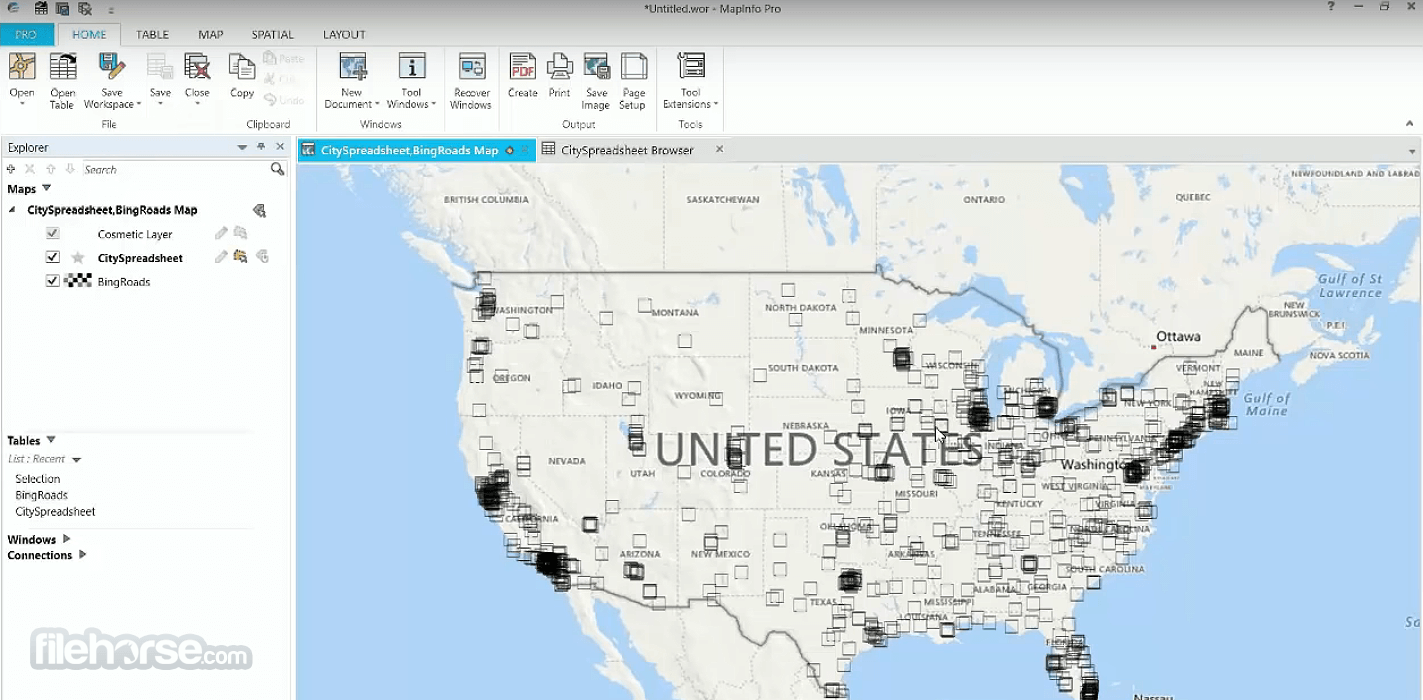
Produced and maintained by Precisely, MapInfo Professional provides its users access to the latest tools to capture data points, process them, visualize, analyze, edit, interpret, understand, provide visual reports, and output data that can be used to easily reveal patterns, trends, and relationships.
Today, this business and engineering-focused GIS application are used extensively in the fields of Environment analysis (mapping of erosion, pollution, animal/plant species movement, climate change, human influences, etc), Insurance analysis (effects of natural disasters, demographic and risk analysis), Engineering analysis (research for construction projects), Marketing analysis (demographics, location intelligence), Telecommunication analysis (identification of coverage area, maximization of investment based on demographics), Crime, Mineral, Retail Site and other types of large-scale analysis project types.
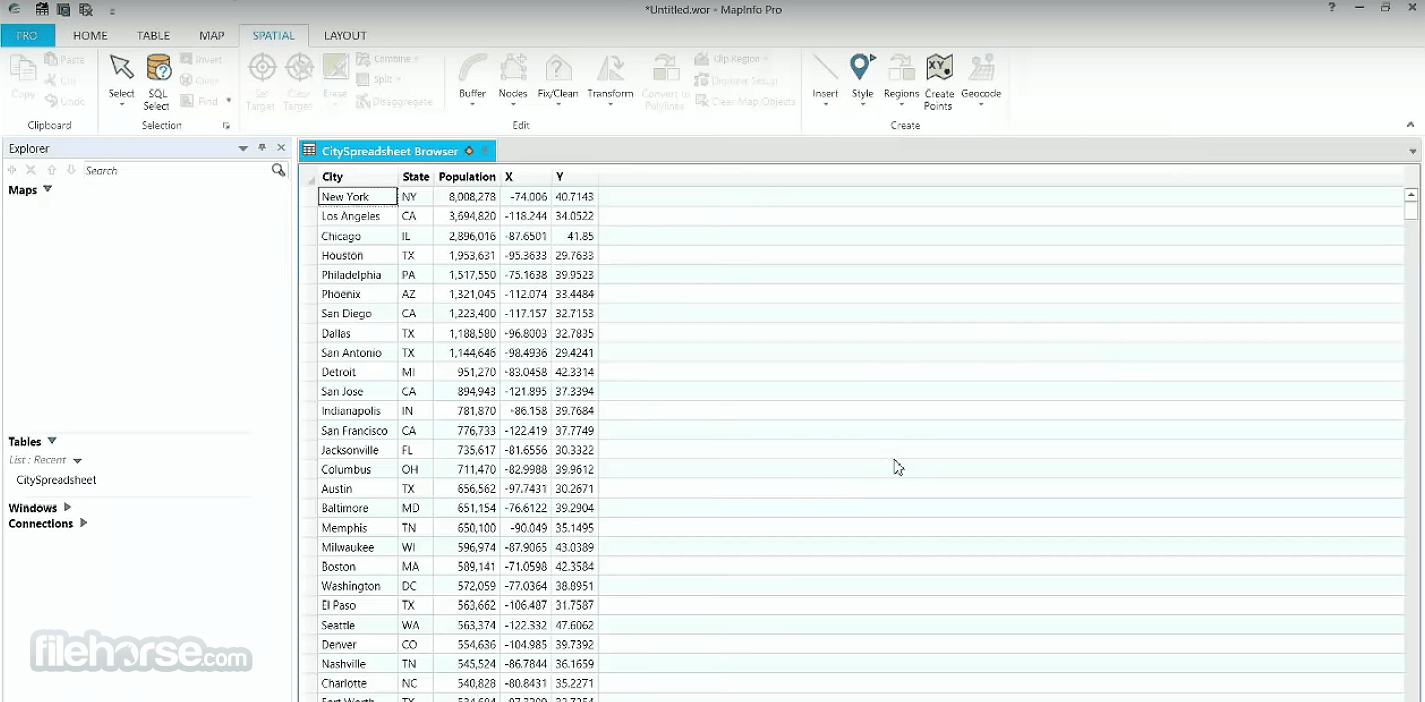
To best serve the needs of advanced users, MapInfo app is fully capable of importing, extracting, analyzing, and sharing data with files created by other applications.
This includes file formats such as CSV and delimited ASCII text, ESRI Shapefile, AutoCAD DXF, Microsoft Excel, Microsoft Access, Bitmaps and various raster formats, Spatial database files (Oracle, PostGIS, SQL Server, SQLite, and GeoPackage), Open Geospatial Consortium Web Services, and most widely used Web-Based Maps (Bing and Open StreetMap).
Precisely MapInfo Professional is available for purchase in two distinct versions, MapInfo Pro and MapInfo Pro Advanced, which come with built-in support for advanced visualization and the ability to manage extremely large geospatial data sets.
Main Features
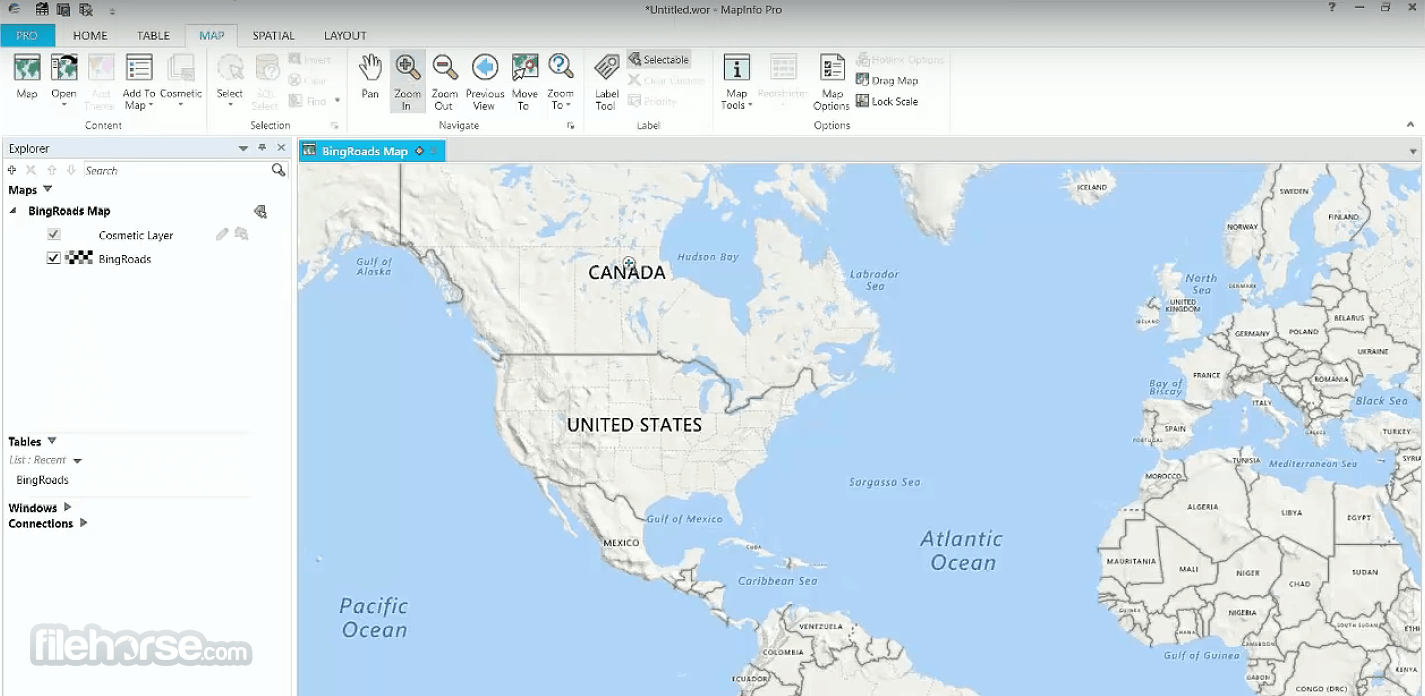
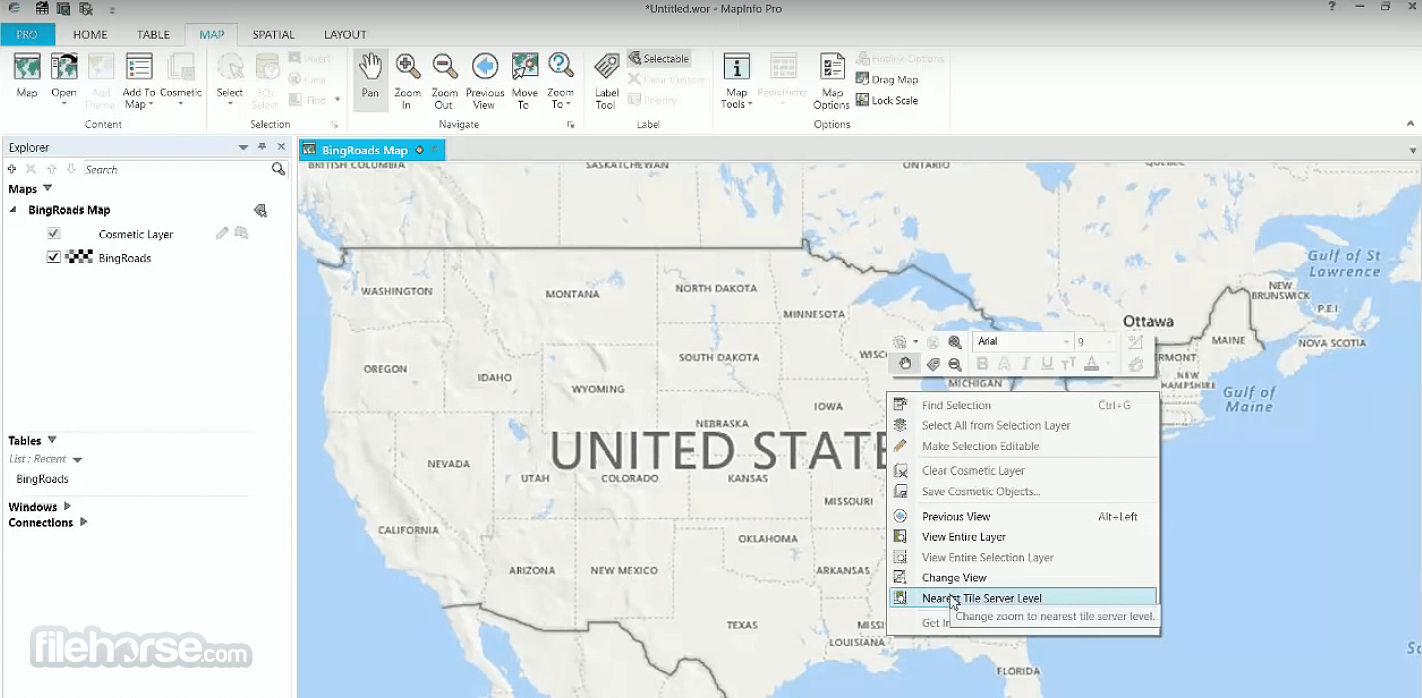
It boasts an intuitive and user-friendly interface, with a familiar ribbon-style toolbar and customizable workspace.
The interface is designed to streamline the mapping and analysis process, making it accessible to both novice and experienced users.
Installation and Setup
Installing this program is straightforward, with a guided setup wizard that walks users through the installation process step-by-step.
The software requires minimal system resources and can be installed on Windows-based PCs with ease.
Produced and maintained by Precisely, MapInfo Professional provides its users access to the latest tools to capture data points, process them, visualize, analyze, edit, interpret, understand, provide visual reports, and output data that can be used to easily reveal patterns, trends, and relationships.
Today, this business and engineering-focused GIS application are used extensively in the fields of Environment analysis (mapping of erosion, pollution, animal/plant species movement, climate change, human influences, etc), Insurance analysis (effects of natural disasters, demographic and risk analysis), Engineering analysis (research for construction projects), Marketing analysis (demographics, location intelligence), Telecommunication analysis (identification of coverage area, maximization of investment based on demographics), Crime, Mineral, Retail Site and other types of large-scale analysis project types.
To best serve the needs of advanced users, MapInfo app is fully capable of importing, extracting, analyzing, and sharing data with files created by other applications.
This includes file formats such as CSV and delimited ASCII text, ESRI Shapefile, AutoCAD DXF, Microsoft Excel, Microsoft Access, Bitmaps and various raster formats, Spatial database files (Oracle, PostGIS, SQL Server, SQLite, and GeoPackage), Open Geospatial Consortium Web Services, and most widely used Web-Based Maps (Bing and Open StreetMap).
Precisely MapInfo Professional is available for purchase in two distinct versions, MapInfo Pro and MapInfo Pro Advanced, which come with built-in support for advanced visualization and the ability to manage extremely large geospatial data sets.
Main Features
- Mapping Tools: It offers a comprehensive set of mapping tools allowing users to create detailed maps with customizable layers, styles, and symbols.
- Spatial Analysis: The software enables users to perform complex spatial analysis operations such as buffering, overlay analysis, proximity analysis, and spatial querying.
- Data Import and Export: It supports various data formats, including Shapefiles, GeoJSON, KML, and Excel, facilitating easy import and export of spatial data.
- Data Visualization: Users can visualize data using thematic mapping, heat maps, and 3D visualization, aiding in data interpretation and decision-making.
- Customization: The software allows users to customize maps and layouts, add annotations, labels, and legends, to create professional-looking outputs.
- Integration: It integrates seamlessly with other business applications such as Microsoft Office, enabling users to leverage spatial data in their everyday workflows.
It boasts an intuitive and user-friendly interface, with a familiar ribbon-style toolbar and customizable workspace.
The interface is designed to streamline the mapping and analysis process, making it accessible to both novice and experienced users.
Installation and Setup
Installing this program is straightforward, with a guided setup wizard that walks users through the installation process step-by-step.
The software requires minimal system resources and can be installed on Windows-based PCs with ease.
##
影片介紹
##
畫面截圖
##
更新日誌
2023
Integrated Data Integrity Suite Access: Pre-configured WMS and WMTS servers are now available for easier connection to the Data Integrity Suite, and the login page can be accessed directly within MapInfo Pro.
New Data Visualization Window: Introduces a dedicated window that transforms complex datasets into clear visual formats such as maps and browser-based views, helping users quickly detect trends, patterns, and anomalies.
New Services Tab on the Ribbon: Provides direct access to Data Integrity Suite APIs and enables users to create and run queries against the Data portfolio directly from MapInfo Pro.
Improved Security & Stability: Optional libraries have been updated to strengthen system security and overall application reliability.
Smarter WMS Table Naming: The default table name in the Open WMS dialog now automatically reflects the selected layer.
Smarter WMTS Table Naming: The default table name in the Open WMTS dialog is now automatically based on the selected layer.
Transition Improvements for Data Integrity Suite: Includes important updates and refinements to ensure a smoother and more stable integration experience.
How to Use
FAQs
Can MapInfo Pro for PC handle large datasets?
Yes, MapInfo Pro is capable of handling large datasets efficiently, allowing users to work with extensive spatial data without compromising performance.
Can I customize the symbology and styles of my maps?
Absolutely, it offers extensive customization options for symbology, styles, and map layouts, giving users full control over the appearance of their maps.
Is MapInfo Pro compatible with other GIS software?
Yes, it supports interoperability with other GIS software through various data exchange formats, ensuring seamless collaboration and data sharing.
Does MapInfo Pro offer spatial analysis tools?
Yes, it provides a wide range of spatial analysis tools for performing tasks such as buffering, overlay analysis, and proximity analysis, enabling users to derive valuable insights from their spatial data.
What are the system requirements for running MapInfo Pro?
The system requirements for this software include a Windows-based PC with at least 4GB of RAM, 2GB of free disk space, and a compatible graphics card.
Alternatives
QGIS - QGIS is an open-source GIS software that provides powerful mapping and analysis tools, making it a popular choice among GIS professionals.
Global Mapper - Global Mapper is a versatile GIS software known for its robust data processing capabilities and intuitive interface.
Google Earth Pro - Google Earth Pro offers basic mapping and spatial analysis features, along with 3D visualization and satellite imagery.
Pricing
Precisely MapInfo Pro v2023 Premium - Starting at £1,330.00
The Premium Edition incorporates Microsoft® Bing maps to provide you with up-to-date worldwide street mapping at the click of a button.
For those who require background street mapping in their analysis, this service provides incomparable value. 1-year and 3-year single-seat subscription license options available.
Precisely MapInfo Pro v2023 - Starting at £820.00
Unlock the next dimension in spatial analytics with a truly all-in-one GIS solution. Harness the power of powerful, yet intuitive, location analytics to make intelligent and productive business decisions.
Now, including our 3D visualization capabilities and easy access to enterprise-level spatial analytics. MapInfo Pro v2023 is available in English and 15 other languages. 1-year and 3-year single-seat subscription license options are available.
System Requirements
Minimum System Requirements
It stands out as a robust and feature-rich GIS software solution suitable for professionals and organizations needing advanced mapping and spatial analysis capabilities. With its intuitive interface, powerful tools, and extensive customization options, MapInfo Pro empowers users to visualize, analyze, and interpret spatial data effectively.
While it may have a steeper learning curve for novice users and be limited to Windows platforms, its comprehensive feature set and seamless integration make it a valuable asset for a wide range of industries.
Note: A FREE version of the app is available via the 30-day trial license.
Download MapInfo Pro Latest Version Why is this app published on FileHorse? (More info)
New Data Visualization Window: Introduces a dedicated window that transforms complex datasets into clear visual formats such as maps and browser-based views, helping users quickly detect trends, patterns, and anomalies.
New Services Tab on the Ribbon: Provides direct access to Data Integrity Suite APIs and enables users to create and run queries against the Data portfolio directly from MapInfo Pro.
Improved Security & Stability: Optional libraries have been updated to strengthen system security and overall application reliability.
Smarter WMS Table Naming: The default table name in the Open WMS dialog now automatically reflects the selected layer.
Smarter WMTS Table Naming: The default table name in the Open WMTS dialog is now automatically based on the selected layer.
Transition Improvements for Data Integrity Suite: Includes important updates and refinements to ensure a smoother and more stable integration experience.
How to Use
- Import Data: Start by importing your spatial data into this app using the 'Open Table' or 'Import' options.
- Create Maps: Use the mapping tools to create and customize your maps, adding layers, styles, and symbols as desired.
- Perform Analysis: Utilize the spatial analysis tools to analyze your data, perform queries, and generate insights.
- Visualize Data: Visualize your data using thematic mapping, heat maps, or 3D visualization to better understand spatial patterns.
- Export Results: Once you've analyzed your data, export your results in various formats for sharing or further analysis.
FAQs
Can MapInfo Pro for PC handle large datasets?
Yes, MapInfo Pro is capable of handling large datasets efficiently, allowing users to work with extensive spatial data without compromising performance.
Can I customize the symbology and styles of my maps?
Absolutely, it offers extensive customization options for symbology, styles, and map layouts, giving users full control over the appearance of their maps.
Is MapInfo Pro compatible with other GIS software?
Yes, it supports interoperability with other GIS software through various data exchange formats, ensuring seamless collaboration and data sharing.
Does MapInfo Pro offer spatial analysis tools?
Yes, it provides a wide range of spatial analysis tools for performing tasks such as buffering, overlay analysis, and proximity analysis, enabling users to derive valuable insights from their spatial data.
What are the system requirements for running MapInfo Pro?
The system requirements for this software include a Windows-based PC with at least 4GB of RAM, 2GB of free disk space, and a compatible graphics card.
Alternatives
QGIS - QGIS is an open-source GIS software that provides powerful mapping and analysis tools, making it a popular choice among GIS professionals.
Global Mapper - Global Mapper is a versatile GIS software known for its robust data processing capabilities and intuitive interface.
Google Earth Pro - Google Earth Pro offers basic mapping and spatial analysis features, along with 3D visualization and satellite imagery.
Pricing
Precisely MapInfo Pro v2023 Premium - Starting at £1,330.00
The Premium Edition incorporates Microsoft® Bing maps to provide you with up-to-date worldwide street mapping at the click of a button.
For those who require background street mapping in their analysis, this service provides incomparable value. 1-year and 3-year single-seat subscription license options available.
Precisely MapInfo Pro v2023 - Starting at £820.00
Unlock the next dimension in spatial analytics with a truly all-in-one GIS solution. Harness the power of powerful, yet intuitive, location analytics to make intelligent and productive business decisions.
Now, including our 3D visualization capabilities and easy access to enterprise-level spatial analytics. MapInfo Pro v2023 is available in English and 15 other languages. 1-year and 3-year single-seat subscription license options are available.
System Requirements
Minimum System Requirements
- OS: 64-bit Operating System
- Processor: 1 GHz CPU with support for PAE, NX, and SSE2
- Memory: 2 GB RAM (4 GB recommended)
- Disk Space: 20 GB available space (64-bit), Data 2.3 GB or better
- Graphics: Microsoft DirectX 9 graphics device with WDDM driver
- Display: 1024 x 768 resolution or higher
- OS: 64-bit Operating System
- Processor: Intel Core 2 Duo / AMD Athlon X2 or better
- Memory: 16+ GB RAM
- Disk Space: 25 GB available space (64-bit), Data 2.3 GB
- Graphics: Dedicated GPU - AMD Radeon HD 2000 series / NVIDIA GeForce 8 series or better; Integrated GPU: AMD Radeon HD 3200 / NVIDIA GeForce 9400 / Intel HD Graphics or better
- Display: 1024 x 768 resolution
- Comprehensive mapping and spatial analysis capabilities
- Intuitive user interface
- Extensive customization options
- Seamless integration with other business applications
- Efficient handling of large datasets
- Windows-only compatibility
- Pricing may be prohibitive for some users
- A steeper learning curve for novice users compared to simpler GIS software
It stands out as a robust and feature-rich GIS software solution suitable for professionals and organizations needing advanced mapping and spatial analysis capabilities. With its intuitive interface, powerful tools, and extensive customization options, MapInfo Pro empowers users to visualize, analyze, and interpret spatial data effectively.
While it may have a steeper learning curve for novice users and be limited to Windows platforms, its comprehensive feature set and seamless integration make it a valuable asset for a wide range of industries.
Note: A FREE version of the app is available via the 30-day trial license.
Download MapInfo Pro Latest Version Why is this app published on FileHorse? (More info)
- 2026-02-19 MapInfo Pro 2023 2.7 GB
- 2020-01-06 MapInfo Pro 2019 2 GB
- 2019-11-29 MapInfo Professional 17 932 MB